Ravi Sir's Cards › Excel
Manufacturing Production Planning System in Excel (card 2 of 2)
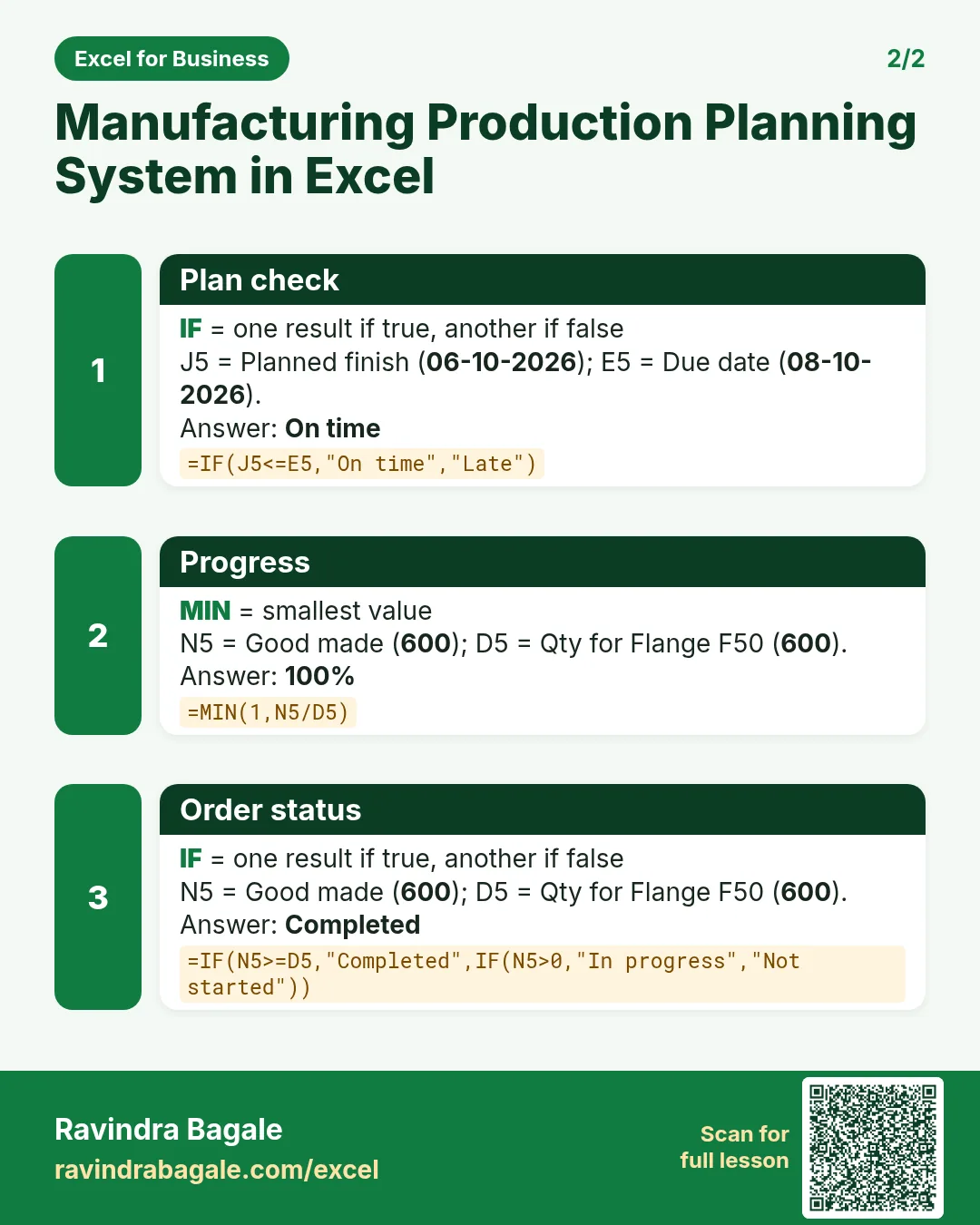
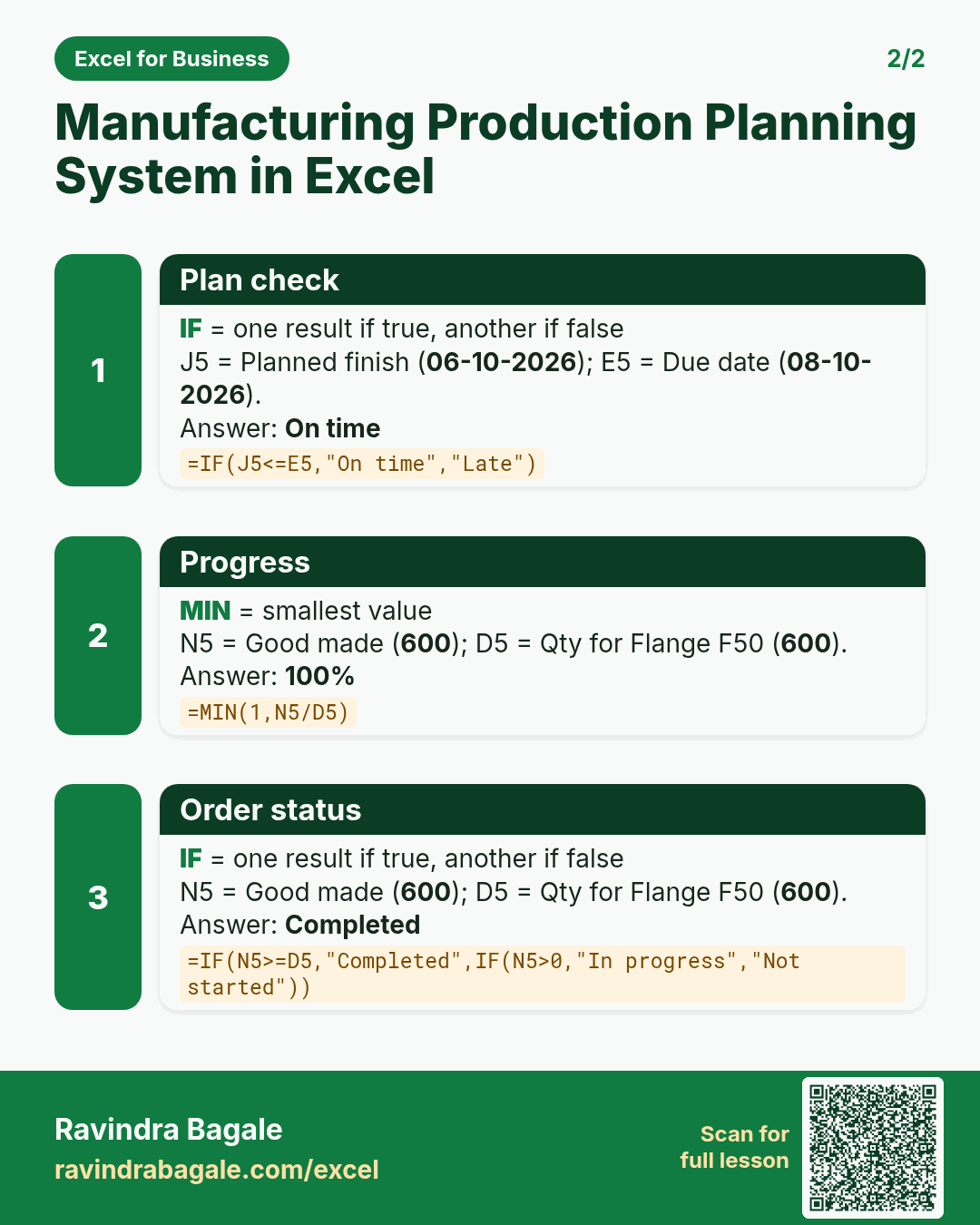
Revision card 2 for Manufacturing Production Planning System in Excel: Plan check: =IF(J5<=E5,"On time","Late") gives On time; Progress: =MIN(1,N5/D5) gives 100%; Order status: =IF(N5>=D5,"Completed",IF(N5>0,"In progress","Not started")) gives Completed.
Read card text
What this card says
2 for Manufacturing Production Planning System in Excel: Plan check: =IF(J5<=E5,"On time","Late") gives On time
Progress: =MIN(1,N5/D5) gives 100%
Order status: =IF(N5>=D5,"Completed",IF(N5>0,"In progress","Not started")) gives Completed.
Learn this in the lesson: Manufacturing Production Planning System in Excel: Machine Hours, Planned Finish Date, Progress, Rejects and Machine Load