Ravi Sir's Cards › Excel
Interior Design Costing System in Excel (card 2 of 2)
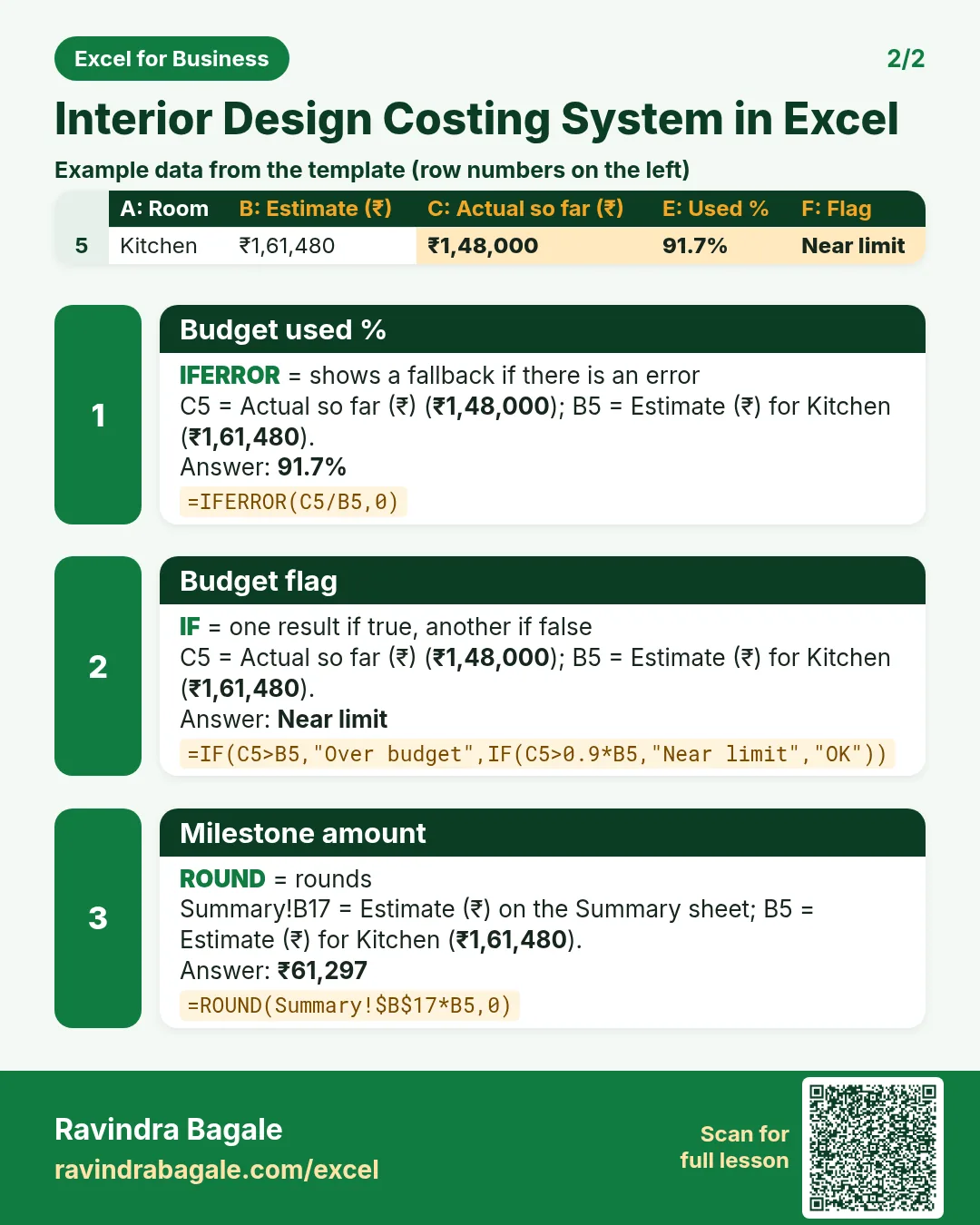
Revision card 2 for Interior Design Costing System in Excel: Budget used %: =IFERROR(C5/B5,0) gives 91.7%; Budget flag: =IF(C5>B5,"Over budget",IF(C5>0.9*B5,"Near limit","OK")) gives Near limit; Milestone amount: =ROUND(Summary!$B$17*B5,0) gives ₹61,297. Includes an example data table.
Read card text
What this card says
2 for Interior Design Costing System in Excel: Budget used %: =IFERROR(C5/B5,0) gives 91.7%
Budget flag: =IF(C5>B5,"Over budget",IF(C5>0.9*B5,"Near limit","OK")) gives Near limit
Milestone amount: =ROUND(Summary!$B$17*B5,0) gives ₹61,297. Includes an
Example
data table
Learn this in the lesson: Interior Design Costing System in Excel: Rate Card, Room Estimate, Budget vs Actual, Payment Schedule and Quotation