Ravi Sir's Cards › Excel
Habit Tracker in Excel (card 1 of 2)
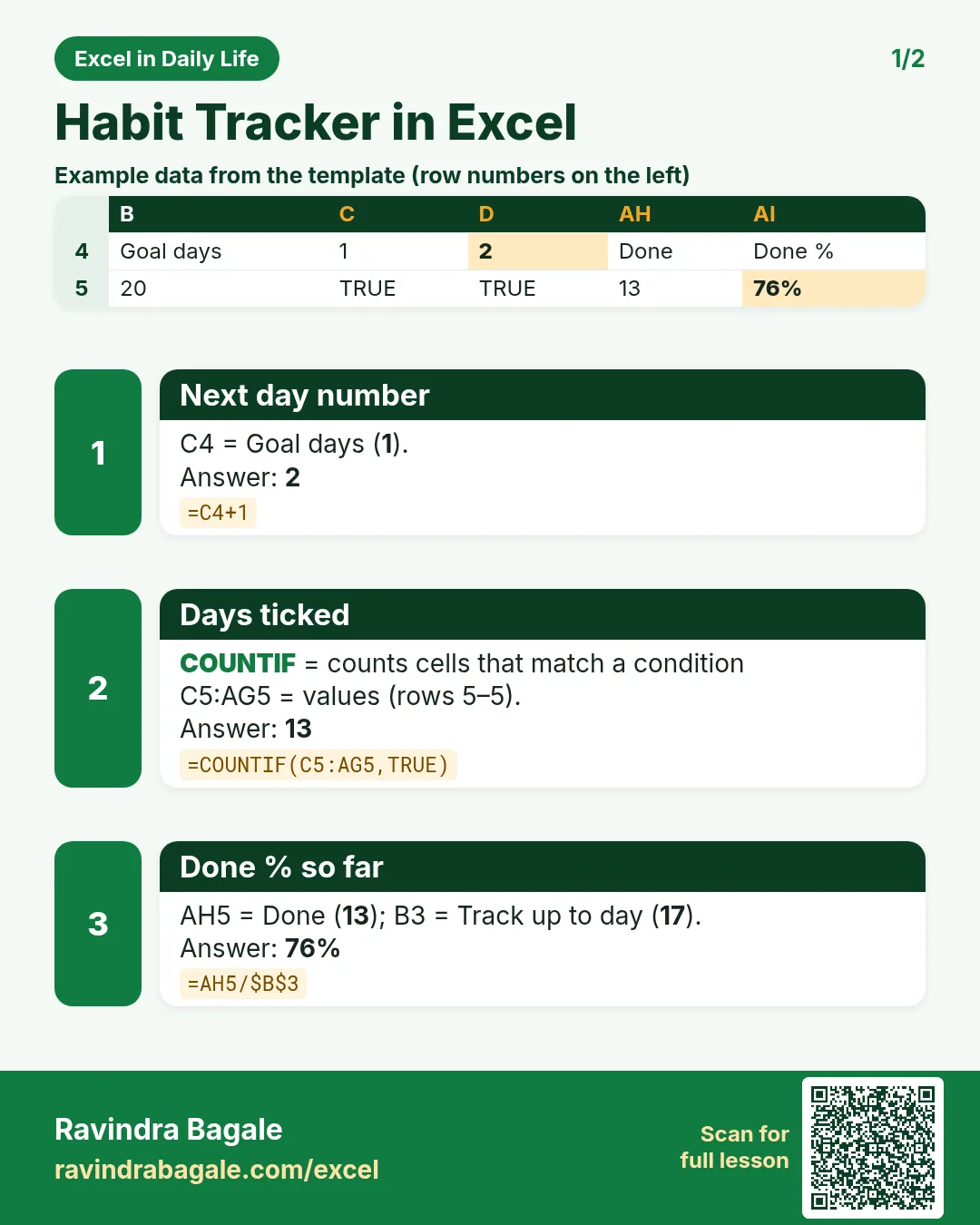
Revision card 1 for Habit Tracker in Excel: Next day number: =C4+1 gives 2; Days ticked: =COUNTIF(C5:AG5,TRUE) gives 13; Done % so far: =AH5/$B$3 gives 76%. Includes an example data table.
Read card text
What this card says
1 for Habit Tracker in Excel: Next day number: =C4+1 gives 2
Days ticked: =COUNTIF(C5:AG5,TRUE) gives 13
Done % so far: =AH5/$B$3 gives 76%. Includes an
Example
data table
Learn this in the lesson: How to Make a Habit Tracker in Excel with Checkboxes (Monthly Grid, Totals and Streaks)