Ravi Sir's Cards › Excel
Grocery List in Excel (card 1 of 2)
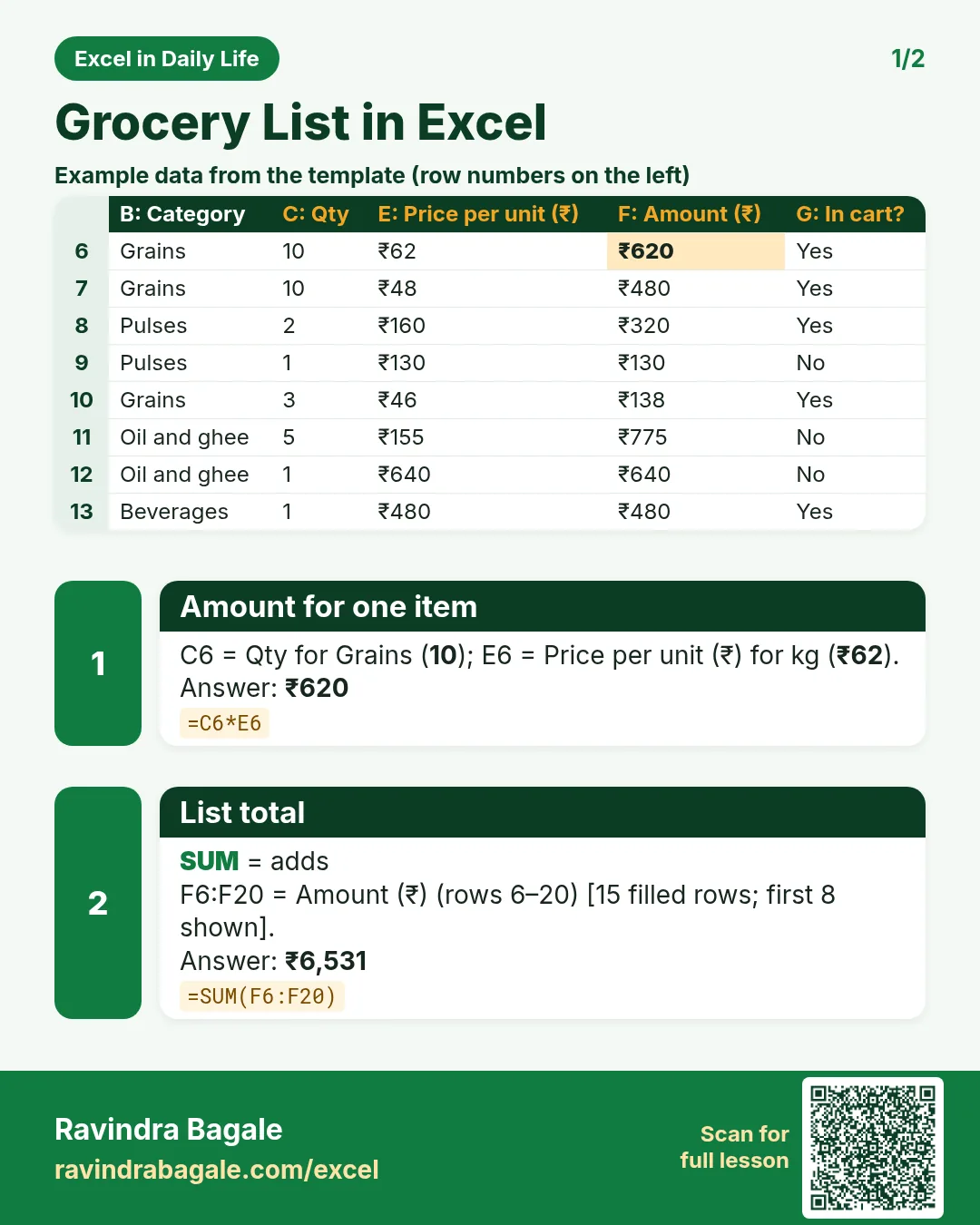
Revision card 1 for Grocery List in Excel: Amount for one item: =C6*E6 gives ₹620; List total: =SUM(F6:F20) gives ₹6,531. Includes an example data table.
Read card text
What this card says
1 for Grocery List in Excel: Amount for one item: =C6*E6 gives ₹620
List total: =SUM(F6:F20) gives ₹6,531. Includes an
Example
data table
Learn this in the lesson: Grocery List in Excel with Prices: Auto Total, Category Drop-Down and Tick Items as You Shop