Ravi Sir's Cards › Excel
Flatmate Expense Split in Excel (card 2 of 2)
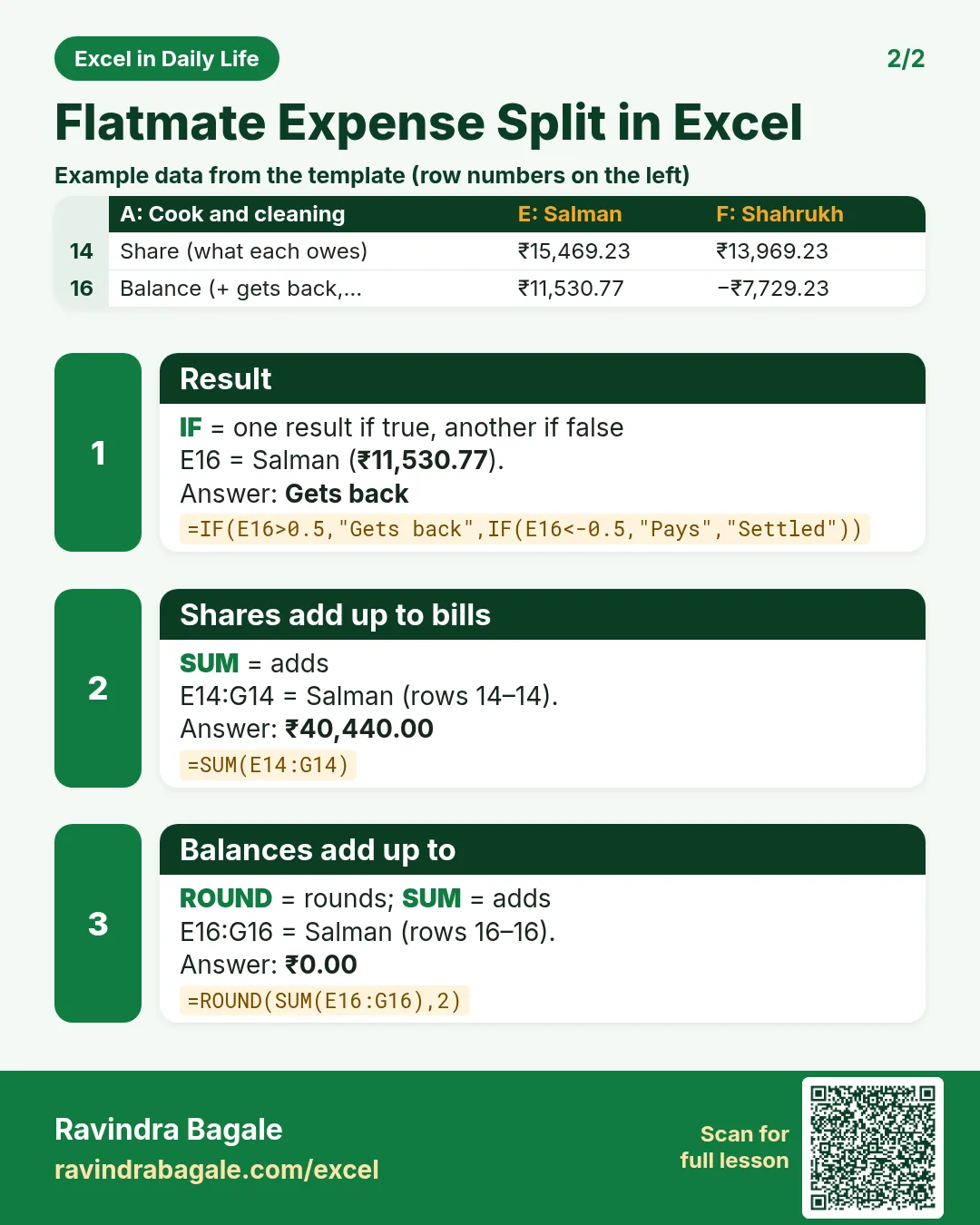
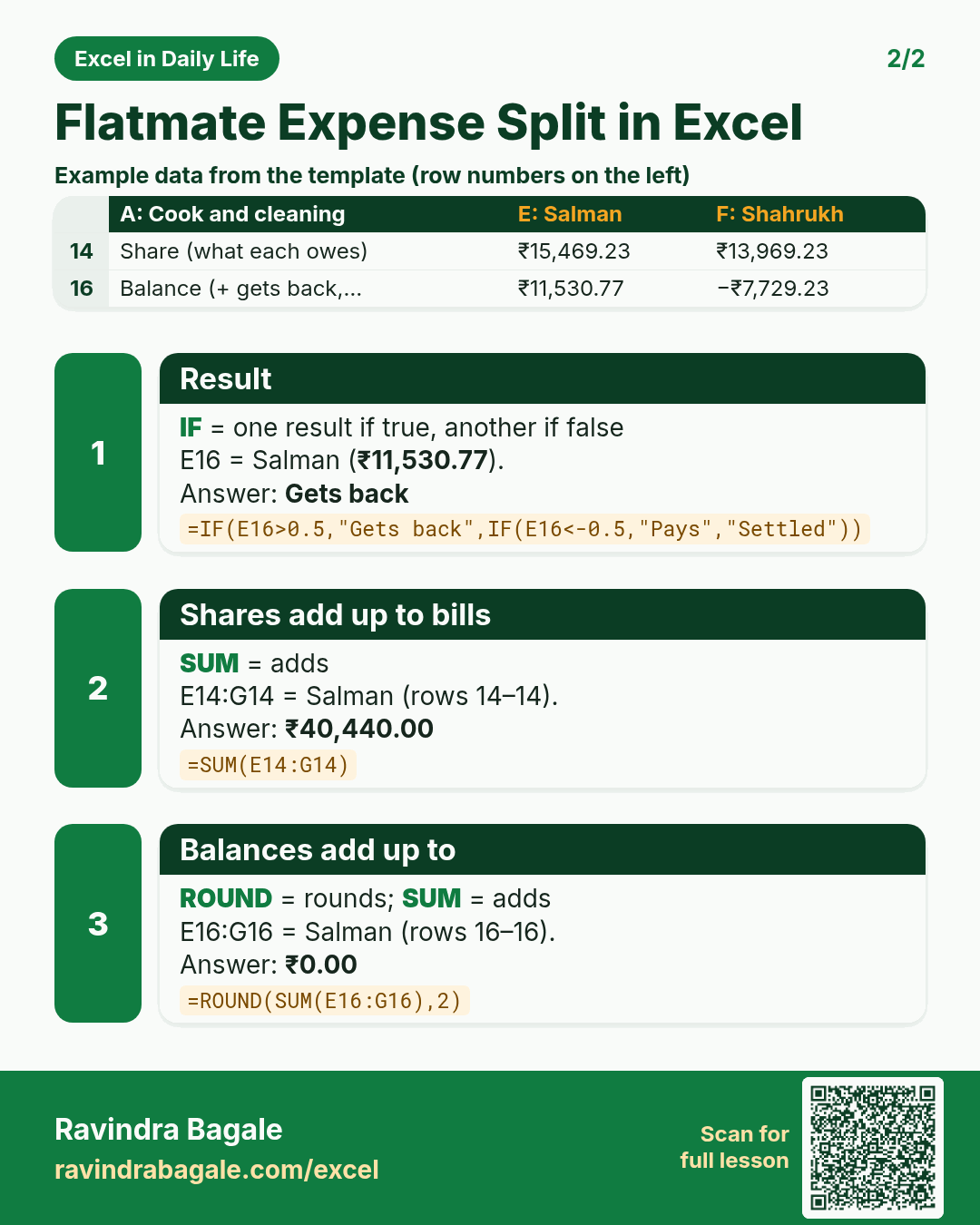
Revision card 2 for Flatmate Expense Split in Excel: Result: =IF(E16>0.5,"Gets back",IF(E16<-0.5,"Pays","Settled")) gives Gets back; Shares add up to bills: =SUM(E14:G14) gives ₹40,440.00; Balances add up to: =ROUND(SUM(E16:G16),2) gives ₹0.00. Includes an example data table.
Read card text
What this card says
2 for Flatmate Expense Split in Excel: Result: =IF(E16>0.5,"Gets back",IF(E16<-0.5,"Pays","Settled")) gives Gets back
Shares add up to bills: =SUM(E14:G14) gives ₹40,440.00
Balances add up to: =ROUND(SUM(E16:G16),2) gives ₹0.00. Includes an
Example
data table
Learn this in the lesson: Flatmate Expense Split in Excel: Share Rent by Room Size and Bills by Days Stayed