Ravi Sir's Cards › Excel
Daily Expense Tracker in Excel (card 2 of 2)
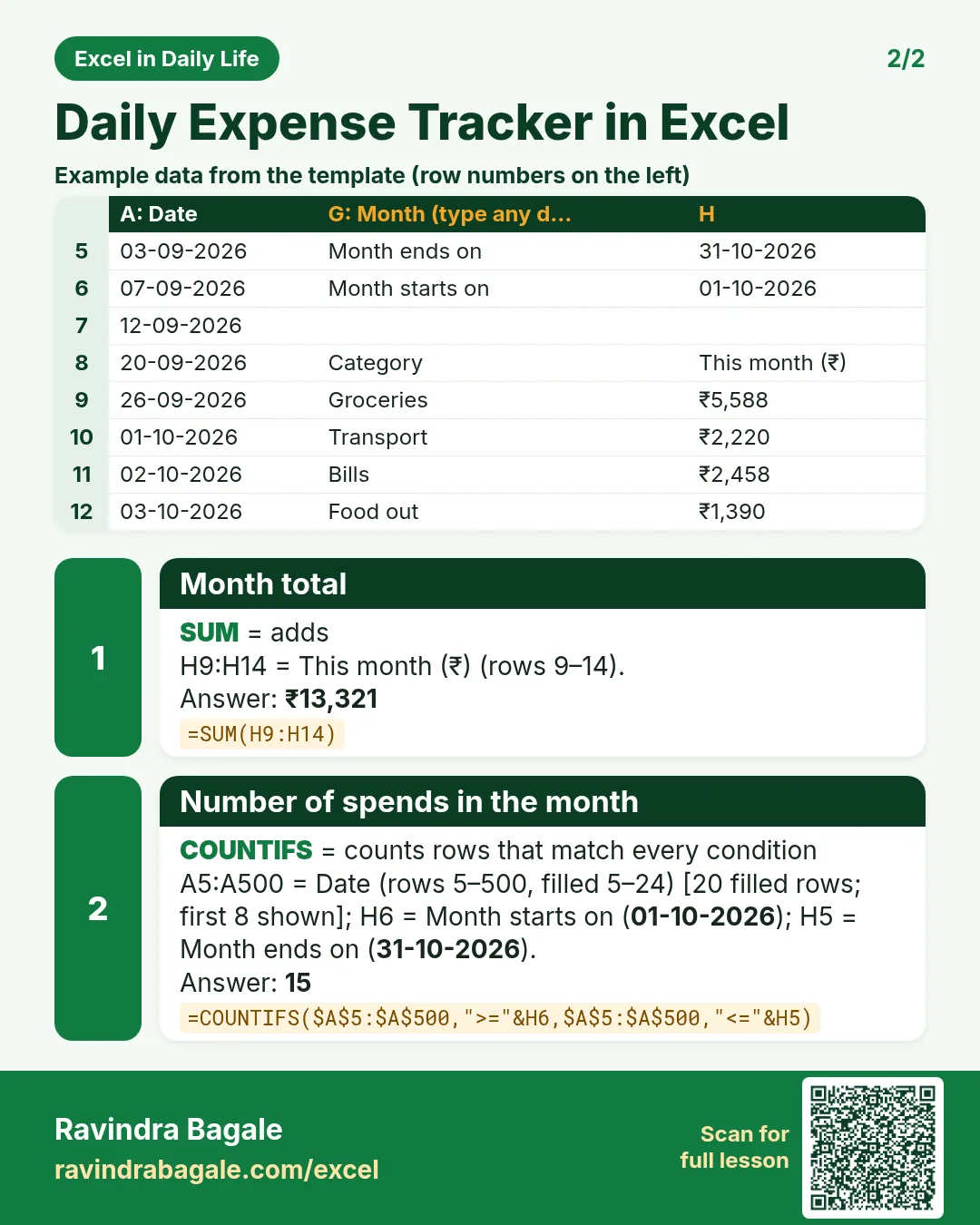
Revision card 2 for Daily Expense Tracker in Excel: Month total: =SUM(H9:H14) gives ₹13,321; Number of spends in the month: =COUNTIFS($A$5:$A$500,">="&H6,$A$5:$A$500,"<="&H5) gives 15. Includes an example data table.
Read card text
What this card says
2 for Daily Expense Tracker in Excel: Month total: =SUM(H9:H14) gives ₹13,321
Number of spends in the month: =COUNTIFS($A$5:$A$500,">="&H6,$A$5:$A$500,"<="&H5) gives 15. Includes an
Example
data table
Learn this in the lesson: Daily Expense Tracker in Excel: Log Spending by Category and See Monthly Totals Automatically