Ravi Sir's Cards › Excel
Courier Management System in Excel (card 1 of 2)
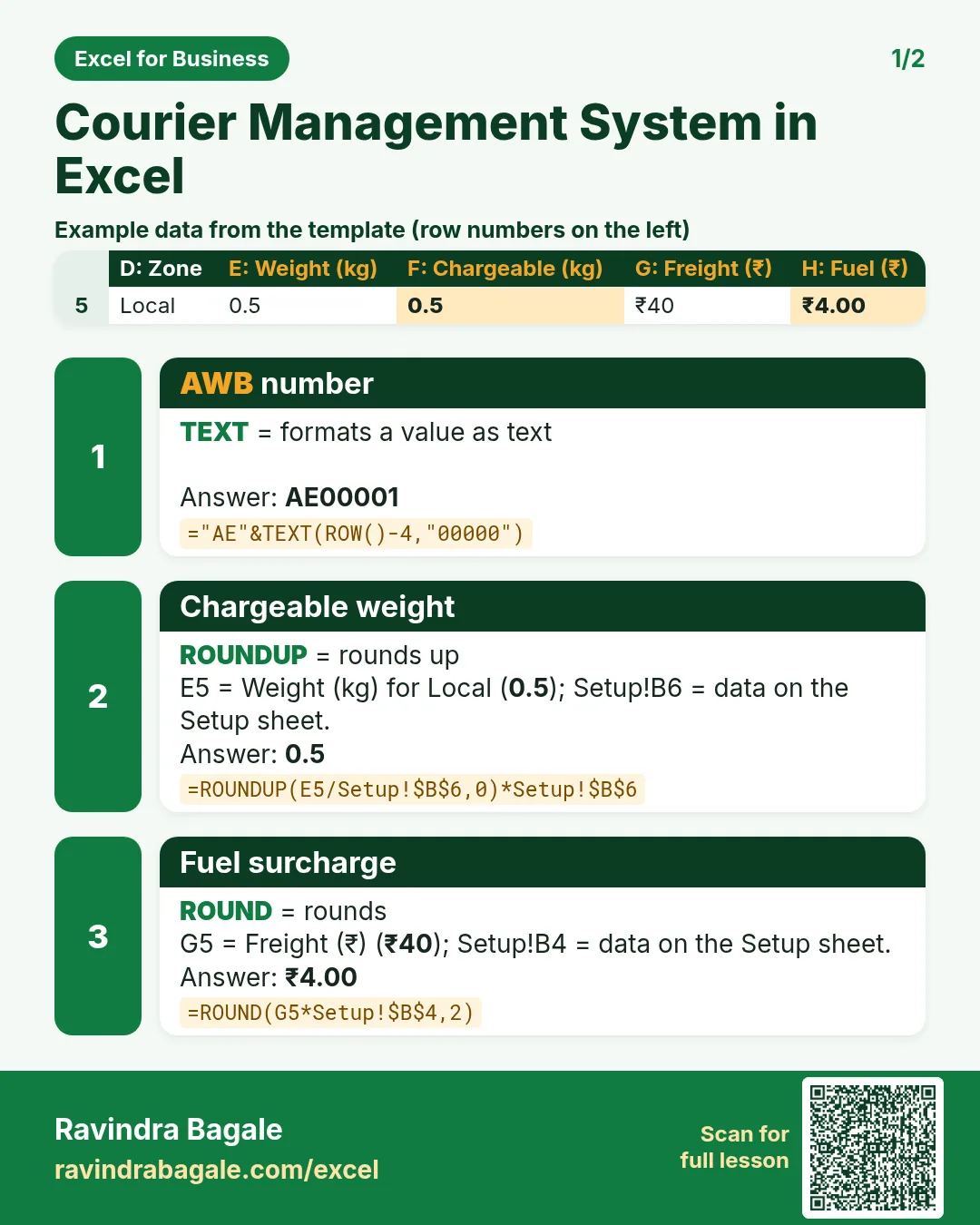
Revision card 1 for Courier Management System in Excel: AWB number: ="AE"&TEXT(ROW()-4,"00000") gives AE00001; Chargeable weight: =ROUNDUP(E5/Setup!$B$6,0)*Setup!$B$6 gives 0.5; Fuel surcharge: =ROUND(G5*Setup!$B$4,2) gives ₹4.00. Includes an example data table.
Read card text
What this card says
1 for Courier Management System in Excel: AWB number: ="AE"&TEXT(ROW()-4,"00000") gives AE00001
Chargeable weight: =ROUNDUP(E5/Setup!$B$6,0)*Setup!$B$6 gives 0.5
Fuel surcharge: =ROUND(G5*Setup!$B$4,2) gives ₹4.00. Includes an
Example
data table
Learn this in the lesson: Courier Management System in Excel: Zone Rate Chart, Weight Slabs, Fuel Surcharge, Delivery Status and Dashboard