Ravi Sir's Cards › Excel
CA Office Compliance Management System in Excel (card 1 of 2)
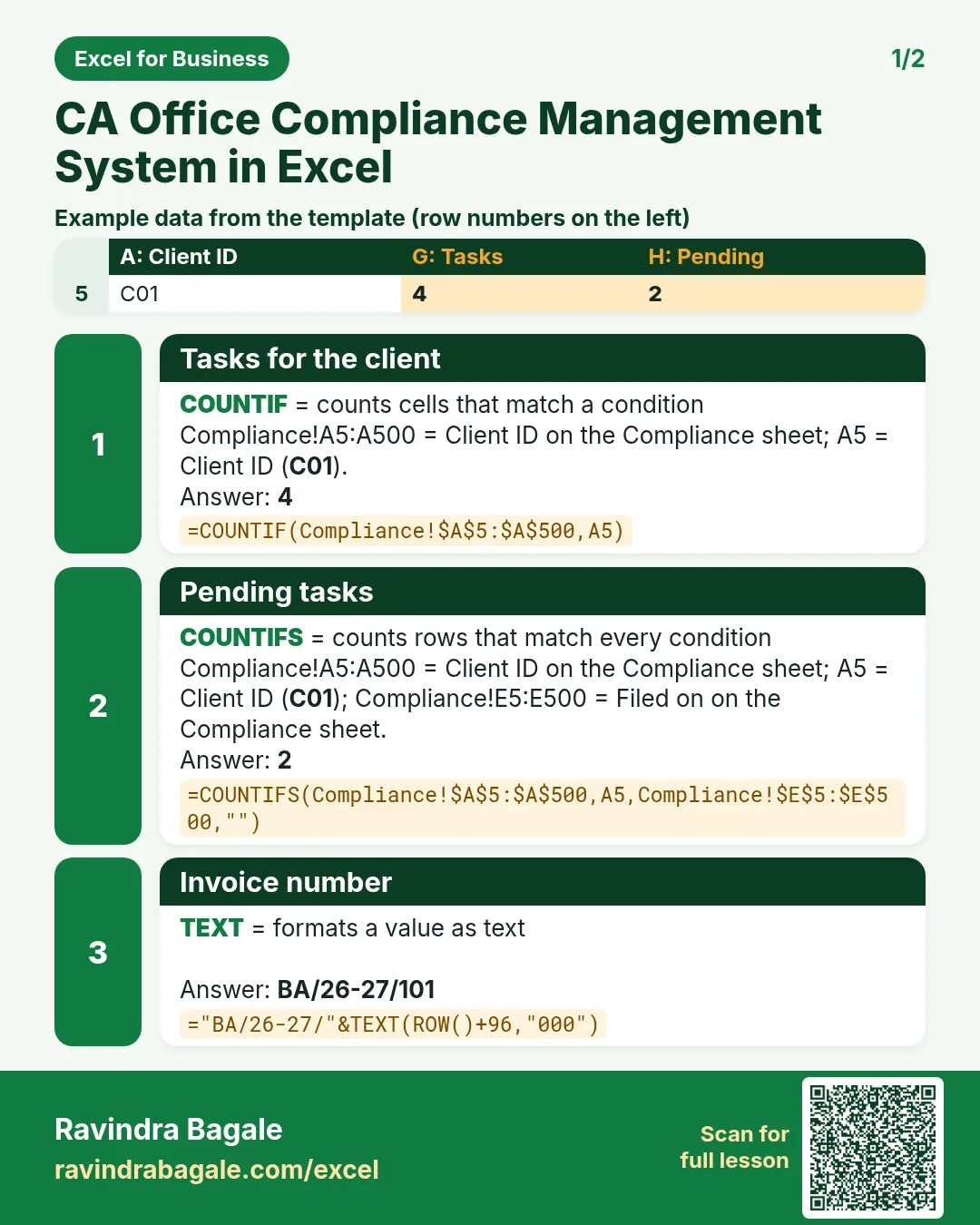
Revision card 1 for CA Office Compliance Management System in Excel: Tasks for the client: =COUNTIF(Compliance!$A$5:$A$500,A5) gives 4; Pending tasks: =COUNTIFS(Compliance!$A$5:$A$500,A5,Compliance!$E$5:$E$500,"") gives 2; Invoice number: ="BA/26-27/"&TEXT(ROW()+96,"000") gives BA/26-27/101. Includes an example data table.
Read card text
What this card says
1 for CA Office Compliance Management System in Excel: Tasks for the client: =COUNTIF(Compliance!$A$5:$A$500,A5) gives 4
Pending tasks: =COUNTIFS(Compliance!$A$5:$A$500,A5,Compliance!$E$5:$E$500,"") gives 2
Invoice number: ="BA/26-27/"&TEXT(ROW()+96,"000") gives BA/26-27/101. Includes an
Example
data table
Learn this in the lesson: CA Office Compliance Management System in Excel: GST and TDS Due Dates, Filing Status, Fees and Staff Report