Ravi Sir's Cards › Excel
Bill Payment Reminder in Excel (card 2 of 2)
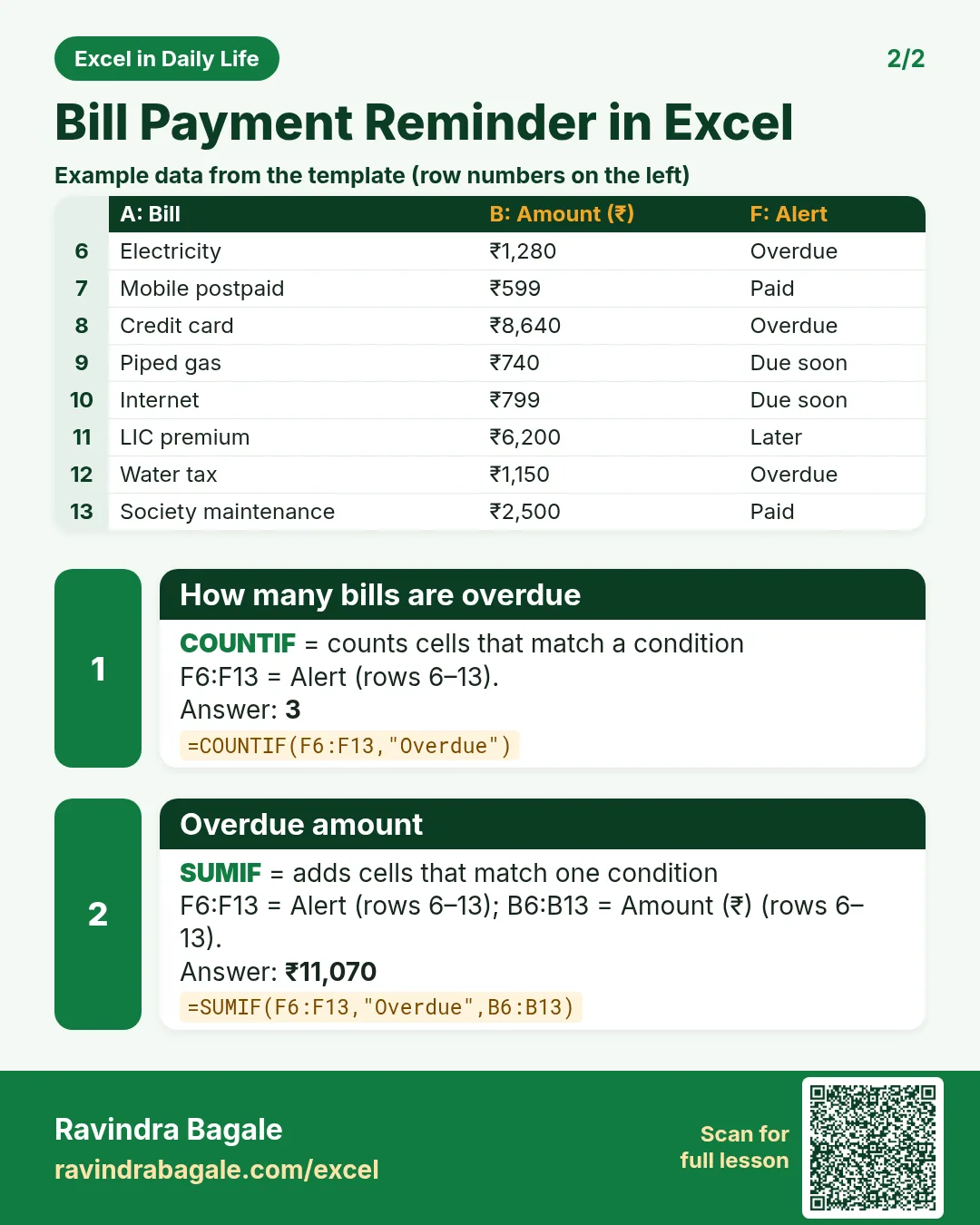
Revision card 2 for Bill Payment Reminder in Excel: How many bills are overdue: =COUNTIF(F6:F13,"Overdue") gives 3; Overdue amount: =SUMIF(F6:F13,"Overdue",B6:B13) gives ₹11,070. Includes an example data table.
Read card text
What this card says
2 for Bill Payment Reminder in Excel: How many bills are overdue: =COUNTIF(F6:F13,"Overdue") gives 3
Overdue amount: =SUMIF(F6:F13,"Overdue",B6:B13) gives ₹11,070. Includes an
Example
data table
Learn this in the lesson: Bill Payment Reminder in Excel: Highlight Due and Overdue Bills Automatically with TODAY