Ravi Sir's Cards › Excel
Bill Payment Reminder in Excel (card 1 of 2)
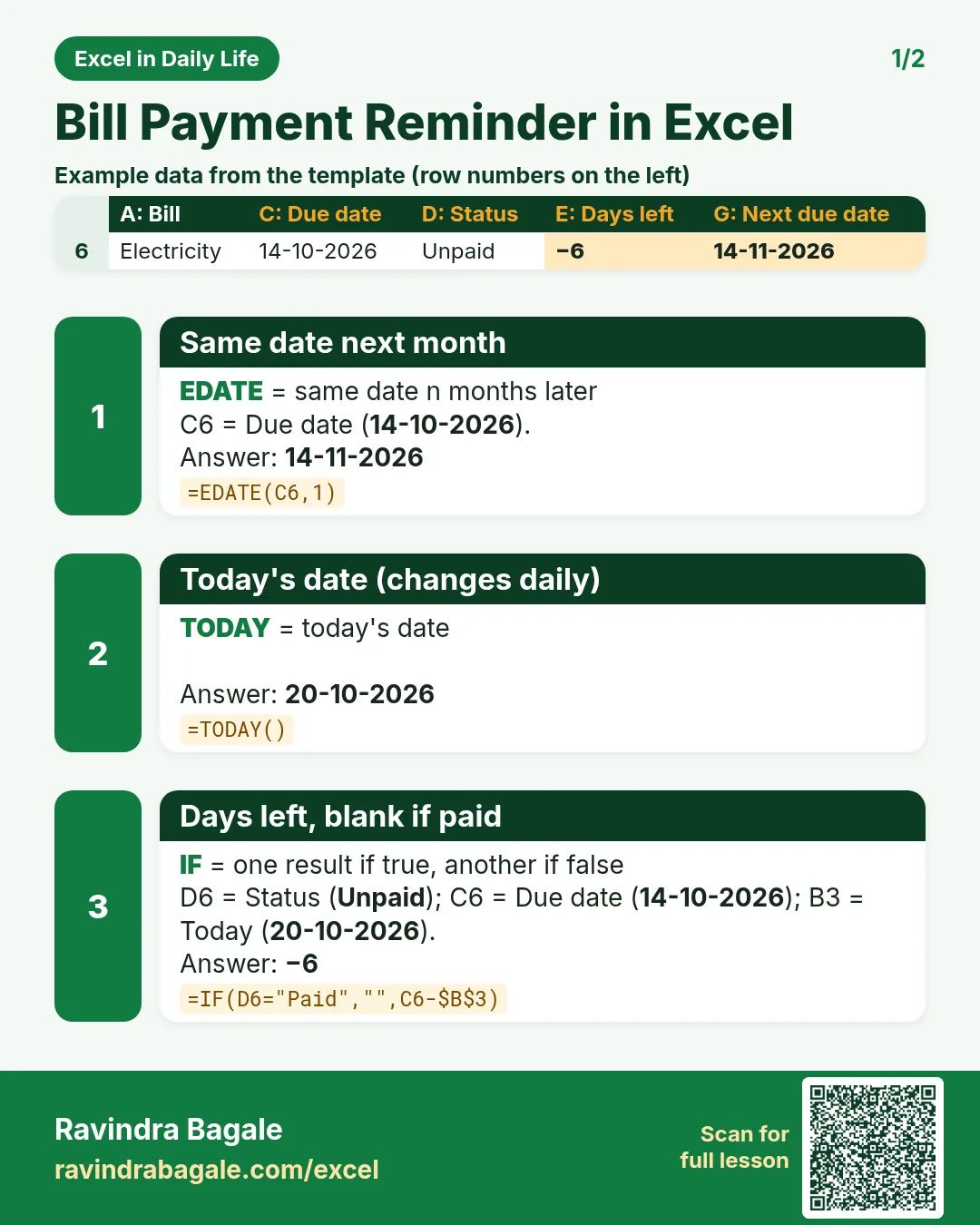
Revision card 1 for Bill Payment Reminder in Excel: Same date next month: =EDATE(C6,1) gives 14-11-2026; Today's date (changes daily): =TODAY() gives 20-10-2026; Days left, blank if paid: =IF(D6="Paid","",C6-$B$3) gives −6. Includes an example data table.
Read card text
What this card says
1 for Bill Payment Reminder in Excel: Same date next month: =EDATE(C6,1) gives 14-11-2026
Today's date (changes daily): =TODAY() gives 20-10-2026
Days left, blank if paid: =IF(D6="Paid","",C6-$B$3) gives −6. Includes an
Example
data table
Learn this in the lesson: Bill Payment Reminder in Excel: Highlight Due and Overdue Bills Automatically with TODAY