Ravi Sir's Cards › Excel
AI in Excel: clean data, clear prompt, check the answer
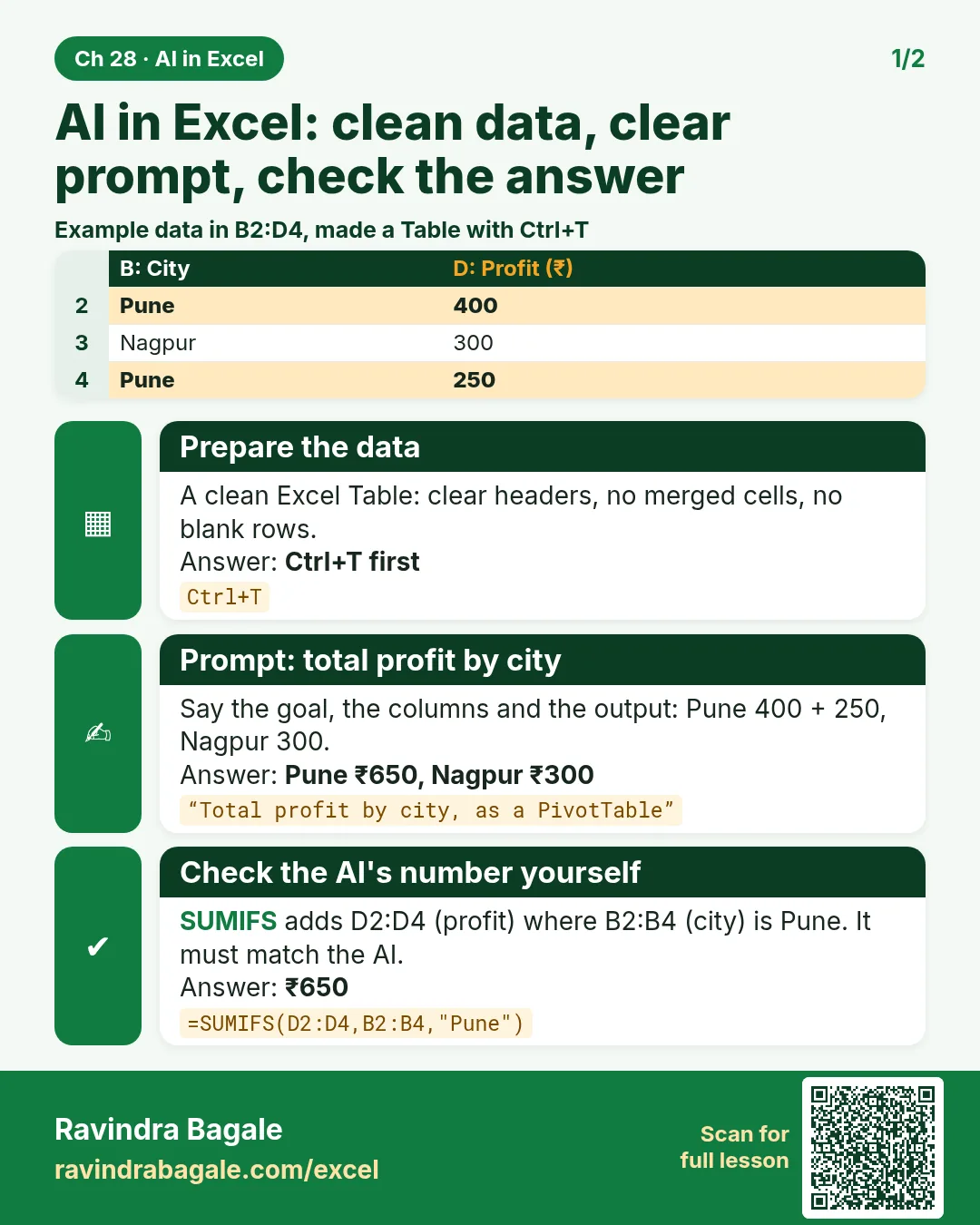
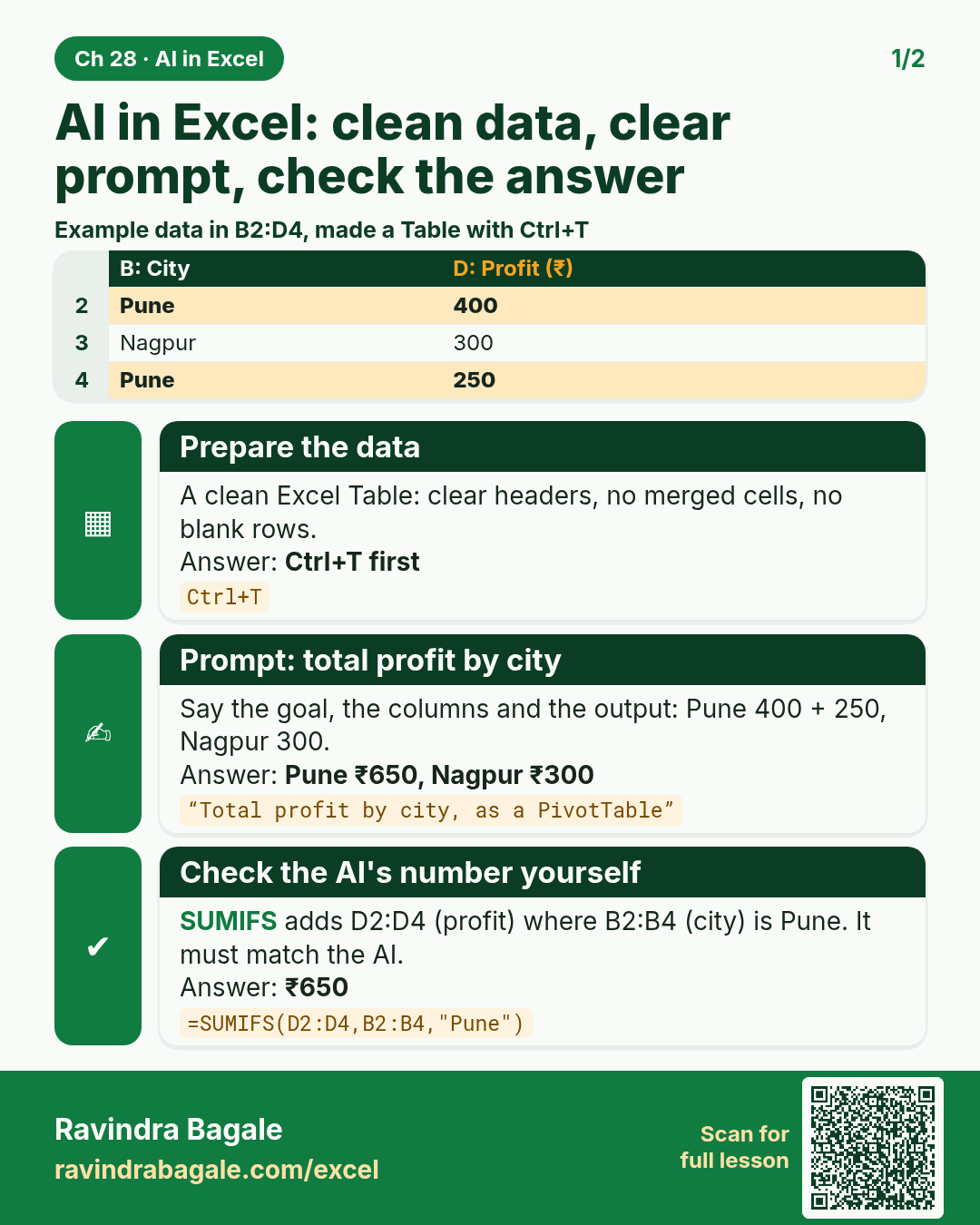
Revision card: AI in Excel: clean data, clear prompt, check the answer. Example data table with Prepare the data: Ctrl+T first; Prompt: total profit by city: Pune ₹650, Nagpur ₹300; Check the AI's number yourself: ₹650.
Read card text
What this card says
AI in Excel: clean data, clear prompt, check the answer
Example
data table with Prepare the data: Ctrl+T first; Prompt: total profit by city: Pune ₹650, Nagpur ₹300; Check the AI's number yourself: ₹650
Learn this in the lesson: 28. Copilot and AI in Excel