Revision cards
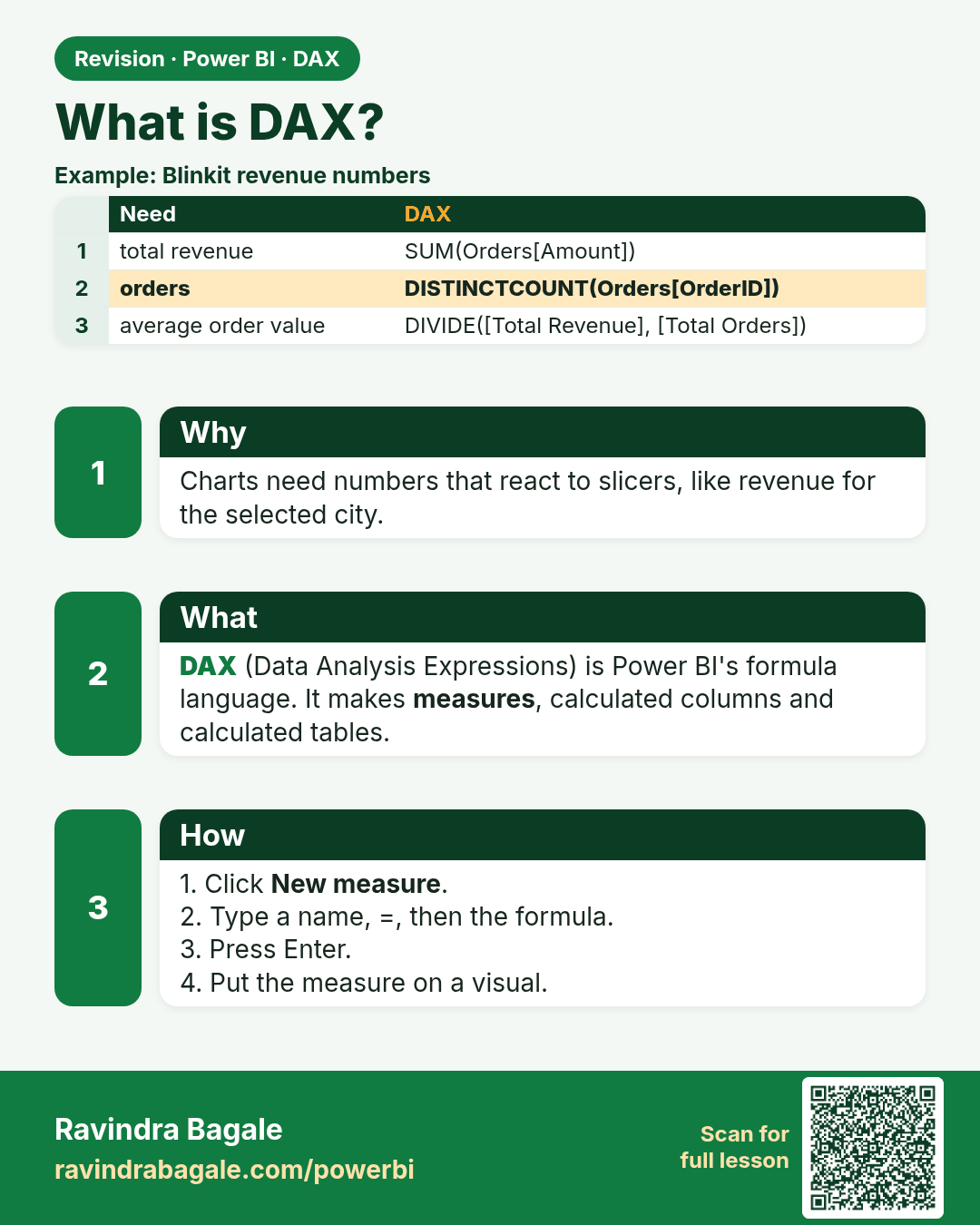
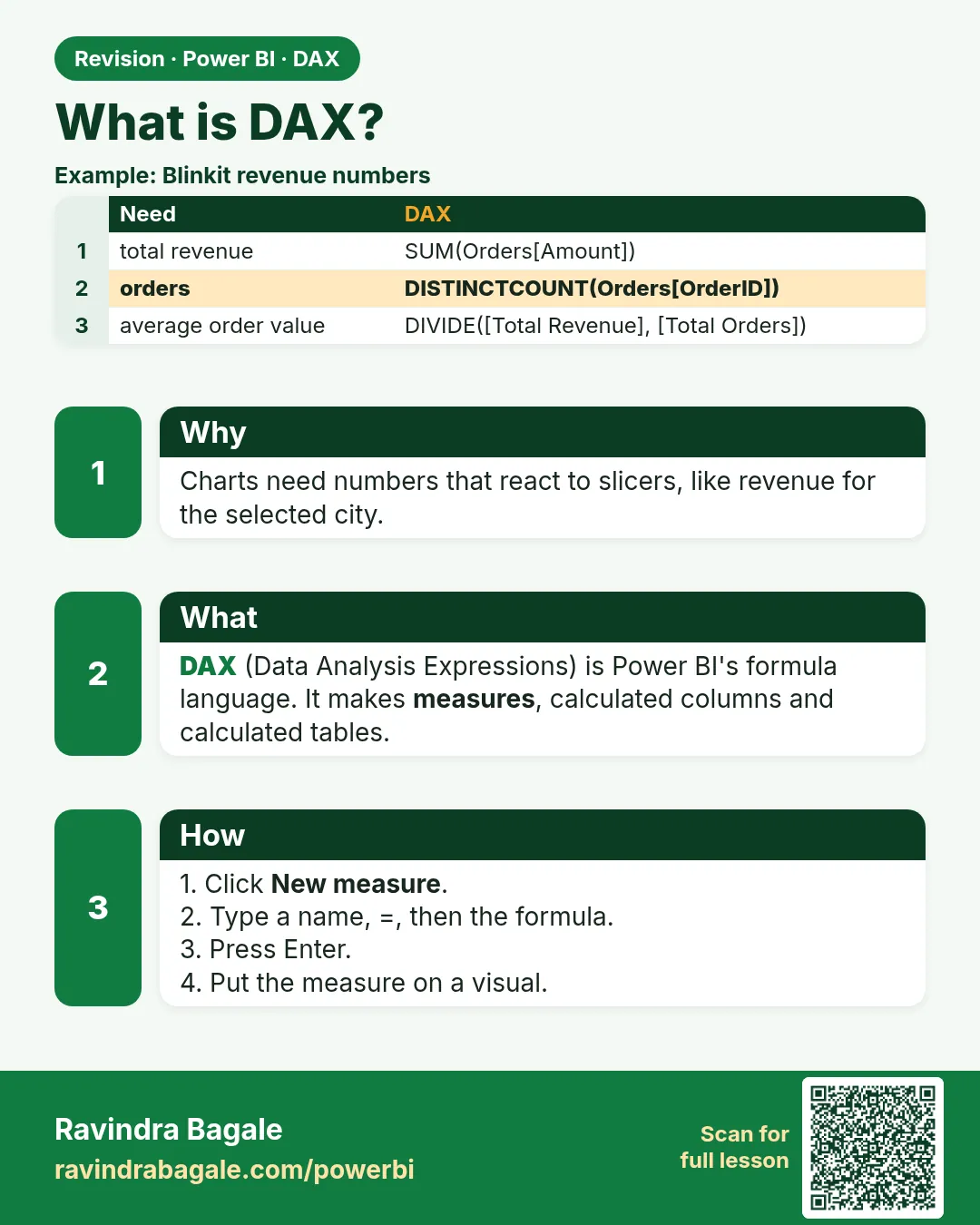 Revision card 1 of 27: What is DAX? · Download PNG · Open card page
Lesson: 13.1 What is DAX?
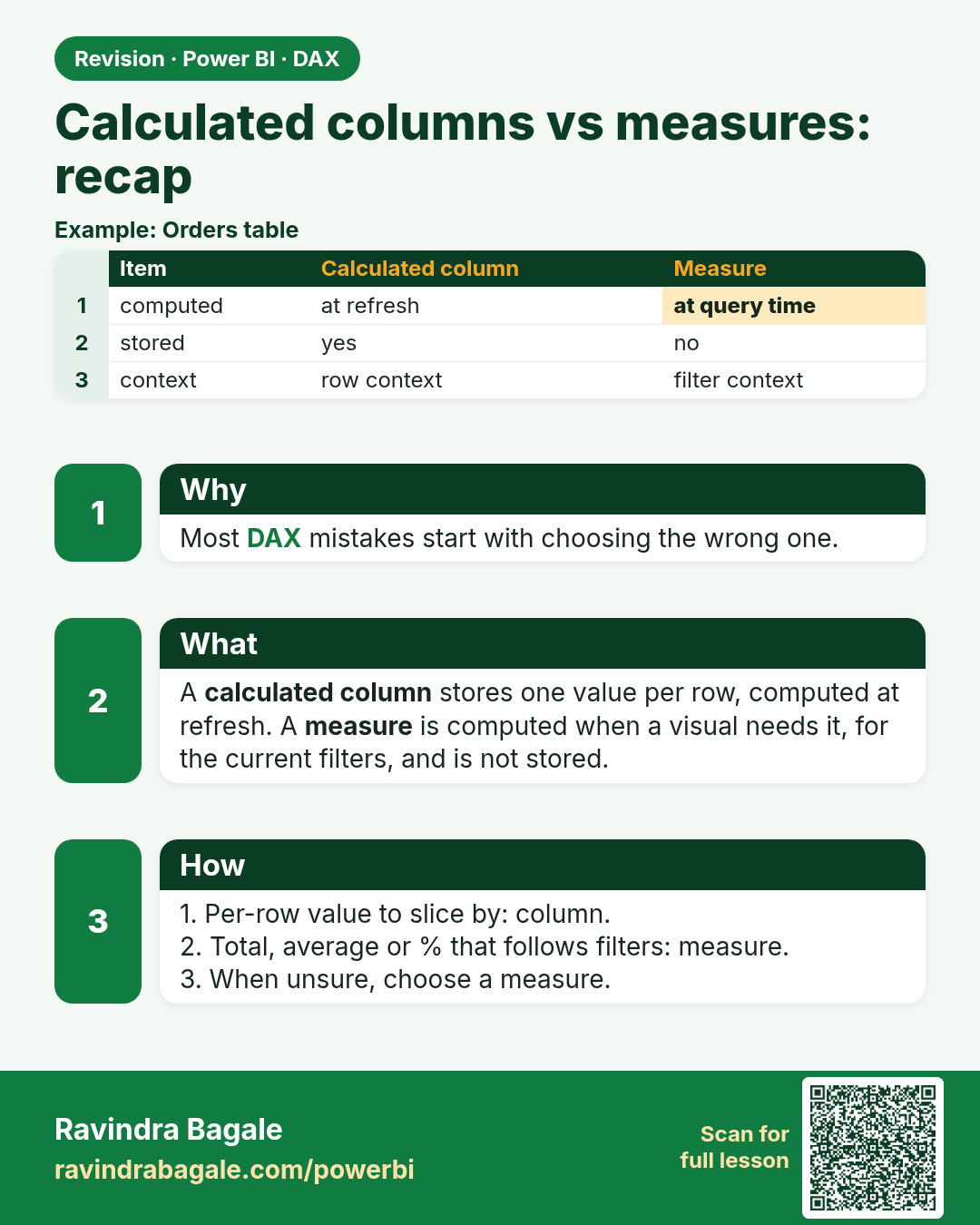
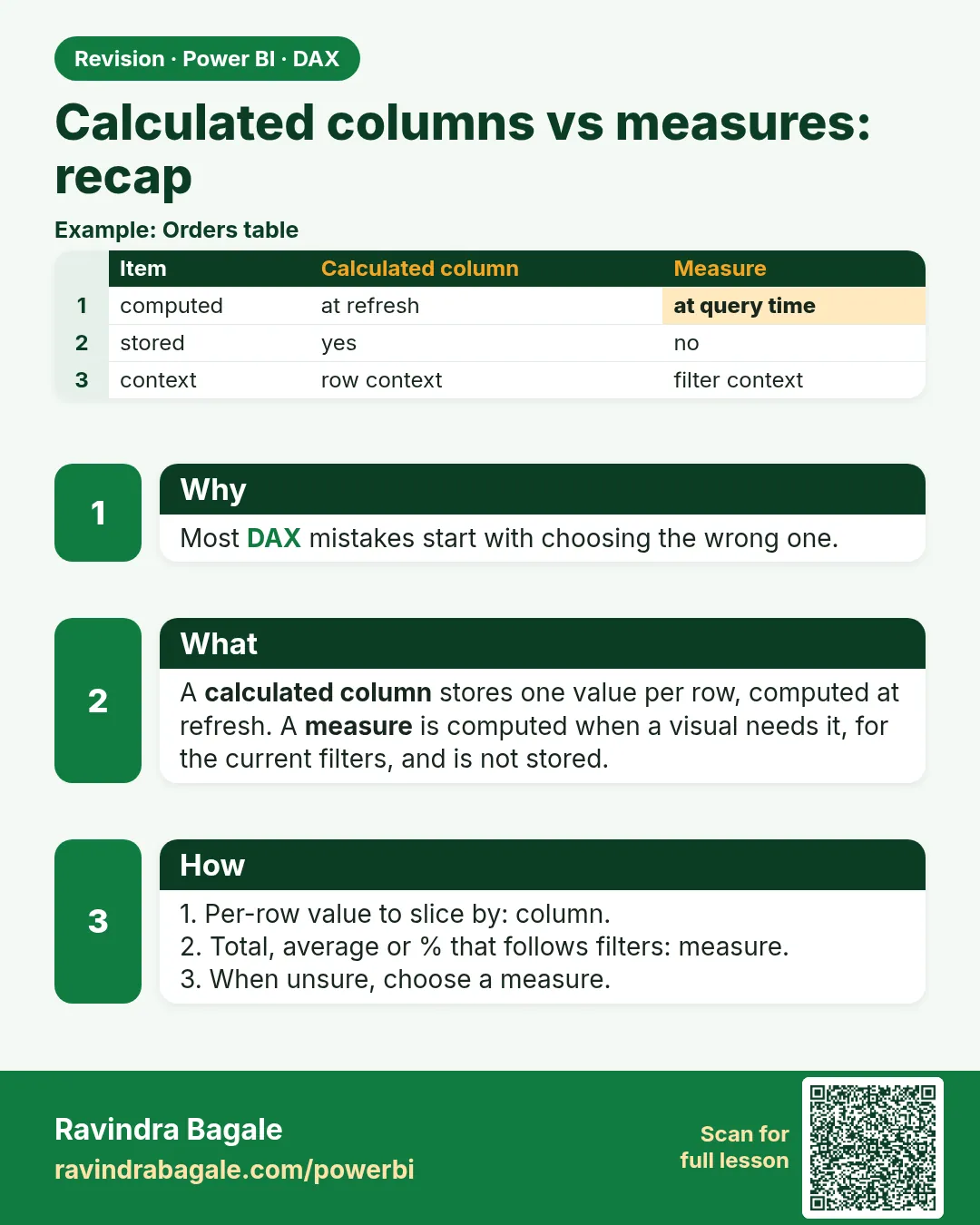 Revision card 2 of 27: Calculated columns vs measures: recap · Download PNG · Open card page
Lesson: 13.2 Calculated Columns vs Measures (Recap)
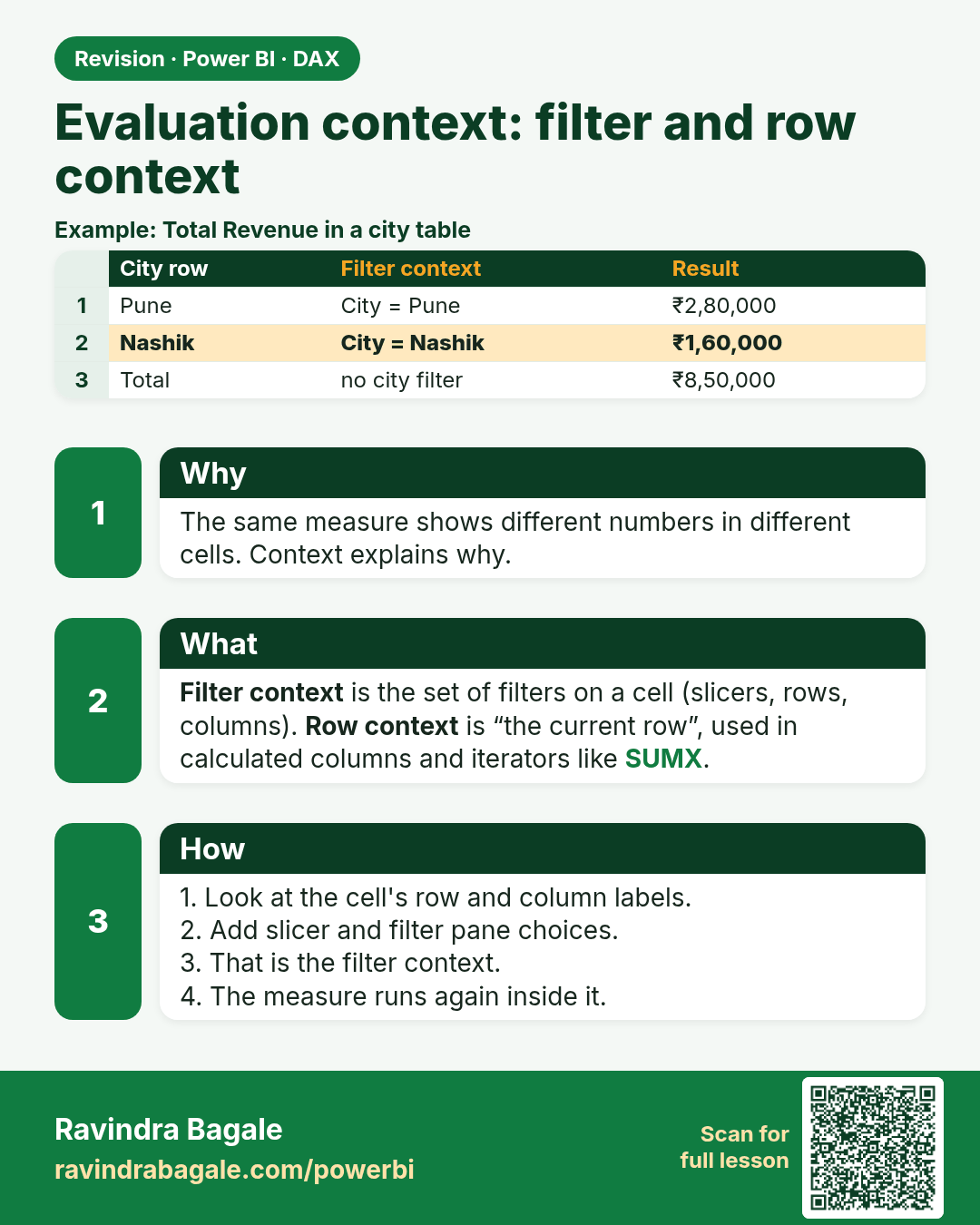
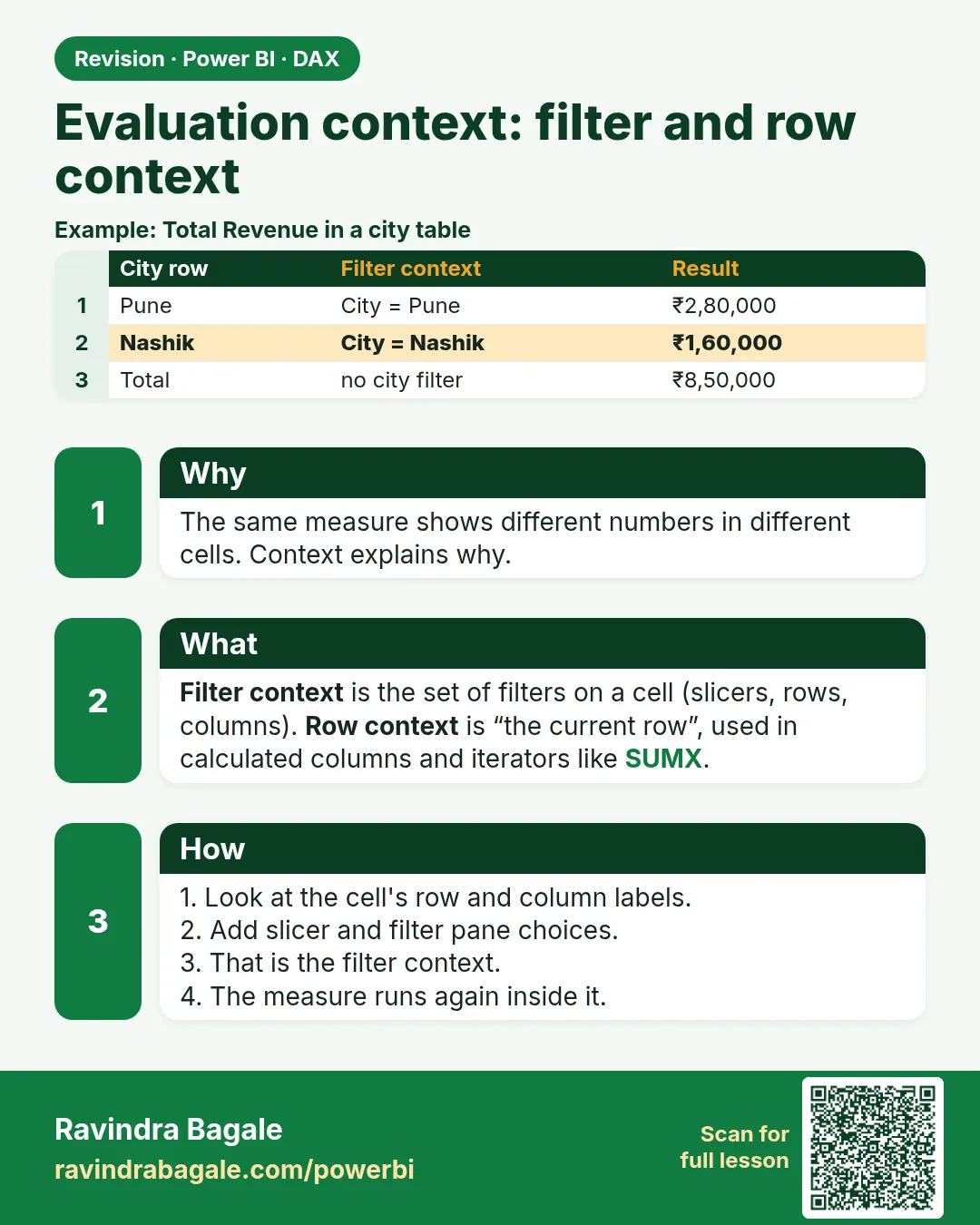 Revision card 3 of 27: Evaluation context: filter and row context · Download PNG · Open card page
Lesson: 13.3 Filter Context and Row Context in Power BI with Example
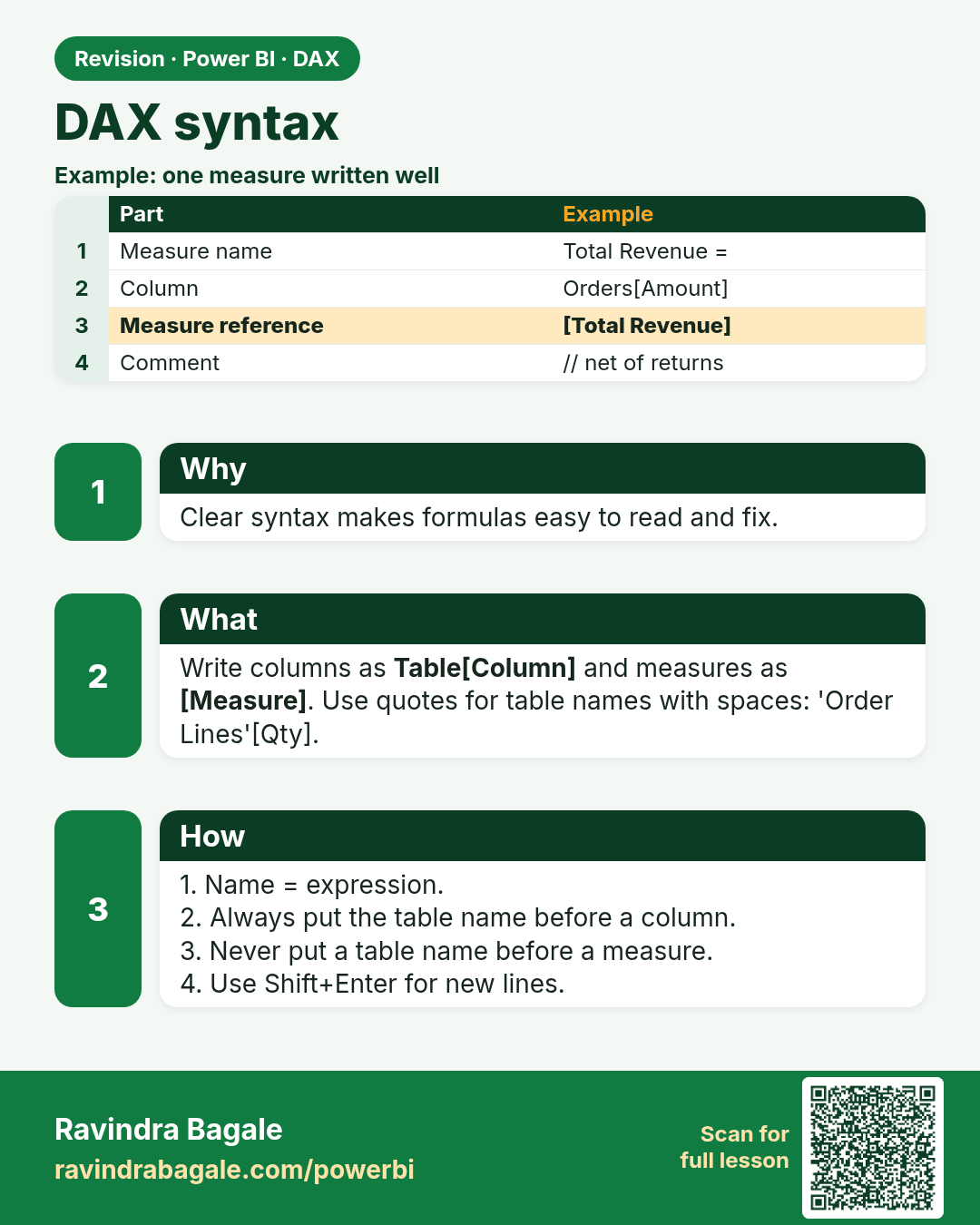
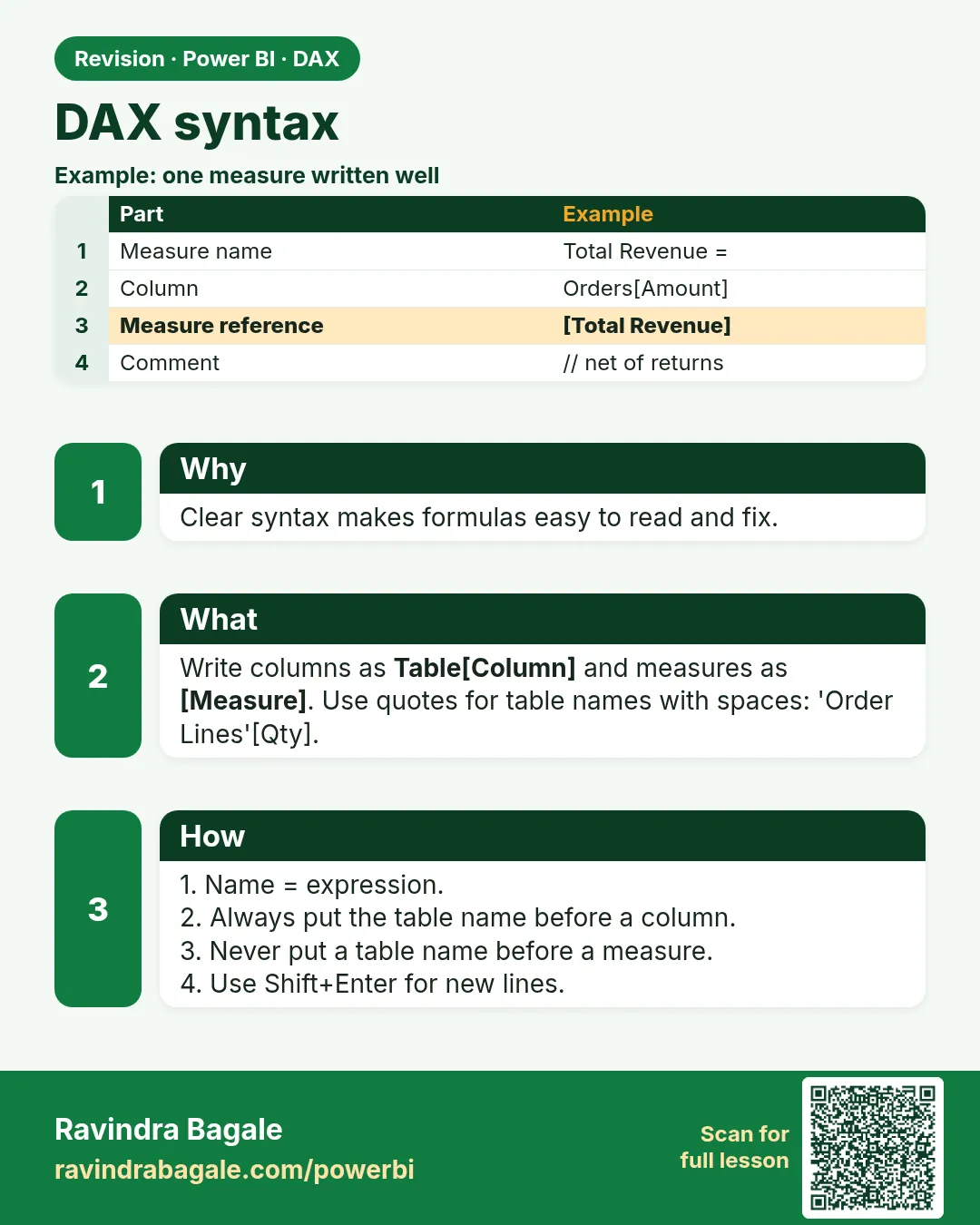 Revision card 4 of 27: DAX syntax · Download PNG · Open card page
Lesson: 13.4 DAX Syntax
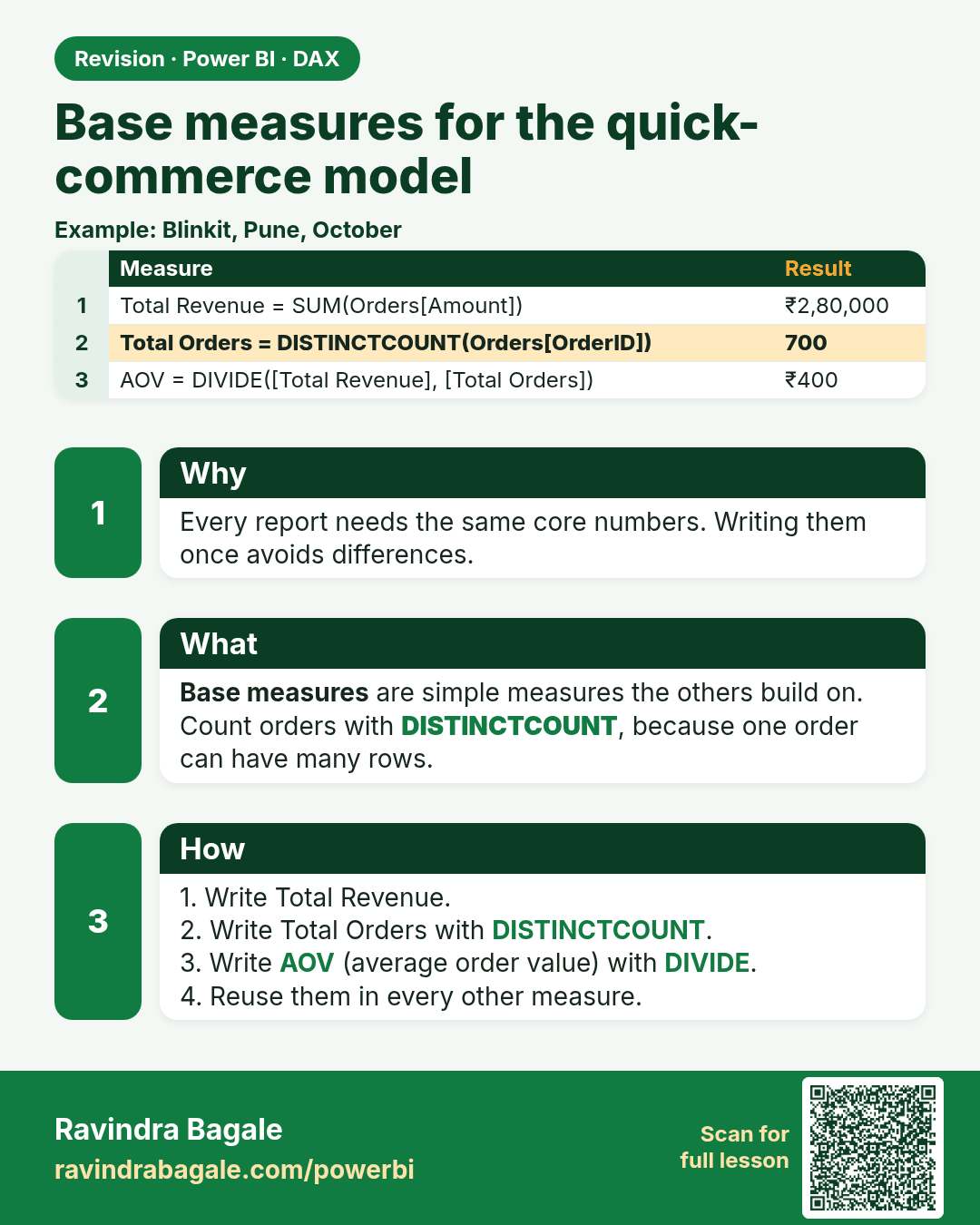
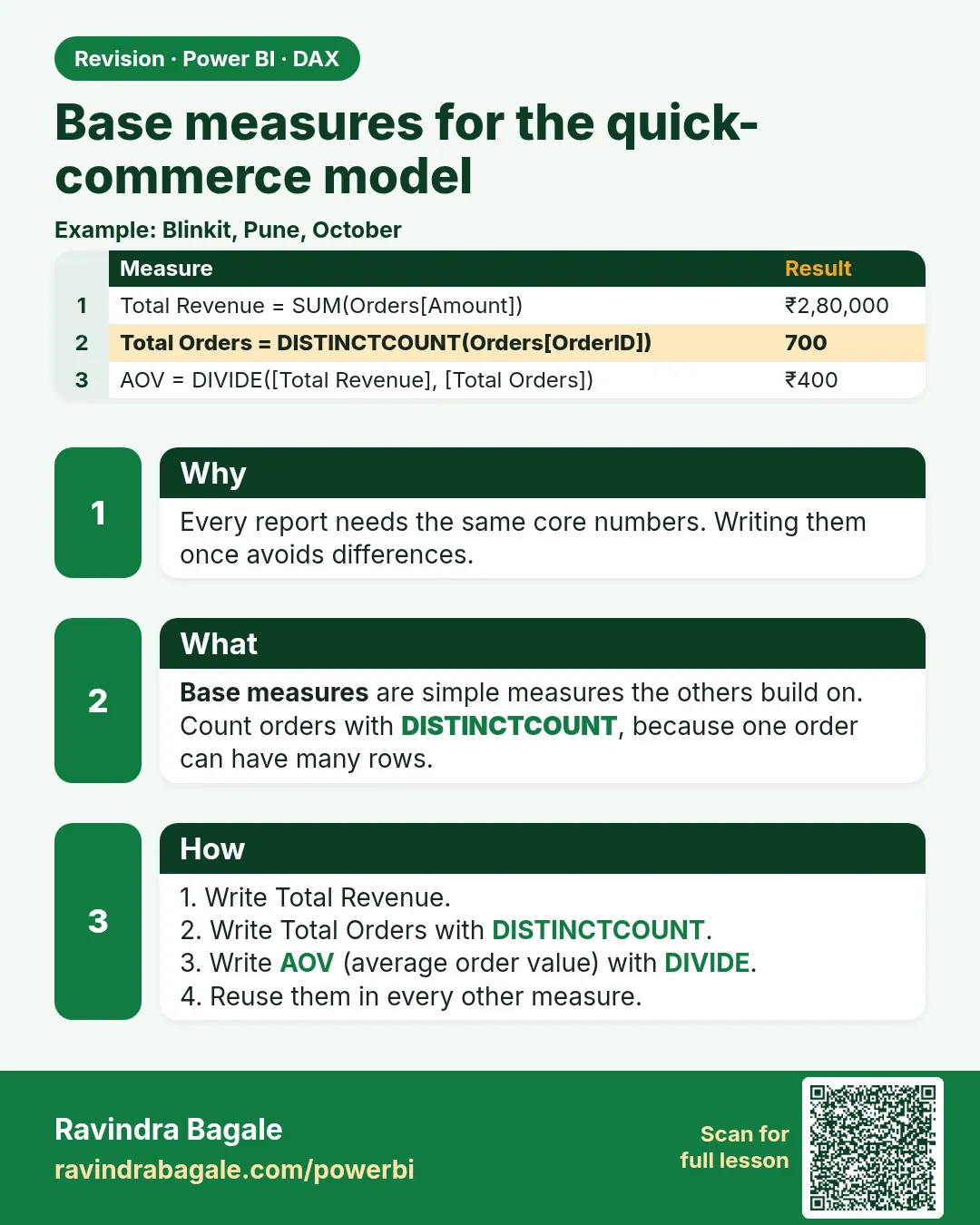 Revision card 5 of 27: Base measures for the quick-commerce model · Download PNG · Open card page
Lesson: 13.5 Base Measures in Power BI DAX with Example
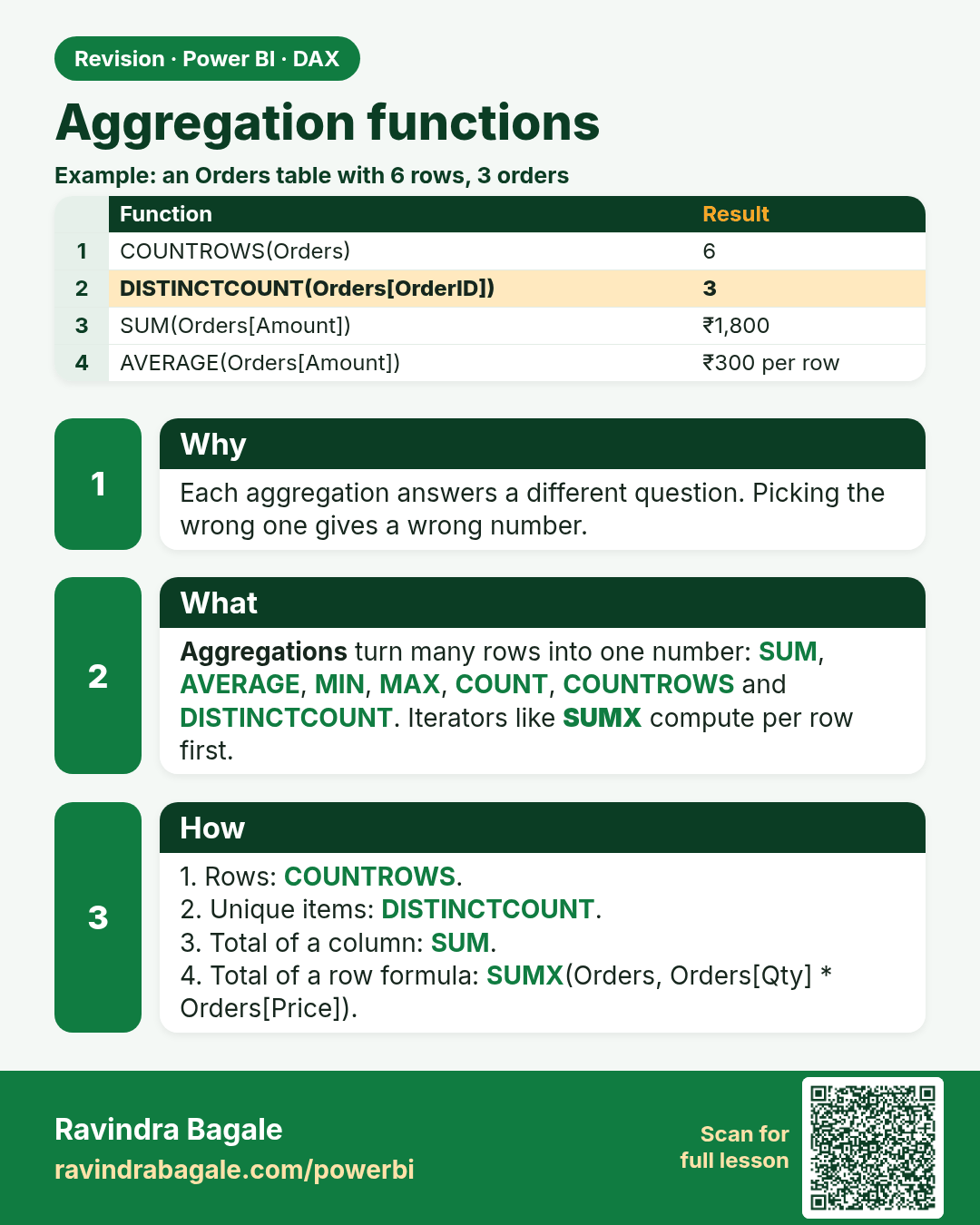
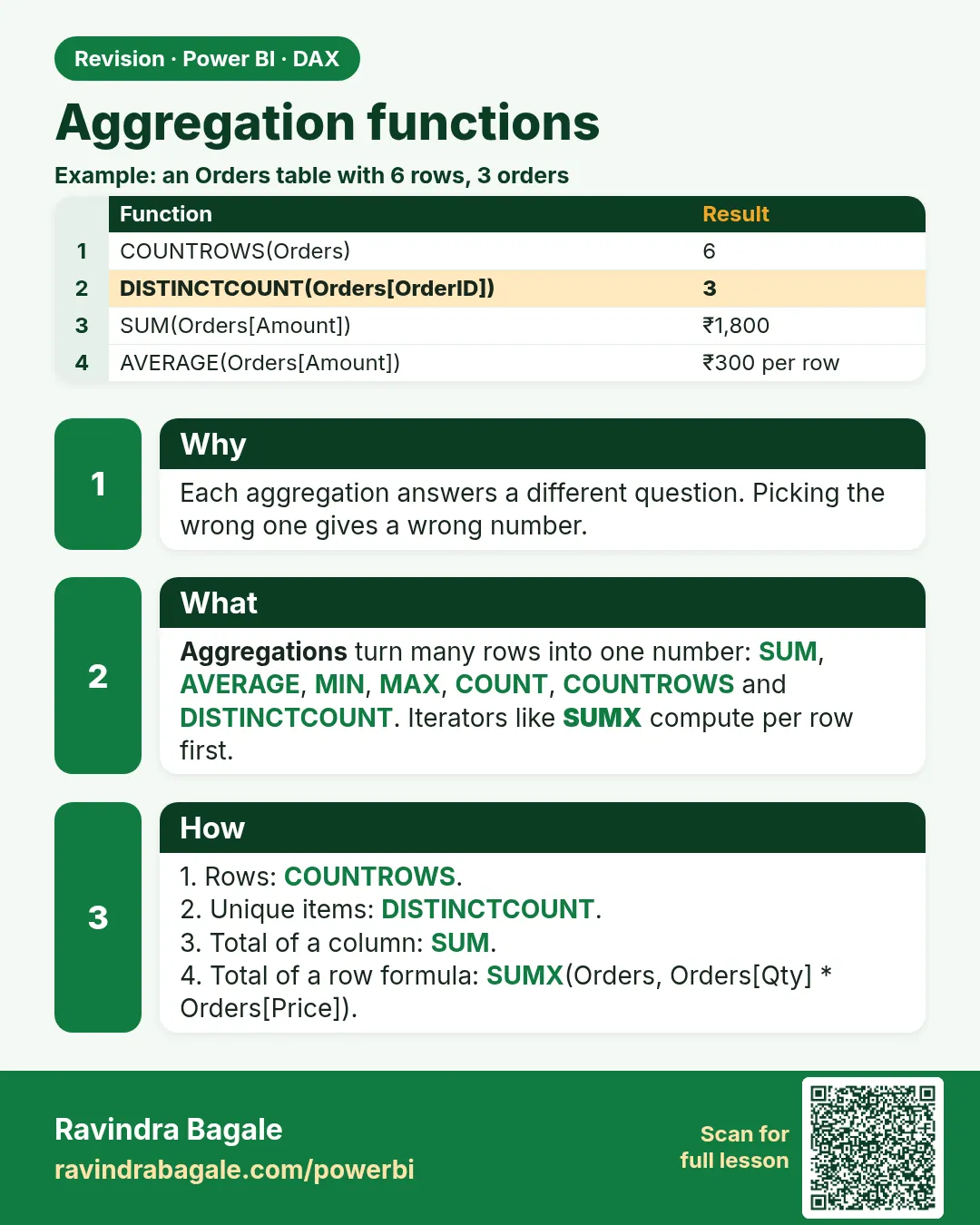 Revision card 6 of 27: Aggregation functions · Download PNG · Open card page
Lesson: 13.6 SUM, SUMX and Other DAX Aggregation Functions with Example
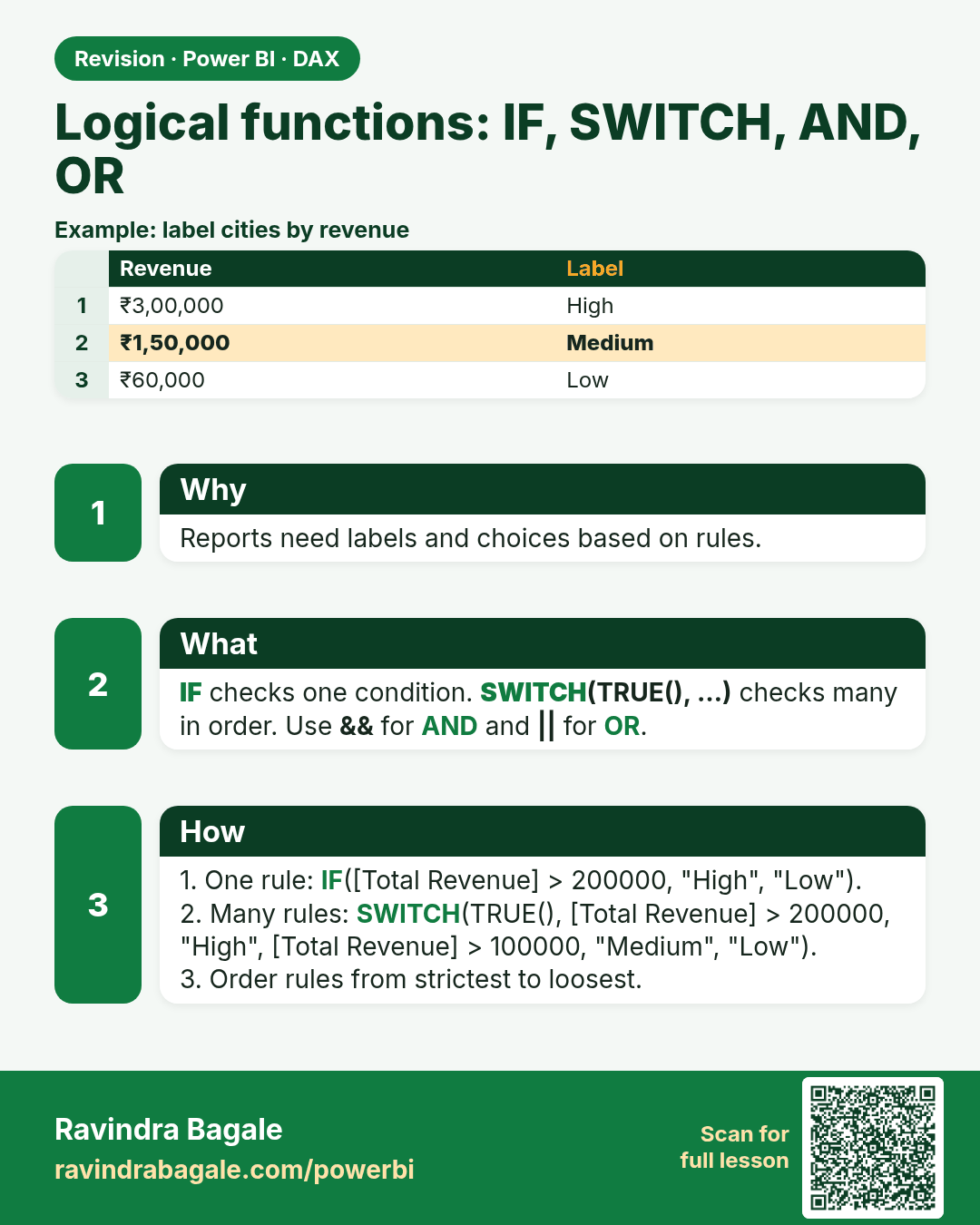
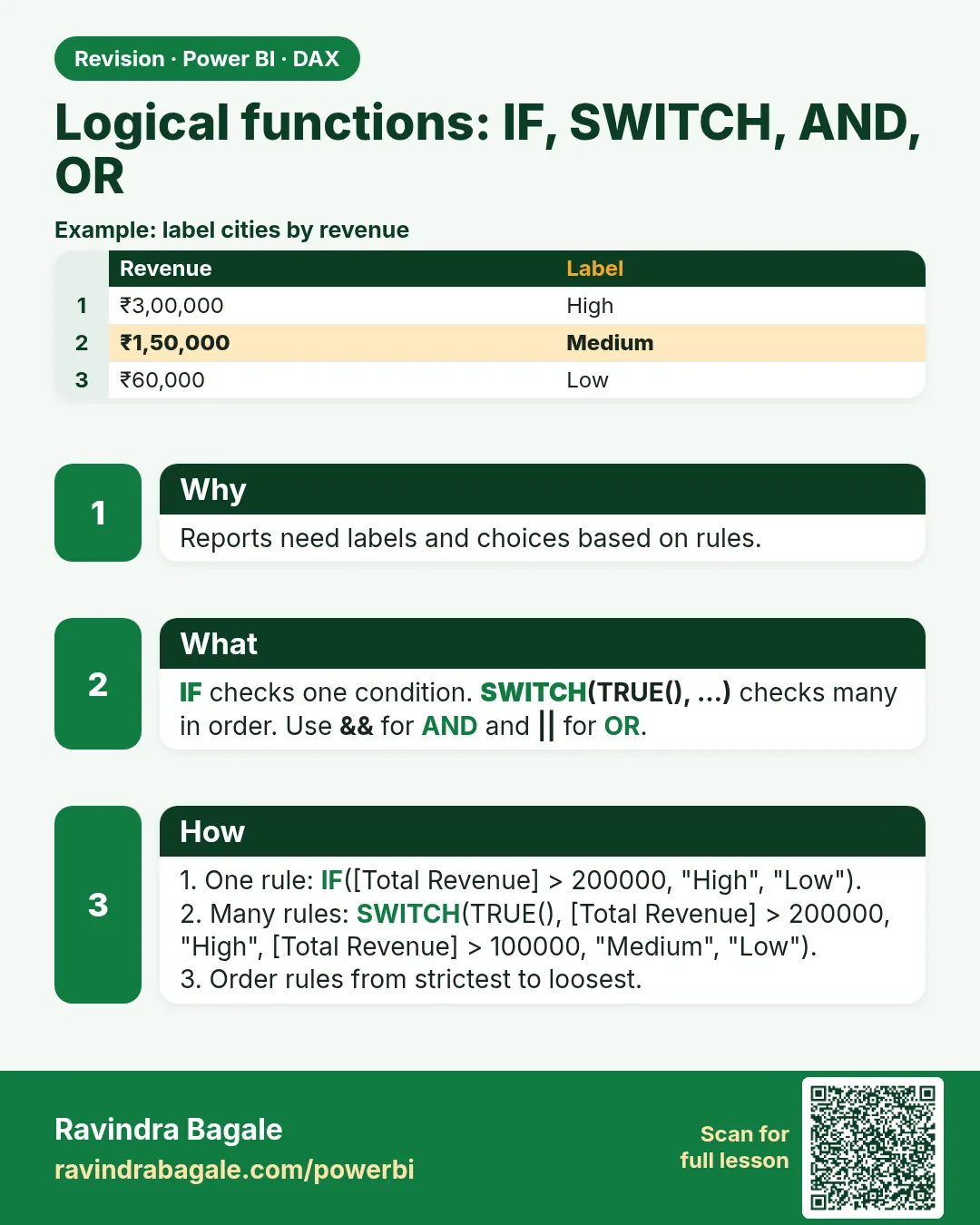 Revision card 7 of 27: Logical functions: IF, SWITCH, AND, OR · Download PNG · Open card page
Lesson: 13.7 IF, SWITCH and DIVIDE in Power BI DAX with Example
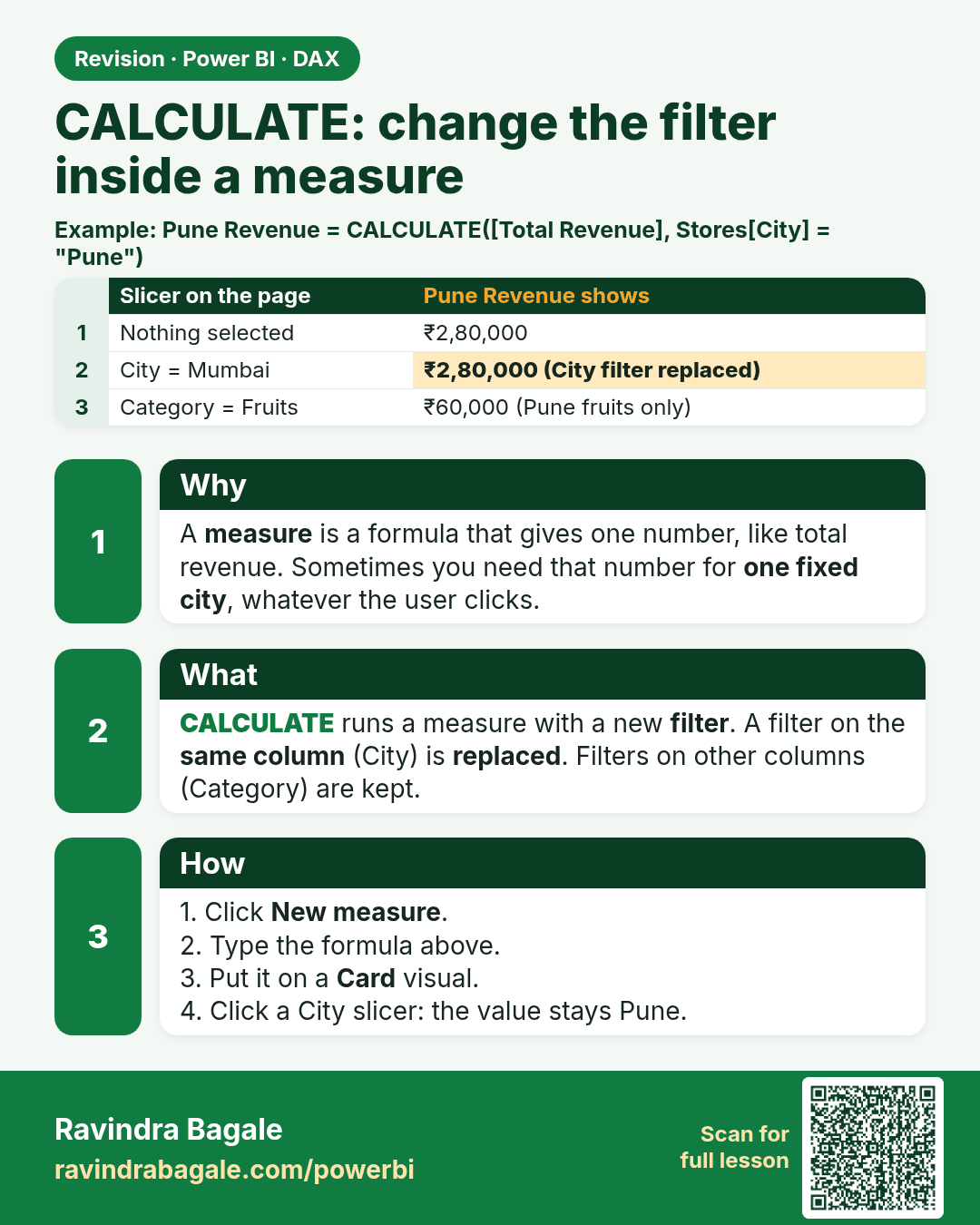
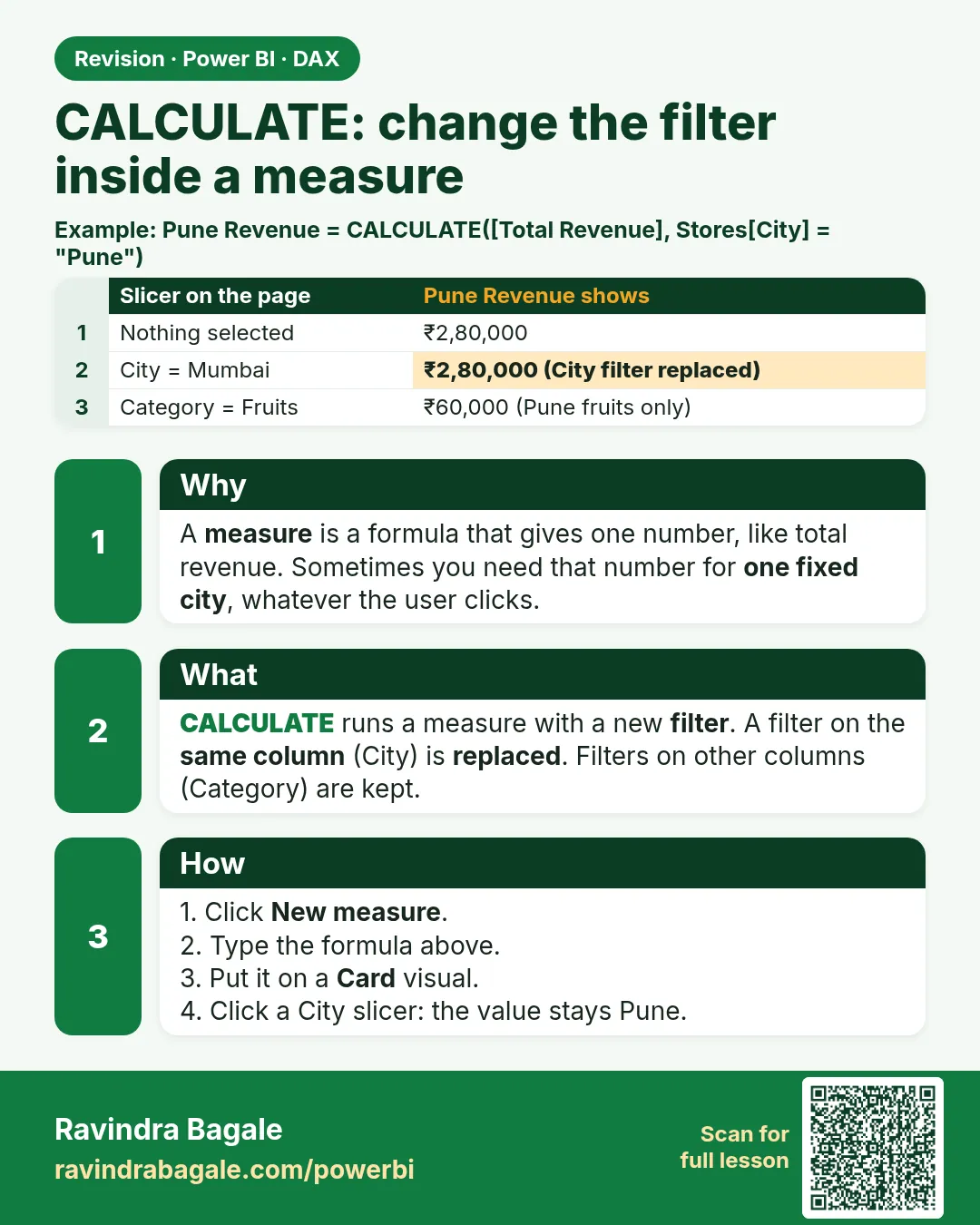 Revision card 8 of 27: CALCULATE: change the filter inside a measure · Download PNG · Open card page
Lesson: 13.8 CALCULATE in Power BI with Example
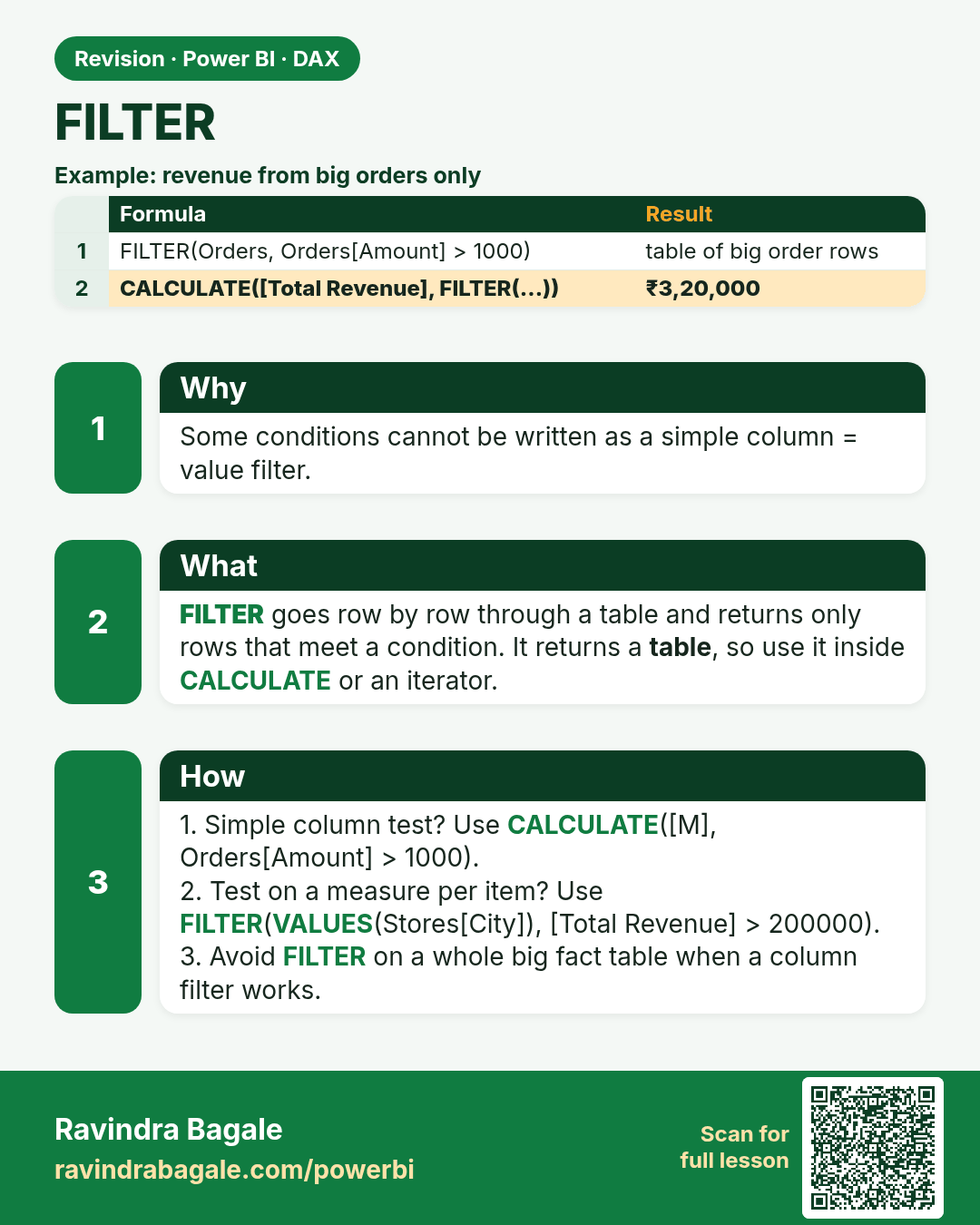
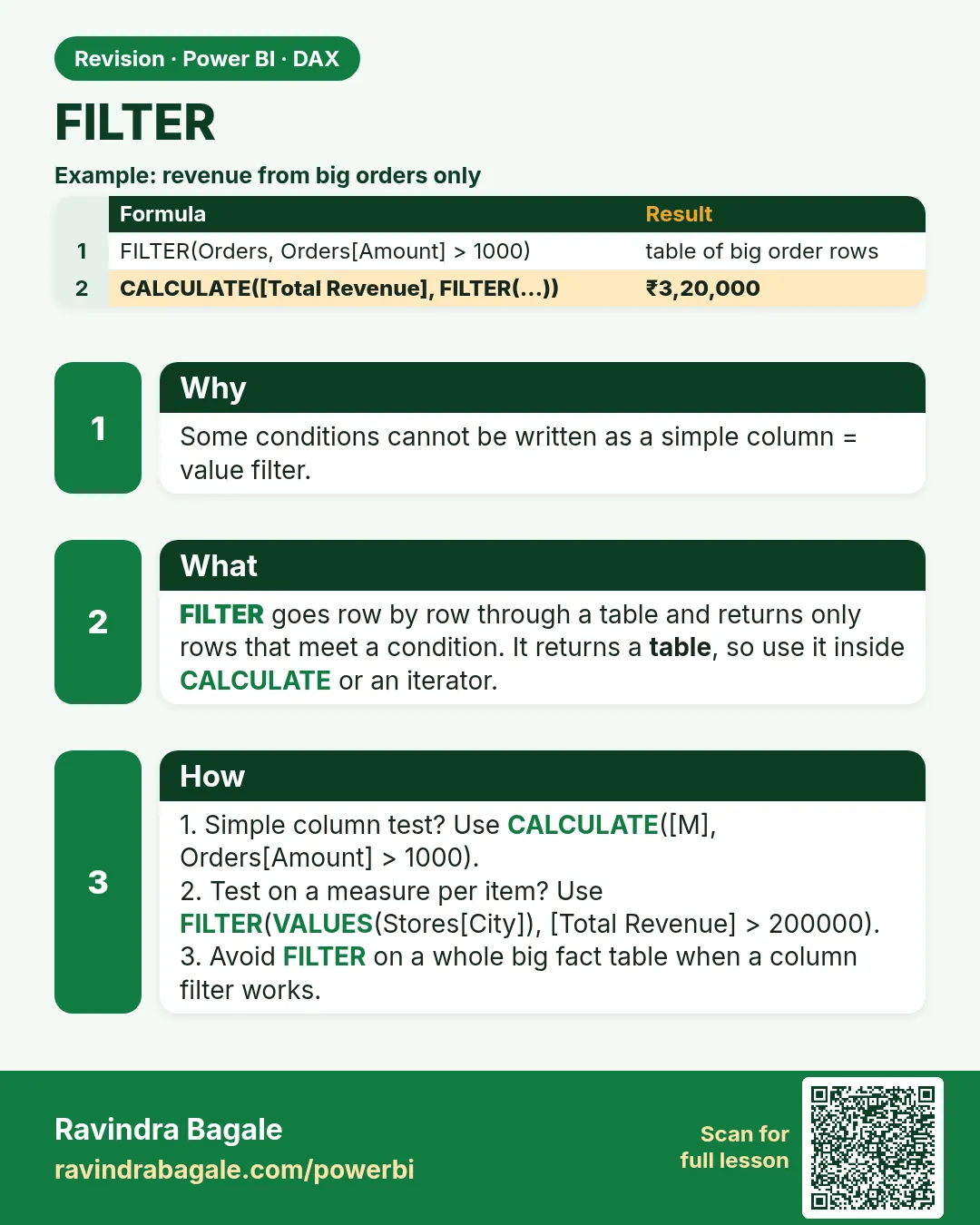 Revision card 9 of 27: FILTER · Download PNG · Open card page
Lesson: 13.9 FILTER Function in Power BI DAX with Example
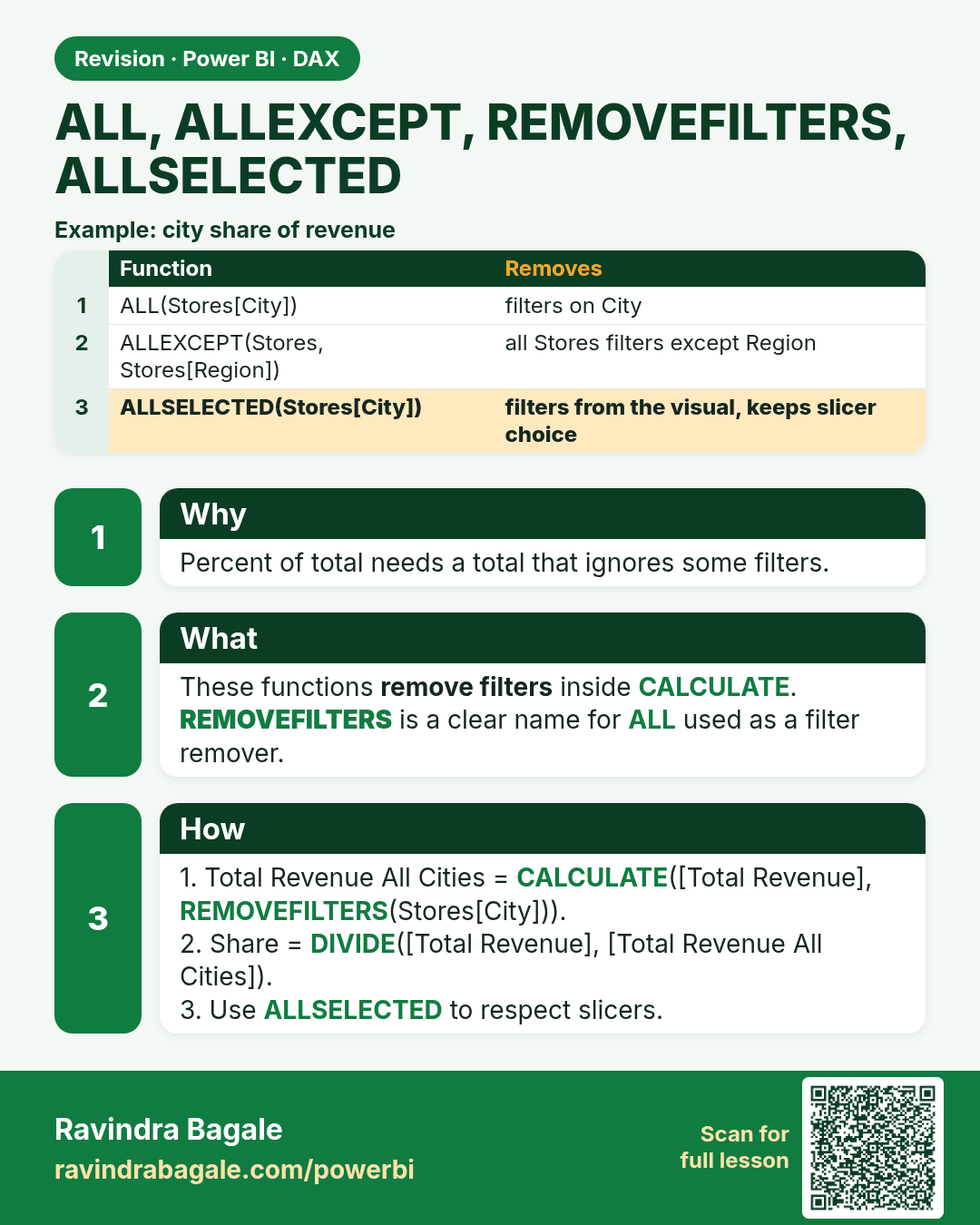
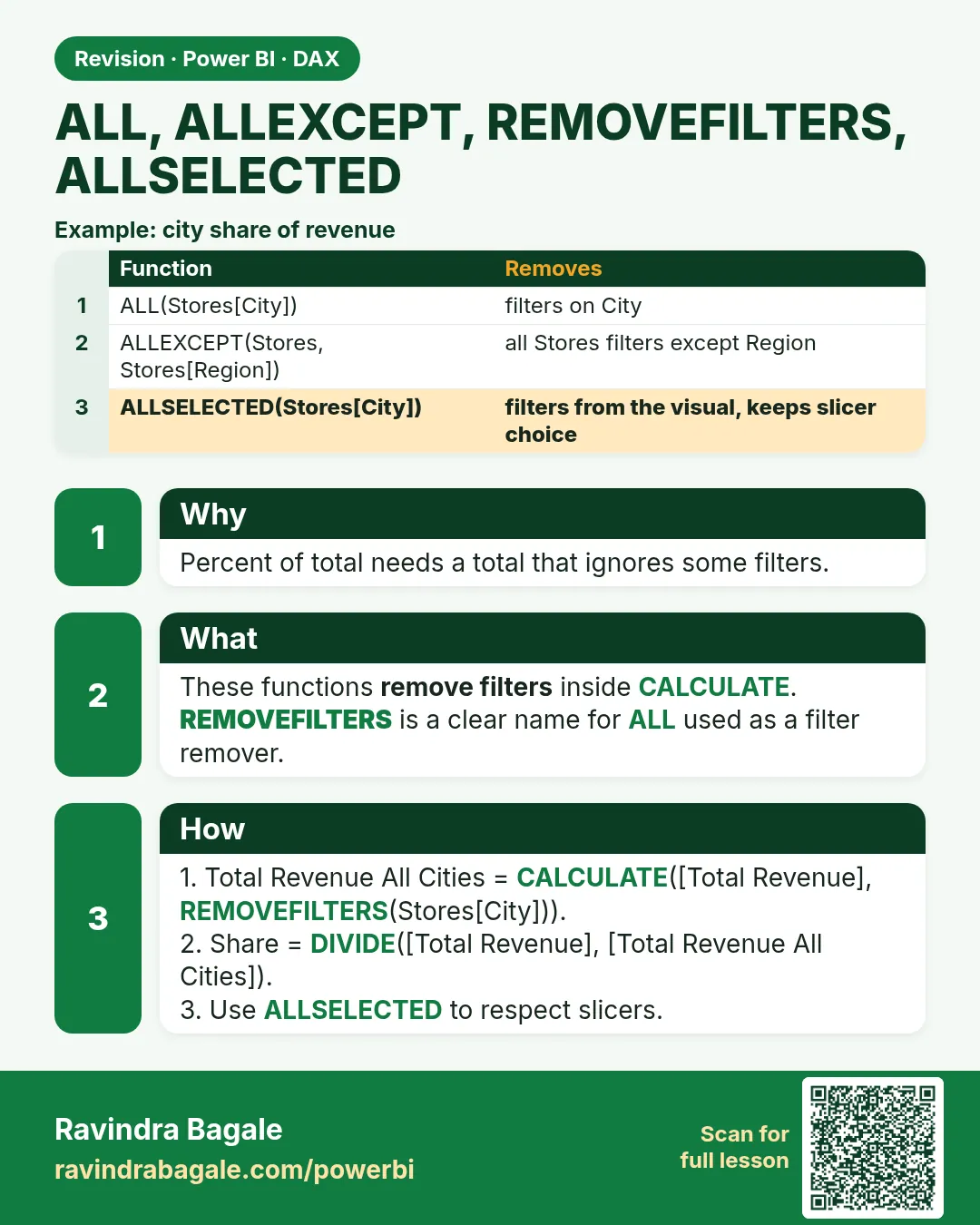 Revision card 10 of 27: ALL, ALLEXCEPT, REMOVEFILTERS, ALLSELECTED · Download PNG · Open card page
Lesson: 13.10 ALL, ALLEXCEPT, REMOVEFILTERS and ALLSELECTED in Power BI with Example
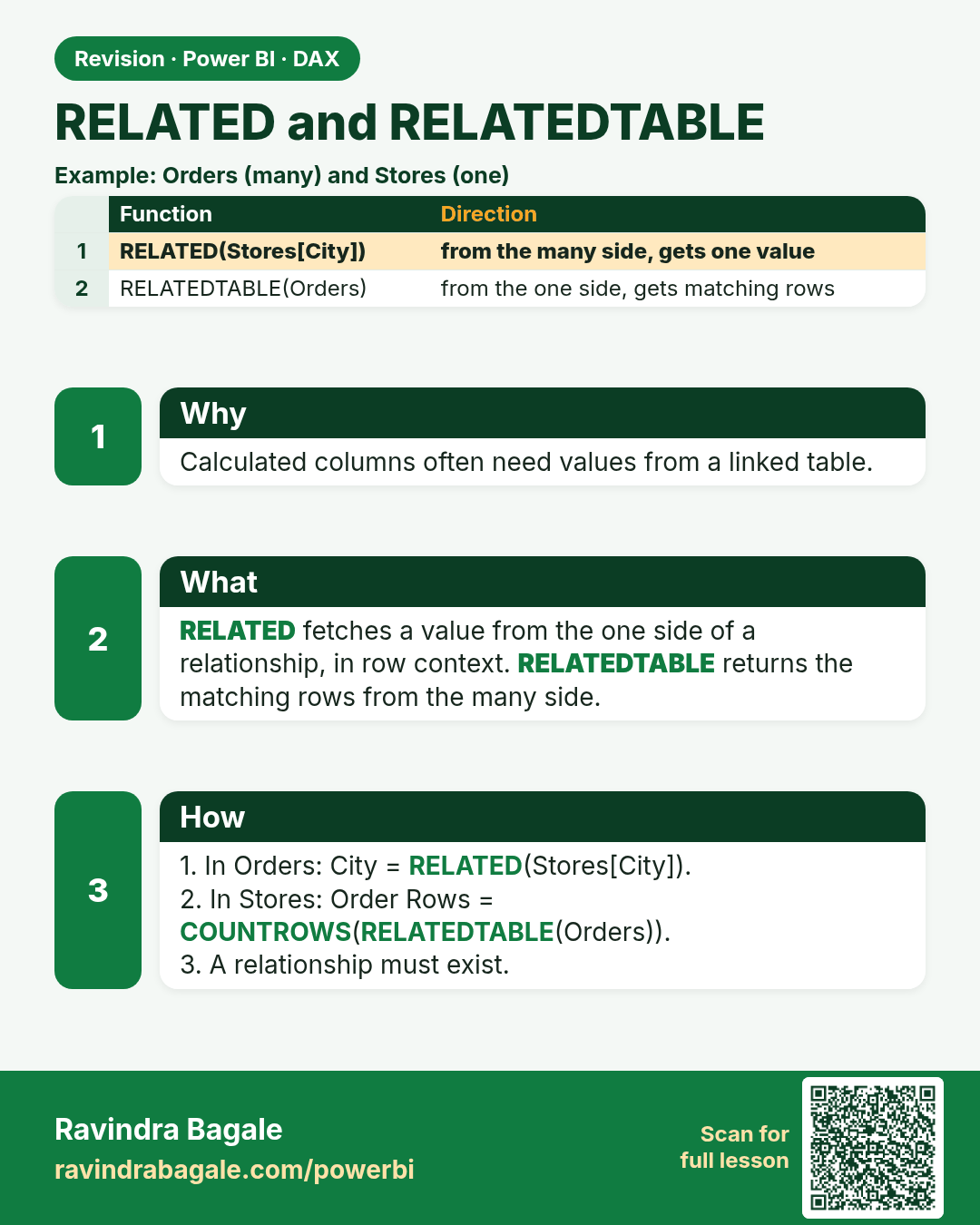
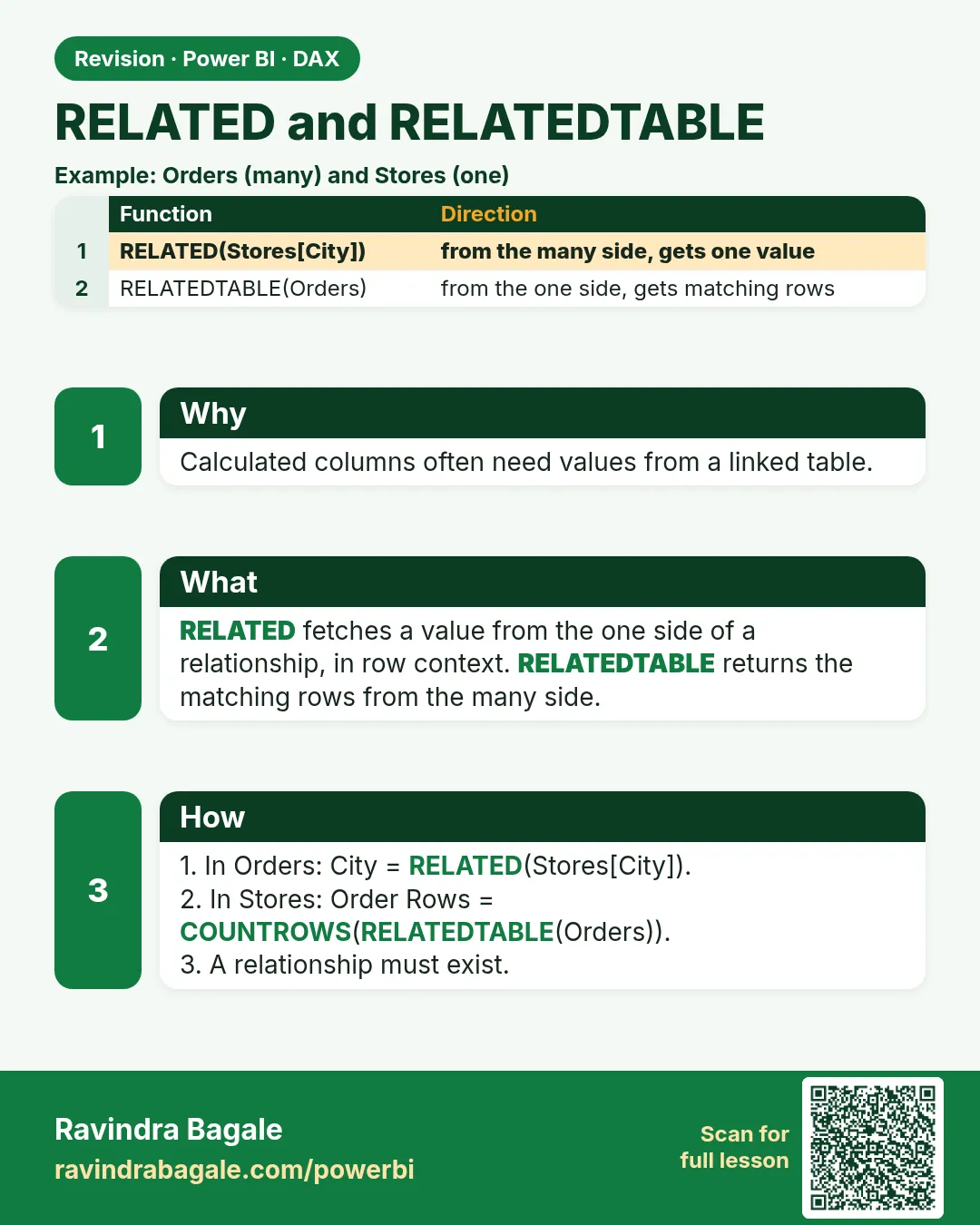 Revision card 11 of 27: RELATED and RELATEDTABLE · Download PNG · Open card page
Lesson: 13.11 RELATED and RELATEDTABLE in Power BI DAX with Example
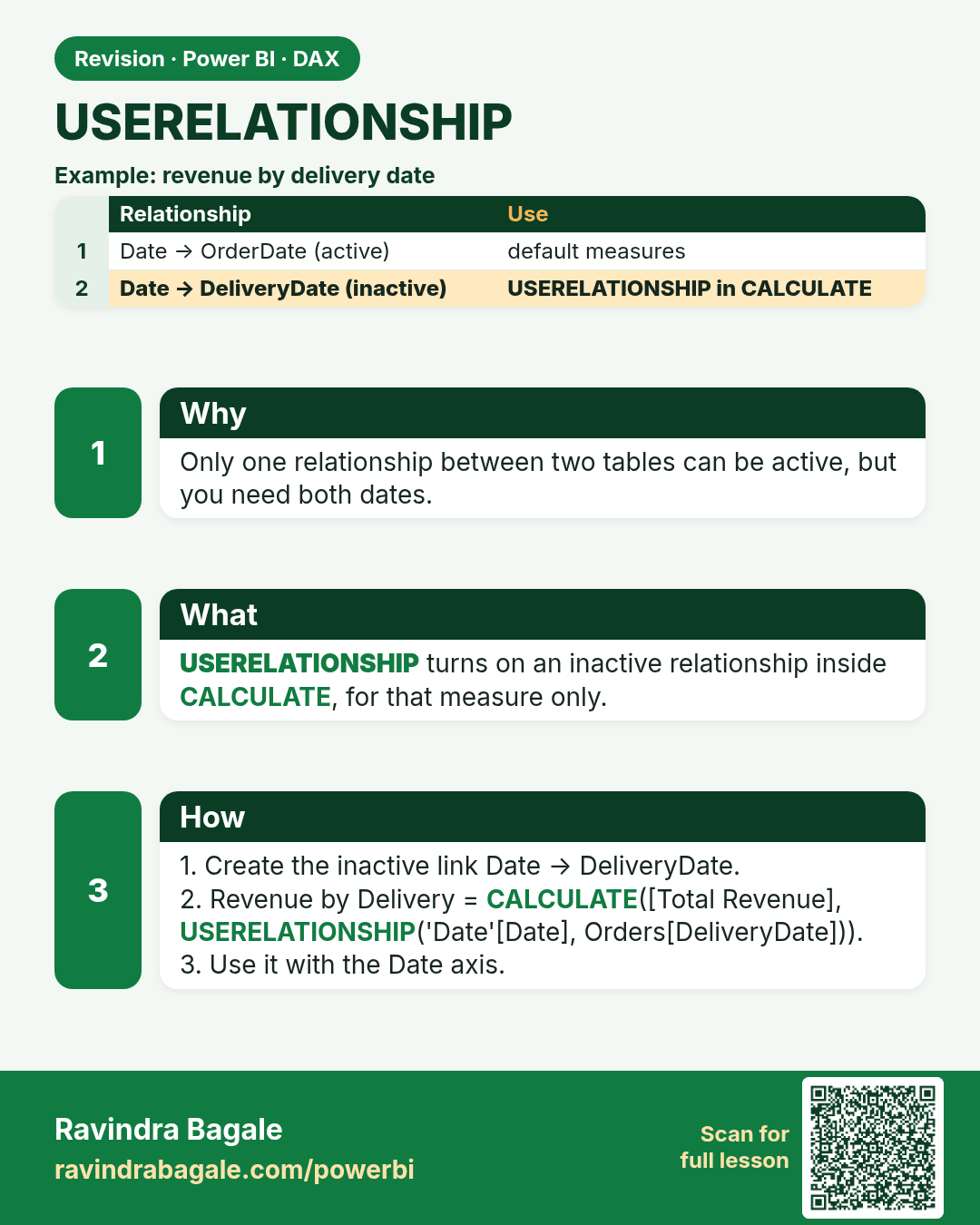
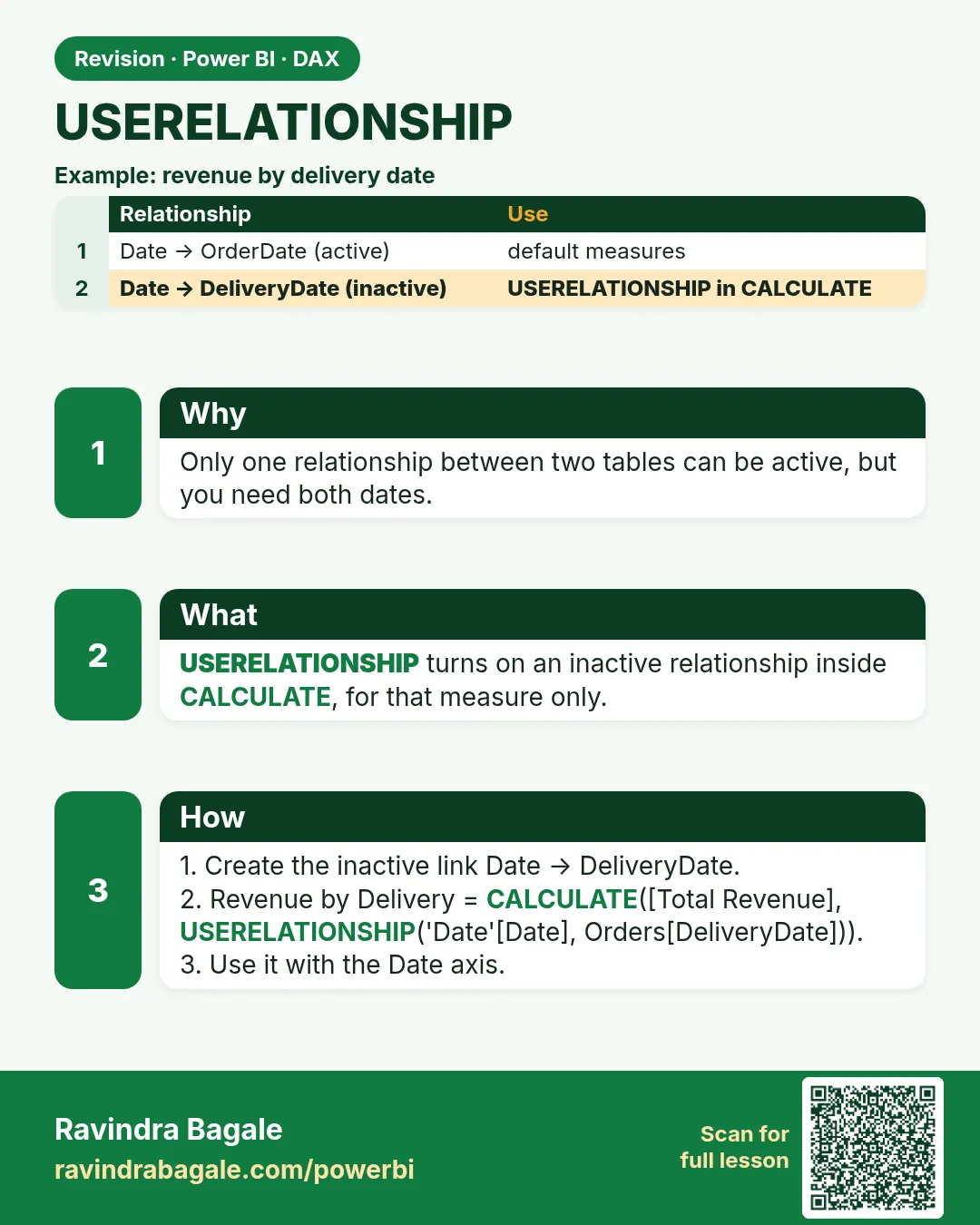 Revision card 12 of 27: USERELATIONSHIP · Download PNG · Open card page
Lesson: 13.12 USERELATIONSHIP in Power BI DAX with Example
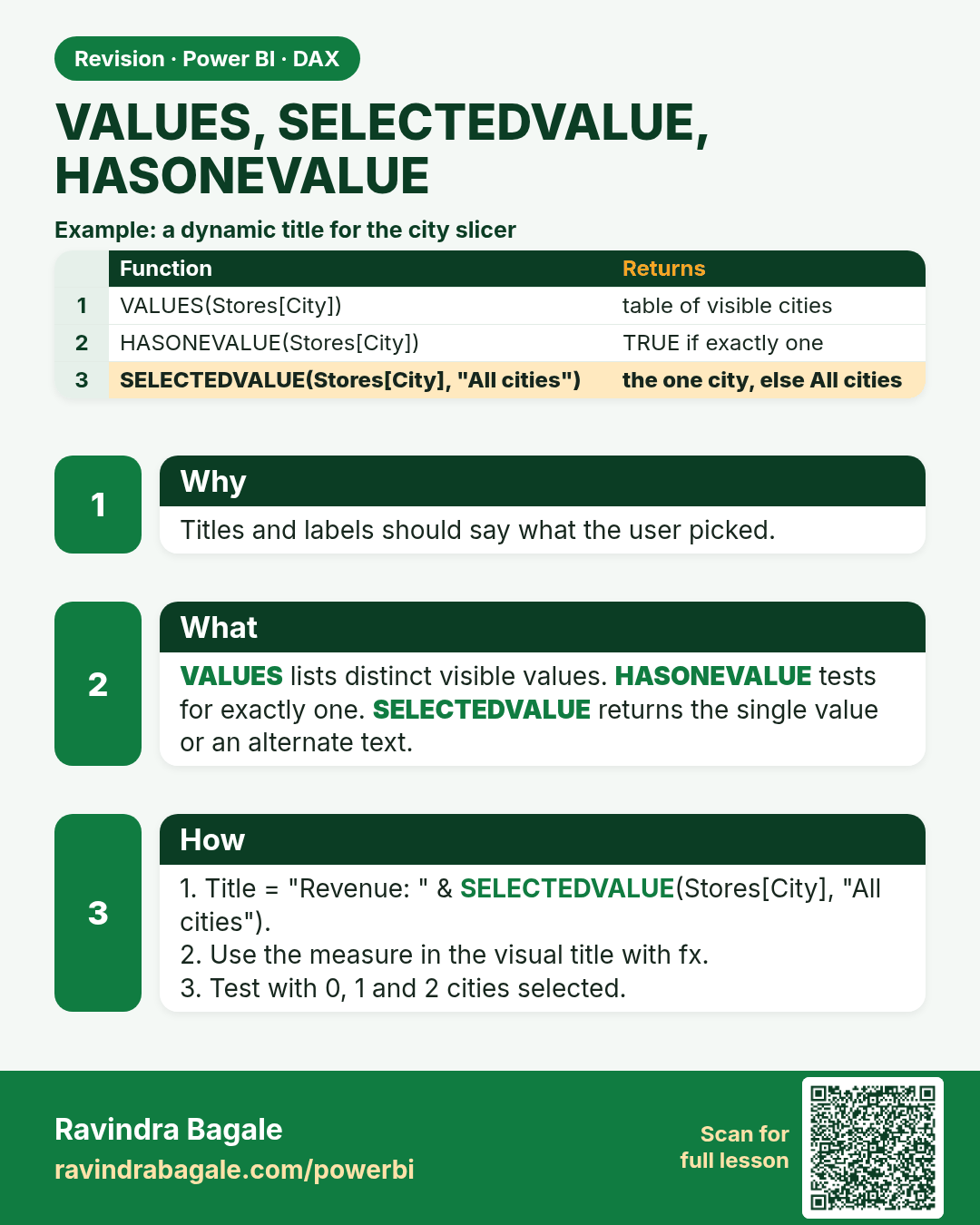
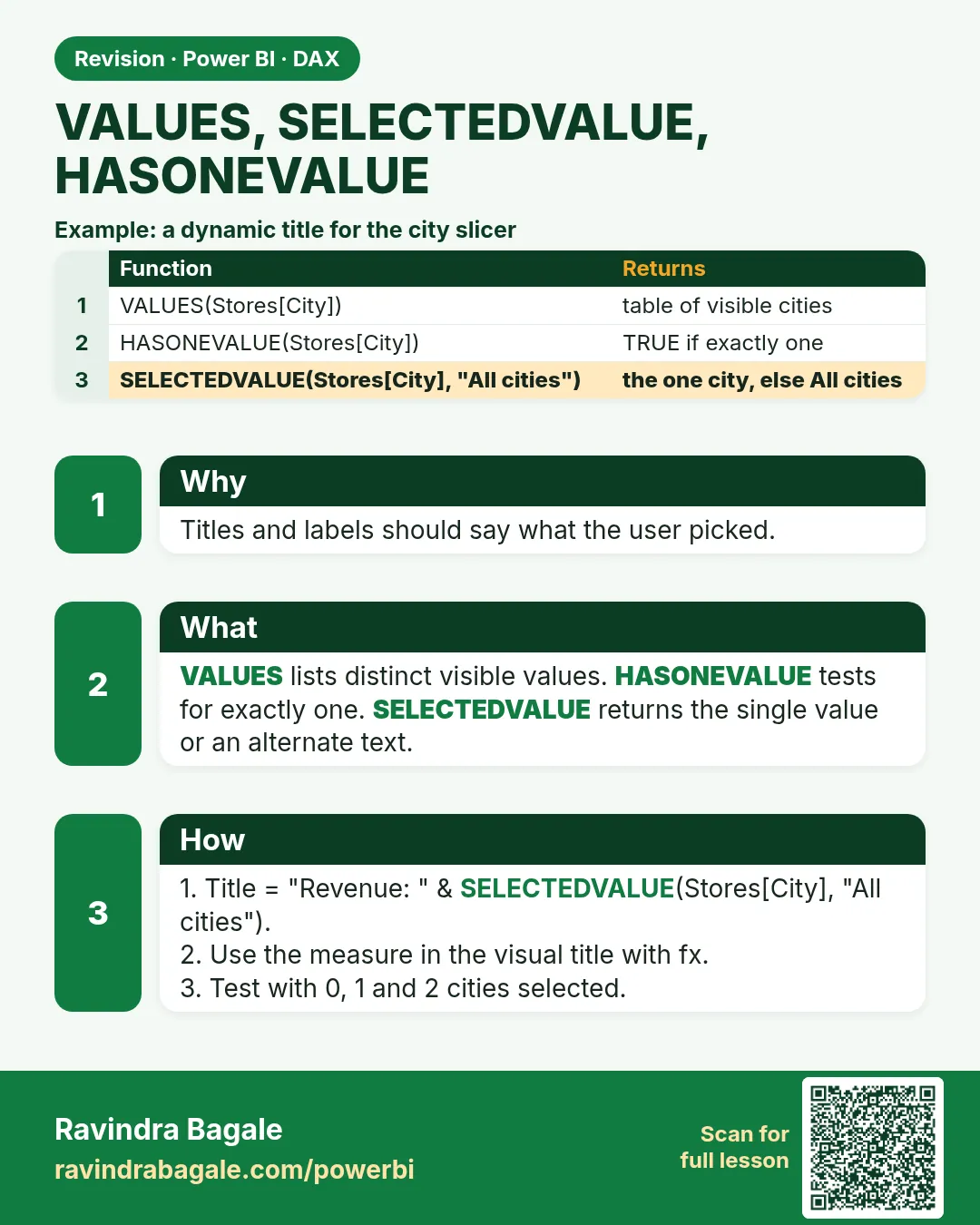 Revision card 13 of 27: VALUES, SELECTEDVALUE, HASONEVALUE · Download PNG · Open card page
Lesson: 13.13 VALUES, SELECTEDVALUE and HASONEVALUE in Power BI with Example
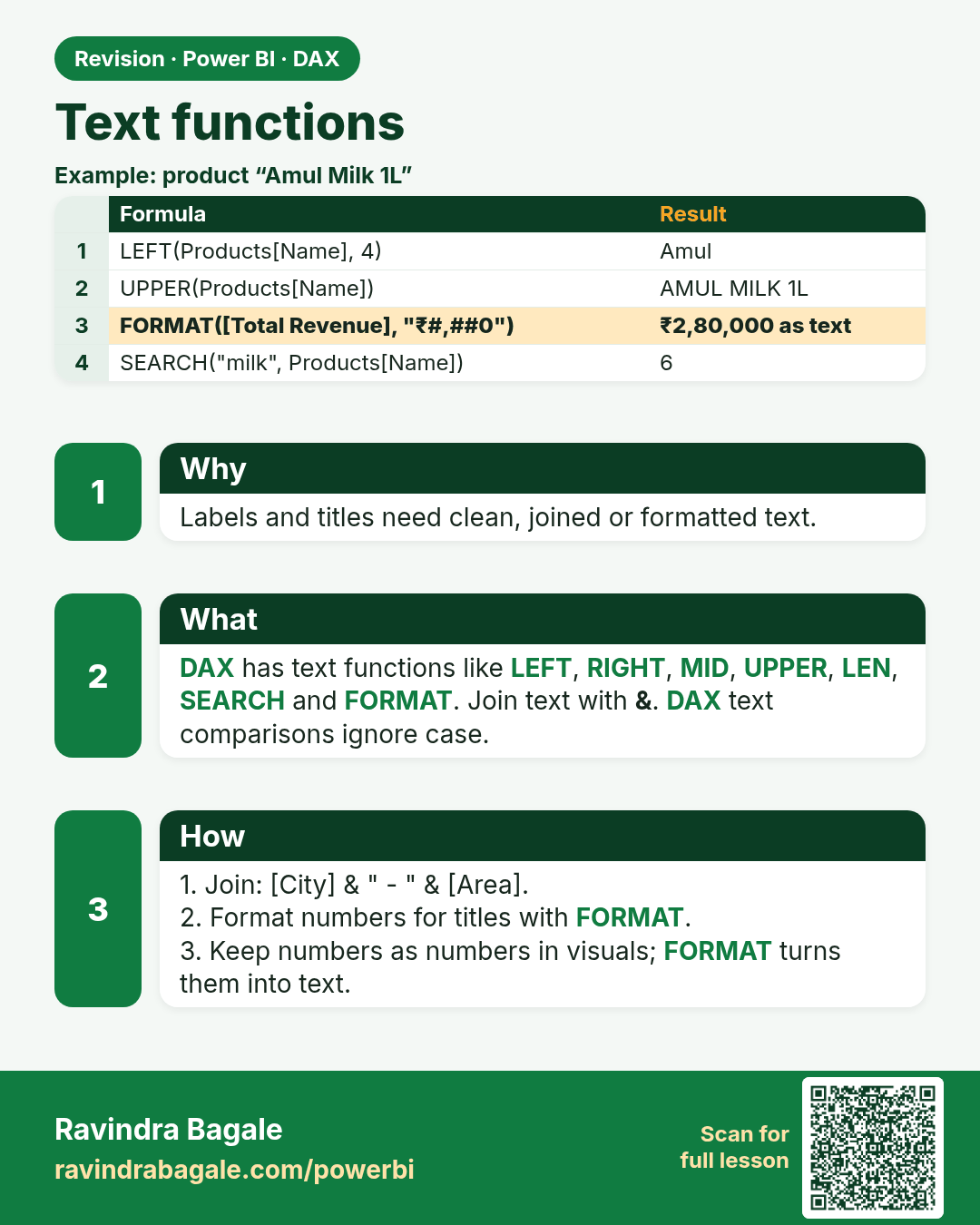
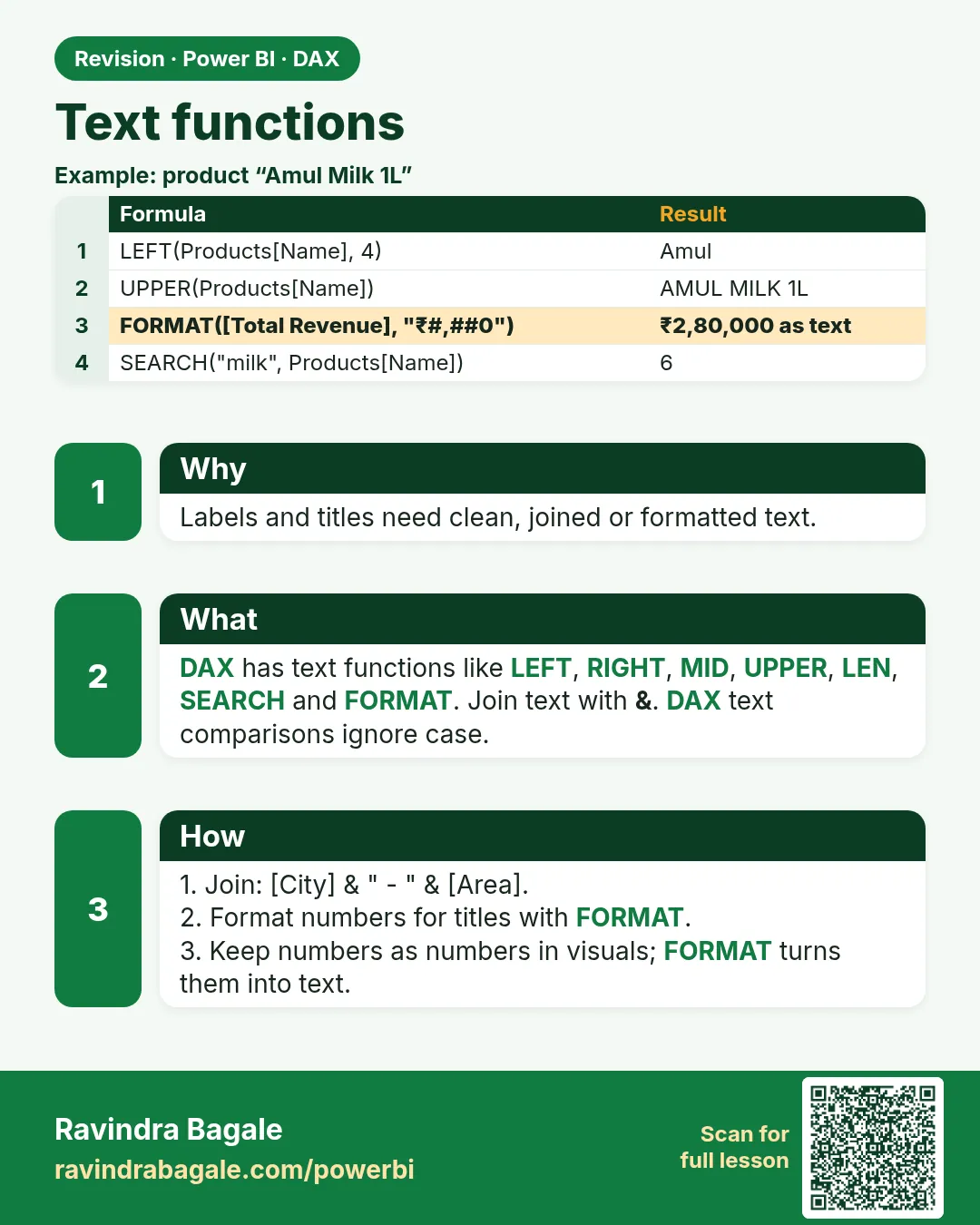 Revision card 14 of 27: Text functions · Download PNG · Open card page
Lesson: 13.14 Text Functions
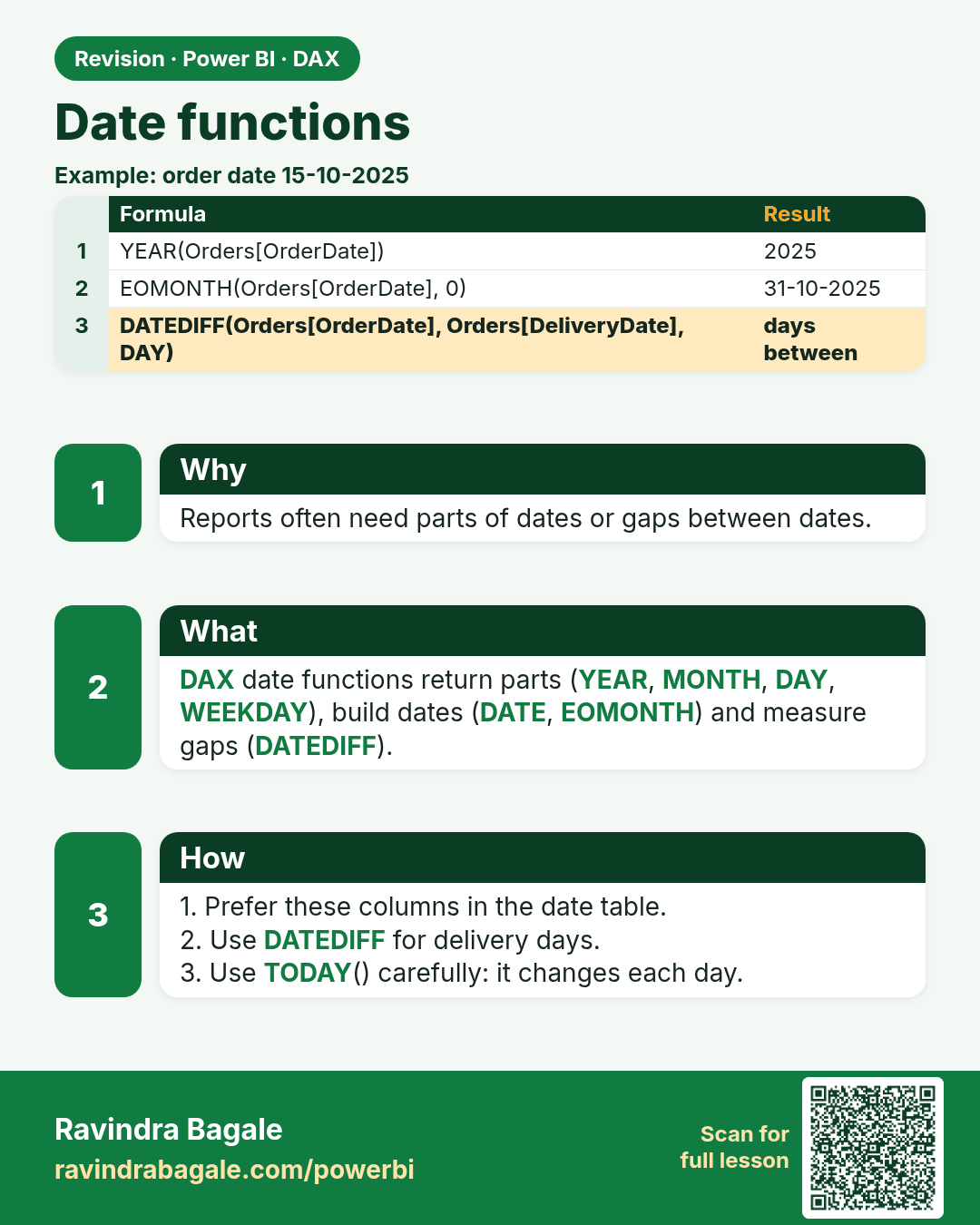
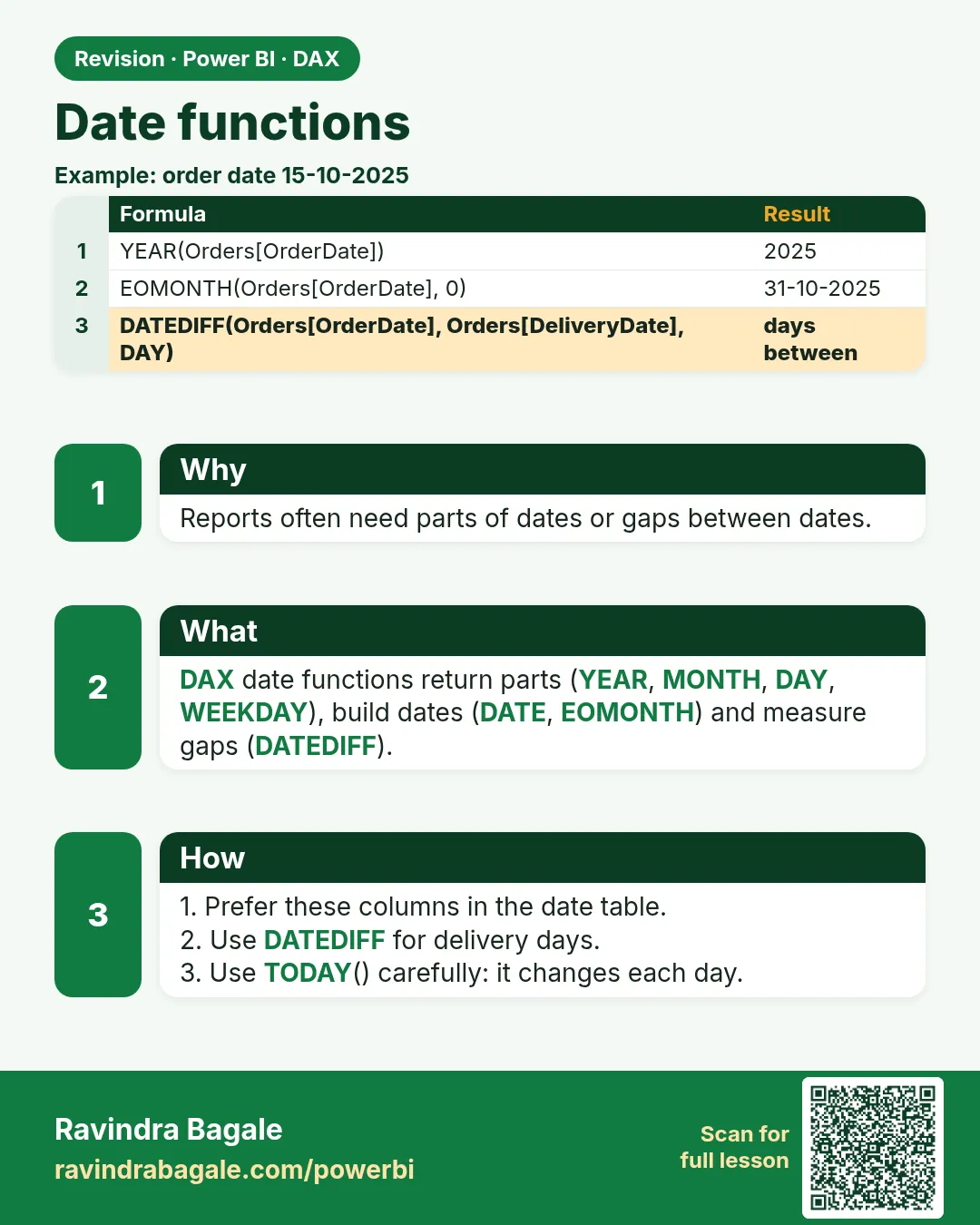 Revision card 15 of 27: Date functions · Download PNG · Open card page
Lesson: 13.15 Date Functions
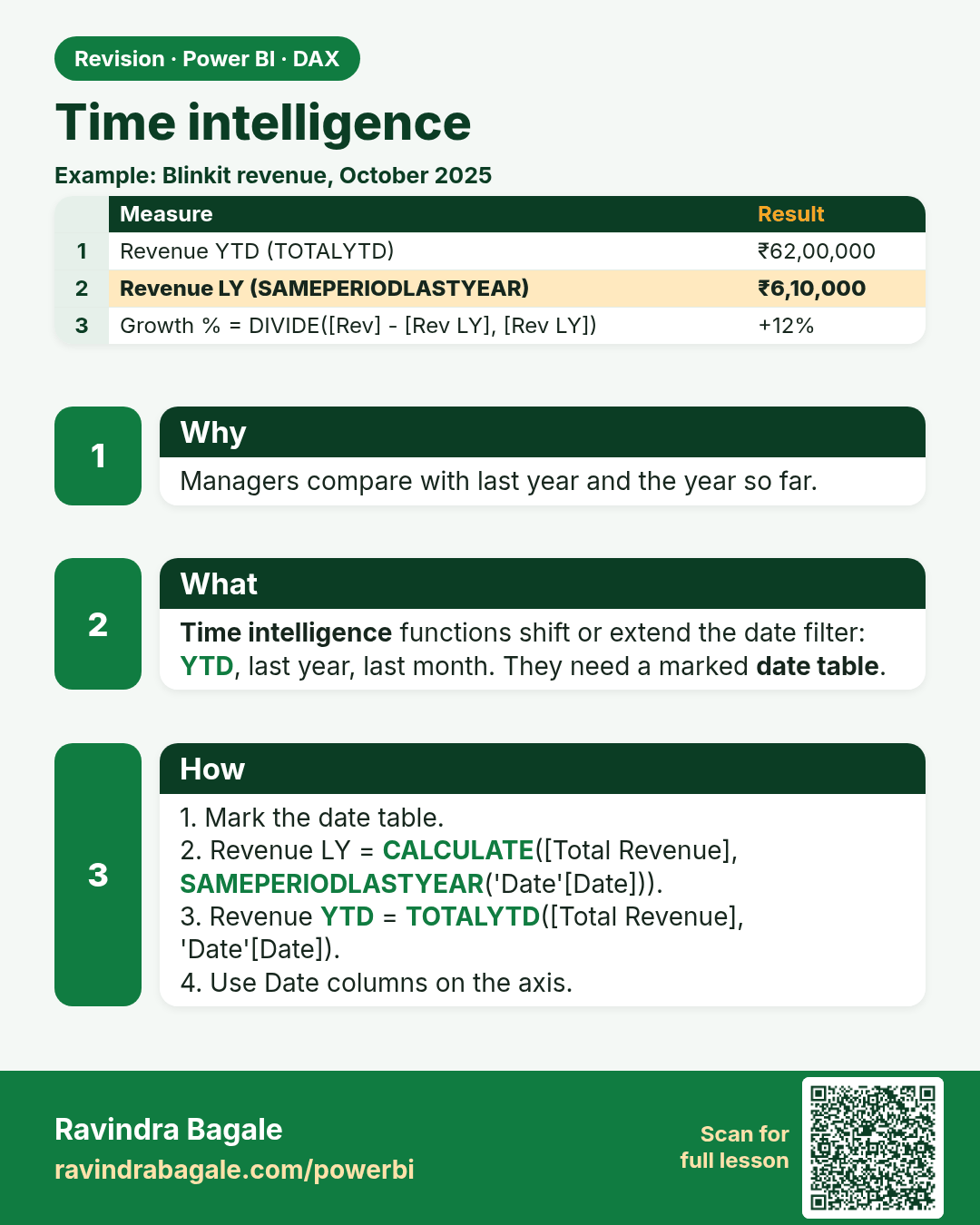
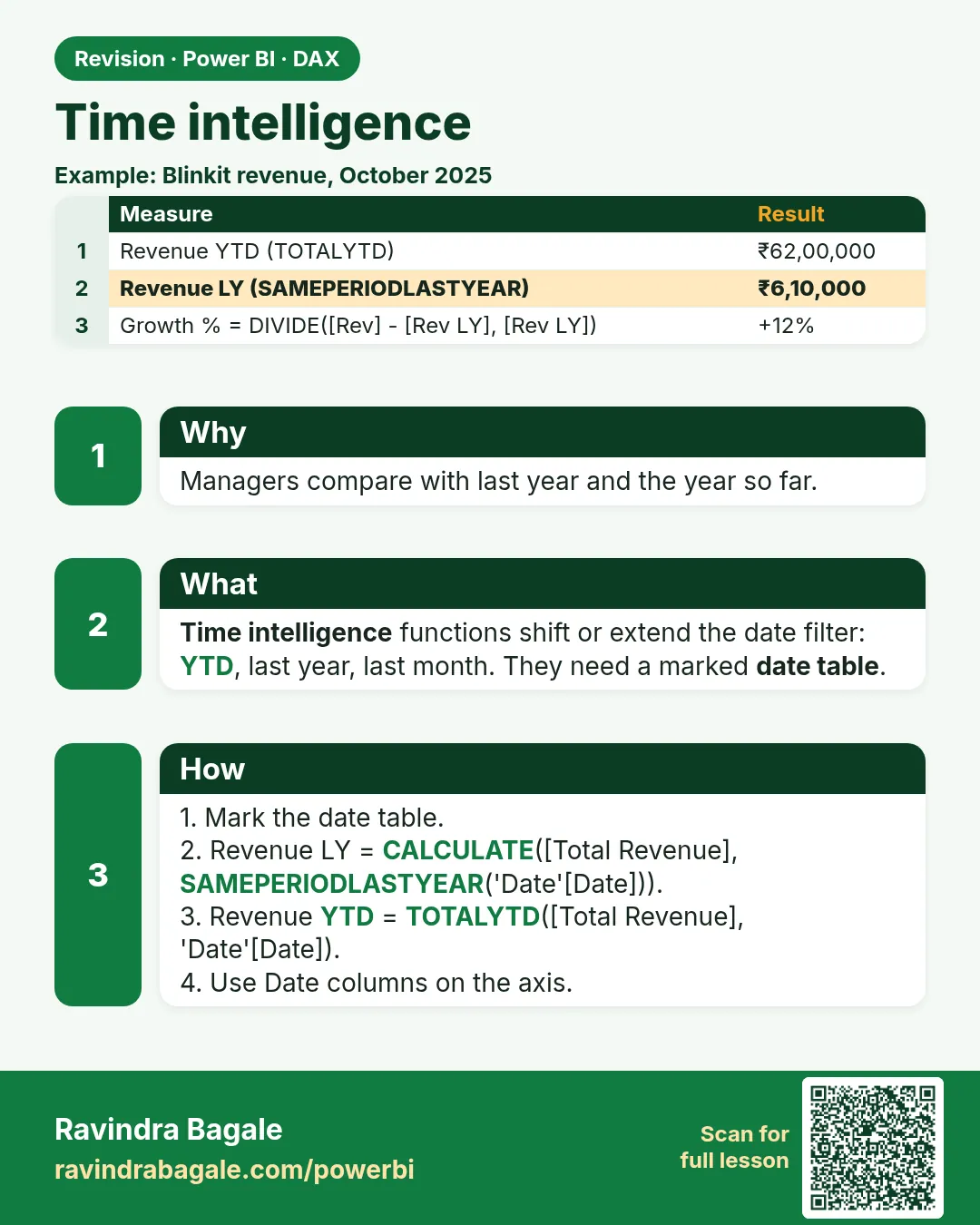 Revision card 16 of 27: Time intelligence · Download PNG · Open card page
Lesson: 13.16 Time Intelligence in Power BI with Example: FYTD, Last Year and YoY %
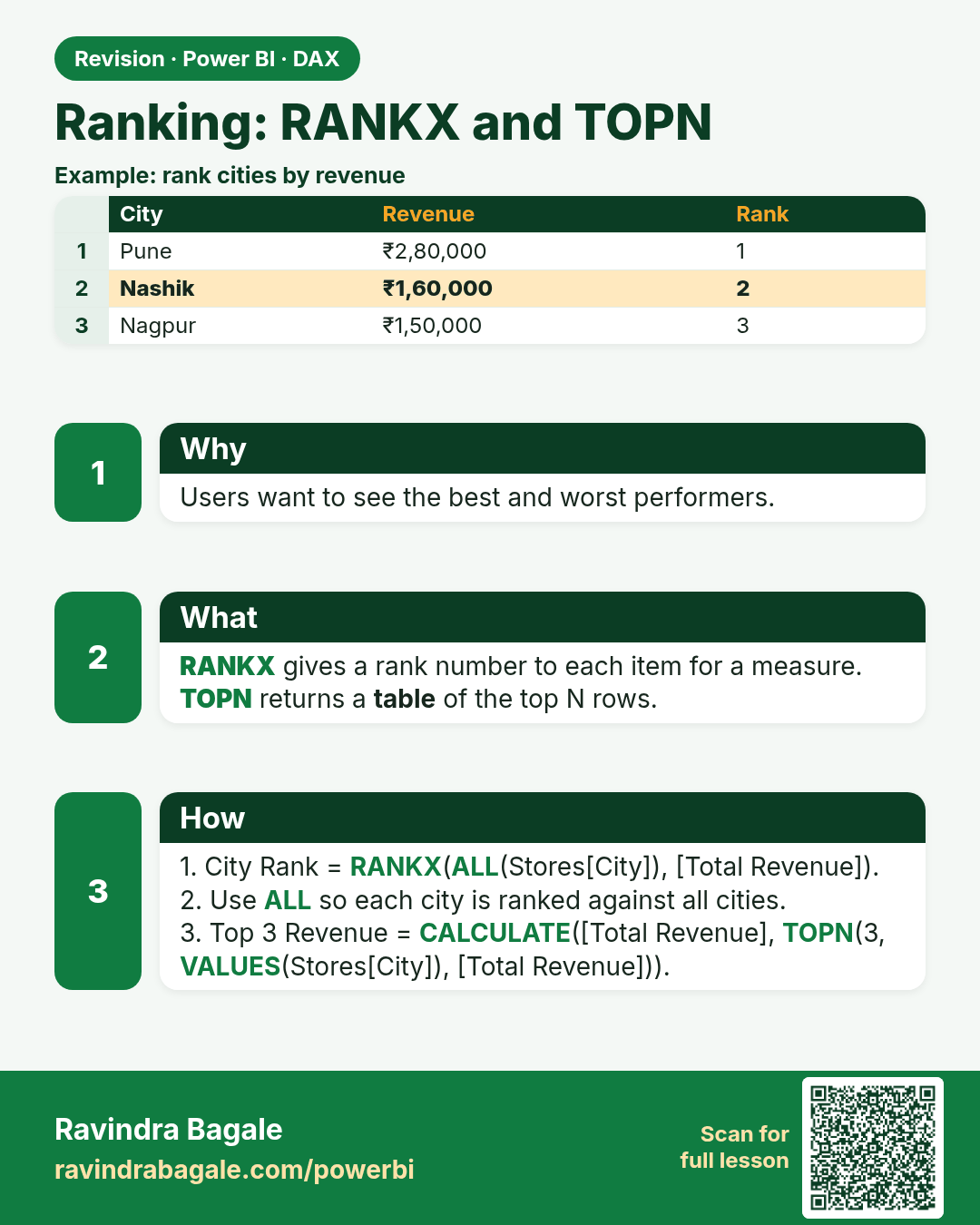
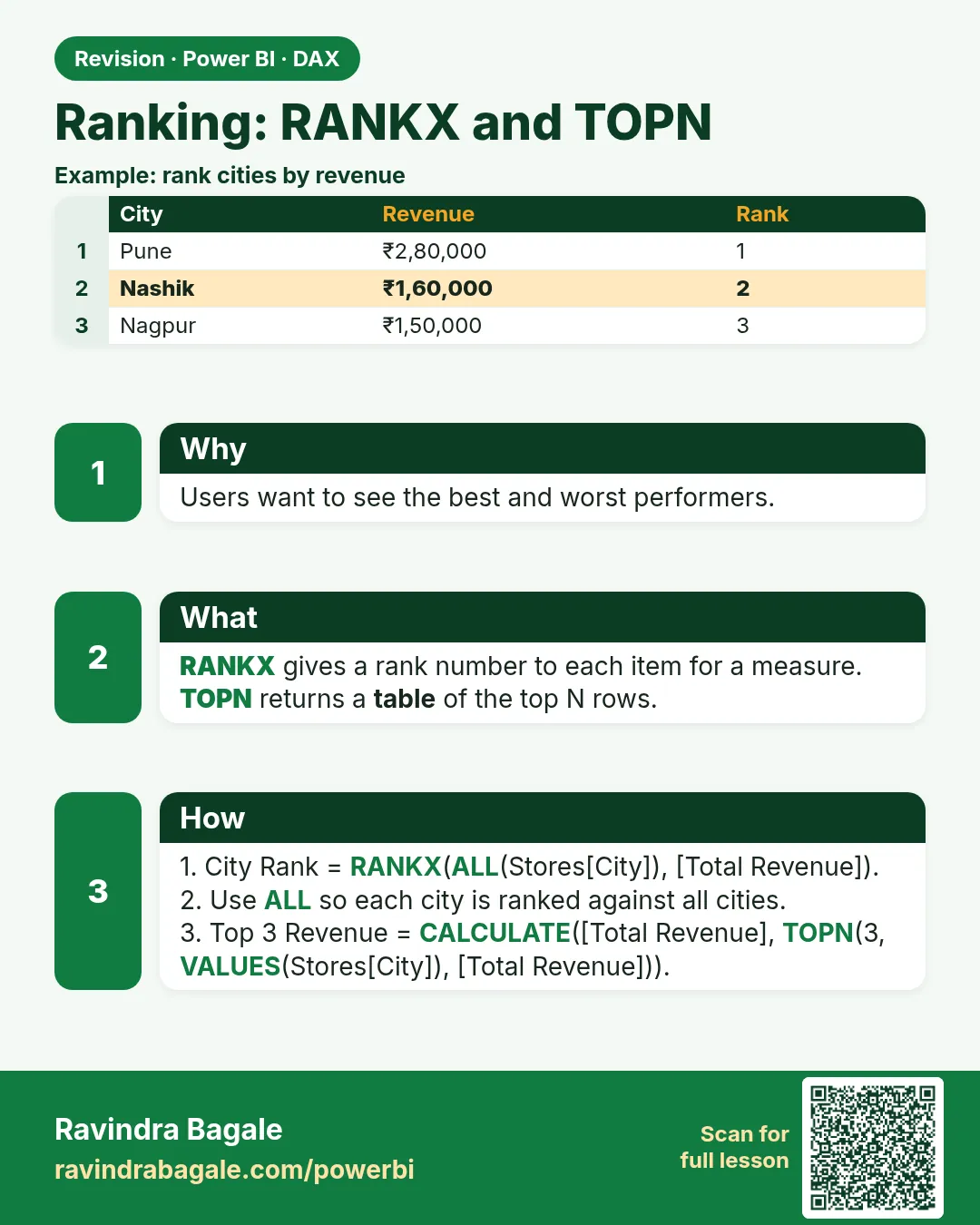 Revision card 17 of 27: Ranking: RANKX and TOPN · Download PNG · Open card page
Lesson: 13.17 RANKX and TOPN in Power BI DAX with Example
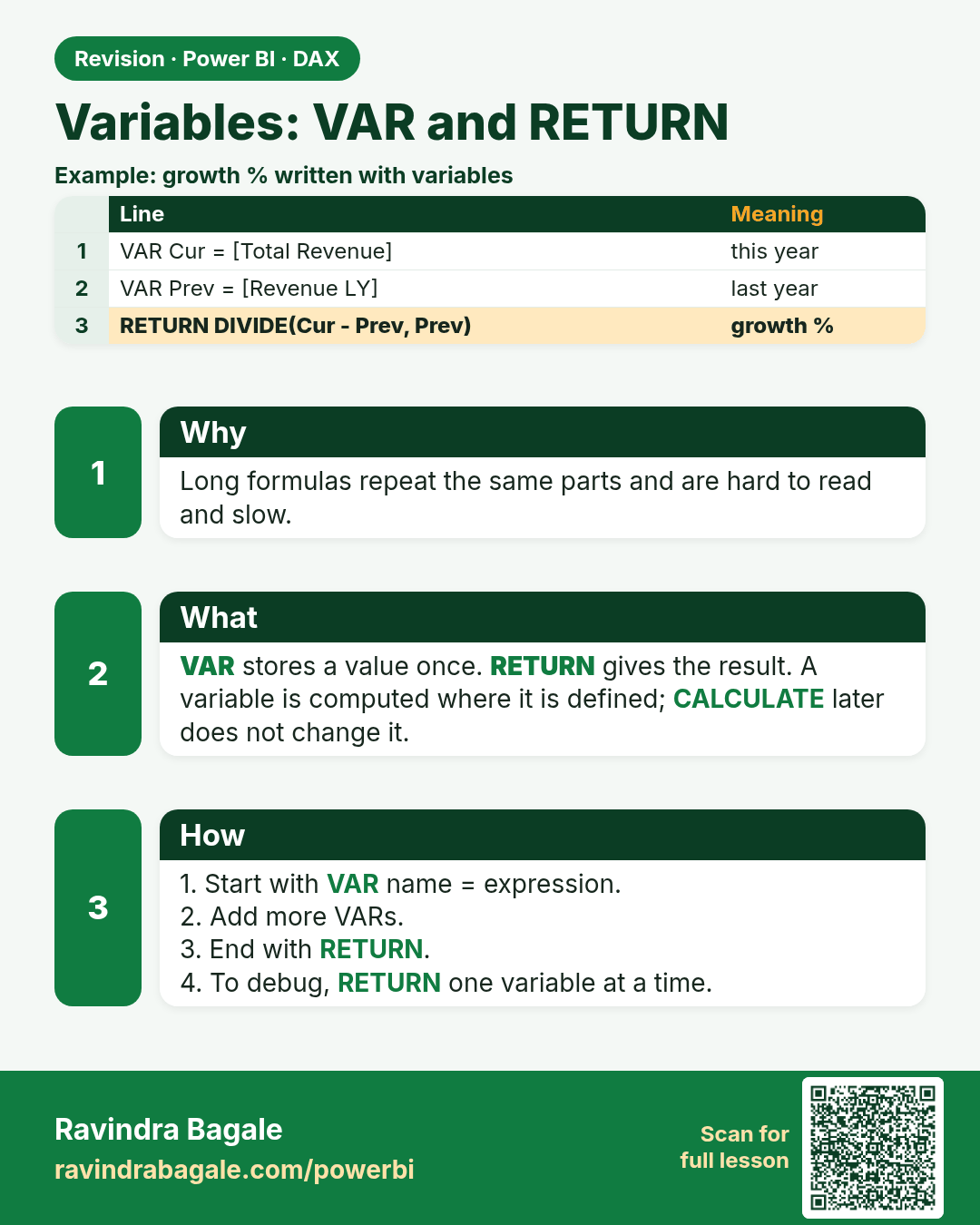
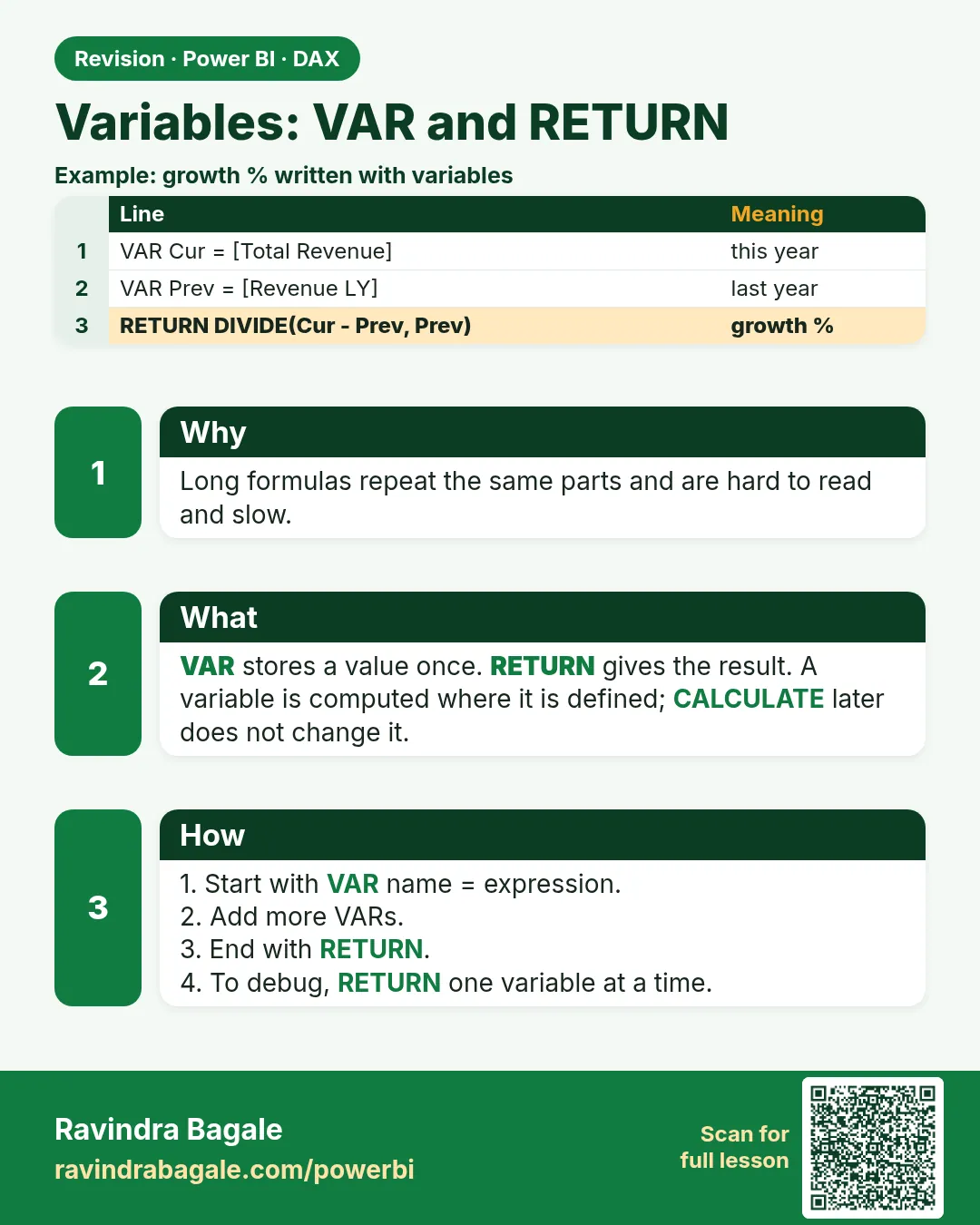 Revision card 18 of 27: Variables: VAR and RETURN · Download PNG · Open card page
Lesson: 13.18 VAR and RETURN in Power BI DAX with Example
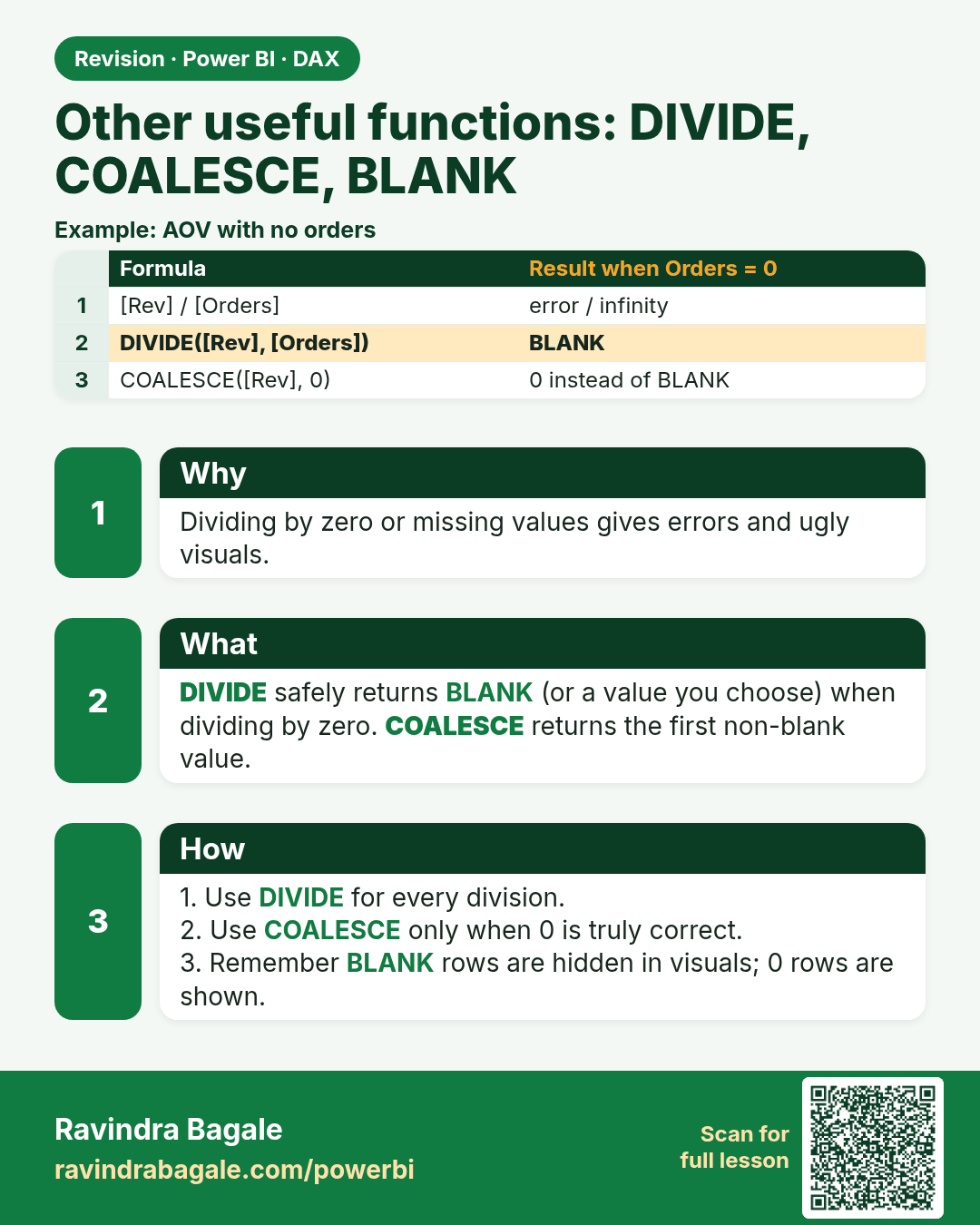
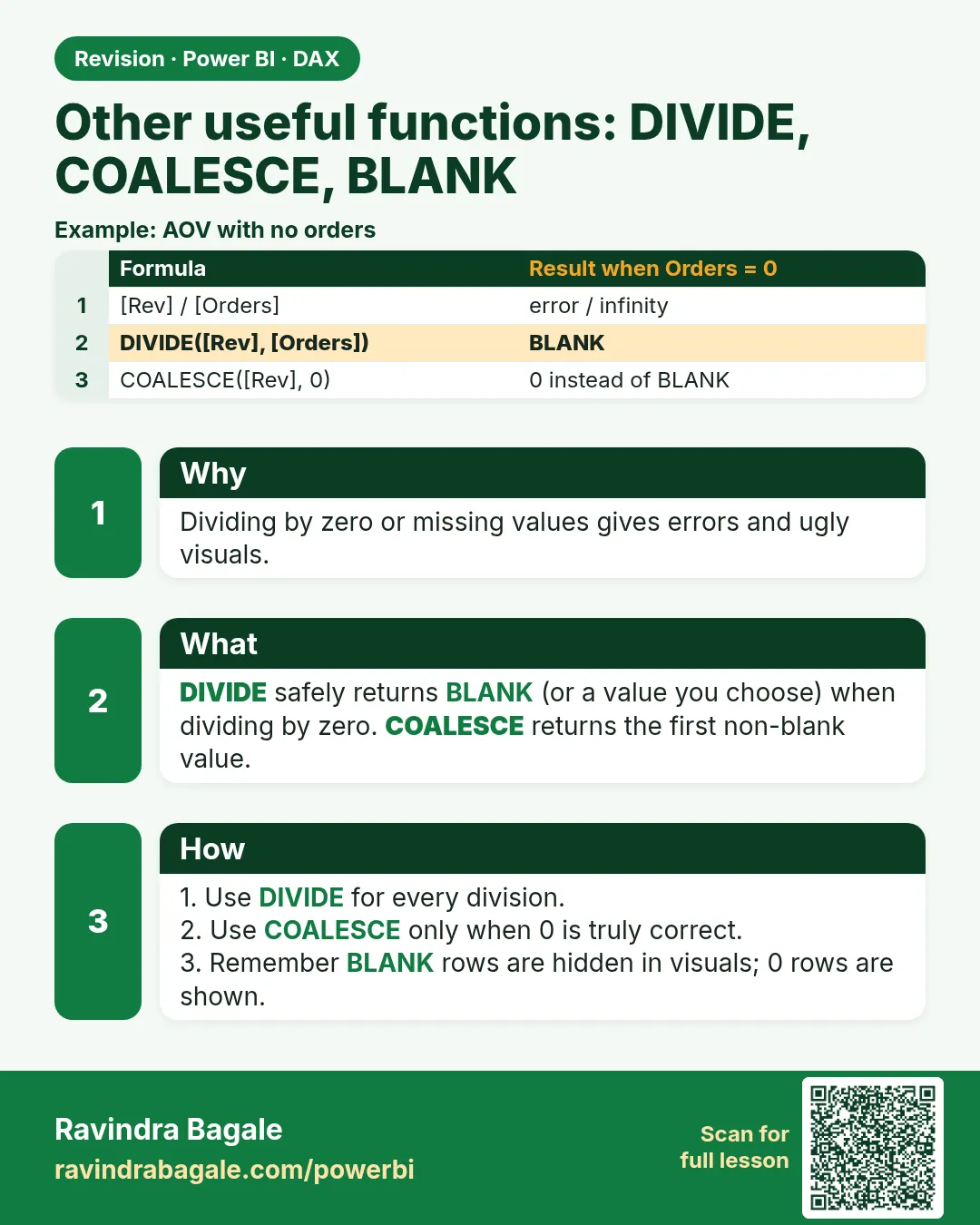 Revision card 19 of 27: Other useful functions: DIVIDE, COALESCE, BLANK · Download PNG · Open card page
Lesson: 13.19 Other Useful Functions
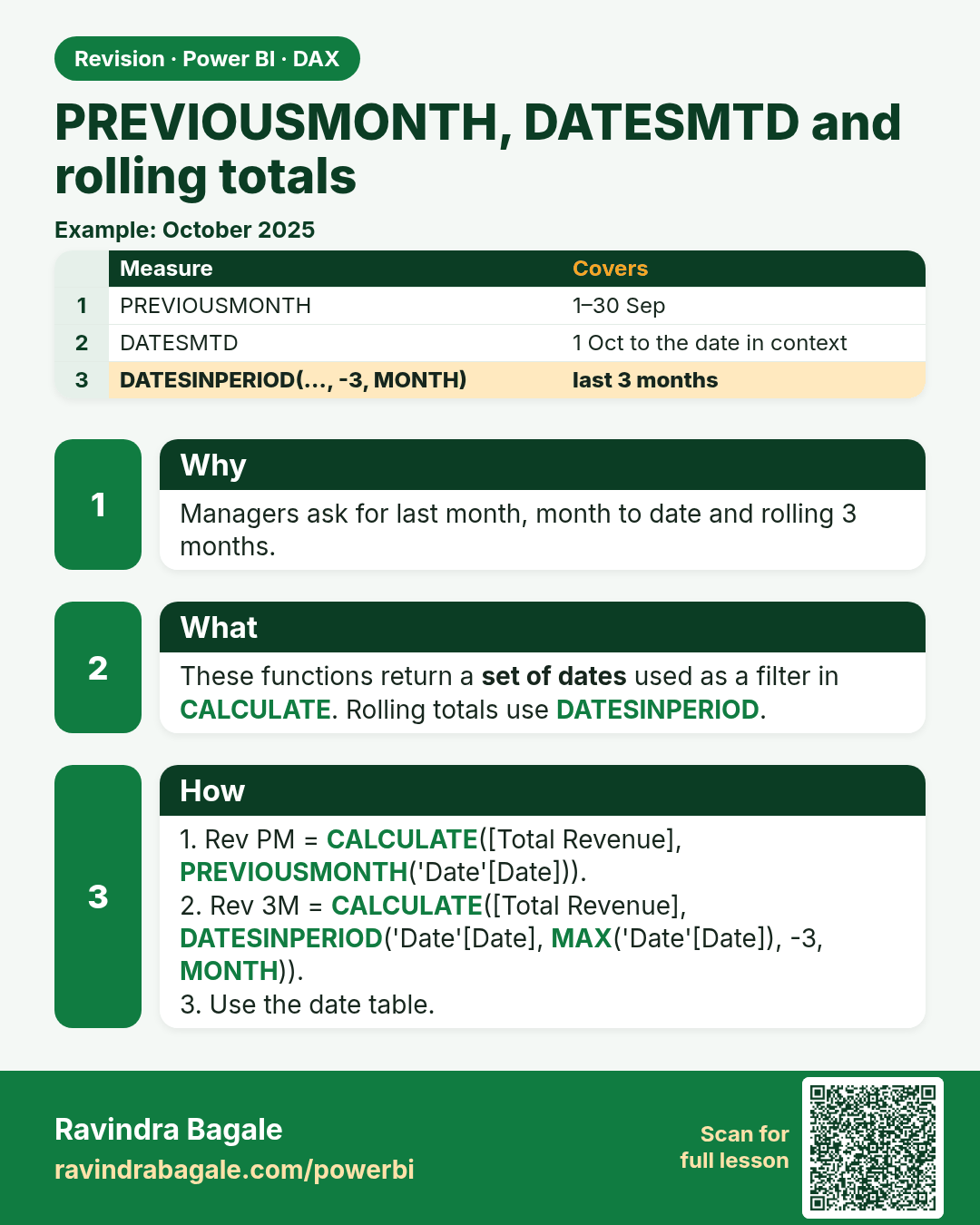
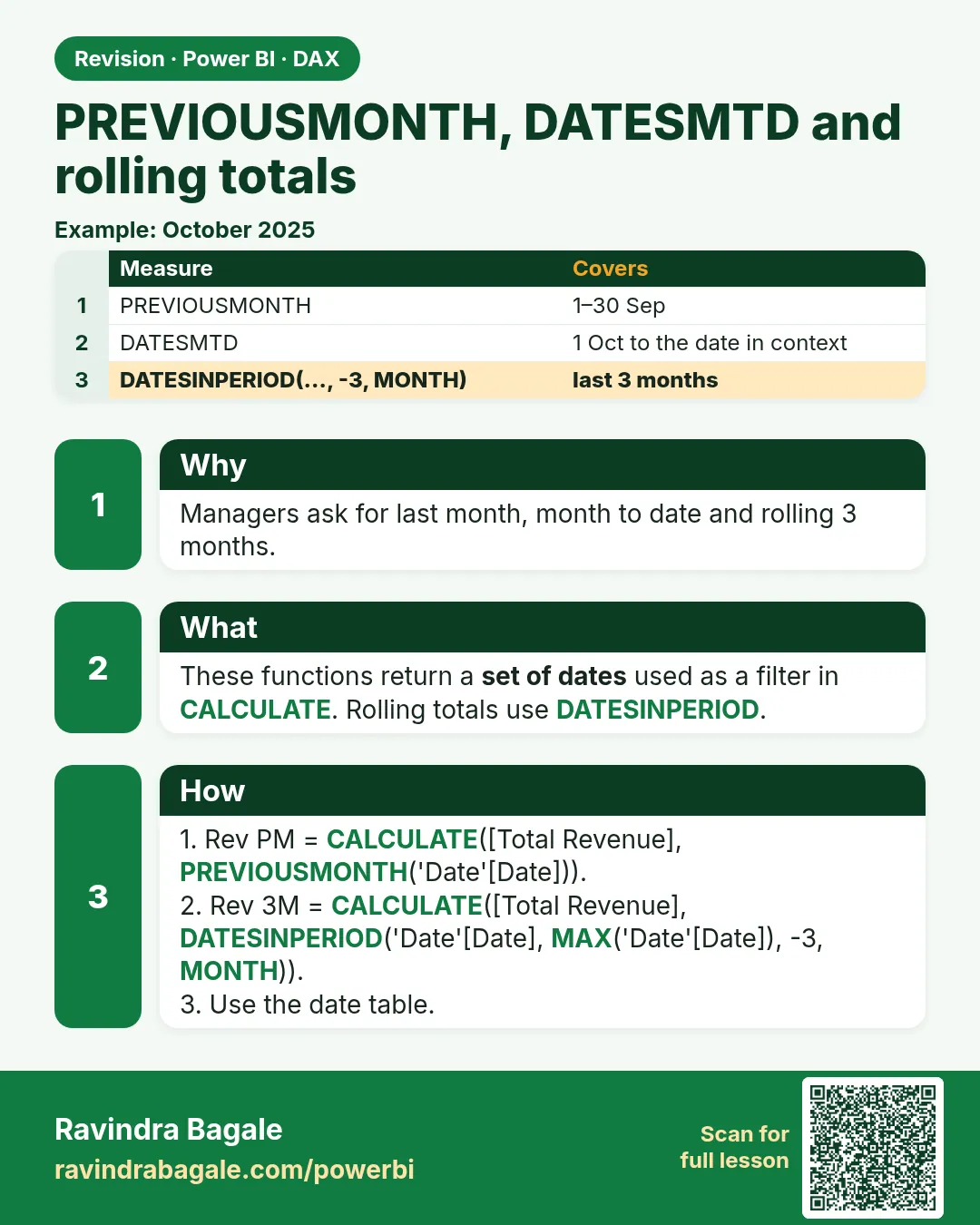 Revision card 20 of 27: PREVIOUSMONTH, DATESMTD and rolling totals · Download PNG · Open card page
Lesson: 13.20 PREVIOUSMONTH, PREVIOUSYEAR, DATESMTD and Rolling 30 and 90 Days
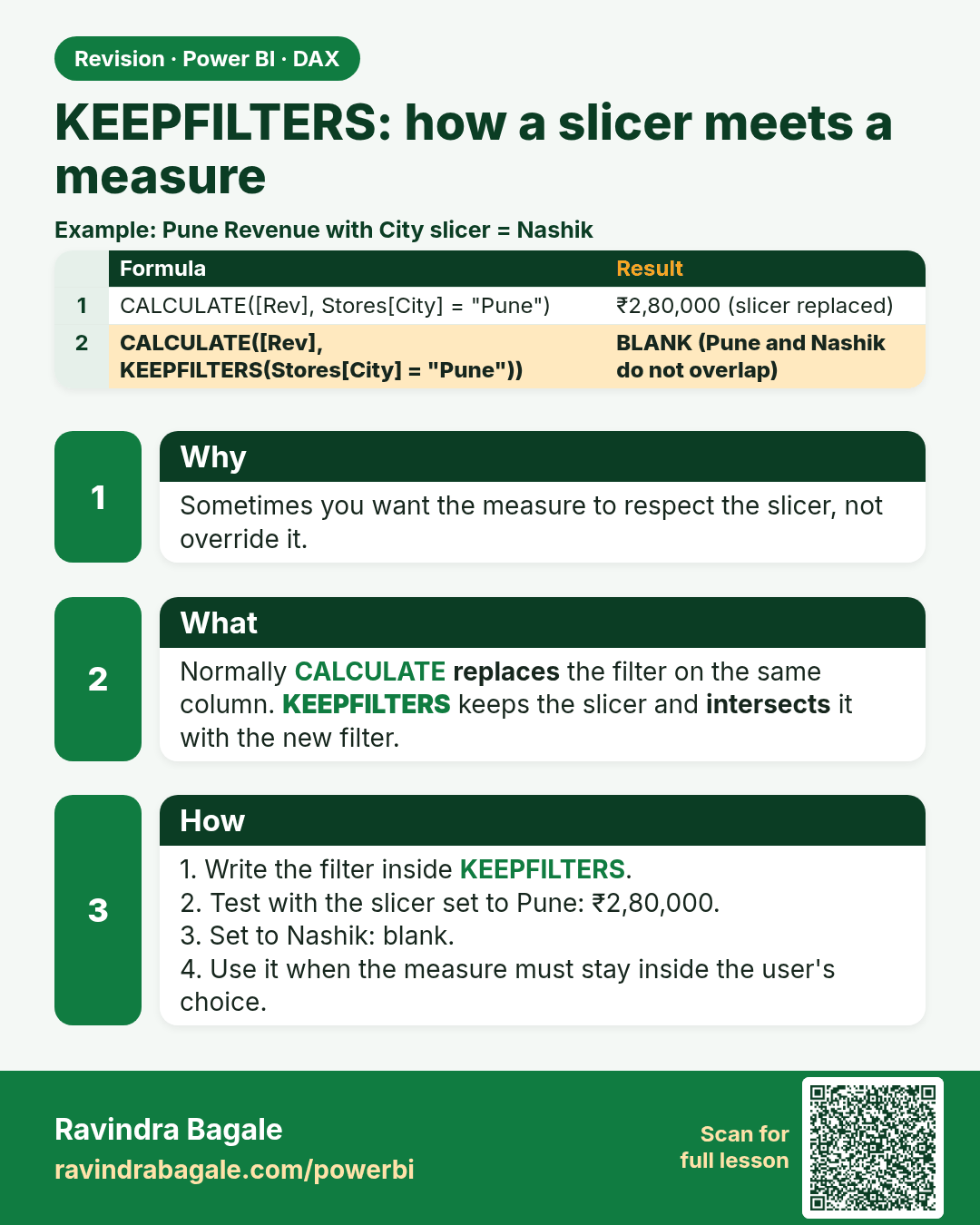
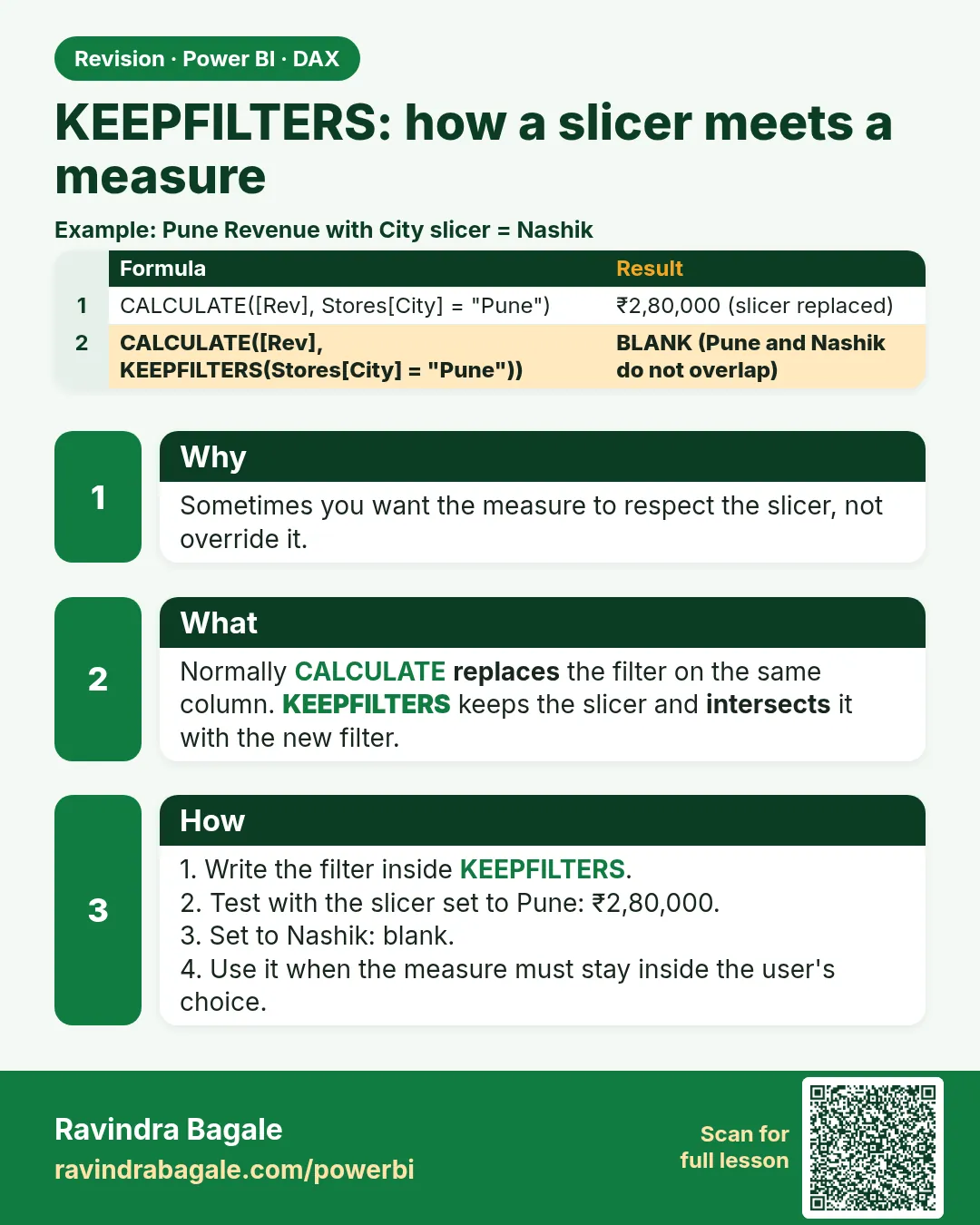 Revision card 21 of 27: KEEPFILTERS: how a slicer meets a measure · Download PNG · Open card page
Lesson: 13.21 KEEPFILTERS in Power BI: How a Slicer Hits a Measure, with Example
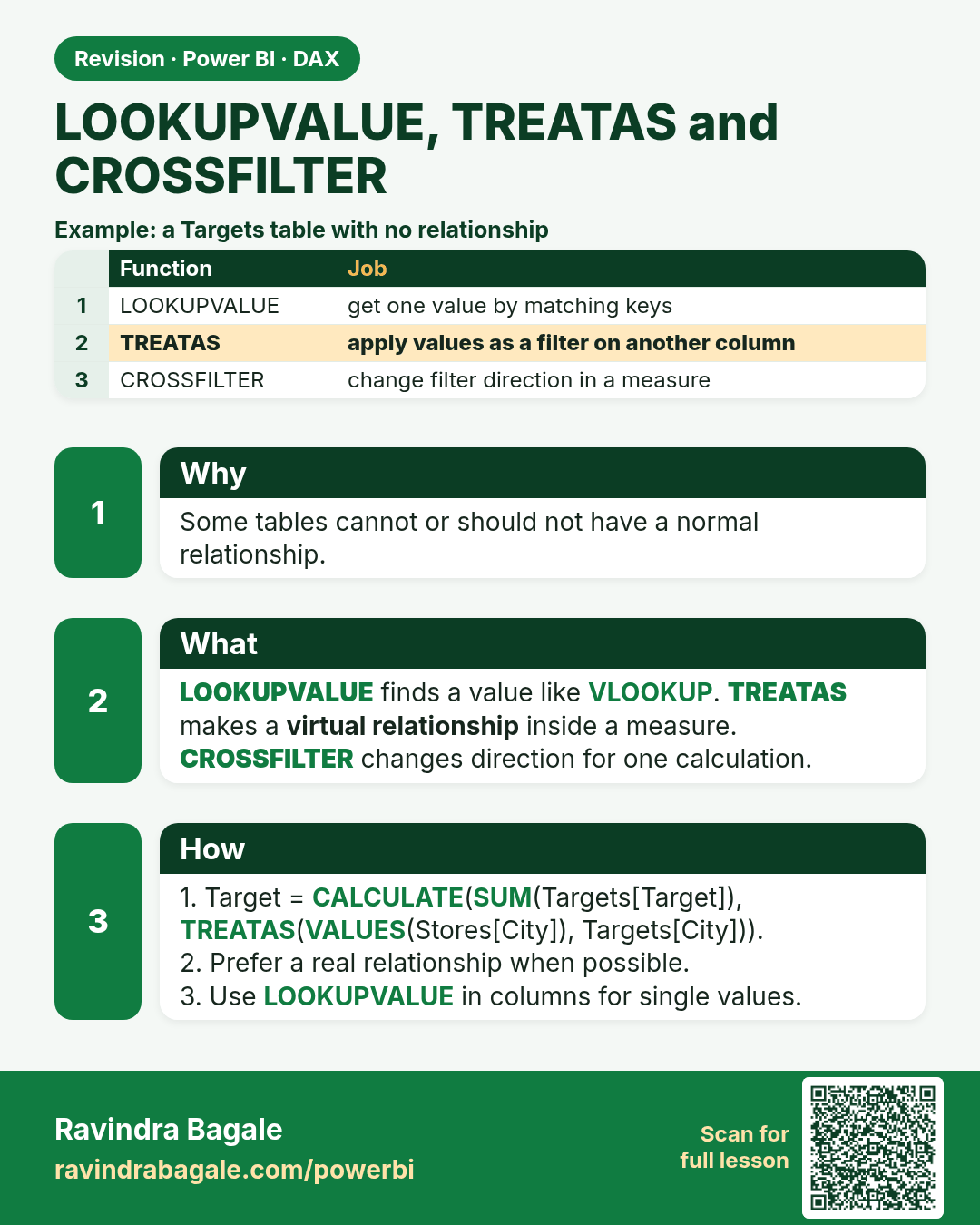
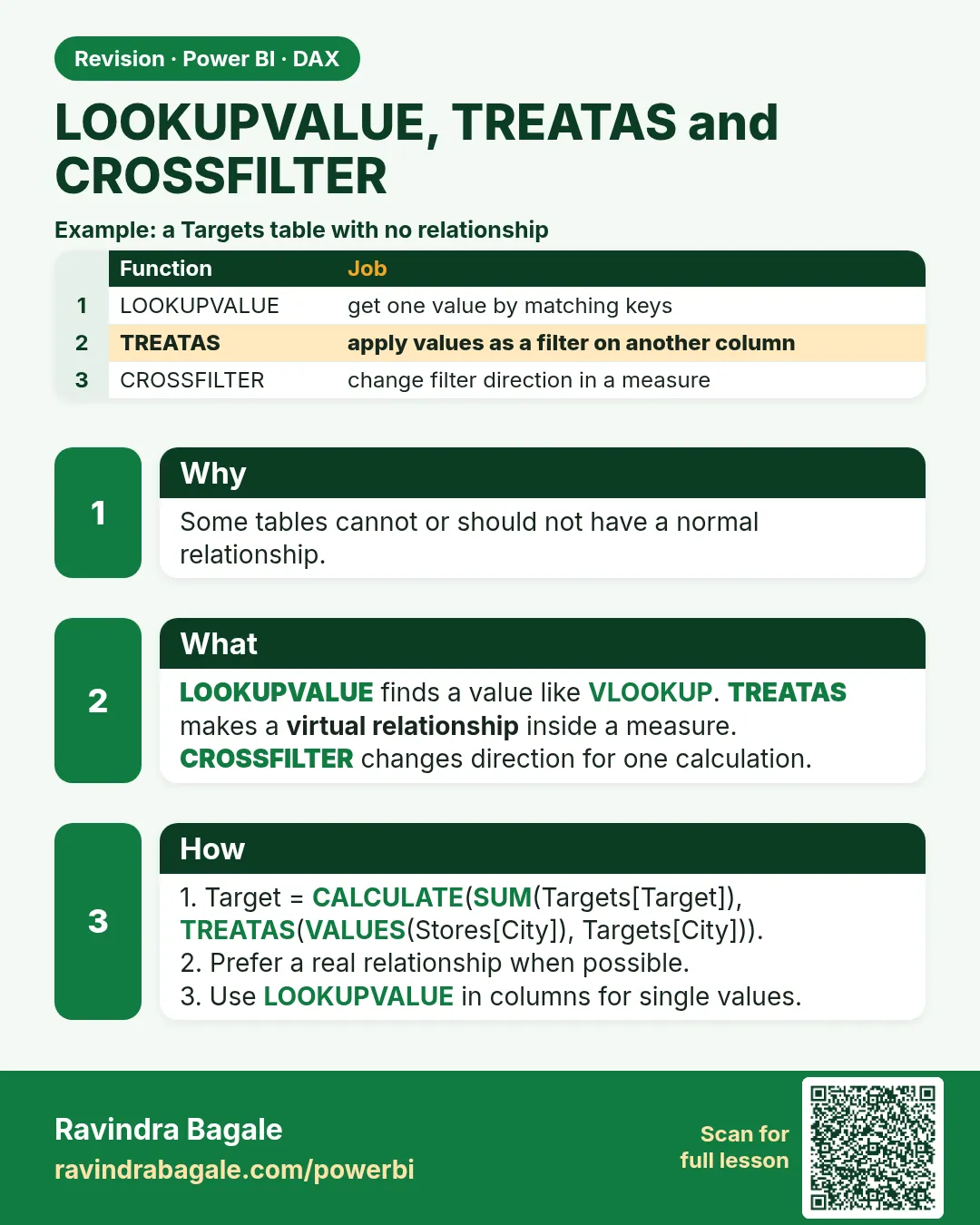 Revision card 22 of 27: LOOKUPVALUE, TREATAS and CROSSFILTER · Download PNG · Open card page
Lesson: 13.22 LOOKUPVALUE, TREATAS and CROSSFILTER
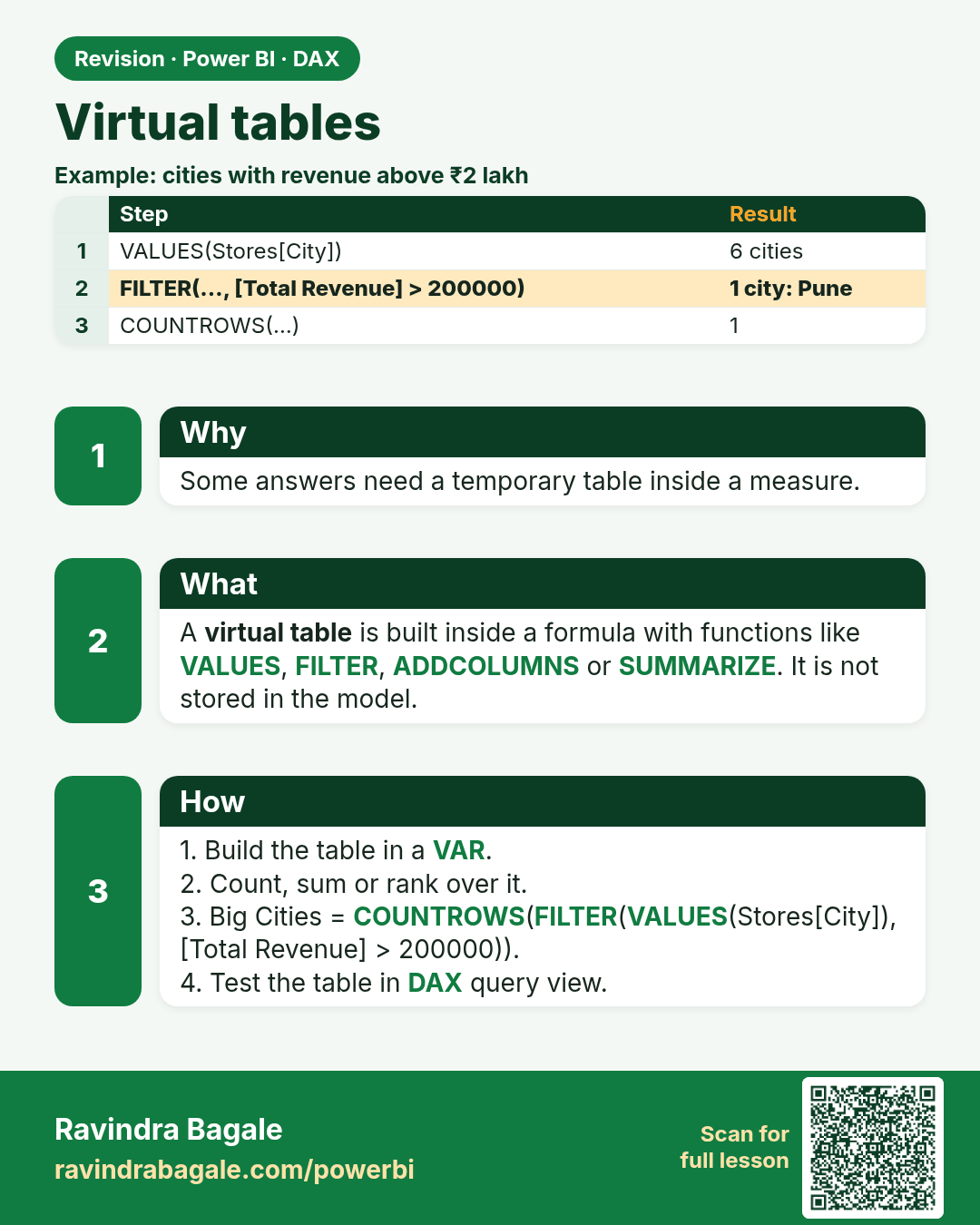
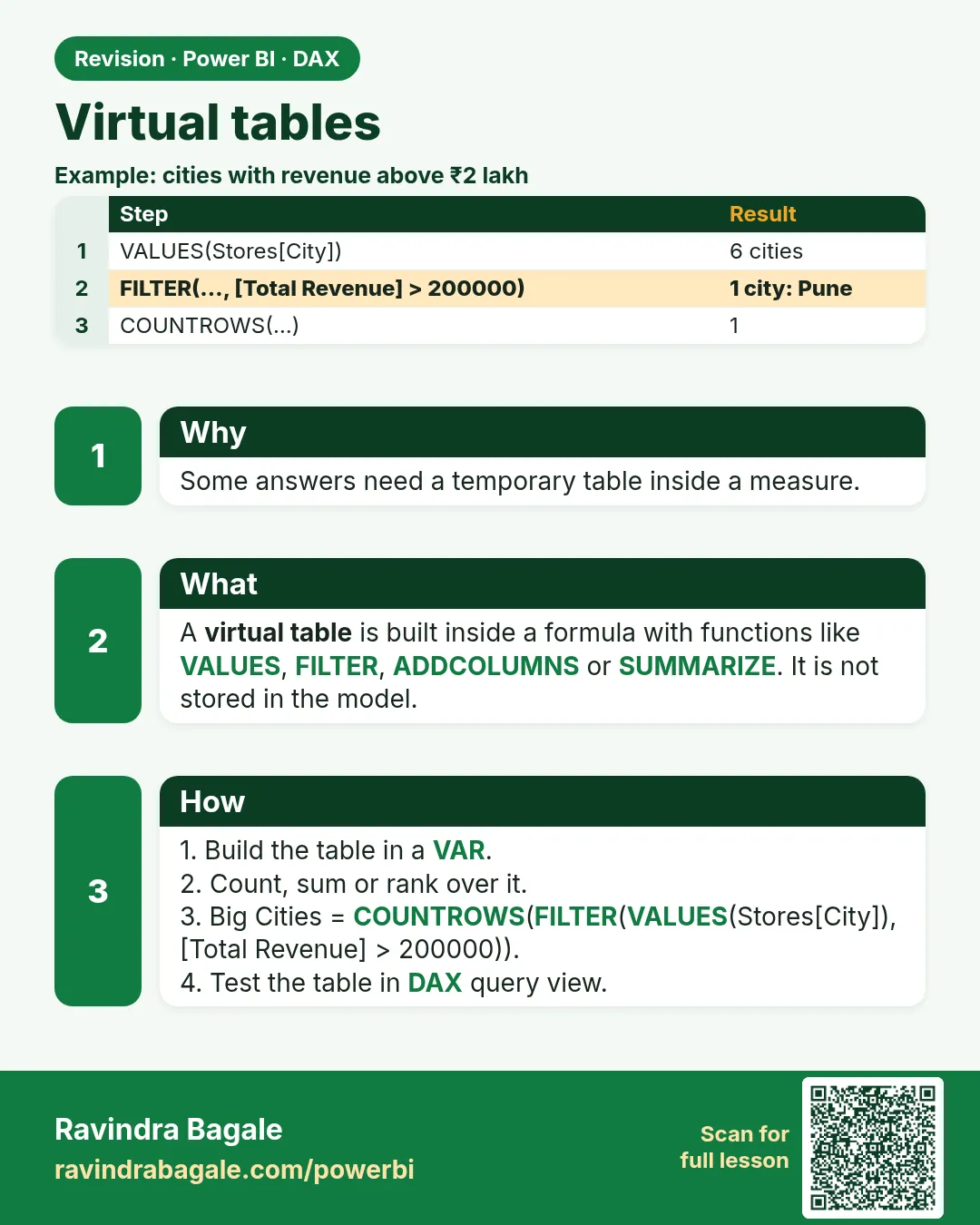 Revision card 23 of 27: Virtual tables · Download PNG · Open card page
Lesson: 13.23 Virtual Tables
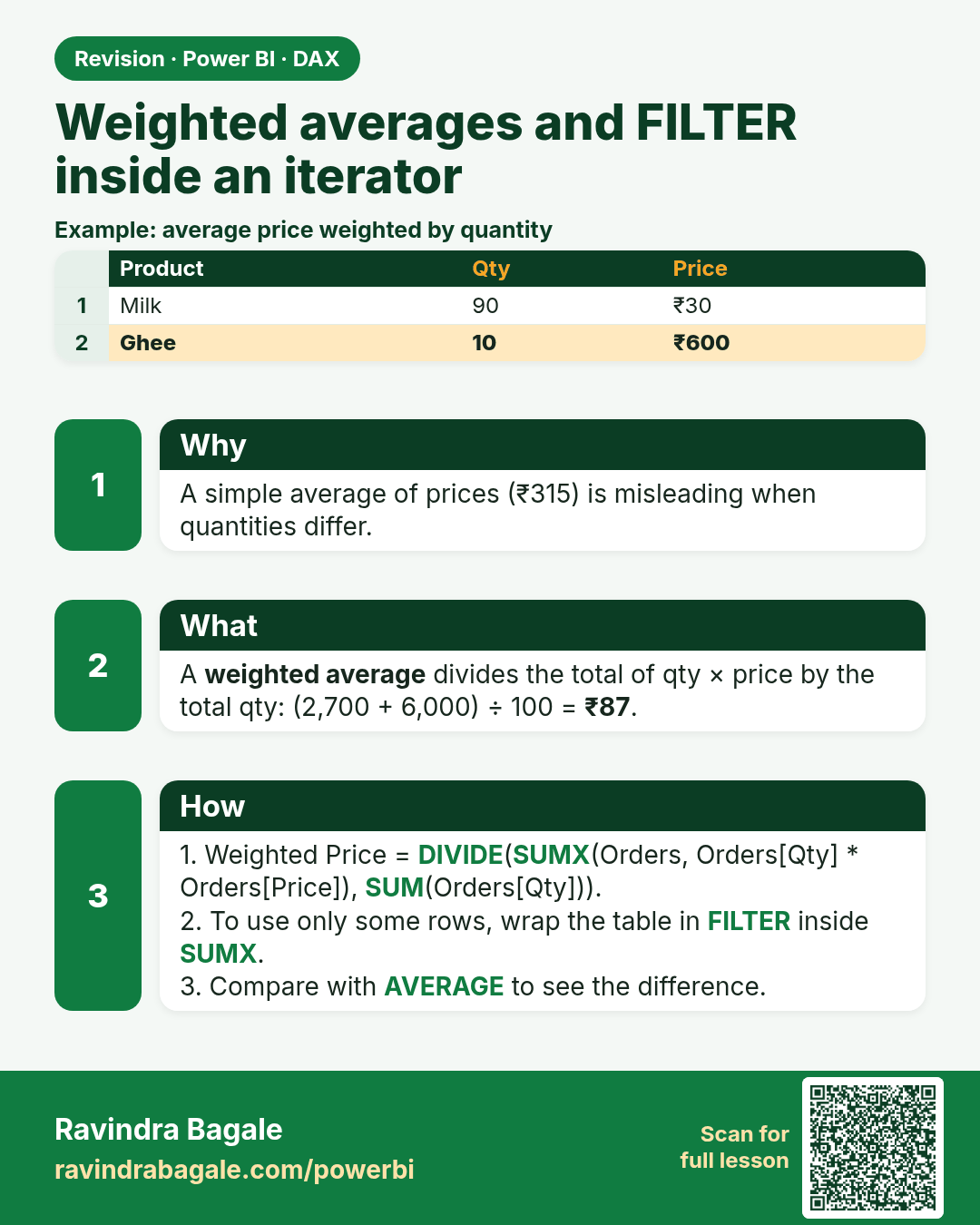
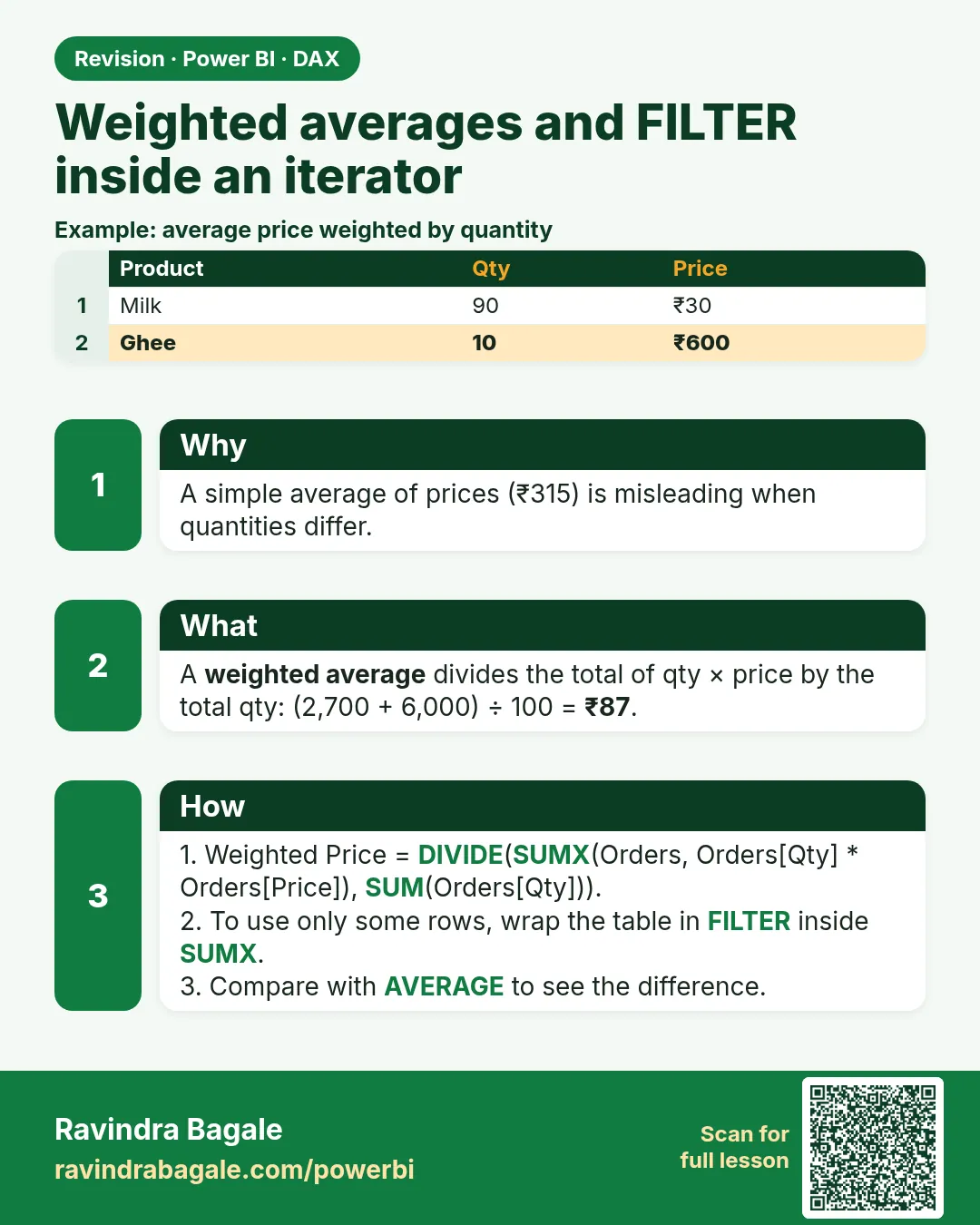 Revision card 24 of 27: Weighted averages and FILTER inside an iterator · Download PNG · Open card page
Lesson: 13.24 Weighted Averages and FILTER inside an Iterator
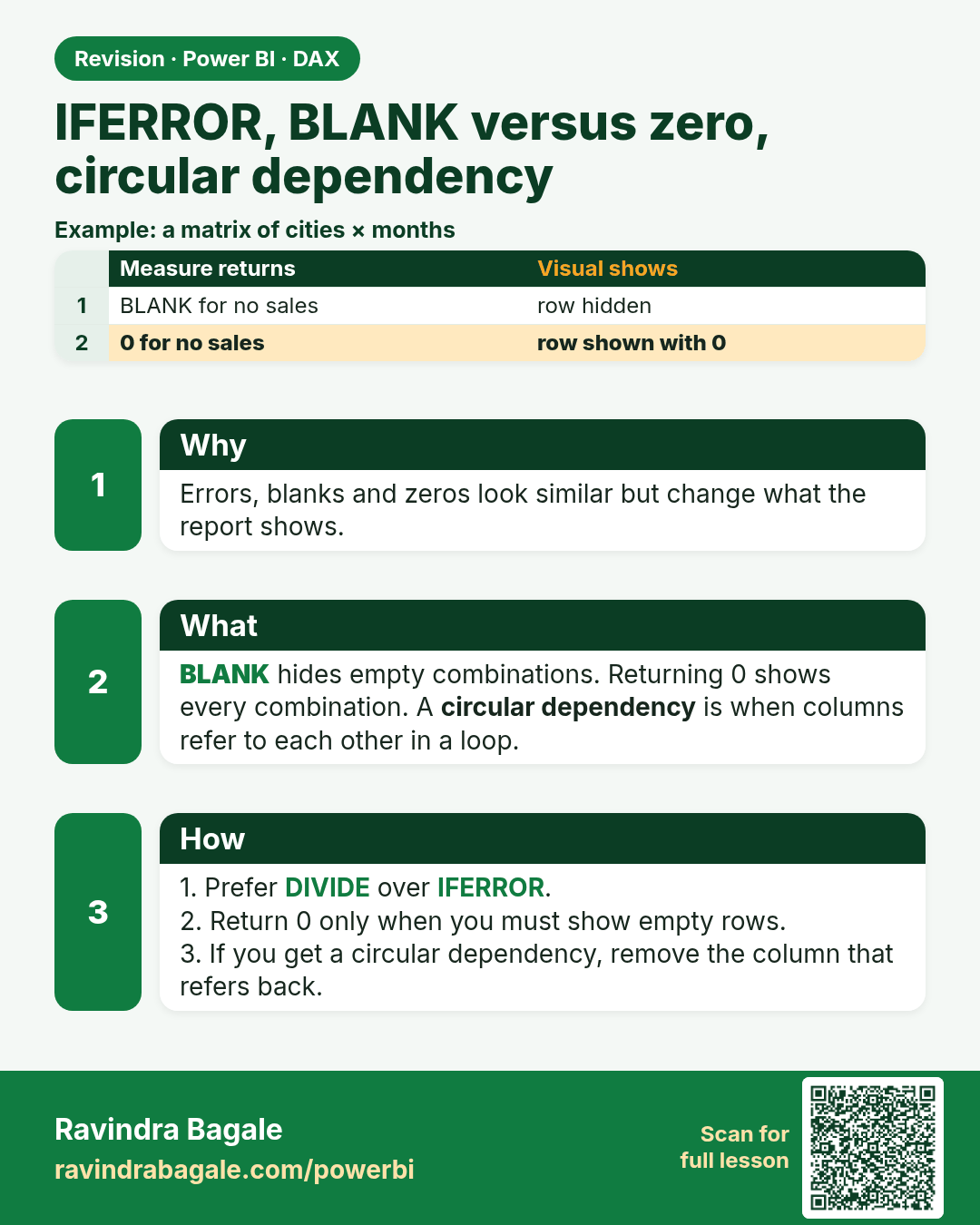
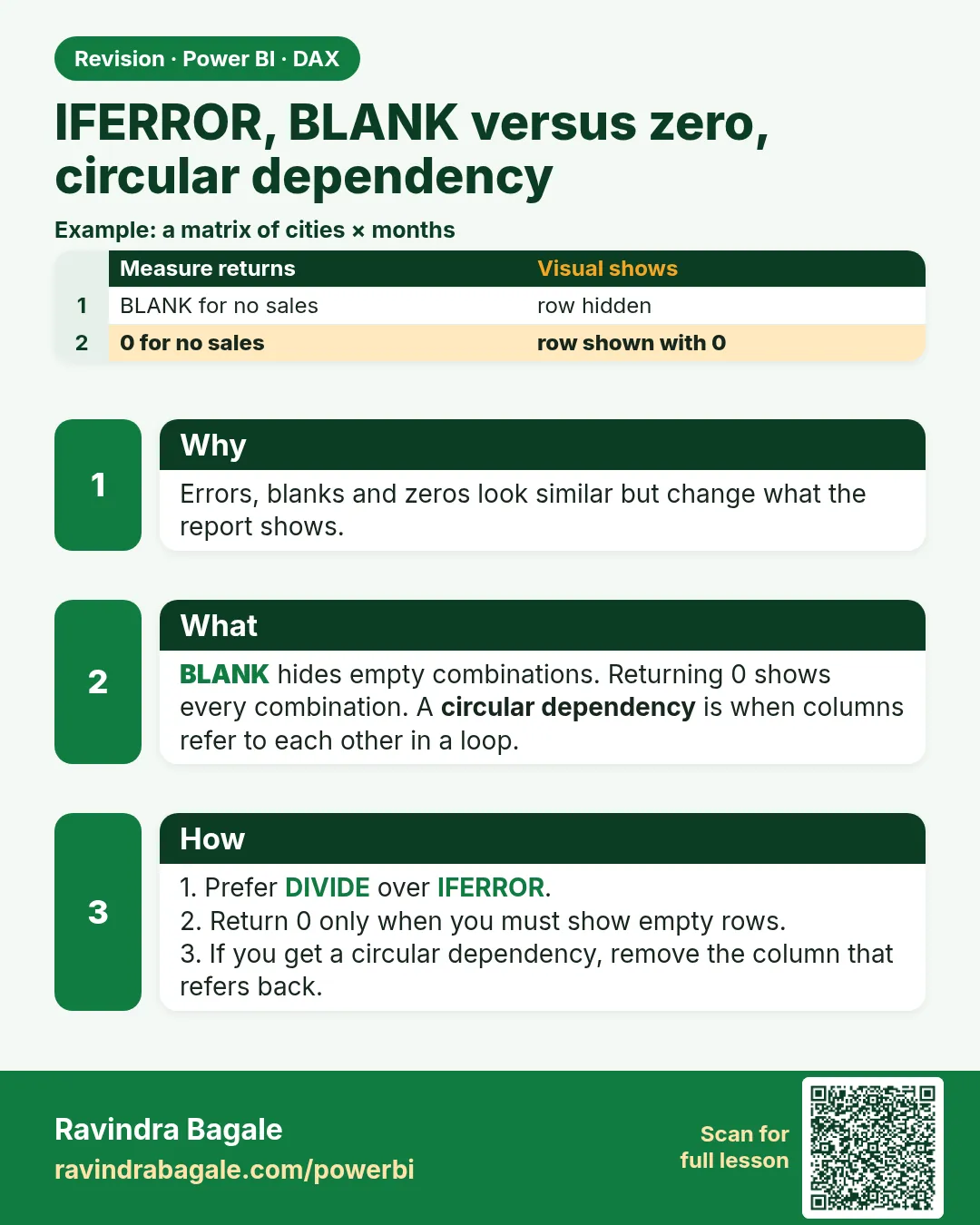 Revision card 25 of 27: IFERROR, BLANK versus zero, circular dependency · Download PNG · Open card page
Lesson: 13.25 IFERROR, Blank versus Zero, and Circular Dependency
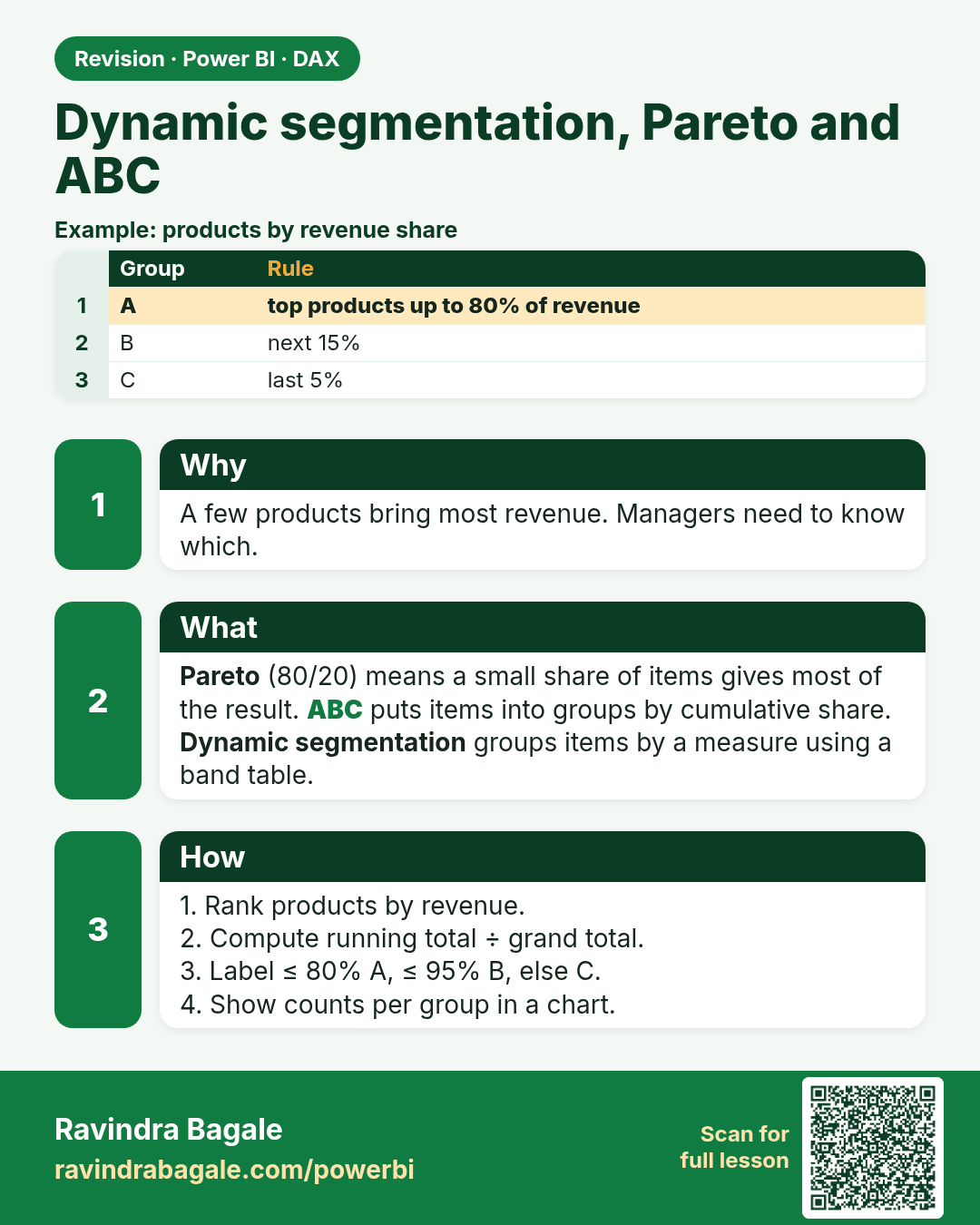
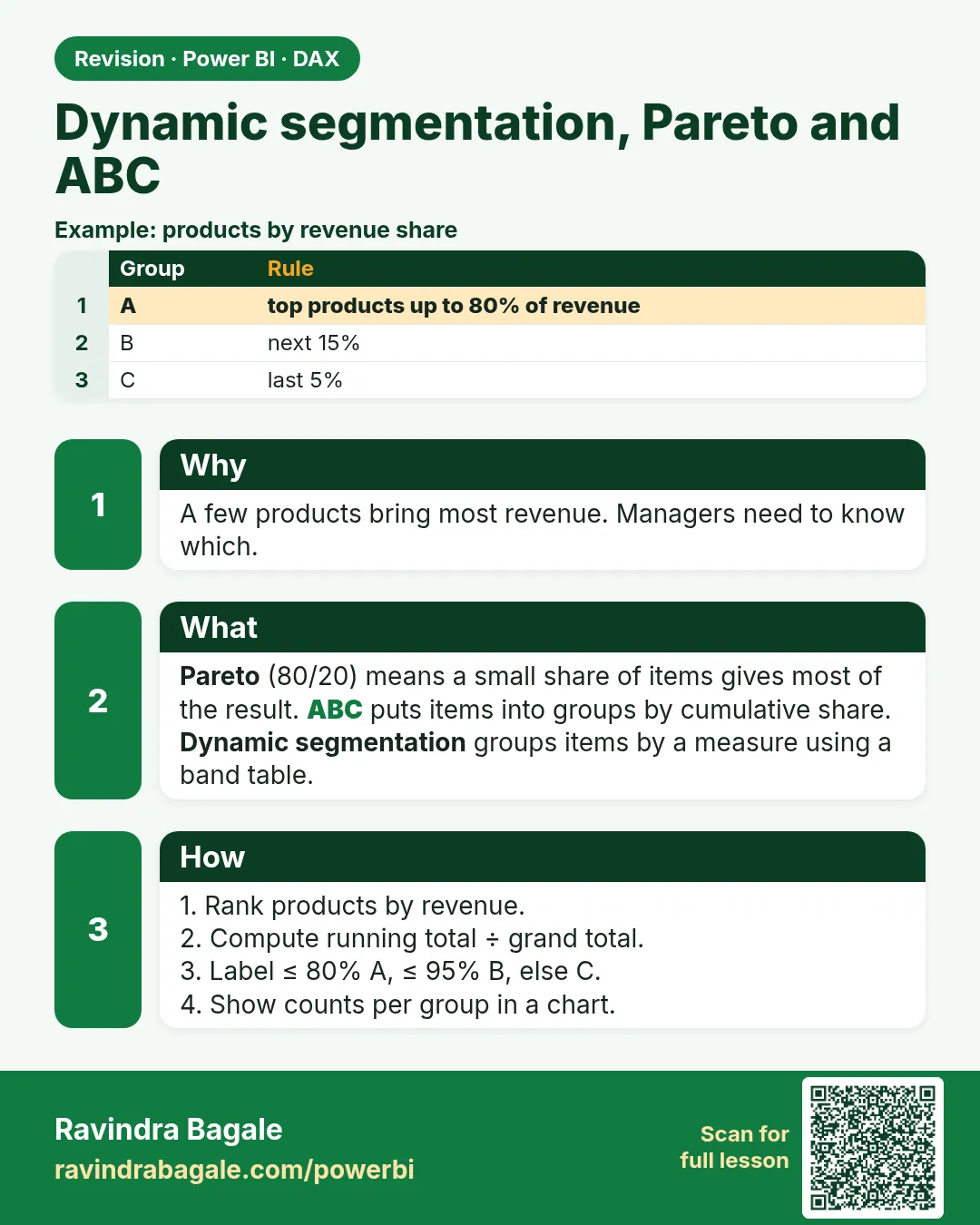 Revision card 26 of 27: Dynamic segmentation, Pareto and ABC · Download PNG · Open card page
Lesson: 13.26 Dynamic Segmentation, Pareto and ABC
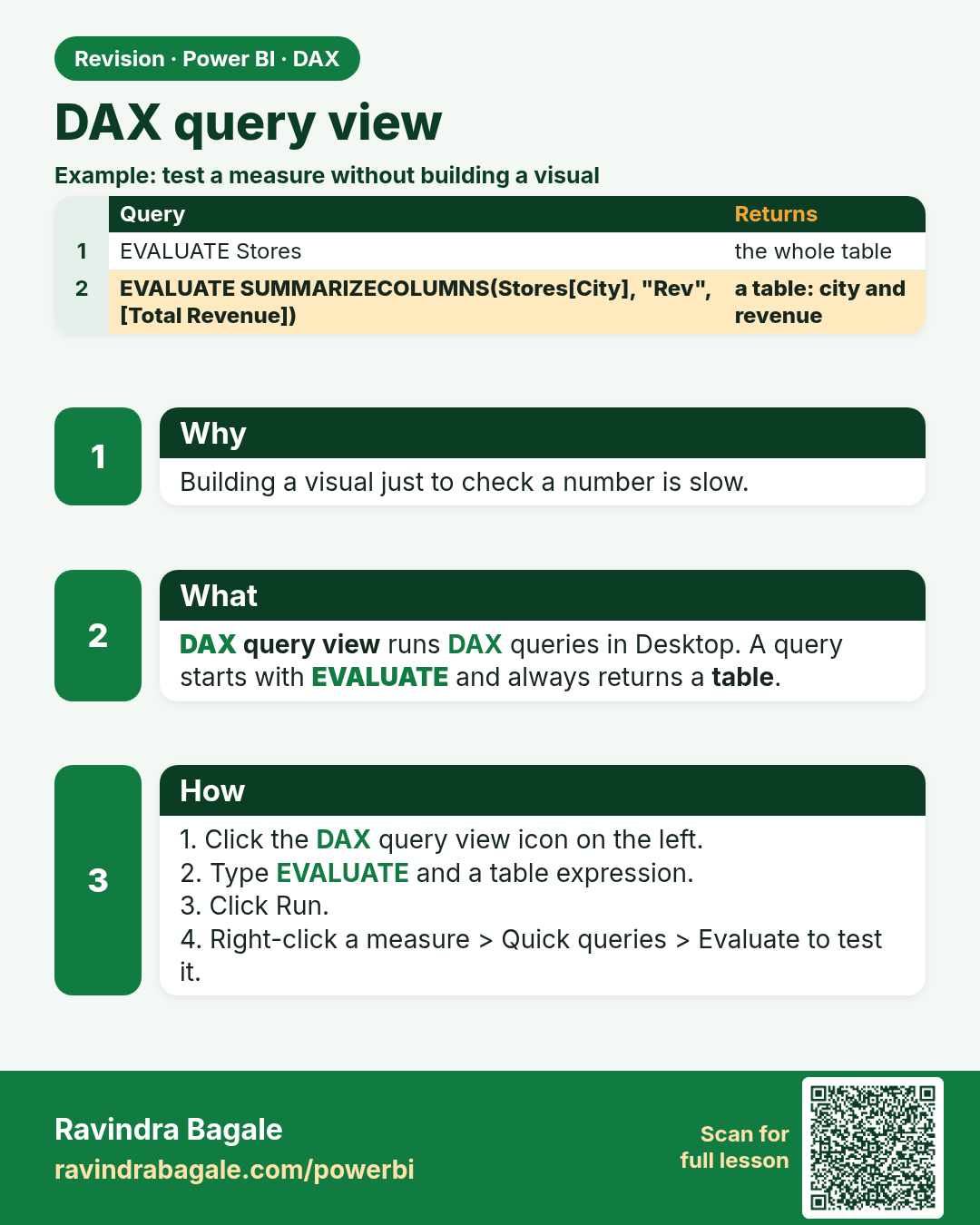
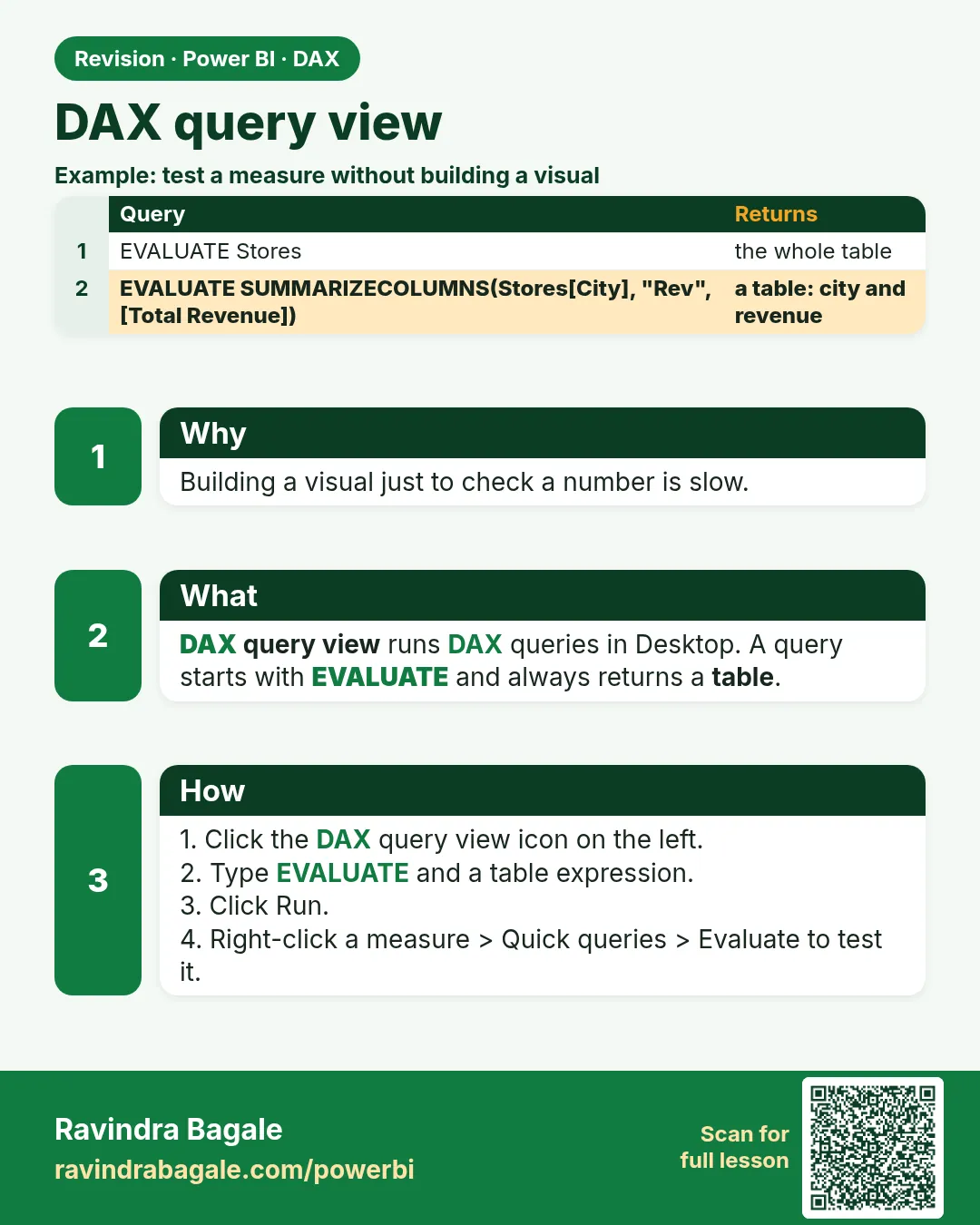 Revision card 27 of 27: DAX query view · Download PNG · Open card page
Lesson: 13.27 DAX Query View
Interview cards
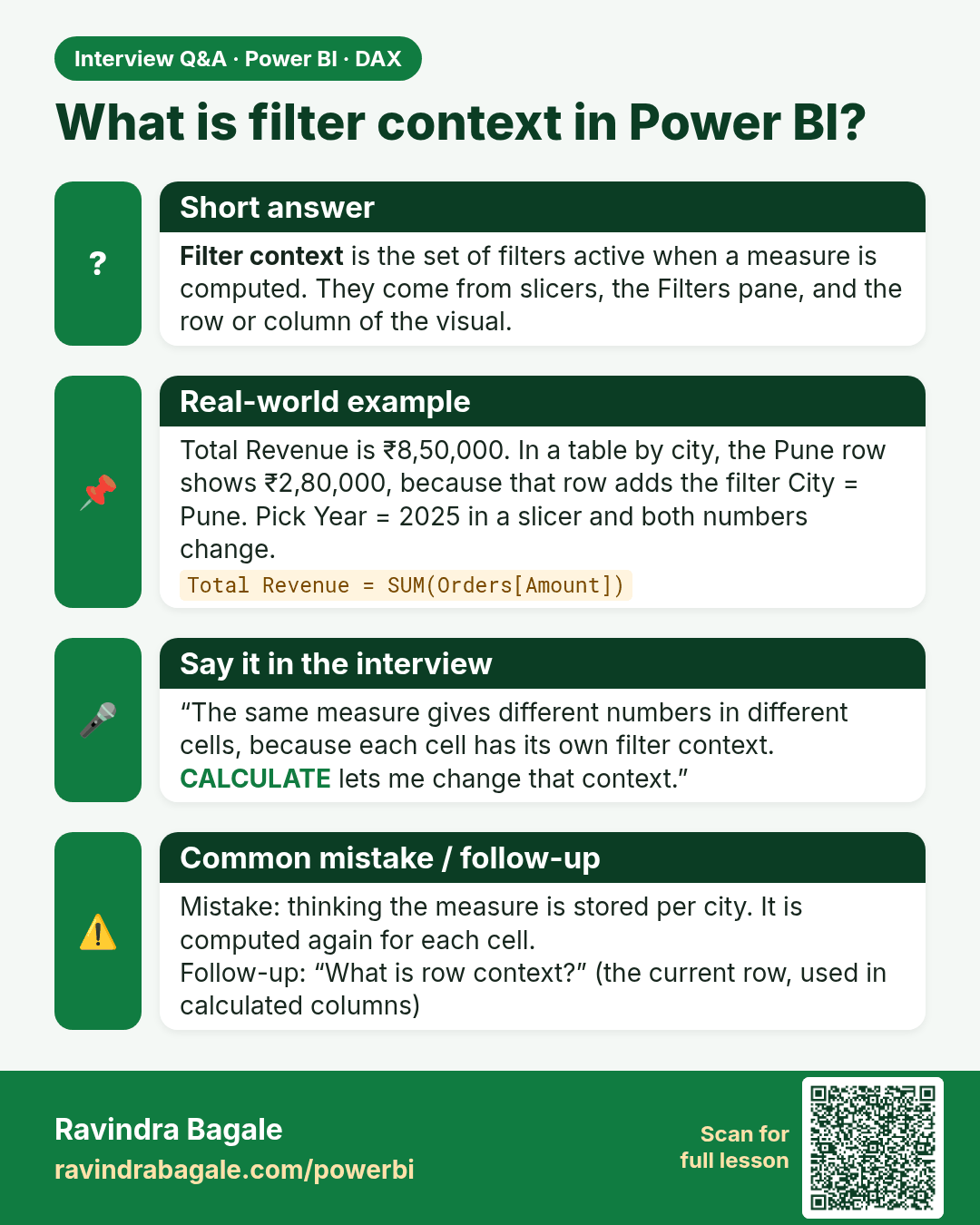
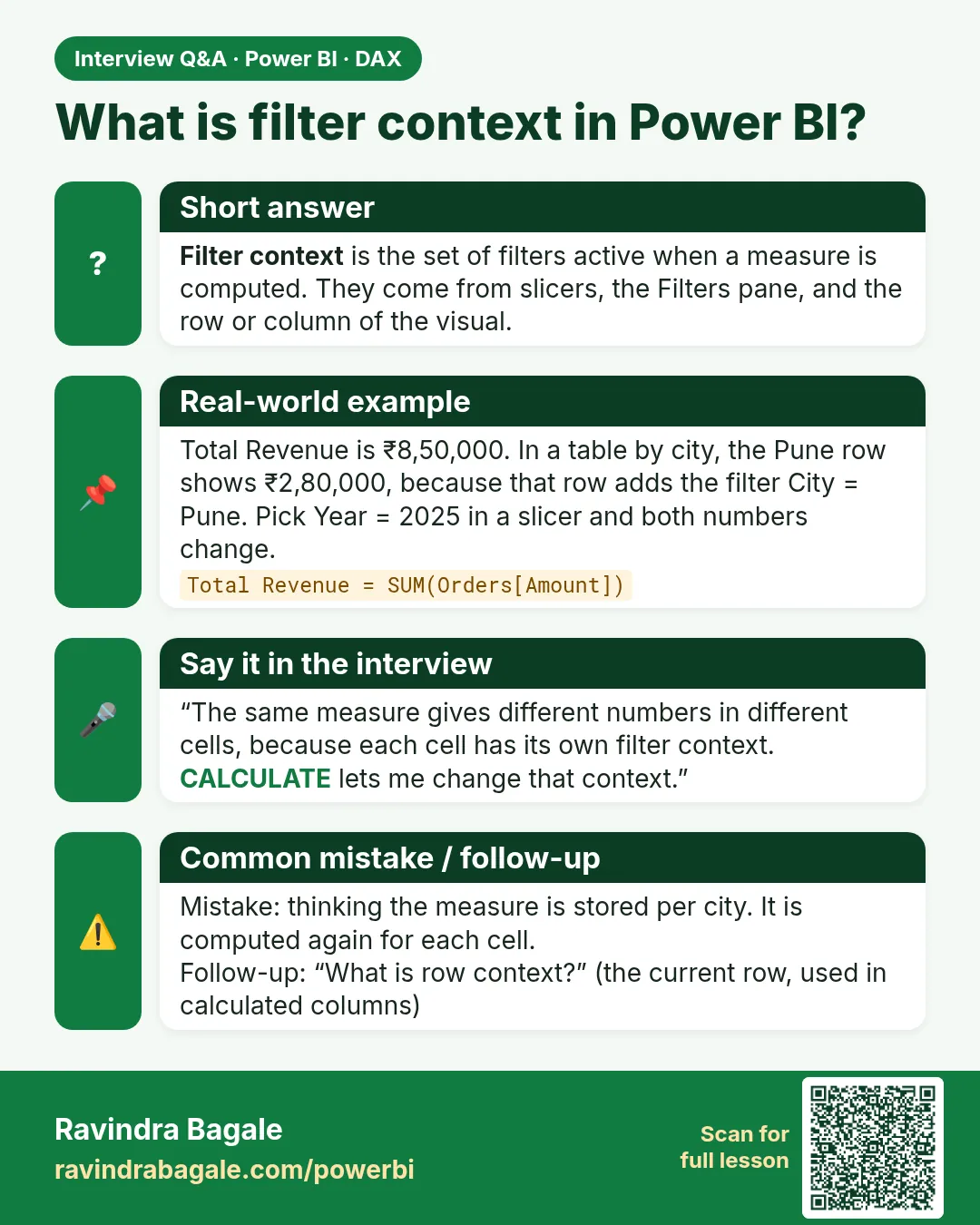 Interview card 1 of 6: What is filter context in Power BI? · Download PNG · Open card page
Lesson: 13.3 Filter Context and Row Context in Power BI with Example
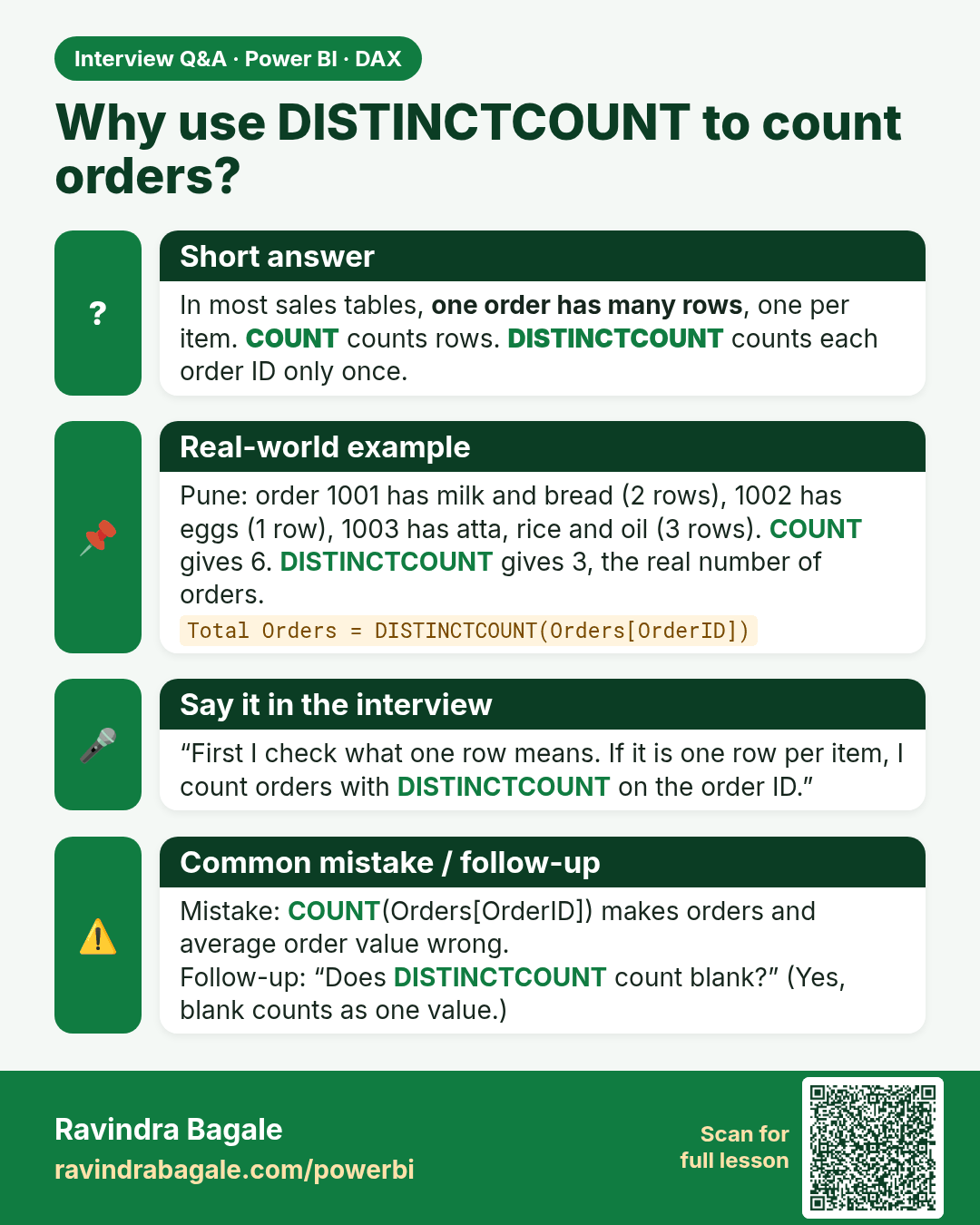
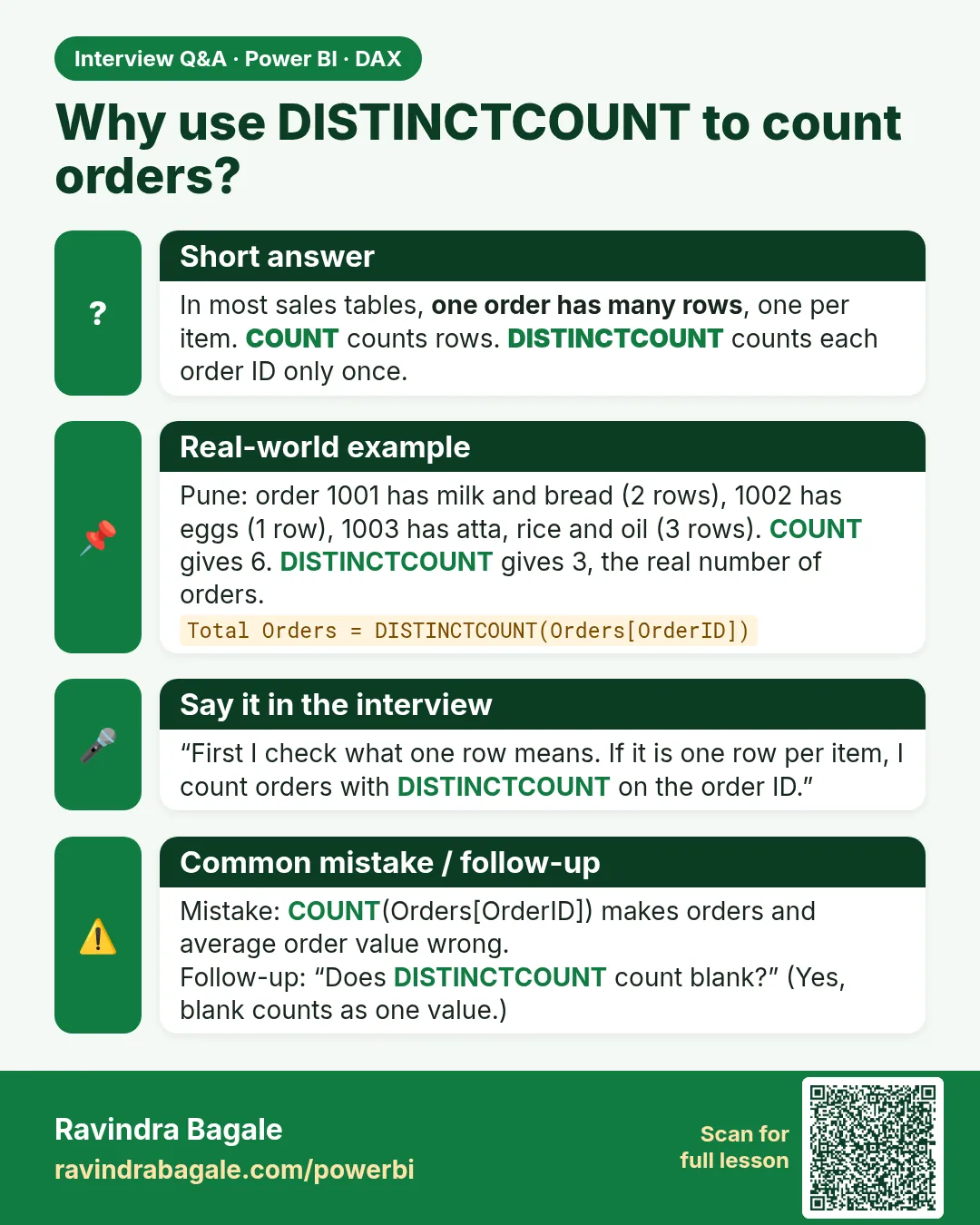 Interview card 2 of 6: Why use DISTINCTCOUNT to count orders? · Download PNG · Open card page
Lesson: 13.5 Base Measures in Power BI DAX with Example
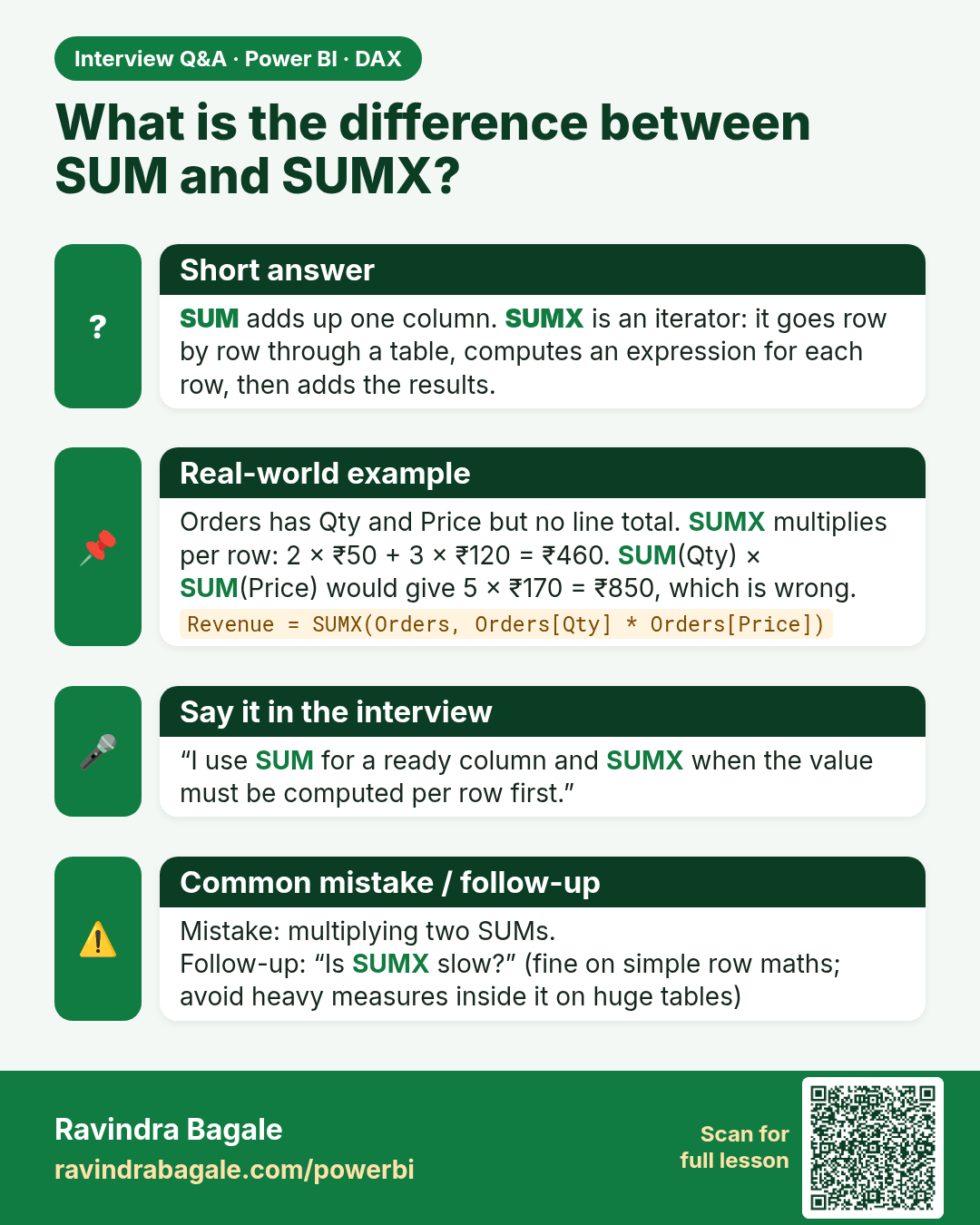
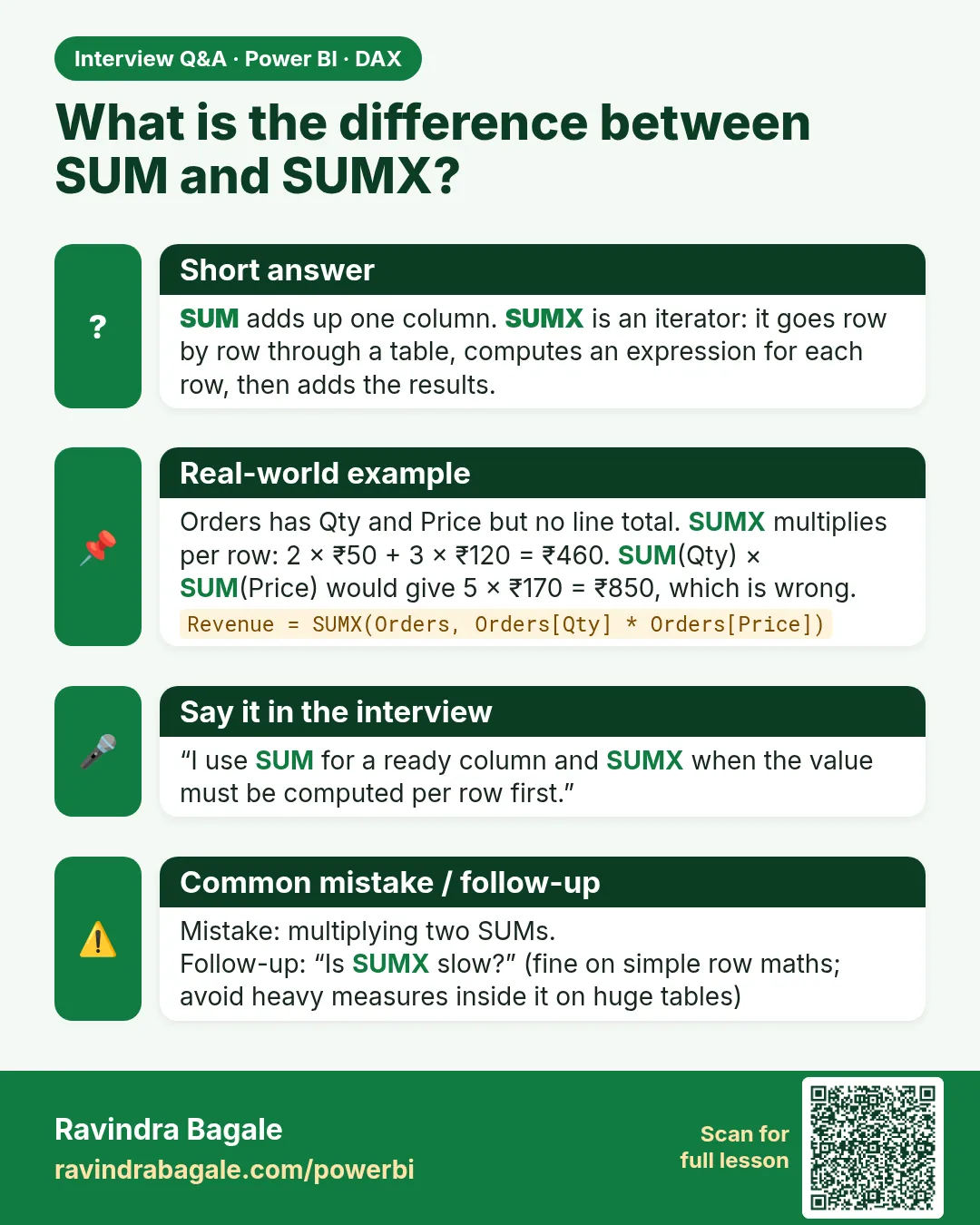 Interview card 3 of 6: What is the difference between SUM and SUMX? · Download PNG · Open card page
Lesson: 13.6 SUM, SUMX and Other DAX Aggregation Functions with Example
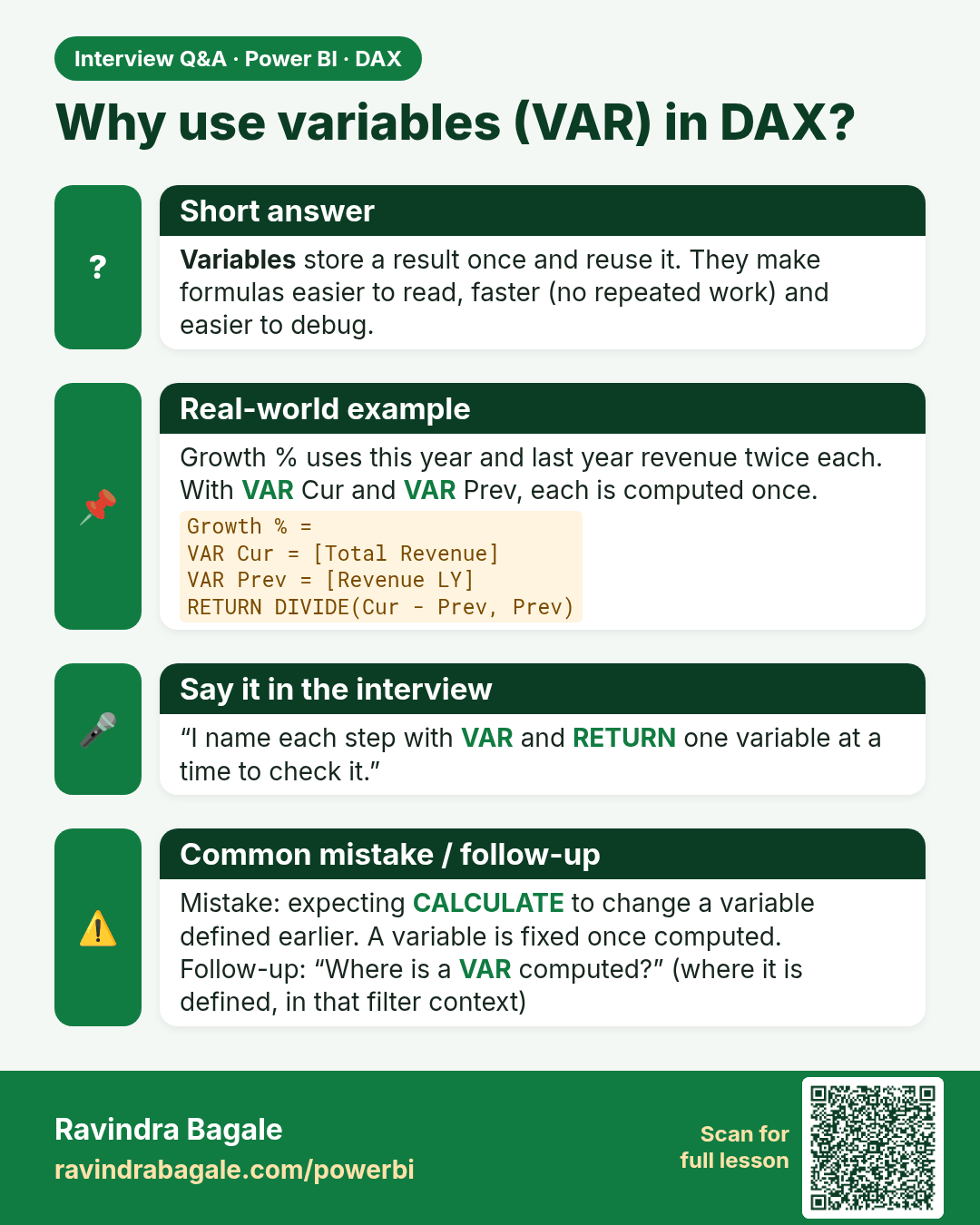
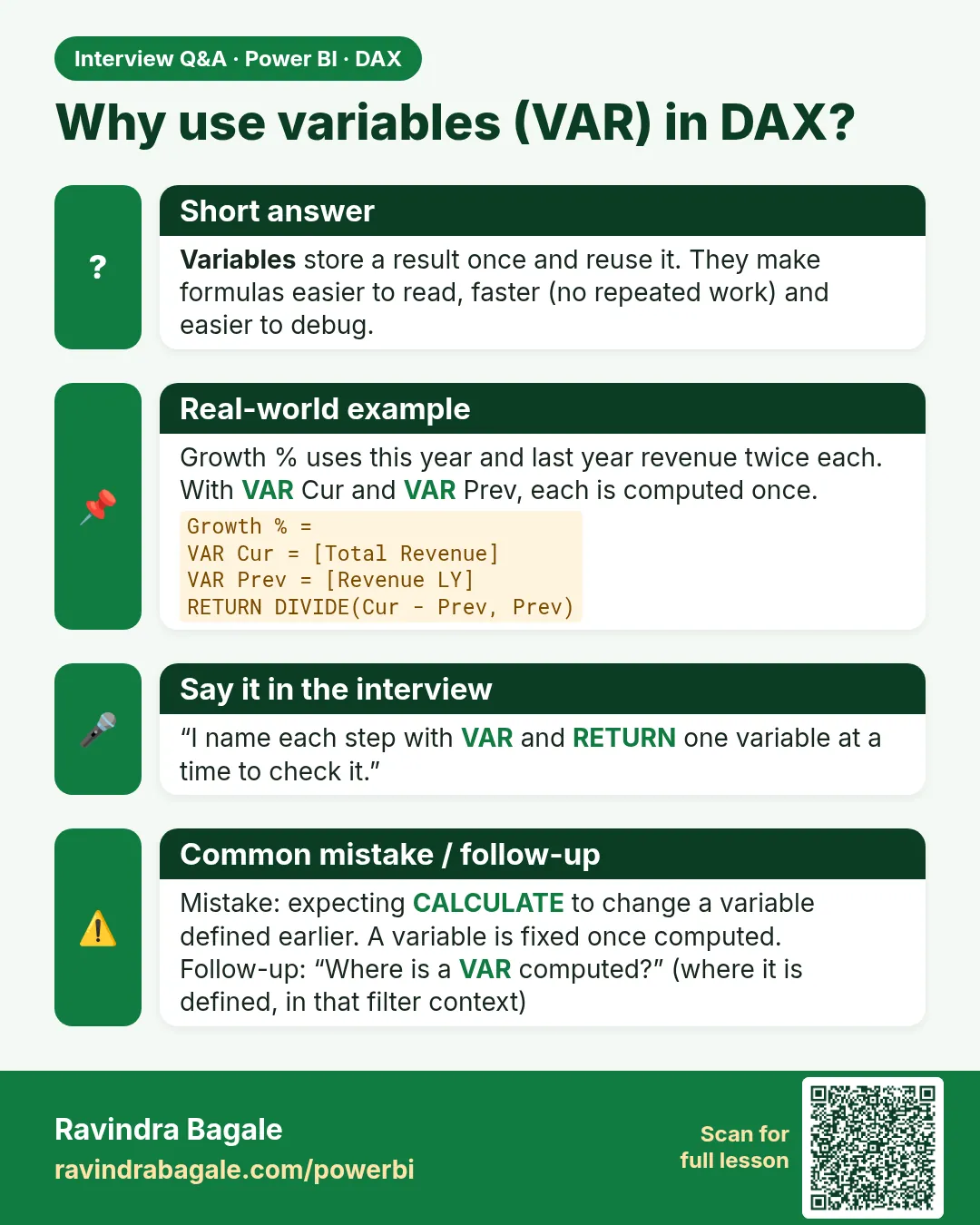 Interview card 4 of 6: Why use variables (VAR) in DAX? · Download PNG · Open card page
Lesson: 13.18 VAR and RETURN in Power BI DAX with Example
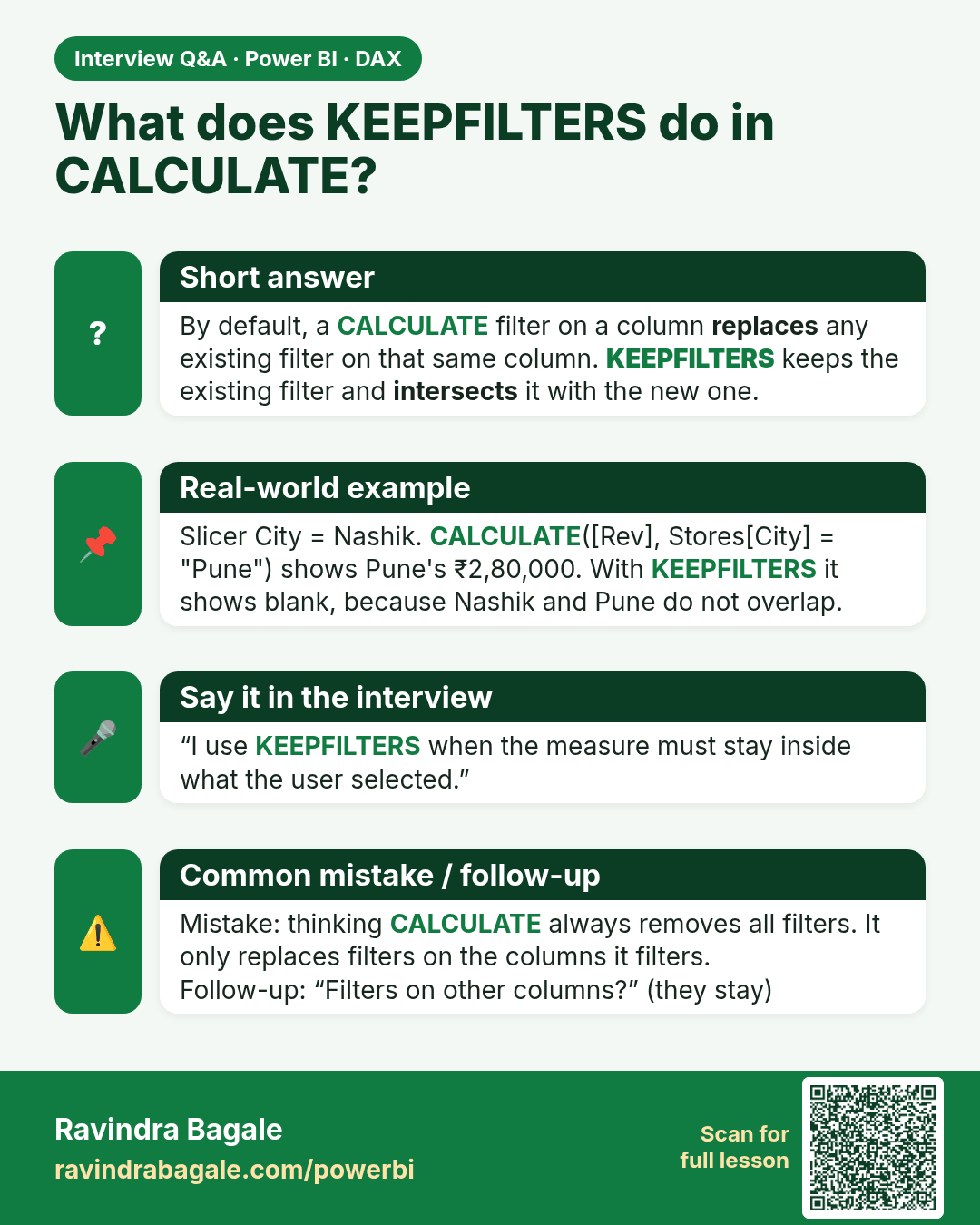
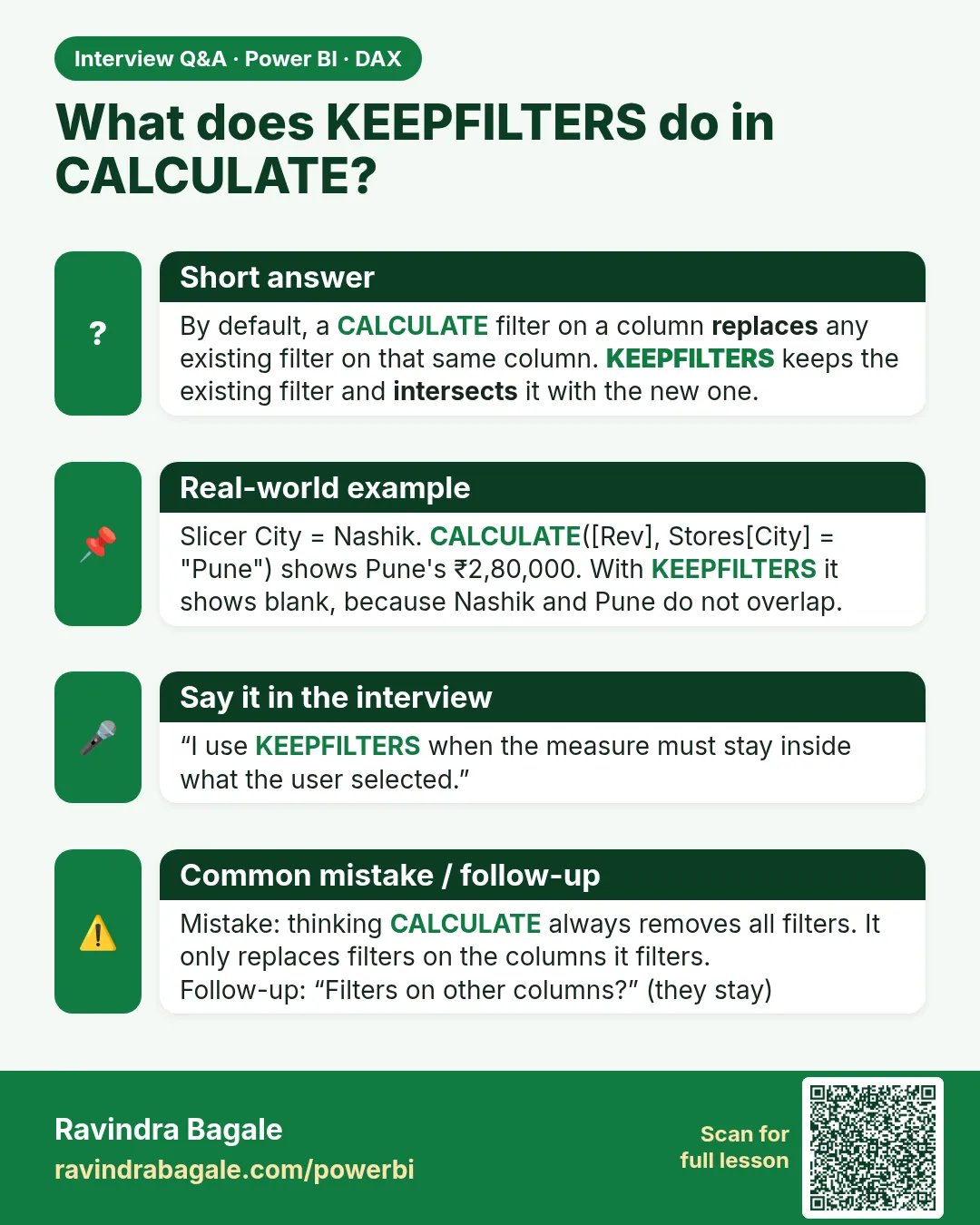 Interview card 5 of 6: What does KEEPFILTERS do in CALCULATE? · Download PNG · Open card page
Lesson: 13.21 KEEPFILTERS in Power BI: How a Slicer Hits a Measure, with Example
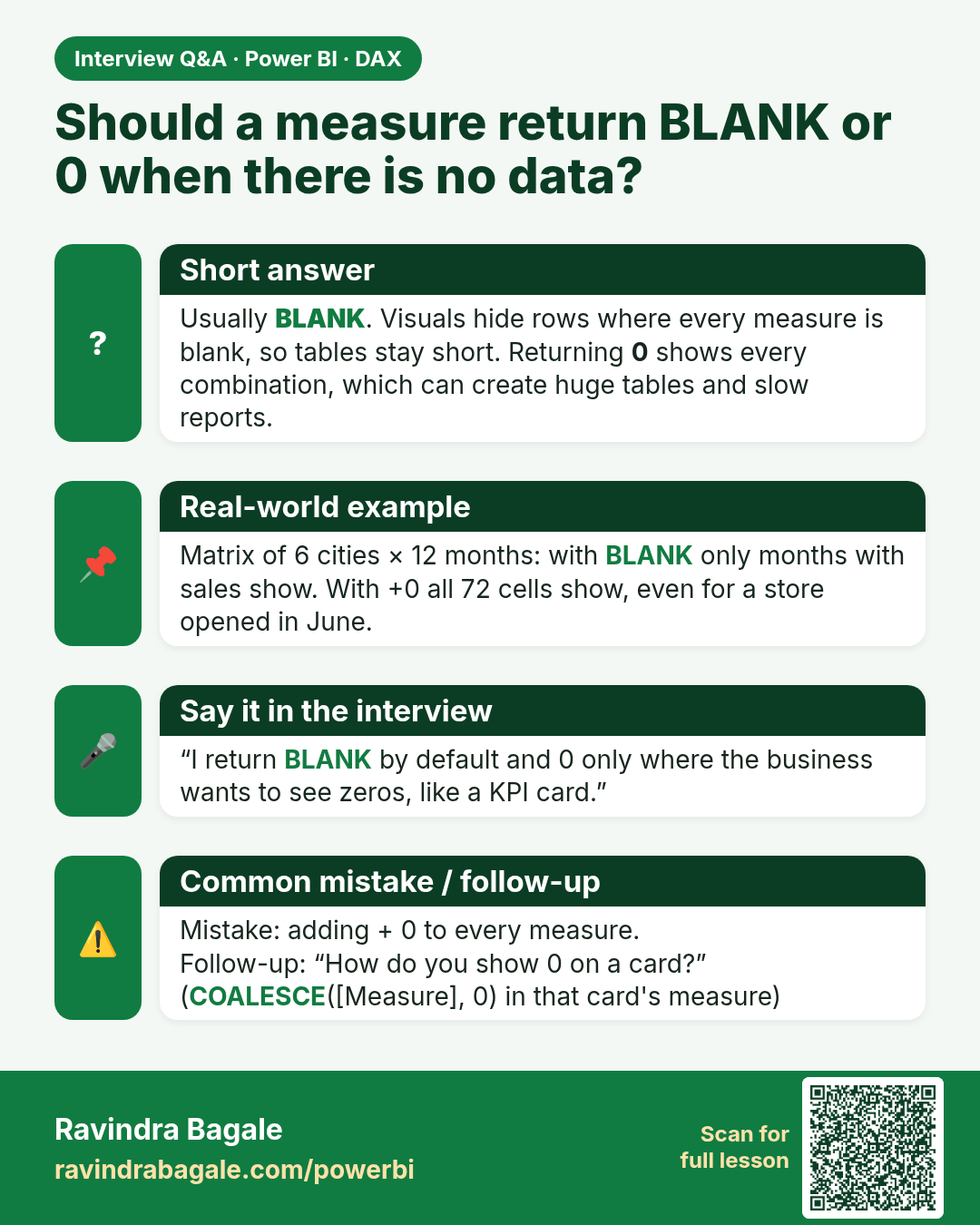
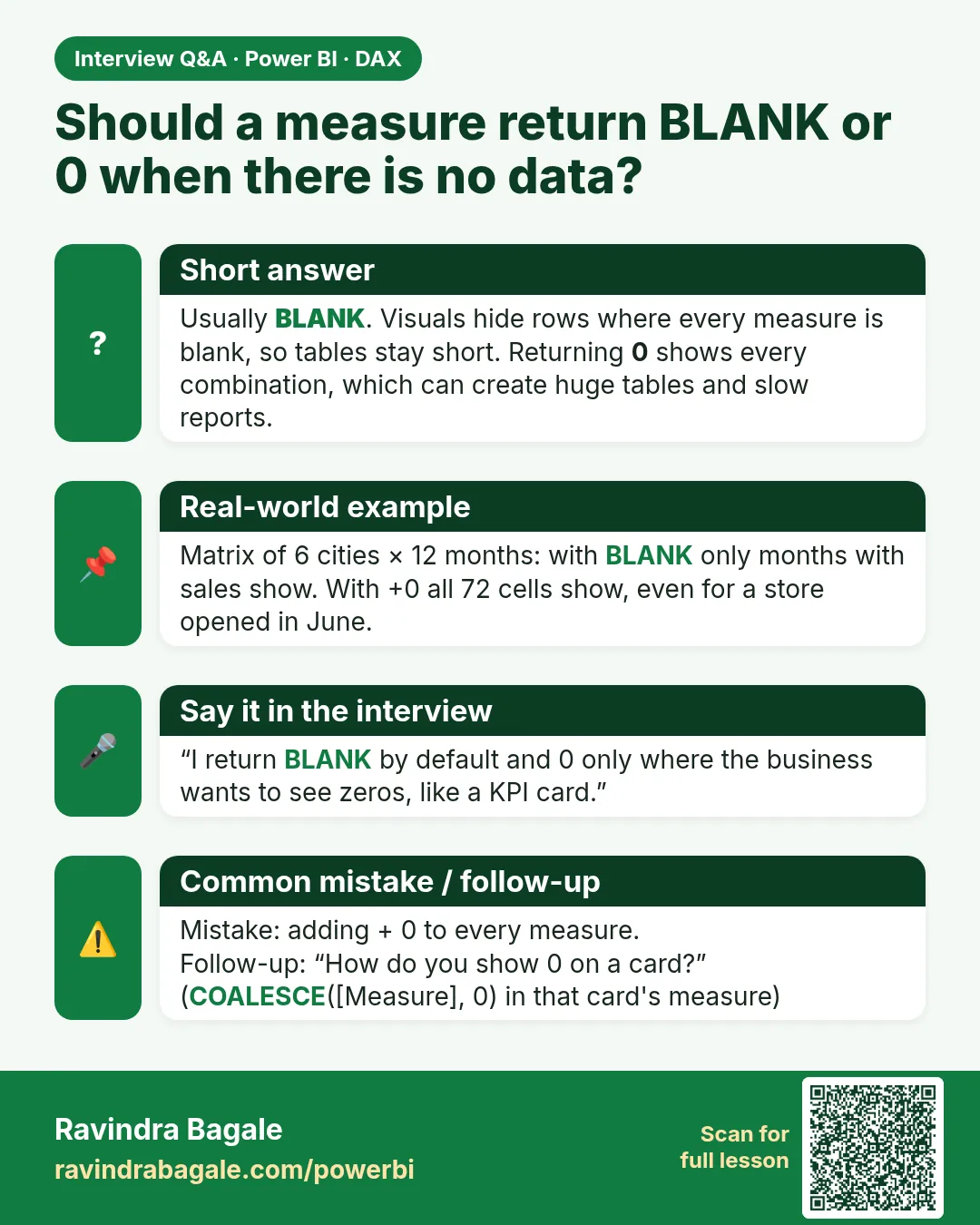 Interview card 6 of 6: Should a measure return BLANK or 0 when there is no data? · Download PNG · Open card page
Lesson: 13.25 IFERROR, Blank versus Zero, and Circular Dependency
Comparison cards
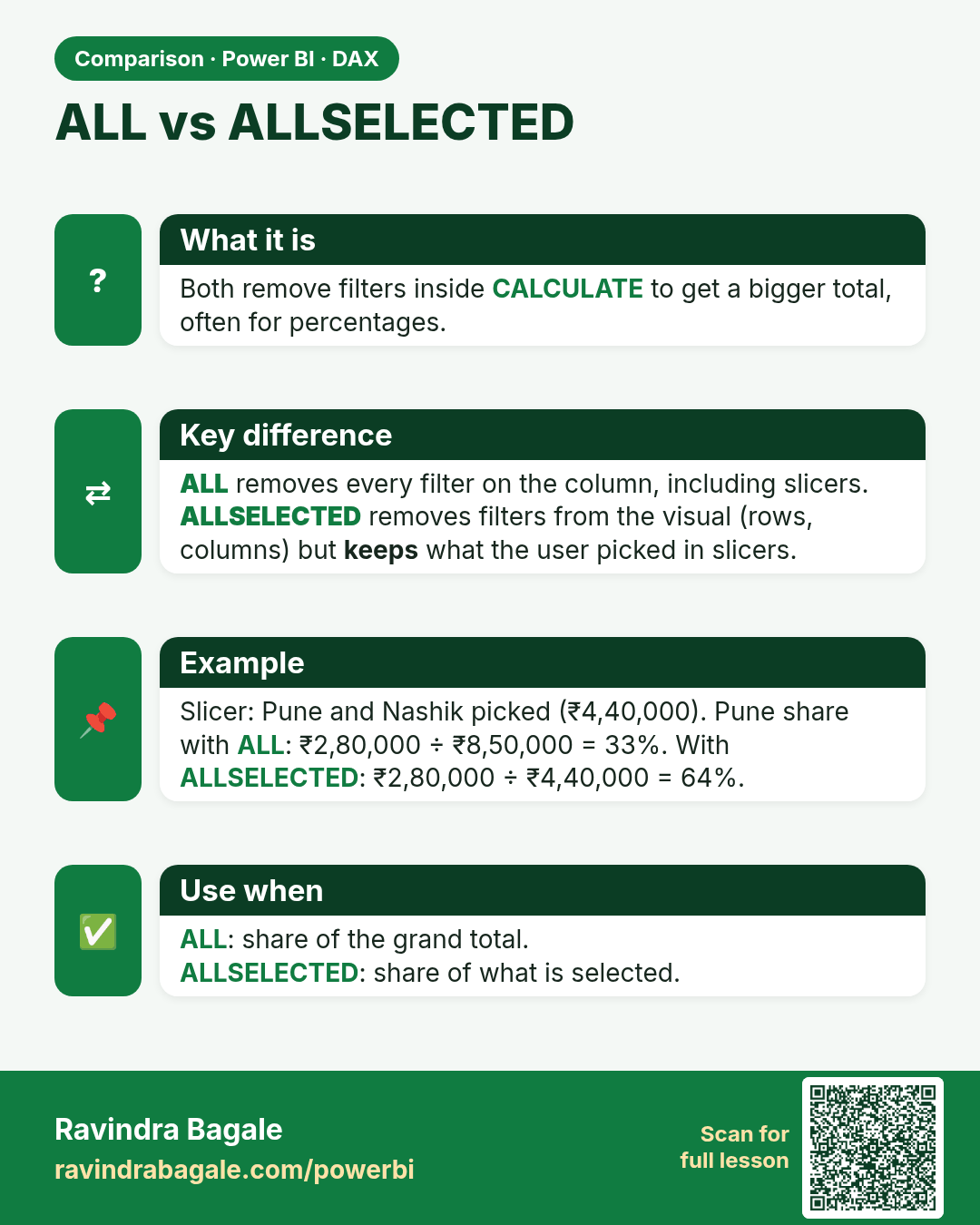
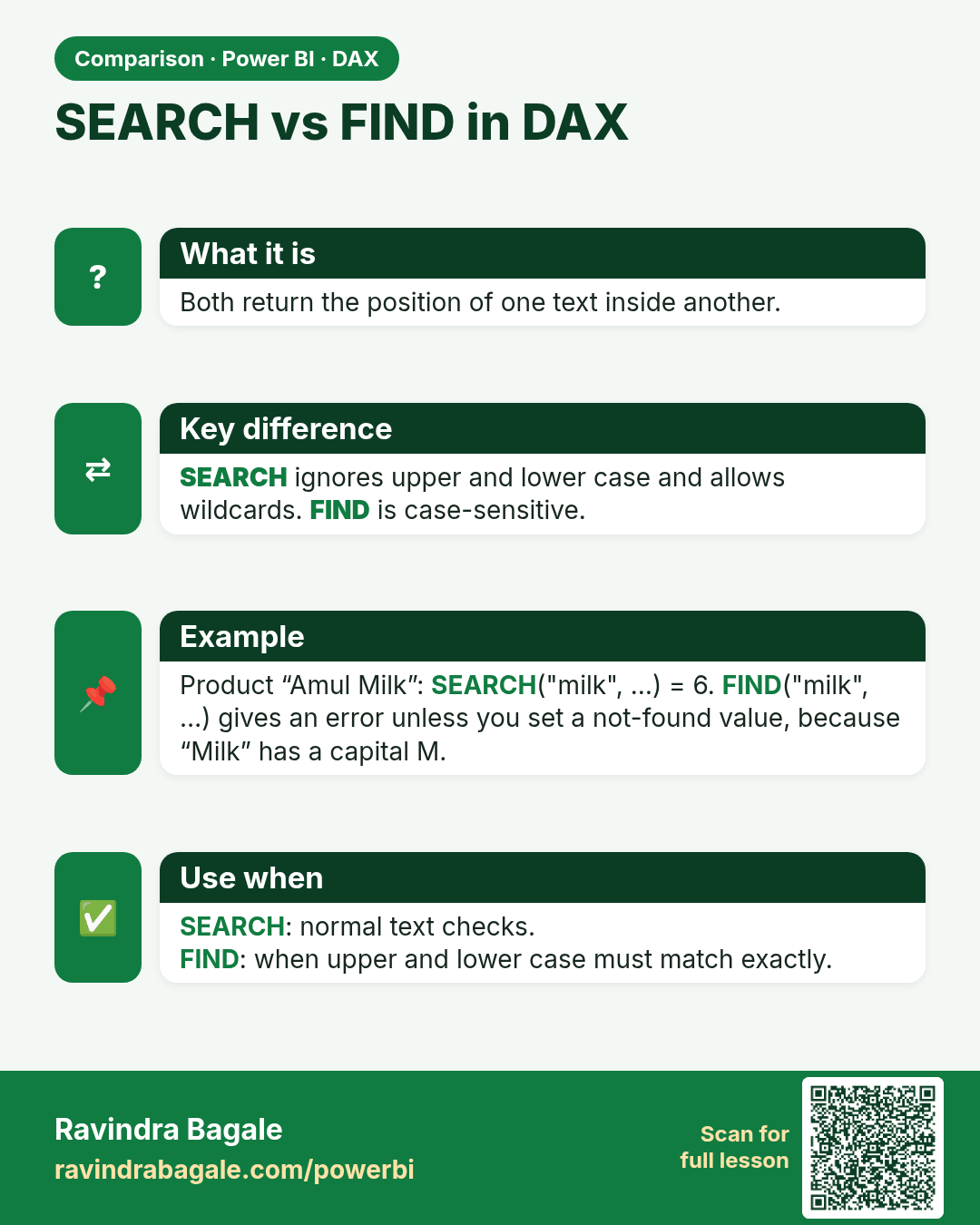
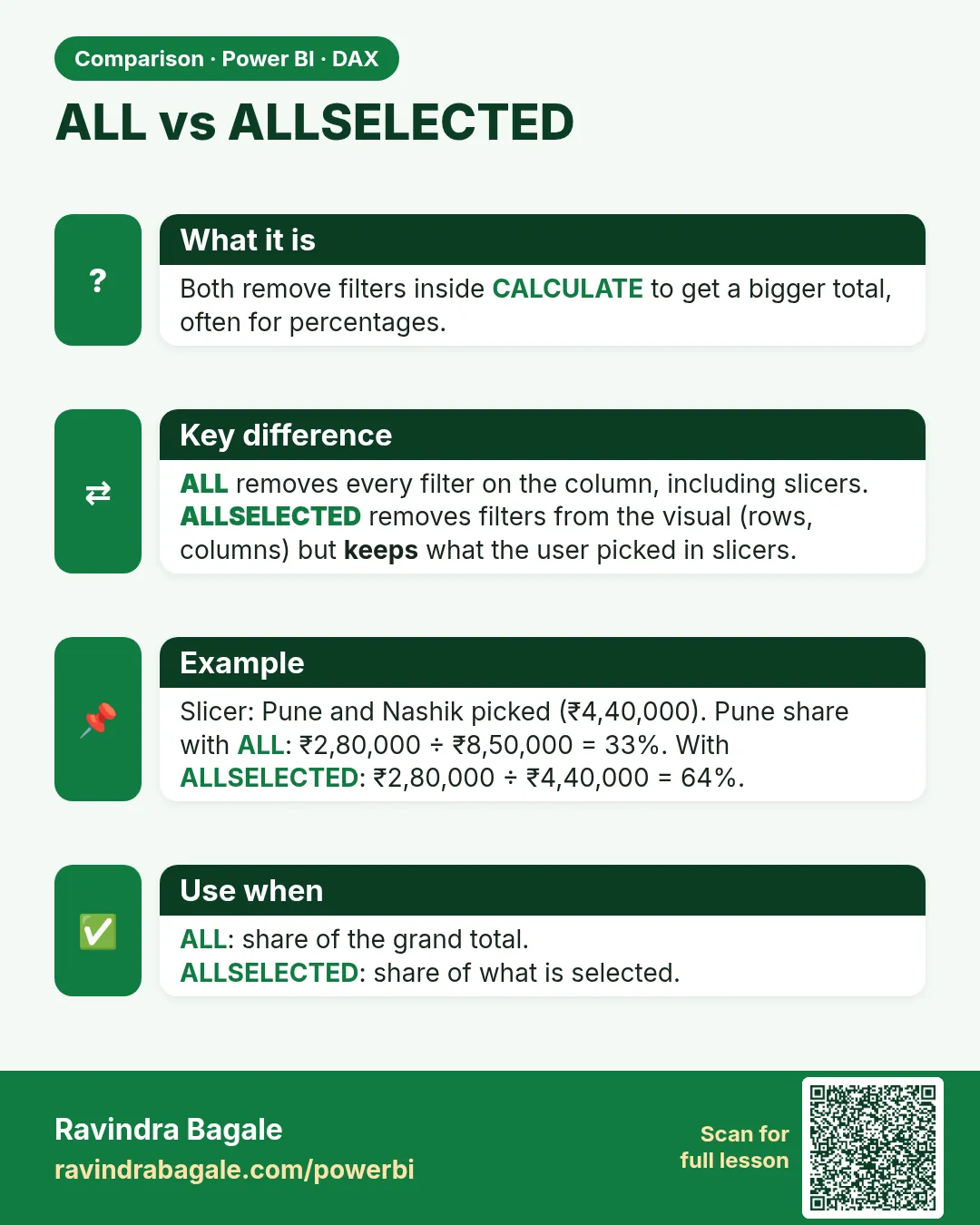 Comparison card 1 of 4: ALL vs ALLSELECTED · Download PNG · Open card page
Lesson: 13.10 ALL, ALLEXCEPT, REMOVEFILTERS and ALLSELECTED in Power BI with Example
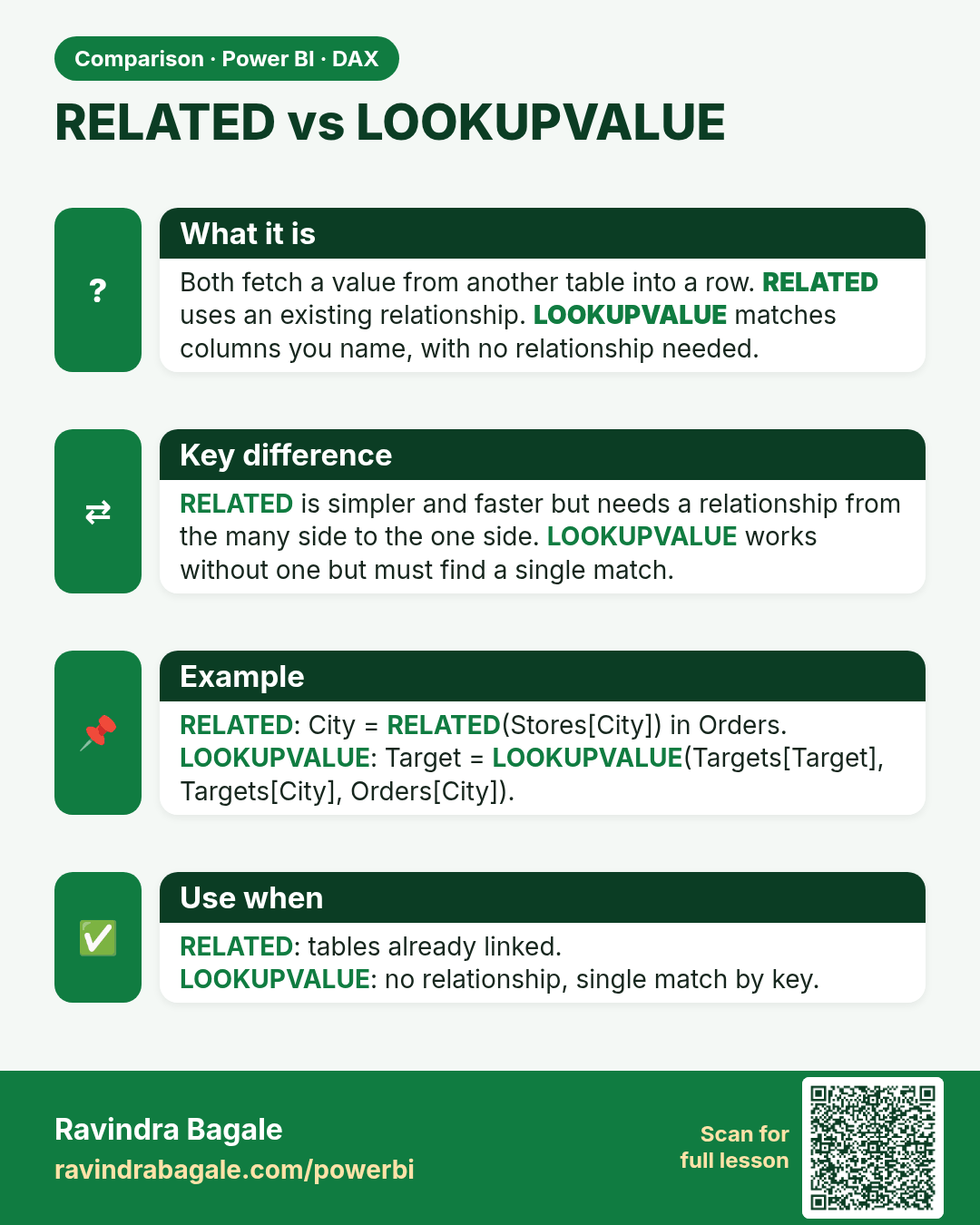
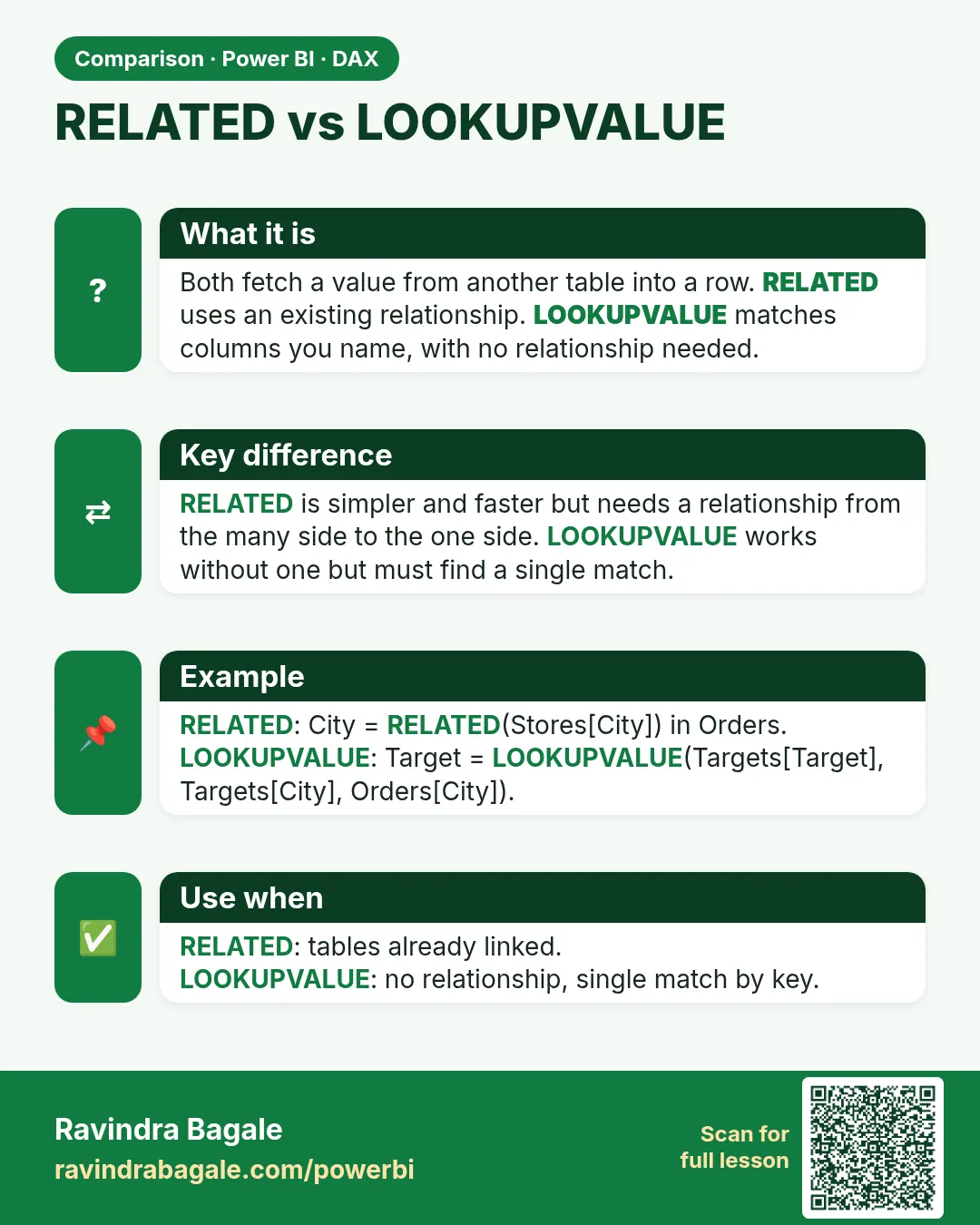 Comparison card 2 of 4: RELATED vs LOOKUPVALUE · Download PNG · Open card page
Lesson: 13.11 RELATED and RELATEDTABLE in Power BI DAX with Example
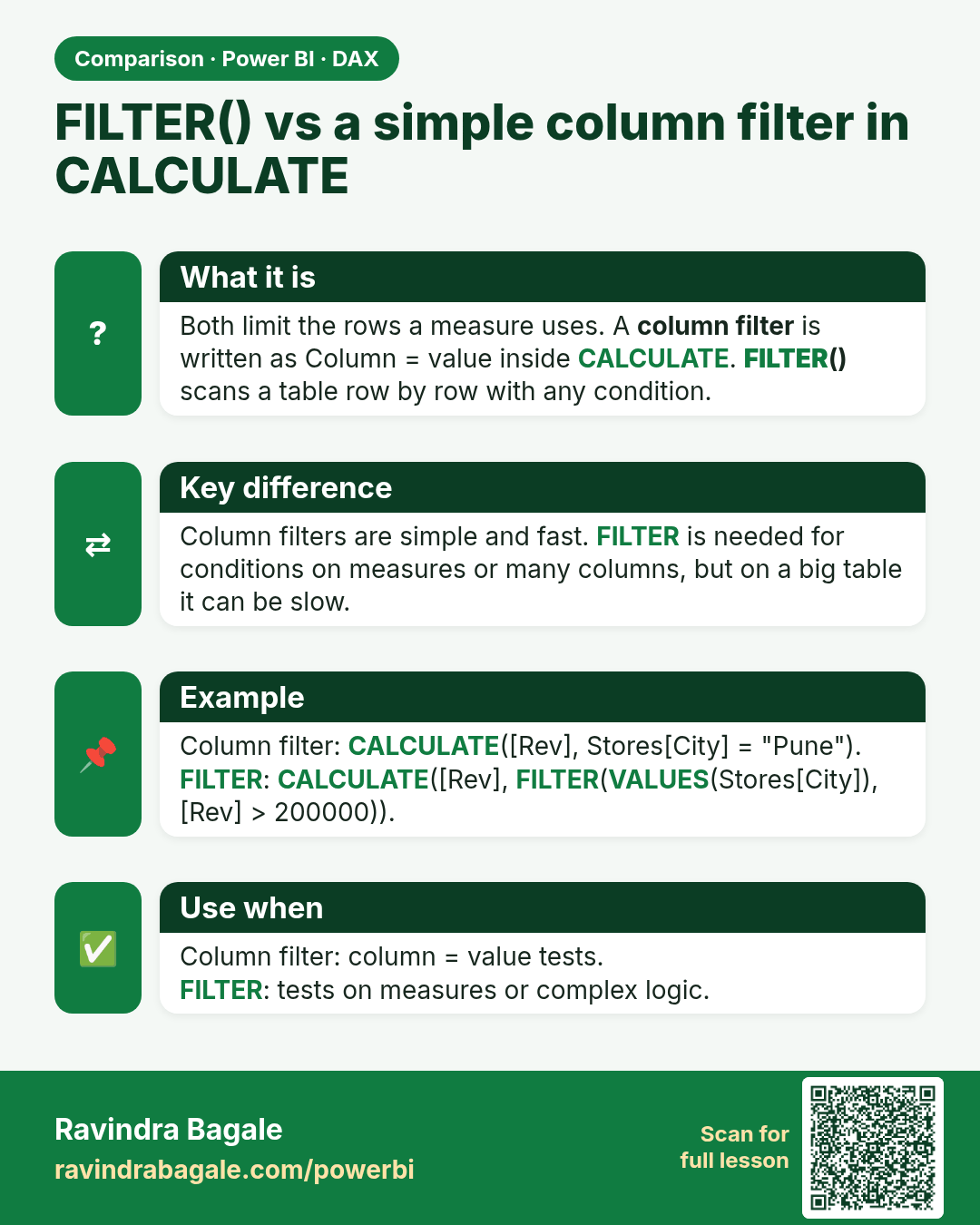
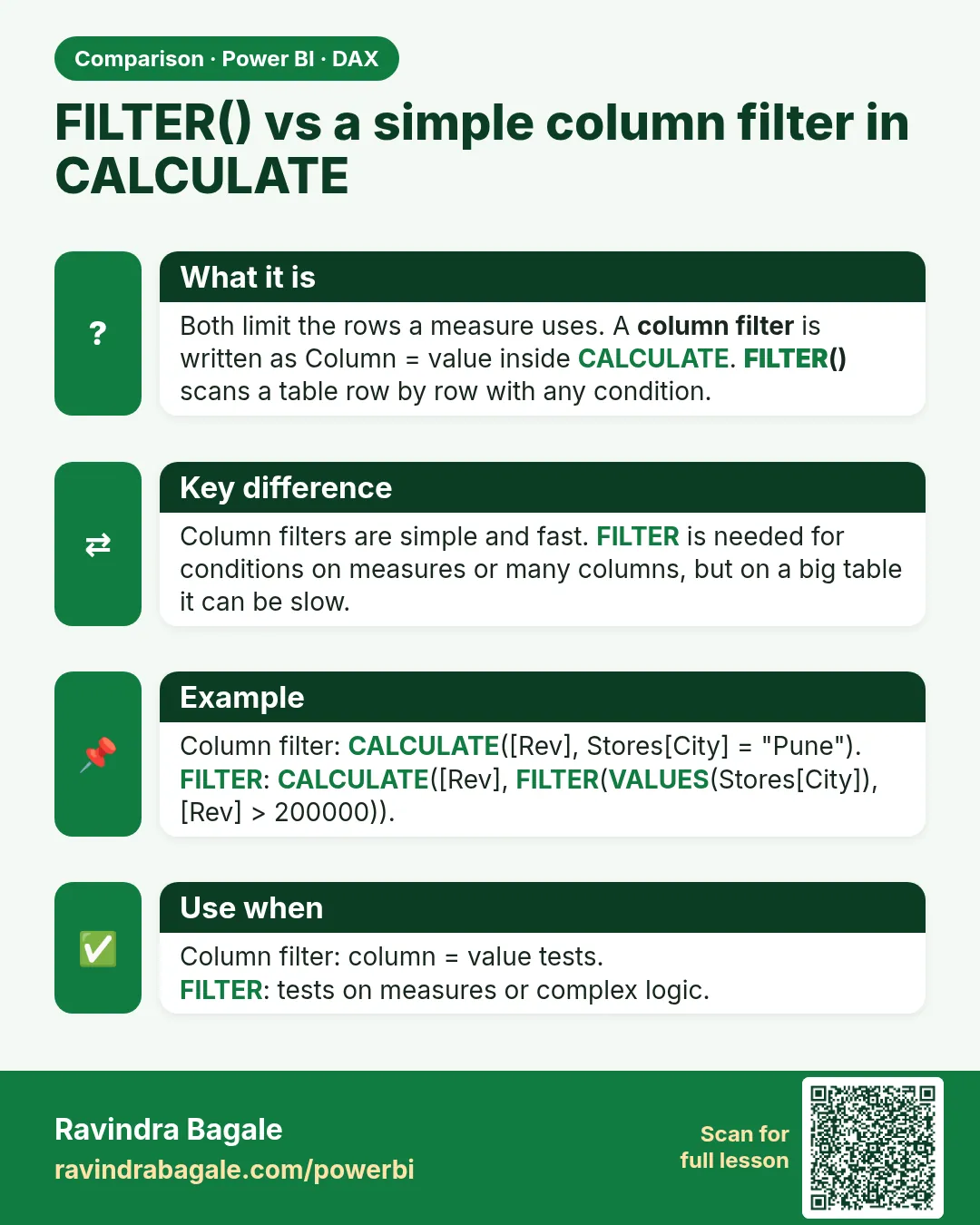 Comparison card 3 of 4: FILTER() vs a simple column filter in CALCULATE · Download PNG · Open card page
Lesson: 13.9 FILTER Function in Power BI DAX with Example
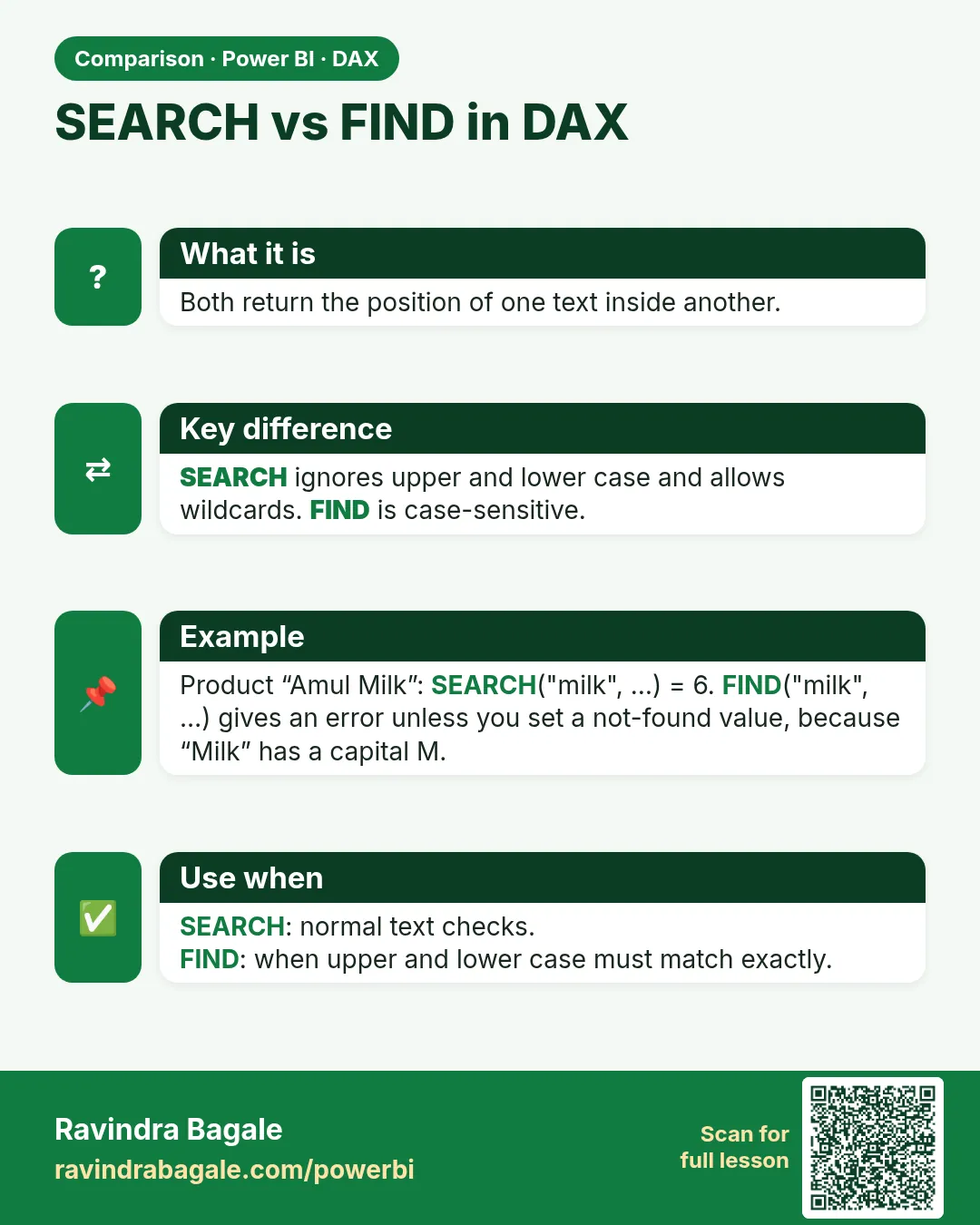 Comparison card 4 of 4: SEARCH vs FIND in DAX · Download PNG · Open card page
Lesson: 13.14 Text Functions