13. DAX: Data Analysis Expressions
13.23 Virtual Tables
Virtual tables in DAX with example — in 30 seconds
What: A virtual table is a table DAX builds inside a formula. You never see it. DAX uses it, gets the answer and throws it away.
Why: The manager asks: "How many customers ordered 2 or more times?" There is no column for that.
Tiny example: C1 ordered 3 times, C2 once, C3 twice. Customers with 2 or more orders = 2.
Virtual tables in DAX with example — 30 सेकंदात
काय: Virtual table म्हणजे DAX formula च्या आत बनवलेला table. तो तुम्हाला कधी दिसत नाही. DAX तो वापरतो, उत्तर काढतो आणि फेकून देतो.
का: Manager विचारतात: "किती customers नी 2 किंवा जास्त वेळा order केली?" त्यासाठी कोणताच column नाही.
छोटं उदाहरण: C1 ने 3 वेळा, C2 ने एकदा, C3 ने दोनदा order केली. 2 किंवा जास्त orders असलेले customers = 2.
Virtual tables in DAX with example — 30 सेकंड में
क्या: Virtual table वह table है जो DAX formula के अंदर बनाता है. वह आपको कभी नहीं दिखती. DAX उसे इस्तेमाल करता है, जवाब निकालता है और फेंक देता है.
क्यों: Manager पूछते हैं: "कितने customers ने 2 या ज़्यादा बार order किया?" इसके लिए कोई column नहीं है.
छोटा उदाहरण: C1 ने 3 बार, C2 ने एक बार, C3 ने दो बार order किया. 2 या ज़्यादा orders वाले customers = 2.
First look at the data (before → after):
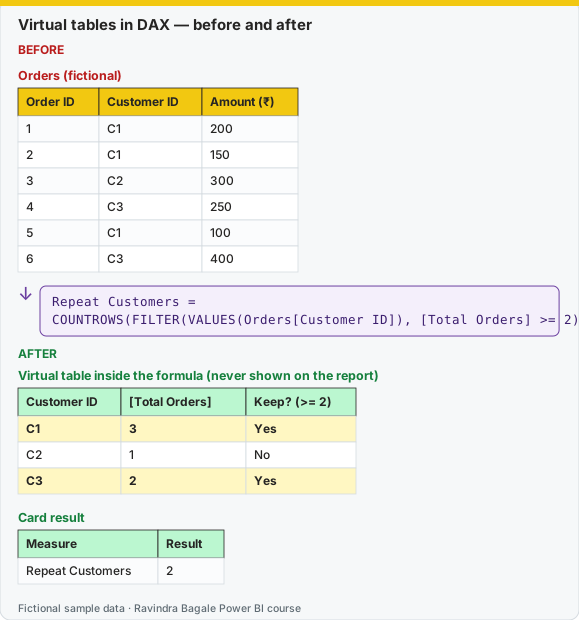
Same before / after tables as text
Before — Orders (fictional)
| Order ID | Customer ID | Amount (₹) |
|---|---|---|
| 1 | C1 | 200 |
| 2 | C1 | 150 |
| 3 | C2 | 300 |
| 4 | C3 | 250 |
| 5 | C1 | 100 |
| 6 | C3 | 400 |
Formula / click path
Repeat Customers =
COUNTROWS(FILTER(VALUES(Orders[Customer ID]), [Total Orders] >= 2))
After — Virtual table inside the formula (never shown on the report)
| Customer ID | [Total Orders] | Keep? (>= 2) |
|---|---|---|
| C1 | 3 | Yes |
| C2 | 1 | No |
| C3 | 2 | Yes |
After — Card result
| Measure | Result |
|---|---|
| Repeat Customers | 2 |
Do it step by step:
- Make sure
[Total Orders]exists. - Click Home › New measure. Type the Repeat Customers formula.
- Add a card. Check: 2.
- To see the hidden table, open DAX query view. Run
EVALUATE ADDCOLUMNS(VALUES(Orders[Customer ID]), "Orders", [Total Orders]). - Add a City slicer. The virtual table is built again for every selection.
एक-एक step करून बघा:
[Total Orders]आहे ना ते तपासा.- Home › New measure वर click करा. Repeat Customers formula type करा.
- एक card टाका. तपासा: 2.
- लपलेला table बघायला DAX query view उघडा.
EVALUATE ADDCOLUMNS(VALUES(Orders[Customer ID]), "Orders", [Total Orders])चालवा. - एक City slicer टाका. प्रत्येक selection साठी virtual table पुन्हा बनतो.
एक-एक step करके देखिए:
[Total Orders]है या नहीं, जाँचिए.- Home › New measure पर click कीजिए. Repeat Customers formula type कीजिए.
- एक card लगाइए. जाँचिए: 2.
- छिपी table देखने के लिए DAX query view खोलिए.
EVALUATE ADDCOLUMNS(VALUES(Orders[Customer ID]), "Orders", [Total Orders])चलाइए. - एक City slicer लगाइए. हर selection के लिए virtual table फिर से बनती है.
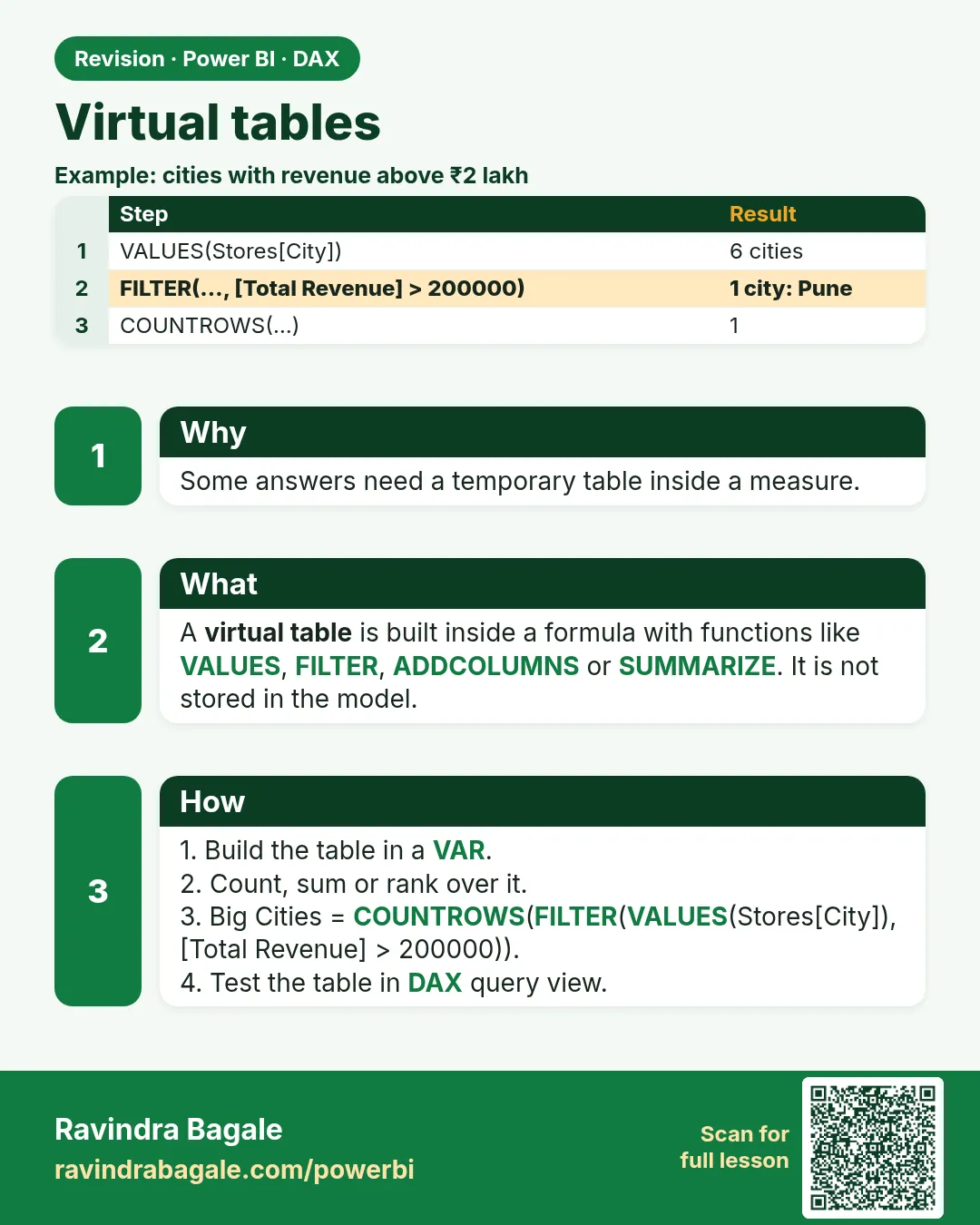
A virtual table (a table made for a moment in memory) never appears on the report. DAX builds it inside the expression, gets the answer and lets it go.
Virtual table (memory मध्ये थोड्या वेळासाठी तयार होणारा table) report वर दिसत नाही. DAX तो expression मध्ये बनवतो, answer काढतो, आणि सोडून देतो.
Virtual table (memory में थोड़ी देर के लिए बनने वाली table) report पर नहीं दिखती. DAX उसे expression के अंदर बनाता है, answer निकालता है, और छोड़ देता है.
These functions return tables. A card cannot display a table, so you wrap them in COUNTROWS, SUMX or you use them as calculated tables and in DAX query view.
| Function | What it returns | Use it when |
|---|---|---|
SELECTCOLUMNS |
A table with only the columns you name, optionally renamed | You need a slim two-column list |
ADDCOLUMNS |
The input table plus new columns | You need a measure beside each city |
SUMMARIZE |
Group-by rows from a table | You need combinations that exist in a fact table |
SUMMARIZECOLUMNS |
Group-by plus aggregations, in a query or calculated table | You are testing in DAX query view (section 13.27) |
GENERATE |
For each row of table A, the rows of table B | You need "top 3 categories per city" |
UNION |
Rows stacked, same columns | You need Pune rows plus Nashik rows as one table |
INTERSECT |
Rows that appear in both tables | Customers in both cities' orders |
EXCEPT |
Rows in the first table that are not in the second | Customers in Pune orders but not Nashik orders |
City Sales =
ADDCOLUMNS(
    VALUES(DarkStore[City]),
    "Sales", [Total Sales]
)

Store List =
SELECTCOLUMNS(
    DarkStore,
    "Store", DarkStore[Store Name],
    "City", DarkStore[City]
)
Do not add a measure inside SUMMARIZE if you can avoid it. The older pattern SUMMARIZE(Orders, DarkStore[City], "Sales", [Total Sales]) is easy to misread. Prefer grouping first, then ADDCOLUMNS.
SUMMARIZECOLUMNS does not keep a row context and it is picky inside measures. Use it in DAX query view and calculated tables until you have tested it on a visual. SUMMARIZE and ADDCOLUMNS are the measure-side tools in this course.
GENERATE example for a calculated table (top category name per city is a bigger topic; start with pairs that exist):
City Category =
GENERATE(
    VALUES(DarkStore[City]),
    VALUES(Product[Category])
)
That pair list is a cross join of the visible values, not a guarantee that every pair had sales. Filter it with a measure if you need "only pairs that sold".
Worked example. Fictional customers who had a delivered order: Pune orders include Ruhi Bagale and Ravina. Nashik orders include Ruhi Bagale and Amir.
Pune Buyers =
CALCULATETABLE(VALUES(Customer[Customer Name]), DarkStore[City] = "Pune")

Nashik Buyers =
CALCULATETABLE(VALUES(Customer[Customer Name]), DarkStore[City] = "Nashik")

Both = INTERSECT('Pune Buyers', 'Nashik Buyers')
Only Pune = EXCEPT('Pune Buyers', 'Nashik Buyers')
Either = UNION('Pune Buyers', 'Nashik Buyers')
Both is Ruhi Bagale. Only Pune is Ravina. Either lists Ruhi once if UNION is the distinct form you wrote with VALUES first; if duplicate names appear, wrap with DISTINCT. Check the result in query view, not in your head.
Ravindra Bagale's Tip
Friends, many students drop SUMMARIZECOLUMNS into a card measure, get a scary error, and then add ALL everywhere. A table function is not a number. Count it or sum it, and build the query in DAX query view first. Don't panic.
Ravindra Bagale's Tip – मराठी
मित्रांनो, बरेच students card measure मध्ये SUMMARIZECOLUMNS टाकतात, भीतीदायक error येतो, आणि मग सगळीकडे ALL घालतात. Table function म्हणजे number नाही. तो count करा किंवा sum करा, आणि query आधी DAX query view मध्ये बनवा. घाबरू नका.
Ravindra Bagale's Tip – हिंदी
दोस्तों, बहुत से students card measure में SUMMARIZECOLUMNS डाल देते हैं, डरावना error आता है, और फिर हर जगह ALL लगा देते हैं. Table function number नहीं है. उसे count करो या sum करो, और query पहले DAX query view में बनाओ. घबराओ मत.
Loading DAX practice tasks...
- Doctors who had visits (Easy): Measure: Active Doctors = number of rows in VALUES of Visits[DoctorID].
- Days with visits (Easy): Measure: Visit Days = number of different VisitDate values.
- Insured visits (Easy): Measure: Insured Visits = rows of Visits where Insured is "Yes".
- Top doctor fees (Medium): Measure: Top Doctor Fees = the highest [Total Fees] of any DoctorName.
- Average fees per patient (Medium): Measure: Fees per Patient = average of [Total Fees] over the different patients.
- Smallest patient bill (Medium): Measure: Min Patient Fees = the lowest [Total Fees] of any patient.
- Repeat patients per department (Medium): Shown per Department. Measure: Repeat Patients = number of patients with 2 or more visits.
- Doctors above ₹5,000 (Hard): Shown per City. Measure: Big Earners = number of DoctorName values with [Total Fees] above 5000.
- Fees from long waits (Hard): Shown per Department. Measure: Long Wait Fees = sum of Fee for visits with WaitMins of 30 or more.
- Top 2 patients (Hard): Measure: Top2 Fees = total [Total Fees] of the 2 patients with the highest fees (ties included).
 Revision card