How to Use Column From Examples in Power Query (Get Day Name from a Date)
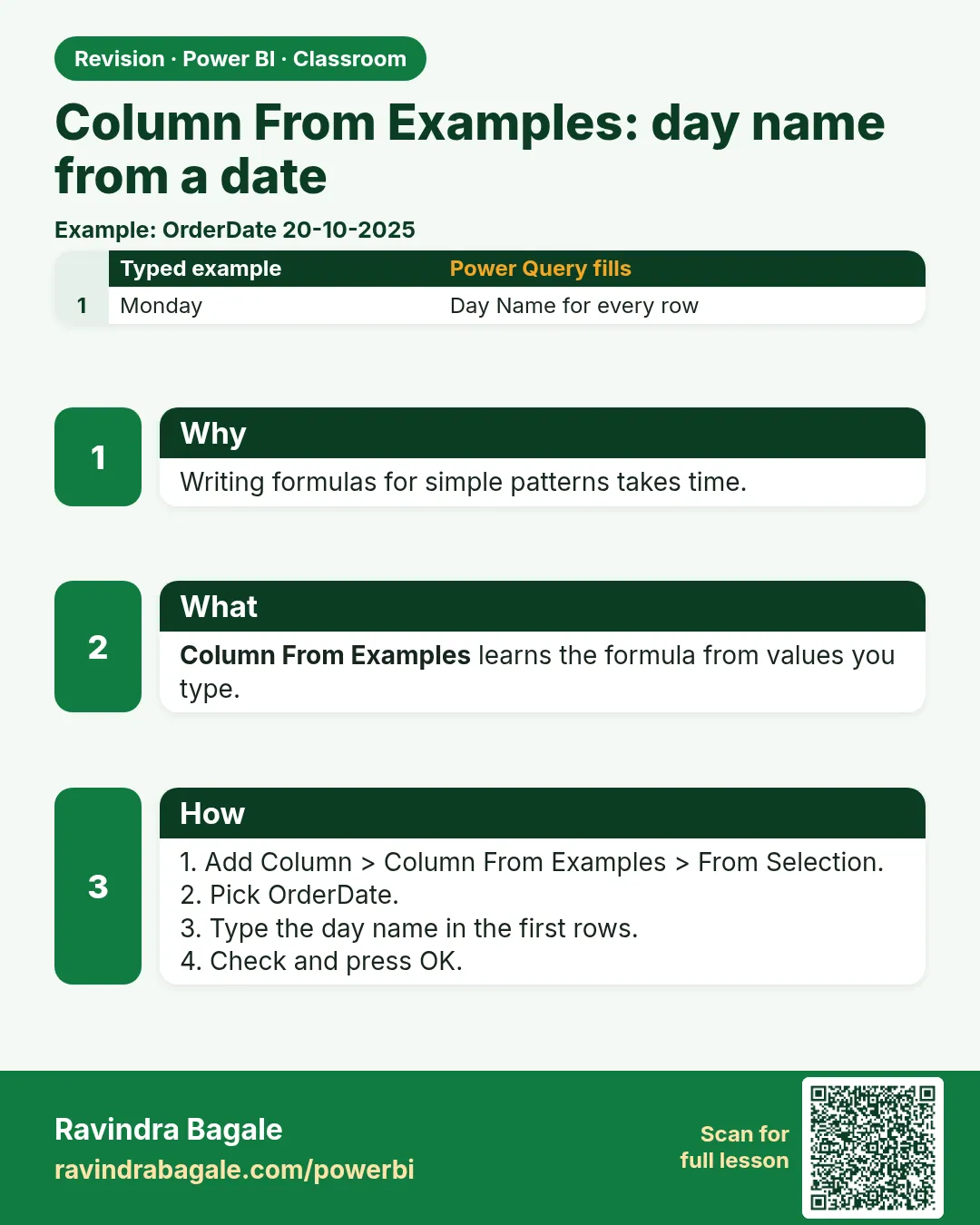
"Do we sell more on weekdays or at the weekend?" It sounds like a simple question, until you open the data and find only an order date. The day of the week is hidden inside that date. In this chapter you pull it out with Column From Examples: you type the answer for one row and Power Query works out the rule for all of them. You also learn the menu shortcut, how to make the chart run Monday to Sunday instead of A to Z, and a few other columns that examples can build for you.
What you'll learn in this chapter
- Kinds of added columns in Power Query
- Column From Examples: From Selection vs From All Columns
- Day name by example, and by Name of Day
- Day Number and Sort by column (Mon to Sun)
- IDs by example: remove a prefix, join two IDs
- Delivery days and Age: Duration › Total Days
- Revenue by day chart
Practice files: blinkit-sales-2025-days-small.csv (the 8 orders on this page) and blinkit-sales-2025-days.csv (1,200 orders in 2025).
Made-up data: fictional Blinkit-style orders from 2025, for practice only. Amounts are in ₹ and dates are DD-MM-YYYY.
1. The problem
Many shops sell more at the weekend; some sell less. To know which is true for us, each order needs its day name. The file has order_date (and delivery_date), but no day column. Typing 1,200 day names by hand is not an option.
2. The idea in simple words
Power Query can add columns worked out from the columns you already have. The Add Column tab offers four kinds you will use often:
| Kind | What it does |
|---|---|
| Custom Column | Your own formula, such as [price] * 0.18 |
| Column From Examples | You type the result for a row or two; Power Query finds the rule |
| Conditional Column | if … then … else, filled in a dialog |
| Index Column | 1, 2, 3 … a unique number on every row |
Column From Examples is like Excel's Flash Fill (Ctrl+E). It has two options:
- From Selection: looks only at the columns you selected (here, order_date).
- From All Columns: may combine any columns of the table.
These new columns are calculated when the data refreshes and are stored in the model, so they take memory. (In Power BI, the term calculated column usually means a column written in DAX in Table view. Power Query's added columns do the same job one step earlier; both are stored.)
Figure 1. Four kinds of added columns in Power Query: Custom, From Examples, Conditional and Index (illustration).
Classroom line
Making new columns from the data you were given is what we call calculated columns.
Class मधलं वाक्य
"दिलेल्या data वरून नवीन columns तयार करणे यालाच आपण calculated columns म्हणतो."
दिलेल्या data वरून नवीन columns तयार करणं यालाच आपण calculated columns म्हणतो.
Classroom line
Making new columns from the data you were given is what we call calculated columns.
3. The data
The 8 orders in blinkit-sales-2025-days-small.csv (columns: order_id, order_date, delivery_date, store_id, product_id, sales, price, revenue):
| order_id | order_date | delivery_date | product_id | revenue (₹) |
|---|---|---|---|---|
| BLK12001 | 01-01-2025 | 06-01-2025 | P206 | 132 |
| BLK12002 | 02-01-2025 | 05-01-2025 | P201 | 330 |
| BLK12006 | 03-01-2025 | 05-01-2025 | P214 | 198 |
| BLK12009 | 04-01-2025 | 09-01-2025 | P201 | 220 |
| BLK12013 | 05-01-2025 | 07-01-2025 | P211 | 190 |
| BLK12019 | 06-01-2025 | 09-01-2025 | P209 | 480 |
| BLK12024 | 07-01-2025 | 10-01-2025 | P212 | 300 |
| BLK12032 | 09-01-2025 | 12-01-2025 | P206 | 66 |
4. Step by step
Day name by example
- Get data › Text/CSV › the file › Transform data. Check that order_date and delivery_date show the calendar icon (Date). If they are text, see How to Fix US Dates with Locale, Keep ID Columns as Text and Use Fixed Decimal Number in Power Query.
- Select order_date. Add Column › Column From Examples › From Selection.
- A new empty column opens on the right. Double-click its first cell: a list of suggestions appears (Year, Month, Day of Week, Age, End of Month…).
- Next to 01-01-2025, type
Wednesdayand press Enter. Power Query fills Thursday, Friday, Saturday… for every row and shows the formula it found at the top. - If a row looks wrong, type the right answer on that row too; more examples make the rule clearer.
- Double-click the column header and name it
Day Name. Click OK.
The menu way (same result)
- Select order_date › Add Column › Date › Day › Name of Day. This writes
Date.DayOfWeekName([order_date]). Use whichever you find easier; keep just one Day Name column.
Day Number for sorting
- Add Column › Custom Column. Name:
Day Number. Formula:Date.DayOfWeek([order_date], Day.Monday) + 1. OK, then set the type to Whole Number. Monday is 1 and Sunday is 7.
IDs by example (From All Columns)
- Add Column › Column From Examples › From All Columns. In the first row (product_id P206, store_id 102), type
206. Power Query removes the "P" for every row. Rename itproduct_no. - Try another: type
P206-102. Power Query joins product_id, a hyphen and store_id. Examples copy exactly what you type, capitals included: typep206-102and you get a different (lowercase) rule, or none.
Delivery days
- Add Column › Custom Column. Name
delivery days, formula[delivery_date] - [order_date]. The result is a Duration, shown as 5.00:00:00 (days.hours:minutes:seconds). - Select it › Transform › Duration › Total Days. Now it is the number 5.
The chart
- Close & Apply. In Table view, select Day Name › Column tools › Sort by column › Day Number.
- Insert a Clustered column chart: X-axis Day Name, Y-axis revenue. Open More options (…) › Sort axis › Day Name, then Sort ascending. The bars run Monday to Sunday.
Figure 2. Column From Examples from top to bottom: select the date, From Selection, type one day name, Power Query fills the rest (illustration).
Classroom line
Double-click the first row and many suggestions start to appear.
Class मधलं वाक्य
"पहिल्या row ला double click करायचा ... भरपूर examples दिसायला लागतात."
पहिल्या row ला double click करायचं, मग भरपूर examples दिसायला लागतात.
Classroom line
Double-click the first row and many suggestions start to appear.
5. Your result should look like this
| order_date | Day Name | Day Number | delivery days |
|---|---|---|---|
| 01-01-2025 | Wednesday | 3 | 5 |
| 02-01-2025 | Thursday | 4 | 3 |
| 03-01-2025 | Friday | 5 | 2 |
| 04-01-2025 | Saturday | 6 | 5 |
| 05-01-2025 | Sunday | 7 | 2 |
| 06-01-2025 | Monday | 1 | 3 |
| 07-01-2025 | Tuesday | 2 | 3 |
| 09-01-2025 | Thursday | 4 | 3 |
With the 1,200-row file, revenue by day: Monday 43,652, Tuesday 46,675, Wednesday 44,315, Thursday 49,584, Friday 45,393, Saturday 56,940, Sunday 73,041 (total ₹3,59,600).
Figure 3. Revenue by Day Name, sorted Monday to Sunday with the Day Number column (illustration).
6. What happened
- From one example, Power Query guessed that you wanted the day name of order_date and wrote
Date.DayOfWeekNamefor you. The menu option writes the same function. - Text sorts A to Z, so without help the chart would start with Friday. Sort by column tells Power BI to order Day Name by Day Number.
Date.DayOfWeekcounts from 0. The second argument says which day is 0; withDay.Monday, Monday is 0, so adding 1 gives 1 to 7.- Subtracting two dates gives a Duration, not a number. Total Days turns it into a number you can sum or average.
Classroom line
Once we have the day names, we can build the graph from them.
Class मधलं वाक्य
"एकदा आपल्याला day चे name भेटले मग आपण त्याच्यावरून graph बनवू शकतो."
एकदा आपल्याला day चं name मिळालं, की मग त्यावरून graph बनवू शकतो.
Classroom line
Once we have the day names, we can build the graph from them.
7. Explore further
- DAY() is not the weekday. In DAX,
DAY([order_date])returns the day of the month (1 to 31). For the name useFORMAT([order_date], "dddd"); for a number useWEEKDAY([order_date], 2)(Monday = 1). - Age. A suggestion called Age subtracts the order date from today. It is also a Duration (use Total Days), and it changes every time you refresh, because "today" moves.
- Replacement window. If replacement is allowed for 8 days after delivery, add a Custom Column
Date.AddDays([delivery_date], 8). Orders with no delivery_date get null: not yet delivered, or lost, which is worth a separate check. - Delivery delay. delivery days shows slow deliveries at a glance; a bar chart of delivery days vs number of orders is a common interview task for e-commerce data.
- When examples fail. Column From Examples cannot do your own maths: typing 6.5*0.18 is treated as text. For formulas use a Custom Column (next chapter).
Classroom line
Replacement is allowed only for the first eight days.
Class मधलं वाक्य
"फक्त सुरुवातीचे आठ दिवसच replacement allowed असतो."
फक्त सुरुवातीचे आठ दिवसच replacement allowed असतो.
Classroom line
Replacement is allowed only for the first eight days.
8. Common mistakes
| Wrong result | Reason | Fix |
|---|---|---|
| Chart starts with Friday | Day Name sorted A to Z | Sort by column › Day Number, then sort the axis by Day Name ascending |
| DAX column shows 1, 2 … 31 | DAY() used for the weekday | FORMAT([date], "dddd") or Name of Day in Power Query |
| delivery days shows 5.00:00:00 | It is a Duration | Transform › Duration › Total Days |
| Examples give a strange formula | One example was not enough | Type the answer on a second row |
| Joined ID in the wrong case | Examples copy the case you type | Type the example exactly as you want it |
| No suggestions for order_date | order_date is Text | Change its type to Date first |
Ravindra Bagale's Tip
After Column From Examples, always read the formula it shows at the top before you click OK. If the formula says what you meant, trust it. If it is a long chain of text functions for something simple, delete the column and use the menu option instead.
Ravindra Bagale's Tip – मराठी
Column From Examples नंतर OK करण्याआधी वर दाखवलेला formula नेहमी वाचा. Formula तुम्हाला हवं तेच सांगत असेल, तर विश्वास ठेवा. साध्या गोष्टीसाठी text functions ची लांबलचक साखळी दिसली, तर column delete करून menu option वापरा.
Ravindra Bagale's Tip – हिंदी
Column From Examples के बाद OK करने से पहले ऊपर दिखाया formula हमेशा पढ़िए. Formula वही कहे जो आप चाहते हैं, तो भरोसा कीजिए. आसान काम के लिए text functions की लंबी कड़ी दिखे, तो column delete करके menu option इस्तेमाल कीजिए.
Classroom line
If it doesn't get it, type another example in the next row as well.
Class मधलं वाक्य
"नाही समजलं, तर परत खालच्या row ला बी लिहायचं."
नाही समजलं, तर खालच्या row ला पण परत लिहायचं.
Classroom line
If it doesn't get it, type another example in the next row as well.
9. Practise on your own
Practice task
Load blinkit-sales-2025-days.csv and add Day Name, Day Number and delivery days.
- Which day has the highest revenue, and which the lowest?
- How many orders were placed on Sundays?
- How many orders took more than 3 days to deliver?
- How many orders have no delivery_date?
- What is the last replacement date for BLK12001?
Show solution
- Highest Sunday, 73,041; lowest Monday, 43,652.
- 246 orders.
- 170 orders (all of them took 5 days).
- 31 orders: delivery days is null for them.
- 14-01-2025 (delivered 06-01-2025 + 8 days).
10. Think like a professional
- Business view. Day of week drives staffing, delivery slots and offers. A Sunday peak means more riders on Sundays.
- Prefer the clearest formula. Name of Day and Column From Examples give the same result; pick the one your team will understand later.
- Keep the helper column. Day Number exists only for sorting. Hide it in Report view (right-click › Hide) so it does not clutter the field list.
- Know the domain. Order date vs delivery date, return windows and delays are the questions interviewers at e-commerce companies ask.
Interview questions
- What is Column From Examples? An Add Column option where you type the expected result and Power Query writes the formula, like Flash Fill.
- How do you sort day names Monday to Sunday? Add a Day Number column and use Sort by column on Day Name.
- What does DAY() return in DAX? The day of the month, 1 to 31.
- How do you turn a Duration into days? Transform › Duration › Total Days.
Recap
In short
- Add Column offers Custom, From Examples, Conditional and Index columns.
- Column From Examples: type one answer, Power Query finds the rule.
- Day name: by example or Add Column › Date › Day › Name of Day.
- Day Number = Date.DayOfWeek([order_date], Day.Monday) + 1, then Sort by column.
- Date minus date is a Duration: use Total Days.
- Revenue is highest on Sunday in this data.
 Revision card