How to Use a Line Chart in Power BI: Date Hierarchy, Drill Down and Find Anomalies
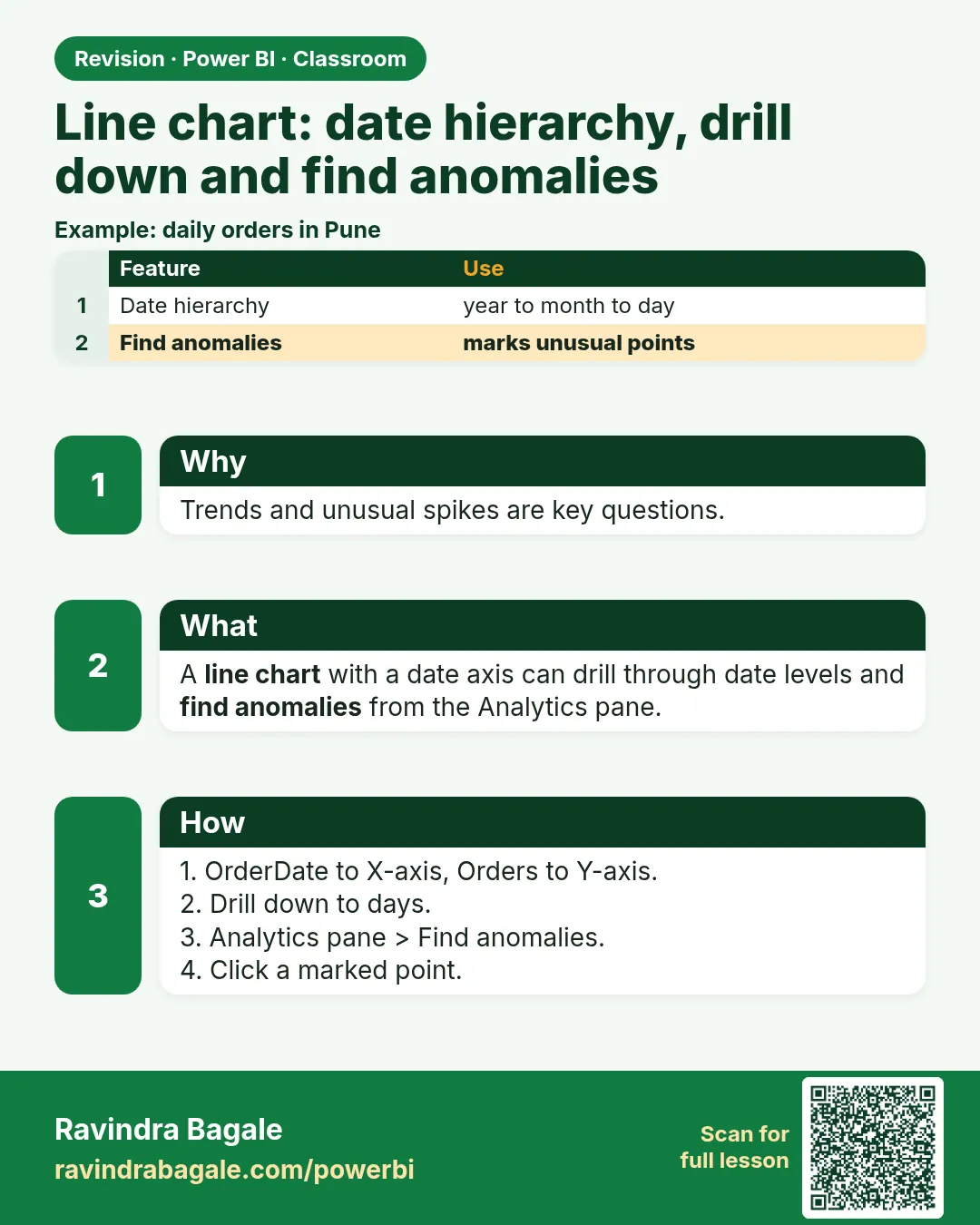
When the X-axis is time, the line chart is the right visual: the eye follows the line and sees rises, dips and repeating patterns at once. Power BI gives a date field a built-in hierarchy (year, quarter, month, day), so the same chart can show three years or a single month. In this chapter you build a revenue line, move up and down the hierarchy, learn the one trap when you remove a level, find the festival-season and payday patterns in Blinkit data, and let Power BI point out the odd days with Find anomalies.
What you'll learn in this chapter
- Line chart for time on the X-axis
- Date hierarchy: Year › Quarter › Month › Day
- Removing a level adds the years together
- Drill down vs Expand all down one level
- Festival season (Q3/Q4) and payday spikes
- Analytics pane › Find anomalies and Possible explanations
Practice file: blinkit-sales-2023-2025.csv (1,702 order lines, 01-01-2023 to 31-12-2025).
Made-up data: fictional Blinkit-style sales, for practice only. Amounts are in ₹ and dates are DD-MM-YYYY.
1. The problem
The manager asks: is revenue growing year on year, which part of the year is busiest, and were there any unusual days worth explaining? A table of 1,095 days cannot answer that; a line can.
2. The idea in simple words
Use a line chart when the X-axis is time. Drop a date field on the X-axis and Power BI shows its date hierarchy: Year, Quarter, Month, Day. Each level is a different zoom. The trap: if you remove Year and keep Quarter, each quarter adds up all years (Q3 = Q3 2023 + Q3 2024 + Q3 2025). That is useful for seasonality, but it is no longer a timeline.
Figure 1. The date hierarchy levels; removing Year combines the years (illustration).
Classroom line
What does this tell us? Nothing yet.
Class मधलं वाक्य
यातून काय समजतंय? अजून काहीच नाही.
Classroom line – हिंदी
"Is se kya samajh me aa raha hai? Kuch nahi."
3. The data
| Year | Revenue (₹) |
|---|---|
| 2023 | 1,00,708 |
| 2024 | 1,11,253 |
| 2025 | 1,18,882 |
| Quarter (all years) | Revenue (₹) |
|---|---|
| Q1 | 76,775 |
| Q2 | 66,483 |
| Q3 | 89,853 |
| Q4 | 97,732 |
4. Step by step
Line by year and quarter
- Line chart: X-axis order_date, Y-axis revenue. It opens at Year: three points rising from 1,00,708 to 1,18,882.
- Click the double down arrow (Go to the next level in the hierarchy): Year and Quarter, 12 points.
- Next level: months; next: days of the month.
Remove a level
- In the X-axis well, remove Year (click its ×). Now there are four points, Q1–Q4, each the sum of all three years: Q4 97,732 is highest.
- Remove Quarter: 12 months, each summing three years. Remove Month: days 1–31, each summing every month of every year.
Expand all
- Put Year, Quarter, Month back. Click the forked arrow (Expand all down one level): Year and Quarter labels together, then Year, Quarter and Month: one continuous timeline.
Find anomalies
- Back at the daily level for 2025 (filter order_date to 2025, expand down to Day). Open the Analytics pane (magnifier icon) › Find anomalies › On.
- Dots appear on unusual points. Click the dot on 14-03-2025: the Anomalies pane opens with Possible explanations.
Figure 2. Revenue by quarter, 2023–2025: Q3 and Q4 rise every year (illustration).
Classroom line
What's an anomaly? A sudden jump in sales; we want to know what happened that day.
Class मधलं वाक्य
Anomaly म्हणजे काय? अचानक sale वाढला; त्या दिवशी काय झालं ते आपल्याला शोधायचं आहे.
Classroom line – हिंदी
"Anomalies matlab kya hai, achanak se hi ho gaya sale, pata nahi us din kya hua tha."
5. Your result should look like this
- Year level: 1,00,708 › 1,11,253 › 1,18,882, growing each year.
- Year and Quarter: Q4 2024 (33,784) and Q3 2025 (35,406) are peaks; Q2 is the low point every year.
- Day of month (all years): days 1, 2, 3 at 21,207, 17,540 and 16,197, against roughly 10,000 on other days.
- Anomaly: 14-03-2025 (a Friday) at ₹1,969, against an average of about ₹330 a day that month.
Figure 3. Revenue by day of the month: the first three days jump (illustration).
Classroom line
Go on, try it yourself.
Class मधलं वाक्य
"करा, करून बघा."
करा, करून बघा.
Classroom line
Go on, try it yourself.
6. What happened
- Each hierarchy level groups the dates differently; drilling changes the grouping, not the data.
- Without Year, the chart groups by quarter or month alone, so it shows seasonality across years.
- Expand all keeps the higher levels, so the axis stays a real timeline.
- Find anomalies compares each point with the expected range and marks those outside it.
7. Explore further
- Festival season. Q3 and Q4 are higher every year: September to November brings Ganpati, Navratri and Diwali, and households stock up.
- Payday. Days 1–3 of each month are the busiest: salaries arrive and people order bigger baskets.
- Possible explanations. For 14-03-2025 Power BI may point to a category (Atta, Rice, Oil & Dals made ₹995 of the ₹1,969) or a city (Bengaluru ₹900). Treat these as leads to check, not proof.
- Not only time. A line chart can take any ordered X-axis, but time is where it is clearest.
- More. The main course lessons Line, Area and Stacked Area Charts, Drill Down vs Expand – The Difference and Anomaly Detection on a Line Chart go further.
Classroom line
Let's go through the visuals one by one, in detail.
Class मधलं वाक्य
एक एक visual सविस्तर बघूया.
Classroom line – हिंदी
"One by one visuals dekhte hain details mein."
8. Common mistakes
| Wrong result | Reason | Fix |
|---|---|---|
| Only 4 points, "Q1–Q4" | Year removed | Keep Year, or use Expand all |
| A single flat point | Hierarchy at Year with one year filtered | Drill down a level |
| Dates show 1–31 only | Year, Quarter and Month removed | Put them back or use Expand all |
| No Find anomalies option | Visual is not a line chart with a date axis | Use a line chart with a date on X |
| Explanations read as facts | They are statistical hints | Check them in the data |
Ravindra Bagale's Tip
Before you read a line, look at the X-axis label. "Quarter" with no year means all years added together; "Year Quarter" is a timeline. Half the wrong conclusions from line charts come from that one word.
Ravindra Bagale's Tip – मराठी
Line वाचण्याआधी X-axis चं label बघा. Year शिवाय "Quarter" म्हणजे सगळी वर्षं एकत्र; "Year Quarter" म्हणजे timeline. Line charts मधले अर्धे चुकीचे निष्कर्ष याच एका शब्दामुळे येतात.
Ravindra Bagale's Tip – हिंदी
Line पढ़ने से पहले X-axis का label देखें. Year के बिना "Quarter" मतलब सारे साल जोड़कर; "Year Quarter" मतलब timeline. Line charts से निकले आधे गलत निष्कर्ष इसी एक शब्द से आते हैं.
Classroom line
Until now we were looking at one value at a time.
Class मधलं वाक्य
आतापर्यंत आपण एका वेळी एकच value बघत होतो.
Classroom line – हिंदी
"Abhi tak hum log single single data dekh rahe the."
9. Practise on your own
Practice task
Using blinkit-sales-2023-2025.csv:
- What is the revenue for Q3 2025?
- Remove Year: what is Q2 (all years)?
- Filter to 2025 and show months. Which month is highest, and how much?
- With Year, Quarter and Month removed, which day of the month is highest?
Show solution
- ₹35,406.
- ₹66,483 (the lowest quarter).
- November, ₹13,316.
- Day 1, ₹21,207.
10. Think like a professional
- Business view. Seasonality (festivals, paydays) drives stock and staffing plans.
- Know your axis. Say whether the chart is a timeline or a seasonal sum.
- Investigate anomalies. A spike is a question: an offer, a bulk order, a data error?
- Context matters. Festival reasoning fits Indian data like this; check the calendar for any other market.
Interview questions
- When do you use a line chart? When the X-axis is time.
- What happens if you remove Year from the date hierarchy? Each quarter or month sums all years.
- Drill down vs Expand all down one level? Drill down shows the next level alone; Expand keeps the higher level labels too.
- What does Find anomalies do? Marks points outside the expected range and offers possible explanations.
Recap
In short
- Line chart for time on the X-axis.
- Date hierarchy: Year › Quarter › Month › Day.
- Removing Year sums all years per quarter or month.
- Expand all down one level keeps a true timeline.
- Analytics › Find anomalies › click a dot for Possible explanations.
 Revision card