उजळणी (Revision) cards
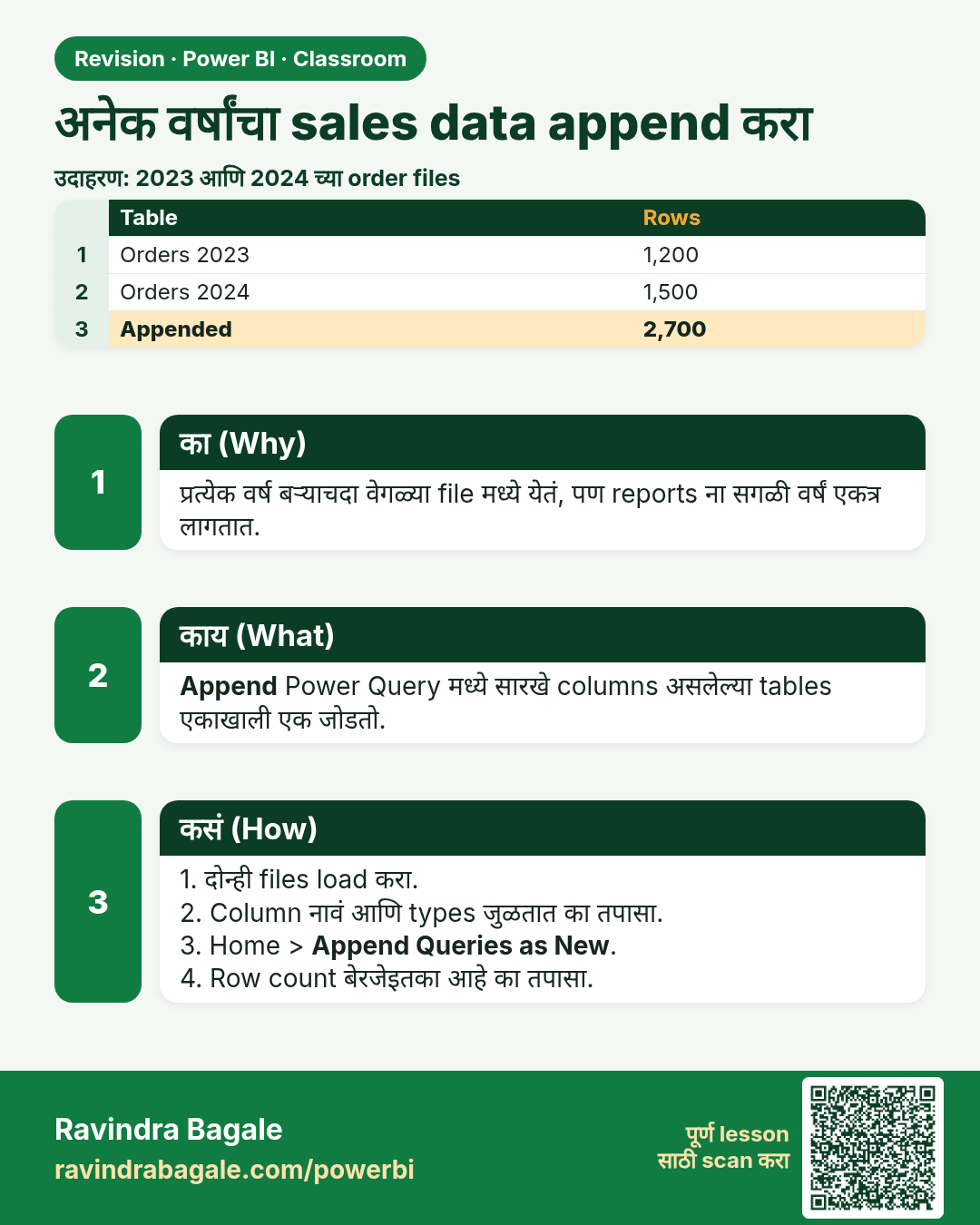
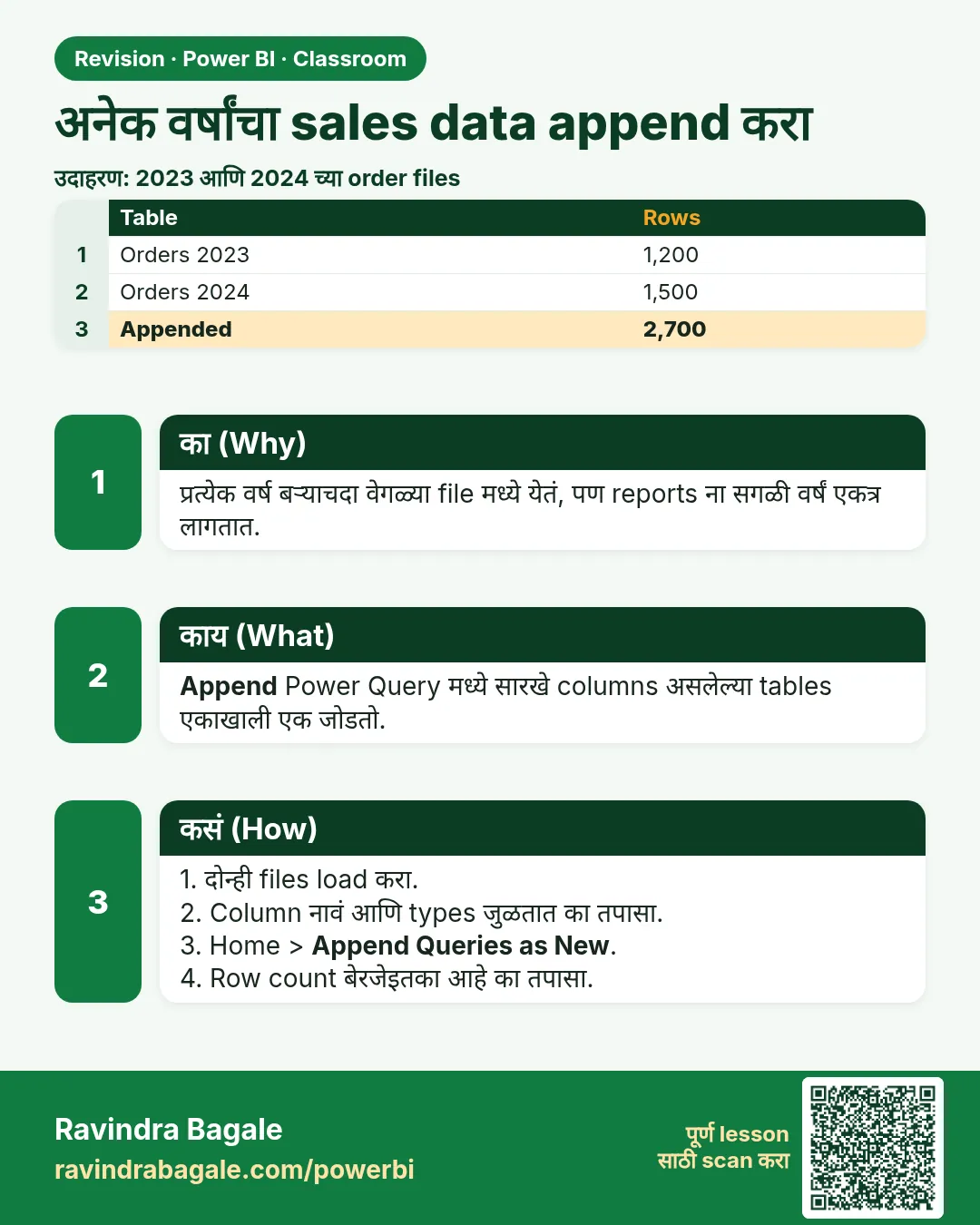 उजळणी (Revision) card 1 of 35: अनेक वर्षांचा sales data append करा · PNG download करा · Card page उघडा
Lesson: How to Append Multiple Years of Sales Data in Power BI Power Query
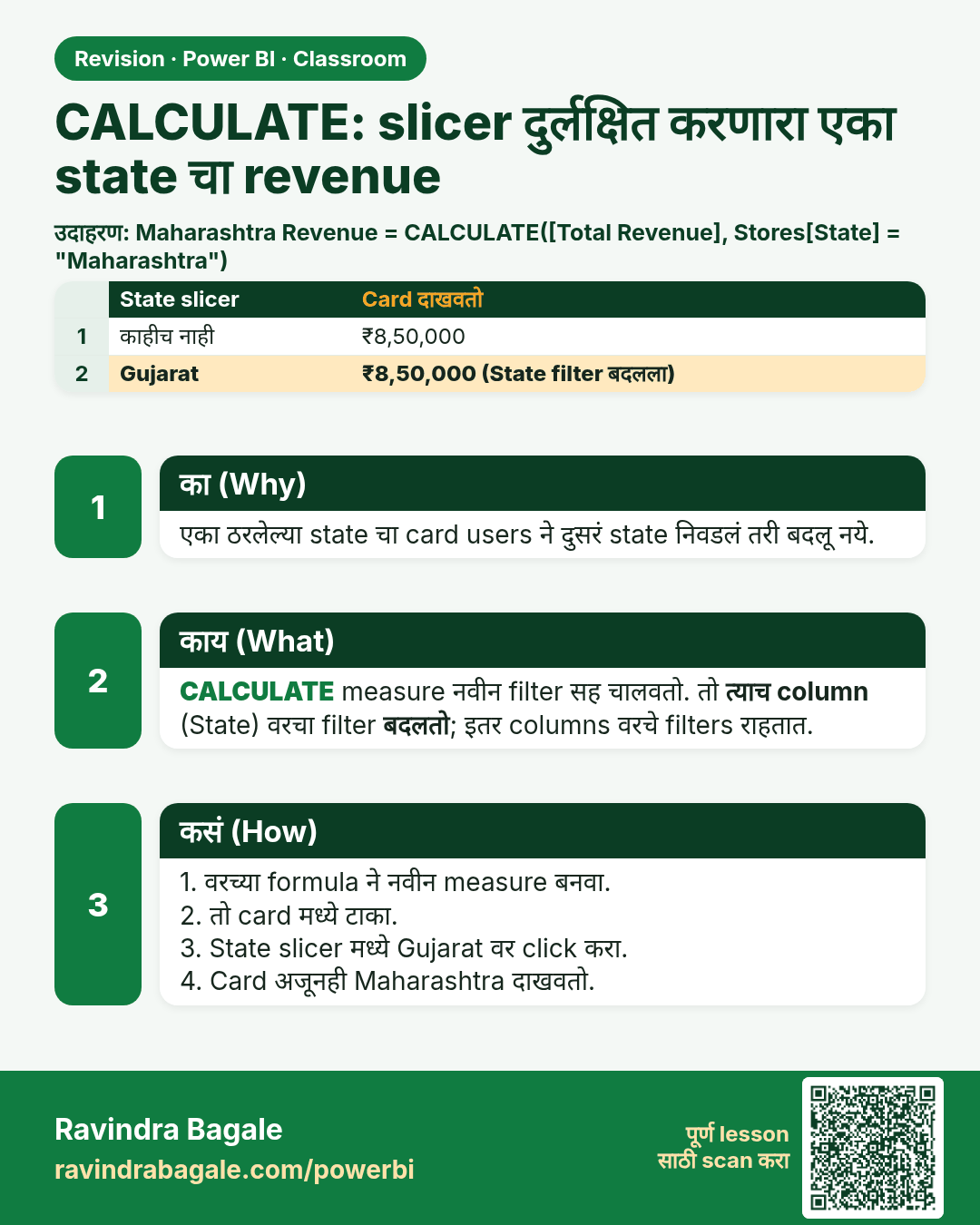
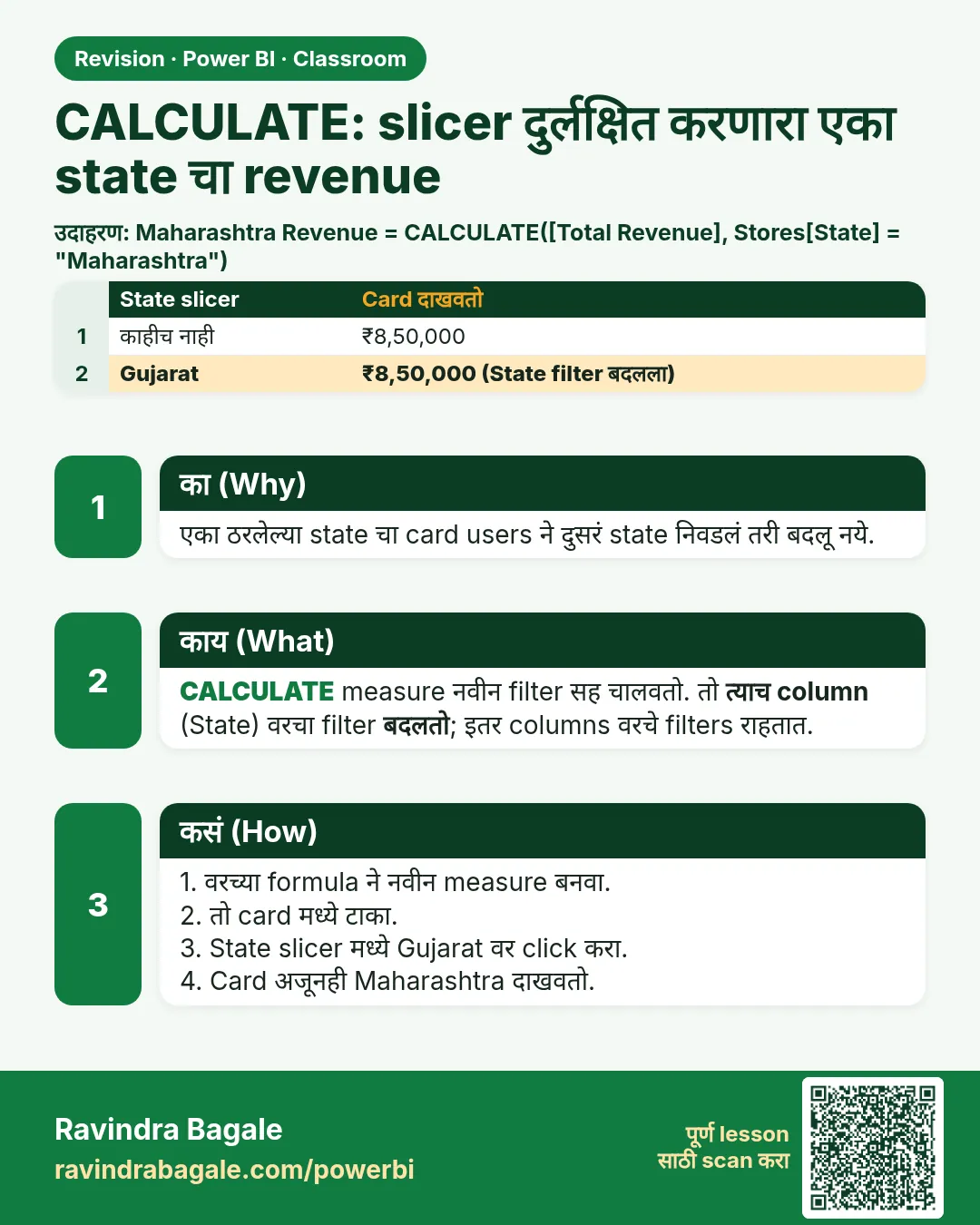 उजळणी (Revision) card 2 of 35: CALCULATE: slicer दुर्लक्षित करणारा एका state चा revenue · PNG download करा · Card page उघडा
Lesson: How to Use CALCULATE in Power BI: Show One State's Revenue That Ignores the Slicer (Filter Context Explained)
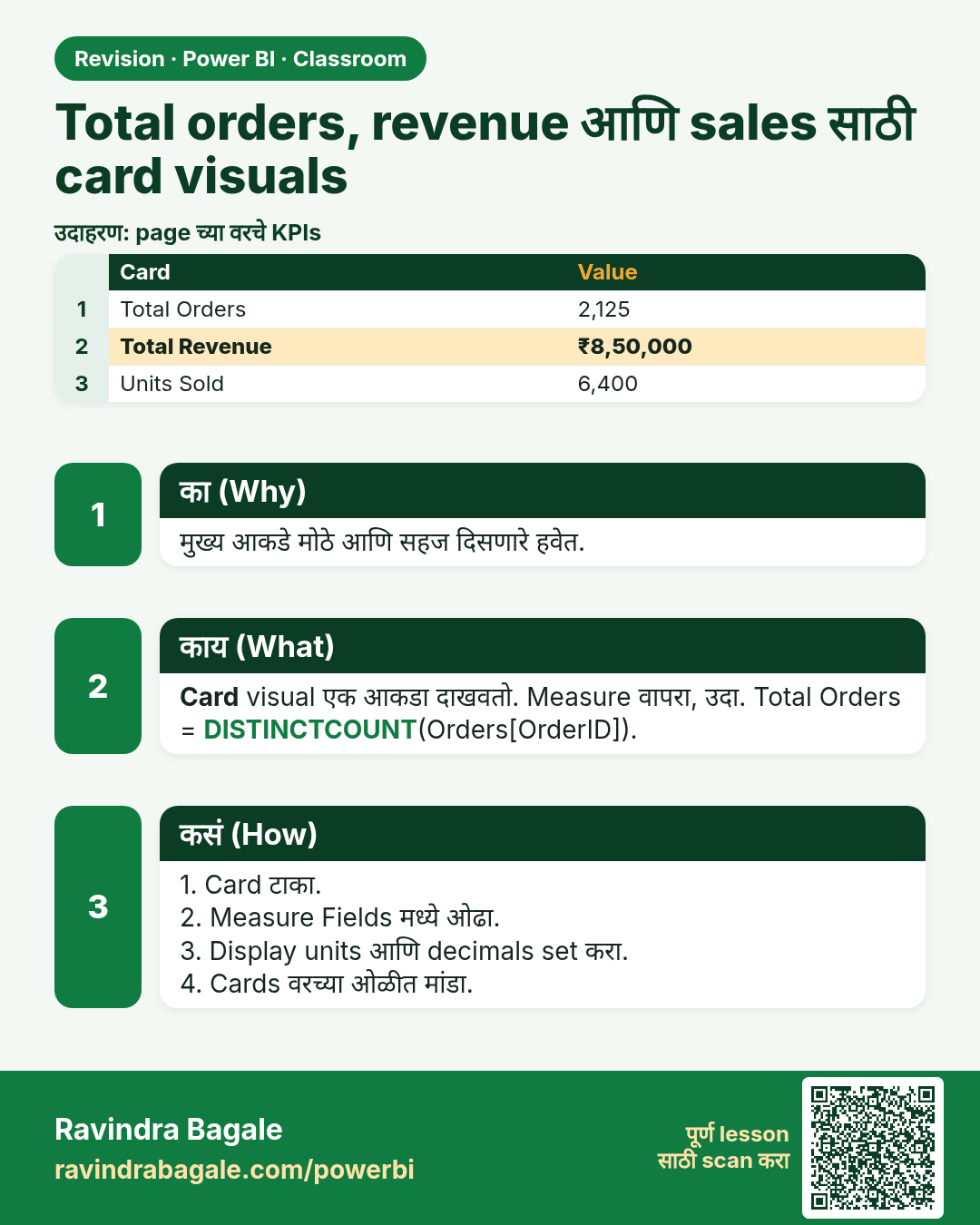
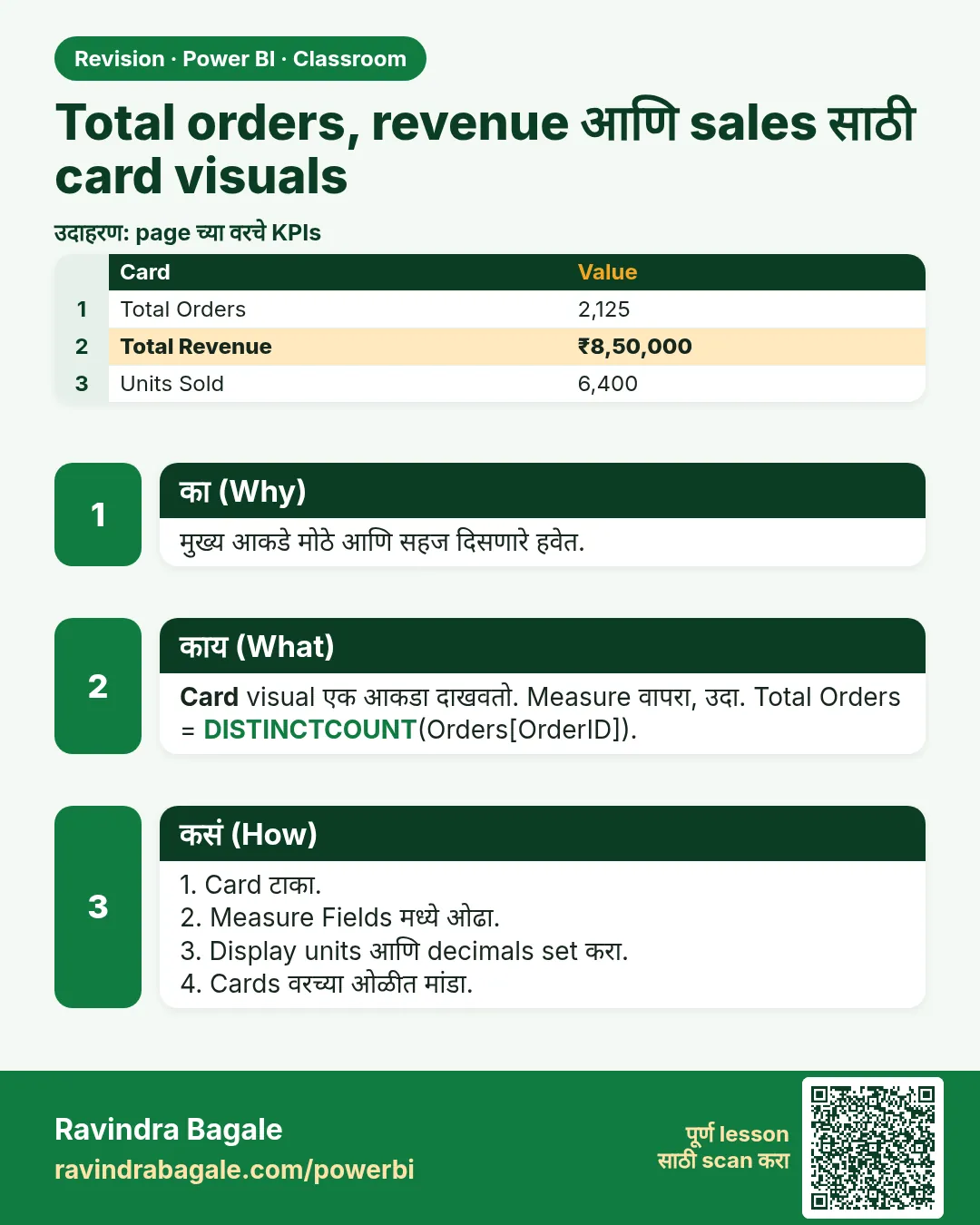 उजळणी (Revision) card 3 of 35: Total orders, revenue आणि sales साठी card visuals · PNG download करा · Card page उघडा
Lesson: How to Show Total Orders, Revenue and Sales with Card Visuals in Power BI
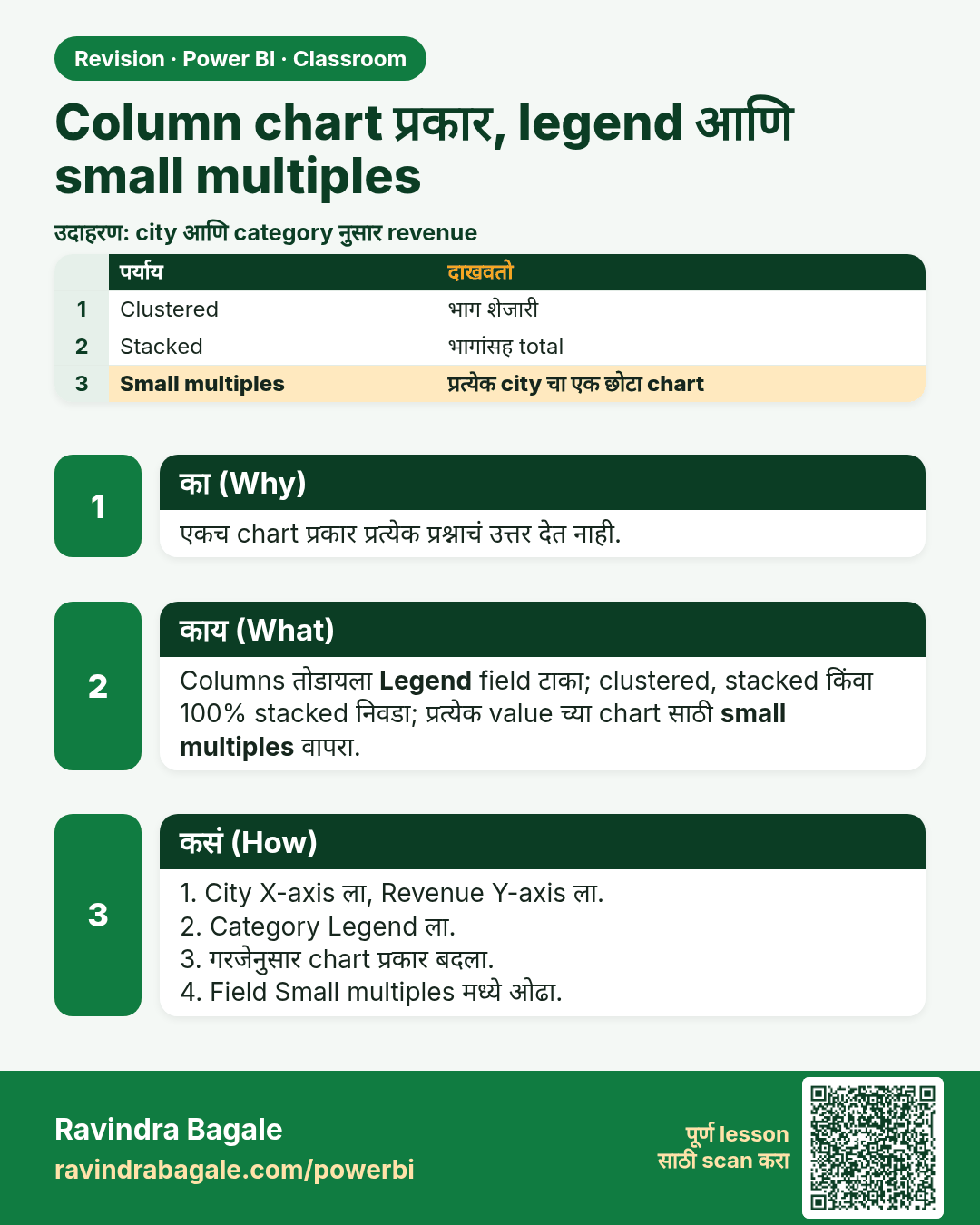
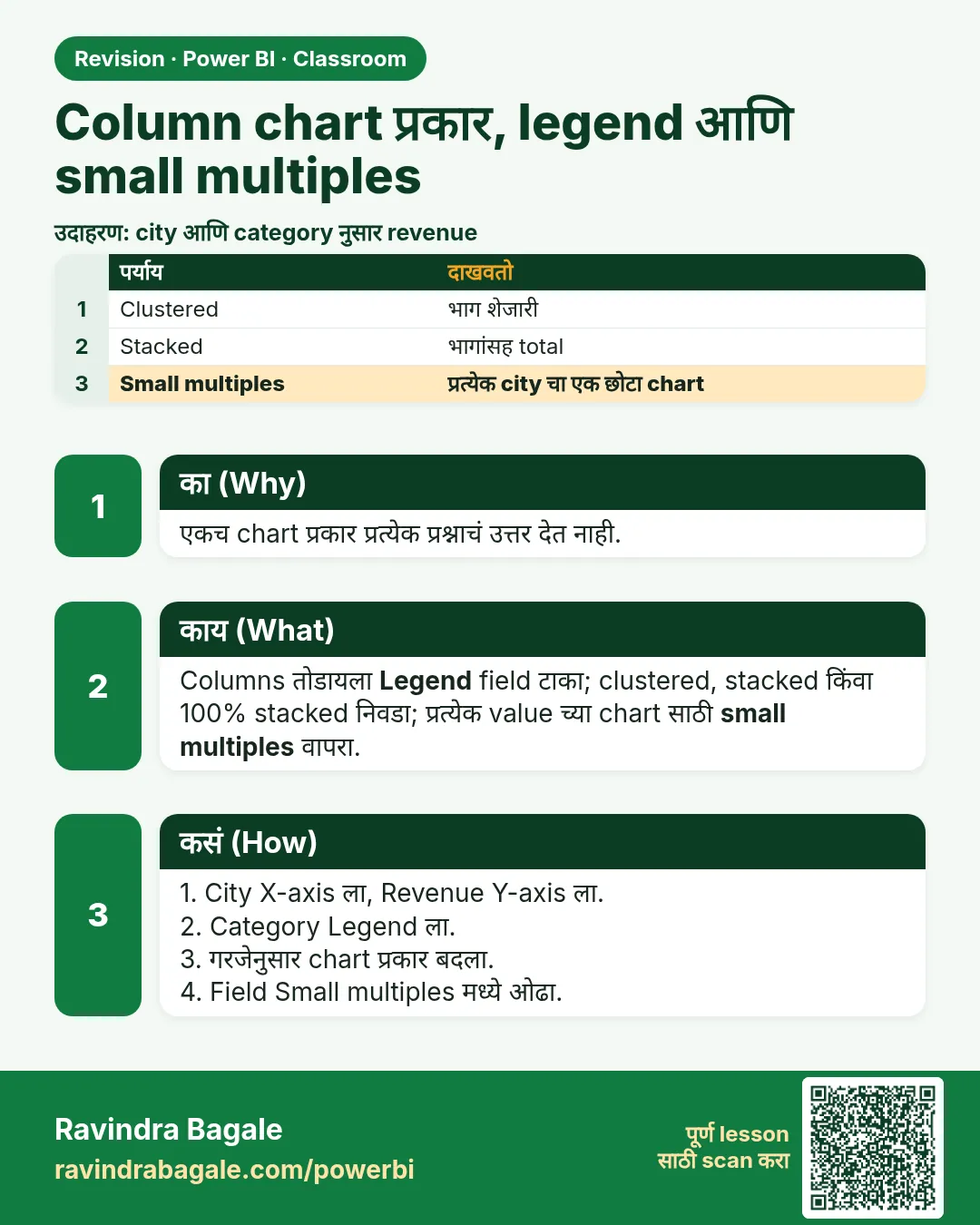 उजळणी (Revision) card 4 of 35: Column chart प्रकार, legend आणि small multiples · PNG download करा · Card page उघडा
Lesson: Clustered vs Stacked Column Chart in Power BI: Bar vs Column, Legend, 100% Stacked and Small Multiples
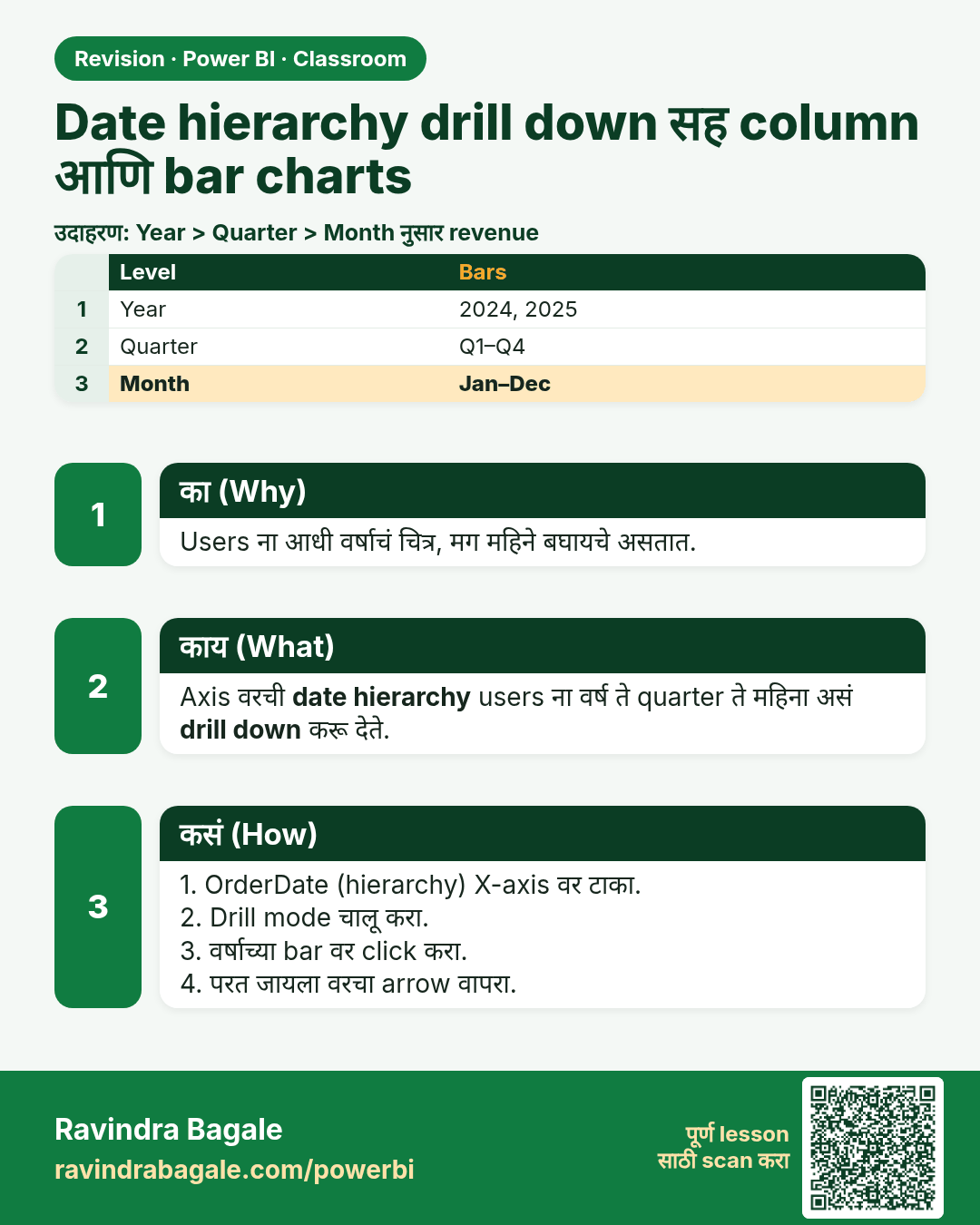
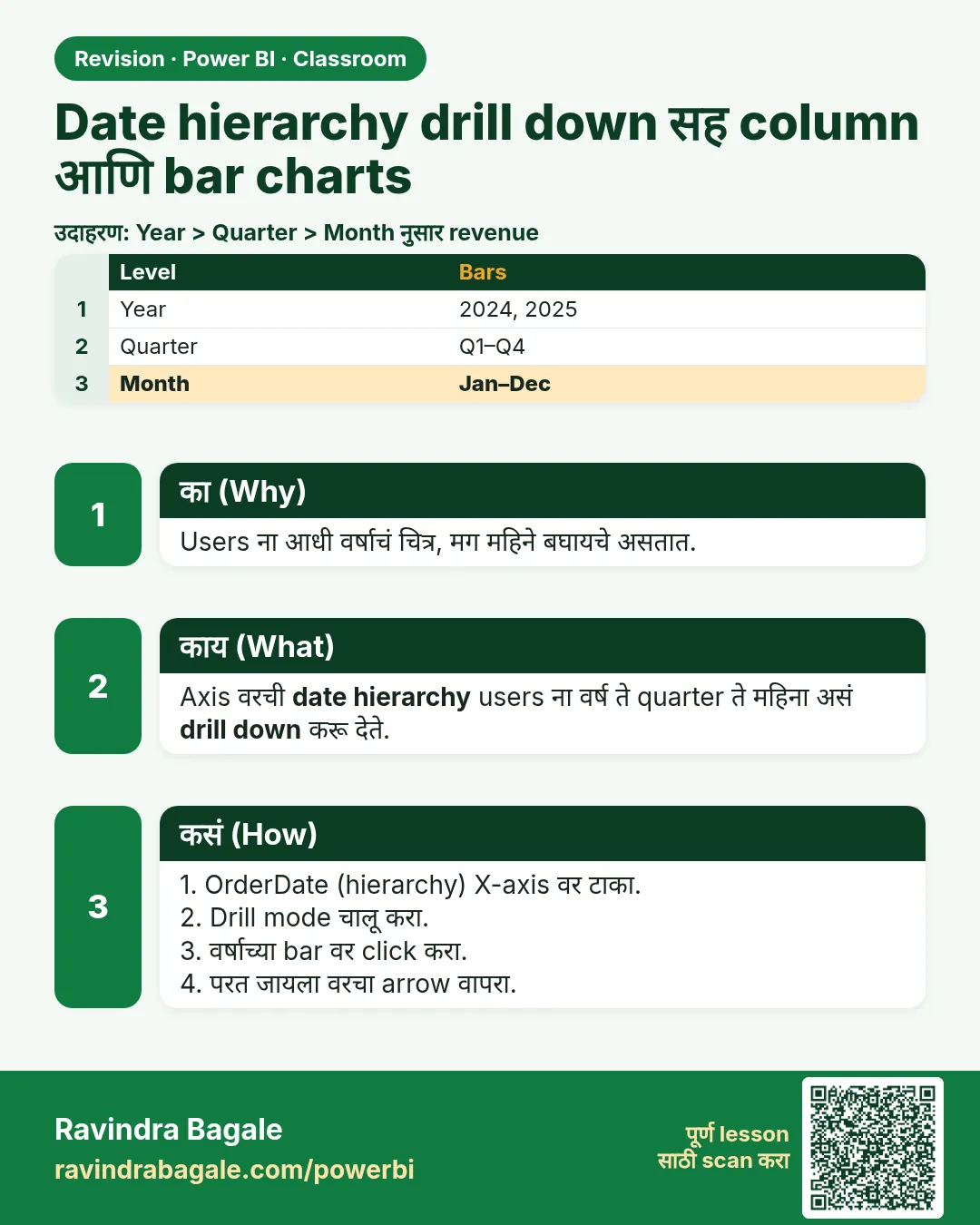 उजळणी (Revision) card 5 of 35: Date hierarchy drill down सह column आणि bar charts · PNG download करा · Card page उघडा
Lesson: How to Create Column and Bar Charts with Date Hierarchy and Drill Down in Power BI
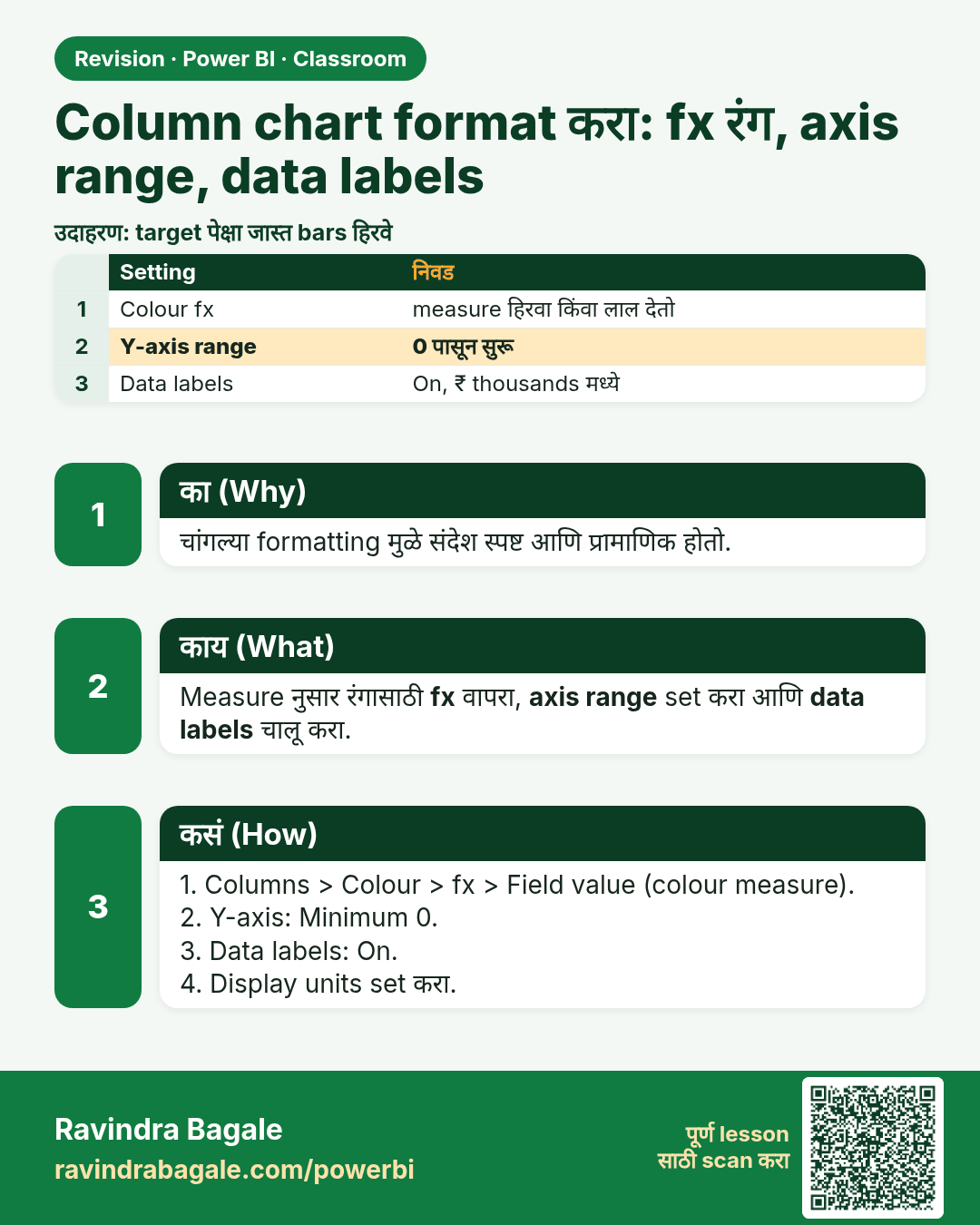
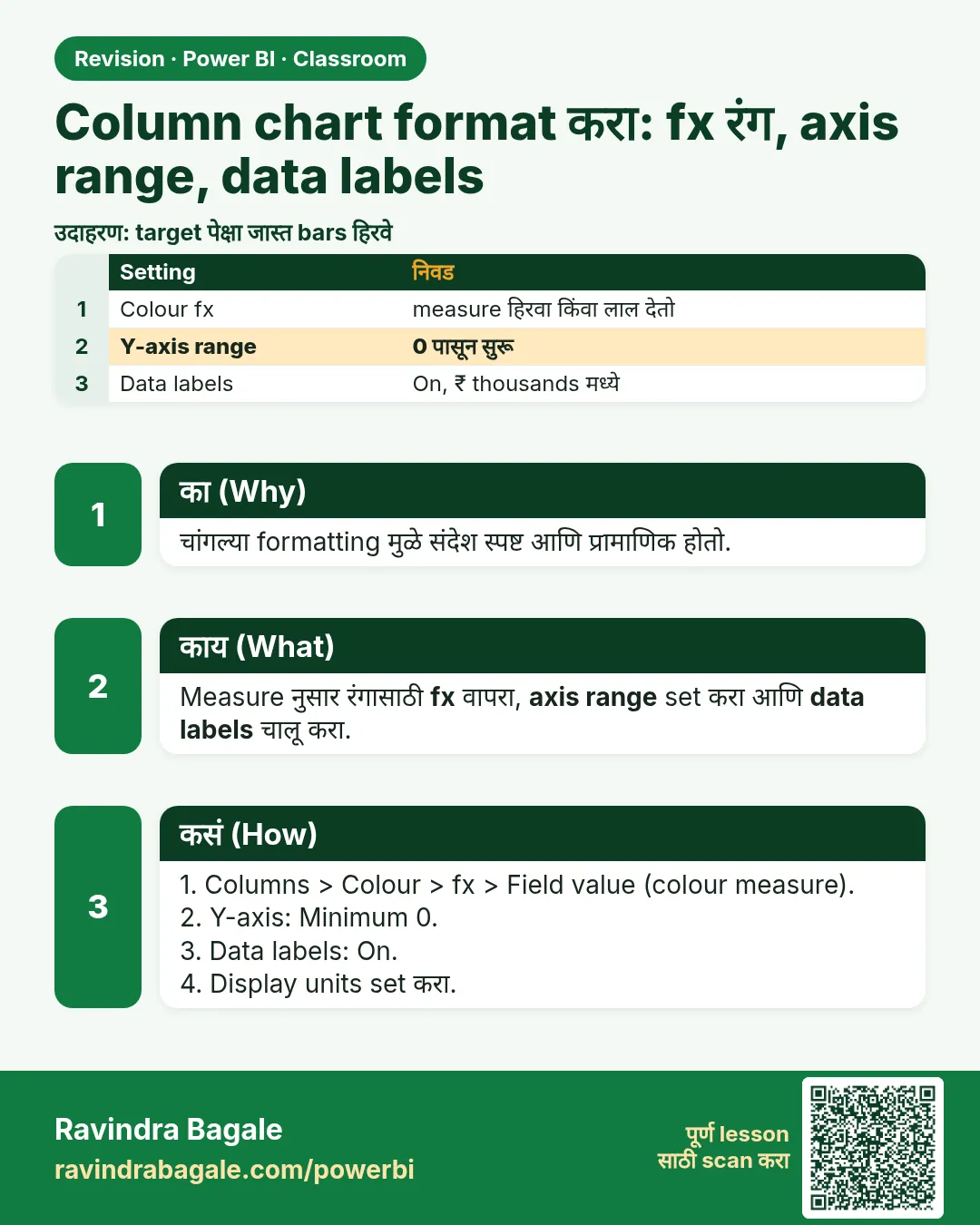 उजळणी (Revision) card 6 of 35: Column chart format करा: fx रंग, axis range, data labels · PNG download करा · Card page उघडा
Lesson: How to Format a Column Chart in Power BI: Conditional Color with fx, Axis Range and Data Labels
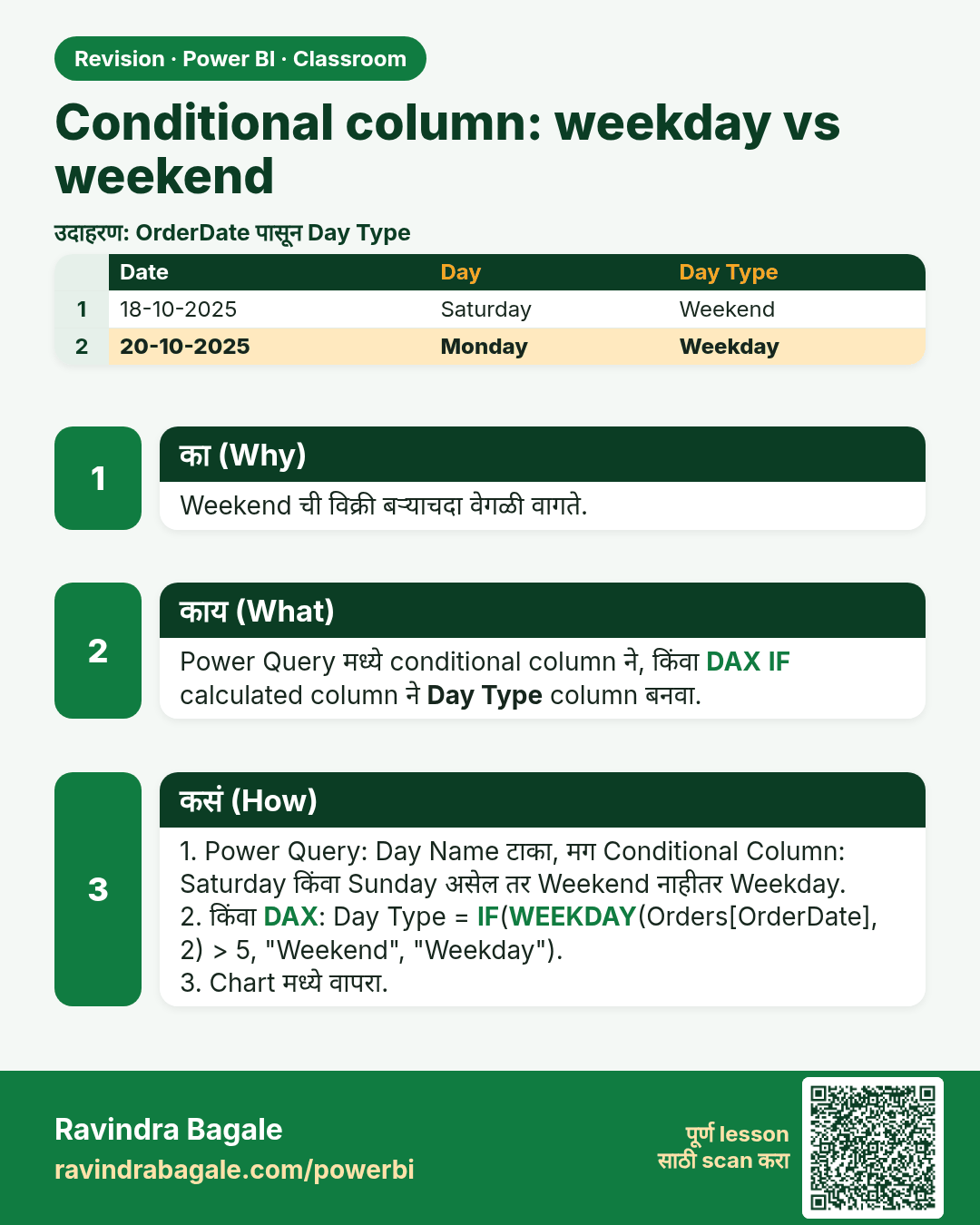
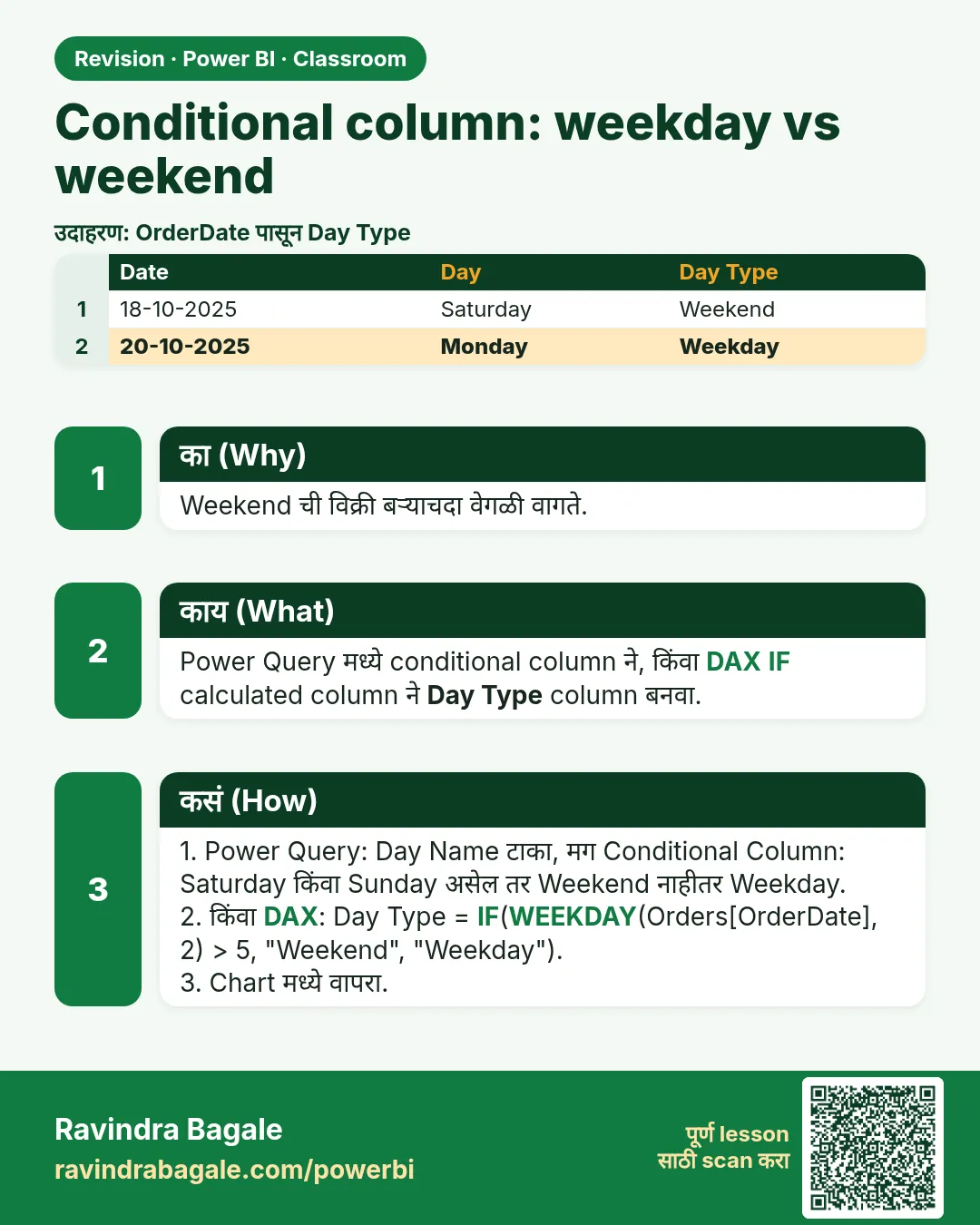 उजळणी (Revision) card 7 of 35: Conditional column: weekday vs weekend · PNG download करा · Card page उघडा
Lesson: How to Create a Conditional Column in Power BI: Weekday vs Weekend (Power Query and DAX IF)
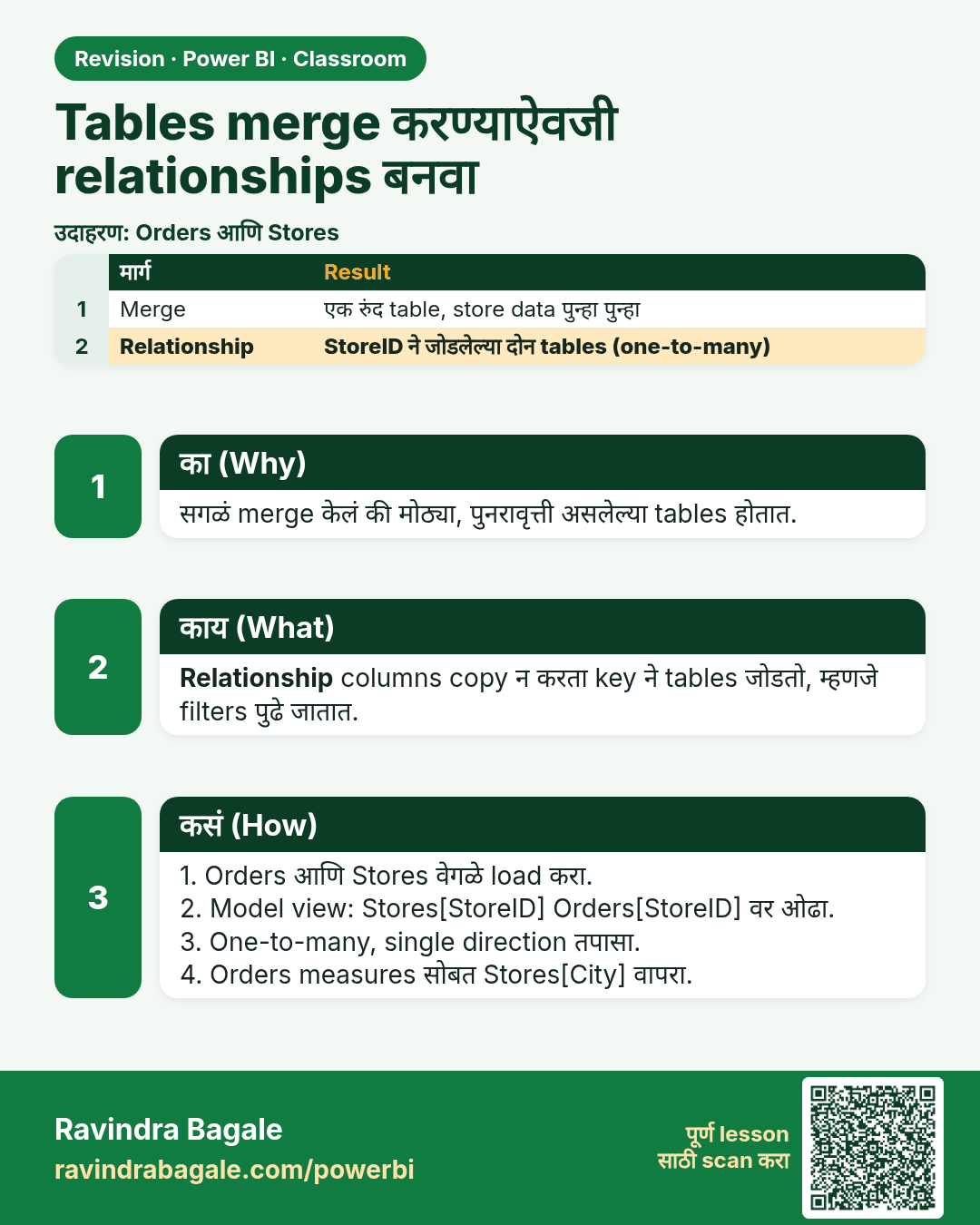
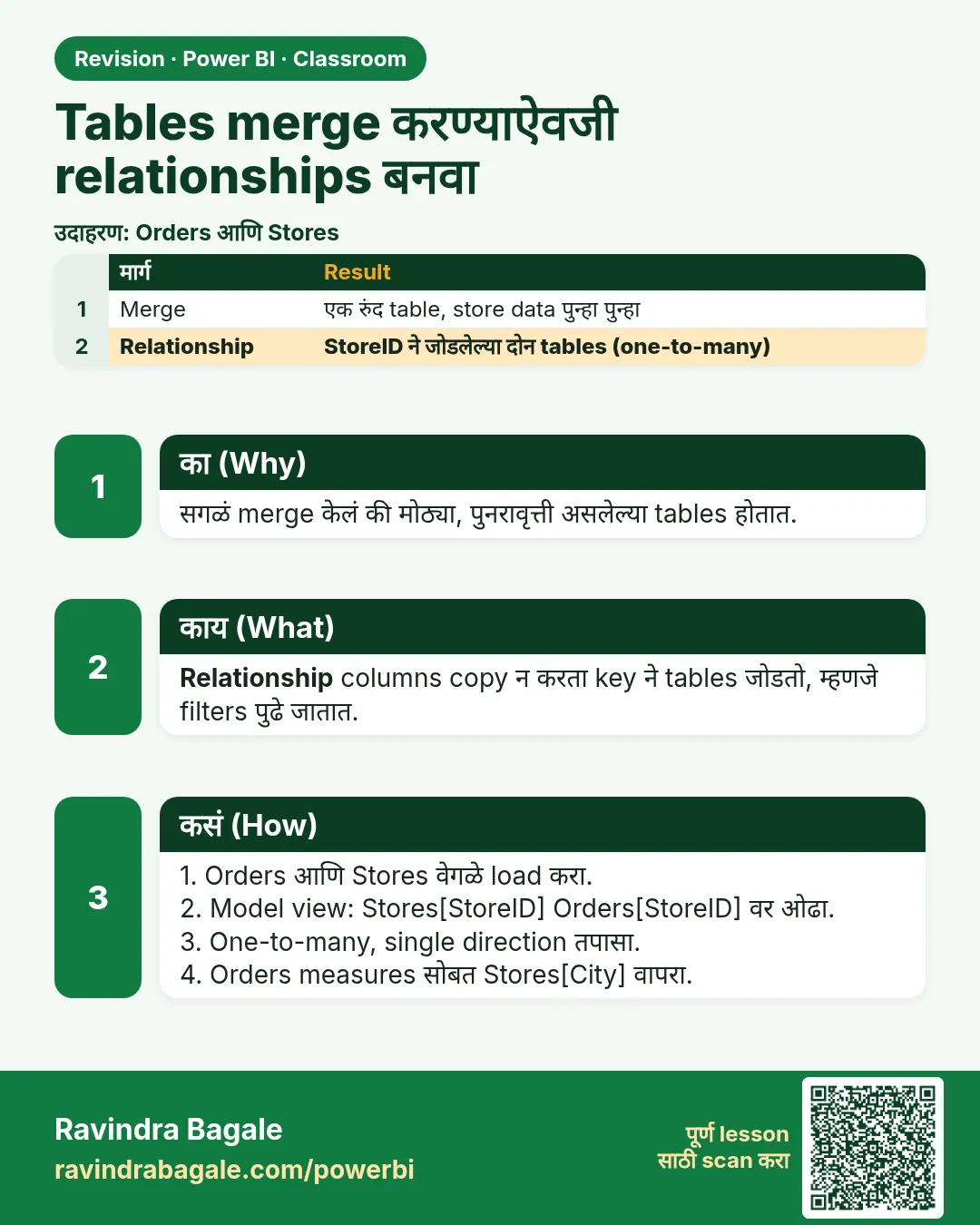 उजळणी (Revision) card 8 of 35: Tables merge करण्याऐवजी relationships बनवा · PNG download करा · Card page उघडा
Lesson: How to Create Relationships in Power BI Instead of Merging Tables (One-to-Many)
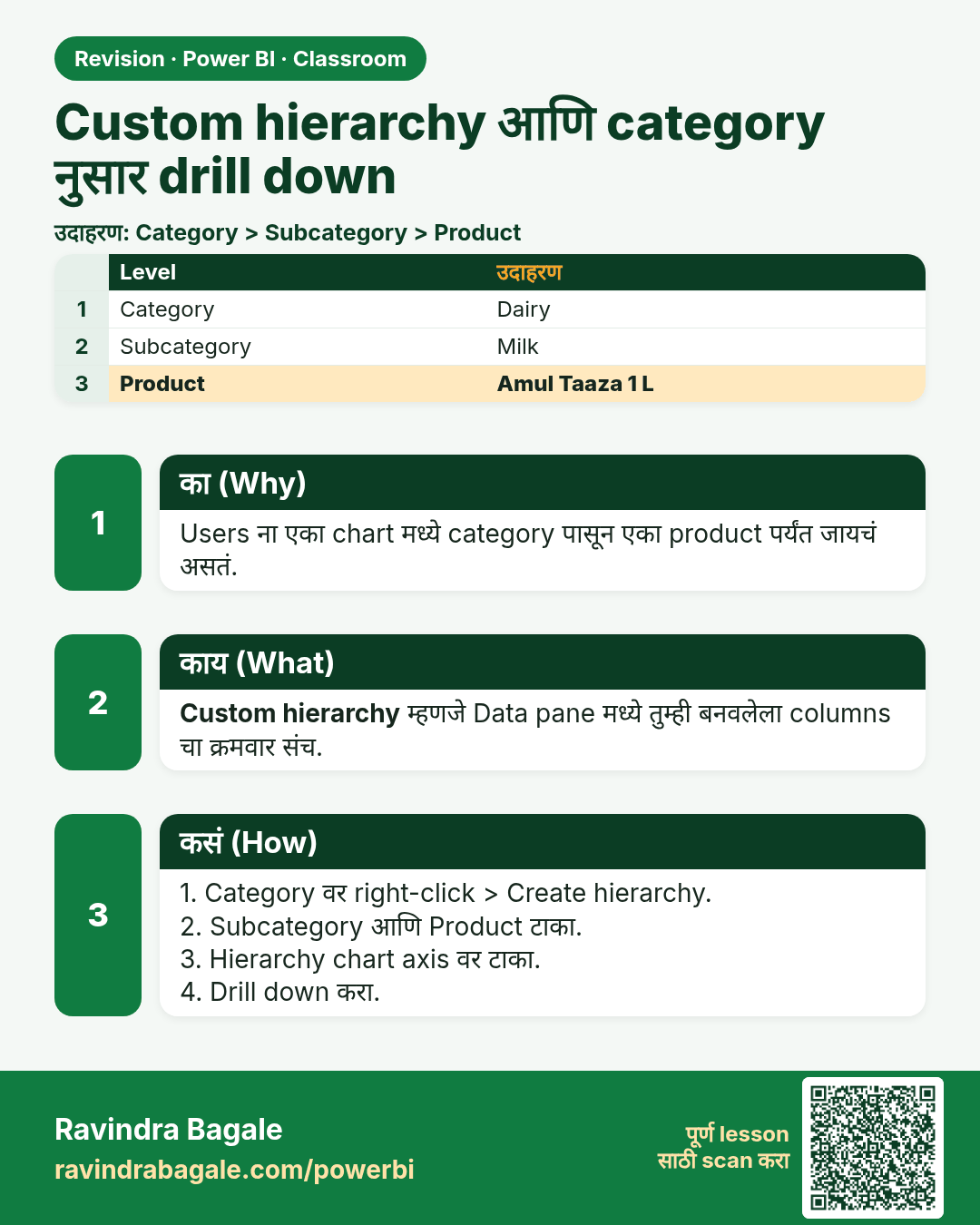
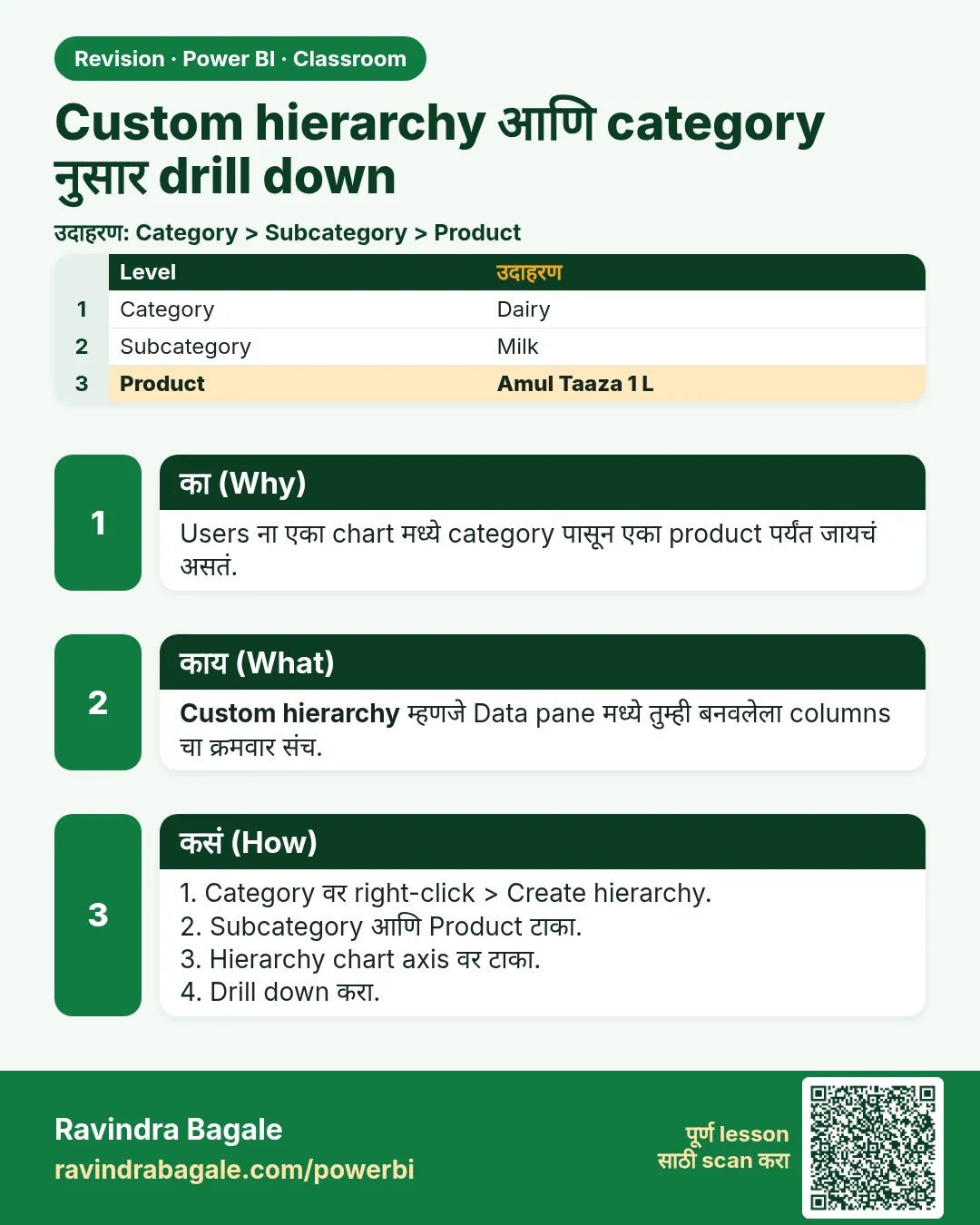 उजळणी (Revision) card 9 of 35: Custom hierarchy आणि category नुसार drill down · PNG download करा · Card page उघडा
Lesson: How to Create a Custom Hierarchy and Drill Down by Category in Power BI
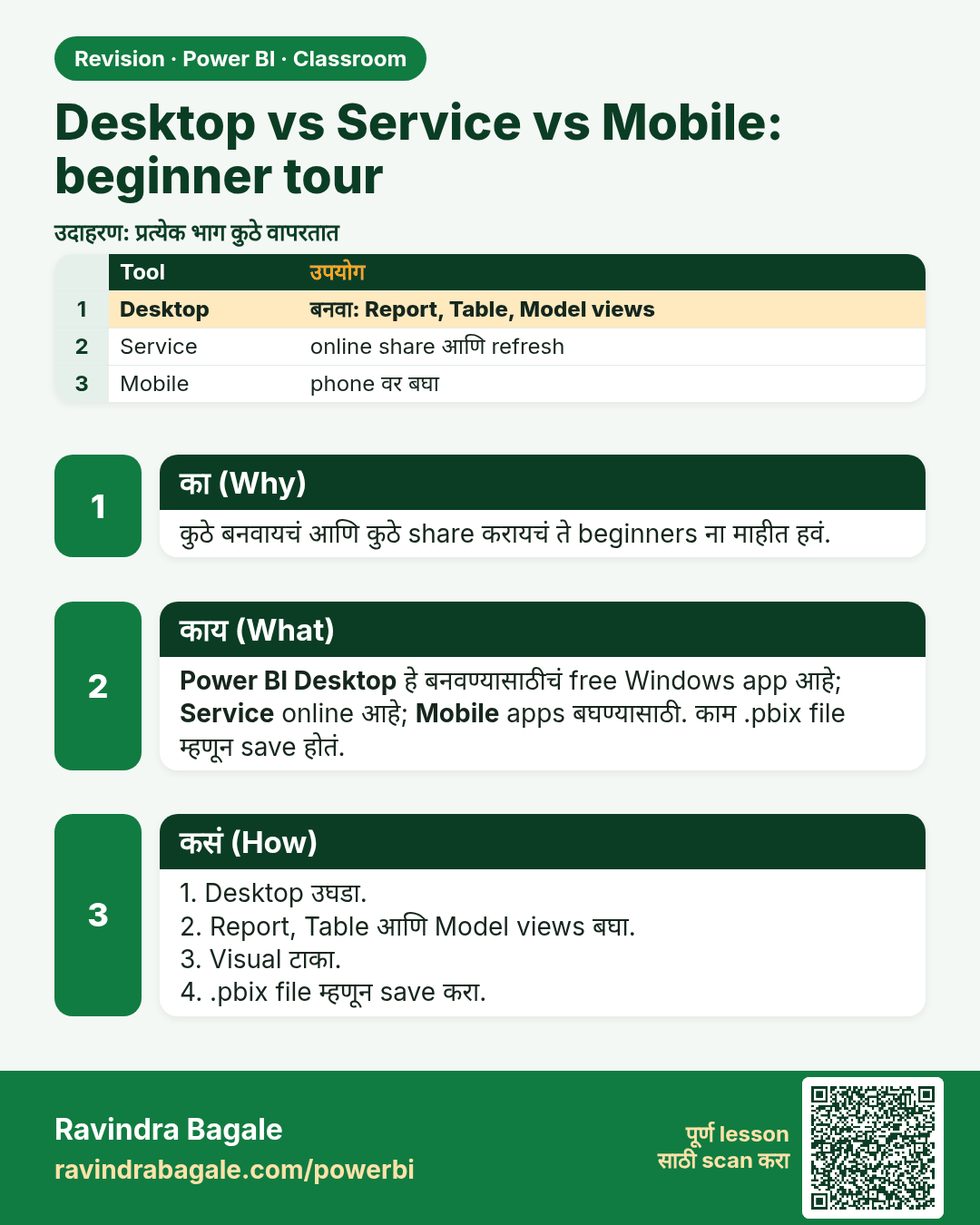
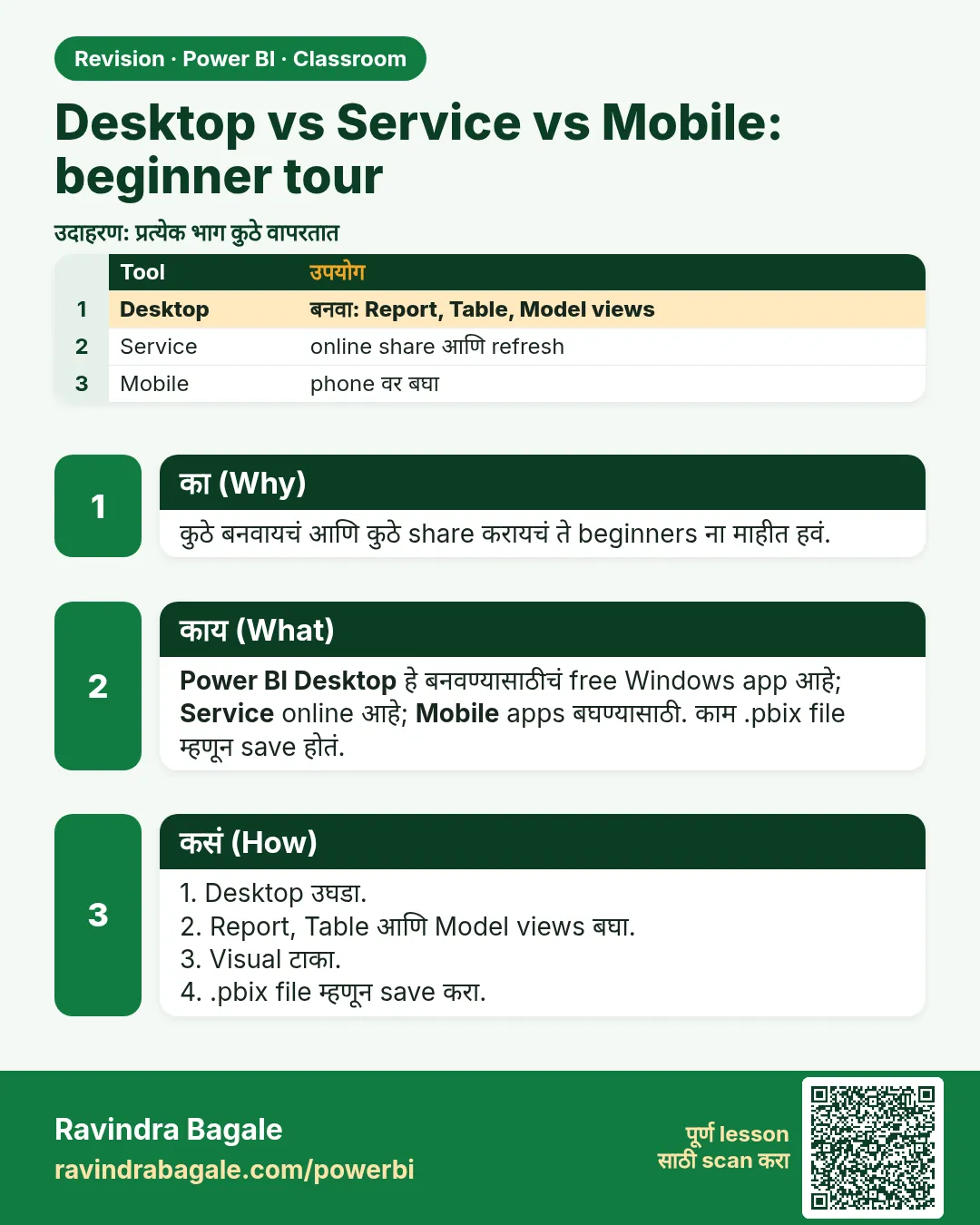 उजळणी (Revision) card 10 of 35: Desktop vs Service vs Mobile: beginner tour · PNG download करा · Card page उघडा
Lesson: What Is Power BI Desktop vs Service vs Mobile? A Beginner's Tour of Views, Visuals and Saving a .pbix File
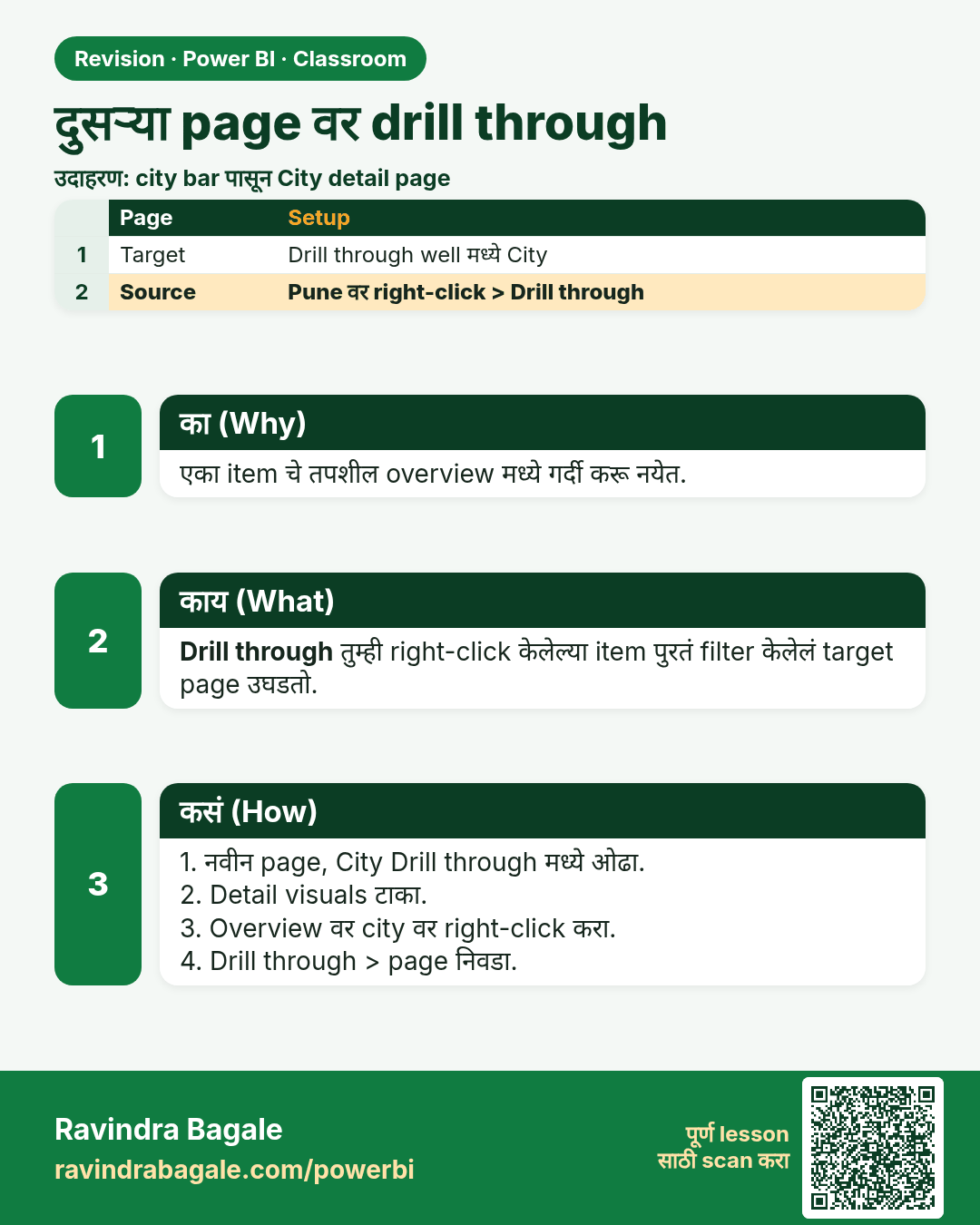
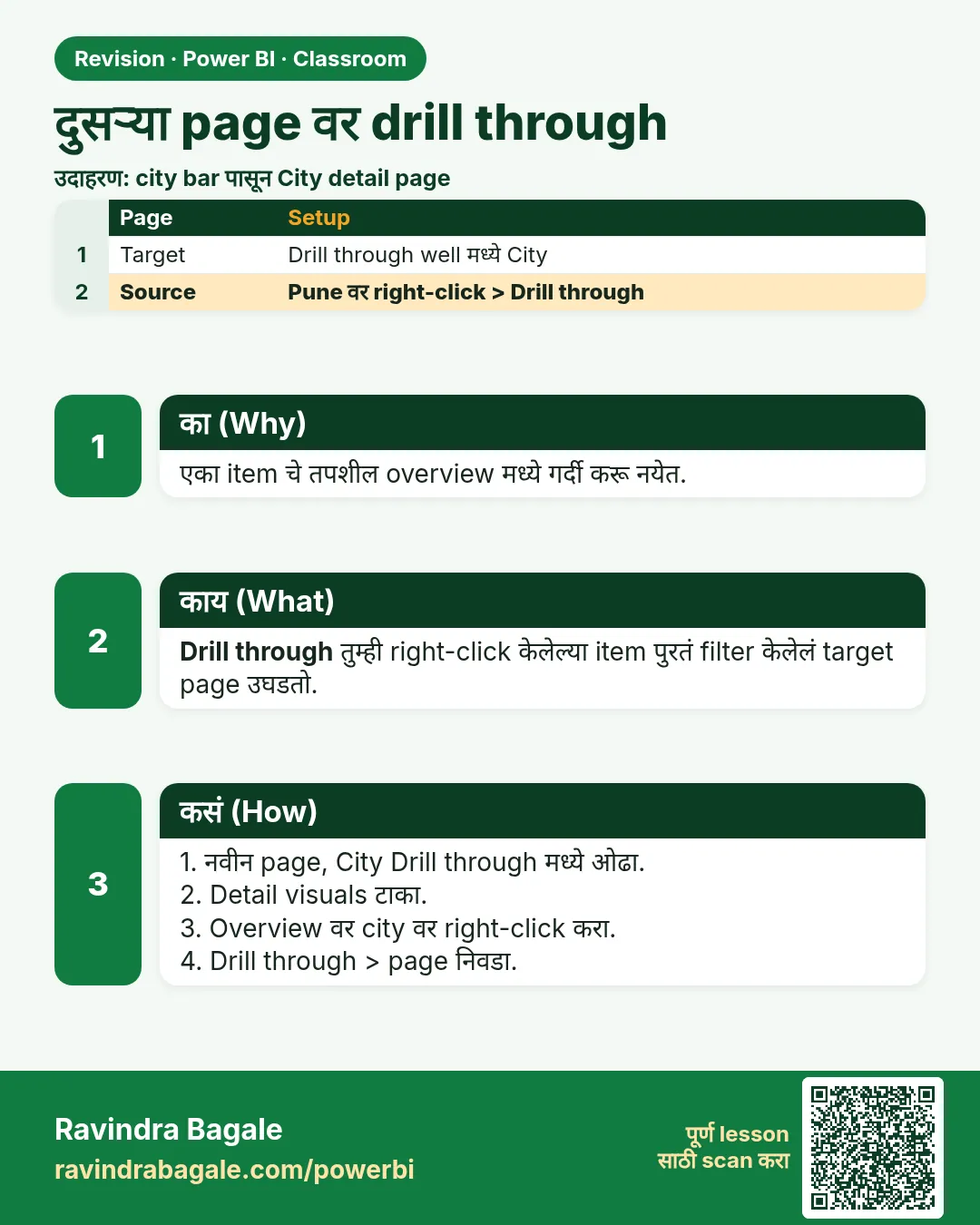 उजळणी (Revision) card 11 of 35: दुसऱ्या page वर drill through · PNG download करा · Card page उघडा
Lesson: How to Set Up Drill Through to Another Page in Power BI
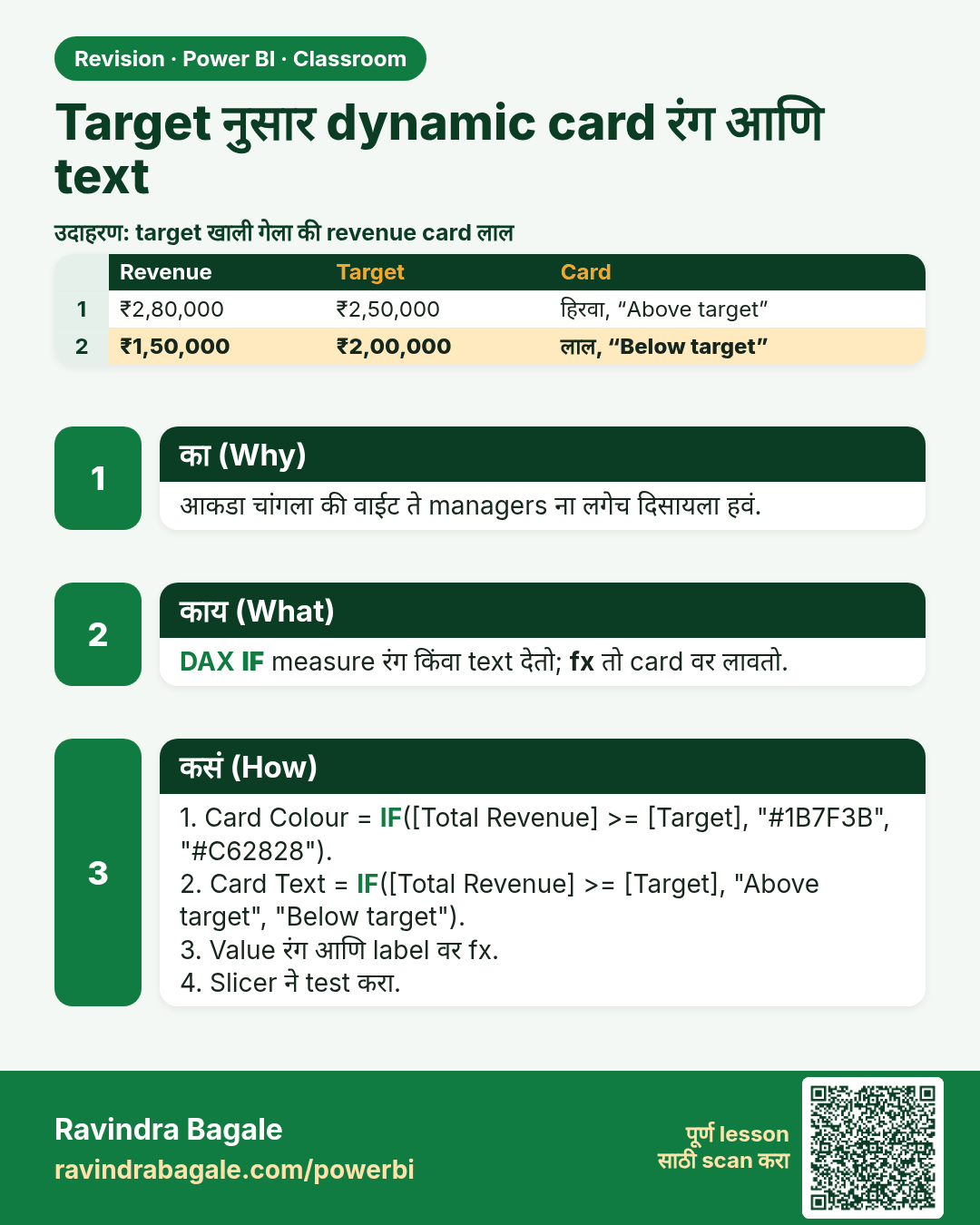
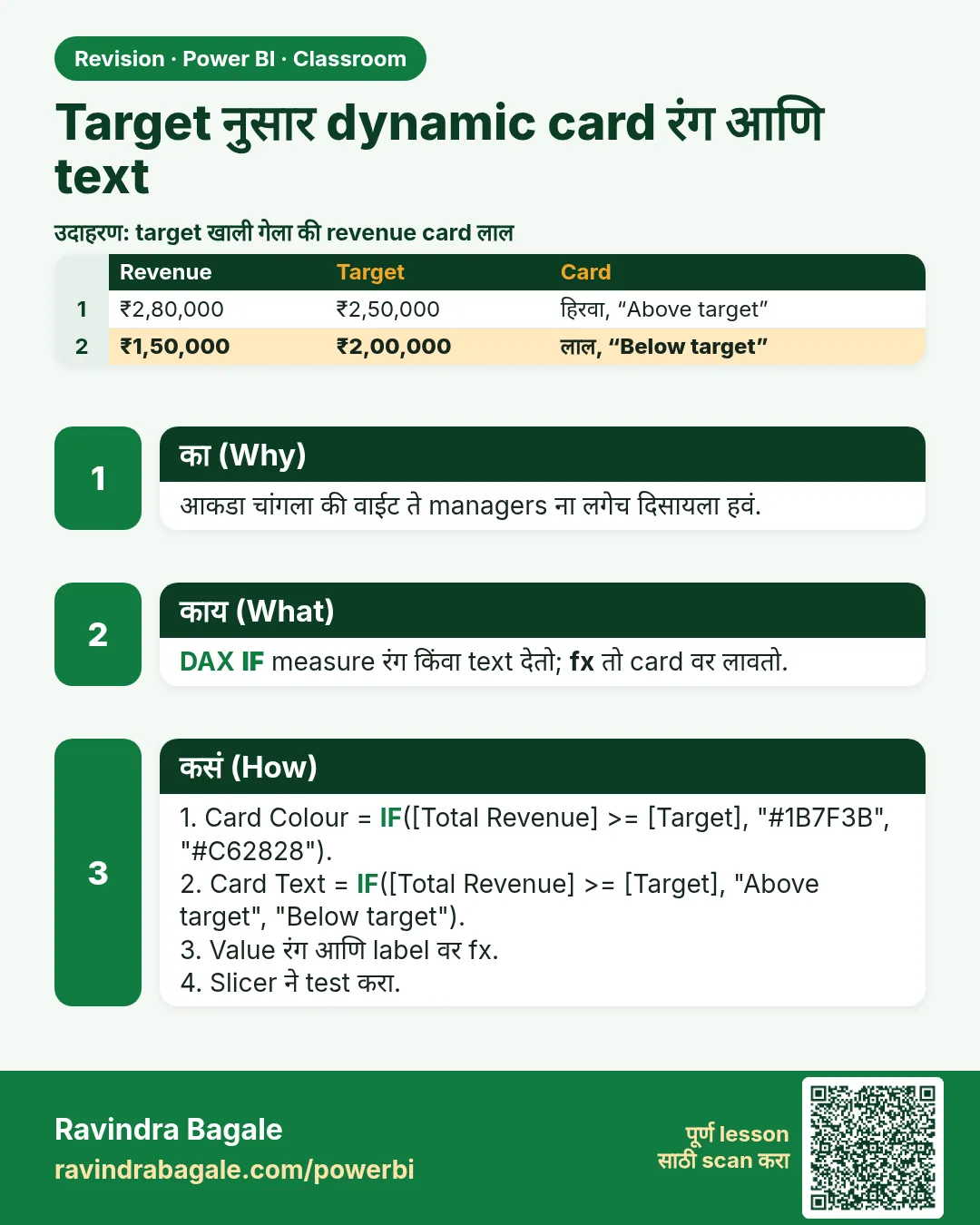 उजळणी (Revision) card 12 of 35: Target नुसार dynamic card रंग आणि text · PNG download करा · Card page उघडा
Lesson: How to Change Card Color and Text Dynamically in Power BI (Above or Below Target with DAX IF)
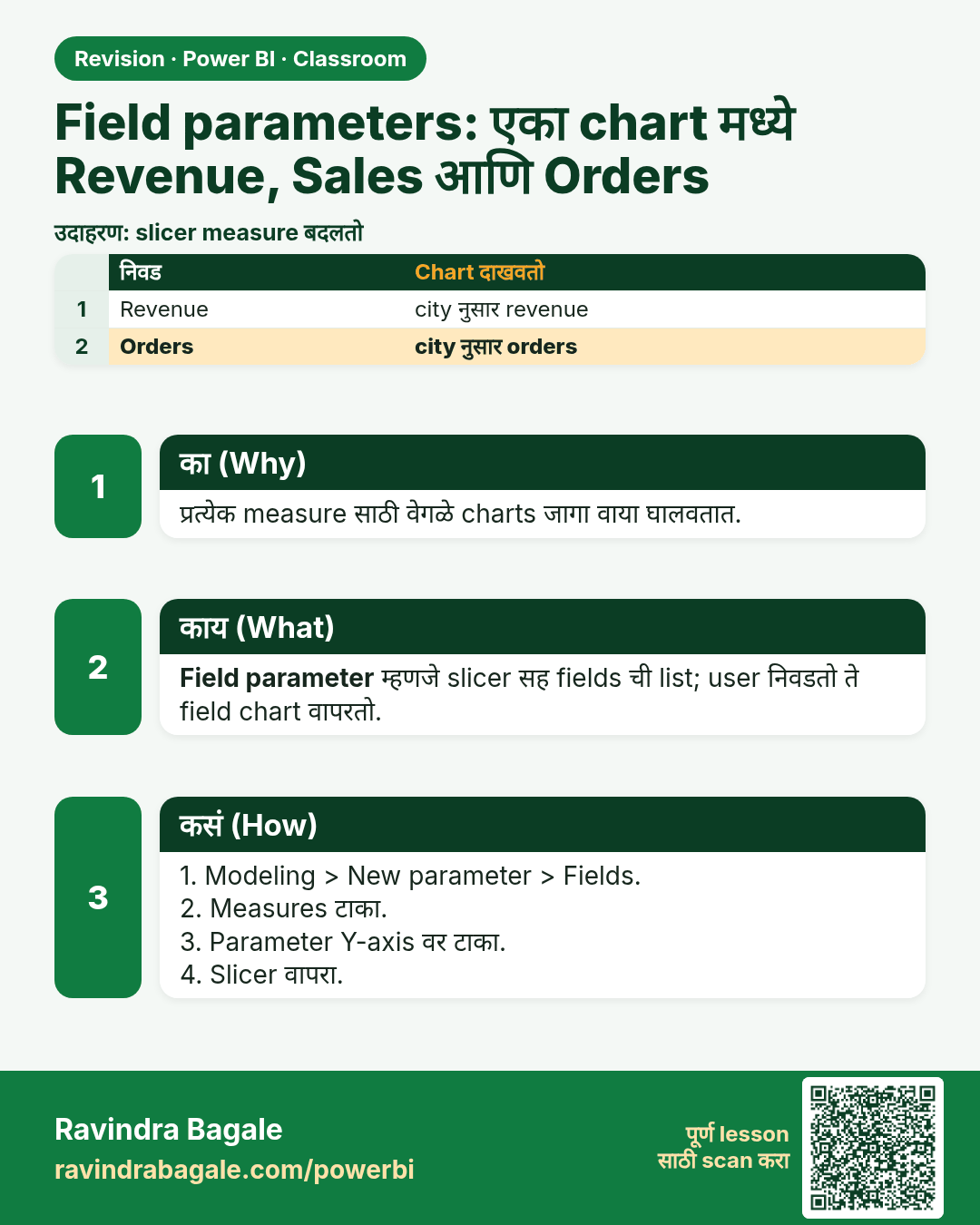
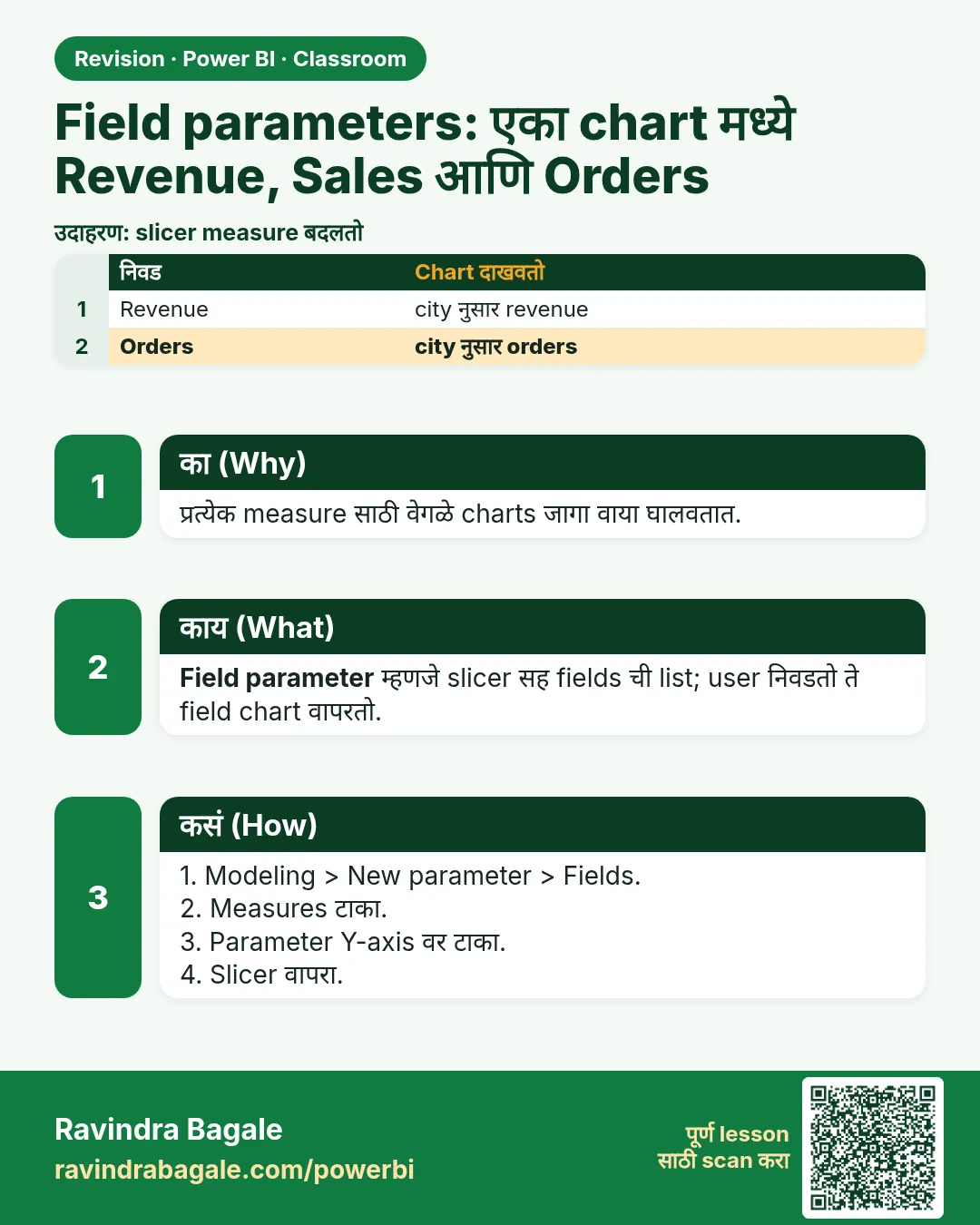 उजळणी (Revision) card 13 of 35: Field parameters: एका chart मध्ये Revenue, Sales आणि Orders · PNG download करा · Card page उघडा
Lesson: How to Show Revenue, Sales and Orders in One Chart with Field Parameters in Power BI
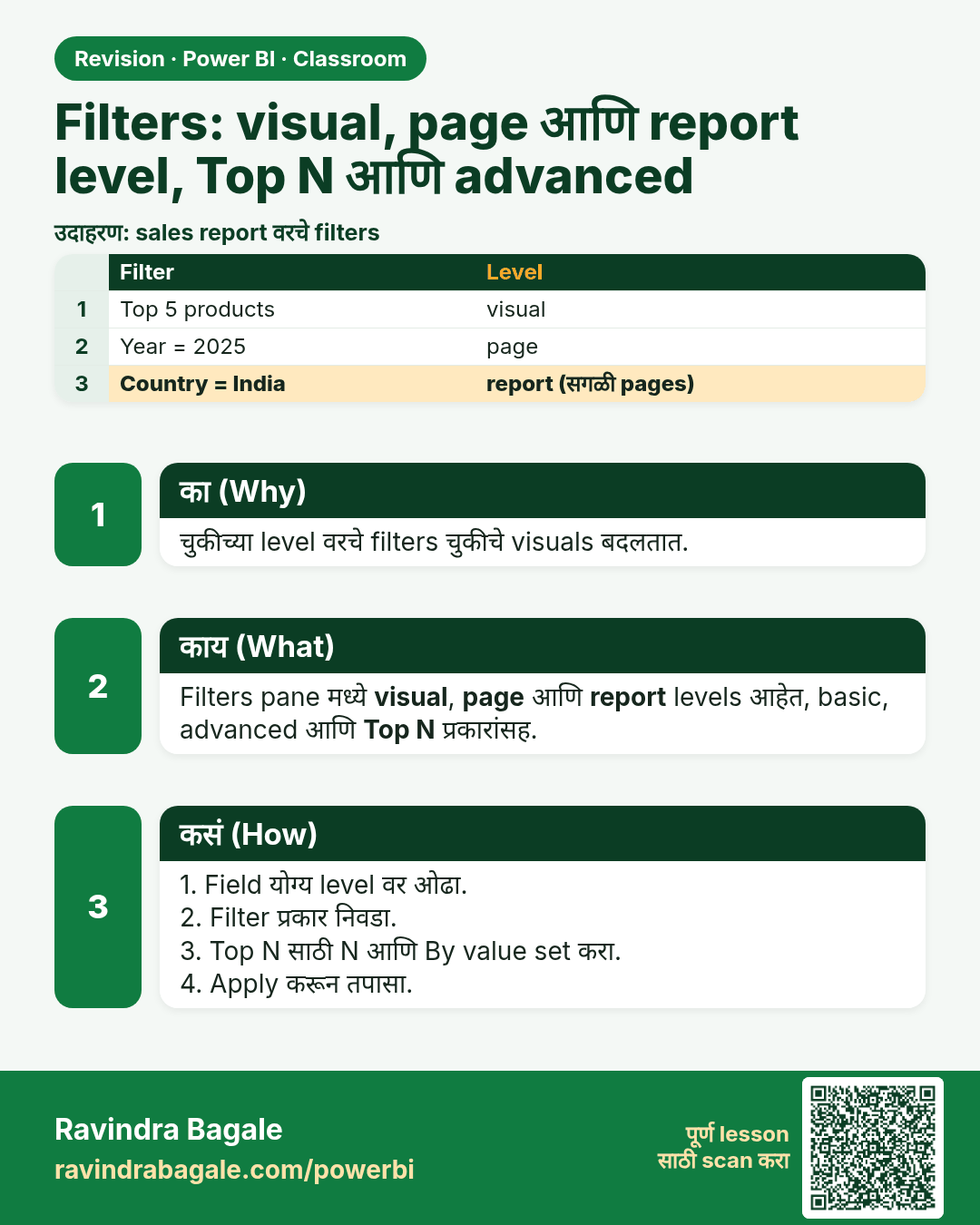
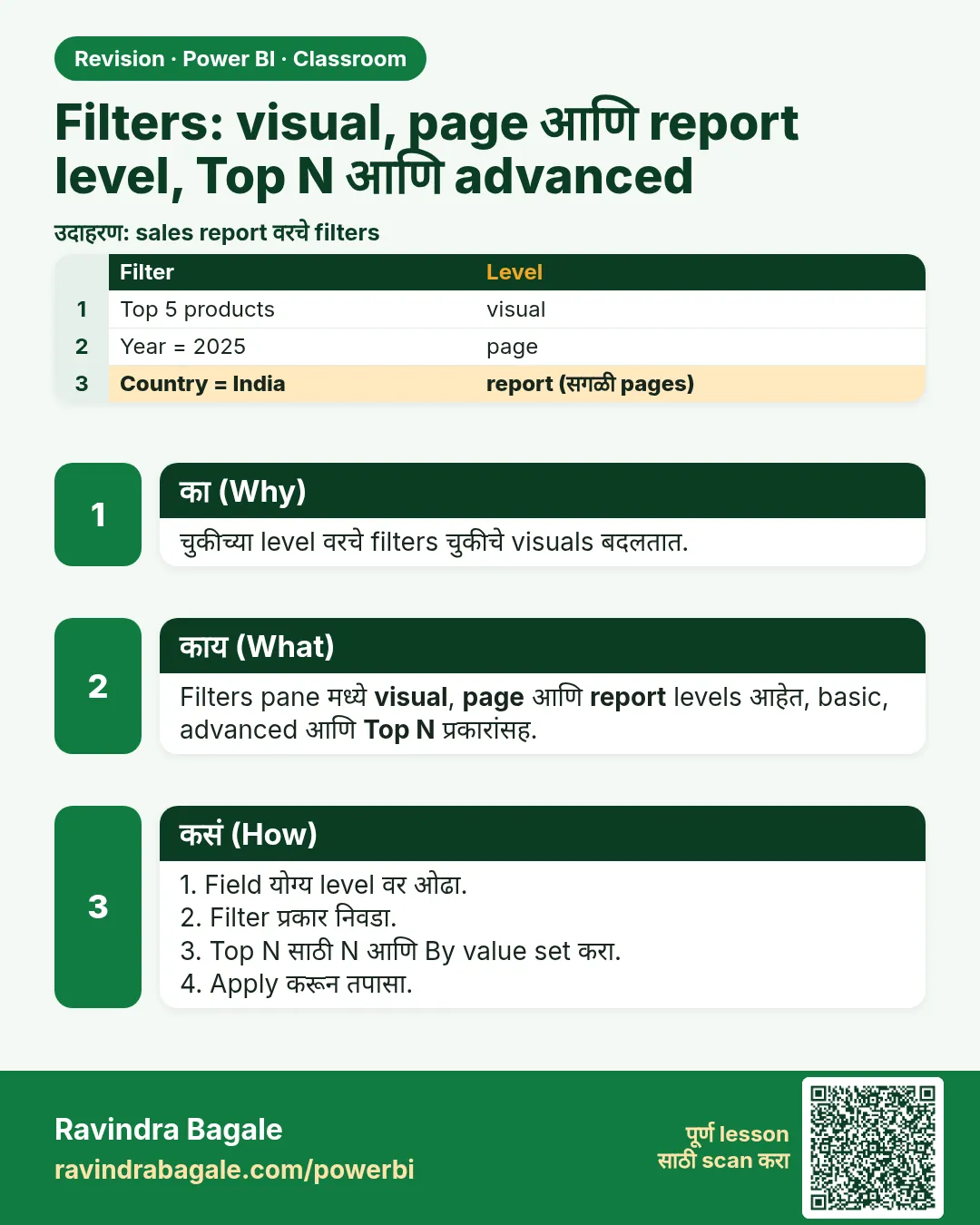 उजळणी (Revision) card 14 of 35: Filters: visual, page आणि report level, Top N आणि advanced · PNG download करा · Card page उघडा
Lesson: How to Use Filters in Power BI: Visual, Page and Report Level Filters with Top N and Advanced Filtering
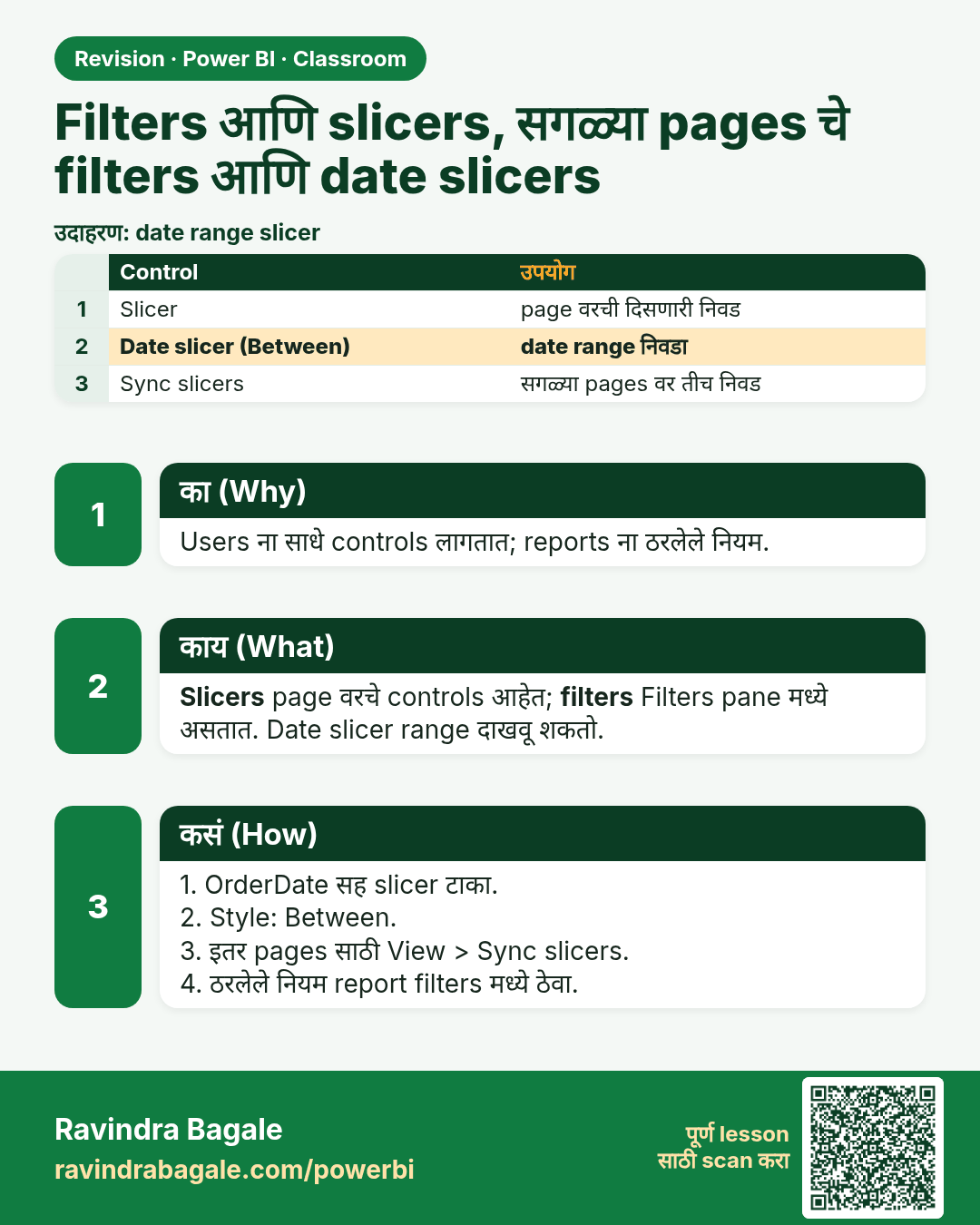
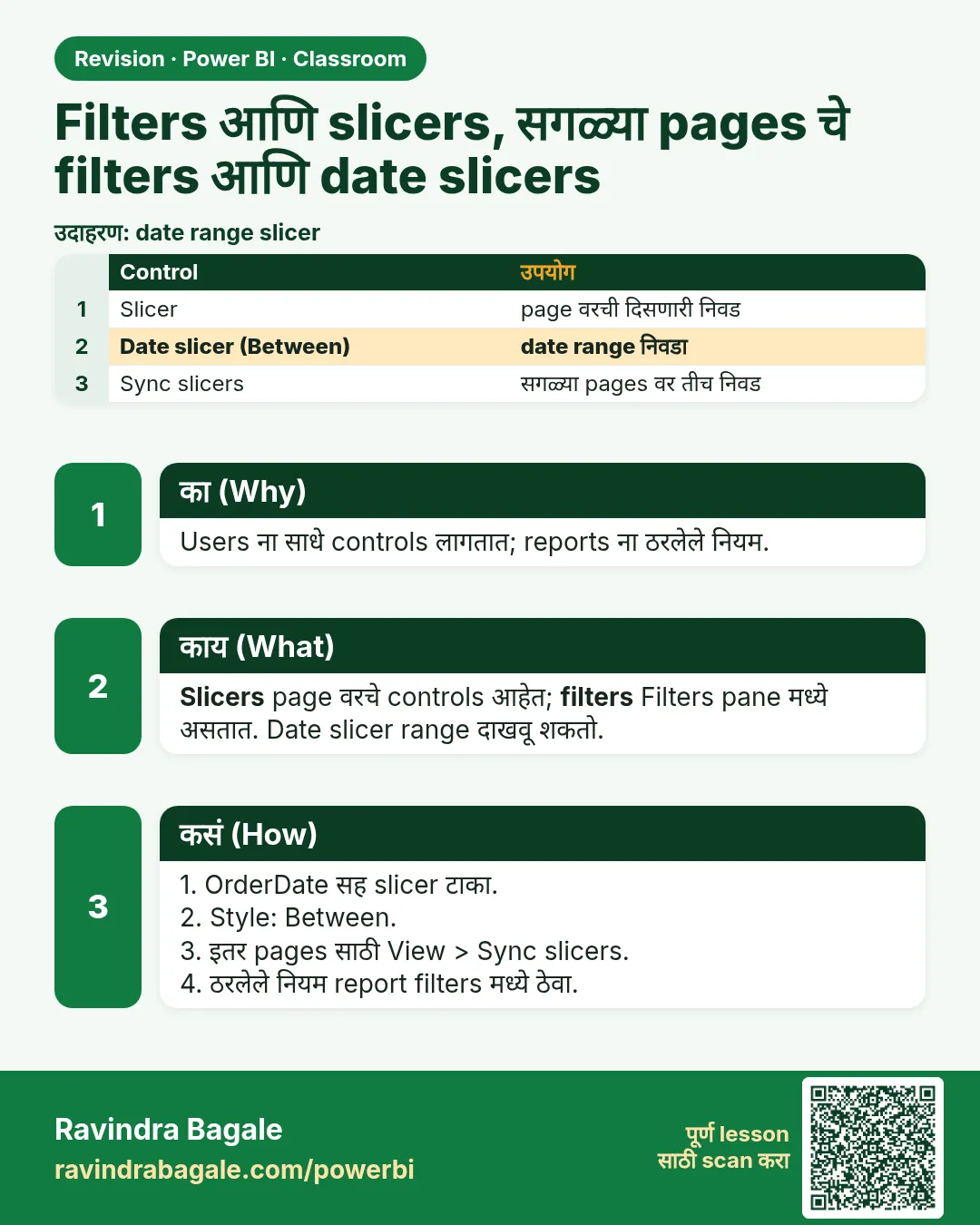 उजळणी (Revision) card 15 of 35: Filters आणि slicers, सगळ्या pages चे filters आणि date slicers · PNG download करा · Card page उघडा
Lesson: How to Use Filters and Slicers in Power BI: Visual, Page and All-Pages Filters and Date Slicers
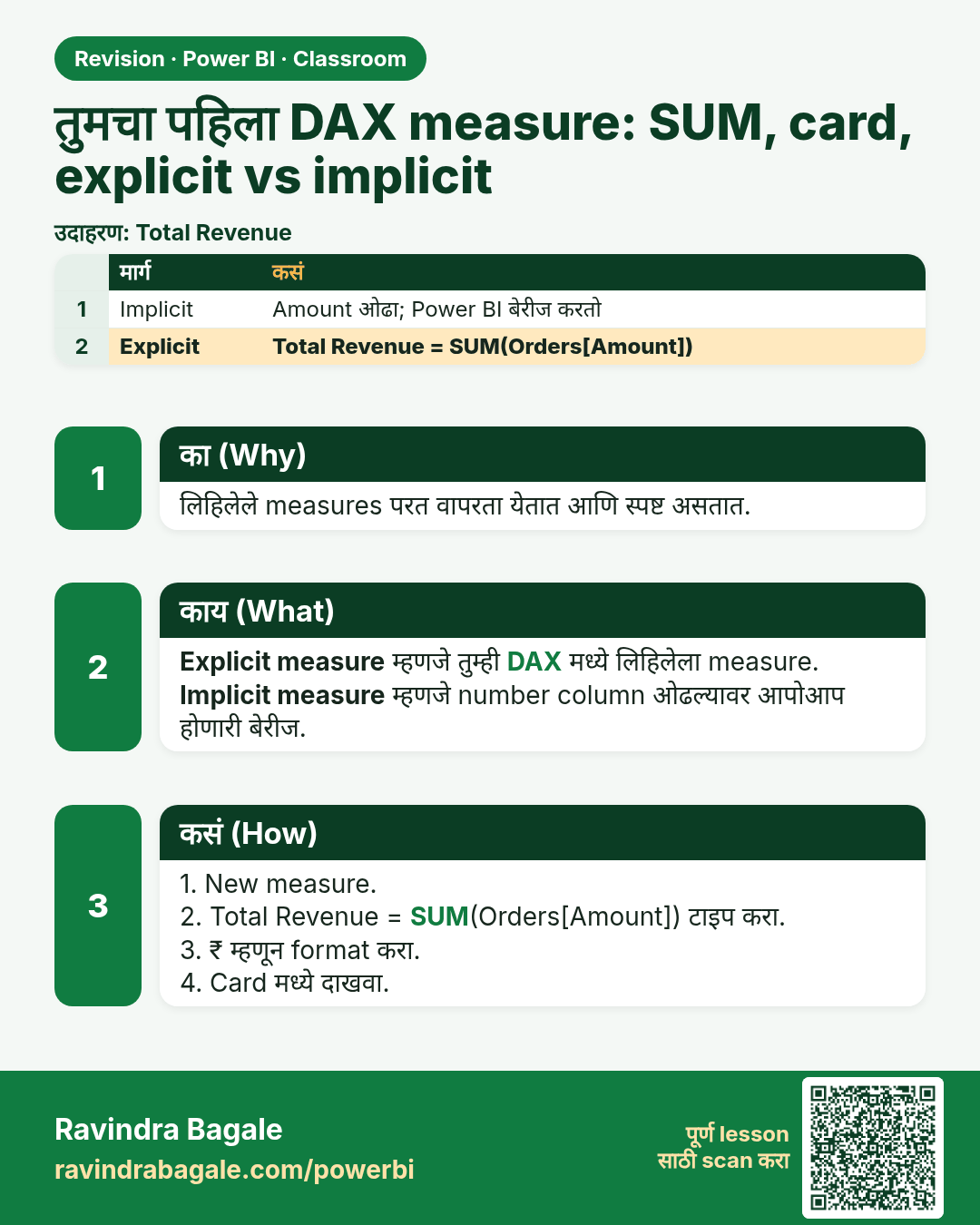
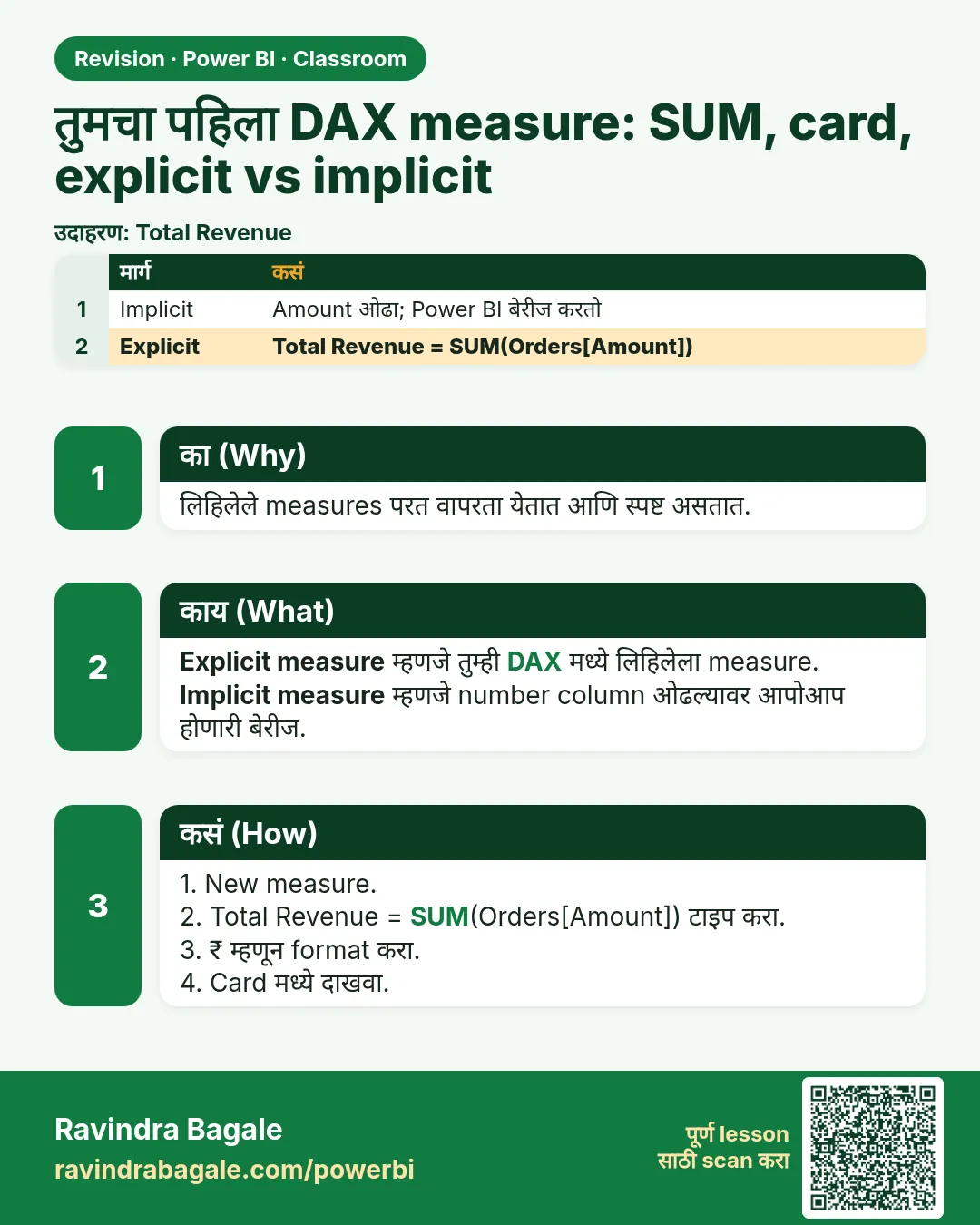 उजळणी (Revision) card 16 of 35: तुमचा पहिला DAX measure: SUM, card, explicit vs implicit · PNG download करा · Card page उघडा
Lesson: How to Create Your First DAX Measure in Power BI: SUM, Card Visual and Explicit vs Implicit Measures
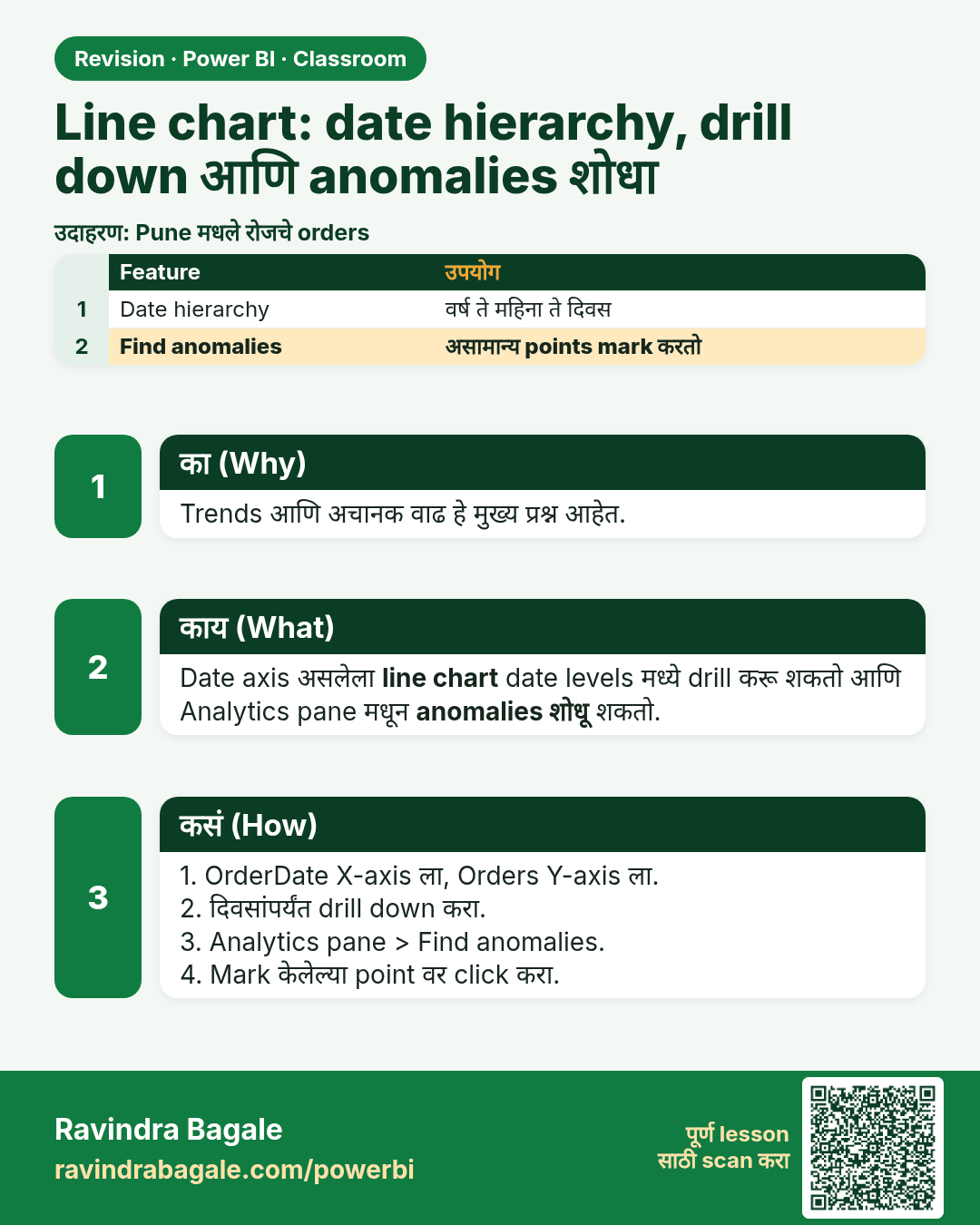
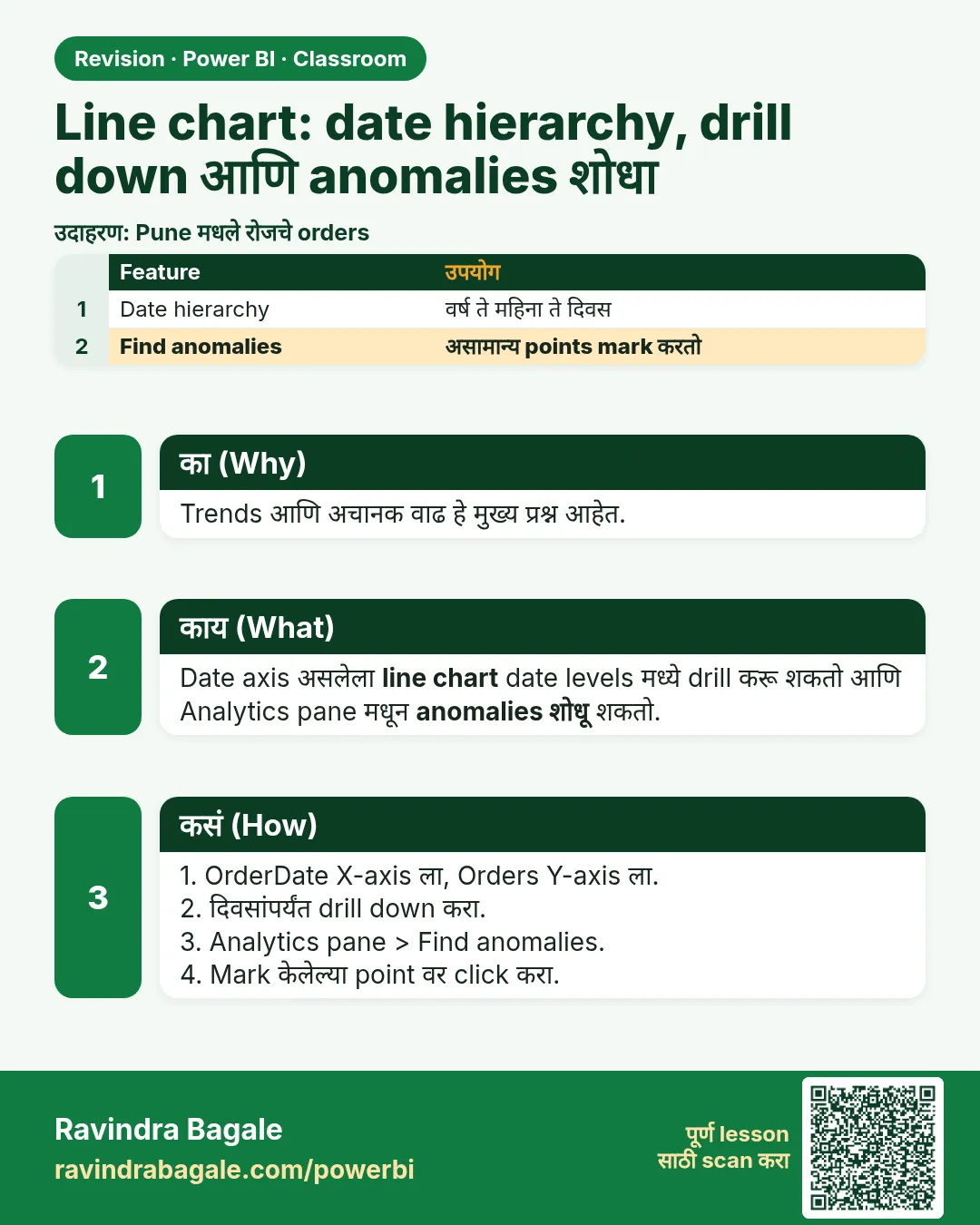 उजळणी (Revision) card 17 of 35: Line chart: date hierarchy, drill down आणि anomalies शोधा · PNG download करा · Card page उघडा
Lesson: How to Use a Line Chart in Power BI: Date Hierarchy, Drill Down and Find Anomalies
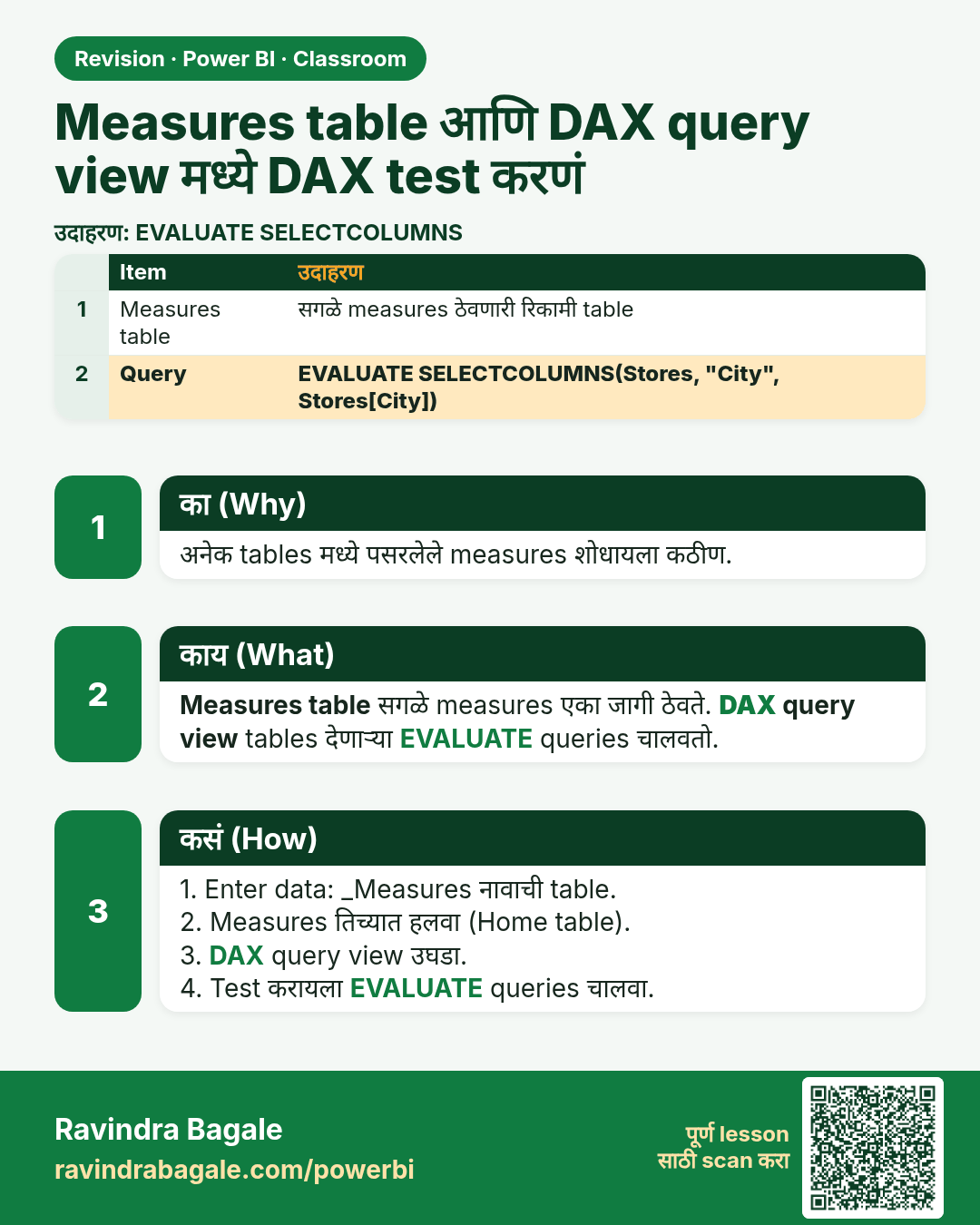
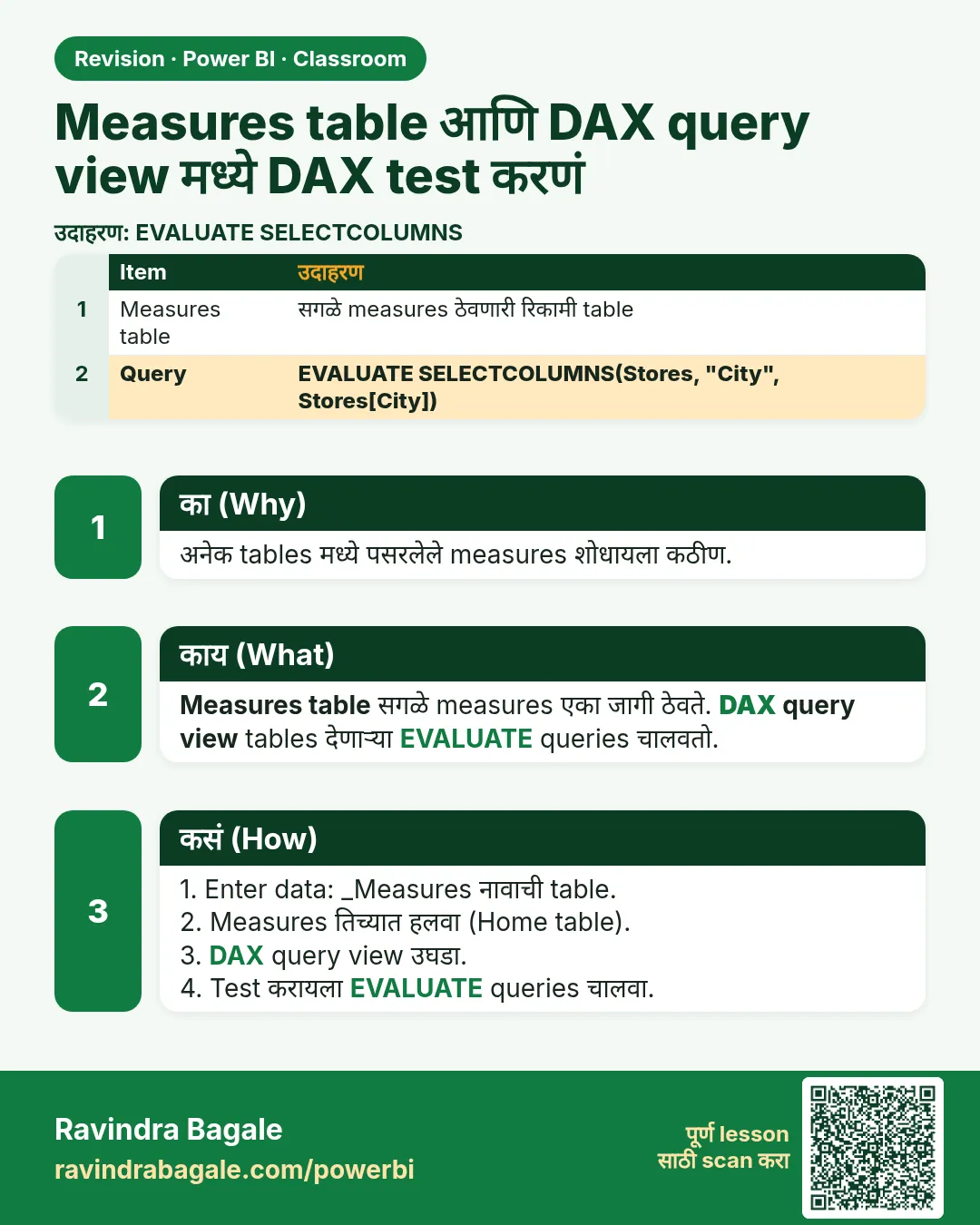 उजळणी (Revision) card 18 of 35: Measures table आणि DAX query view मध्ये DAX test करणं · PNG download करा · Card page उघडा
Lesson: How to Create a Measures Table in Power BI and Test DAX in DAX Query View (EVALUATE, SELECTCOLUMNS)
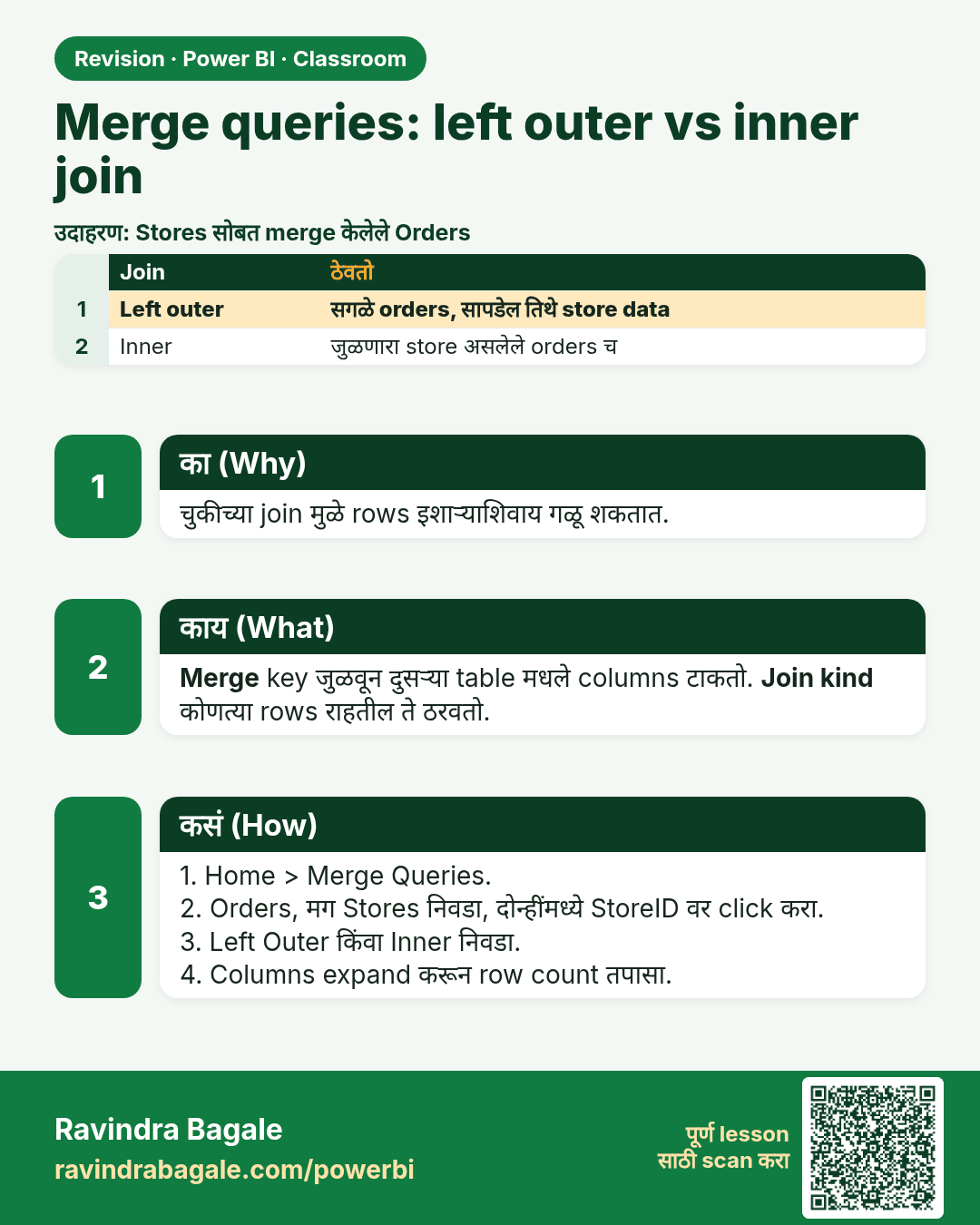
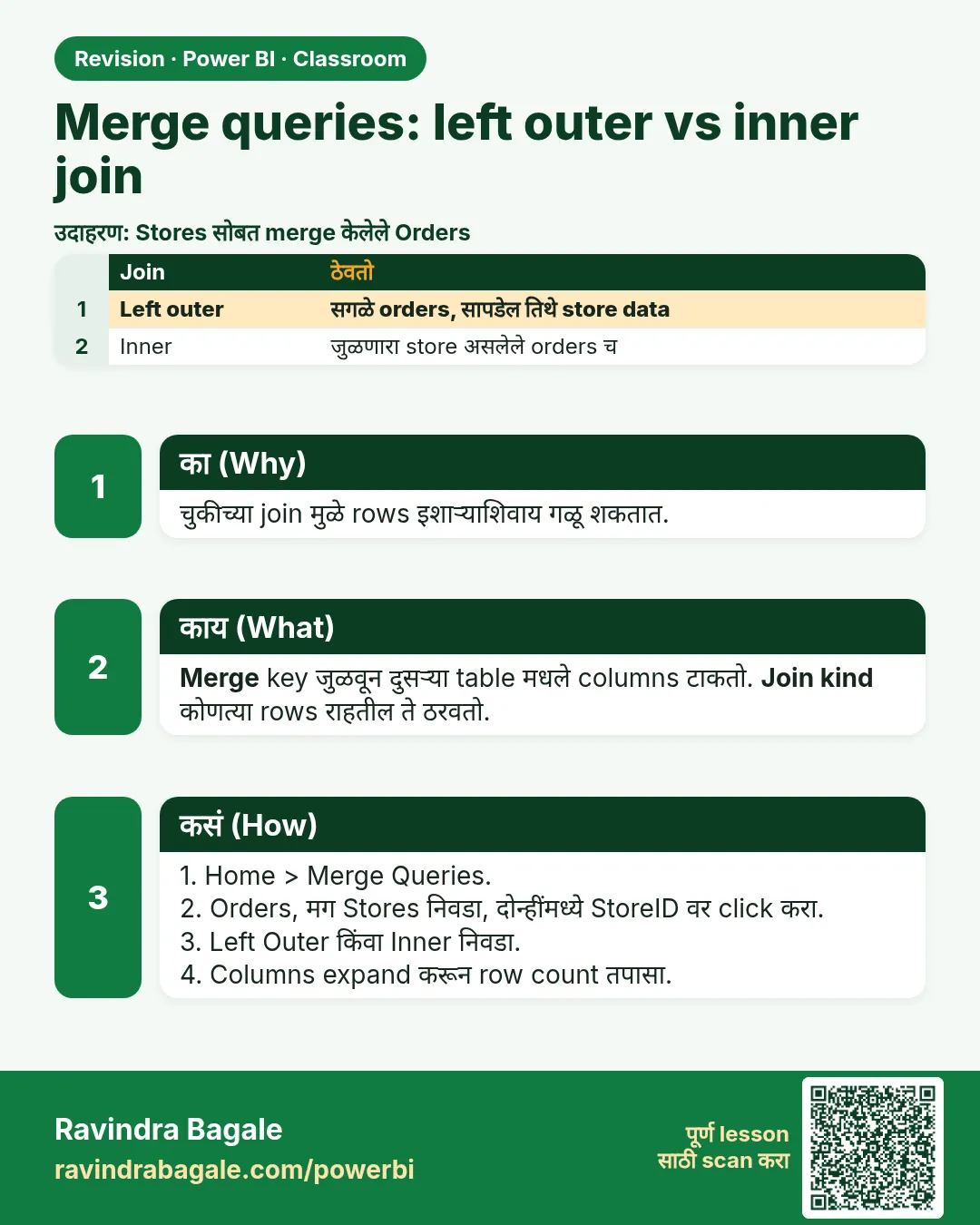 उजळणी (Revision) card 19 of 35: Merge queries: left outer vs inner join · PNG download करा · Card page उघडा
Lesson: How to Merge Tables in Power BI Power Query (Left Outer vs Inner Join)
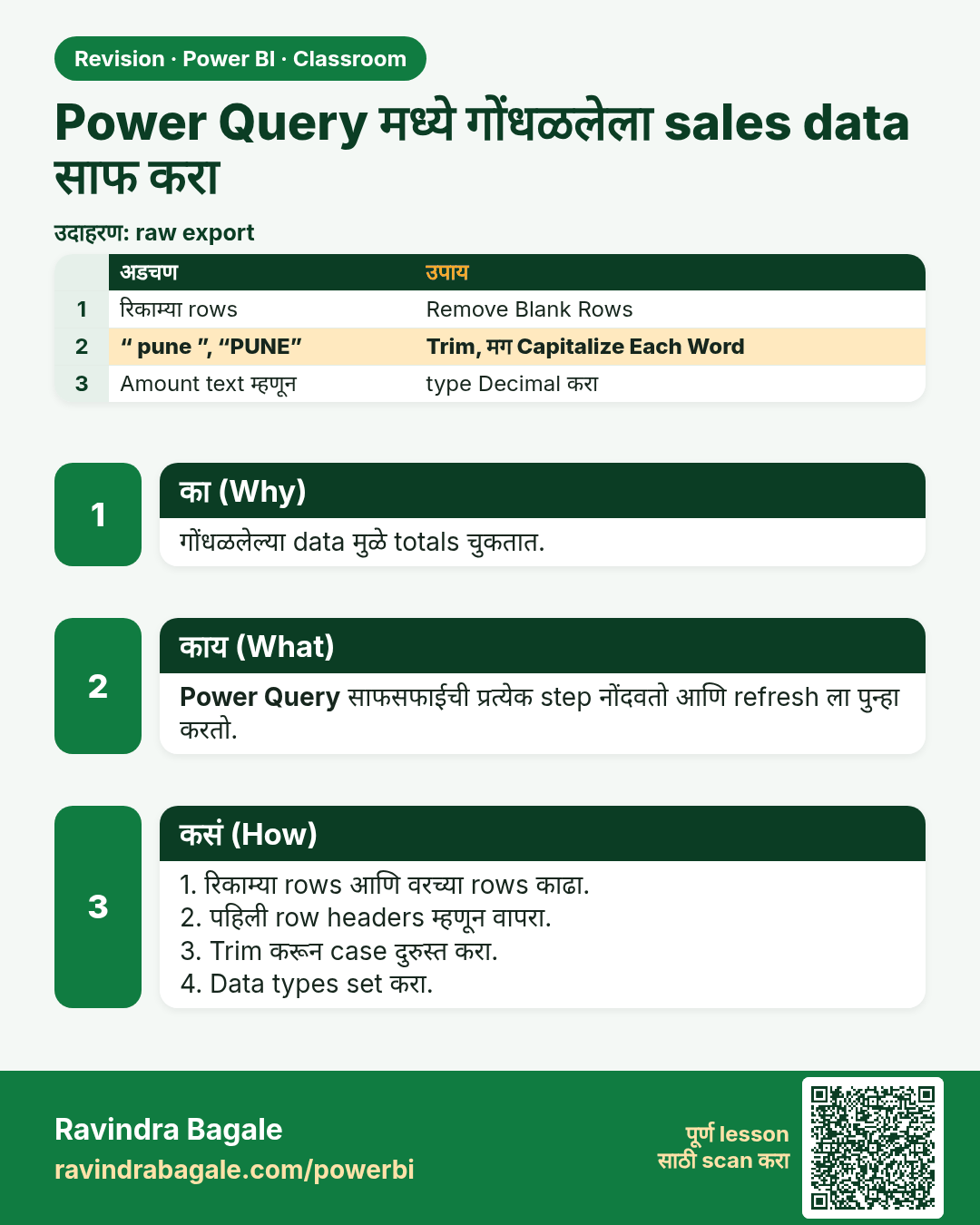
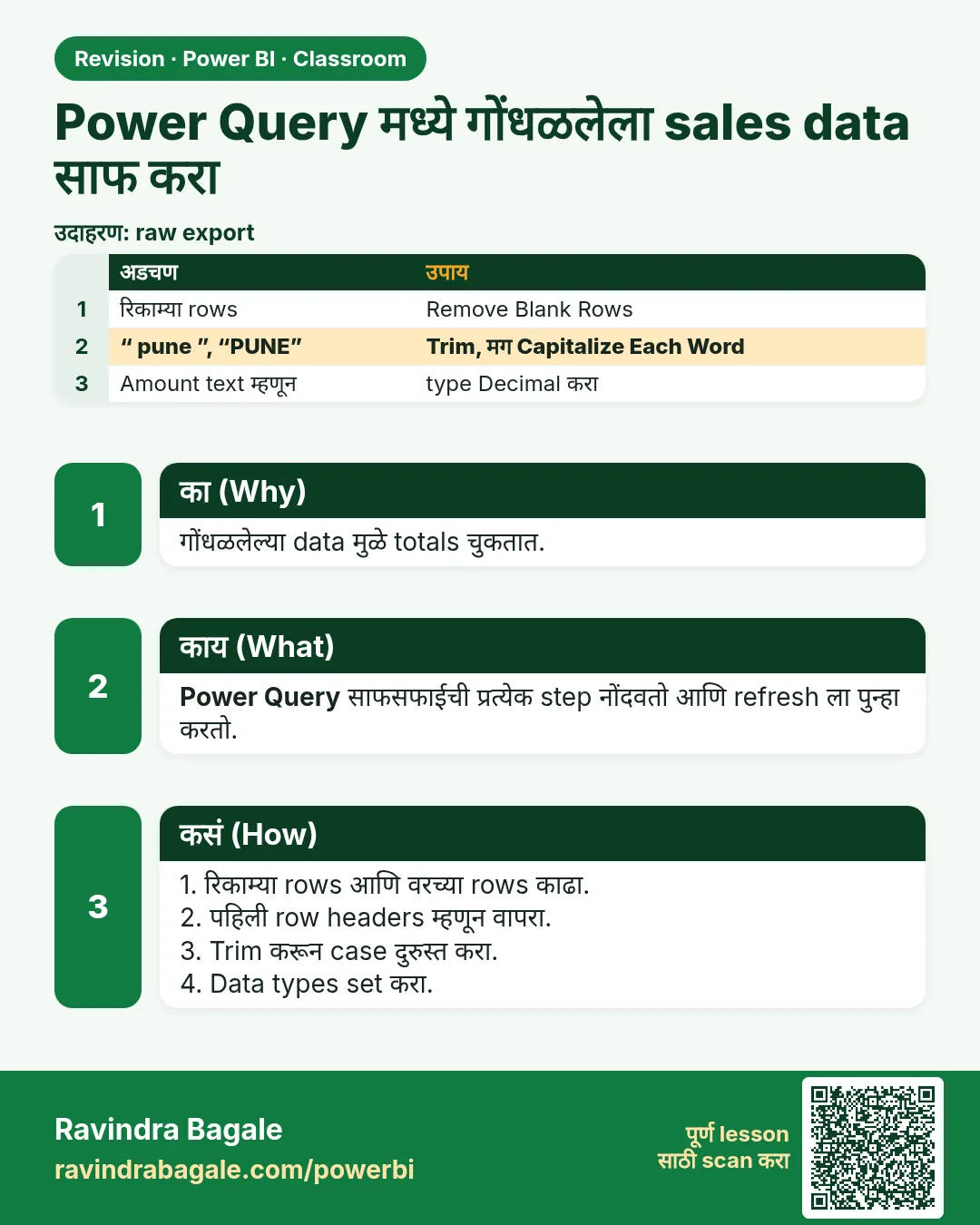 उजळणी (Revision) card 20 of 35: Power Query मध्ये गोंधळलेला sales data साफ करा · PNG download करा · Card page उघडा
Lesson: How to Clean Messy Sales Data in Power BI Power Query
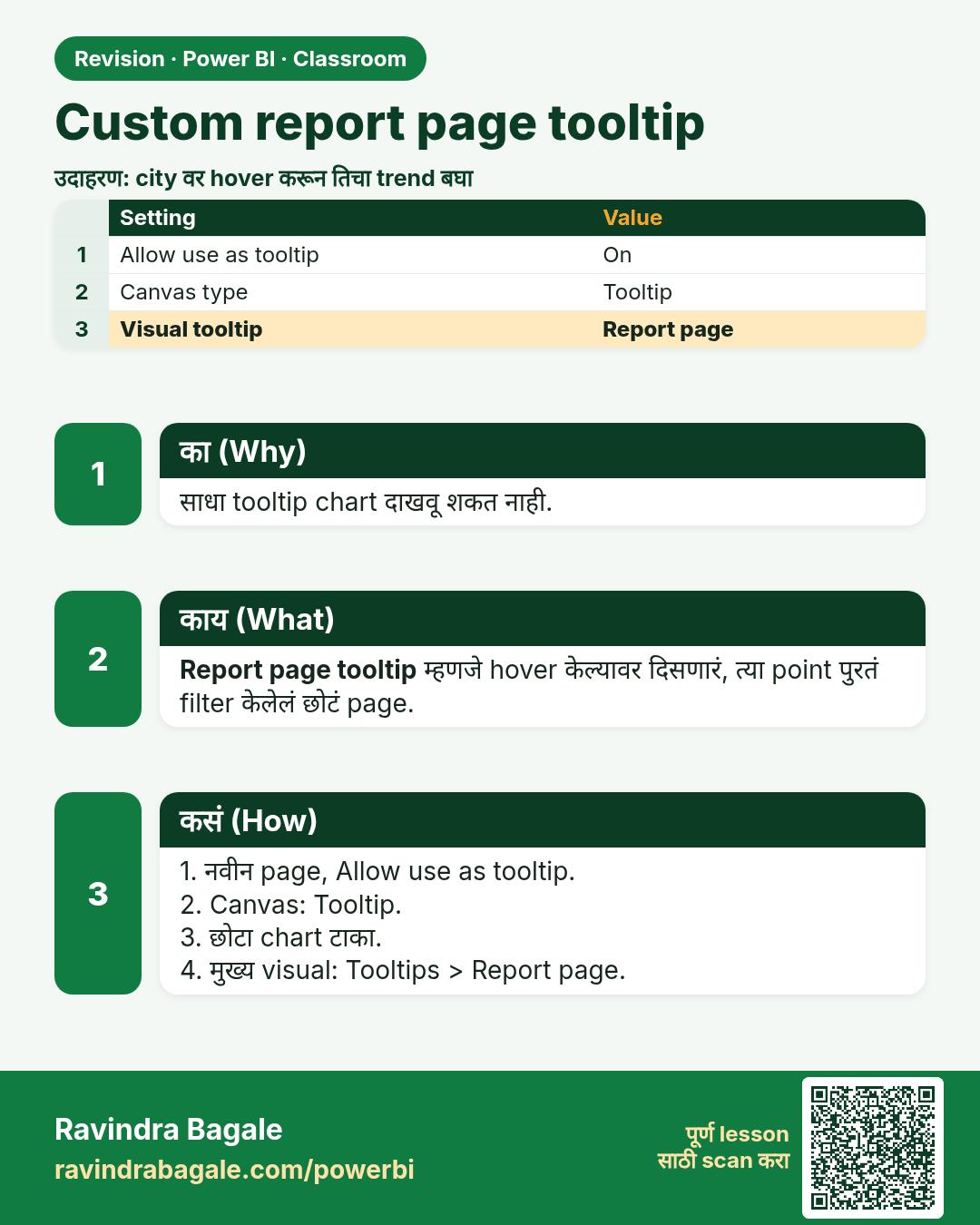
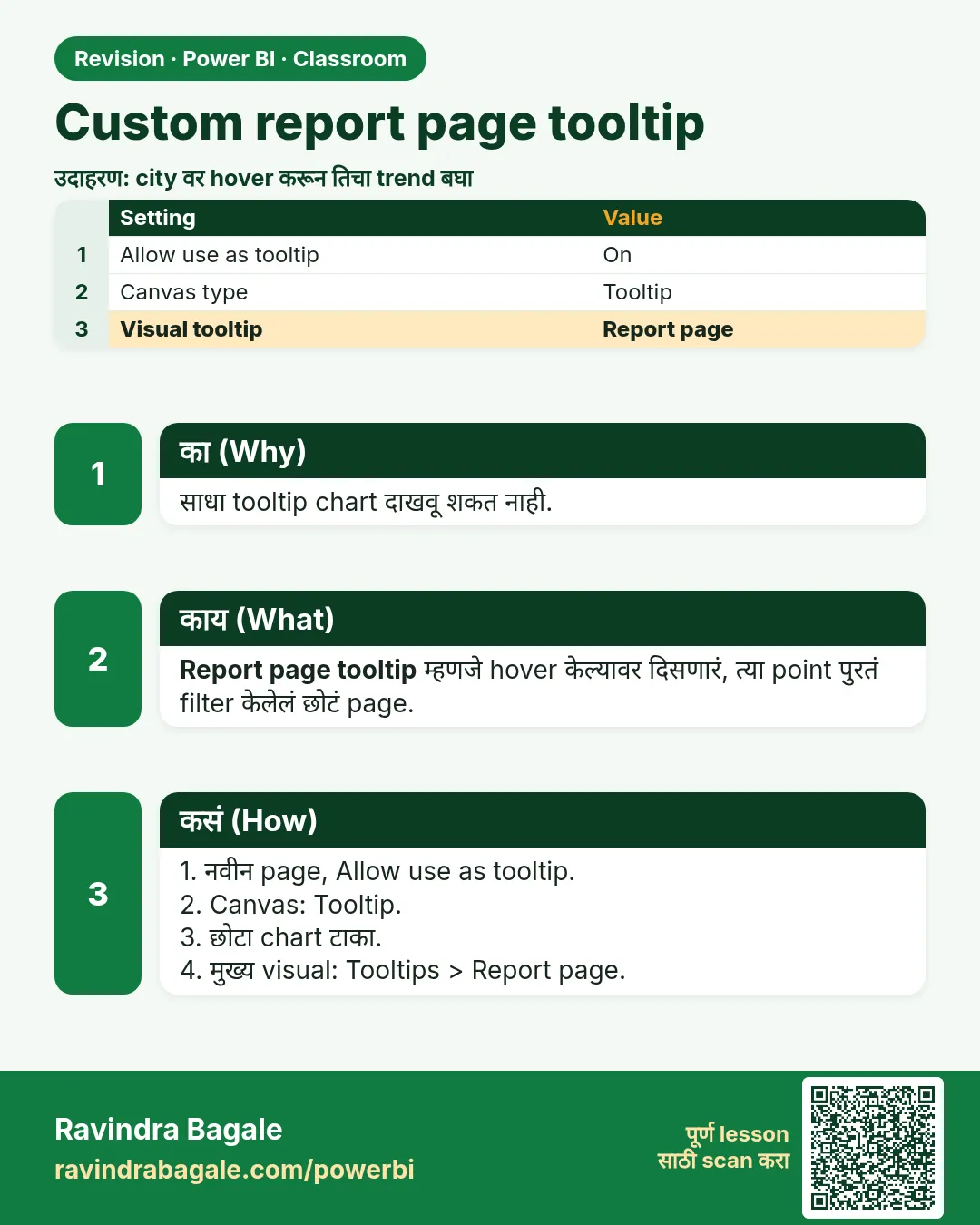 उजळणी (Revision) card 21 of 35: Custom report page tooltip · PNG download करा · Card page उघडा
Lesson: How to Create a Custom Report Page Tooltip in Power BI
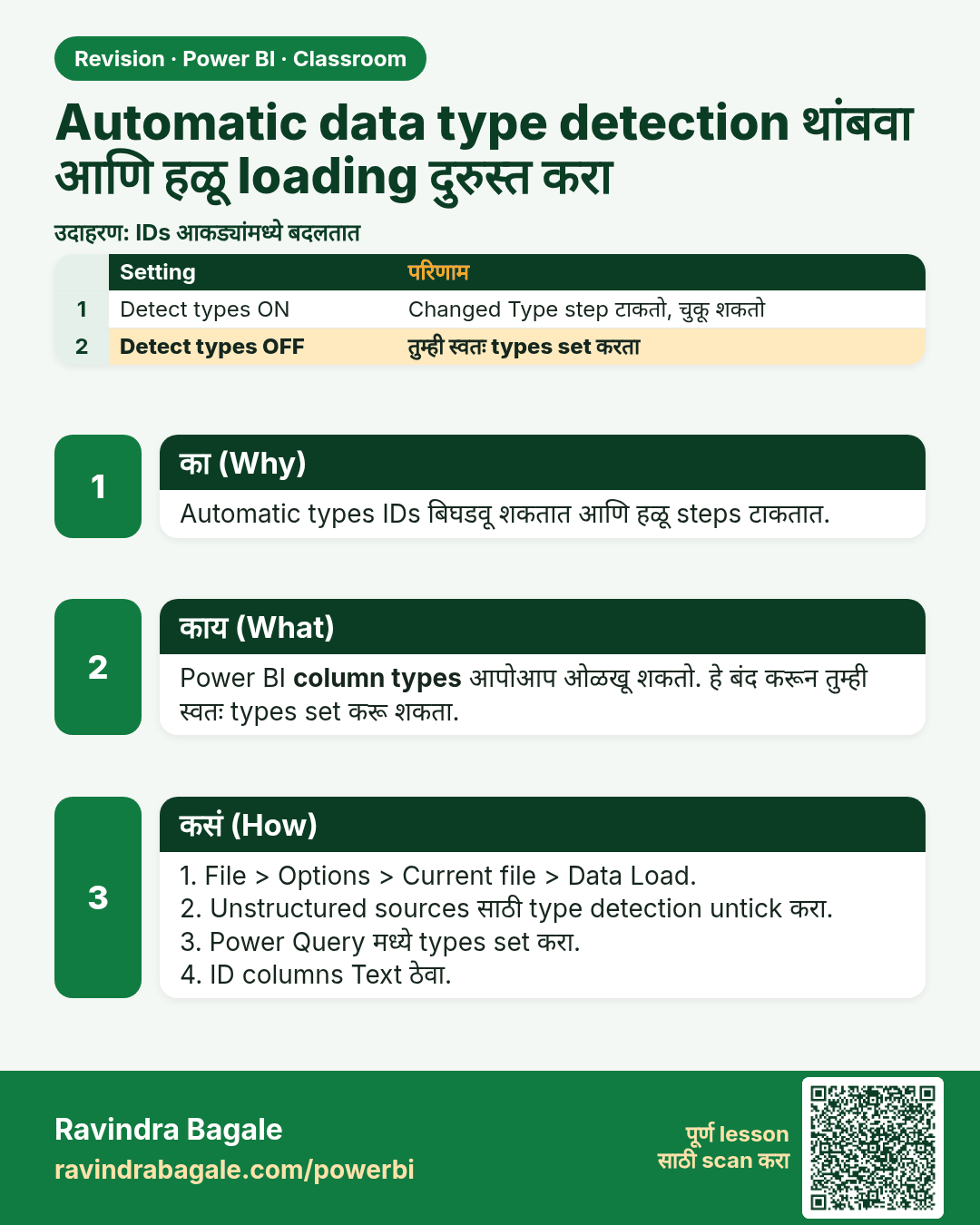
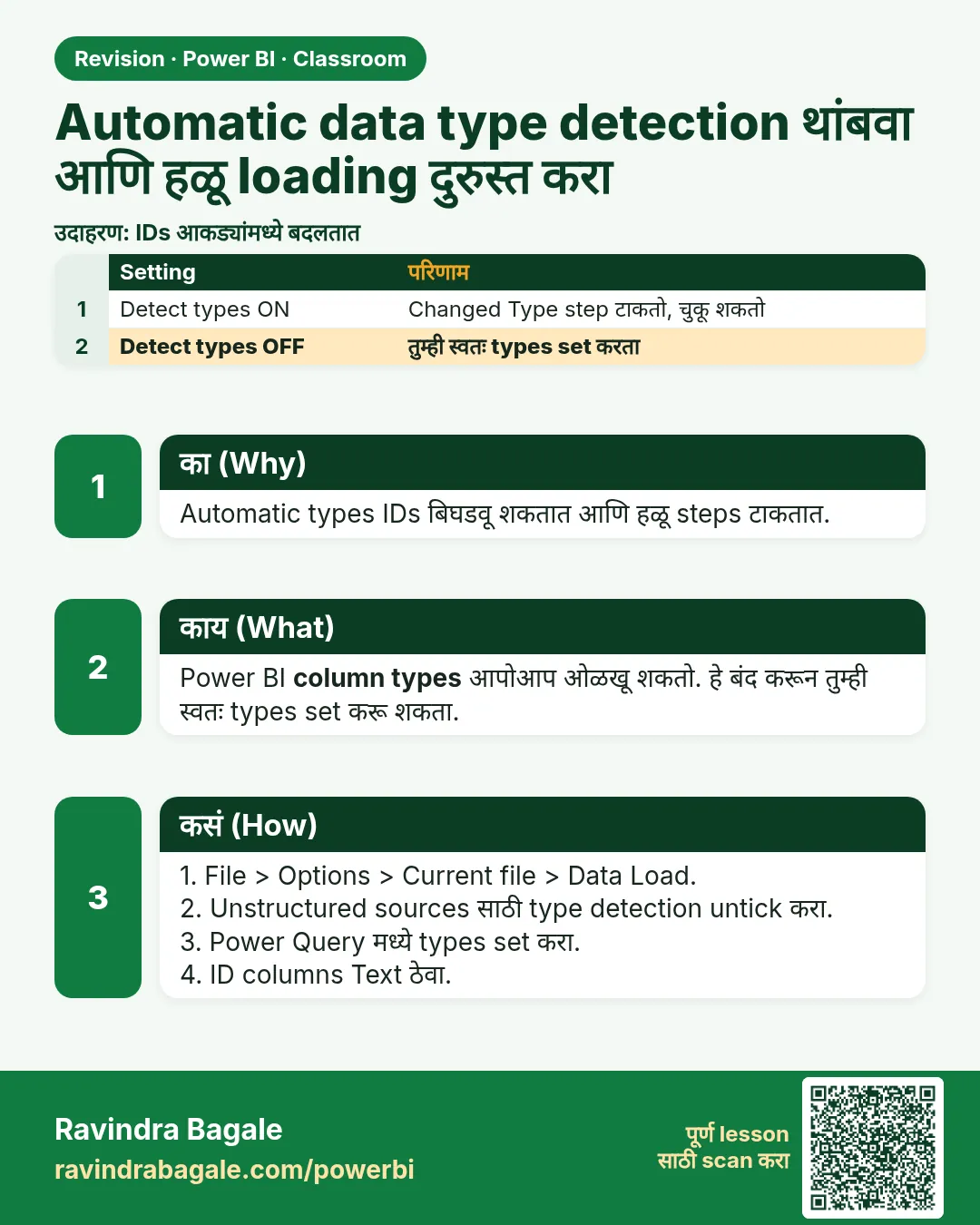 उजळणी (Revision) card 22 of 35: Automatic data type detection थांबवा आणि हळू loading दुरुस्त करा · PNG download करा · Card page उघडा
Lesson: How to Stop Power BI Changing Data Types Automatically and Fix Slow Loading
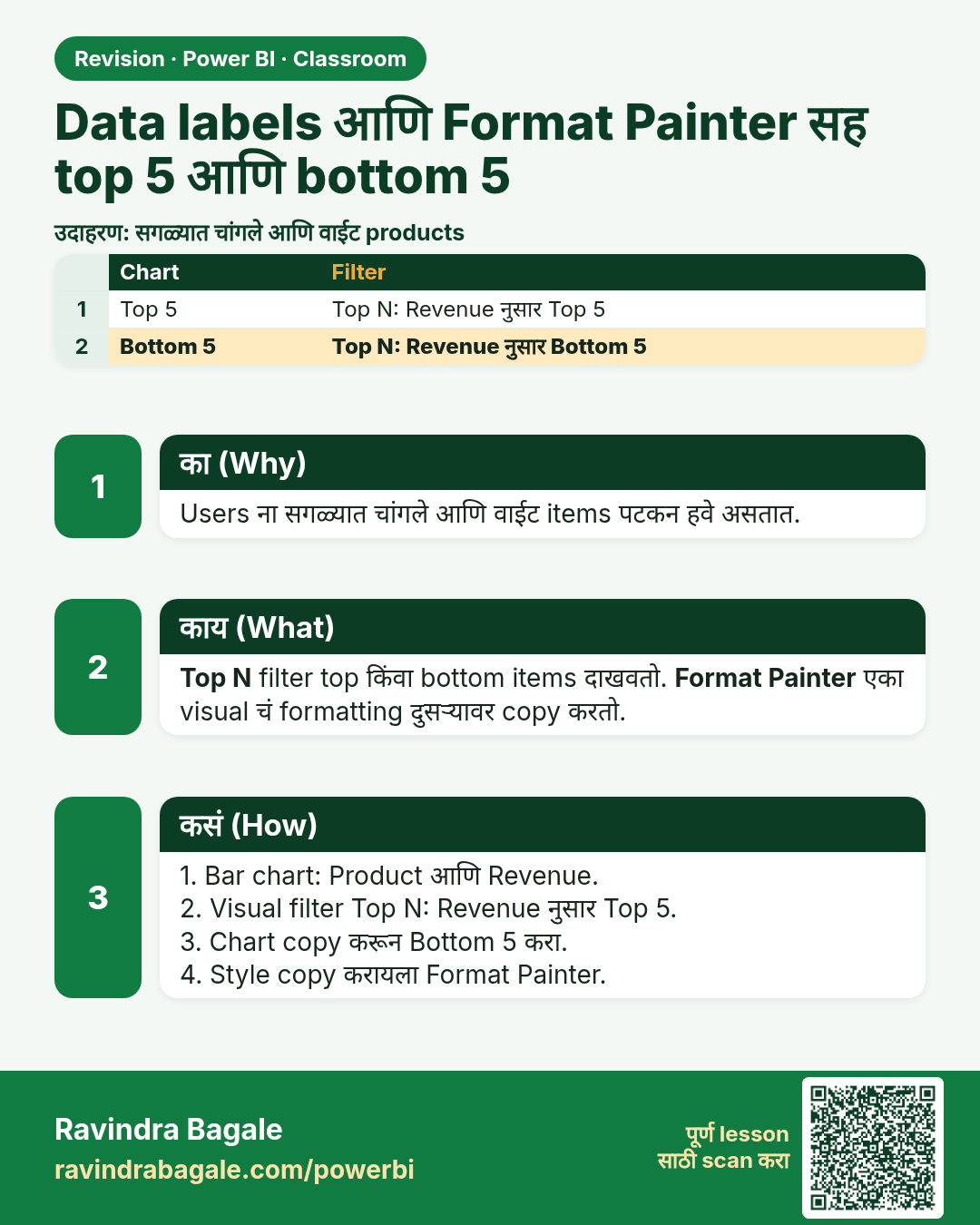
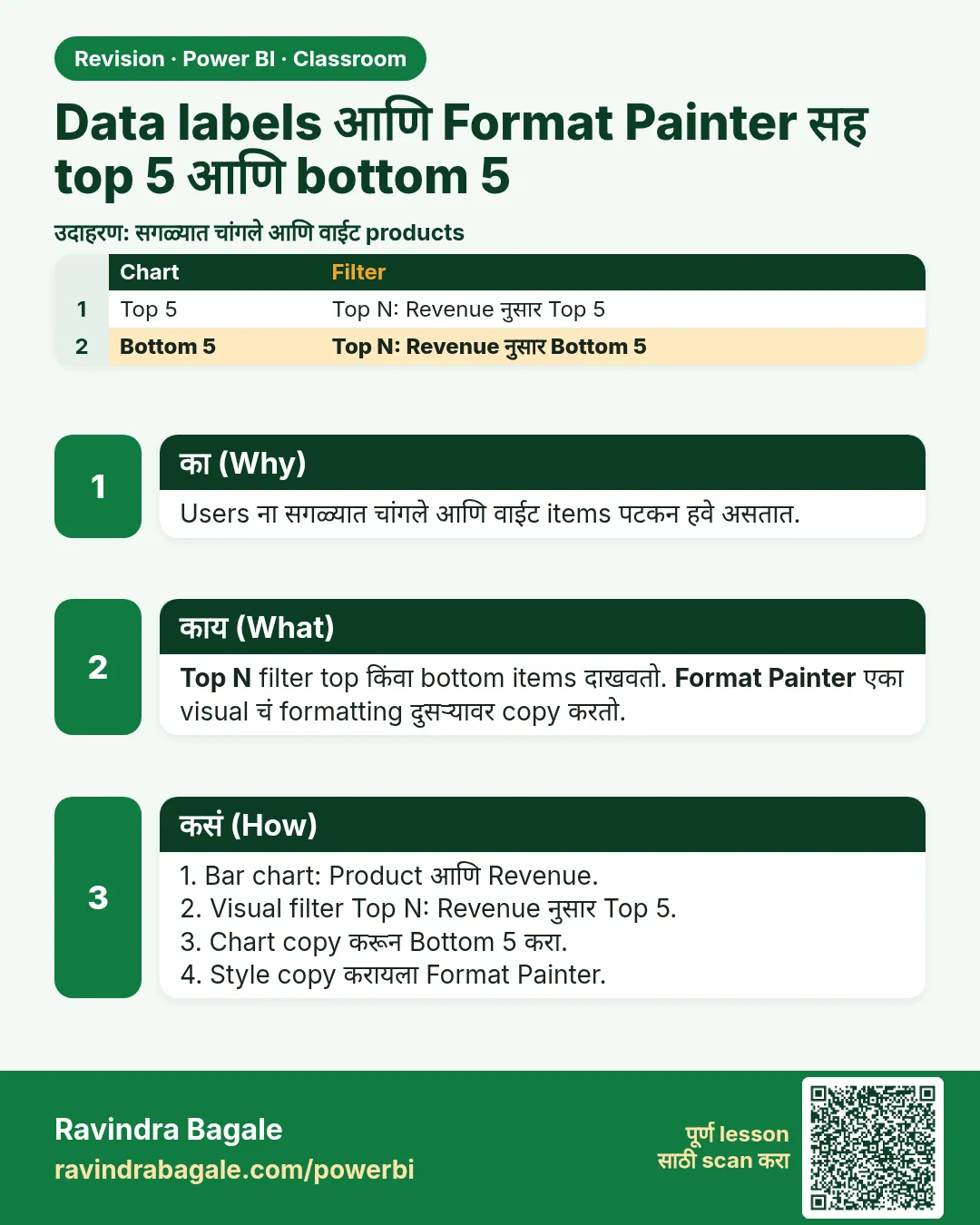 उजळणी (Revision) card 23 of 35: Data labels आणि Format Painter सह top 5 आणि bottom 5 · PNG download करा · Card page उघडा
Lesson: How to Show Top 5 and Bottom 5 in Power BI with Data Labels and Format Painter
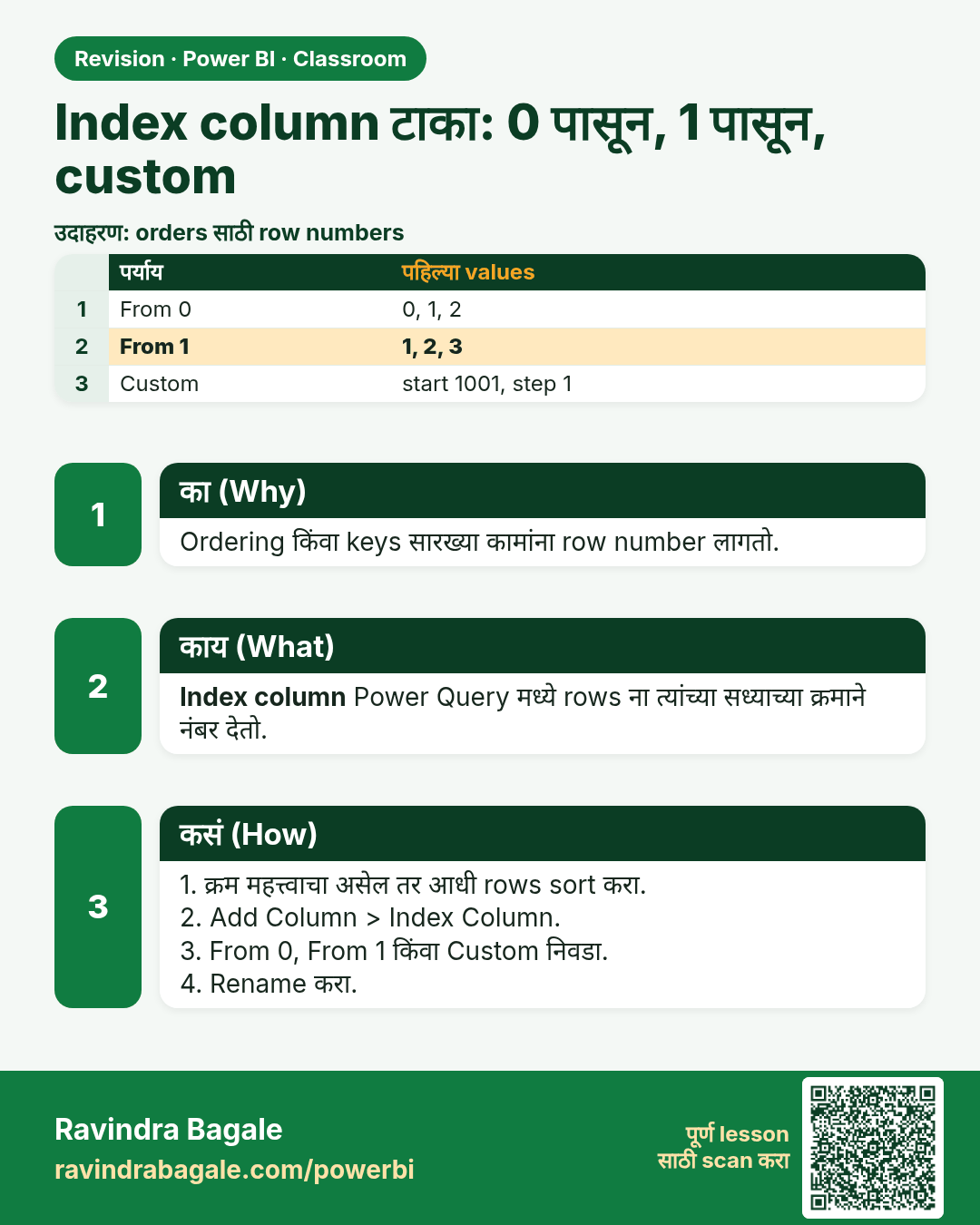
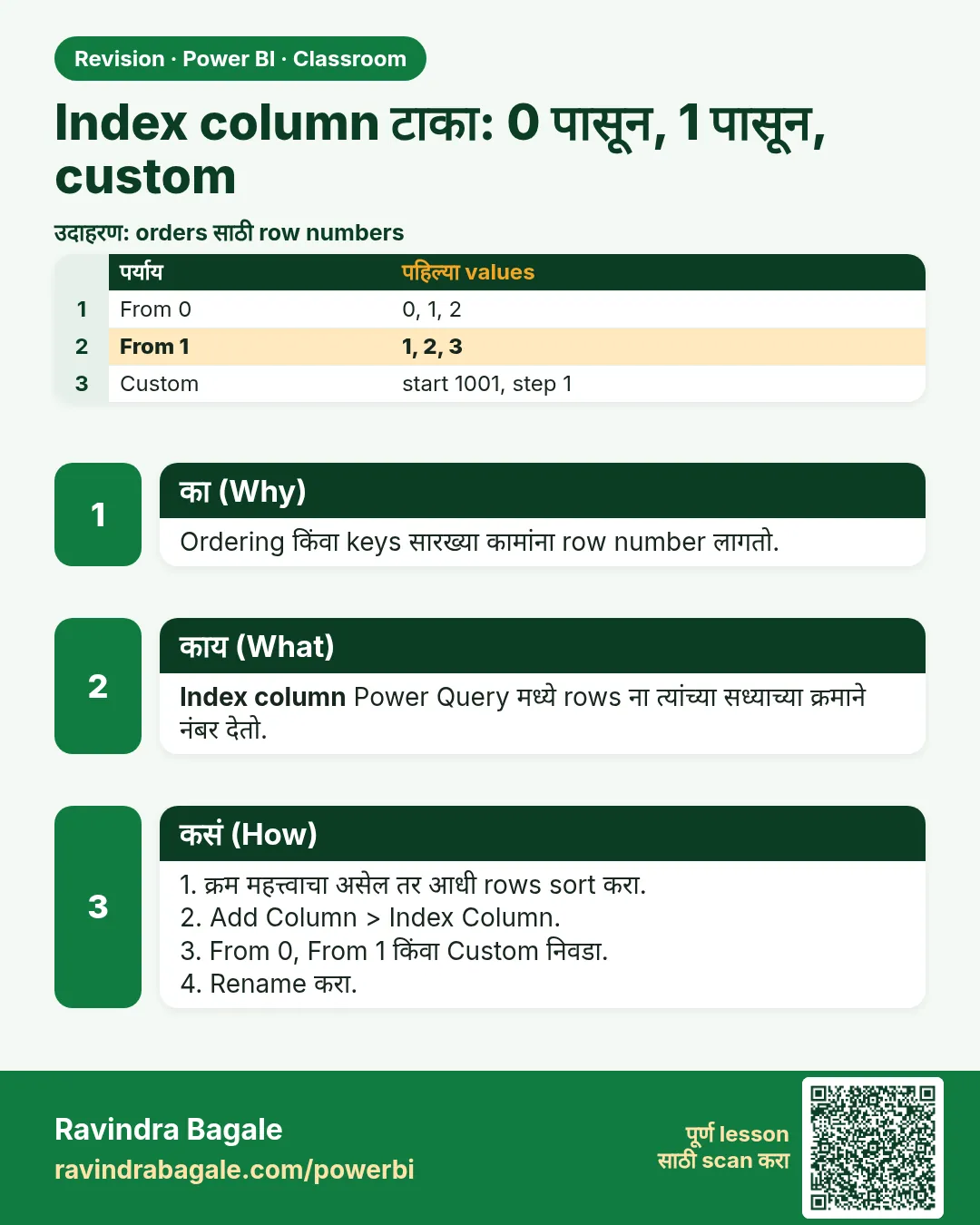 उजळणी (Revision) card 24 of 35: Index column टाका: 0 पासून, 1 पासून, custom · PNG download करा · Card page उघडा
Lesson: How to Add an Index Column in Power Query (From 0, From 1 and Custom Start)
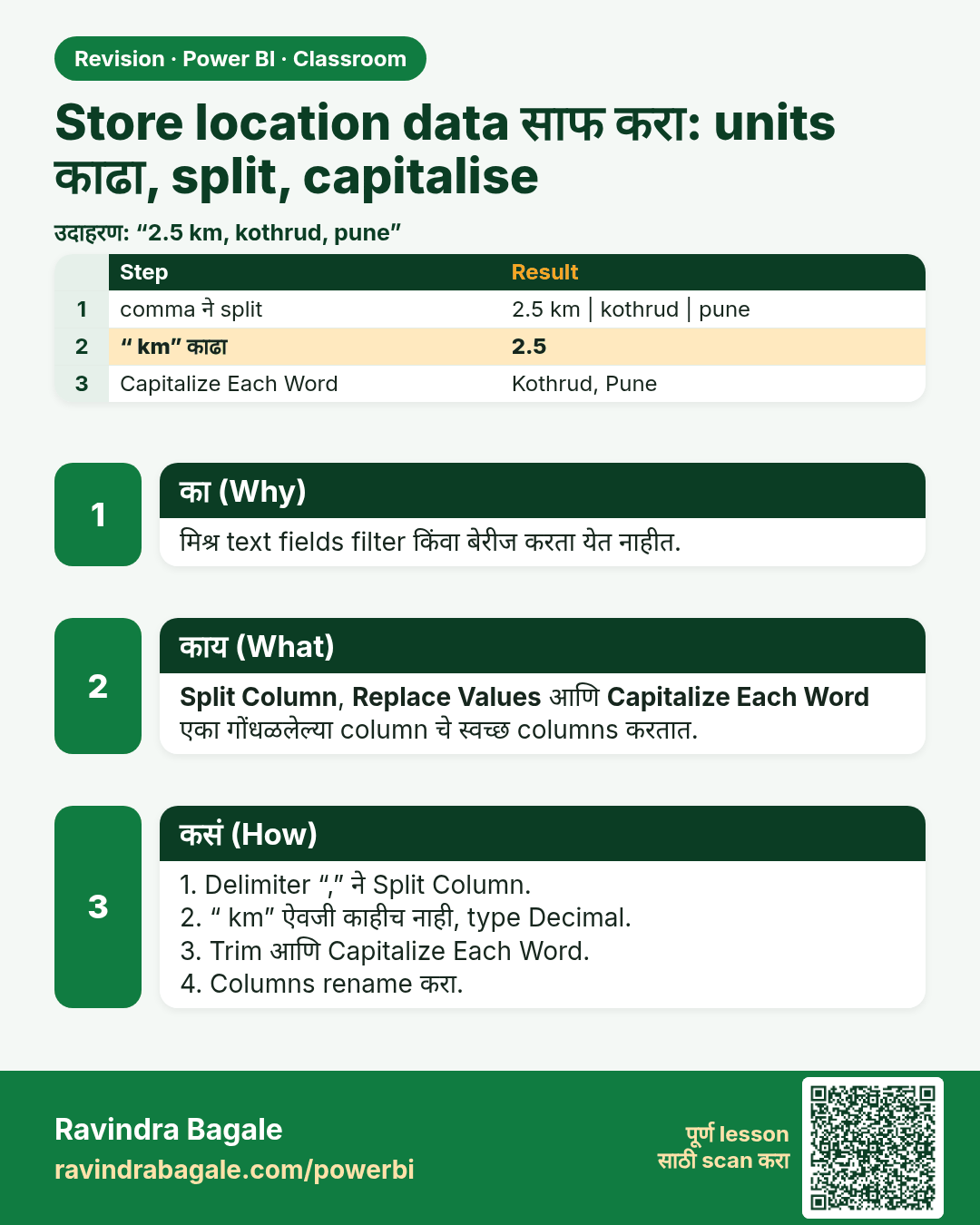
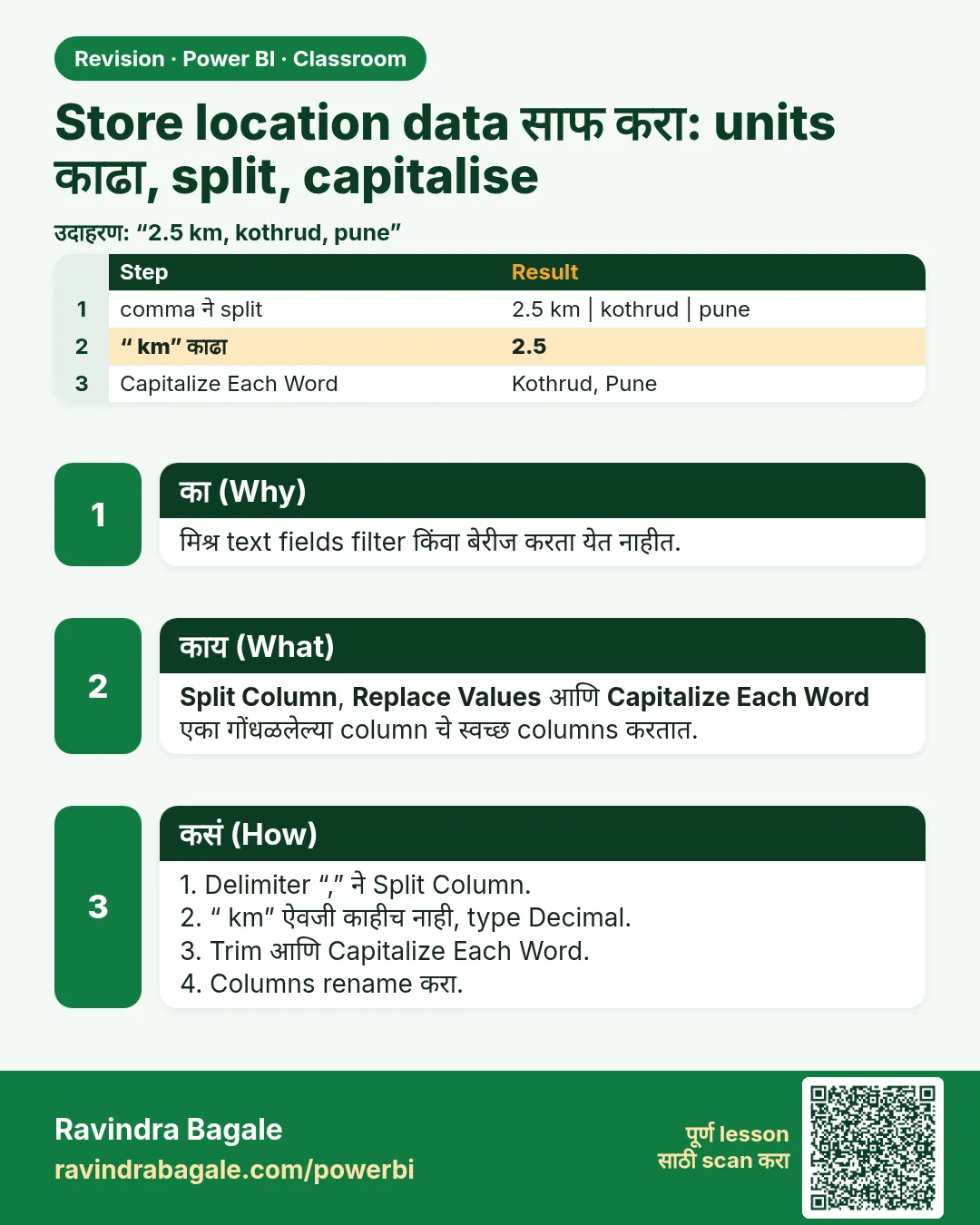 उजळणी (Revision) card 25 of 35: Store location data साफ करा: units काढा, split, capitalise · PNG download करा · Card page उघडा
Lesson: How to Clean Store Location Data in Power Query: Remove Units, Split Columns and Capitalize Each Word
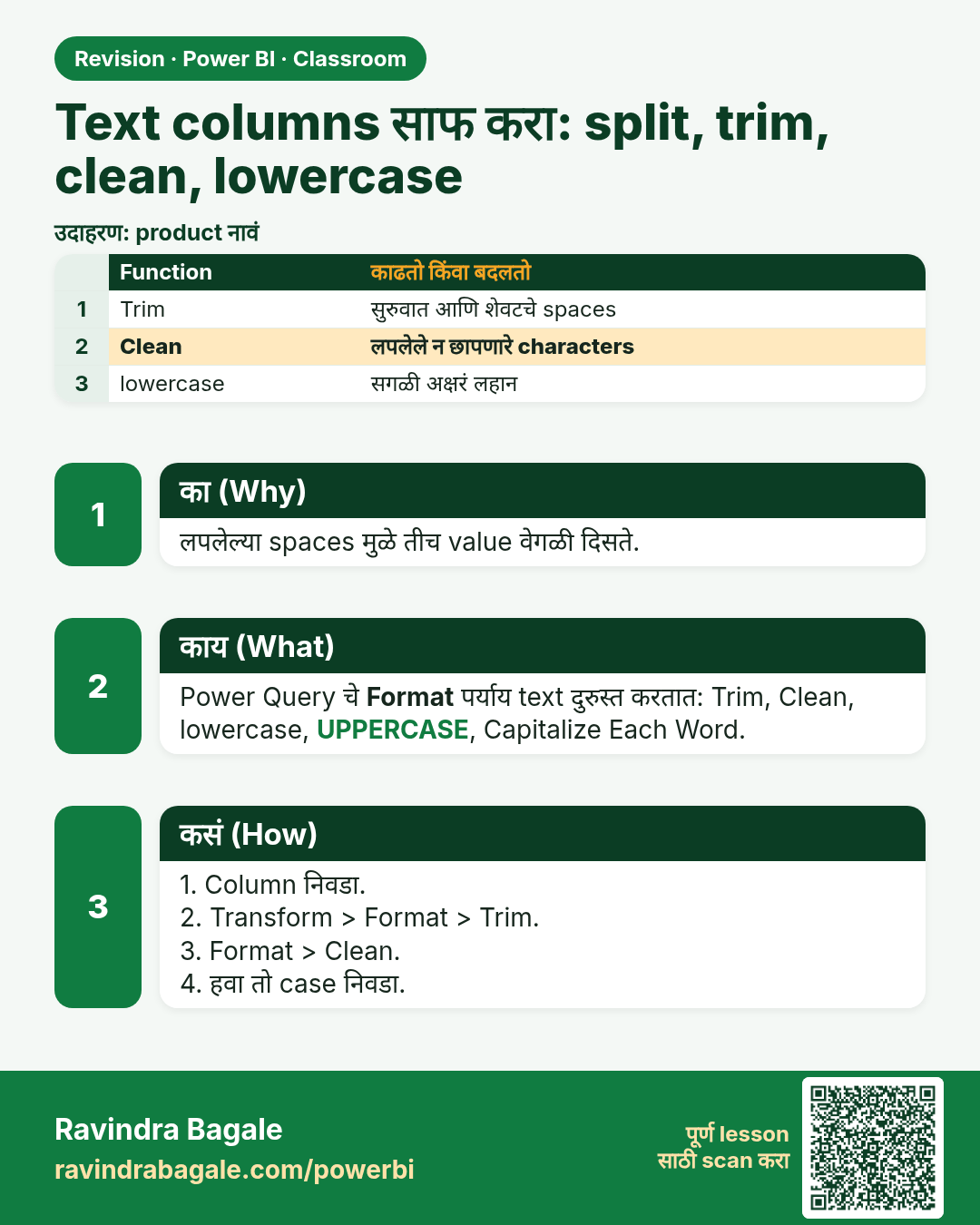
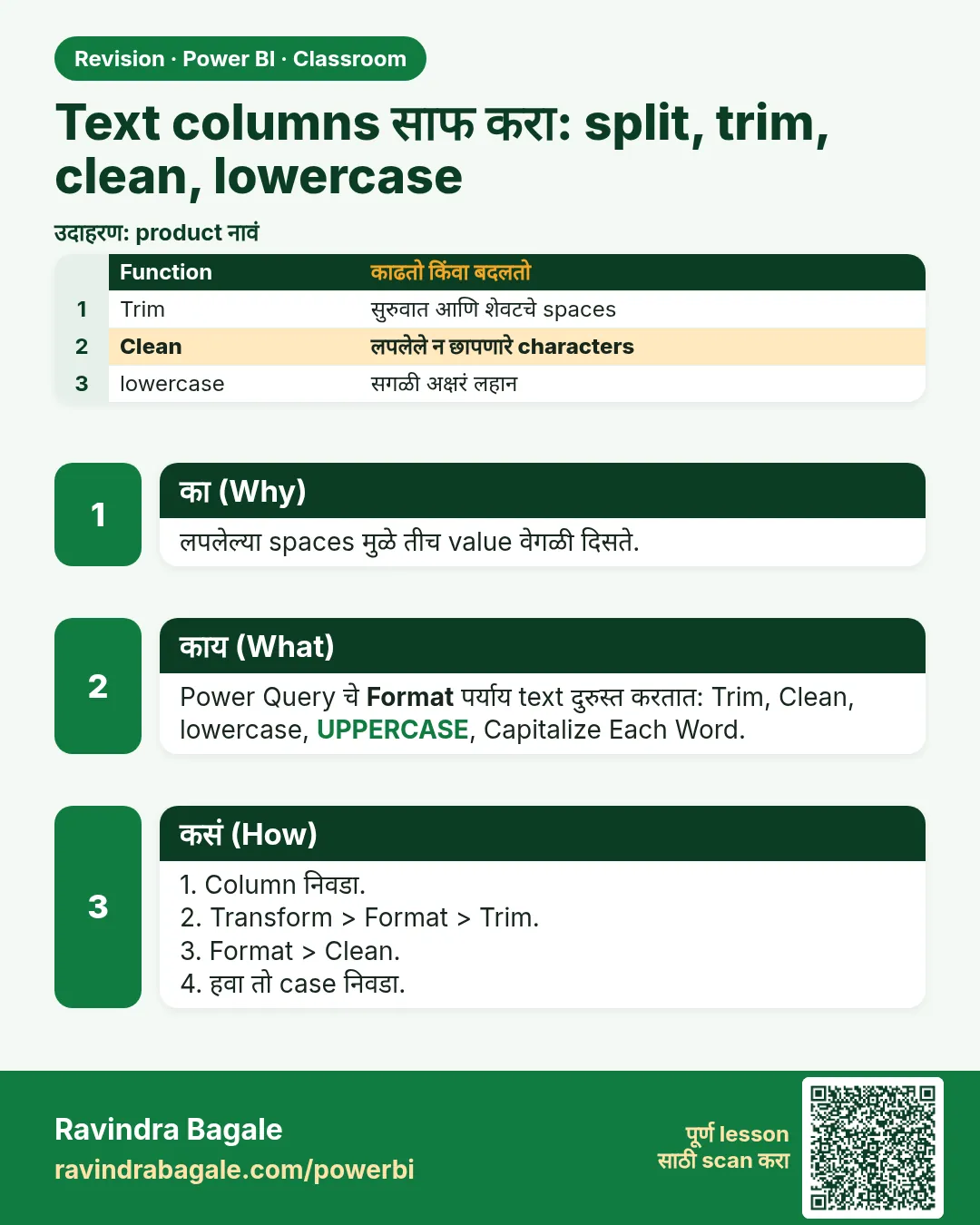 उजळणी (Revision) card 26 of 35: Text columns साफ करा: split, trim, clean, lowercase · PNG download करा · Card page उघडा
Lesson: How to Clean Text Columns in Power Query with Split, Trim, Clean and Lowercase
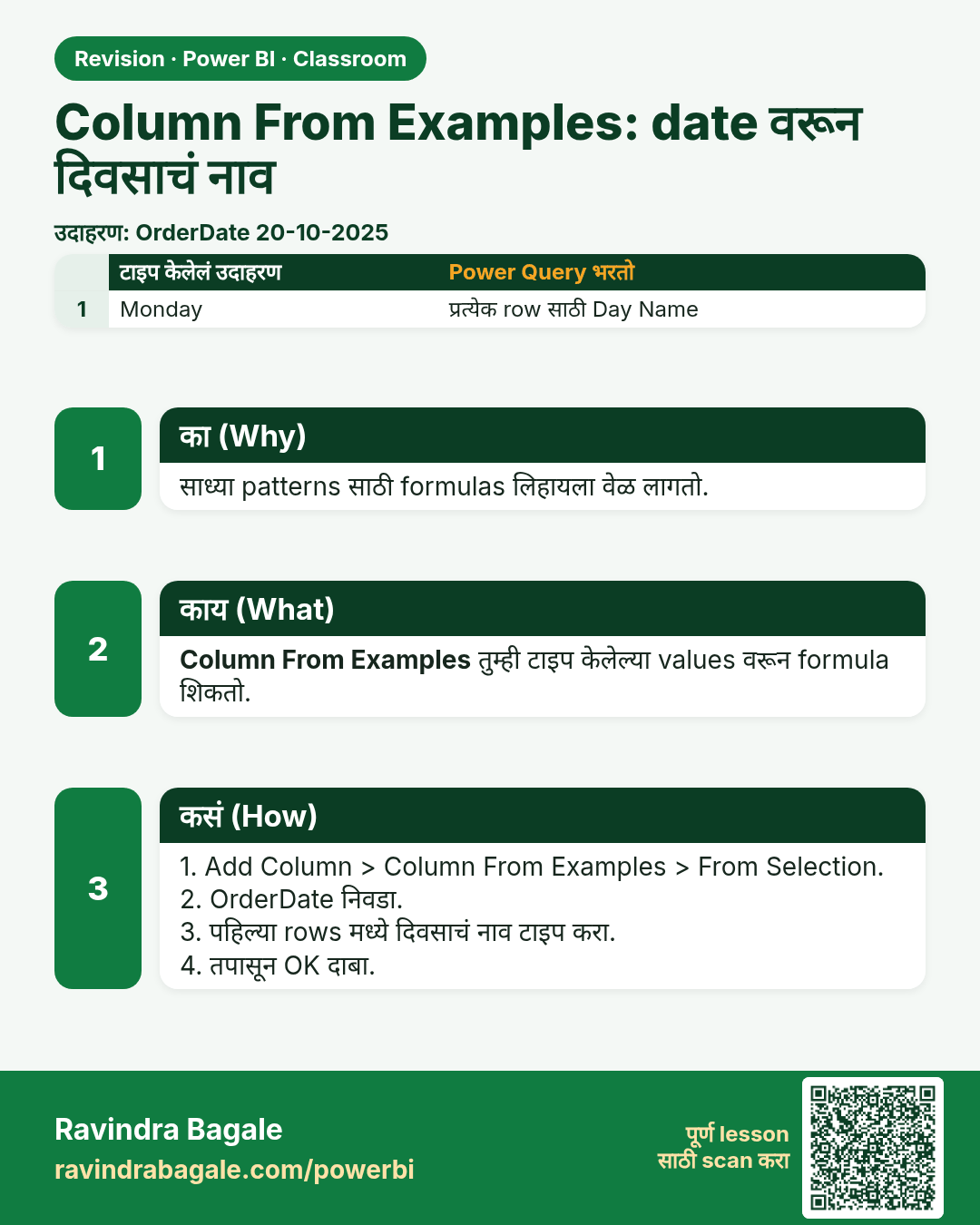
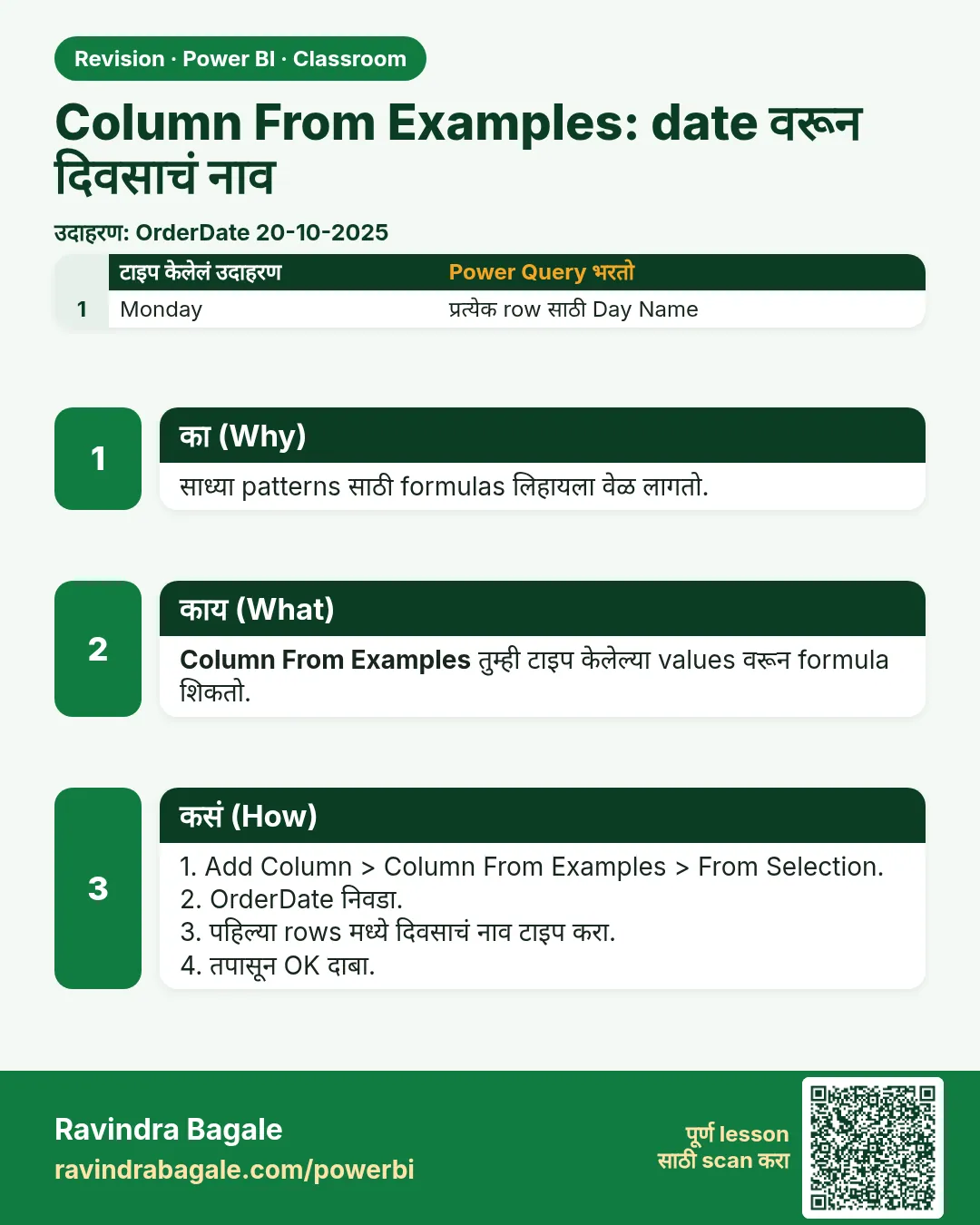 उजळणी (Revision) card 27 of 35: Column From Examples: date वरून दिवसाचं नाव · PNG download करा · Card page उघडा
Lesson: How to Use Column From Examples in Power Query (Get Day Name from a Date)
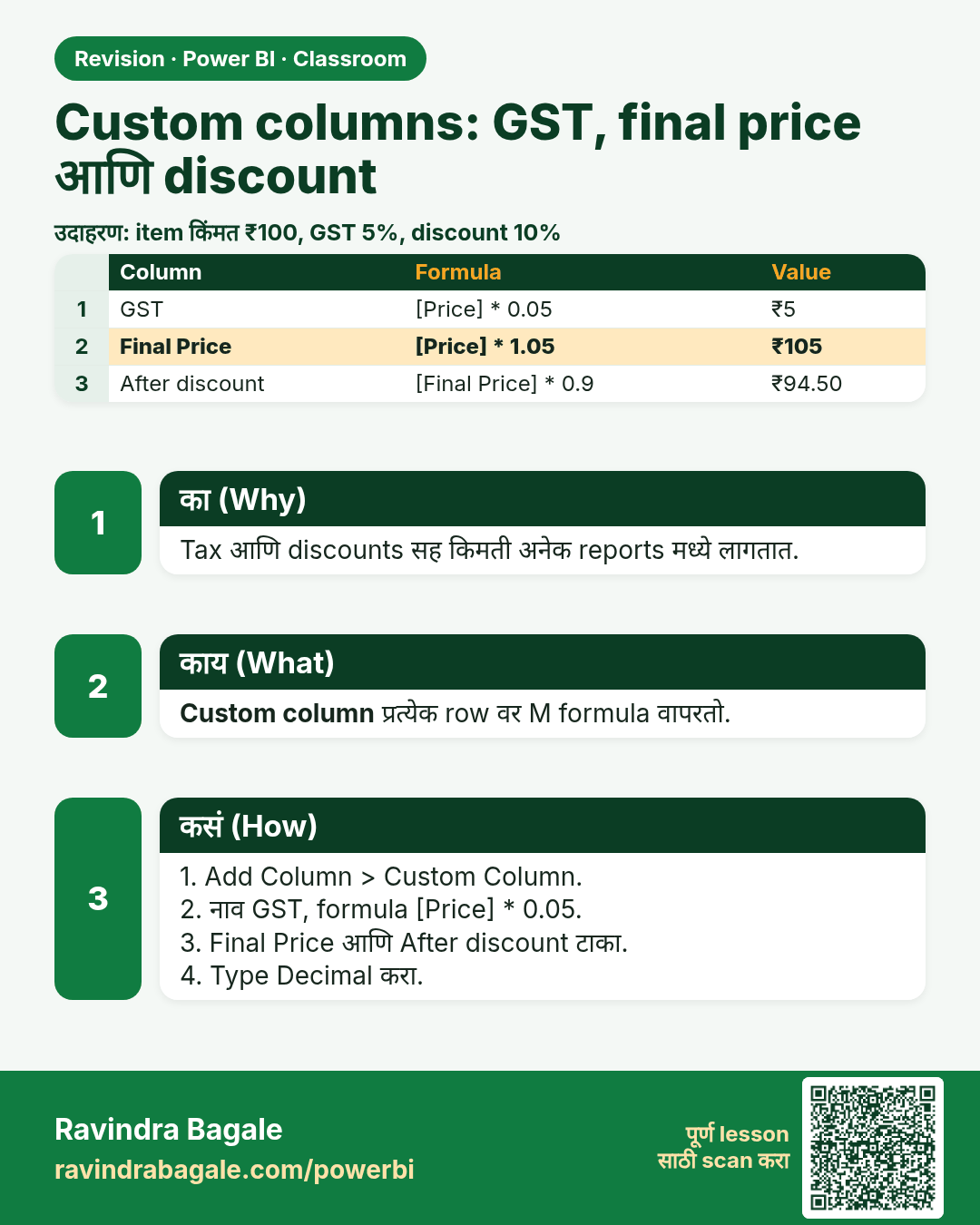
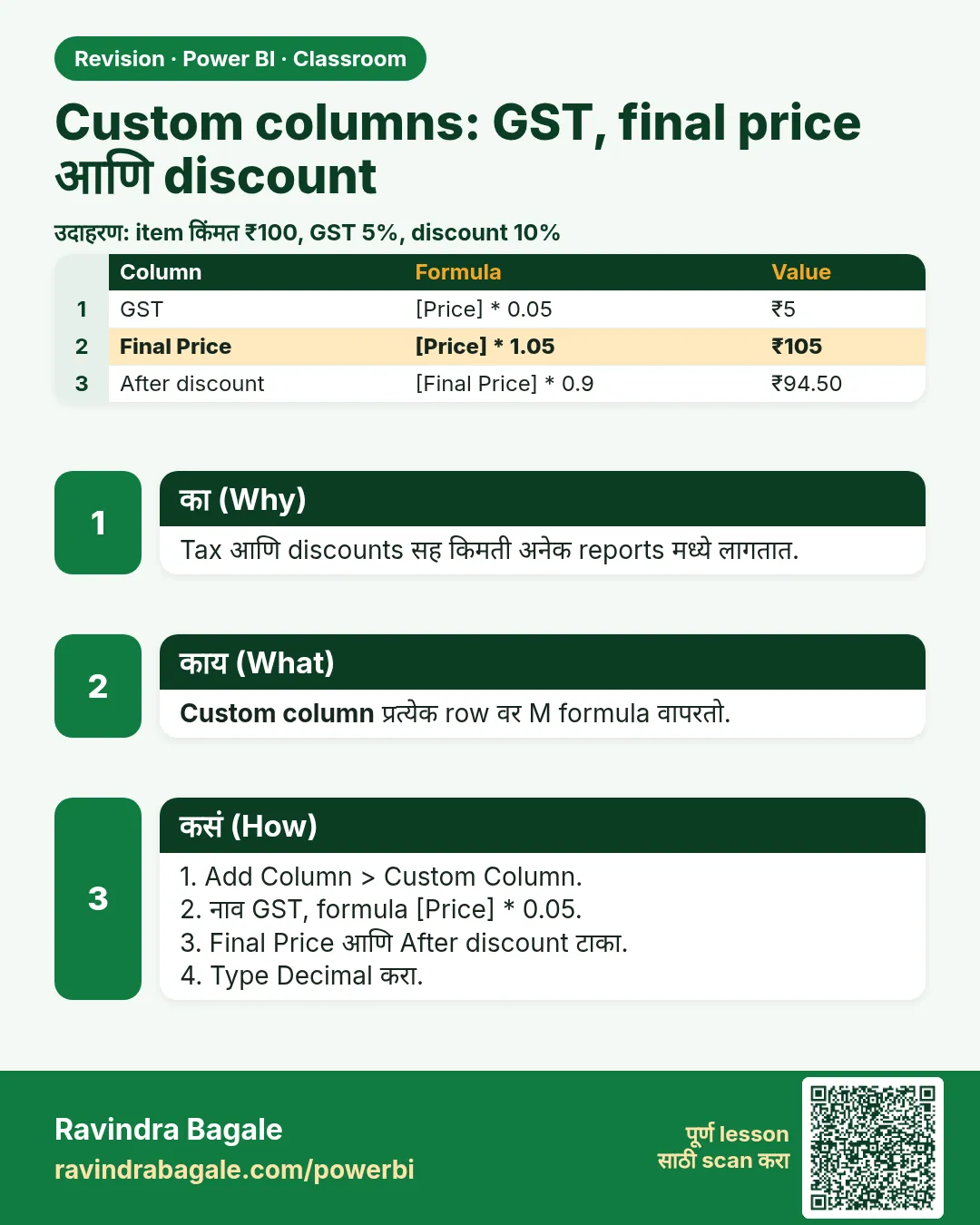 उजळणी (Revision) card 28 of 35: Custom columns: GST, final price आणि discount · PNG download करा · Card page उघडा
Lesson: How to Add Custom Columns in Power Query: GST, Final Price and Discount Formulas
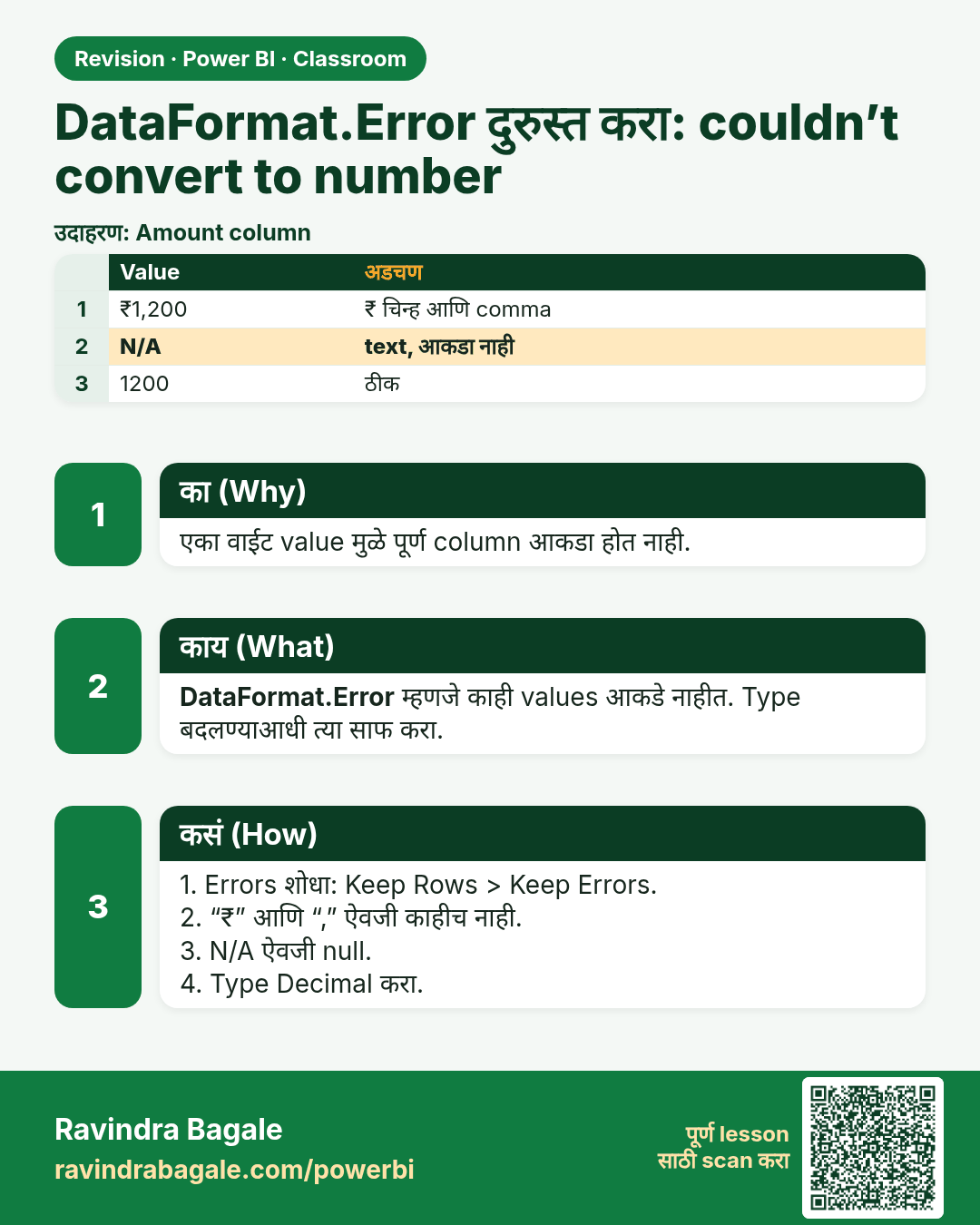
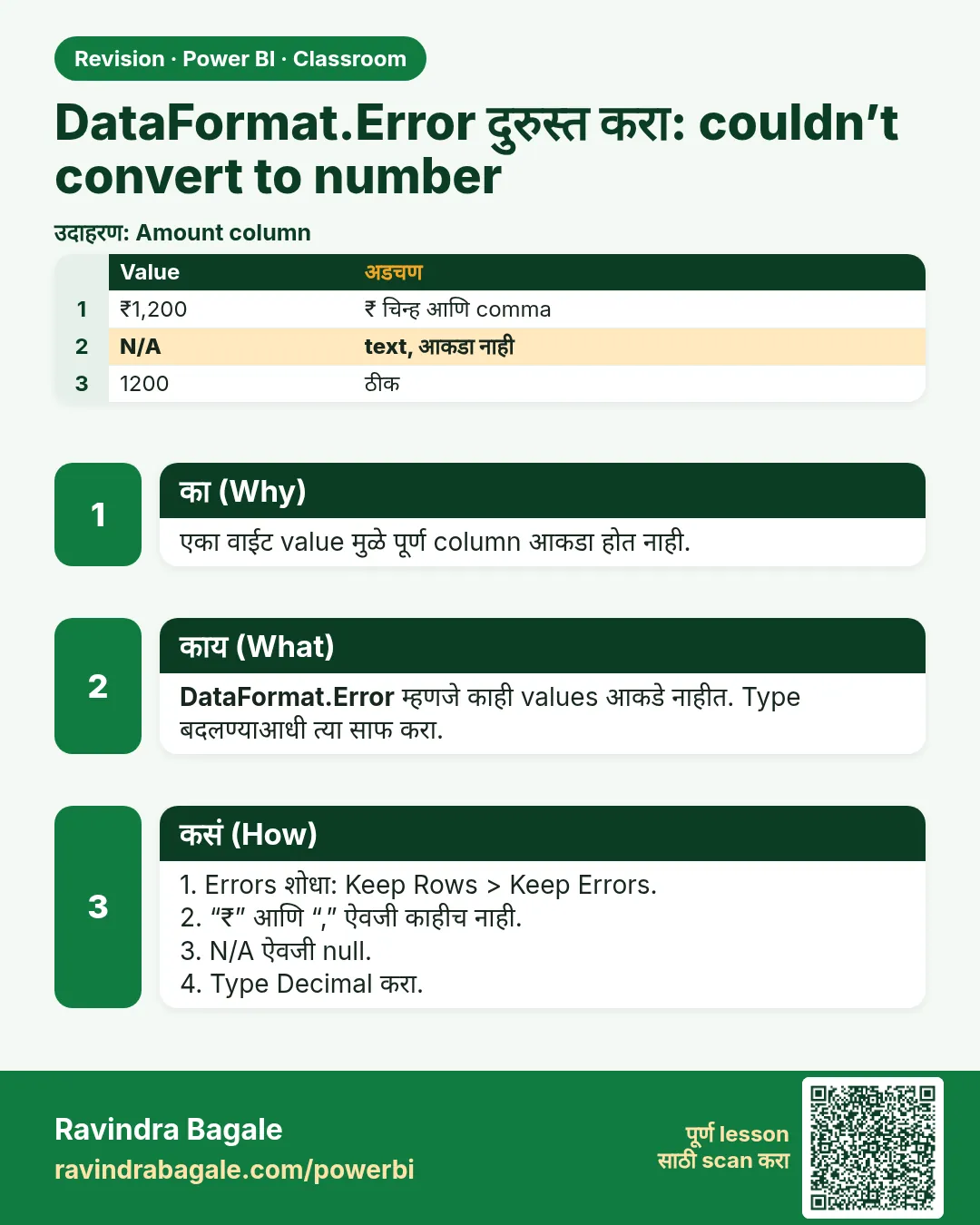 उजळणी (Revision) card 29 of 35: DataFormat.Error दुरुस्त करा: couldn’t convert to number · PNG download करा · Card page उघडा
Lesson: How to Fix DataFormat.Error We Couldn't Convert to Number in Power Query
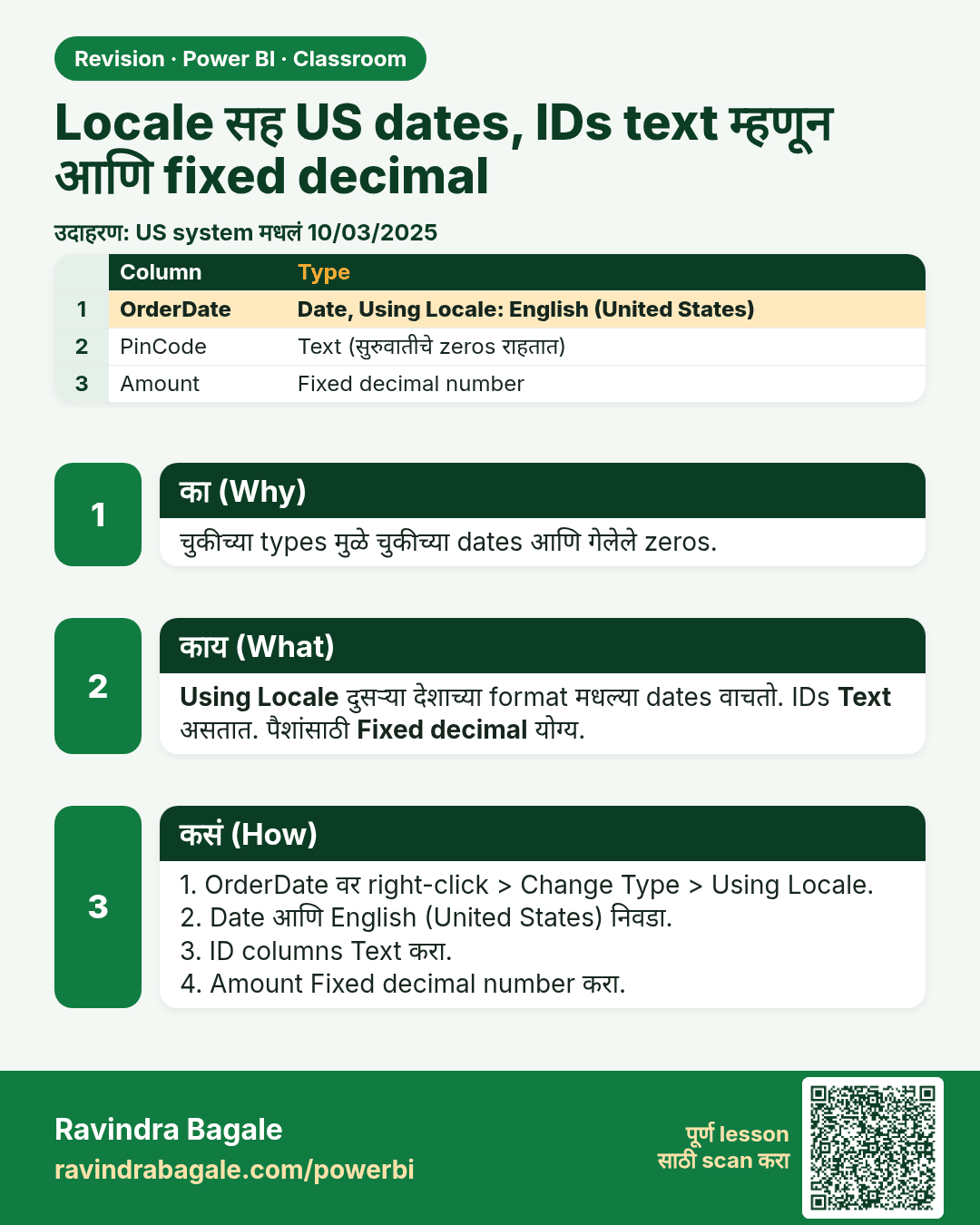
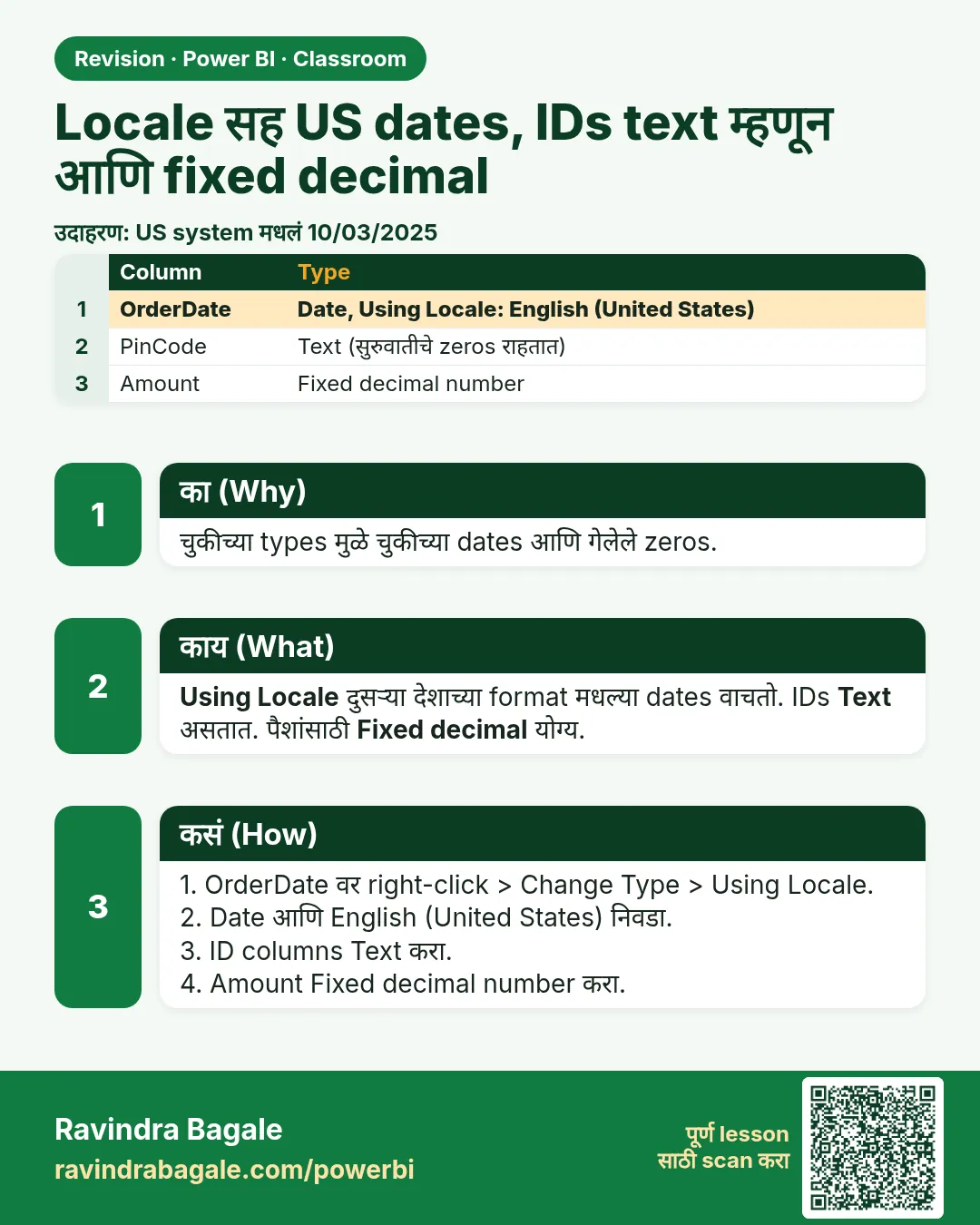 उजळणी (Revision) card 30 of 35: Locale सह US dates, IDs text म्हणून आणि fixed decimal · PNG download करा · Card page उघडा
Lesson: How to Fix US Dates with Locale, Keep ID Columns as Text and Use Fixed Decimal Number in Power Query
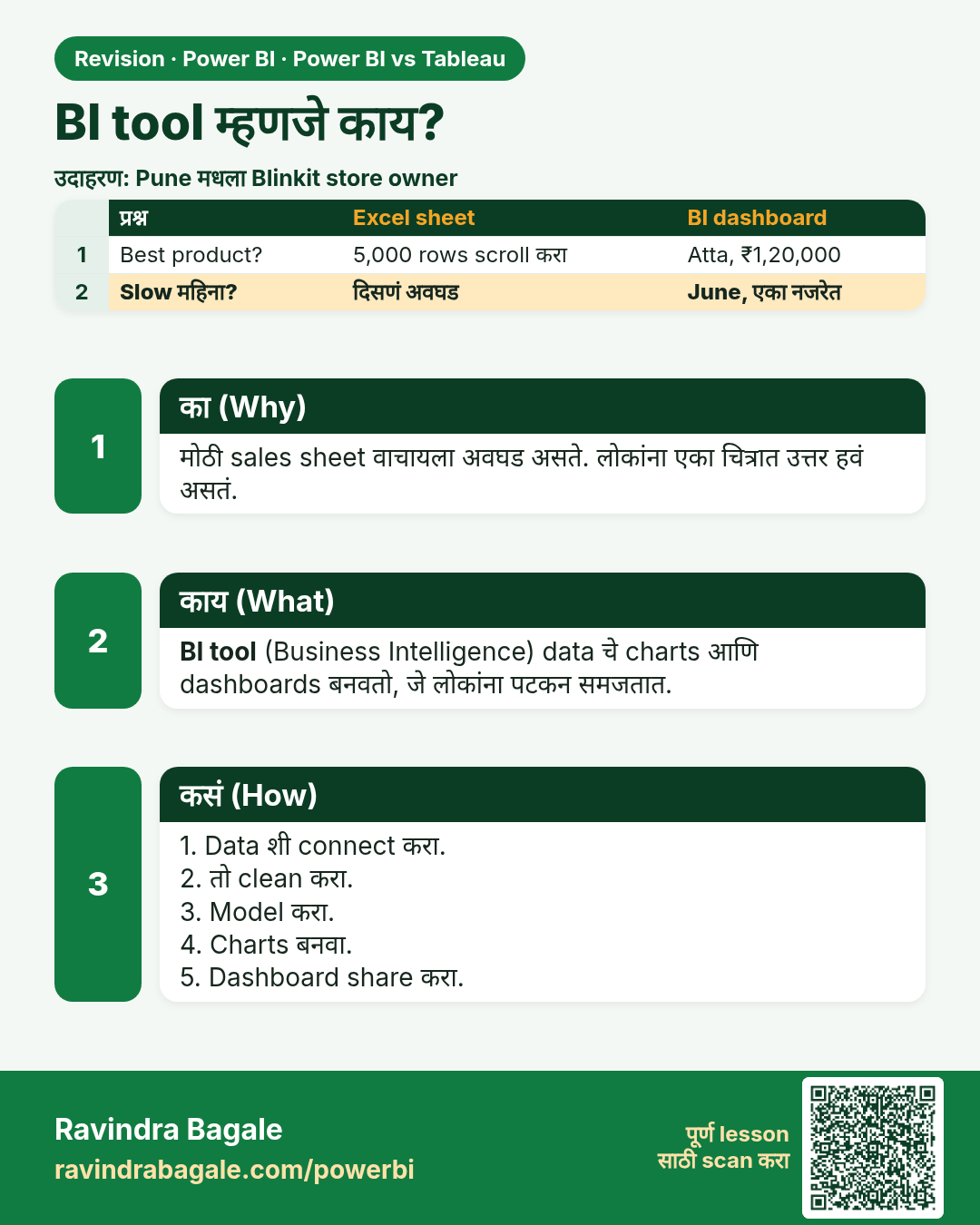
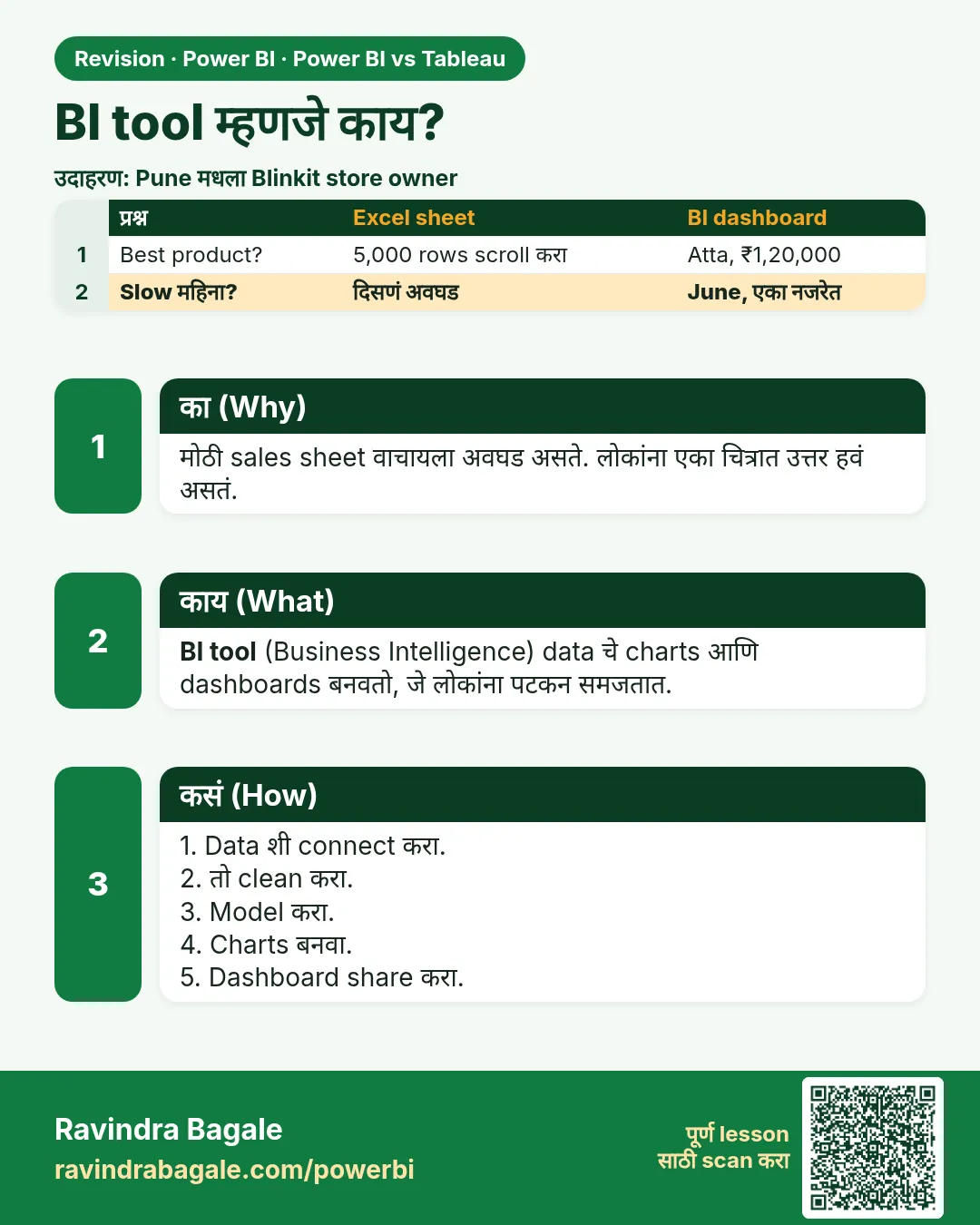 उजळणी (Revision) card 31 of 35: BI tool म्हणजे काय? · PNG download करा · Card page उघडा
Lesson: Power BI vs Tableau: Differences, Price and Which One to Choose (Easy Guide)
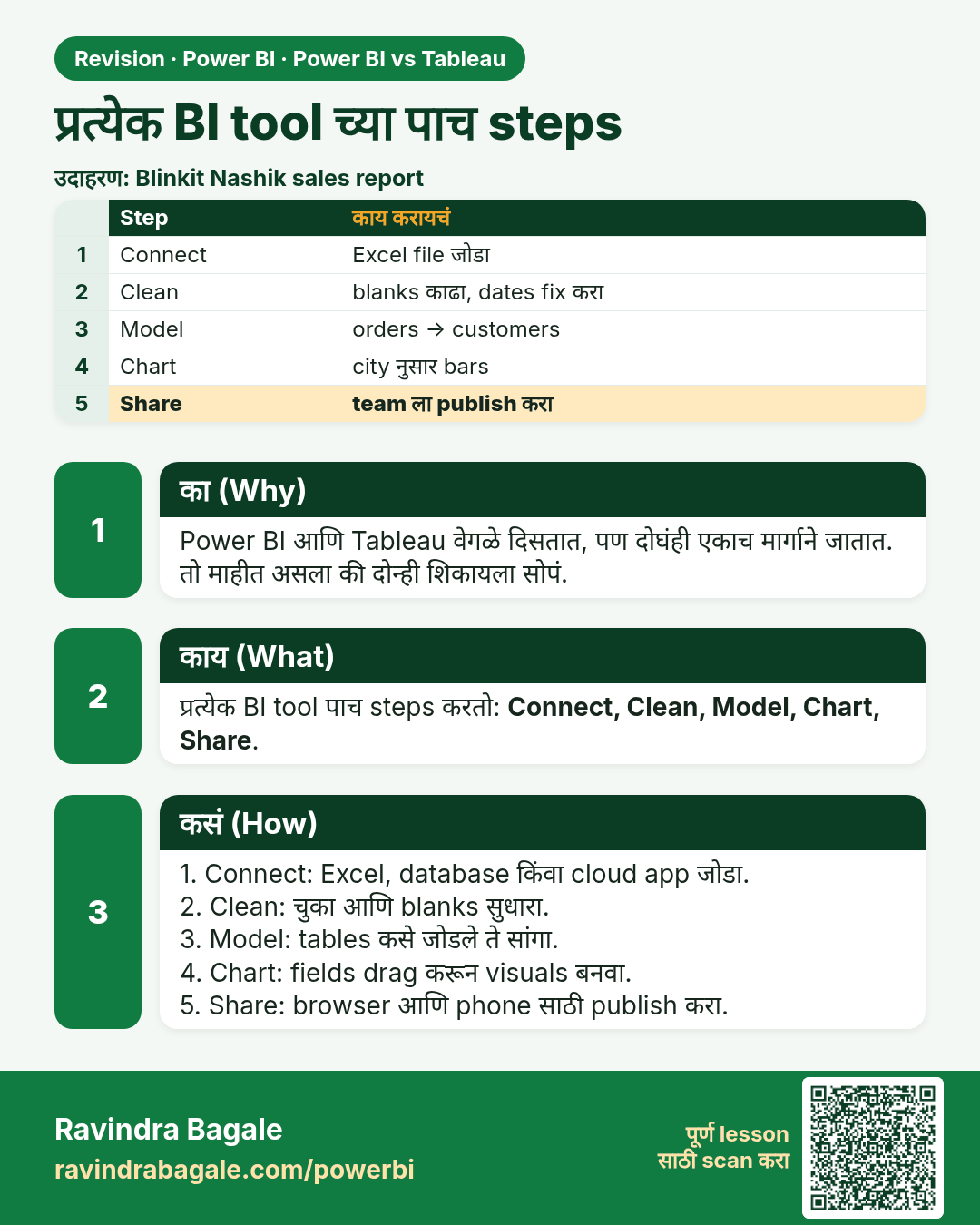
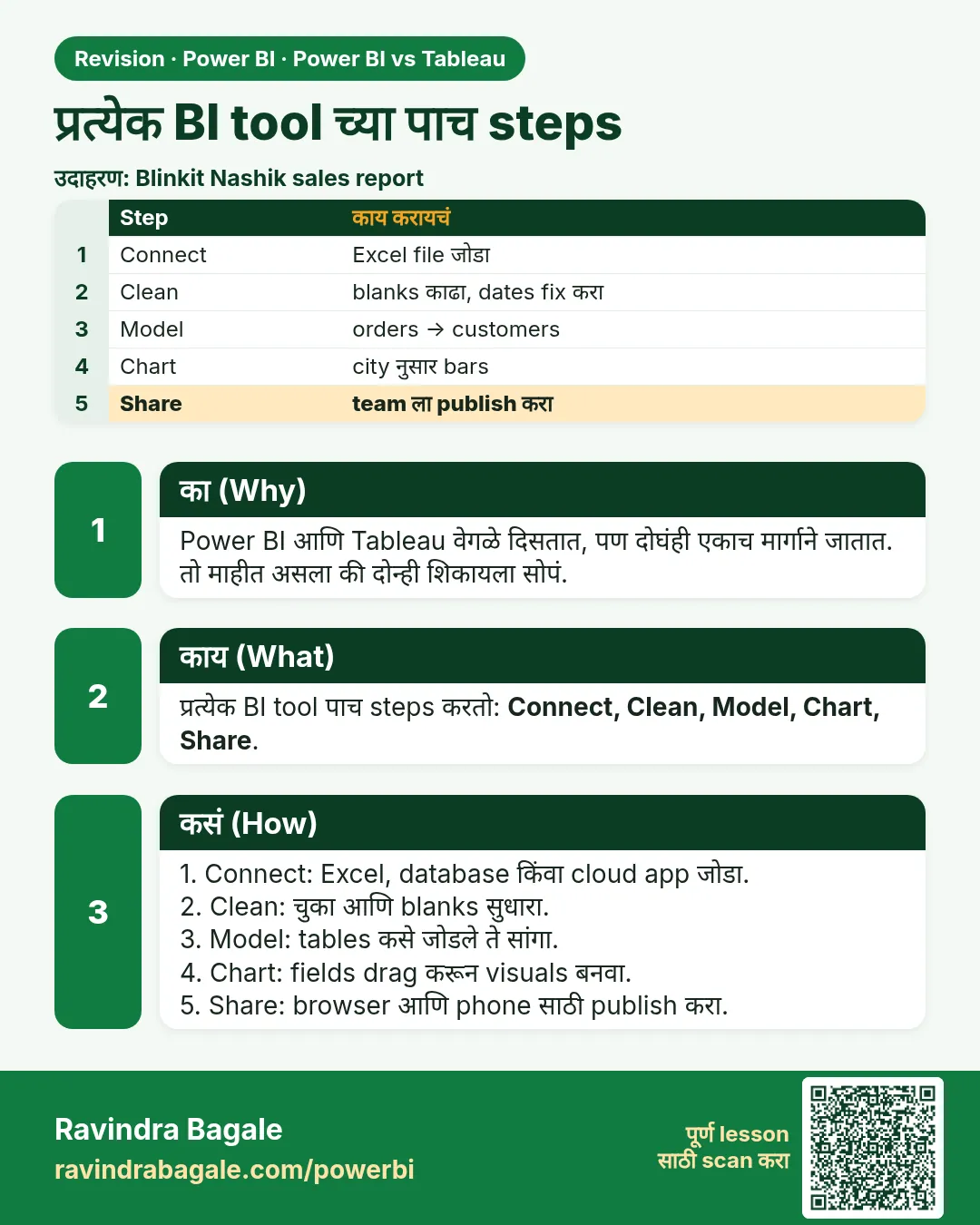 उजळणी (Revision) card 32 of 35: प्रत्येक BI tool च्या पाच steps · PNG download करा · Card page उघडा
Lesson: Power BI vs Tableau: Differences, Price and Which One to Choose (Easy Guide)
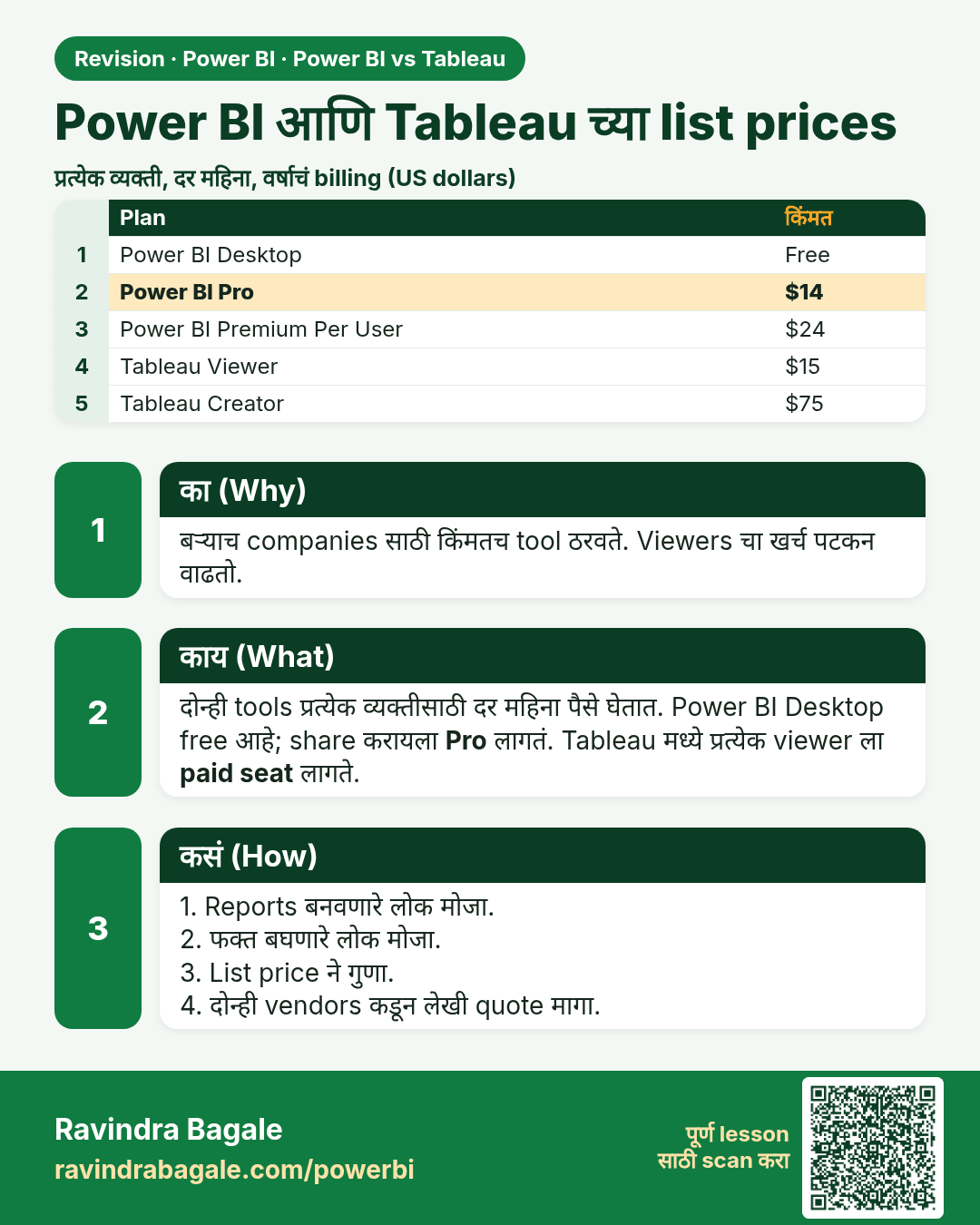
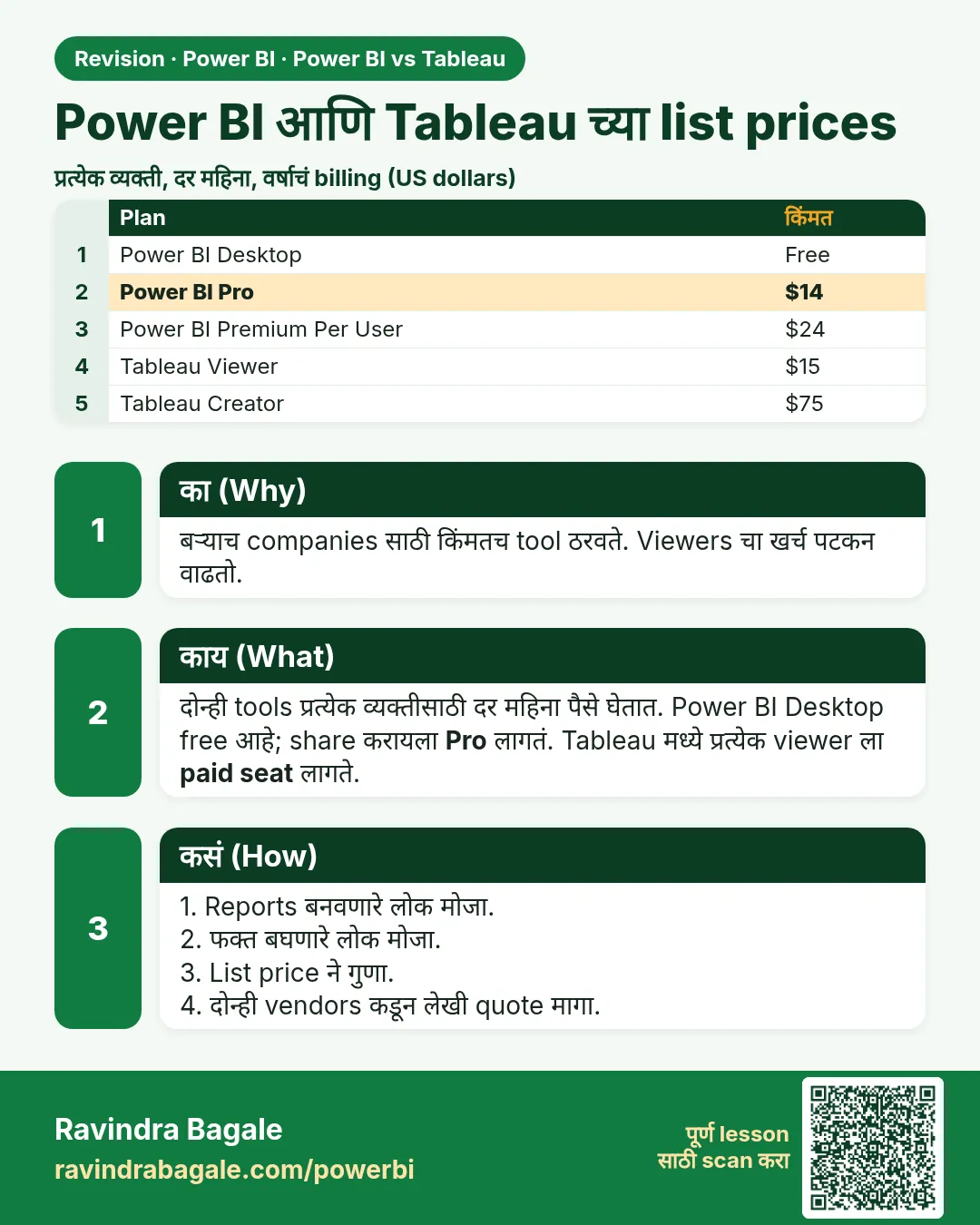 उजळणी (Revision) card 33 of 35: Power BI आणि Tableau च्या list prices · PNG download करा · Card page उघडा
Lesson: Power BI vs Tableau: Differences, Price and Which One to Choose (Easy Guide)
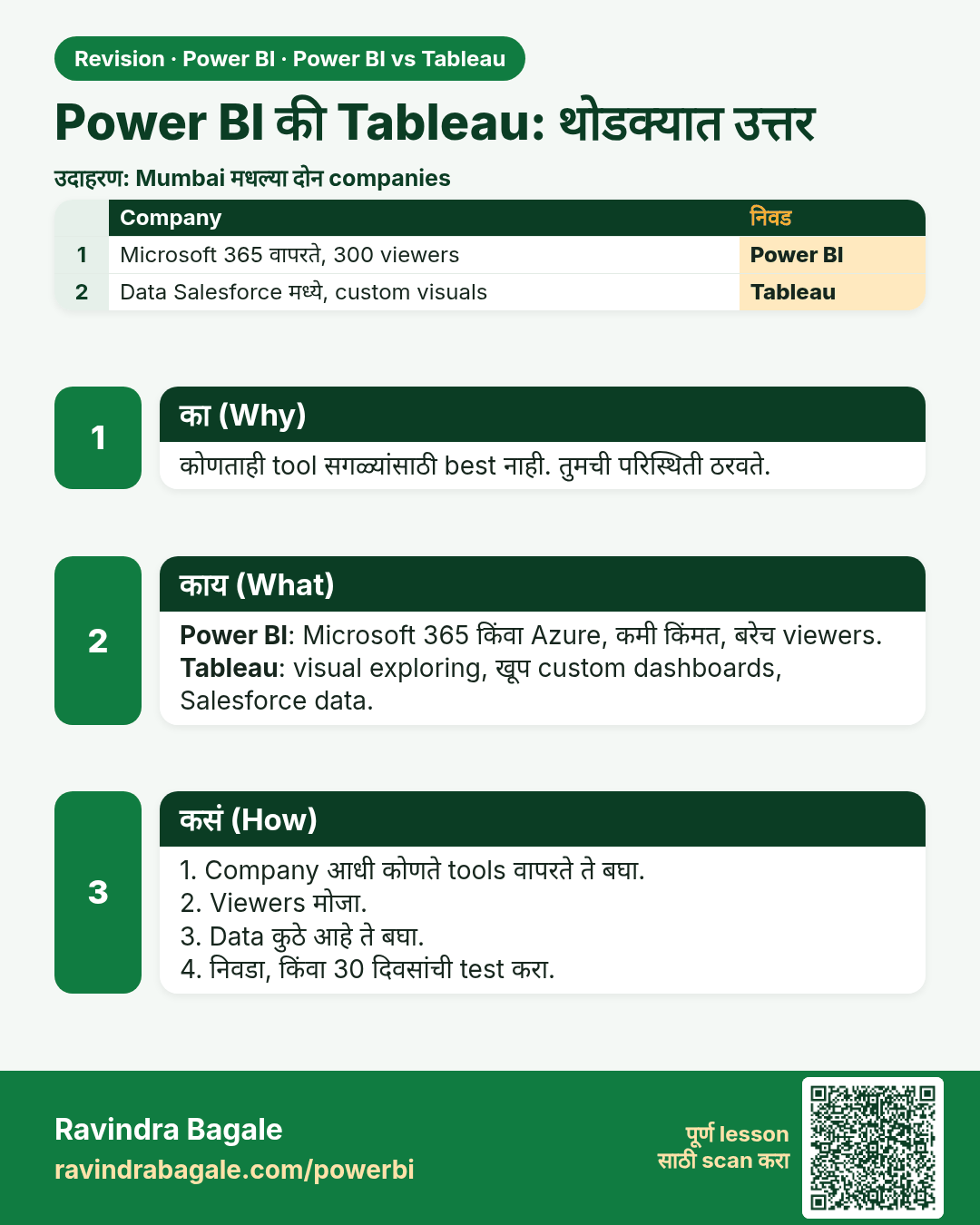
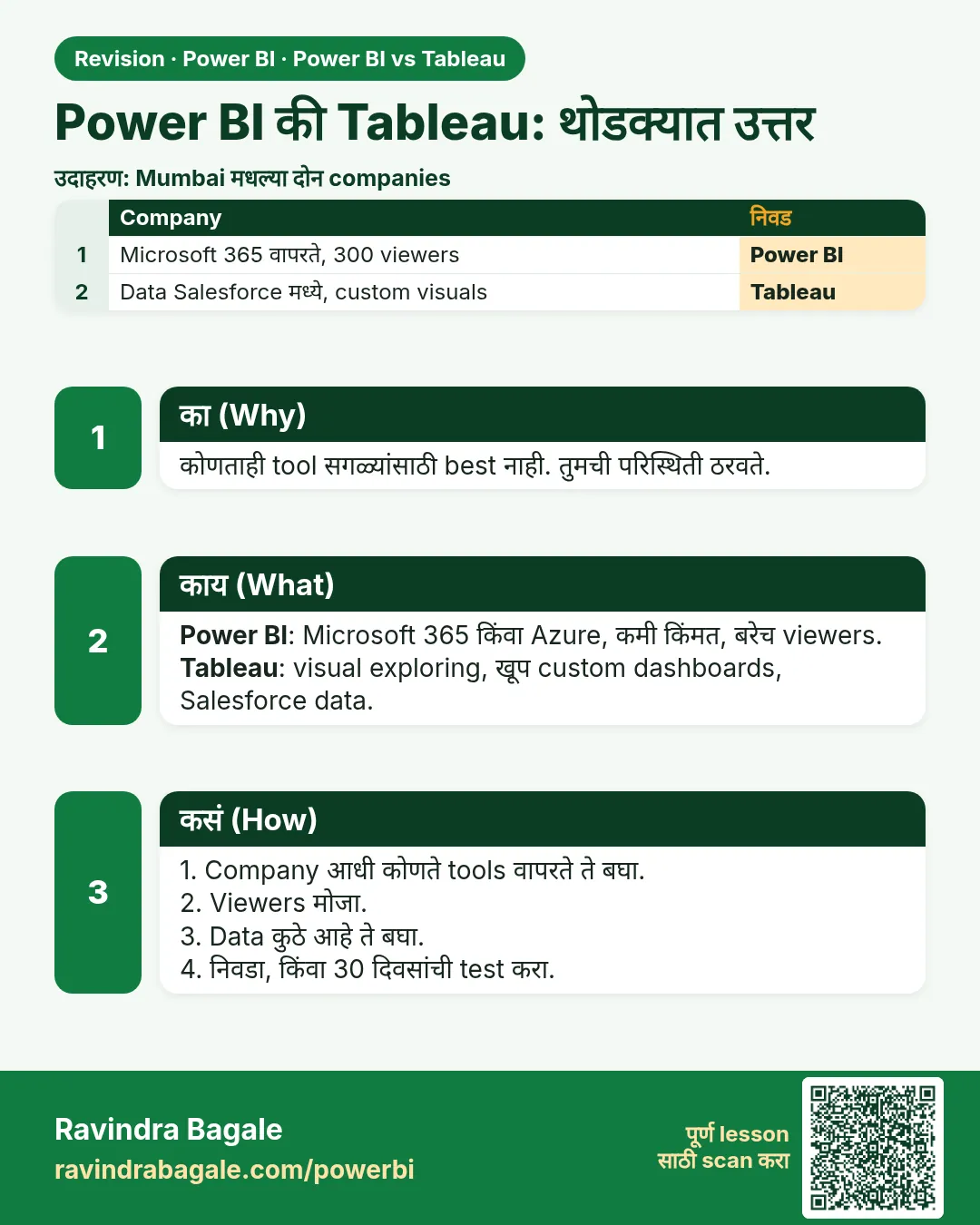 उजळणी (Revision) card 34 of 35: Power BI की Tableau: थोडक्यात उत्तर · PNG download करा · Card page उघडा
Lesson: Power BI vs Tableau: Differences, Price and Which One to Choose (Easy Guide)
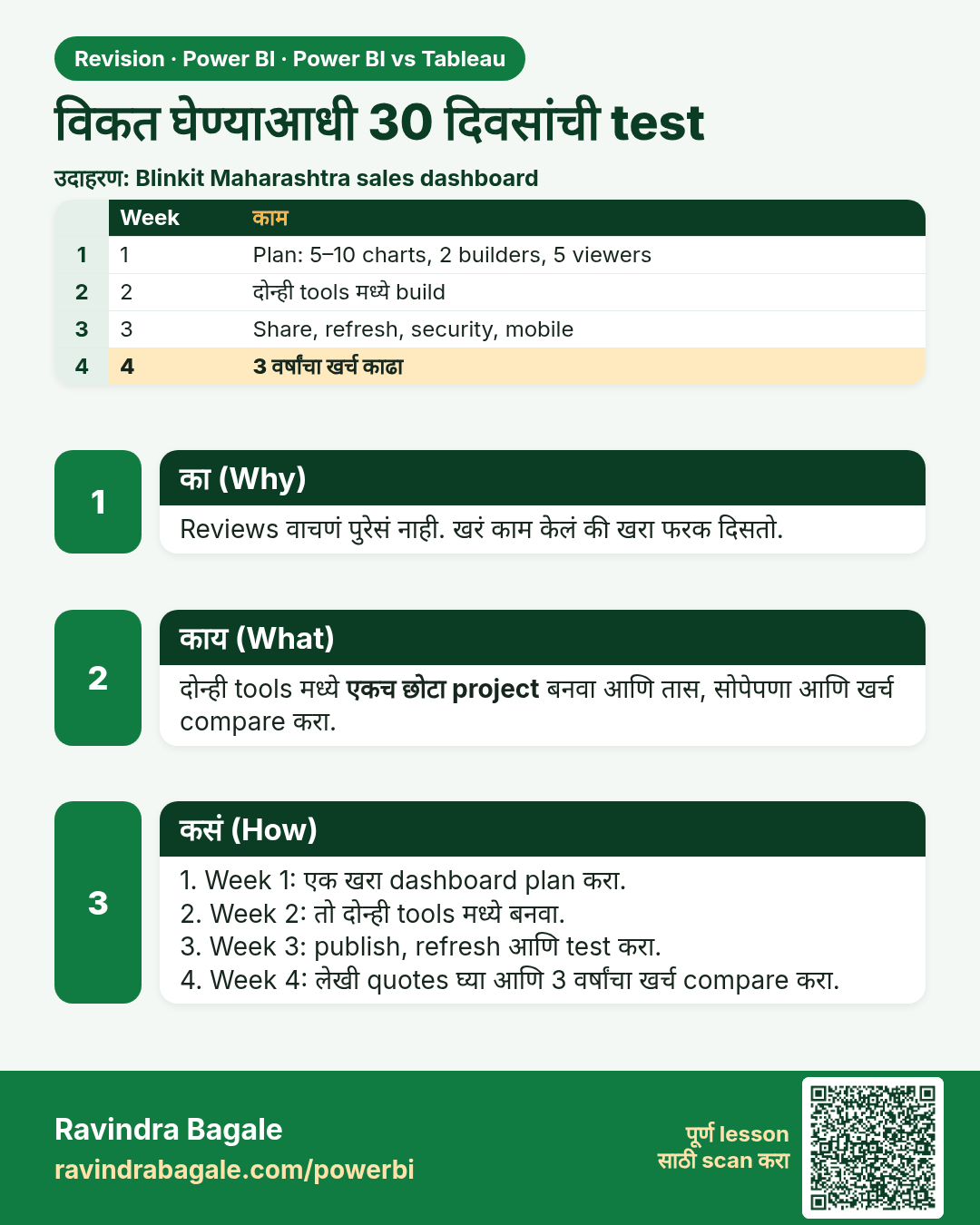
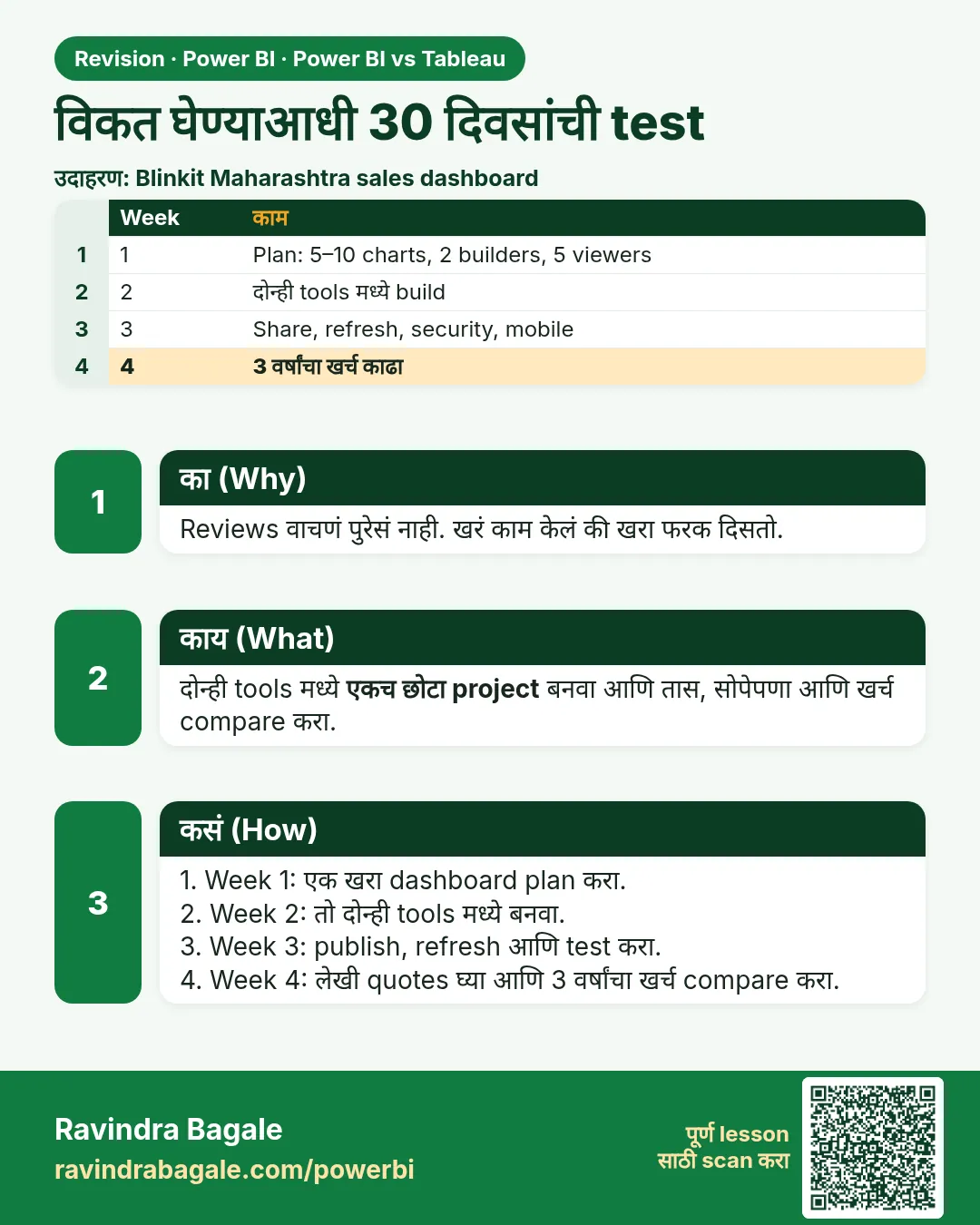 उजळणी (Revision) card 35 of 35: विकत घेण्याआधी 30 दिवसांची test · PNG download करा · Card page उघडा
Lesson: Power BI vs Tableau: Differences, Price and Which One to Choose (Easy Guide)
मुलाखत (Interview) cards
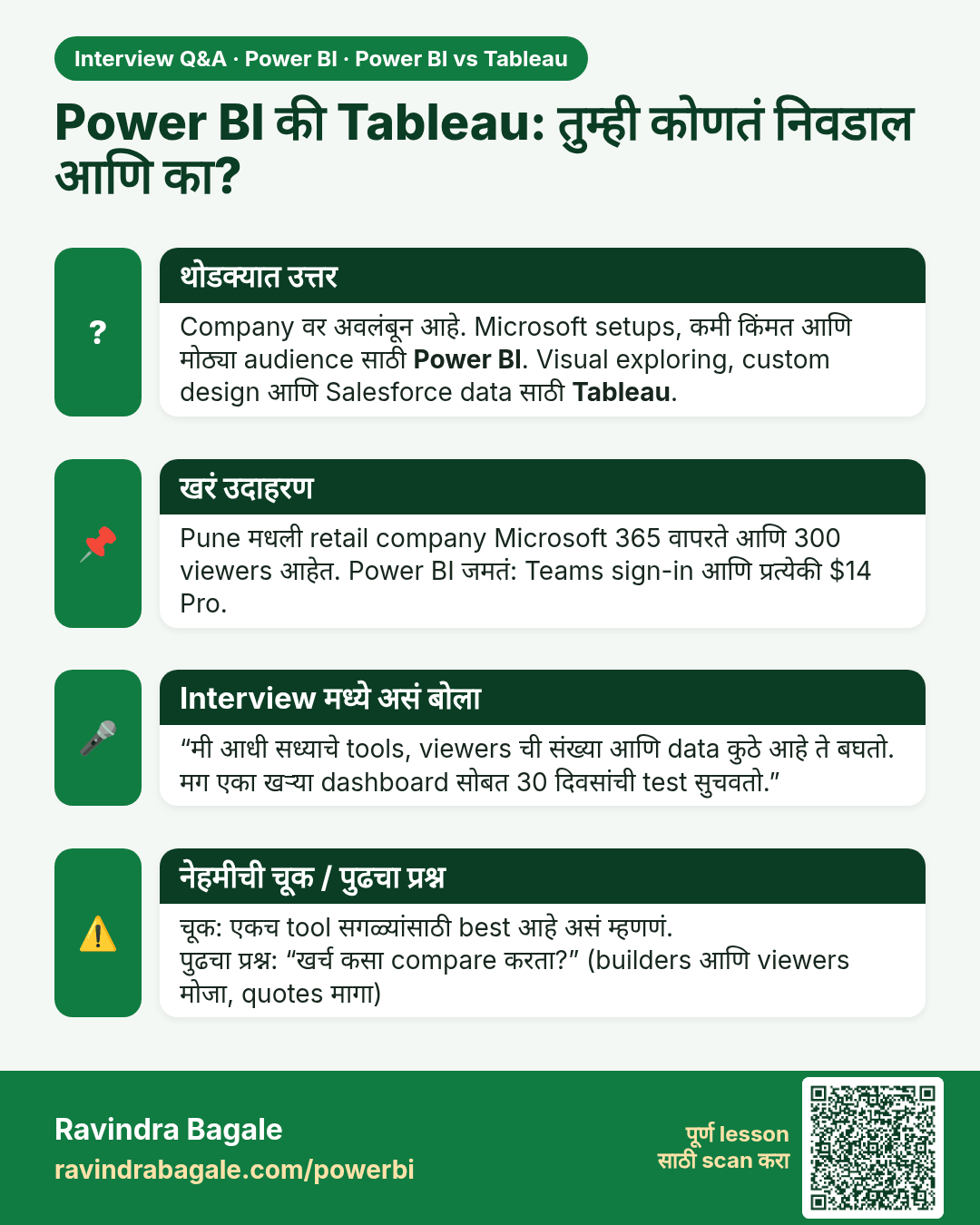
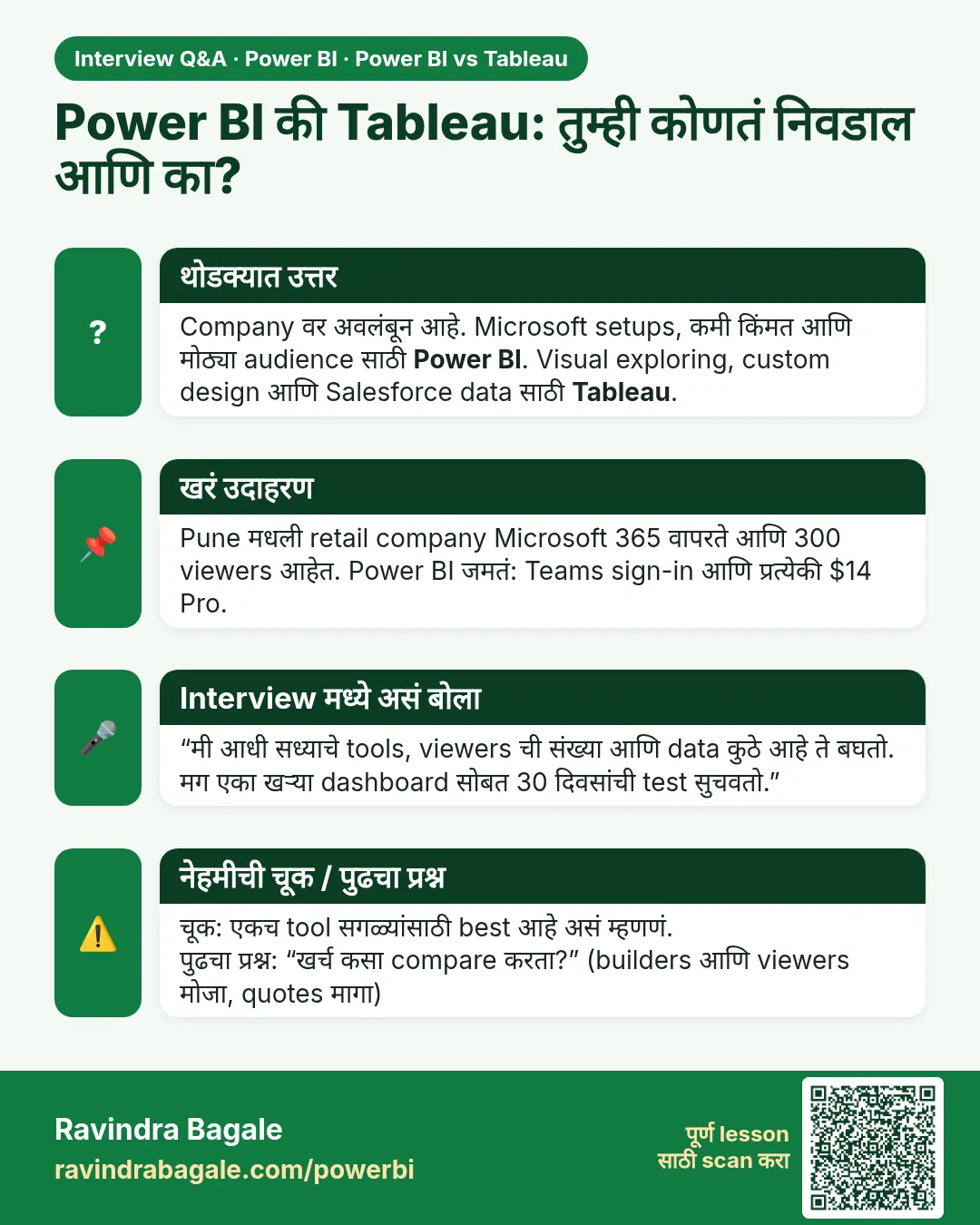 मुलाखत (Interview) card 1 of 5: Power BI की Tableau: तुम्ही कोणतं निवडाल आणि का? · PNG download करा · Card page उघडा
Lesson: Power BI vs Tableau: Differences, Price and Which One to Choose (Easy Guide)
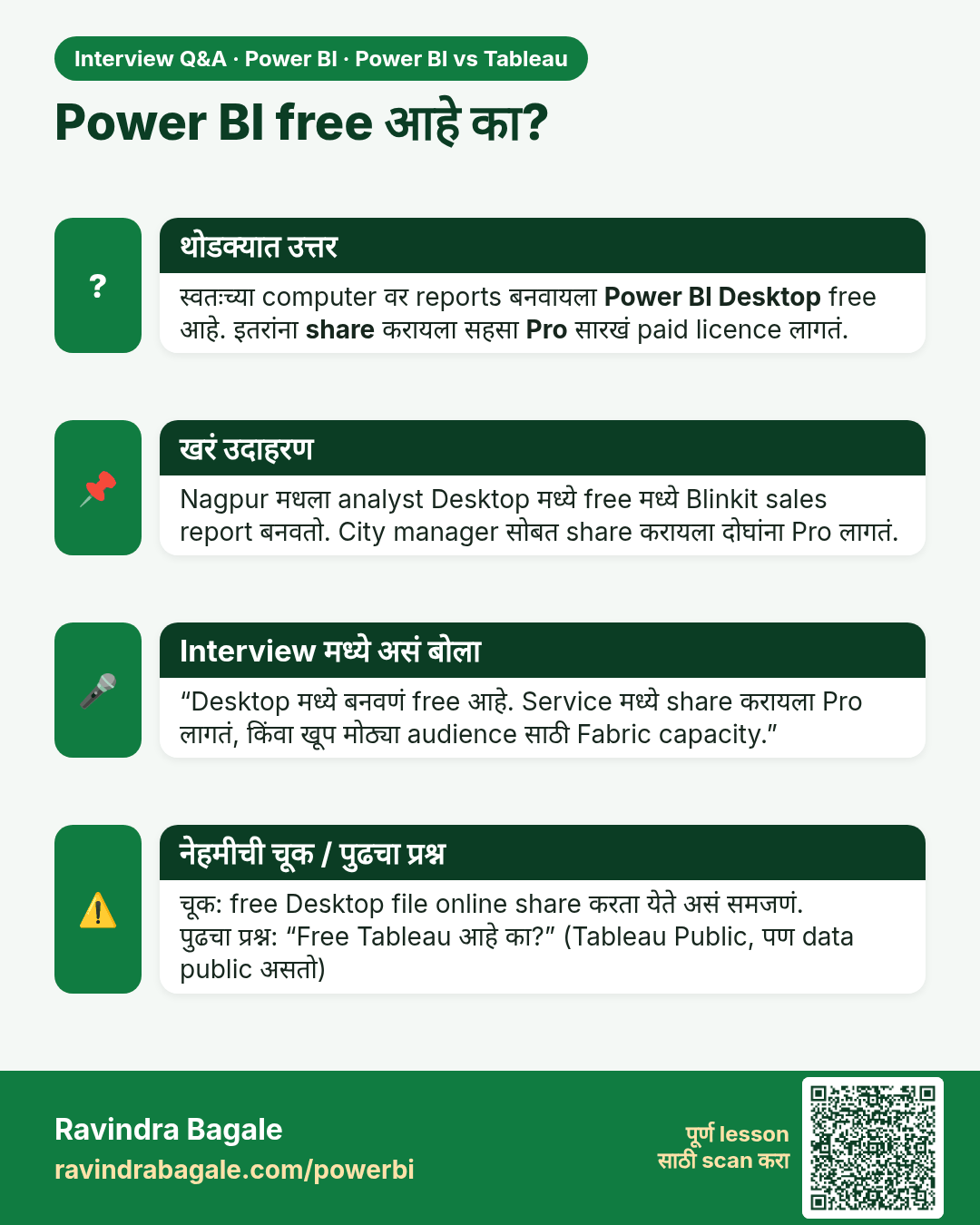
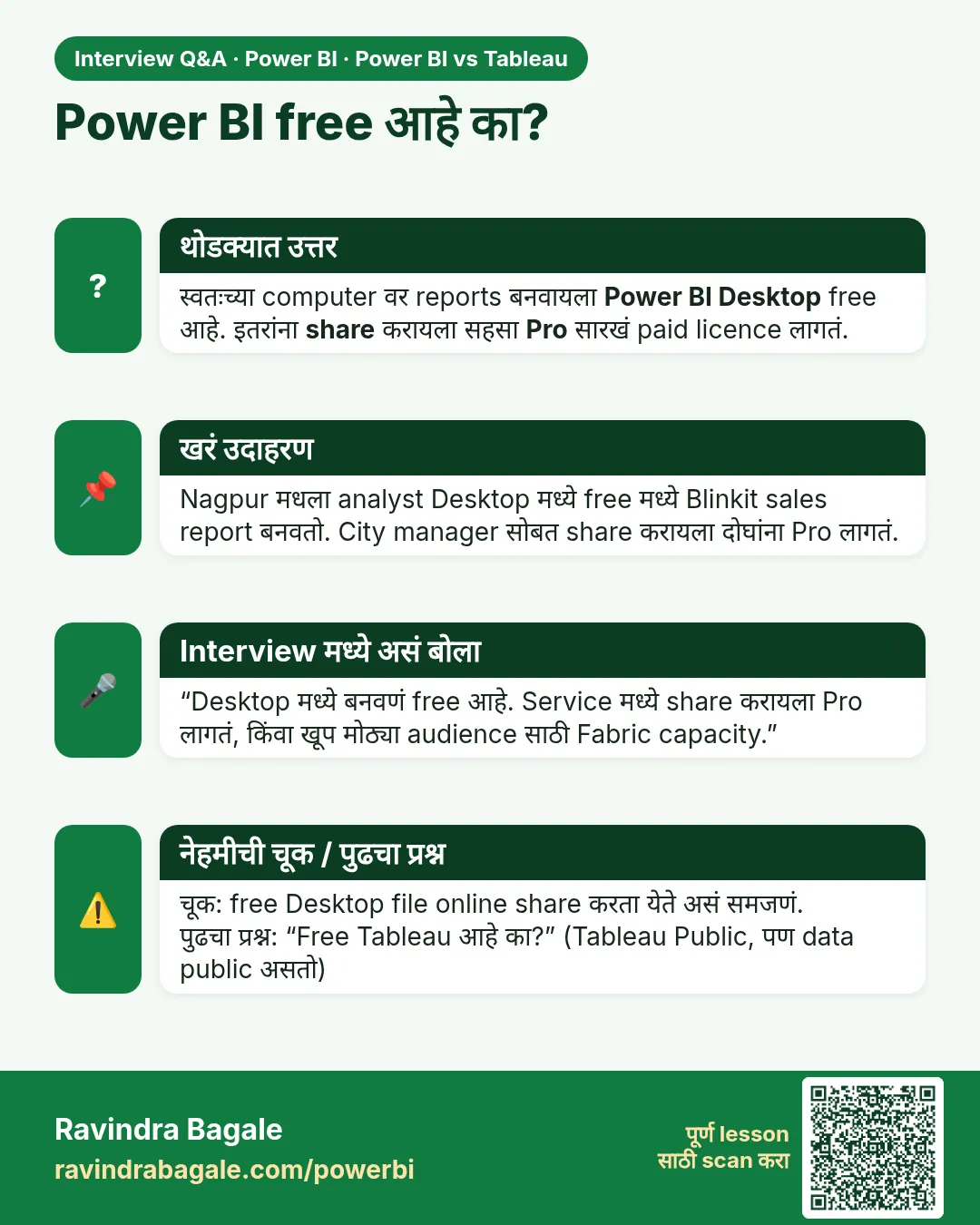 मुलाखत (Interview) card 2 of 5: Power BI free आहे का? · PNG download करा · Card page उघडा
Lesson: Power BI vs Tableau: Differences, Price and Which One to Choose (Easy Guide)
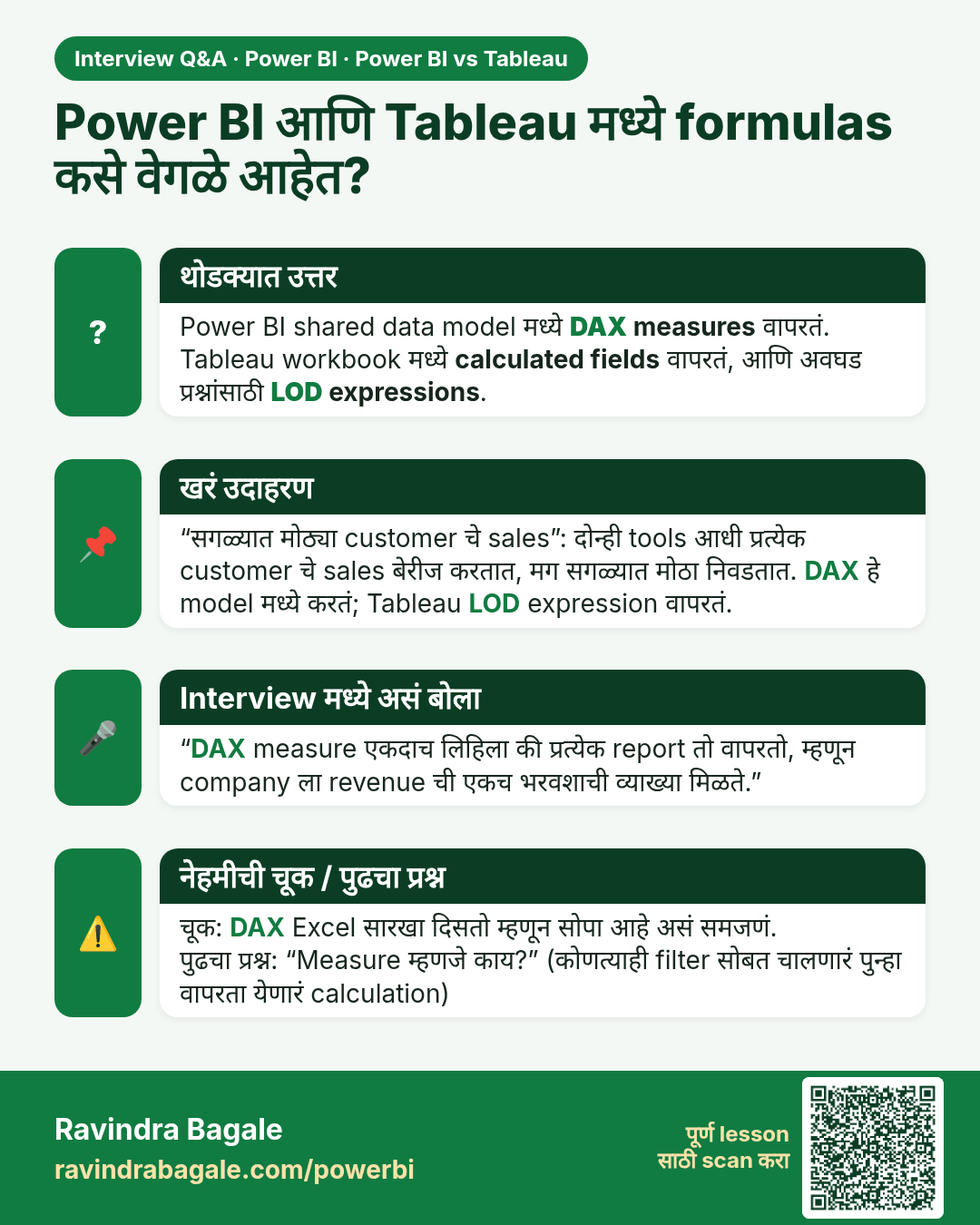
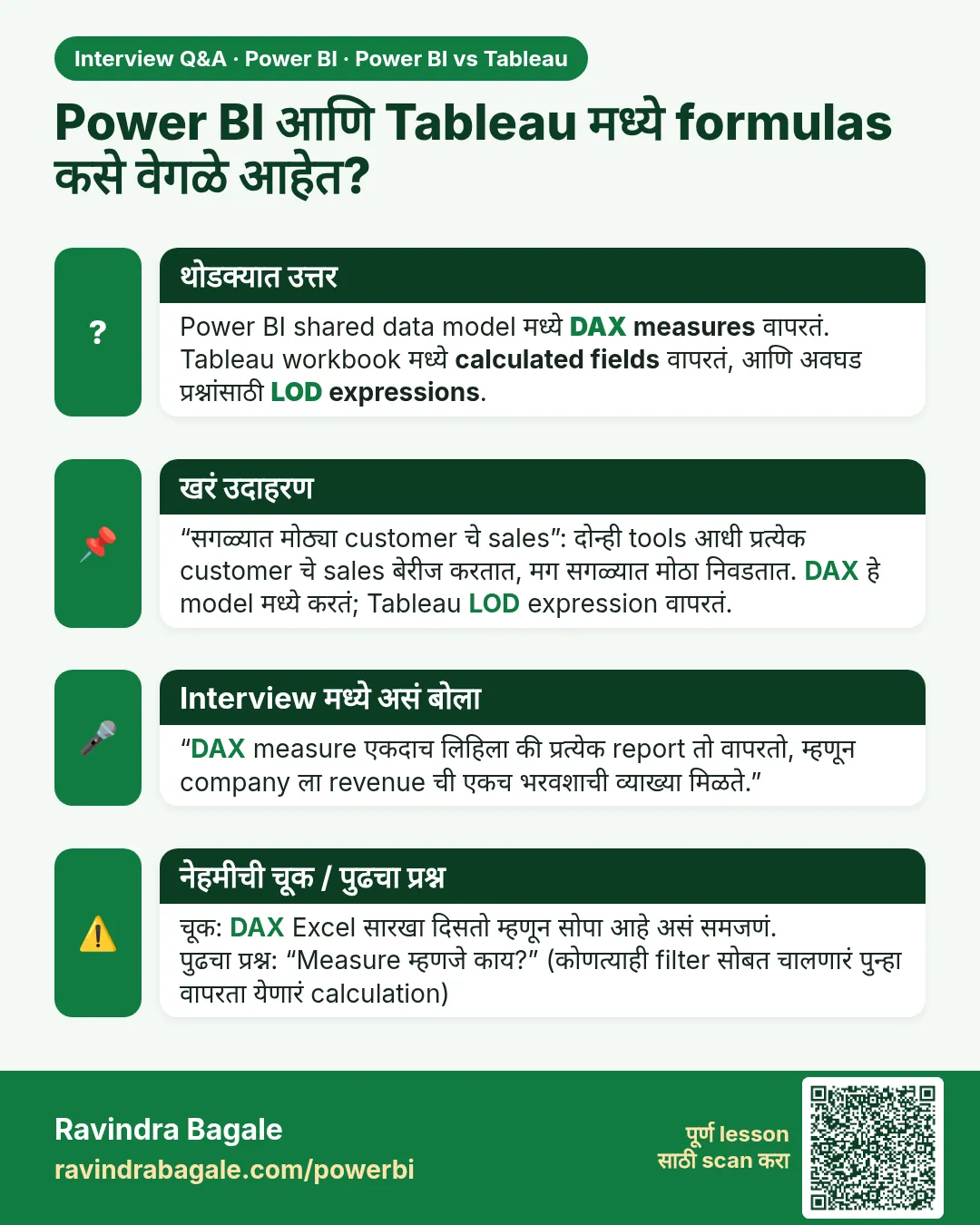 मुलाखत (Interview) card 3 of 5: Power BI आणि Tableau मध्ये formulas कसे वेगळे आहेत? · PNG download करा · Card page उघडा
Lesson: Power BI vs Tableau: Differences, Price and Which One to Choose (Easy Guide)
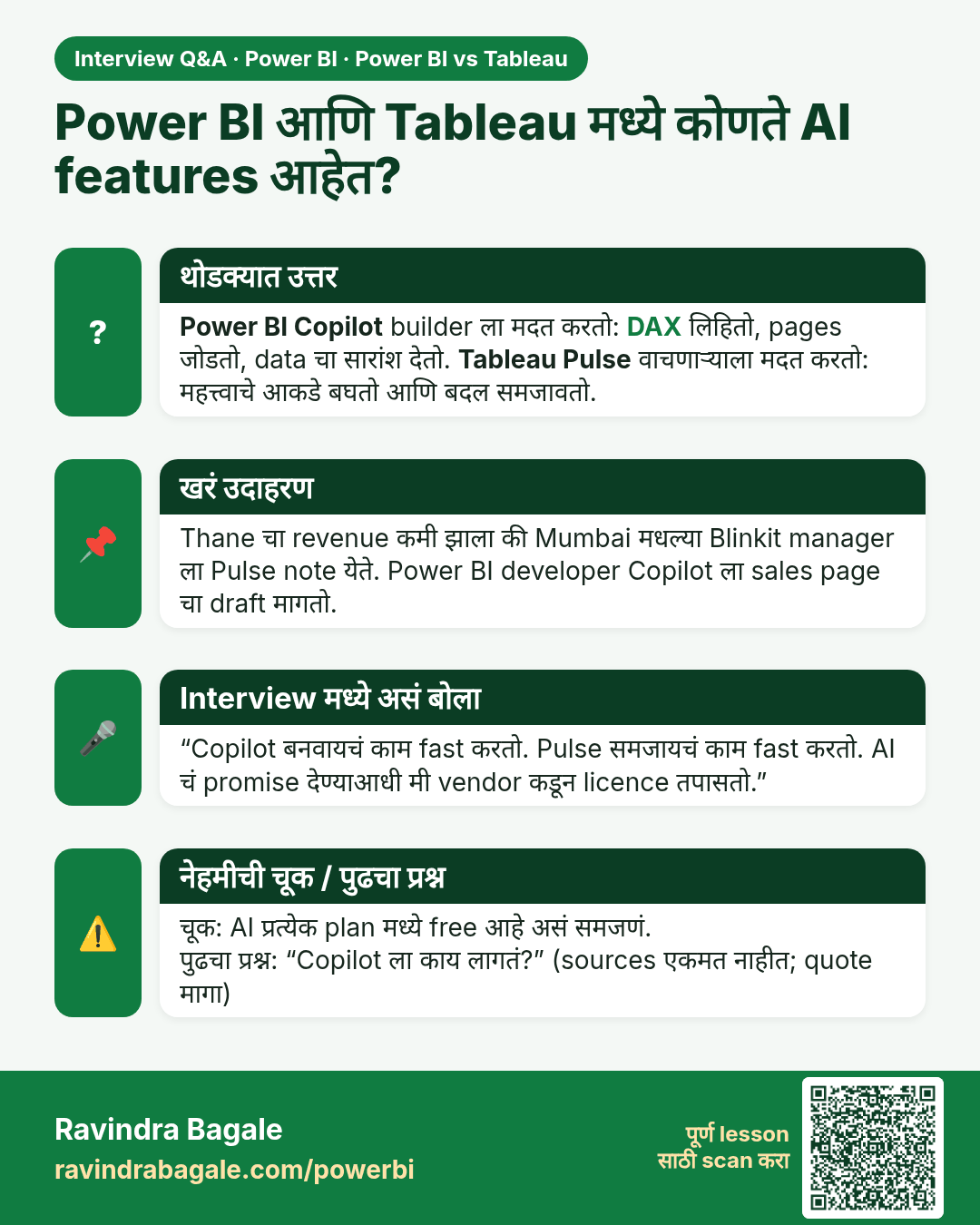
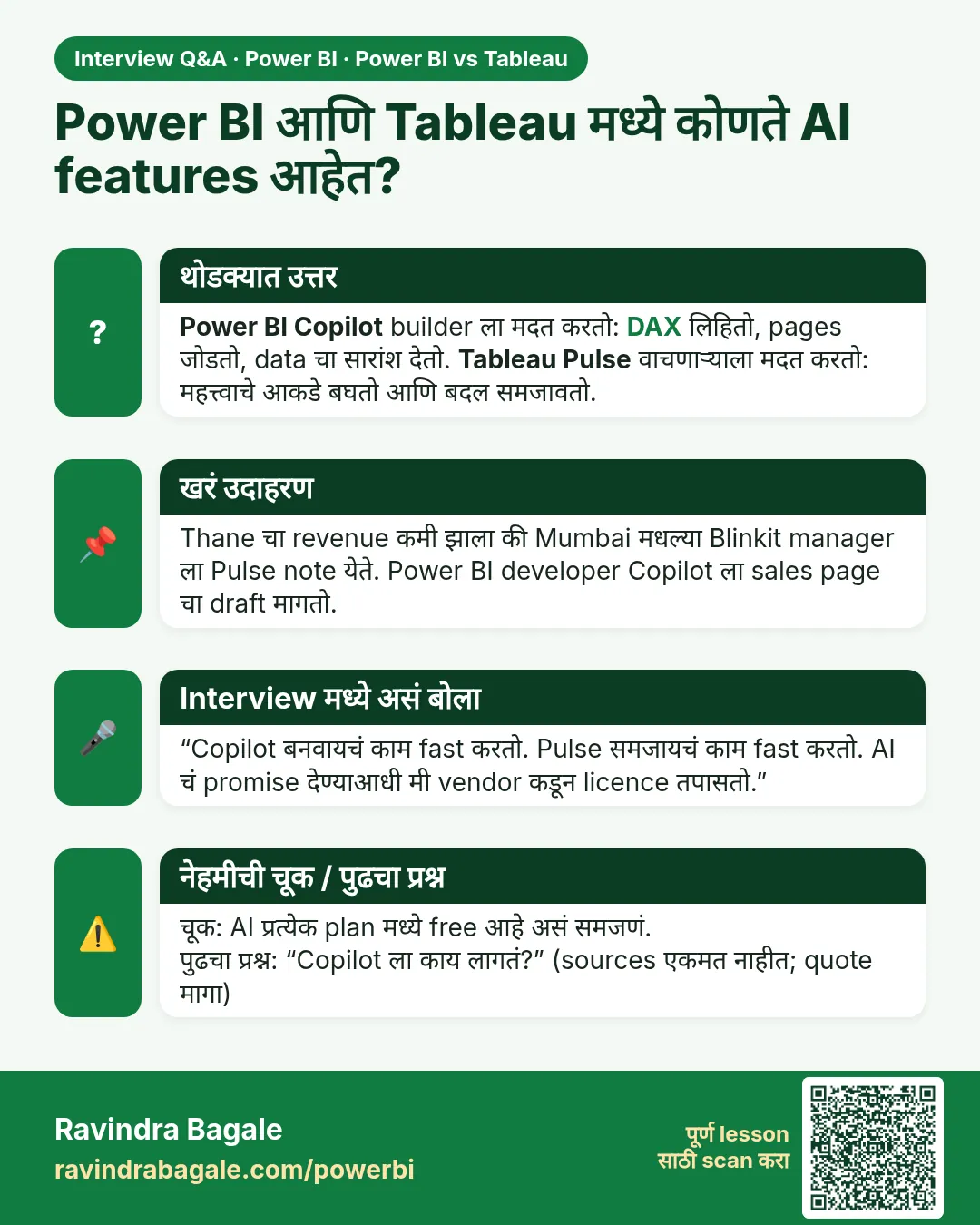 मुलाखत (Interview) card 4 of 5: Power BI आणि Tableau मध्ये कोणते AI features आहेत? · PNG download करा · Card page उघडा
Lesson: Power BI vs Tableau: Differences, Price and Which One to Choose (Easy Guide)
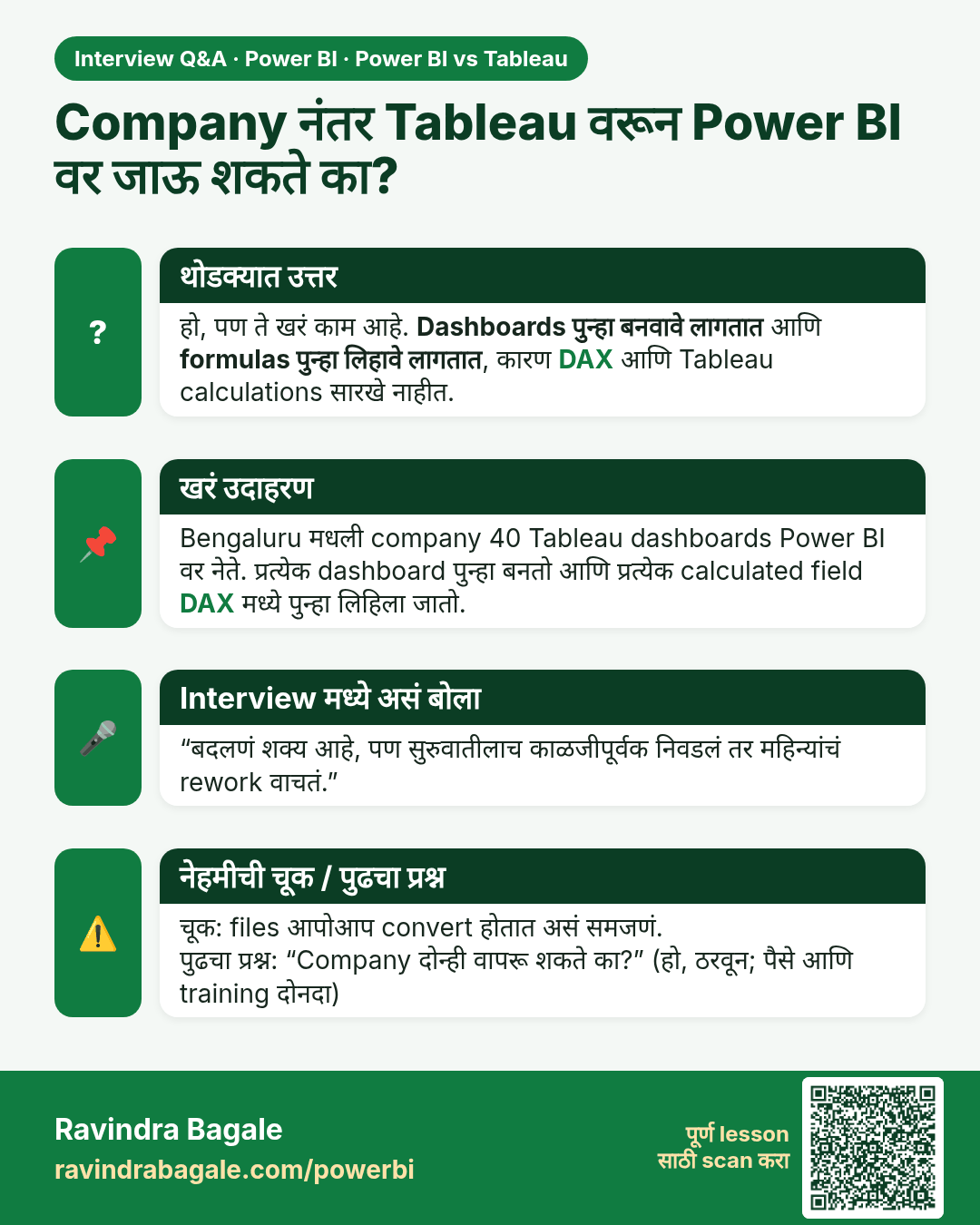
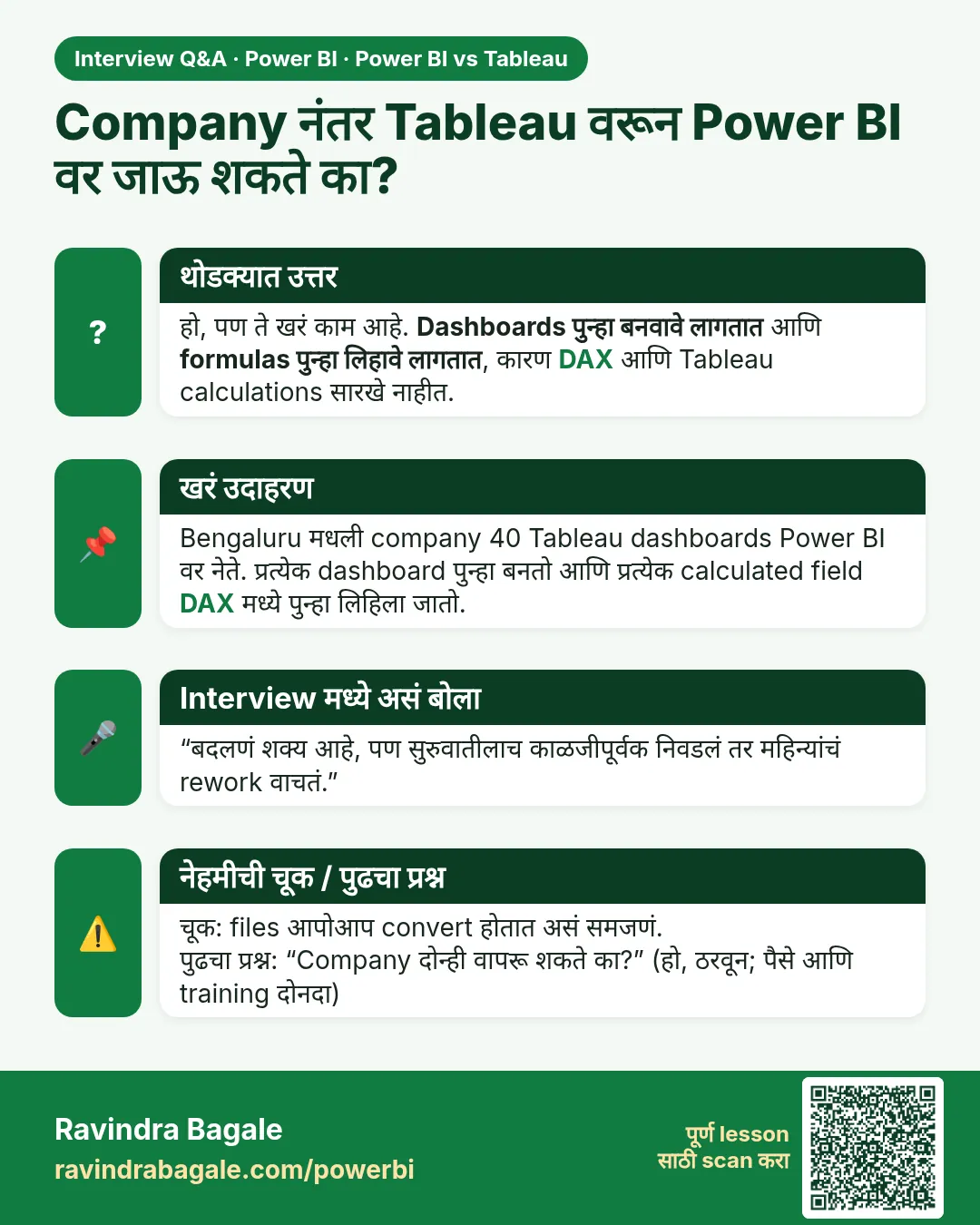 मुलाखत (Interview) card 5 of 5: Company नंतर Tableau वरून Power BI वर जाऊ शकते का? · PNG download करा · Card page उघडा
Lesson: Power BI vs Tableau: Differences, Price and Which One to Choose (Easy Guide)
तुलना (Comparison) cards
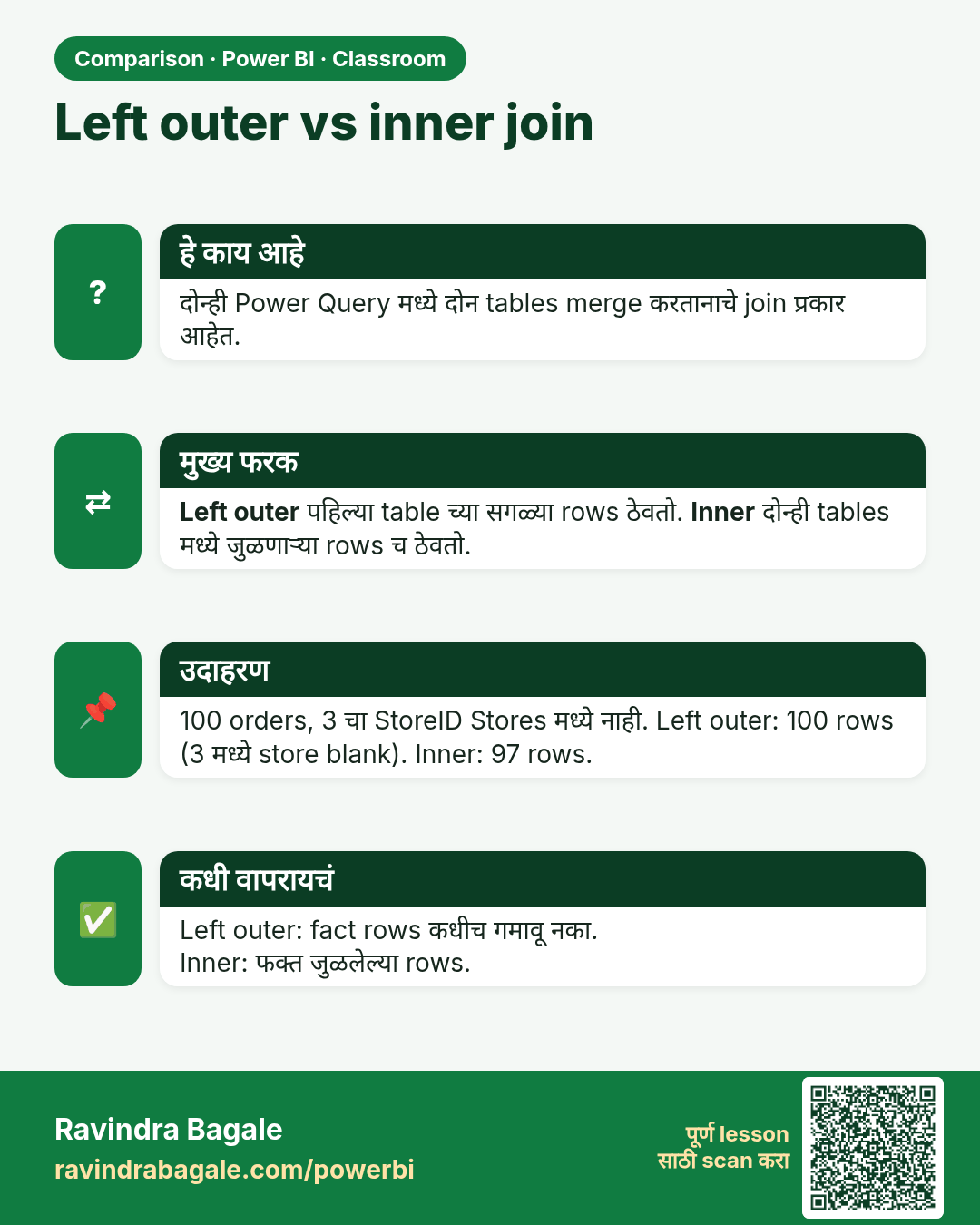
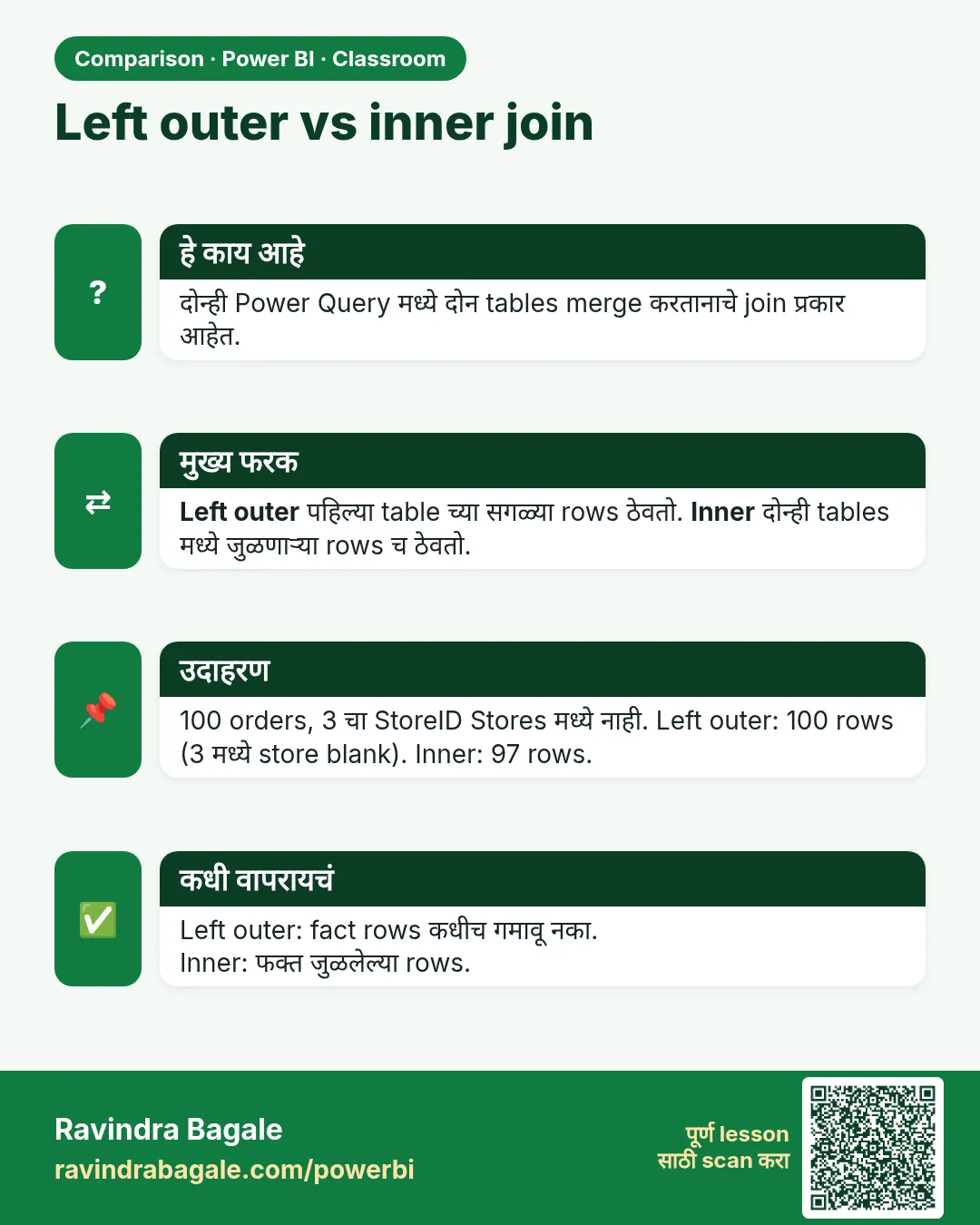 तुलना (Comparison) card 1 of 9: Left outer vs inner join · PNG download करा · Card page उघडा
Lesson: How to Merge Tables in Power BI Power Query (Left Outer vs Inner Join)
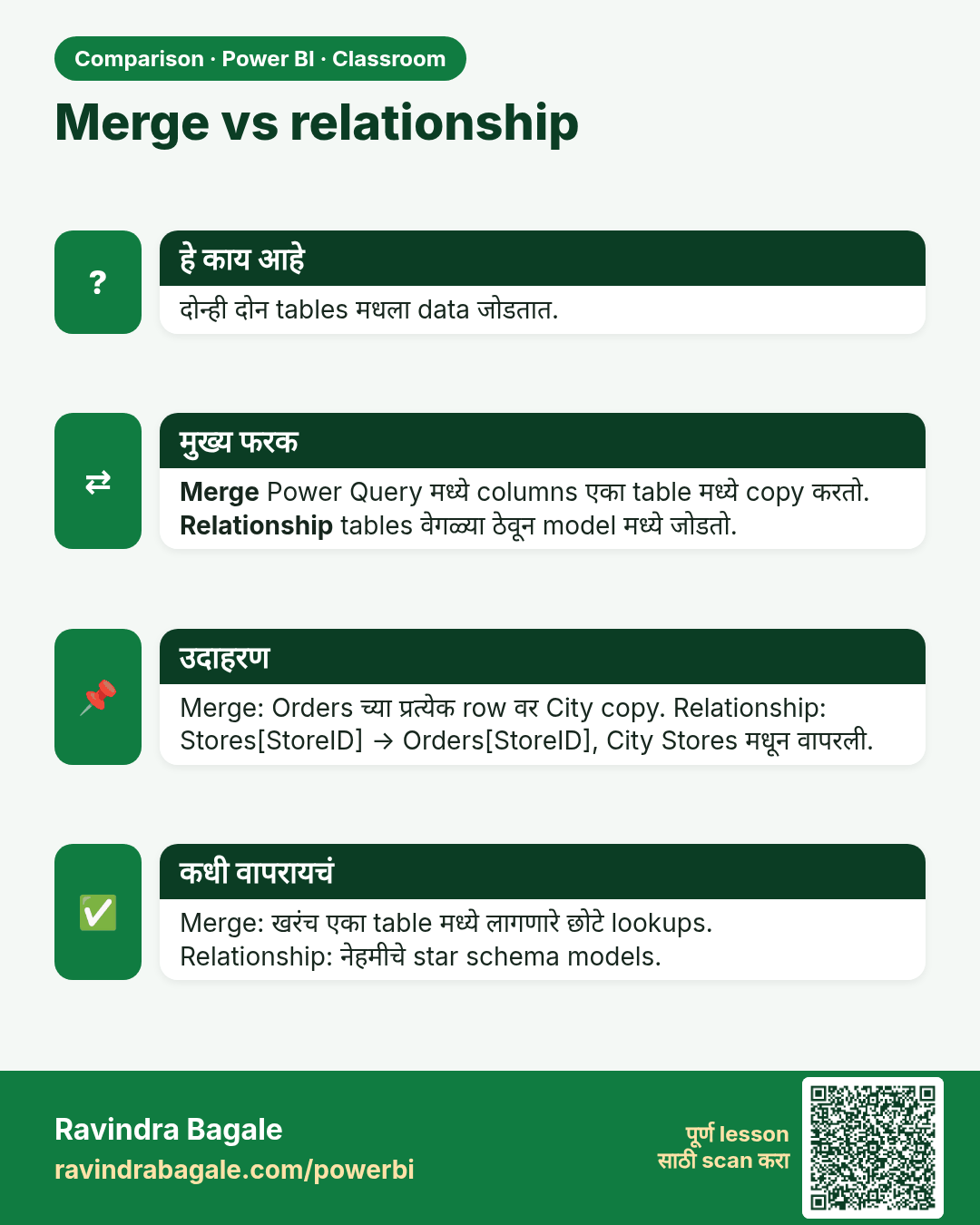
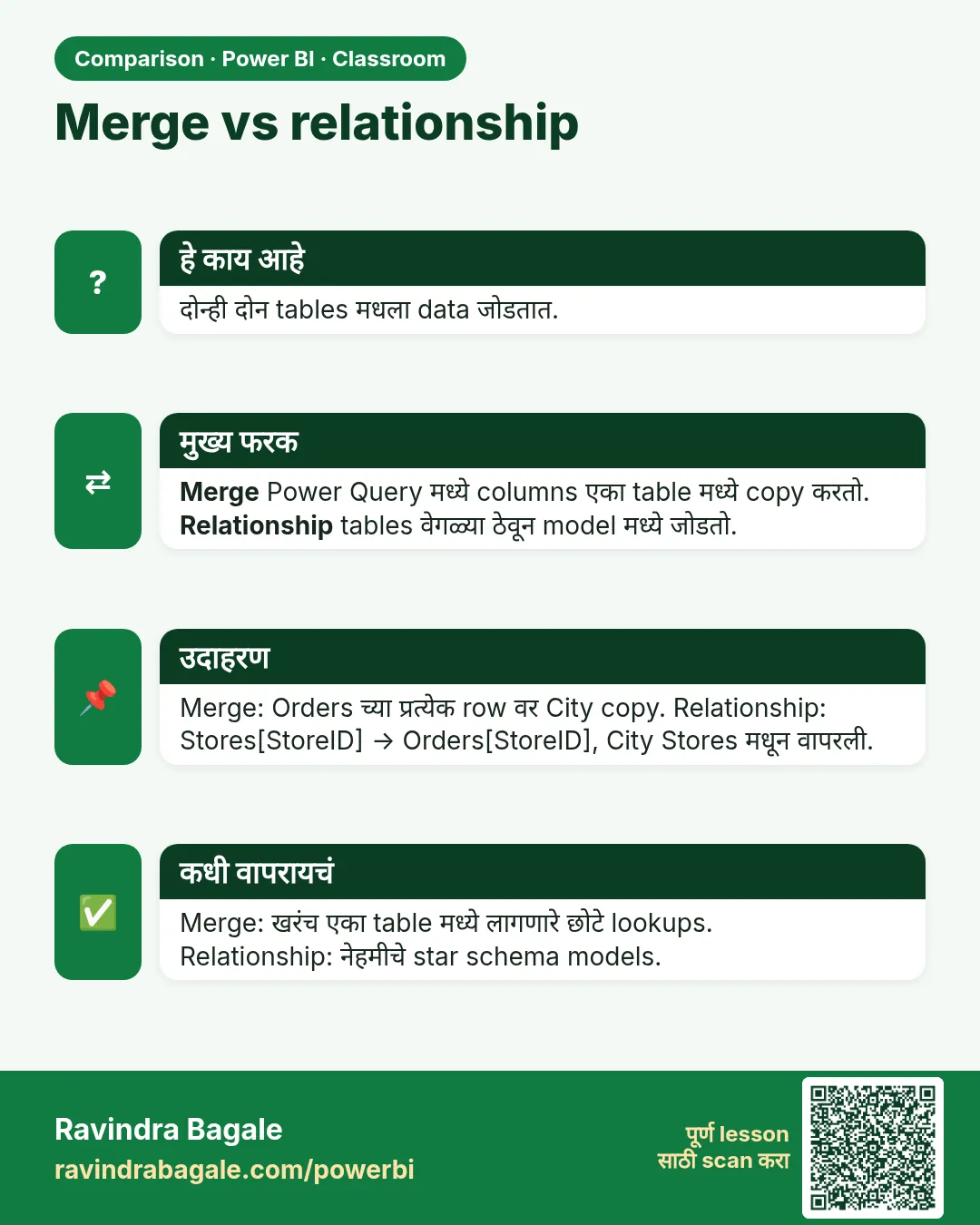 तुलना (Comparison) card 2 of 9: Merge vs relationship · PNG download करा · Card page उघडा
Lesson: How to Create Relationships in Power BI Instead of Merging Tables (One-to-Many)
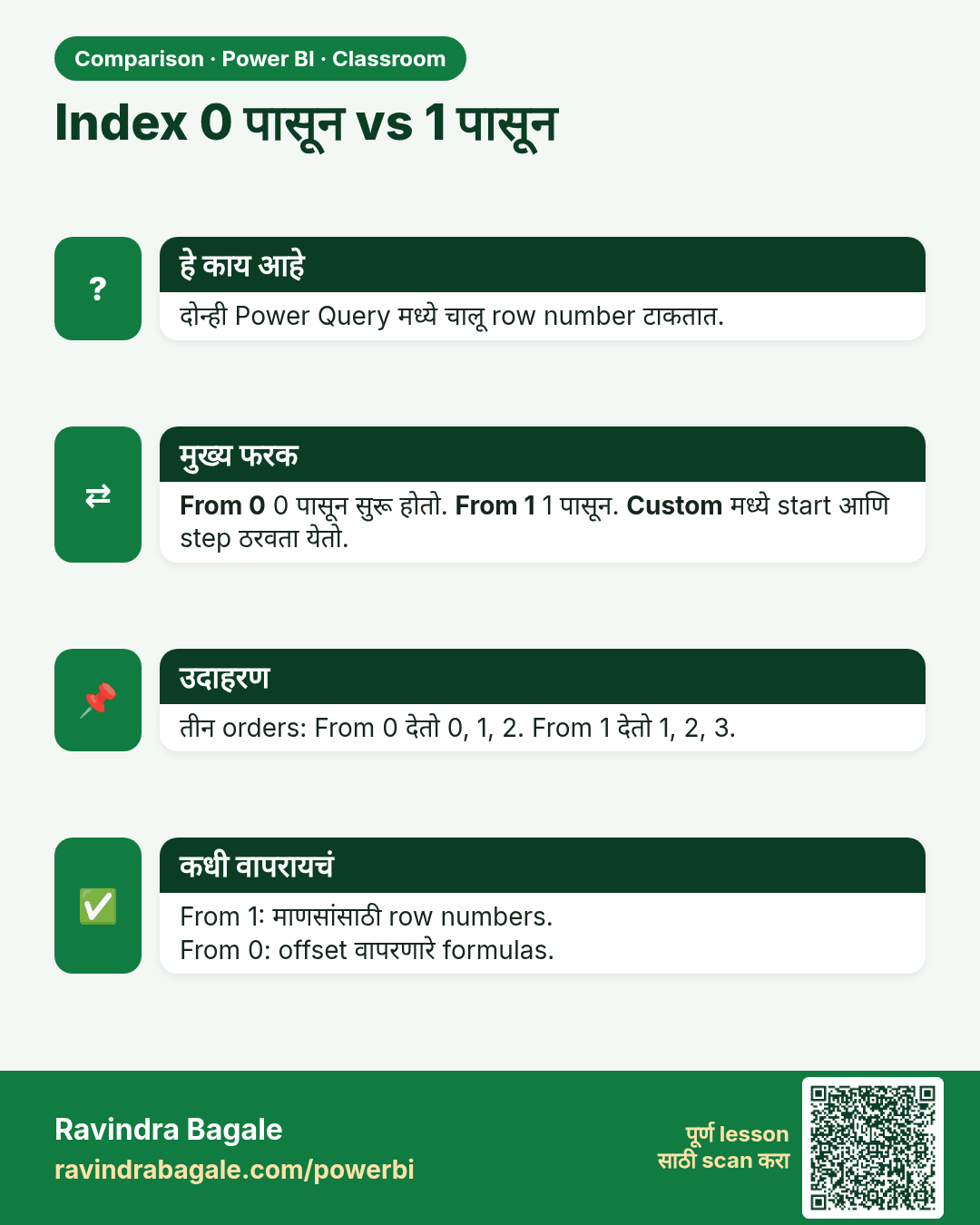
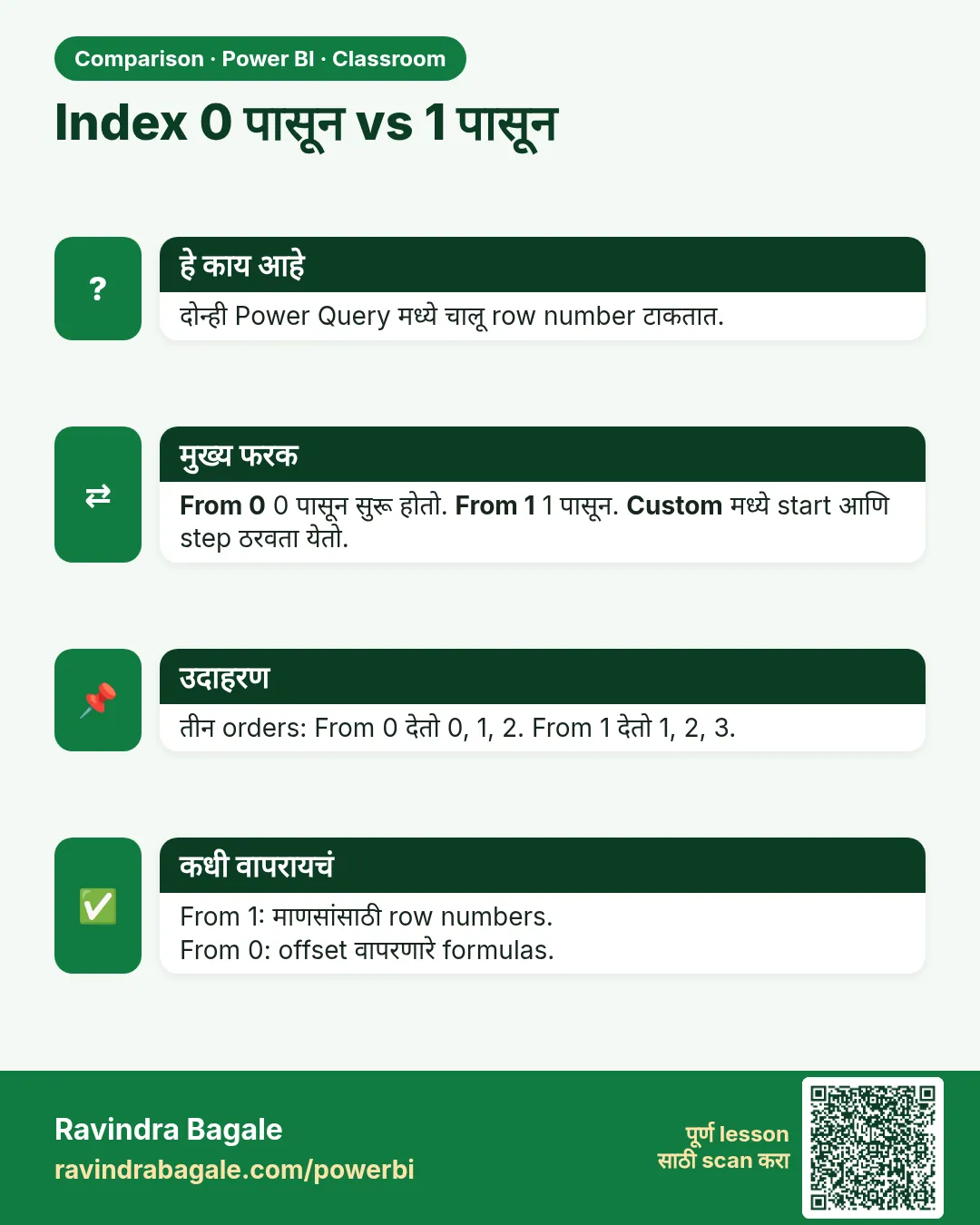 तुलना (Comparison) card 3 of 9: Index 0 पासून vs 1 पासून · PNG download करा · Card page उघडा
Lesson: How to Add an Index Column in Power Query (From 0, From 1 and Custom Start)
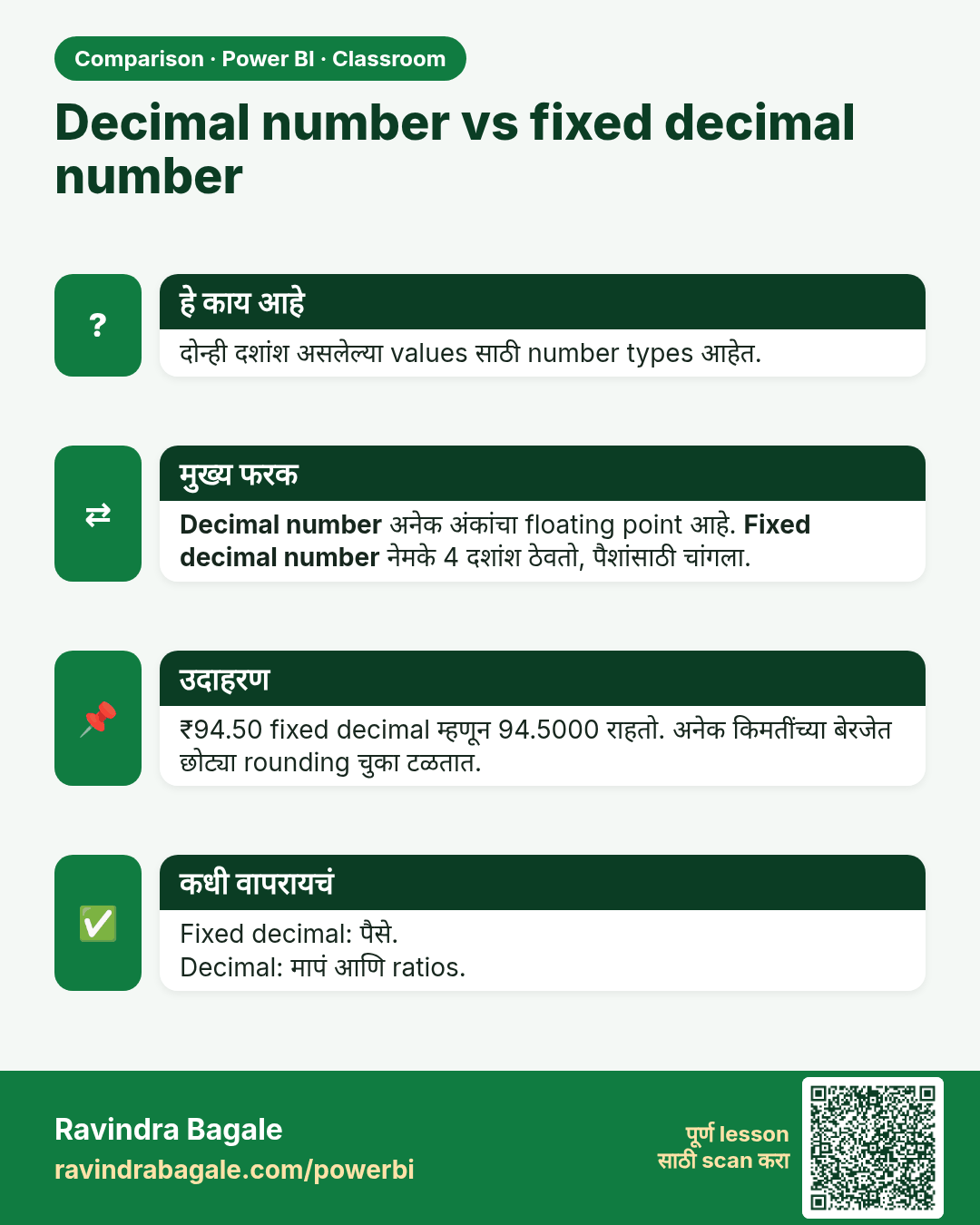
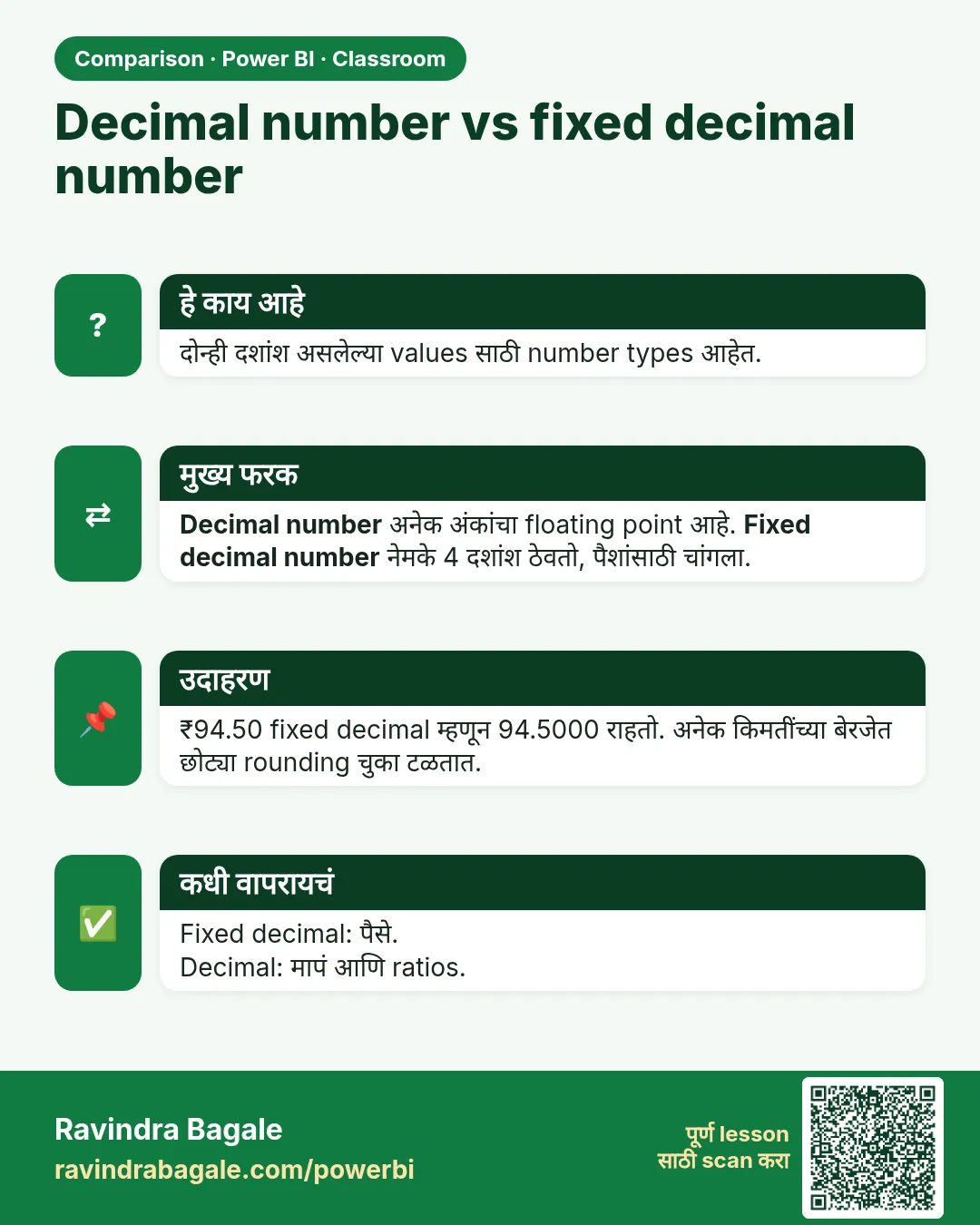 तुलना (Comparison) card 4 of 9: Decimal number vs fixed decimal number · PNG download करा · Card page उघडा
Lesson: How to Fix US Dates with Locale, Keep ID Columns as Text and Use Fixed Decimal Number in Power Query
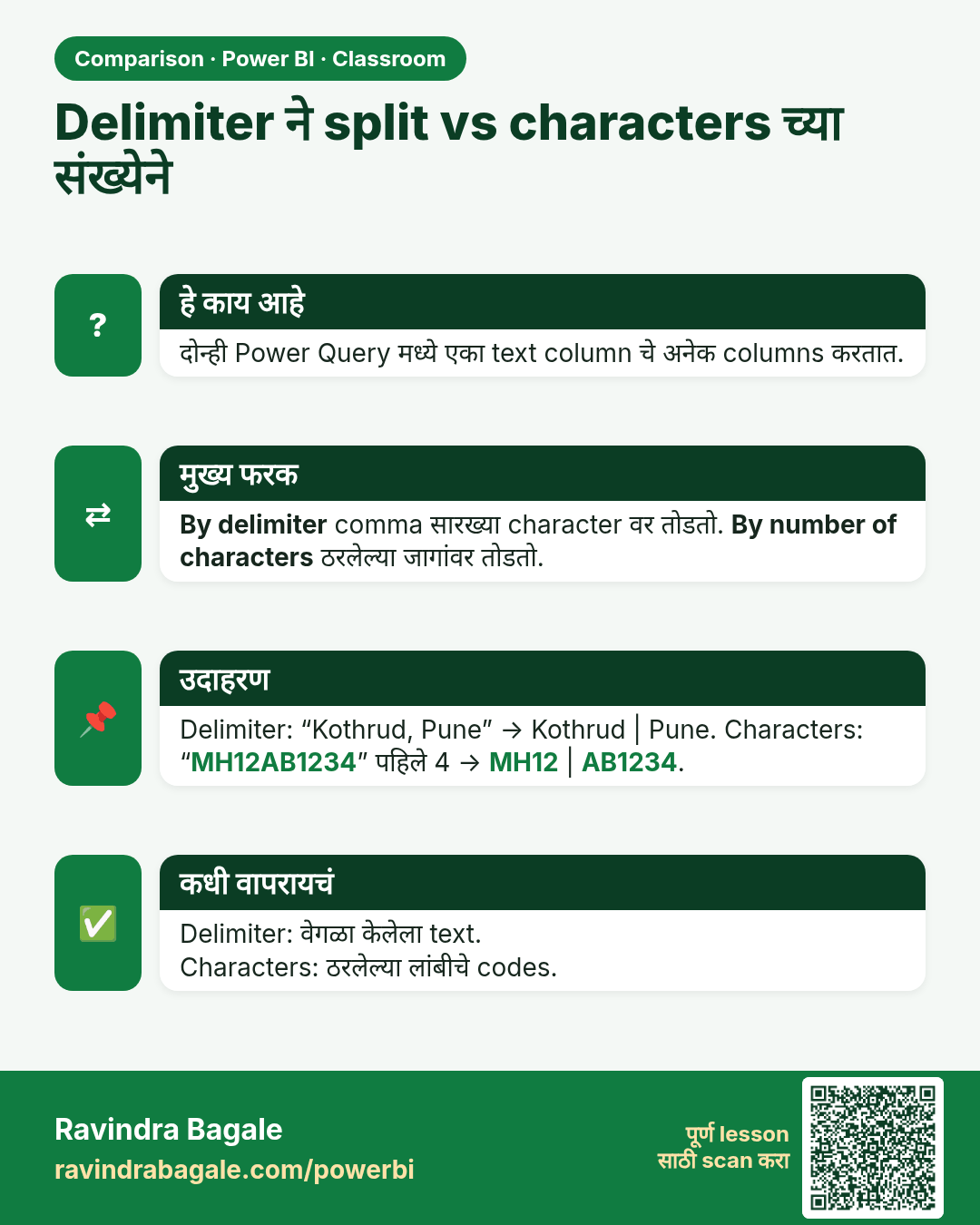
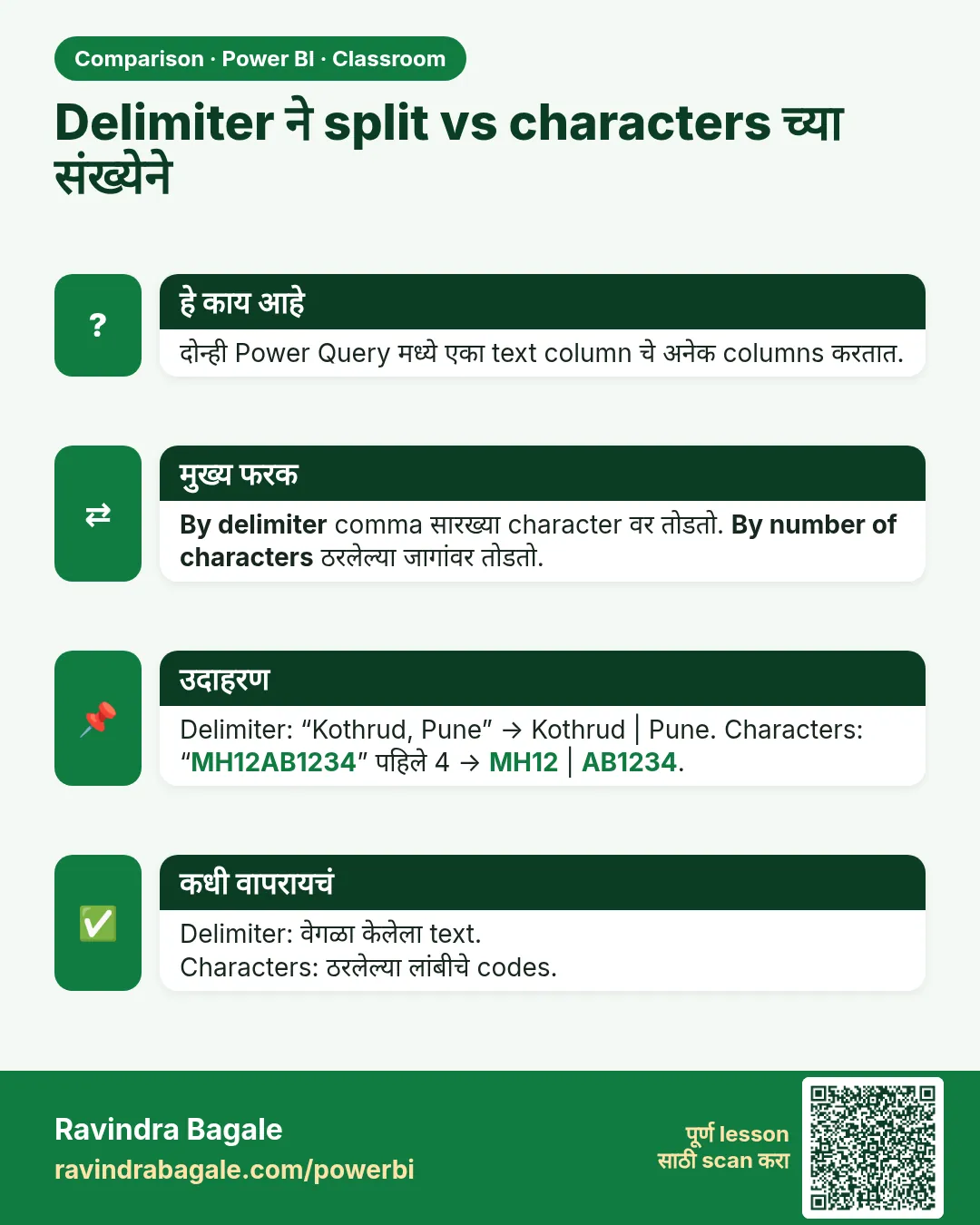 तुलना (Comparison) card 5 of 9: Delimiter ने split vs characters च्या संख्येने · PNG download करा · Card page उघडा
Lesson: How to Clean Text Columns in Power Query with Split, Trim, Clean and Lowercase
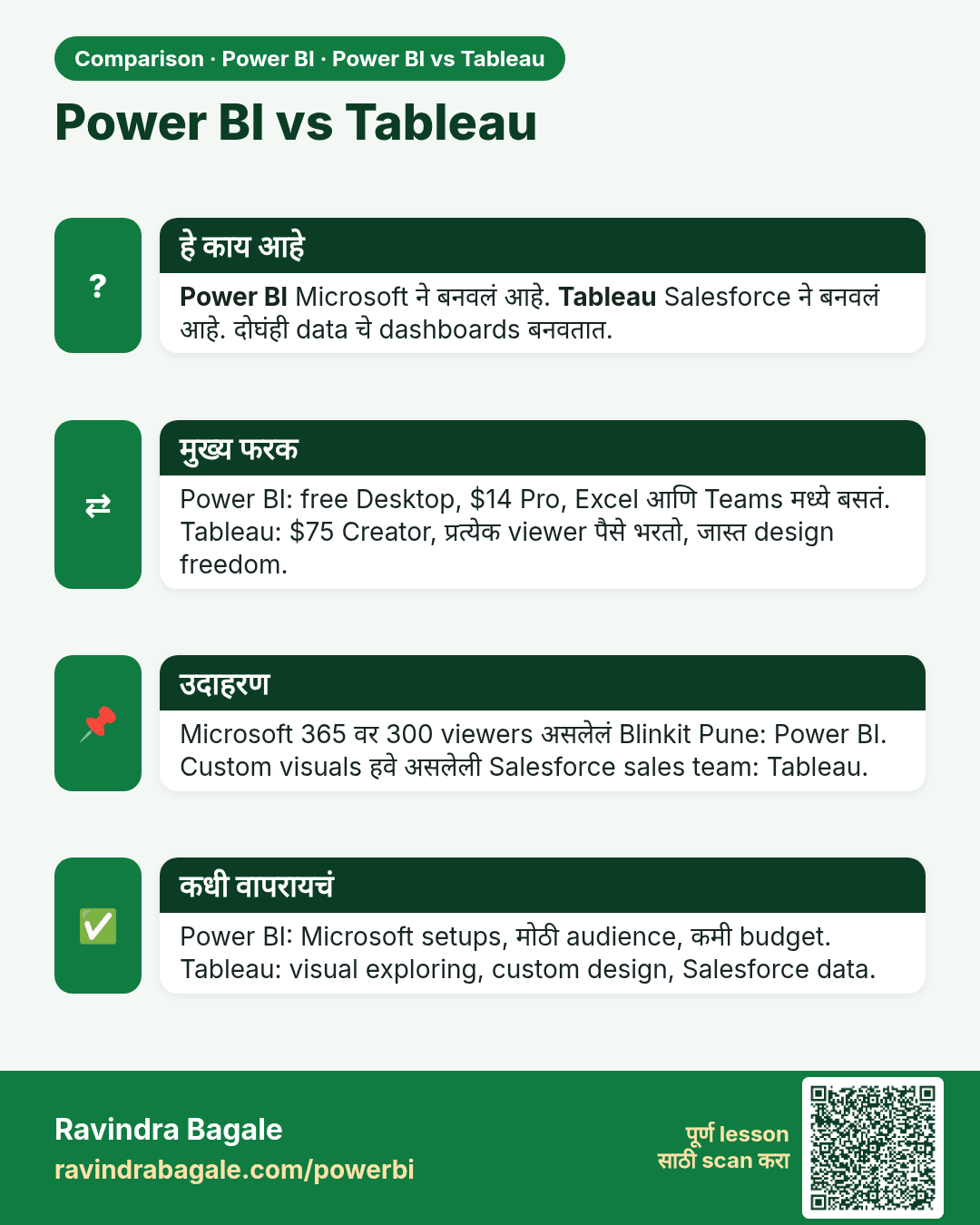
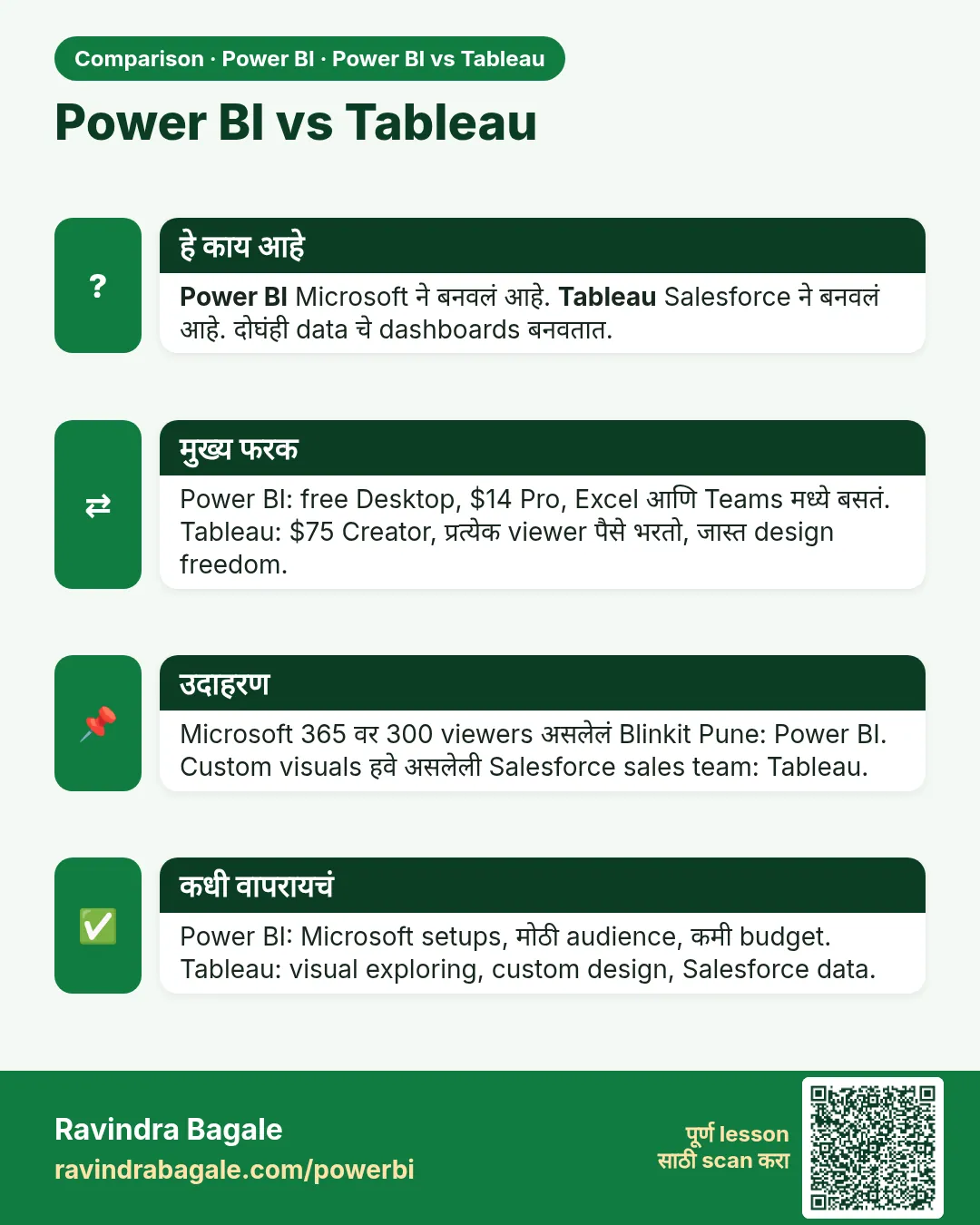 तुलना (Comparison) card 6 of 9: Power BI vs Tableau · PNG download करा · Card page उघडा
Lesson: Power BI vs Tableau: Differences, Price and Which One to Choose (Easy Guide)
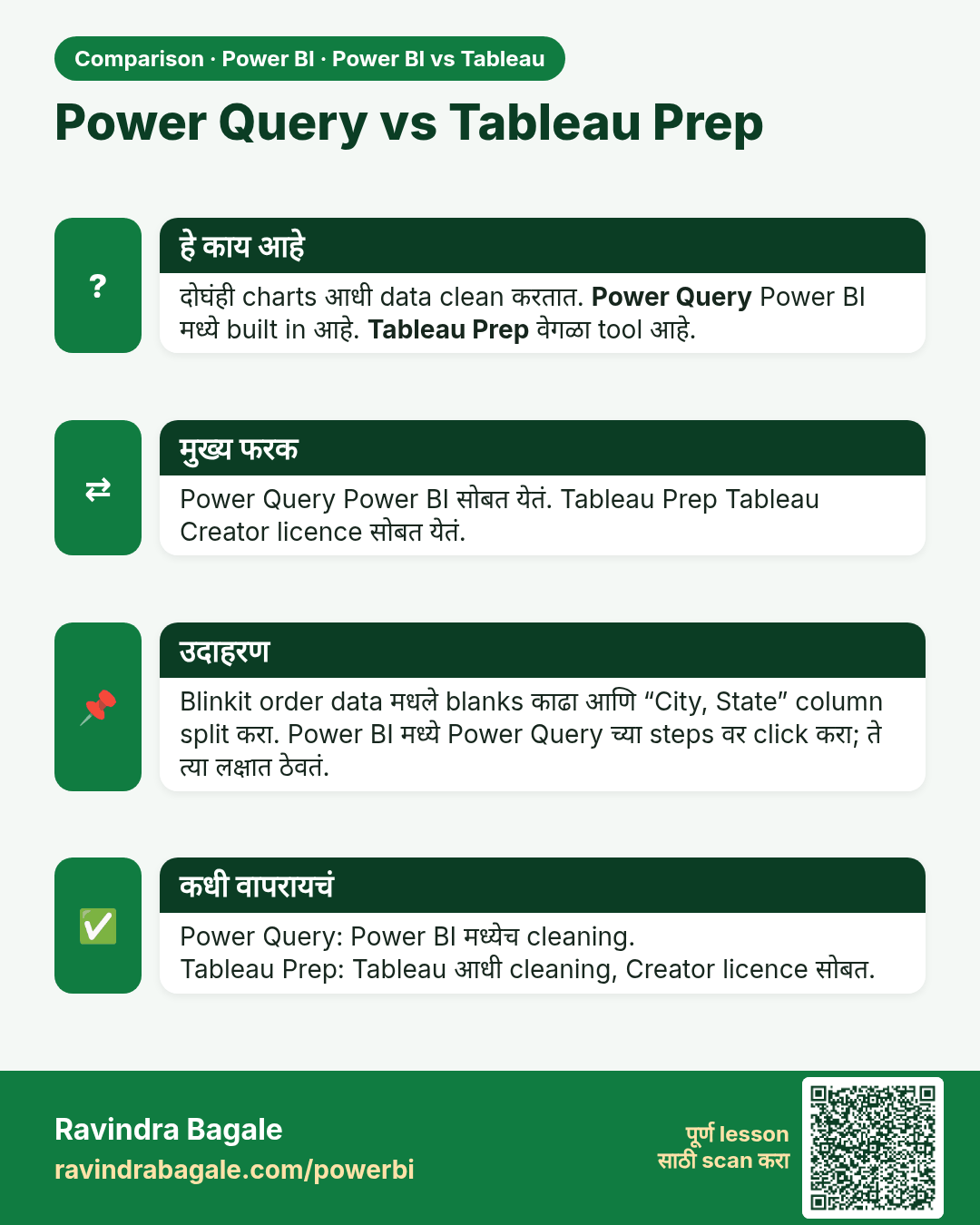
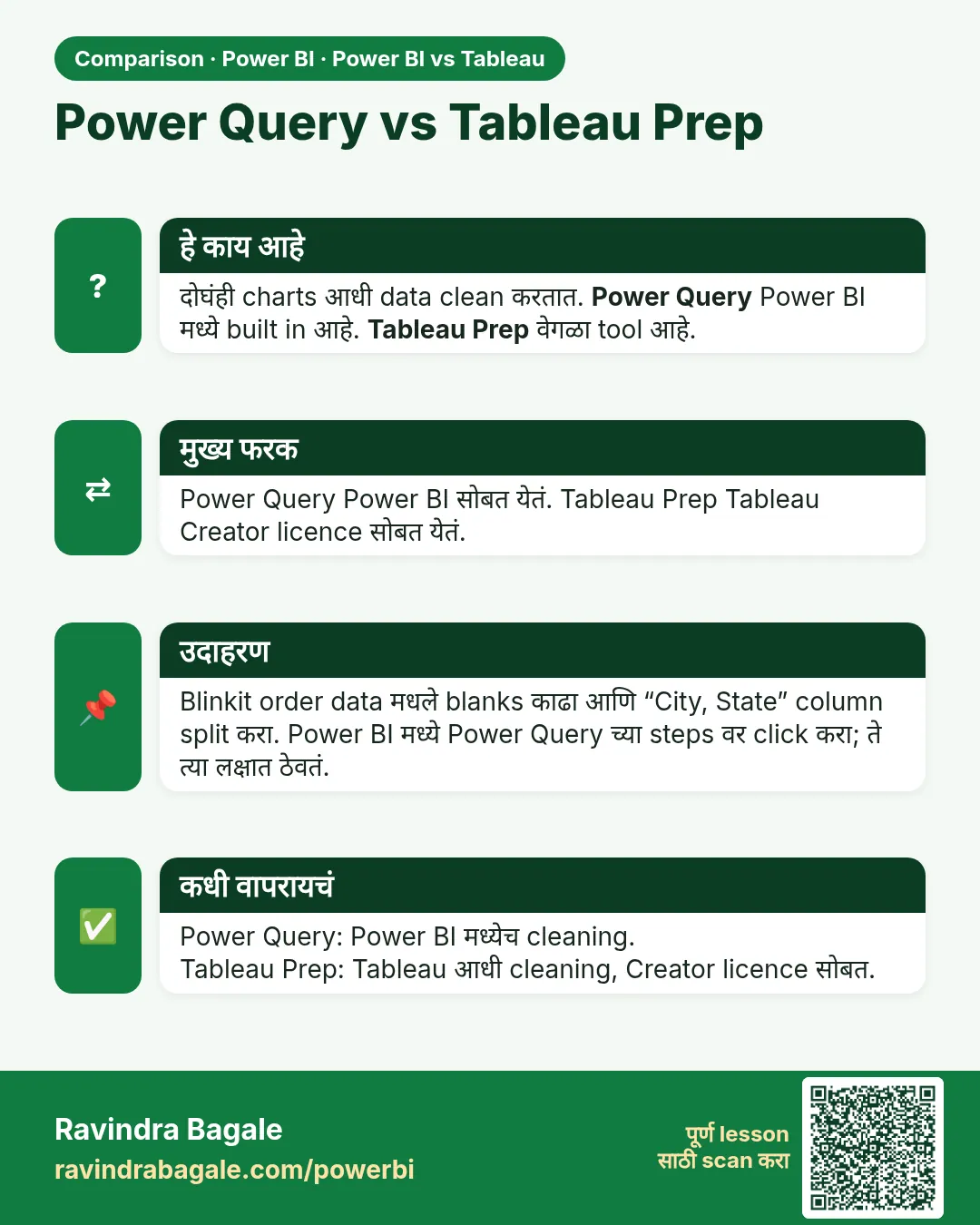 तुलना (Comparison) card 7 of 9: Power Query vs Tableau Prep · PNG download करा · Card page उघडा
Lesson: Power BI vs Tableau: Differences, Price and Which One to Choose (Easy Guide)
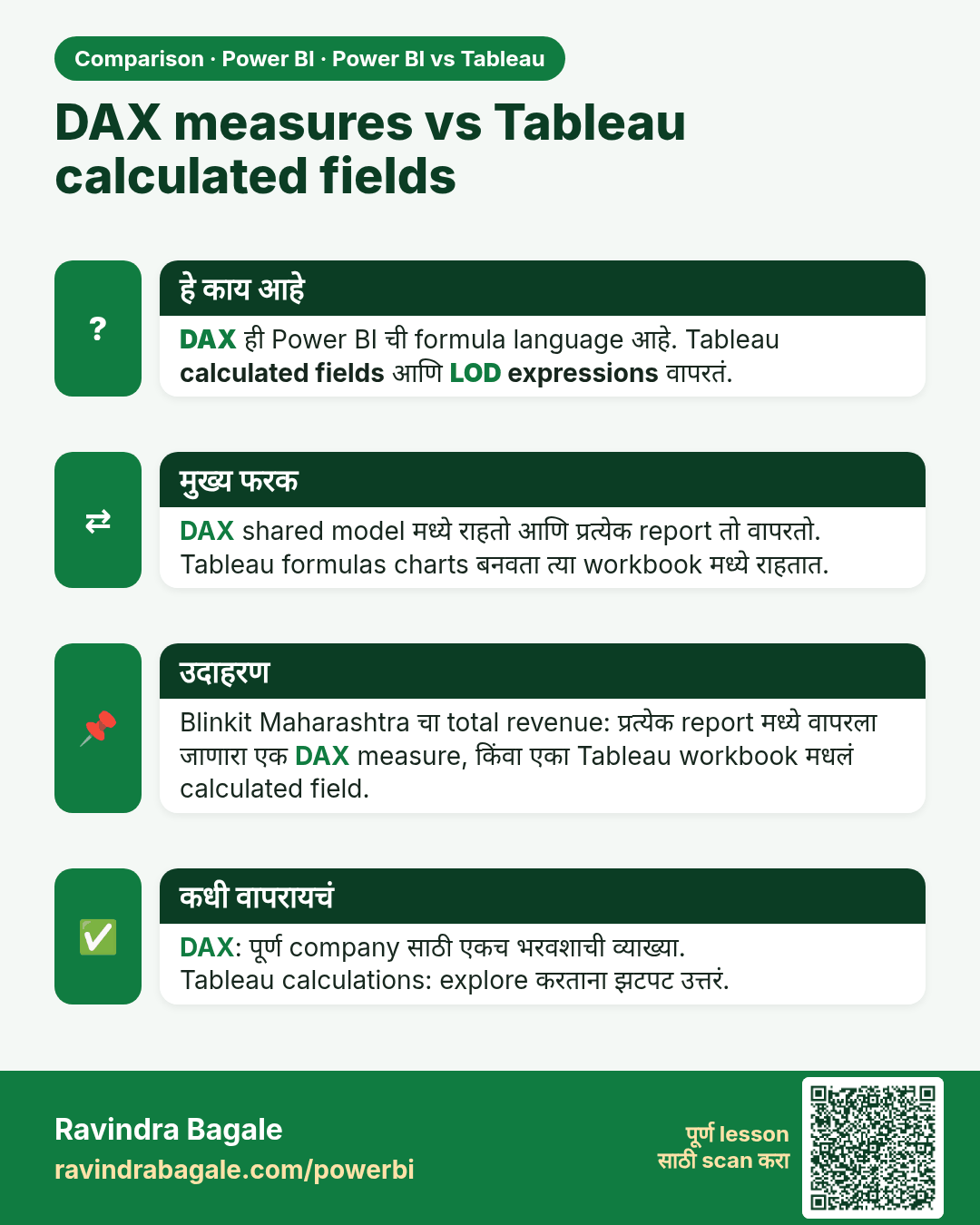
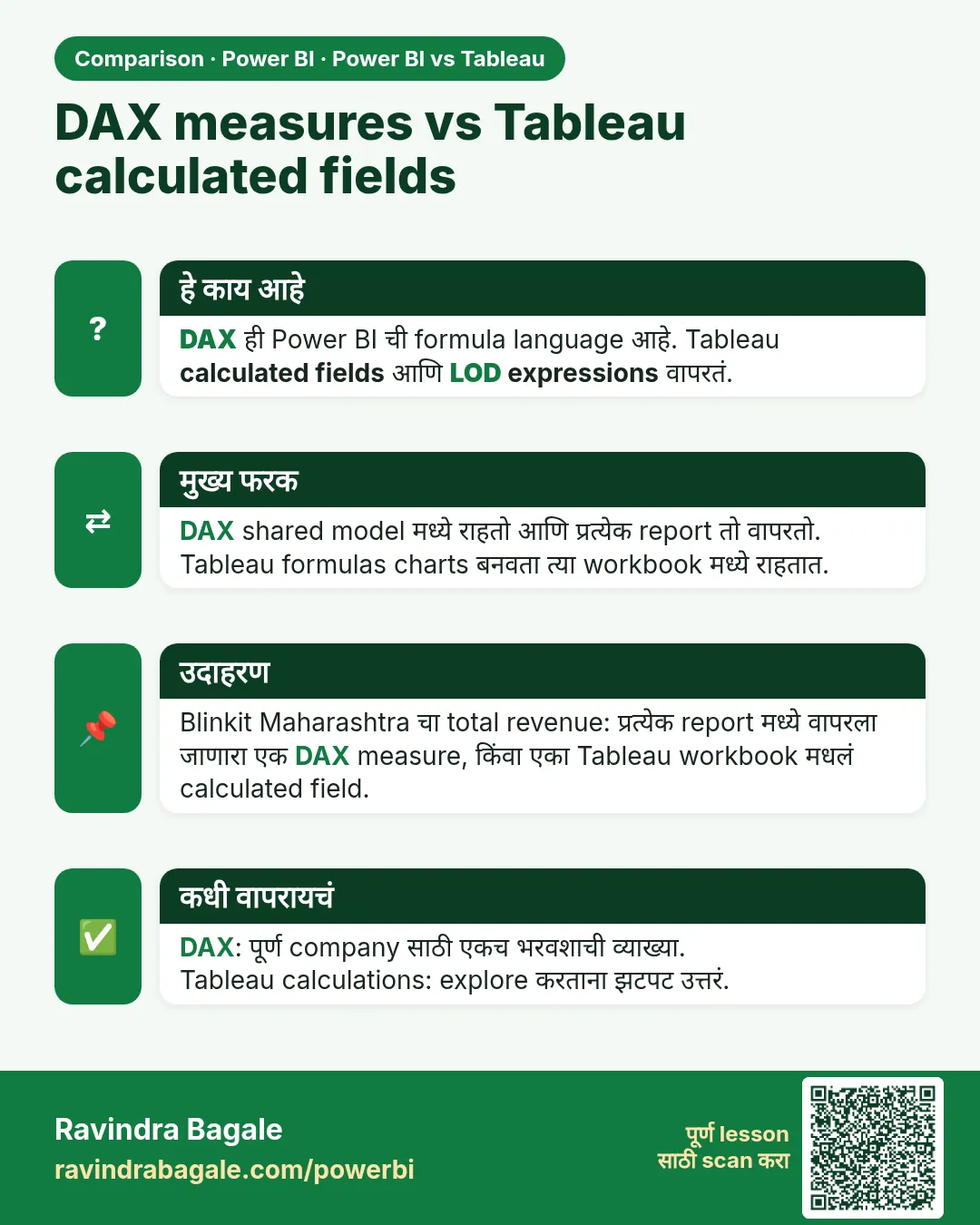 तुलना (Comparison) card 8 of 9: DAX measures vs Tableau calculated fields · PNG download करा · Card page उघडा
Lesson: Power BI vs Tableau: Differences, Price and Which One to Choose (Easy Guide)
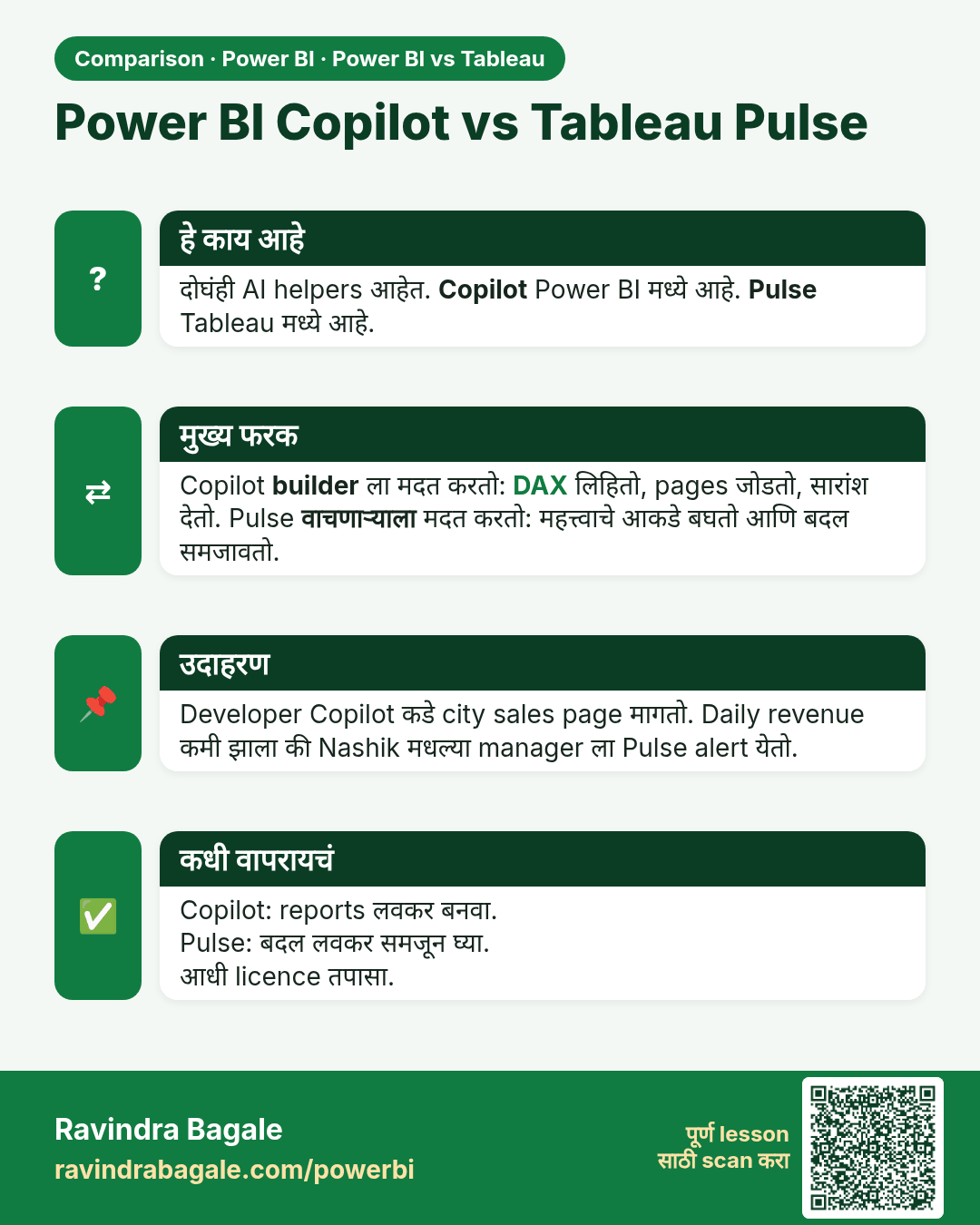
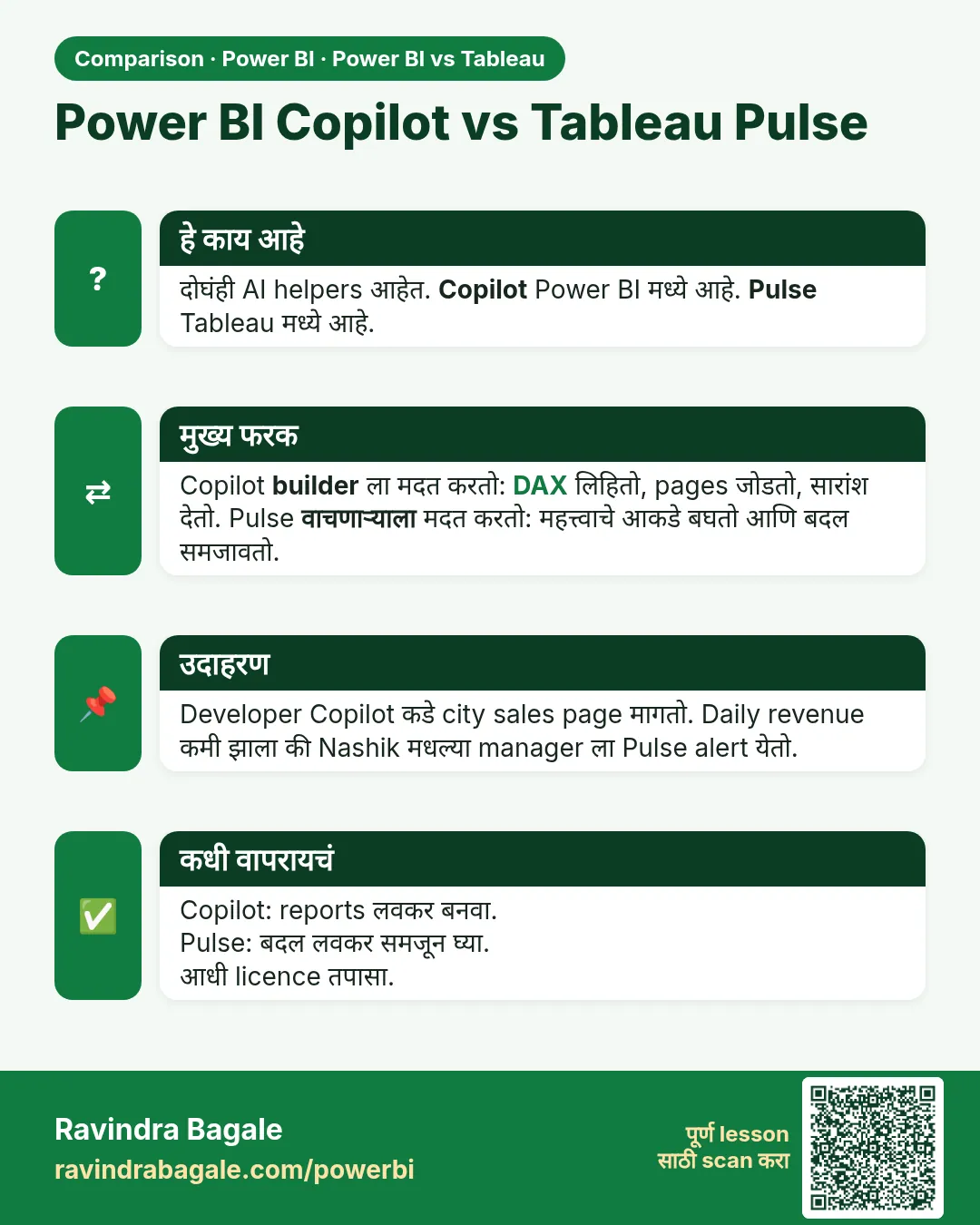 तुलना (Comparison) card 9 of 9: Power BI Copilot vs Tableau Pulse · PNG download करा · Card page उघडा
Lesson: Power BI vs Tableau: Differences, Price and Which One to Choose (Easy Guide)