How to Fix US Dates with Locale, Keep ID Columns as Text and Use Fixed Decimal Number in Power Query
Three small type decisions cause a surprising number of wrong reports. A date like 9/3/2024 means 3 September in the US and 9 March in India, and Power BI silently picks one. A store ID 0101 becomes the number 101 and no longer matches its city table. And money stored as an ordinary decimal can carry tiny rounding remainders into very large totals. In this chapter you fix all three on a file exported from a US system, and you learn what to do with an order that has no product ID when you cannot afford to lose its sales.
What you'll learn in this chapter
- Why 8/18/2024 gives DataFormat.Error
- Using Locale › English (United States)
- IDs as Text, not numbers
- Column profile: Count, Distinct, Unique
- Unknown ID vs deleting the row
- "2 sales" to a number
- Fixed decimal number for money
Practice files: blinkit-orders-us-small.csv (the 8 rows on this page), blinkit-orders-us.csv (1,001 rows, for the practice task) and blinkit-store-cities.csv. The basic cleaning steps (headers, blank and duplicate IDs, NA to null) are covered in How to Clean Messy Sales Data in Power BI Power Query; this chapter adds what that one does not.
Made-up data: fictional Blinkit-style orders, exported in US date format, for practice only. Amounts are in ₹.
1. The problem
The file blinkit-orders-us-small.csv:
| order_id | order_date | store_id | product_id | sales | price | revenue |
|---|---|---|---|---|---|---|
| BLK8001 | 8/18/2024 | 0101 | P101 | 2 sales | 120 | 240 |
| BLK8002 | 9/3/2024 | 0102 | P102 | 1 sales | 450 | 450 |
| BLK8003 | 9/3/2024 | 0101 | (blank) | 3 sales | 90 | 270 |
| BLK8004 | 10/12/2024 | 0205 | P105 | 1 sales | 999 | 999 |
| BLK8004 | 10/12/2024 | 0205 | P105 | 1 sales | 999 | 999 |
| BLK8005 | 11/5/2024 | 0102 | P106 | 3 sales | 26.66667 | 80 |
| BLK8006 | 12/1/2024 | 0205 | P101 | 4 sales | 120 | 480 |
| BLK8007 | 12/24/2024 | 0303 | P104 | 2 sales | 60 | 120 |
On a laptop set to English (India) (day/month/year), changing order_date to Date gives:
- Error for 8/18/2024 and 12/24/2024: there is no month 18 or 24.
- Wrong dates with no error for 9/3, 10/12, 11/5 and 12/1: they become 9 March, 10 December, 11 May and 12 January.
And: store_id 0101 turns into 101, BLK8004 appears twice, one order has no product_id, and sales is text like "2 sales".
2. The idea in simple words
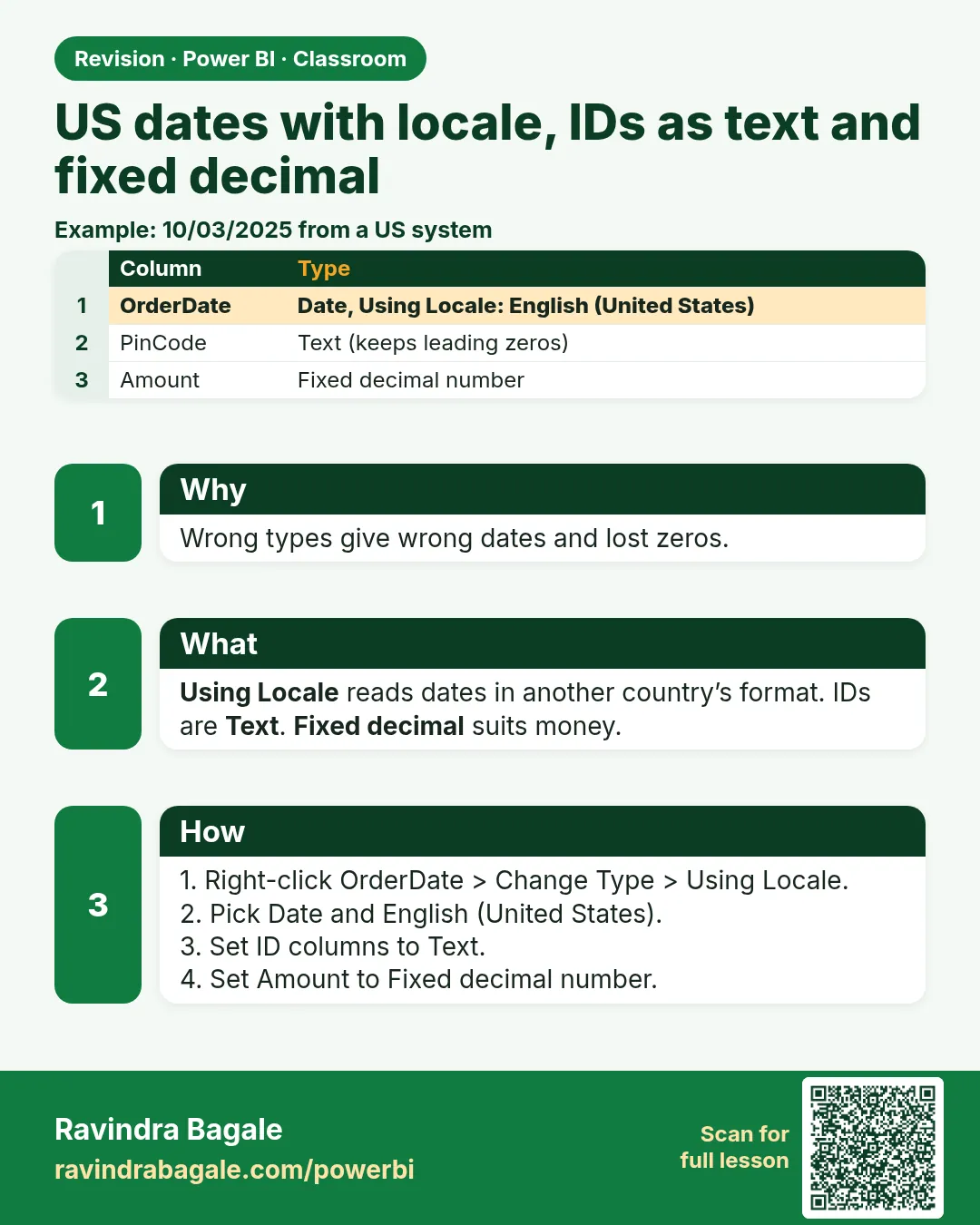
- A date has a locale. The file was written in the US (month/day/year). Tell Power Query that with Change Type › Using Locale… › Date › English (United States). It then reads 9/3/2024 as 3 September, whatever your laptop's setting is.
- IDs are names, not amounts. order_id, store_id and product_id may contain digits, but you never add them up. Keep them as Text: leading zeros survive (0101 stays 0101) and Power BI will not offer "Sum of store_id".
- Unique means unique. Column profile shows, for a column, Count (values), Distinct (different values) and Unique (values that appear exactly once). For a primary ID all three should be equal.
- Do not lose money to a blank ID. If you delete the BLK8003 row because product_id is blank, its ₹270 disappears from revenue. Writing an UNKNOWN product ID keeps the sale and shows clearly that the product is missing.
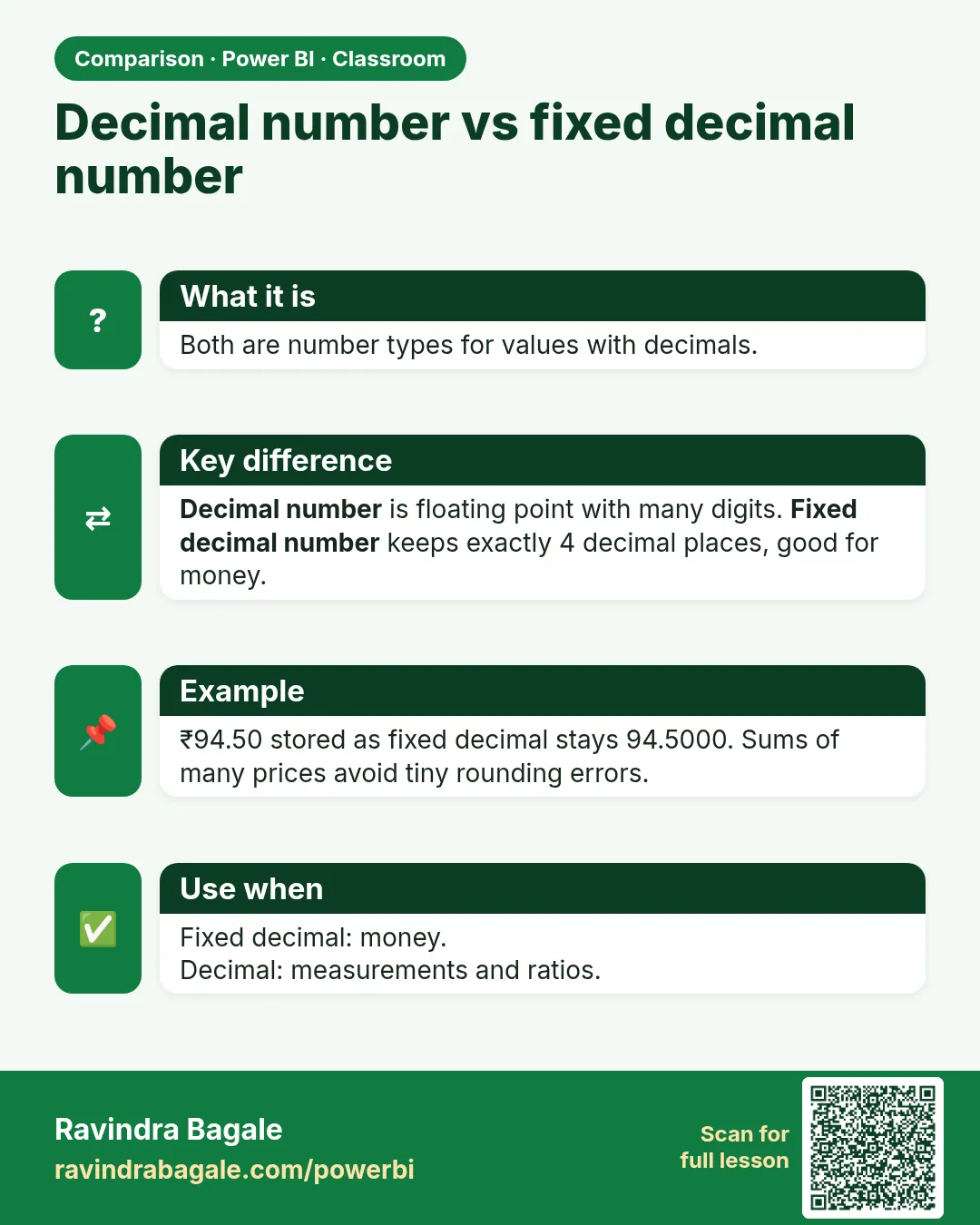
- Money needs a fixed scale. Fixed decimal number stores exactly 4 digits after the decimal point. Sums of money then add up exactly, without the tiny floating-point remainders an ordinary Decimal Number can carry.
Figure 1. The same text read in two locales: 9/3/2024 is 3 September (US) or 9 March (India); 8/18/2024 is an error in the India locale (illustration).
Classroom line
Where is the data from? From the US, and our laptop's date setting is English (India).
Class मधलं वाक्य
"Data kutla ahe? US madhla ahe... aani aplaya laptop cha date setting English India ahe."
Data कुठला आहे? US मधला आहे, आणि आपल्या laptop चं date setting English India आहे.
Classroom line
Where is the data from? From the US, and our laptop's date setting is English (India).
3. The data
What each order date really is, and what the India locale makes of it:
| Text | Real date (US) | Read as English (India) |
|---|---|---|
| 8/18/2024 | 18-08-2024 | Error |
| 9/3/2024 | 03-09-2024 | 09-03-2024 (wrong) |
| 10/12/2024 | 12-10-2024 | 10-12-2024 (wrong) |
| 11/5/2024 | 05-11-2024 | 11-05-2024 (wrong) |
| 12/1/2024 | 01-12-2024 | 12-01-2024 (wrong) |
| 12/24/2024 | 24-12-2024 | Error |
Column profile of order_id before cleaning: Count 8, Distinct 7, Unique 6 (BLK8004 twice).
After removing the duplicate there are 7 orders, 16 units and revenue ₹2,639. Deleting the blank-product row would leave 6 orders and ₹2,369: ₹270 less.
4. Step by step
Load and look
- Home › Get data › Text/CSV ›
blinkit-orders-us-small.csv› Transform Data. - If Power Query added a Changed Type step, click its ✕ to delete it: it may have turned store_id into numbers and dates into errors.
- View › tick Column quality, Column distribution and Column profile. Click the order_id header: Count 8, Distinct 7, Unique 6.
IDs as Text and unique
- Ctrl+click order_id, store_id and product_id › Transform › Data Type › Text. store_id keeps 0101.
- Right-click order_id › Remove Duplicates. Column profile now reads Count 7, Distinct 7, Unique 7.
- Turn Column profile off again (View › untick) to keep the editor fast.
Unknown product ID
- Click the BLK8003 product_id cell. If it is empty text, right-click product_id › Replace Values › leave Value To Find empty › Replace With
UNKNOWN› OK. (If it shows null instead, typenullin Value To Find.)
US dates
- Right-click order_date › Change Type › Using Locale… › Data Type Date, Locale English (United States) › OK.
- Check: BLK8001 shows 18-08-2024 and BLK8002 shows 03-09-2024 (your laptop shows them in its own date format).
Numbers and money
- Select sales › Transform › Extract › Text Before Delimiter, type a single space, OK. "2 sales" becomes 2. Set the type to Whole Number.
- Ctrl+click price and revenue › Data Type › Fixed decimal number (in Power Query it may show as Currency, with a $ icon; it does not change the ₹ meaning of your numbers).
- Home › Close & Apply. In Table view, check 7 rows.
Figure 2. Column profile for order_id before and after Remove Duplicates: Count 8, Distinct 7, Unique 6 becomes 7, 7, 7 (illustration).
5. Your result should look like this
| order_id | order_date | store_id | product_id | sales | price | revenue |
|---|---|---|---|---|---|---|
| BLK8001 | 18-08-2024 | 0101 | P101 | 2 | 120.0000 | 240 |
| BLK8002 | 03-09-2024 | 0102 | P102 | 1 | 450.0000 | 450 |
| BLK8003 | 03-09-2024 | 0101 | UNKNOWN | 3 | 90.0000 | 270 |
| BLK8004 | 12-10-2024 | 0205 | P105 | 1 | 999.0000 | 999 |
| BLK8005 | 05-11-2024 | 0102 | P106 | 3 | 26.6667 | 80 |
| BLK8006 | 01-12-2024 | 0205 | P101 | 4 | 120.0000 | 480 |
| BLK8007 | 24-12-2024 | 0303 | P104 | 2 | 60.0000 | 120 |
Checks: 7 rows, sales 16, revenue ₹2,639, no Error in order_date, store_id still 4 characters long. Revenue by store: 0205 1,479, 0102 530, 0101 510, 0303 120.
6. What happened
- Deleting the automatic Changed Type step stopped Power Query from guessing before you decided.
- Text type kept the IDs exactly as written, so 0101 can still match the store table later.
- Remove Duplicates on order_id kept the first BLK8004 and dropped the copy.
- UNKNOWN kept BLK8003's ₹270 in every total and made the missing product easy to find.
- Using Locale read every date as month/day/year; the stored value is a real date, shown in your own format.
- Fixed decimal number rounded 26.66667 to 26.6667 and stores every price with exactly 4 decimals.
Classroom line
Even if an ID column has numbers in it, we keep its data type as text.
Class मधलं वाक्य
"ID column madhe bhalehi number astil, pan aapan data type text thevaycha tyacha."
ID column मध्ये भलेही numbers असतील, पण आपण त्याचा data type text ठेवायचा.
Classroom line
Even if an ID column has numbers in it, we keep its data type as text.
7. Explore further
- Why the error came first. Power BI only shows Error for impossible dates. The quiet ones (9/3 read as 9 March) are worse, because nothing warns you. Always check one date you know.
- Error? Delete the step first. If a Change Type step produced errors, delete that step and redo it with Using Locale; do not stack another type change on top. The same rule is explained in How to Fix DataFormat.Error We Couldn't Convert to Number in Power Query.
- Leading zeros and lookups. If store_id becomes 101 in
salesbut stays 0101 inblinkit-store-cities.csv, a merge or relationship on store_id finds nothing. - Unknown ID or delete? The clean messy sales data chapter removes rows with a blank product ID to keep practice simple. When the money must match finance's total, keep the row with an UNKNOWN ID instead, and report how many there are. The same idea for blank product names is in How to Clean Text Columns in Power Query with Split, Trim, Clean and Lowercase.
- How exact is Fixed decimal? It keeps 4 decimal places. Values with more digits are rounded (26.66667 → 26.6667). A rounding difference of just 1 paisa per row on 1 crore rows would be ₹1,00,000, which is why money columns deserve a fixed scale.
- Column profile reads the first 1,000 rows by default; switch to Column profiling based on entire data set at the bottom of the editor for the practice file, which has 1,001 rows.
Classroom line
If an error comes, don't go straight to changing the data type again; first remove the error step, then change the type.
Class मधलं वाक्य
"Error aala asel directly parat data type change karayla jaycha nahi pehlyanda te error step la remove kara mag tyacha data type change kara."
Error आला असेल तर directly परत data type change करायला जायचं नाही; पहिल्यांदा तो error step remove करा, मग त्याचा data type change करा.
Classroom line
If an error comes, don't go straight to changing the data type again; first remove the error step, then change the type.
8. Common mistakes
| Wrong result | Reason | Fix |
|---|---|---|
| Error in order_date for 8/18/2024 | Plain Change Type used the laptop's English (India) locale | Delete the step; Using Locale › English (United States) |
| BLK8002 dated 9 March | Same, but no error because day and month are both ≤ 12 | Same fix; check a date you know |
| store_id shows 101 | It was set (or guessed) as a number | Set store_id to Text |
| A card shows "Sum of order_id" | order_id is a number | Set IDs to Text |
| Revenue ₹2,369 instead of ₹2,639 | The blank-product row was deleted | Replace the blank with UNKNOWN |
| Revenue ₹3,638 | The duplicate BLK8004 was not removed | Remove Duplicates on order_id |
| sales shows Error | Type set before "sales" text was removed | Delete the step, Extract Text Before Delimiter (space), then Whole Number |
Ravindra Bagale's Tip
Whenever you receive a file from another country, ask one question before you touch it: which date format does it use? Then open three rows, including one with a day above 12, and check them after the type change.
Ravindra Bagale's Tip – मराठी
दुसऱ्या देशातून file आली की हात लावण्याआधी एकच प्रश्न विचारा: ती कोणता date format वापरते? मग 12 पेक्षा जास्त day असलेल्या एका row सकट तीन rows उघडा आणि type change नंतर check करा.
Ravindra Bagale's Tip – हिंदी
किसी दूसरे देश से file आए तो छूने से पहले एक सवाल पूछिए: वह कौन सा date format इस्तेमाल करती है? फिर 12 से बड़े day वाली एक row समेत तीन rows खोलिए और type change के बाद check कीजिए.
Classroom line
What will you do with the sum of order IDs? What do we get from it? Nothing.
Class मधलं वाक्य
"Sum of order ID gheun kay karanar ahe? Kay milnar ahe aplayla? Kahi ch nahi."
Sum of order ID घेऊन काय करणार आहे? काय मिळणार आहे आपल्याला? काहीच नाही.
Classroom line
What will you do with the sum of order IDs? What do we get from it? Nothing.
9. Practise on your own
Practice task
Clean blinkit-orders-us.csv the same way.
- What does Column profile show for order_id before Remove Duplicates (use profiling on the entire data set)?
- How many order_date values give Error if you use a plain Change Type on an English (India) laptop?
- How many rows have a blank product_id, and how much revenue do they carry?
- What are the total revenue and units with UNKNOWN IDs, and the revenue if you had deleted those rows?
Show solution
- Count 1,001, Distinct 1,000, Unique 999 (one order appears twice).
- 581 of the 1,000 orders (day above 12). Another 378 would be silently wrong.
- 12 rows, ₹7,585.
- Revenue ₹6,29,982, units 2,873. Deleting the 12 rows would give ₹6,22,397 on 988 rows.
10. Think like a professional
- Business view. A month-wise report built on wrongly read dates puts September sales into March. Date checks are cheap; wrong monthly numbers are expensive.
- Agree on IDs. Keys must have the same type and format in every table (all Text, same leading zeros), or merges and relationships fail quietly.
- Reconcile money. Compare your total with the source system's total. UNKNOWN IDs and Fixed decimal number help them match.
- Interviewers love dates. Be ready to explain locale, M/D/Y vs D/M/Y, and why some dates error while others are silently wrong.
Interview questions
- How do you convert US dates on an Indian-locale laptop? Change Type › Using Locale › Date › English (United States).
- Why keep IDs as Text? They are labels: no sums, leading zeros kept, keys match across tables.
- What do Count, Distinct and Unique mean in Column profile? Values, different values, values appearing exactly once.
- Fixed decimal number vs Decimal Number? Fixed decimal keeps exactly 4 decimal places, good for money; Decimal Number is floating point.
Recap
In short
- Delete the automatic Changed Type step; decide types yourself.
- US dates: Using Locale › English (United States).
- IDs as Text; check Count = Distinct = Unique for the primary ID.
- Blank product ID: UNKNOWN keeps the money; deleting loses it.
- "2 sales": Text Before Delimiter (space), then Whole Number.
- Money: Fixed decimal number (4 decimals).
 Revision card
 Comparison card