How to Add Custom Columns in Power Query: GST, Final Price and Discount Formulas
Your price list has prices without tax. Finance wants GST at 18% and the final price; marketing wants to see what a 10% discount would do. Column From Examples cannot help here, because it does not do your own maths. A Custom Column does: you write a short formula once and Power Query applies it to every row. In this chapter you build gst, final price and a discounted price, and learn three things that save you from wrong totals: what to do with missing prices, why removing a column does not break the columns built from it, and which data type to use for money.
What you'll learn in this chapter
- Column vs measure: row by row or one total
- Why Column From Examples cannot do maths
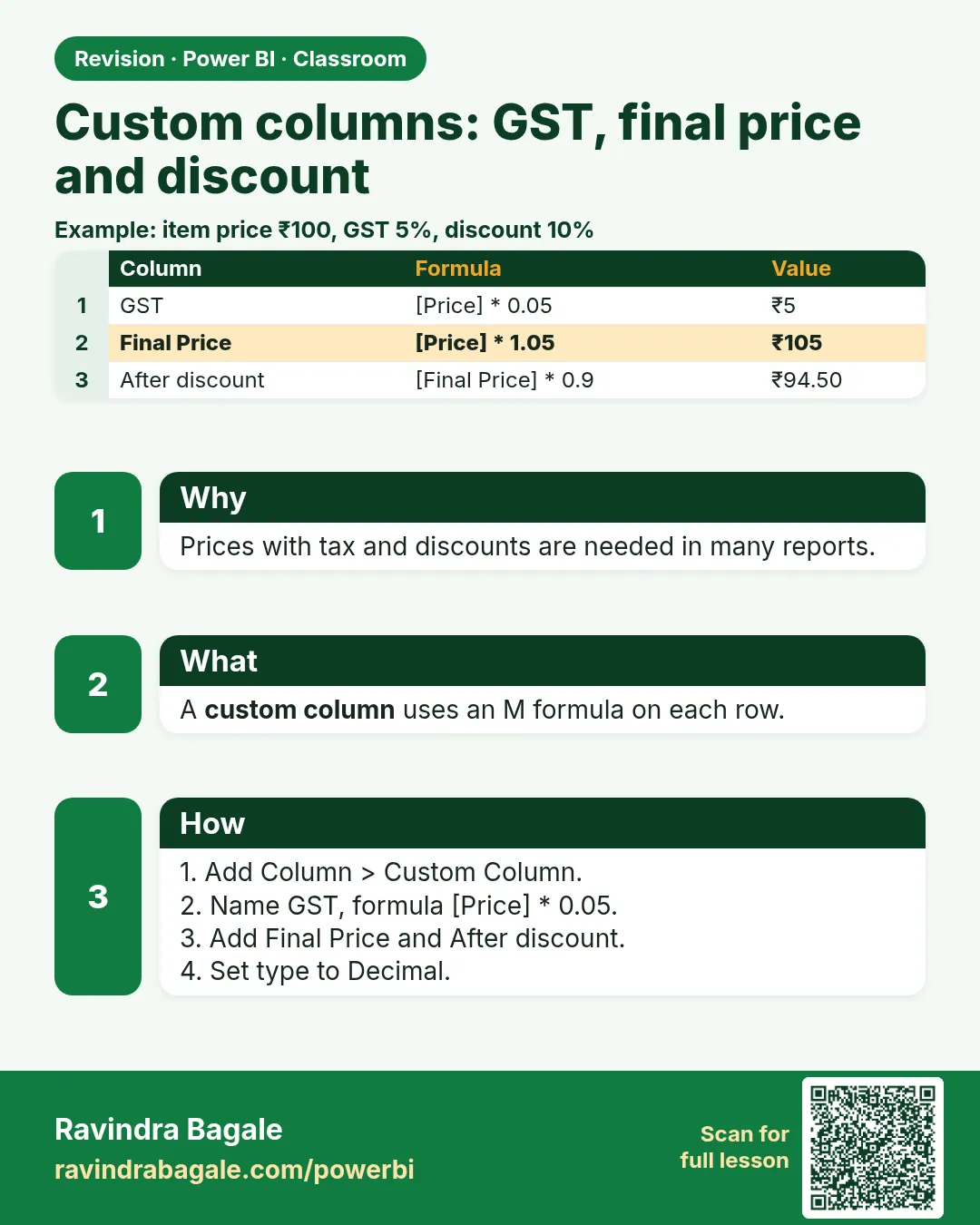
- gst and final price as Custom Columns
- The one-step formula: [price] * 1.18
- 10% discount: [price] * 0.9
- Null prices stay null, never 0
- Step order, Fixed decimal number and the ₹ format
Practice files: blinkit-sales-2025-days-small.csv (8 orders, one with no price) and blinkit-sales-2025-days.csv (1,200 orders, 11 with no price).
Made-up data: fictional Blinkit-style orders from 2025, for practice only. Prices are in ₹, without GST.
1. The problem
For every order you need three more numbers next to price:
- gst: 18% of the price,
- final price: price plus GST,
- discounted price: price after 10% off.
One order (BLK12032) has no price at all. Its gst and final price must not pretend to be ₹0.
2. The idea in simple words
- A column gives one value per row and is stored in the model: gst for each order.
- A measure gives one number for whatever is on screen, such as Total GST for a month. Totals are better as measures; values that belong to each row are fine as columns.
- 18% = 0.18. GST is price × 0.18. Final price is price + GST, which is the same as price × 1.18.
- 10% off means you pay 90%: price × 0.9. A ₹10 item saves ₹1 and costs ₹9.
- null is not 0. A missing price is unknown. In Power Query, null × 0.18 is null, so the gst of that order stays null, which is correct.
Figure 1. price → gst → final price, one Custom Column each; a null price gives a null gst and a null final price (illustration).
Classroom line
With a calculated column we create a new column, and its value is stored row by row.
Class मधलं वाक्य
"Calculated column ने आपण नवीन column तयार करतो आणि ... value store होते row by row."
Calculated column ने आपण नवीन column तयार करतो, आणि value row by row store होते.
Classroom line
With a calculated column we create a new column, and its value is stored row by row.
3. The data
| order_id | product_id | price (₹) |
|---|---|---|
| BLK12001 | P206 | 66 |
| BLK12002 | P201 | 110 |
| BLK12006 | P214 | 99 |
| BLK12009 | P201 | 110 |
| BLK12013 | P211 | 190 |
| BLK12019 | P209 | 160 |
| BLK12024 | P212 | 150 |
| BLK12032 | P206 | null |
The 7 known prices average ₹126.43.
4. Step by step
Check the price column
- Load
blinkit-sales-2025-days-small.csv› Transform data. Set price to Fixed decimal number (click the type icon in the header). BLK12032 shows null. Leave it.
gst
- Add Column › Custom Column.
- New column name:
gst. Formula:[price] * 0.18. Double-click price in Available columns to insert[price]instead of typing it. OK. - Set the type of gst to Fixed decimal number.
final price
- Add Column › Custom Column. Name:
final price(a space in the name is fine). Formula:[price] + [gst]. OK. Type Fixed decimal number.
The one-step way
- Custom Column again. Name:
with GST, formula[price] + [price] * 0.18. It gives the same numbers as final price.[price] * 1.18is the shortest form of the same idea.
10% discount
- Custom Column. Name:
discounted price, formula[price] - [price] * 0.10, or simply[price] * 0.9. Type Fixed decimal number. - If the one-line formula is confusing, go step by step: first a
discountcolumn ([price] * 0.10), then[price] - [discount].
Money format in the report
- Close & Apply. In Table view, select final price › Column tools › Format: Currency, then pick the ₹ symbol. Do the same for gst and discounted price.
Classroom line
If you are asked for 18%, multiply that number by 0.18.
Class मधलं वाक्य
"18% काढायला सांगितले, त्या number ला 0.18 ने multiply करा."
18% काढायला सांगितलं, तर त्या number ला 0.18 ने multiply करा.
Classroom line
If you are asked for 18%, multiply that number by 0.18.
5. Your result should look like this
| order_id | price | gst | final price | discounted price |
|---|---|---|---|---|
| BLK12001 | 66 | 11.88 | 77.88 | 59.40 |
| BLK12002 | 110 | 19.80 | 129.80 | 99.00 |
| BLK12006 | 99 | 17.82 | 116.82 | 89.10 |
| BLK12009 | 110 | 19.80 | 129.80 | 99.00 |
| BLK12013 | 190 | 34.20 | 224.20 | 171.00 |
| BLK12019 | 160 | 28.80 | 188.80 | 144.00 |
| BLK12024 | 150 | 27.00 | 177.00 | 135.00 |
| BLK12032 | null | null | null | null |
With the 1,200-row file: price total ₹1,92,182 on 1,189 priced rows, gst total ₹34,592.76, final price total ₹2,26,774.76, discounted price total ₹1,72,963.80.
6. What happened
- Each Custom Column ran its formula on every row, using that row's price.
- BLK12032 has no price, so every formula on it returned null. Totals simply skip it; nothing pretends the item was free.
- If you had replaced null with 0, the average price of the 8 orders would drop from ₹126.43 to ₹110.62, and in the big file from ₹161.63 to ₹160.15: a made-up zero pulls every average down.
- final price used gst, so gst had to exist first. Power Query runs Applied Steps in order, top to bottom.
Figure 2. A column holds one value per row (gst per order, null where the price is missing); a measure returns one total for whatever is filtered (illustration).
Classroom line
If you need one single value, you have to create measures.
Class मधलं वाक्य
"जर एकच single value पाहिजे तर ... measures तयार करावे लागतात."
जर एकच single value पाहिजे असेल, तर measures तयार करावे लागतात.
Classroom line
If you need one single value, you have to create measures.
7. Explore further
- Removing gst. Select gst › Remove Columns. final price still works, because the Removed Columns step comes after the step that calculated final price. But if you delete the step that created gst (Added Custom), final price shows Error: its formula now refers to a column that never existed. Delete steps carefully, and delete Removed Columns to bring gst back.
- Why examples fail. In Column From Examples, typing
6.5*0.18is taken as text, not a calculation. It can offer some ready-made maths in its suggestions, but your own formula belongs in a Custom Column. - Fixed decimal number is not currency. It is a number type with 4 decimal places, good for money because it avoids tiny rounding errors. The ₹ sign is only a display format you set in the model (step 9).
- Rounding for display. Keep 4 decimals in the data; show 2 in the report (Column tools › Decimal places 2).
- A measure for the total. In the report,
Total GST = SUM(sales[gst])gives one number that follows slicers. Measures are covered in a later chapter. - if inside a Custom Column. A Custom Column can also hold logic (
if [price] = null then null else [price] * 0.18), but for if/else the Conditional Column dialog is easier (next chapter).
Classroom line
Suppose an item costs ten rupees and you give a 10 percent discount. How much is the discount? One rupee.
Class मधलं वाक्य
"समजा दहा रुपयाला वस्तू आहे, 10 percent discount दिला, म्हणजे किती discount? एक रुपया."
समजा दहा रुपयाला वस्तू आहे, 10 percent discount दिला, म्हणजे किती discount? एक रुपया.
Classroom line
Suppose an item costs ten rupees and you give a 10 percent discount. How much is the discount? One rupee.
8. Common mistakes
| Wrong result | Reason | Fix |
|---|---|---|
| gst is 18 times the price | Formula [price] * 18 |
Use 0.18 for 18% |
| Average price is too low | null prices replaced with 0 | Keep null; formulas return null for them |
| final price shows Error | The step that created gst was deleted | Restore that step (or recreate gst before final price) |
| Formula error: column not found | Typed name differs from the column name | Double-click the column in Available columns |
| Values show 129.8 without ₹ | Fixed decimal is a number type | Column tools › Format Currency, ₹ |
| Example column shows text "6.5*0.18" | Column From Examples used for maths | Use a Custom Column |
Ravindra Bagale's Tip
Before you trust a formula column, check one row with a calculator: price 110, GST 19.80, final 129.80. If one row is right, all rows are right, because the same formula runs on each. If one row is wrong, fix the formula, not the row.
Ravindra Bagale's Tip – मराठी
Formula column वर विश्वास ठेवण्याआधी एक row calculator ने तपासा: price 110, GST 19.80, final 129.80. एक row बरोबर तर सगळ्या rows बरोबर, कारण प्रत्येकावर तोच formula चालतो. एक row चुकीची असेल तर formula fix करा, row नाही.
Ravindra Bagale's Tip – हिंदी
Formula column पर भरोसा करने से पहले एक row calculator से जाँचिए: price 110, GST 19.80, final 129.80. एक row सही तो सारी rows सही, क्योंकि हर एक पर वही formula चलता है. एक row गलत हो तो formula ठीक कीजिए, row नहीं.
Classroom line
If a column name has two words, just put a space between them.
Class मधलं वाक्य
"Column च्या नावात दोन words असतील तर सरळ space द्यायचा."
Column च्या नावात दोन words असतील, तर सरळ space द्यायचा.
Classroom line
If a column name has two words, just put a space between them.
9. Practise on your own
Practice task
Load blinkit-sales-2025-days.csv and add gst, final price and discounted price.
- How many rows have a null price?
- What is the total of gst?
- What is the total of final price, and does it equal price total × 1.18?
- What is the average price with nulls kept, and what would it be with nulls replaced by 0?
- What would a 20% discount column formula be?
Show solution
- 11 rows.
- ₹34,592.76.
- ₹2,26,774.76; yes, 1,92,182 × 1.18 = 2,26,774.76.
- ₹161.63 with nulls kept; ₹160.15 if they were 0 (wrong).
[price] * 0.8(or[price] - [price] * 0.20).
10. Think like a professional
- Business view. GST and discount columns answer "what does the customer pay?" and "what does an offer cost us?".
- Missing is information. Count null prices and report them; do not hide them behind zeros.
- Name columns for people. "final price" and "discounted price" read better on a chart than fp or dp.
- Columns for rows, measures for totals. Row-level prices are columns; totals and averages for a report page should be measures.
Interview questions
- How do you add 18% GST in Power Query? Custom Column
[price] * 0.18, or[price] * 1.18for the price including GST. - What happens to null in a Custom Column formula? null in arithmetic returns null.
- Why should a missing price not be replaced with 0? 0 is a real price; it lowers averages and makes items look free.
- Is Fixed decimal number a currency type? No. It is a 4-decimal number type; ₹ is a display format.
Recap
In short
- Columns hold one value per row; measures give one total.
- gst = [price] * 0.18; final price = [price] + [gst] = [price] * 1.18.
- 10% discount = [price] * 0.9.
- Keep null prices null; formulas return null for them.
- Steps run in order: removing gst is safe, deleting its creating step is not.
- Fixed decimal number for money; ₹ is a format set in the model.
 Revision card