How to Merge Tables in Power BI Power Query (Left Outer vs Inner Join)
Your sales table knows which product was sold, but only as a code: P101, P102. The product names, brands and sizes live in another table. To answer "revenue by brand" or "which orders are bulky to deliver", you need the product details next to each sale. That is a Merge. In this chapter you finish the product table with a volume column, merge it into sales with the right join, and see exactly which orders the wrong join throws away.
What you'll learn in this chapter
- Append vs Merge in one picture
- Split size into length, depth and width
- Volume as a custom column
- Why null × anything = null
- A common column for the merge
- Left Outer vs Inner, with counts
- Expand only the columns you need
Practice files: blinkit-products.csv (9 products) and the 10-row sales query from How to Stop Power BI Changing Data Types Automatically and Fix Slow Loading. Continue with the products query from How to Clean Text Columns in Power Query with Split, Trim, Clean and Lowercase. For the practice task, use the 401-row sales built from blinkit-orders-2023.csv, blinkit-orders-2024.csv and blinkit-orders-2025.csv.
Made-up data: fictional orders, products and brands, for practice only. Amounts are in ₹, sizes in cm.
1. The problem
sales has 10 orders with product_id P101, P102, P103, P104, P105 and P109. The cleaned products table has 9 products, and P109 is not in it (a new product that has not been added to the product list yet).
You want a chart of revenue by brand and a column that tells the delivery team how big each item is. Neither is possible until the two tables are joined, and if you join the wrong way, order BLK4003 (P109, ₹75) disappears from your totals without any warning.
2. The idea in simple words
| Append | Merge | |
|---|---|---|
| Tables | same columns (2023 orders, 2024 orders) | different columns (sales, products) |
| Result | more rows | more columns |
| Needs | matching column names | one common column (product_id) |
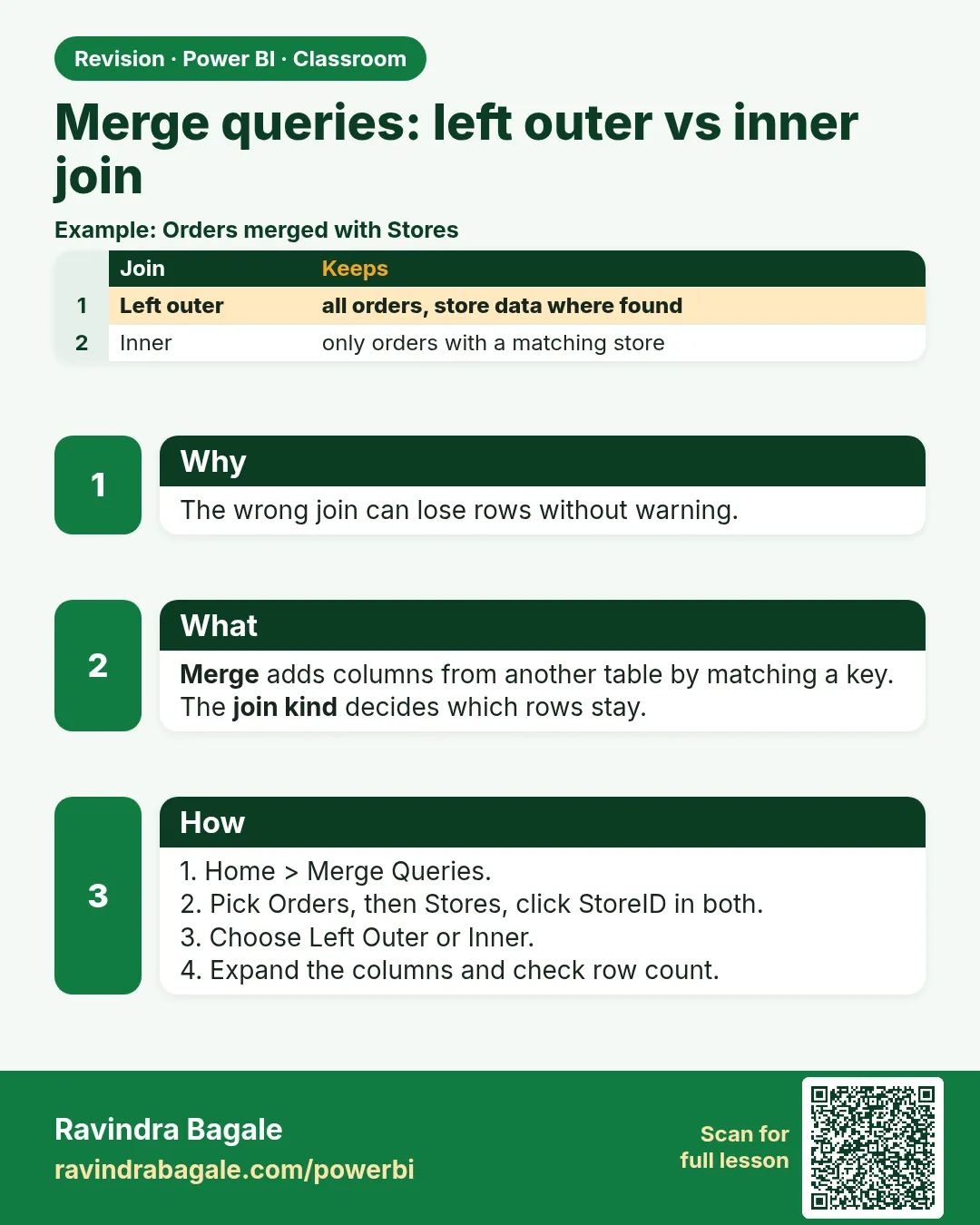
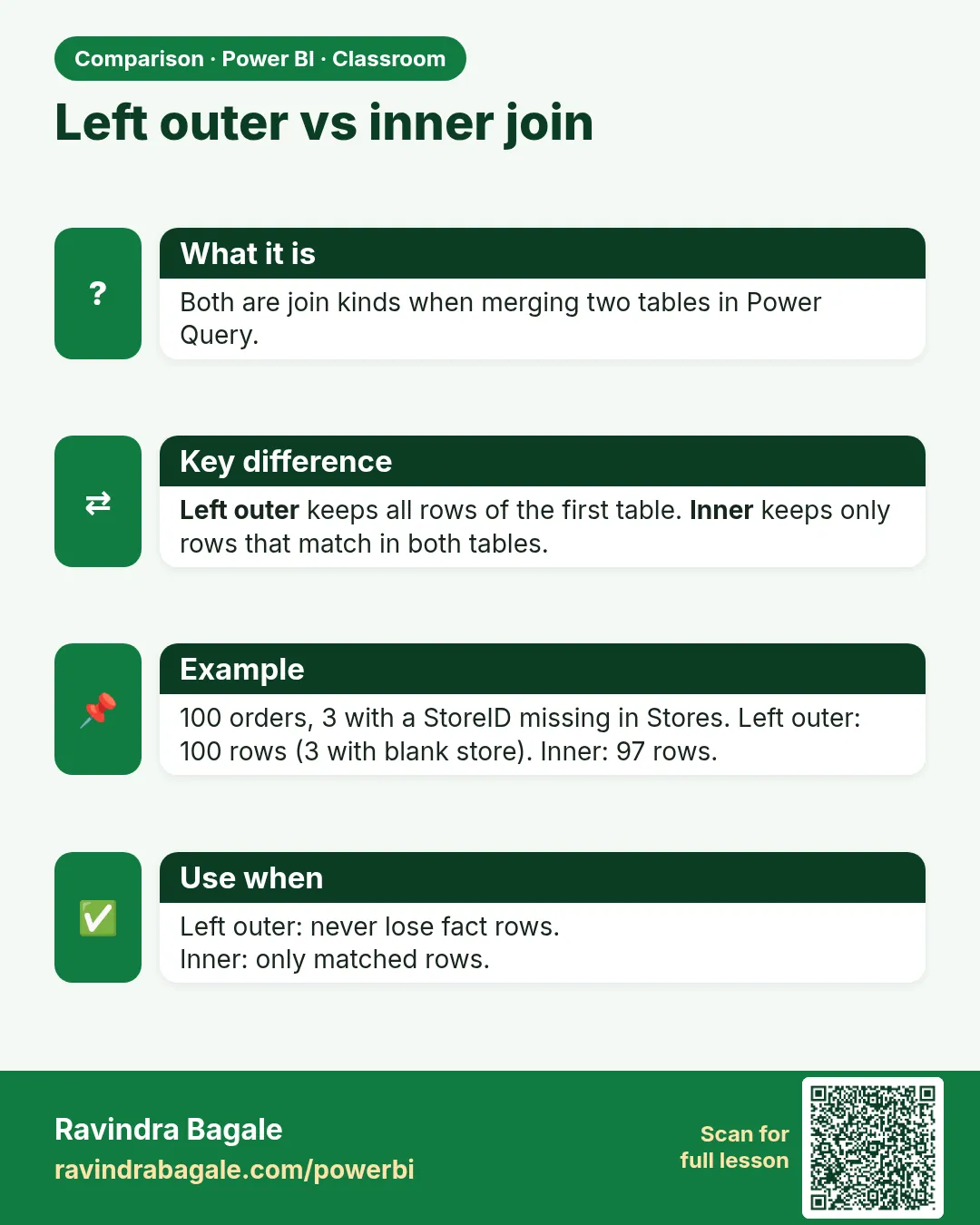
A merge looks up each sales row's product_id in the product table and brings back that product's columns. The join kind decides what happens when there is no match:
- Left Outer: keep every row of the first table (
sales). If there is no match, the new columns are null. - Inner: keep only rows that match in both tables. Unmatched sales rows are dropped.
Classroom line
If it is the same kind of data, we append. If it is different data, we put it alongside: we merge.
Class मधलं वाक्य
"Same data asel tar aapan append karto. Jar vegla data asel tar baju la gheto, merge karto."
Same data असेल तर आपण append करतो. जर वेगळा data असेल तर बाजूला घेतो, merge करतो.
Classroom line
If it is the same kind of data, we append. If it is different data, we put it alongside: we merge.
For a sales table, Left Outer is the safe default: every order stays, and the nulls show you which products are missing from the product list.
Figure 1. Left Outer keeps all 10 sales rows (P109 gets null brand); Inner keeps 9 and drops BLK4003 (illustration).
3. The data
sales (the columns you need here):
| order_id | product_id | revenue (₹) |
|---|---|---|
| BLK3001 | P101 | 240 |
| BLK3002 | P102 | 450 |
| BLK3003 | P103 | 270 |
| BLK3004 | P105 | 999 |
| BLK4001 | P101 | 480 |
| BLK4002 | P104 | 120 |
| BLK4003 | P109 | 75 |
| BLK5001 | P103 | null |
| BLK5002 | P102 | 900 |
| BLK5003 | P105 | 999 |
Sizes in the product table and the volume you should get (length × depth × width, cm³):
| product_id | size | volume |
|---|---|---|
| P101 | 20 x 5 x 8 | 800 |
| P102 | 10 x 10 x 22 | 2,200 |
| P103 | 12 x 5 x 18 | 1,080 |
| P104 | 15 x 6 | null (width missing) |
| P105 | 18 x 4 x 12 | 864 |
Revenue by brand after a Left Outer merge, by hand:
| brand | revenue |
|---|---|
| mauli sweets (P105) | 999 + 999 = 1,998 |
| krishna dairy (P102) | 450 + 900 = 1,350 |
| sahyadri foods (P101) | 240 + 480 = 720 |
| godavari mills (P103) | 270 + null = 270 |
| unknown brand (P104) | 120 |
| (null, P109) | 75 |
| Total | ₹4,533 |
4. Step by step
Finish the product table: volume
- In
products, select size (L x D x W cm). Home › Split Column › By Delimiter › Customx(space, x, space) › Each occurrence of the delimiter › Quote Character None › OK. - Rename the three new columns
length,depth,width. For P104, width is null. - Set all three to Decimal Number.
- Add Column › Custom Column. New column name
volume. Formula:[length] * [depth] * [width]. OK. - Set volume to Decimal Number. P104 shows null.
- Ctrl+click length, depth and width › right-click › Remove Columns. You only need volume.
- Rename product_id_ to
product_id.
Merge into sales
- Select the
salesquery. Home › Merge Queries (the plain one, which adds a step tosales). - Top table
sales: click the product_id header. Bottom drop-down:products, then click its product_id header. - Join Kind: Left Outer (all from first, matching from second). Read the message at the bottom: The selection matches 9 of 10 rows from the first table. OK.
- A new column
productsappears with Table in each cell. Click the expand icon (two arrows) in its header. - Untick product_id (sales already has it) and untick Use original column name as prefix. Keep product, brand, category, sub_category and volume. OK.
- Right-click
productsin the Queries pane › untick Enable load: its columns now live insidesales. - Home › Close & Apply. Build a bar chart: brand on the Y-axis, revenue on the X-axis.
Figure 2. The Merge dialog: product_id selected in both tables, Join Kind Left Outer, and the match message "9 of 10 rows" (illustration).
5. Your result should look like this
sales still has 10 rows and now has product, brand, category, sub_category and volume. BLK4003 shows null in all five.
The bar chart shows: mauli sweets 1,998 · krishna dairy 1,350 · sahyadri foods 720 · godavari mills 270 · unknown brand 120 · (Blank) 75. Total revenue is still ₹4,533.
Revenue by category: sweets 1,998 · dairy 1,350 · snacks 840 · staples 270 · (Blank) 75.
6. What happened
- Split by " x " gave three numbers per product; P104 had only two parts, so width became null.
- In the volume formula any null makes the whole result null: 15 × 6 × null = null, not 0 and not 90. Null honestly says "size not known"; inventing a width of 1 cm would give a volume of 90 that looks real and is wrong.
- Left Outer kept every sale. P109 had no partner in
products, so its new columns are null and Power BI shows it as (Blank) in the chart. The total did not change. - Expanding only the needed columns, and turning off load for
products, keeps the model small.
What Inner would have done: keep 9 rows, drop BLK4003, and show total revenue ₹4,458 (75 less), with nothing on the report to tell you an order is missing.
Classroom line
To merge, the two tables must have one common column.
Class मधलं वाक्य
"Merge kartana tya doghan madhe ek common column asayla pahije."
Merge करताना त्या दोघांमध्ये एक common column असायला पाहिजे.
Classroom line
To merge, the two tables must have one common column.
7. Explore further
- Why volume? Delivery apps and couriers price a parcel partly by its size. With volume next to each sale you can sum the volume of an order or flag bulky items.
- Other join kinds: Right Outer (all products, matching sales), Full Outer (everything from both), Left Anti (sales rows with no product: a quick way to list unmatched IDs, here P109), Right Anti (products never sold).
- Match message. Always read "matches X of Y rows" before clicking OK. It is the fastest check that IDs are clean on both sides (same type, no spaces, same case).
- Merge vs relationship. You can also keep
productsas its own loaded table and create a relationship on product_id in Model view. For a small lookup that you always need with sales, merging is simple; for bigger models, a separate product table with a relationship (a star schema) is the professional pattern. - Text keys need the text steps. If product_id had a trailing space in one table, nothing would match. Trim and Clean key columns in both tables before merging.
Classroom line
Why load more data than you need?
Class मधलं वाक्य
"Kashala jaast data load karaycha?"
कशाला जास्त data load करायचा?
Classroom line
Why load more data than you need?
8. Common mistakes
| Wrong result | Reason | Fix |
|---|---|---|
| Revenue drops from 4,533 to 4,458 after the merge | Join Kind was Inner, so BLK4003 (P109) was dropped | Use Left Outer |
| "matches 0 of 10 rows" | product_id is text in one table and number in the other, or has spaces | Set the same type and Trim both columns |
| Volume 90 for P104 | The missing width was replaced with 1 | Leave it null; null × anything = null |
| Columns named products.brand, products.volume … | "Use original column name as prefix" was left ticked | Untick it when expanding, or rename |
| Two product_id columns | product_id was expanded again | Untick product_id in the expand list |
products loaded as a separate table you do not use |
Enable load still on | Untick Enable load on products |
Ravindra Bagale's Tip
After every merge, put two cards side by side: total revenue before the merge and after it. If they are not equal, rows were lost, and the join kind or the keys need checking.
Ravindra Bagale's Tip – मराठी
प्रत्येक merge नंतर दोन cards शेजारी ठेवा: merge आधीचा total revenue आणि नंतरचा. दोन्ही same नसतील तर rows गेलेत, आणि join kind किंवा keys check करायला हवेत.
Ravindra Bagale's Tip – हिंदी
हर merge के बाद दो cards साथ रखिए: merge से पहले का total revenue और बाद का. दोनों बराबर न हों तो rows गायब हुए हैं, और join kind या keys check करनी होंगी.
9. Practise on your own
Practice task
Merge products into the 401-row sales built from the three yearly files.
- What does the match message say with Left Outer?
- How many rows would Inner keep, and how much revenue would it drop?
- Which brand has the highest revenue?
- What is the revenue of unknown brand, and of the rows with no product details?
Hints: only one product ID in sales is missing from the product table.
Show solution
- The selection matches 363 of 401 rows from the first table.
- Inner keeps 363 rows and drops 38 orders of P109, worth ₹5,475 (₹1,89,541 instead of ₹1,95,016).
- mauli sweets ₹95,201, then krishna dairy 54,270, godavari mills 20,400, sahyadri foods 14,330.
- unknown brand ₹5,340; no product details (P109) ₹5,475.
10. Think like a professional
- Business view. Never let a join silently change a total. Left Outer plus a "rows without product" count gives the business both the correct total and a to-do list (add P109 to the product master).
- Performance. Expand only the columns you will use, and remove helper columns such as length, depth and width once volume exists.
- Maintenance. Name the merge step ("Merged products") and keep the product table's cleaning in its own query, so a new product file needs no change in
sales. - Data quality. A Left Anti merge from sales to products is a ready-made check you can rerun every month.
Interview questions
- What is the difference between Left Outer and Inner join? Left Outer keeps all rows of the first table and fills nulls where there is no match; Inner keeps only matching rows.
- When do you use Merge instead of Append? When you add columns from a different table using a common key, not rows from a table with the same columns.
- What is 15 × 6 × null in Power Query? null.
- How do you list sales rows whose product is missing from the product table? Merge with Join Kind Left Anti.
Recap
In short
- Append adds rows; Merge adds columns through a common column.
- Split size by " x ", make volume = length × depth × width; missing parts stay null.
- Merge sales with products on product_id using Left Outer.
- Inner would drop BLK4003 and ₹75 without warning.
- Expand only the needed columns and turn off load for products.
 Revision card
 Comparison card