What Is Power BI Desktop vs Service vs Mobile? A Beginner's Tour of Views, Visuals and Saving a .pbix File
Before you clean a single column, it helps to know the map. Power BI is not one program but three parts that work together: you build on your laptop, you publish to the web, and people view the result on their phones. In this chapter you get that map, see where data comes from, take a short tour of Power BI Desktop with a 6-row file, look at how a real sales project is planned, and save your first .pbix file so none of the work is lost.
What you'll learn in this chapter
- Desktop, Service and Mobile: build, publish, view
- Excel vs Power BI
- Data sources: files, free and paid databases
- Data sizes: MB, GB, TB, PB
- Report, Table and Model view
- Visualizations and Format panes
- The project plan: Append and Merge
- Save the .pbix file
Practice files: blinkit-orders-tour.csv (6 orders for the tour) and blinkit-store-cities.csv (4 stores, a lookup table).
Made-up data: fictional Blinkit-style orders from Maharashtra cities, for practice only. Amounts are in ₹ and dates are DD-MM-YYYY.
1. The problem
A store manager in Pune wants to see this year's sales on her phone every morning. The data sits in CSV exports and a database. Where do you build the report, how does it reach her phone, and what do you need to install? Beginners often open Power BI, see three panes and four icons, and do not know where to start. A clear map saves hours.
2. The idea in simple words
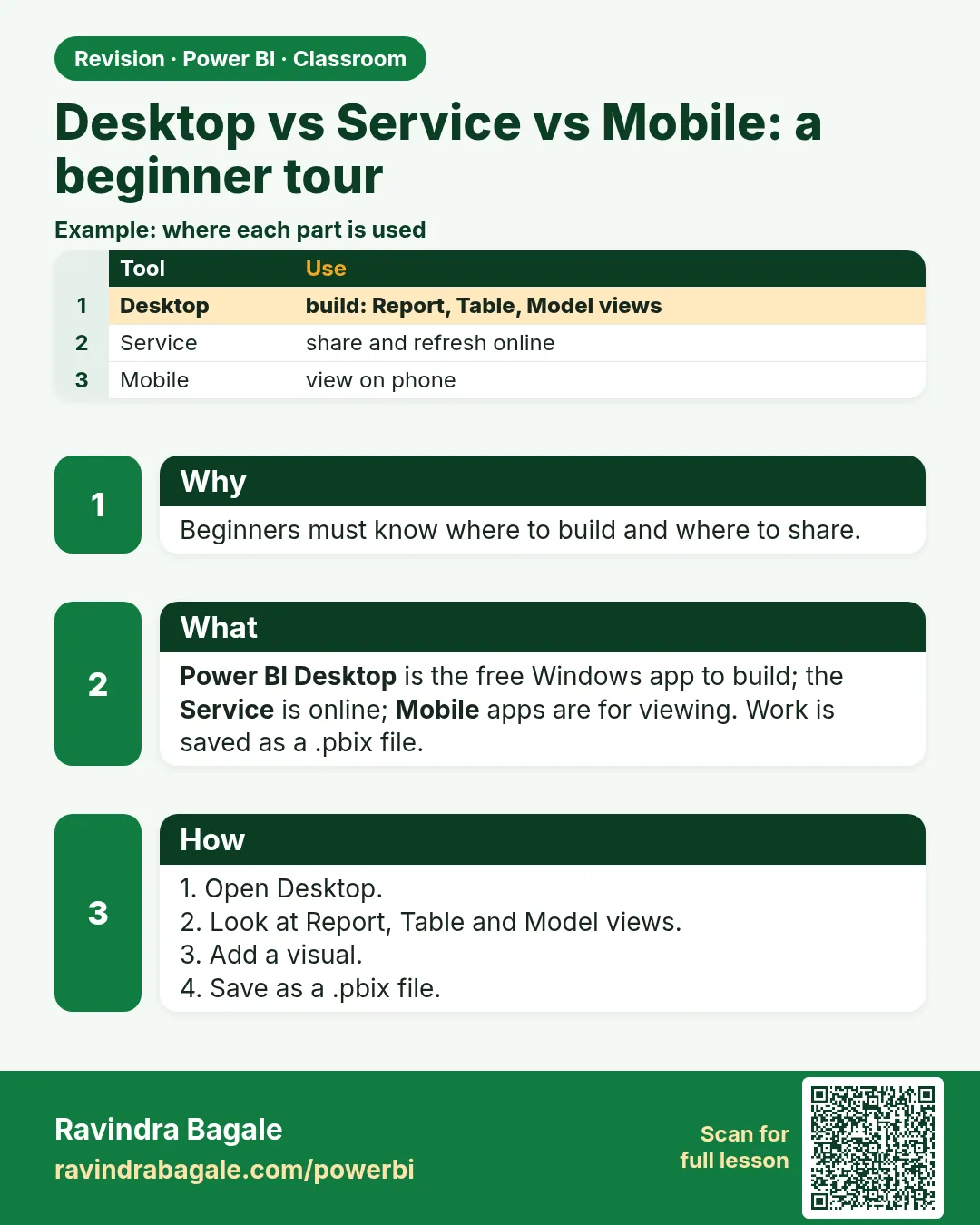
| Part | Where it runs | What you do there |
|---|---|---|
| Power BI Desktop | your Windows laptop (free download) | connect to data, clean it in Power Query, build the model and the report |
| Power BI Service | in the browser (app.powerbi.com) | publish reports, share them, refresh data, build dashboards by pinning visuals |
| Power BI Mobile | phone app (Android, iOS) | view reports and dashboards on the go |
Build on Desktop › publish to the Service › view on Mobile. Signing in to the Service needs a work or school email (an organisation account), not a personal Gmail address.
Excel or Power BI? Excel is good at storing and calculating data in sheets. Power BI is built for analysing and presenting it. When you import data, Power BI also keeps a compressed copy in its own model inside the .pbix, which is why it handles far more rows than a worksheet.
Figure 1. Build in Power BI Desktop, publish to the Power BI Service, view on Power BI Mobile (illustration).
Classroom line
Is it clear? Any questions so far?
Class मधलं वाक्य
"Kaltay ka? Kai question ith paryant?"
कळतंय का? इथपर्यंत काही question?
Classroom line
Is it clear? Any questions so far?
3. The data
Where data comes from (Get data › More shows hundreds of connectors):
| Source | Examples | Notes |
|---|---|---|
| Files | Text, CSV, Excel | simplest; you pick the file |
| Free (open-source) databases | MySQL, MariaDB, PostgreSQL | need a server address, database name, username and password |
| Paid databases | Oracle, Microsoft SQL Server, IBM Db2 | same details as above; licensed |
| Cloud services | Amazon Aurora (an AWS managed database compatible with MySQL and PostgreSQL), data lakes and warehouses | for very large data |
How big is big? 1 KB = 1,024 bytes, 1 MB = 1,024 KB, 1 GB = 1,024 MB, 1 TB = 1,024 GB, then PB and EB. Roughly: text and CSV files for small data, Excel up to about a million rows per sheet, databases for gigabytes to terabytes, data lakes and warehouses for petabytes.
The tour file blinkit-orders-tour.csv:
| order_id | order_date | store_id | city | product_id | sales | revenue (₹) |
|---|---|---|---|---|---|---|
| BLK8101 | 05-01-2024 | 0101 | Pune | P101 | 2 | 240 |
| BLK8102 | 14-02-2024 | 0102 | Nashik | P102 | 1 | 450 |
| BLK8103 | 09-03-2024 | 0101 | Pune | P105 | 1 | 999 |
| BLK8104 | 21-04-2024 | 0205 | Nagpur | P103 | 3 | 270 |
| BLK8105 | 30-05-2024 | 0303 | Kolhapur | P104 | 2 | 120 |
| BLK8106 | 18-06-2024 | 0102 | Nashik | P102 | 2 | 900 |
Total revenue ₹2,979, units 11. By city: Nashik 1,350, Pune 1,239, Nagpur 270, Kolhapur 120.
Classroom line
What is an IP? It is the ID used to identify that machine, for example the database server you connect to.
Class मधलं वाक्य
"IP mhanje kay? Tya machine la olakhnyasathi lagnari ID mhanje IP."
IP म्हणजे काय? त्या machine ला ओळखण्यासाठी लागणारा ID म्हणजे IP.
Classroom line
What is an IP? It is the ID used to identify that machine, for example the database server you connect to.
4. Step by step
Load the file
- Open Power BI Desktop. Home › Get data › Text/CSV ›
blinkit-orders-tour.csv› Load. (For messy files you click Transform Data instead; the next chapters show how.)
The three views (icons on the left)
- Report view (the bar-chart icon): the canvas where you build visuals. Pages are the tabs at the bottom.
- Table view (the grid icon): the loaded rows. Select the table in the Data pane and read the row count at the bottom: 6 rows. You may see store_id as 101 instead of 0101: Power BI guessed that it is a number and dropped the leading zero. The next chapter shows why IDs should stay text.
- Model view (the three-boxes icon): tables and the relationships between them. With one table there is one box.
Build a visual
- Back in Report view, click Clustered column chart in the Visualizations pane (Build visual). Drag city to the X-axis and revenue to the Y-axis. You get 4 bars: Nashik 1,350, Pune 1,239, Nagpur 270, Kolhapur 120.
- Click the paintbrush (Format visual) to change how it looks: turn on Data labels, change colours, set a title. The Build tab decides what is shown; the Format tab decides how it looks.
- Click empty canvas, then Card in the Visualizations pane and drag revenue onto it: 2,979 (or 2.98K until you set Display units to None).
Add a lookup table
- Get data › Text/CSV ›
blinkit-store-cities.csv› Load. Model view now shows two boxes,blinkit-orders-tourandblinkit-store-cities.
Save
- File › Save as › Browse this device › choose a folder such as Downloads › name it
blinkit-tour› Save. The file isblinkit-tour.pbix.
Figure 2. Power BI Desktop: Report, Table and Model view icons on the left; Visualizations (Build and Format) and Data panes on the right (illustration).
5. Your result should look like this
- Report view: a column chart with 4 city bars and a card showing 2,979.
- Table view: 6 rows of orders; the store table shows 4 rows.
- Model view: 2 tables.
- In your folder:
blinkit-tour.pbix. Close Power BI and open the file again: the chart, the card and both tables are still there.
6. What happened
- Load imported both CSV files into the model stored inside the .pbix, so the report works even if the CSV is moved, until you refresh.
- The column chart grouped the 6 orders by city and summed revenue. Pune has two orders (240 + 999 = 1,239), Nashik two (450 + 900 = 1,350).
- Saving wrote the queries, the model, the data and the report pages into one .pbix file.
Classroom line
Save the file. If you don't, you will have to do everything again from the start.
Class मधलं वाक्य
"save kara bar ka file la. save nahi kela parat ... sagala pahilyapasun karava lagel."
File save करा बरं का. Save नाही केली, तर परत सगळं पहिल्यापासून करावं लागेल.
Classroom line
Save the file. If you don't, you will have to do everything again from the start.
7. Explore further
- The project you will build. The next chapters follow one sales project: yearly order files (2023, 2024, 2025), a store_cities table (store_id › city) and a product table (product › category › sub-category). The plan:
- Append stacks the yearly files into one
salestable: see How to Append Multiple Years of Sales Data in Power BI Power Query. - Merge joins the lookup tables onto
salesby a common column: see How to Merge Tables in Power BI Power Query (Left Outer vs Inner Join).
- Append stacks the yearly files into one
- Visual types to know first: bar and column (compare items), line and area (trends over time), map (places), pie and donut (parts of a whole, few items), matrix (rows × columns), card (one number).
- Power BI Desktop runs only on Windows. On a Mac, use a Windows PC or a Windows virtual machine; the Service works in any browser.
- Save often. Ctrl+S after every few steps. Power BI does keep auto-recovery files, but do not rely on them.
8. Common mistakes
| Wrong result | Reason | Fix |
|---|---|---|
| Cannot sign in to the Service with Gmail | The Service needs a work or school account | Use an organisation email |
| The chart shows Count of revenue | revenue was loaded as text | Set it to a number type (Table view › Column tools, or in Power Query) |
| You looked for the row count in Report view | Row counts are shown in Table view | Switch to Table view and select the table |
| Changes to the chart's look were made in the Filters pane | Look and feel is in the Format pane | Use the paintbrush (Format visual) |
| All work lost after closing | The file was never saved | File › Save as › .pbix, then Ctrl+S often |
| Expected a dashboard in Desktop | Desktop builds reports (pages); dashboards are pinned in the Service | Publish, then pin visuals in the Service |
Ravindra Bagale's Tip
Save the .pbix with a clear name and a date in the first five minutes, for example blinkit-sales-2024-10-17.pbix. A file saved early is a file you can always go back to.
Ravindra Bagale's Tip – मराठी
पहिल्या पाच मिनिटांत .pbix स्पष्ट नाव आणि date सोबत save करा, उदा. blinkit-sales-2024-10-17.pbix. लवकर save केलेली file म्हणजे कधीही परत जाता येईल अशी file.
Ravindra Bagale's Tip – हिंदी
पहले पाँच मिनट में .pbix को साफ़ नाम और तारीख के साथ save कीजिए, जैसे blinkit-sales-2024-10-17.pbix. जल्दी save की गई file ऐसी file है जिस पर आप कभी भी लौट सकते हैं.
9. Practise on your own
Practice task
Load blinkit-orders-tour.csv and blinkit-store-cities.csv.
- How many rows do the two tables have in Table view?
- What does a card with the sum of sales show?
- Which city has the highest revenue, and how much?
- How many tables does Model view show?
Show solution
- Orders 6, stores 4.
- 11 units.
- Nashik, ₹1,350 (450 + 900).
- 2 tables.
10. Think like a professional
- Business view. Decide who looks at the report and on which device before you build. A report meant for phones needs fewer, larger visuals.
- One file, one subject. Keep a sales report in one .pbix; do not mix unrelated projects.
- Know your source. Files are fine to learn with; real projects usually read from a database, so you will need its server address and an account.
- Name things. Rename tables and pages (
sales,store_cities,Overview) as soon as you create them.
Interview questions
- What is the difference between Power BI Desktop, Service and Mobile? Desktop builds reports, the Service publishes and shares them, Mobile views them.
- What are the three views in Power BI Desktop? Report, Table (Data) and Model.
- Does Power BI store data? Yes, imported data is stored compressed in the model inside the .pbix.
- Append vs Merge? Append stacks rows of similar tables; Merge adds columns from another table using a common column.
Recap
In short
- Build on Desktop, publish to the Service, view on Mobile.
- Data comes from files, free or paid databases, and cloud stores.
- Report view builds visuals, Table view shows rows, Model view shows relationships.
- Build decides what a visual shows; Format decides how it looks.
- Append stacks years; Merge adds lookup columns.
- Save as .pbix early and often.
 Revision card