33. Glossary
This glossary is your dictionary. Every term has its English meaning and its Marathi meaning (in Devanagari). Where a word is standard English (Filter, Slicer, Measure and so on), it says "— (use it in English)" – keep using it in English. If you forget a word, look it up here quickly.
हा glossary तुमच्यासाठी शब्दकोश आहे. प्रत्येक term सोबत त्याचा English meaning आणि मराठी अर्थ (Devanagari मध्ये) दिला आहे. जे शब्द standard English आहेत (Filter, Slicer, Measure वगैरे), तिथे "— (English मध्येच वापरा)" असं लिहिलंय – ते English मध्येच वापरा. कुठलाही शब्द विसरला तर इथे पटकन बघा.
यह glossary आपका शब्दकोश है. हर term के साथ उसका English meaning और मराठी अर्थ (Devanagari में) दिया है. जो शब्द standard English हैं (Filter, Slicer, Measure वग़ैरह), वहाँ "— (English में ही इस्तेमाल कीजिए)" लिखा है – उन्हें English में ही इस्तेमाल कीजिए. कोई शब्द भूल जाएँ तो यहाँ झट से देखिए.
Live story: Words you will hear in meetings
Suppose your lead says, "Check the cardinality and the grain before you add that measure." You nod, but you are not sure. This glossary explains every Power BI word in simple English, with a Marathi meaning where useful.
All numbers in this story are fictional practice data.
Live story: Meetings मध्ये ऐकू येणारे शब्द
समजा तुमचे lead म्हणतात, "तो measure टाकण्याआधी cardinality आणि grain check कर." तुम्ही मान डोलावता, पण खात्री नसते. हा glossary Power BI चा प्रत्येक शब्द सोप्या English मध्ये, आणि उपयोगी असेल तिथे मराठी अर्थासोबत समजावतो.
या story मधले सगळे आकडे काल्पनिक practice data आहेत.
Live story: Meetings में सुनाई देने वाले शब्द
मान लीजिए आपके lead कहते हैं, "वह measure जोड़ने से पहले cardinality और grain check करो." आप सिर हिलाते हैं, पर पक्का नहीं पता. यह glossary Power BI का हर शब्द आसान English में, और जहाँ काम का हो वहाँ मराठी अर्थ के साथ समझाता है.
इस story के सारे आँकड़े काल्पनिक practice data हैं.
| Term | Meaning | मराठी अर्थ |
|---|---|---|
| Aggregation | Summarising many values into one (sum, average, count). Also a Power BI feature that stores pre-summarised tables to speed up large models. | एकत्रीकरण (अनेक मूल्यांचा एक सारांश) |
| Alt text | Description of a visual read by screen readers. | दृश्याचे शब्दांत वर्णन |
| Anti join | A merge that returns rows with no match in the other table (Left Anti / Right Anti) – used to find unmatched codes. | न जुळणाऱ्या ओळी शोधणारी जोडणी |
| AOV | Average Order Value – sales divided by number of (delivered) orders. | — (English madhech vapra) |
| KPI | Key Performance Indicator. A number with a formula, a user, and an action. If it cannot change a decision, it is not a KPI (see Module 36). | — (English madhech vapra) |
| App | A packaged, read-only collection of reports and dashboards distributed from a workspace to audiences. | — (English madhech vapra) |
| Append | Stacking rows of two or more tables with similar columns. | ओळी एकाखाली एक जोडणे |
| Applied Steps | The recorded list of transformations for a query in Power Query. | — (English madhech vapra) |
| Bin | An equal-width range created by a bin group, e.g. 5-minute delivery time bins or ₹100 order value bins. | संख्यांचा ठरावीक टप्पा |
| Bookmark | Saved state of a report page (filters, visibility, sort) that can be recalled. | — (English madhech vapra) |
| Button slicer | A newer slicer style that shows values as formatted buttons/tiles with states and images. | — (English madhech vapra) |
| Calculated column | A DAX column computed row by row at refresh and stored in a table. | गणना केलेला स्तंभ |
| Calculated table | A table created by a DAX expression at refresh. | गणना केलेला तक्ता |
| Canvas | The report page area; size set in Format page › Canvas settings (16:9, 4:3, Letter, Tooltip, Custom). | — (English madhech vapra) |
| Capacity | Dedicated compute resources bought by an organisation (e.g. Fabric F SKUs). | क्षमता (संस्थेने घेतलेली संगणकीय क्षमता) |
| Cardinality | (1) Type of relationship: one-to-many, one-to-one, many-to-many. (2) Number of distinct values in a column. | कार्डिनॅलिटी (संबंधाचा प्रकार / वेगळ्या मूल्यांची संख्या) |
| Column profile | Power Query view showing statistics and value distribution of a column (View tab). | — (English madhech vapra) |
| Composite model | A model that mixes storage modes, e.g. Import and DirectQuery. | संमिश्र मॉडेल |
| Conditional formatting | Changing colours, data bars, icons or URLs based on values, using Gradient, Rules or Field value. | अटीनुसार स्वरूपण |
| Context transition | CALCULATE converting a row context into a filter context. | संदर्भ रूपांतर (ओळ संदर्भाचा गाळणी संदर्भ होणे) |
| Cross-filter direction | Direction in which a relationship propagates filters: Single or Both. | गाळणीची दिशा |
| Dark store | A small warehouse, closed to walk-in customers, used by quick-commerce services to pick and pack online orders quickly (e.g. the sample Kothrud Hub in Pune). | फक्त डिलिव्हरीसाठीचे दुकान-गोदाम |
| Dashboard | A single-page canvas in the Service composed of tiles pinned from reports. | — (English madhech vapra) |
| Data category | Column property telling Power BI what the data represents (City, URL, etc.). | — (English madhech vapra) |
| Data profiling | Checking column quality, distribution and statistics before cleaning data. | डेटाची तपासणी |
| Dataflow | Power Query transformations created and stored in the Power BI Service for reuse. | — (English madhech vapra) |
| Date table | A dimension table with one row per date, marked as date table, used for time intelligence. | दिनांक तक्ता |
| DAX | Data Analysis Expressions – the formula language for measures, columns, tables and RLS. | — (English madhech vapra) |
| Dimension table | A table of descriptive attributes (Product, Customer, Date) used to filter and group facts. | परिमाण तक्ता (वर्णनात्मक माहिती) |
| Direct Lake | Fabric storage mode reading Delta tables from OneLake directly. | — (English madhech vapra) |
| DirectQuery | Storage mode where data stays in the source and is queried on demand. | थेट क्वेरी (डेटा स्रोतातच राहतो) |
| Disconnected table | A table with no relationships, used to drive slicer choices in measures (e.g. metric switching with SWITCH). | संबंध नसलेला स्वतंत्र तक्ता |
| Drill down / up | Moving between levels of a hierarchy in a visual. | खोलात जाणे / वर येणे |
| Drill through | Navigating to a detail page filtered by a selected item. | तपशील पानावर जाणे |
| Dual | Storage mode where a table can act as Import or DirectQuery as needed. | दुहेरी साठवण पद्धत |
| Dynamic format string | A DAX expression that returns the format string of a measure while the measure stays numeric. | बदलणारे स्वरूप सूत्र |
| ETL | Extract, Transform, Load – the data preparation process. | काढणे, रूपांतर करणे, लोड करणे |
| Fact table | A table of events/transactions with numeric values and foreign keys. | तथ्य तक्ता (व्यवहारांची नोंद) |
| Festival day | A date flagged in the Date table (e.g. Diwali, Ganeshotsav) to analyse festival demand separately. | सणाचा दिवस |
| Field parameter | A feature letting users switch measures or dimensions in a visual. | स्तंभ/मापक बदलण्याची सोय |
| Filter context | The set of filters active when a DAX measure is evaluated. | गाळणी संदर्भ |
| Gateway | On-premises data gateway – software that connects the cloud Service to on-premises data. | गेटवे (कंपनीचा डेटा आणि क्लाउड यांतील सुरक्षित पूल) |
| Geocoding | Converting location text (city, address) into map coordinates. | भू-स्थान निश्चिती (नावावरून नकाशावरील जागा) |
| Grain | The level of detail of a table – what one row represents (e.g. one order line). | सूक्ष्मता (एका ओळीचा अर्थ) |
| Group (data group) | A new category created by combining values of a column, e.g. Region = West for Pune and Mumbai. | गट |
| Helper queries | Queries created by Combine Files: Parameter1, Sample File, Transform Sample File and the Transform File function. | सहाय्यक क्वेरी |
| Hierarchy | Ordered set of columns for drilling (Year › Quarter › Month). | श्रेणीरचना |
| Import | Storage mode where data is loaded into the in-memory model. | — (English madhech vapra) |
| Incremental refresh | Refreshing only recent partitions of a large table. | वाढीव रिफ्रेश (फक्त नवीन डेटा अद्ययावत) |
| Invoke Custom Function | Add Column command that calls a Power Query function for every row. | — (English madhech vapra) |
| IST | Indian Standard Time (UTC+5:30); all times in the sample data use IST. | भारतीय प्रमाण वेळ |
| Iterator | A DAX function that evaluates an expression row by row (SUMX, FILTER, RANKX). | ओळ-दर-ओळ फिरणारे फंक्शन |
| Live connection | Connecting a report to an existing published semantic model or Analysis Services model. | थेट जोडणी (तयार मॉडेलशी) |
| M language | Power Query's formula language (case-sensitive). | — (English madhech vapra) |
| Mapping table | A small lookup table (e.g. Raw City → Clean City) merged in to standardise values. | जुळवणी तक्ता |
| Measure | A DAX calculation evaluated at query time in the current filter context. | फिल्टरनुसार बदलणारा हिशोब (शब्द English मध्येच वापरा) |
| Merge | Joining two queries side by side on matching key columns. | विलीन करणे |
| Microsoft Fabric | Microsoft's unified analytics platform that includes Power BI. | — (English madhech vapra) |
| Native query | A SQL statement written by hand and sent directly to a database. | मूळ SQL क्वेरी |
| OLS | Object-Level Security – hides tables or columns from certain roles. | वस्तू-स्तरीय सुरक्षा (स्तंभ/तक्ते लपवणे) |
| Page navigator | A button group that creates one navigation button per report page automatically. | — (English madhech vapra) |
| Paginated report | Pixel-perfect, printable report built with Power BI Report Builder. | छपाईसाठी पानबद्ध अहवाल |
| Parameter (Power Query) | A named, typed value used in queries instead of hard-coded text, e.g. FolderPath, ServerName, RangeStart. | मापदंड (बदलता येणारे मूल्य) |
| Performance Analyzer | Built-in tool that measures how long each visual takes. | — (English madhech vapra) |
| Pin | Adding a report visual to a dashboard as a tile. | — (English madhech vapra) |
| Power Query | The data connection and transformation engine in Power BI. | — (English madhech vapra) |
| Privacy level | Setting (Private, Organizational, Public) that controls whether data from one source may be sent to another when combining queries. | गोपनीयता स्तर |
| Query folding | Translating Power Query steps into a native source query. | क्वेरी फोल्डिंग (काम स्रोत डेटाबेसकडे सोपवणे) |
| Quick commerce | Online ordering of groceries and daily essentials with very fast delivery (often in minutes) from nearby dark stores. | १०-१५ मिनिटांत घरपोच डिलिव्हरी |
| Relationship | A link between columns of two tables that allows filters to flow. | संबंध |
| Report | A multi-page interactive set of visuals built on one semantic model. | — (English madhech vapra) |
| Report page tooltip | A small report page shown as a tooltip when hovering over a data point. | — (English madhech vapra) |
| RLS | Row-Level Security – restricting rows by user role. | ओळ-स्तरीय सुरक्षा |
| Row context | The current row during a calculated column or iterator evaluation. | ओळ संदर्भ |
| Selection pane | Pane listing all objects on a page to show/hide, reorder layers, set tab order and group them. | — (English madhech vapra) |
| Semantic model | The published model (data, relationships, measures, security) – formerly called dataset. | सिमॅन्टिक मॉडेल (अहवालांसाठी सामायिक डेटा मॉडेल) |
| Slicer | An on-canvas visual used to filter other visuals. | — (English madhech vapra) |
| Snowflake schema | A model where dimensions are normalised into multiple related tables. | हिमकण रचना |
| Source.Name | Column added by Combine Files that holds the file name each row came from. | — (English madhech vapra) |
| Star schema | A model with one fact table directly connected to dimension tables. | तारा रचना |
| Sync slicers | Feature that applies one slicer's selection across several pages. | — (English madhech vapra) |
| Template (.pbit) | A Power BI file with report, model, queries and parameters but no data; prompts for parameters when opened. | — (English madhech vapra) |
| Theme | JSON-based set of colours, fonts and formatting applied to a report. | — (English madhech vapra) |
| Tile | A single item on a dashboard (visual, text, image, etc.). | — (English madhech vapra) |
| Time intelligence | DAX functions for period comparisons (YTD, last year, rolling periods). | कालावधी विश्लेषण |
| Tooltip | Information shown when hovering over a data point; can be a whole report page. | — (English madhech vapra) |
| UPN | User Principal Name – a user's sign-in name, usually e-mail format. | वापरकर्त्याचे साइन-इन नाव |
| VertiPaq | The columnar, compressed in-memory engine behind Import mode. | — (English madhech vapra) |
| Vanity metric | A number that looks busy (orders, calls, impressions, events) but does not change a decision. Always show it beside a KPI from the same rows (Module 36). | — (English madhech vapra) |
| Web.Contents | M function that downloads content from a URL or API; used with Json.Document for JSON APIs. | — (English madhech vapra) |
| What-if parameter | A numeric slider parameter for scenario analysis. | 'जर-तर' गणनेसाठी मूल्य |
| Workspace | A container in the Service for related content and collaborators. | — (English madhech vapra) |
About this data: This table uses columns: Term, Meaning, मराठी अर्थ. This table uses columns: Term, Easy English, मराठी hint, हिंदी hint. Values shown are the lesson examples already on this page (not a new dataset).
Keep practising!
The fastest way to become job-ready is to build. Recreate the Blinkit quick-commerce project for Pune, Nashik, Nagpur, Kolhapur, Mumbai and Sambhaji Nagar, then pick a public dataset in an area you care about and build your own report from raw data to a published app. Explain every decision you make – that is exactly what interviewers look for.
— Ravindra Bagale
How to use this glossary (Why / What / How)
Fictional Maharashtra practice. Keep product UI words in English; tips may be Marathi/Hindi.
Why: Meetings and interviews throw Power BI words fast — freezing costs offers.
What: A living glossary: English meaning + Marathi/Hindi hint + where to study deeper.
How — use the glossary like a pro:
Vertical steps (one under another)
- When you hear an unknown word in class or work, find it here the same day.
- Read English first, then MR/HI hint — keep product UI words in English.
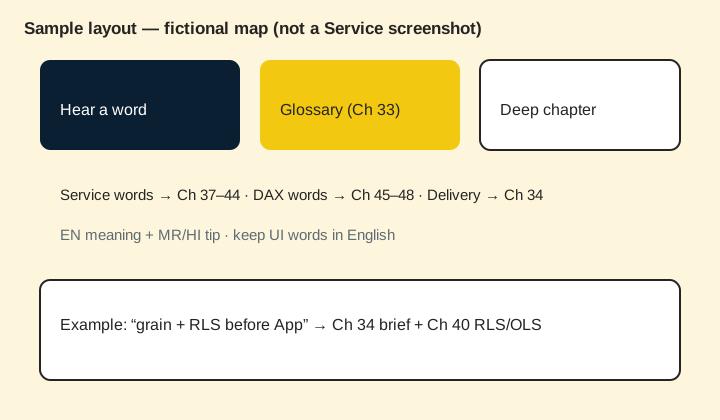
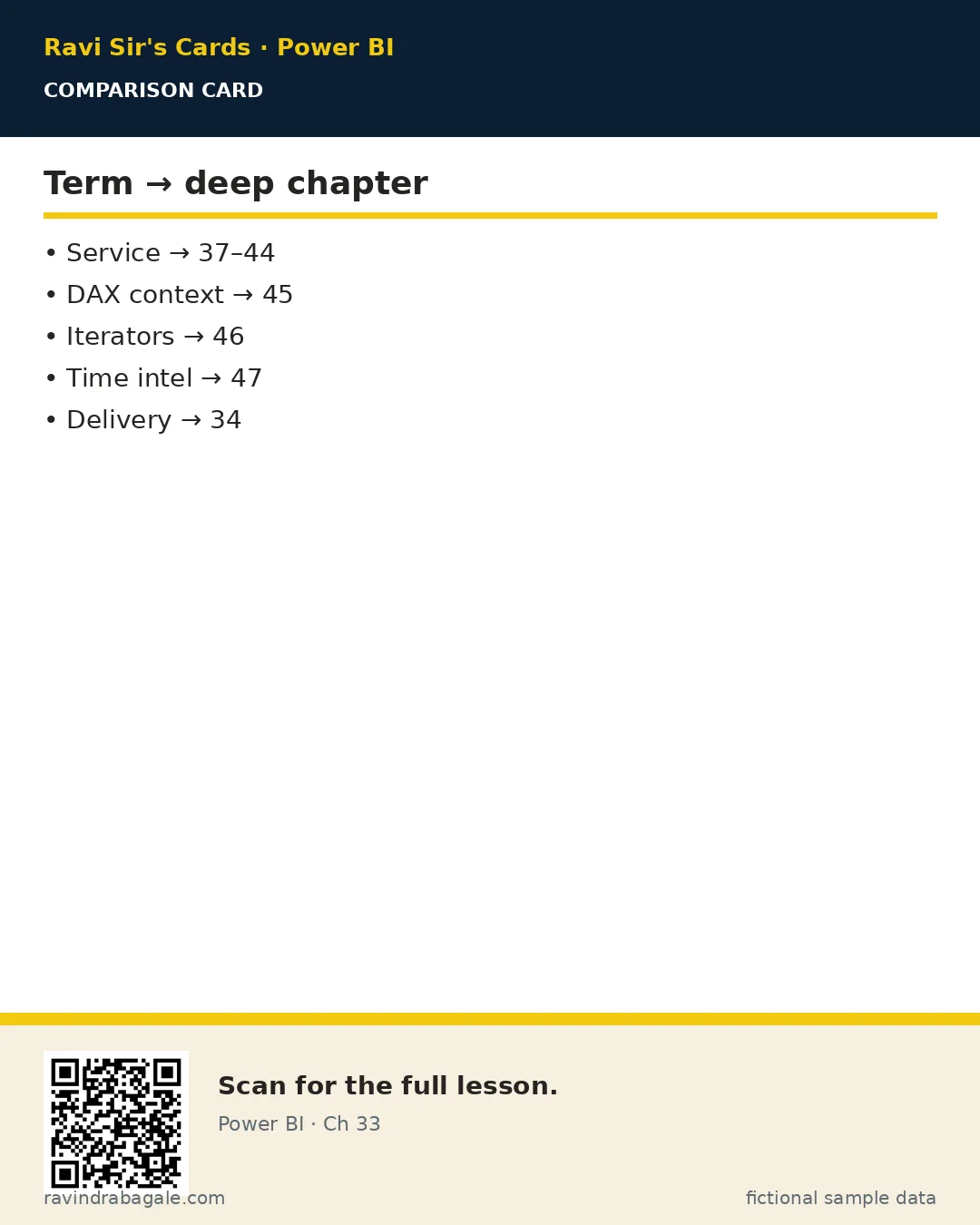
- Follow the deep chapter link (Service 37–44, DAX 45–48, delivery Ch 34).
- Write the word in a sentence with a fictional MH Ops example.
- Quiz yourself weekly; teach one word to a friend.
Tiny example: Fictional: lead says “check grain and RLS before App” — you open Glossary → then Ch 34 + Ch 40.
Ravindra Bagale's Tip
Friends, glossary words are tools — use them in sentences, do not only highlight.
Ravindra Bagale's Tip – मराठी
मित्रांनो, glossary शब्द साधने आहेत — वाक्यात वापरा.
Ravindra Bagale's Tip – हिंदी
दोस्तों, glossary शब्द औज़ार हैं — वाक्यों में इस्तेमाल करो।
Word stories (12 quick examples)
Each term in a meeting-style sentence. All numbers/names fictional.
- Grain. FactOrders one row = one delivered order for a Pune dark store (fictional).
- RLS. City managers see only their City rows after Test as role.
- Workspace. MH Ops Lab holds Dev content; not My workspace.
- Semantic model. Blinkit_MH_Sales model underpins the report and App.
- Gateway. On-prem SQL in the office needs a standard gateway for 06:45 IST refresh.
- Brief. One page: question, user, grain, KPIs, refresh, owner — before Desktop.
- Wireframe. Three pages sketched: Executive, Detail, Exceptions.
- CALCULATE. Changes filter context — deep study in Ch 45.
- Incremental refresh. Load recent partitions only so large facts stay cheap.
- App. Packaged navigation for city managers instead of twenty links.
- Lineage. Shows dataflow → model → reports before you rename anything.
- Definition of done. Refresh green + Viewer test + handover note.
Expanded glossary (50 core terms)
Use with Ch 34 (delivery), Ch 37–44 (Service deep), Ch 45–50 (advanced DAX / performance / composite).
| Term | Easy English | मराठी hint | हिंदी hint |
|---|---|---|---|
| App (Power BI App) | A packaged way to distribute reports/dashboards to users with navigation. | अॅप — वापरकर्त्यांना report देण्याची पॅकेज पद्धत. | ऐप — यूज़र्स को report बाँटने का पैकेज. |
| Bookmark | A saved view of a report page (filters/visual state) for navigation or storytelling. | बुकमार्क — page ची जतन केलेली दृश्य अवस्था. | बुकमार्क — पेज की सेव की हुई स्थिति। |
| Capacity | Dedicated cloud resources (Premium/Fabric capacity) that host workloads. | कॅपॅसिटी — Dedicated cloud संसाधन. | कैपेसिटी — डेडिकेटेड क्लाउड संसाधन। |
| Cardinality | Relationship uniqueness: one-to-many, many-to-one, etc. | कार्डिनॅलिटी — संबंधातील uniqueness. | कार्डिनैलिटी — संबंध की uniqueness। |
| Certified (endorsement) | Admin/owner stamp that a model is trusted. | सर्टिफाइड — विश्वासू model ची खूण. | सर्टिफाइड — भरोसेमंद model का निशान। |
| Composite model | Model mixing Import, DirectQuery, and/or Dual tables. | कंपोझिट — मिश्र storage modes. | कंपोज़िट — मिश्र storage modes। |
| DAX | Data Analysis Expressions — formula language for measures/columns. | DAX — measure/column ची भाषा. | DAX — measure/column की भाषा। |
| Dataflow | Service/Fabric Power Query entities reusable across models. | डेटाफ्लो — shared Power Query. | डेटाफ़्लो — shared Power Query। |
| Dataset / Semantic model | The model in the Service that reports connect to. | सिमॅंटिक मॉडल — Service मधील model. | सिमैंटिक मॉडल — Service में model। |
| Date table | Marked calendar table required for reliable time intelligence. | डेट टेबल — time intel साठी कॅलेंडर. | डेट टेबल — time intel के लिए कैलेंडर। |
| Deployment pipeline | Dev → Test → Prod promotion path for content. | पाइपलाइन — Dev/Test/Prod मार्ग. | पाइपलाइन — Dev/Test/Prod मार्ग। |
| DirectQuery | Query mode that hits the source at visual time (not fully imported). | DirectQuery — runtime वर स्रोत. | DirectQuery — रनटाइम पर स्रोत। |
| Drill through | Navigate to a details page carrying filters. | ड्रिल थ्रू — डिटेल page कडे फिल्टरसह. | ड्रिल थ्रू — डिटेल पेज पर फ़िल्टर के साथ। |
| Field parameter | UI switch that lets users change fields on a visual. | फील्ड पॅरामीटर — field बदलण्याची सुईच. | फ़ील्ड पैरामीटर — फ़ील्ड बदलने का स्विच। |
| Filter context | The set of filters affecting a measure evaluation. | फिल्टर कॉन्टेक्स्ट — measure वर लागू फिल्टर्स. | फ़िल्टर कॉन्टेक्स्ट — measure पर लागू फ़िल्टर। |
| Gateway | Bridge for the Service to reach on-prem/private sources. | गेटवे — on-prem साठी पूल. | गेटवे — on-prem के लिए पुल। |
| Grain | What one row in a fact table represents. | ग्रेन — एक ओळीचा अर्थ. | ग्रेन — एक पंक्ति का अर्थ। |
| Import mode | Data copied into the model and refreshed on a schedule. | Import — डेटा मॉडेलमध्ये कॉपी. | Import — डेटा मॉडल में कॉपी। |
| Incremental refresh | Refresh policy that loads only recent partitions. | Incremental — फक्त नवीन भाग refresh. | Incremental — केवल नया भाग refresh। |
| Iterator (X functions) | Functions like SUMX that loop a table expression. | Iterator — टेबलवर लूप. | Iterator — टेबल पर लूप। |
| Lineage | Map of upstream/downstream dependencies. | लाइनएज — अवलंबित्वाचा नकाशा. | लाइनएज — निर्भरता का नक्शा। |
| Measure | A DAX calculation evaluated in filter context (not stored per row). | मेझर — DAX गणना. | मेज़र — DAX गणना। |
| OLS | Object-level security — hide tables/columns from roles. | OLS — टेबल/कॉलम लपवणे. | OLS — टेबल/कॉलम छिपाना। |
| Paginated report | Pixel-perfect print-oriented report (RDL-style). | Paginated — प्रिंट-परफेक्ट रिपोर्ट. | Paginated — प्रिंट-परफ़ेक्ट रिपोर्ट। |
| Power Query (M) | Data transformation language/UI before the model. | Power Query — डेटा स्वच्छता. | Power Query — डेटा सफ़ाई। |
| Publish | Send .pbix model+report into a Service workspace. | Publish — Service मध्ये पाठवणे. | Publish — Service में भेजना। |
| Refresh history | Log of scheduled/manual refresh success/failure. | Refresh history — यश/अपयश नोंद. | Refresh history — सफलता/असफलता लॉग। |
| Relationship | Link between tables (usually dim 1 → fact many). | रिलेशनशिप — टेबल्समधील लिंक. | रिलेशनशिप — टेबल के बीच लिंक। |
| RLS | Row-level security — filter rows by role. | RLS — ओळींची सुरक्षा. | RLS — पंक्तियों की सुरक्षा। |
| Row context | Evaluation context while iterating rows (e.g. calculated column / iterator). | रो कॉन्टेक्स्ट — ओळीवर गणना. | रो कॉन्टेक्स्ट — पंक्ति पर गणना। |
| Sensitivity label | Classification stamp for data confidentiality. | संवेदनशीलता लेबल — गोपनीयता खूण. | सेंसिटिविटी लेबल — गोपनीयता निशान। |
| Slicer | On-canvas filter control for report readers. | स्लायसर — ऑन-कॅनव्हास फिल्टर. | स्लाइसर — ऑन-कैनवास फ़िल्टर। |
| Star schema | Facts in the centre, dimensions around — preferred model shape. | स्टार स्कीमा — fact + dims. | स्टार स्कीमा — fact + dims। |
| Subscription | Scheduled email/snapshot delivery of a report/page. | सबस्क्रिप्शन — ईमेल डेलिव्हरी. | सब्सक्रिप्शन — ईमेल डिलीवरी। |
| Tooltip page | Custom report page shown as a rich hover tooltip. | टूलटिप page — hover वर डिटेल. | टूलटिप पेज — होवर पर डिटेल। |
| Workspace | Shared container for Service content and roles. | वर्कस्पेस — shared कंटेनर. | वर्कस्पेस — shared कंटेनर। |
| Workspace role | Admin / Member / Contributor / Viewer permissions. | वर्कस्पेस भूमिका — अधिकार. | वर्कस्पेस रोल — अधिकार। |
| Dual mode | Storage mode that can act Import or DirectQuery depending on query. | Dual — मिश्र वापर. | Dual — मिश्र उपयोग। |
| Calculation group | Model object to apply calculation variants (e.g. time calcs) — see Ch 48. | कॅल्क्युलेशन ग्रुप — गणना प्रकार. | कैल्कुलेशन ग्रुप — गणना प्रकार। |
| Performance Analyzer | Desktop tool to see visual DAX/query durations — Ch 49. | Performance Analyzer — वेळ मोजणी. | Performance Analyzer — समय माप। |
| Brief (project brief) | One-page scope: question, user, grain, KPIs, refresh — Ch 34. | ब्रीफ — एक-पान व्याप्ती. | ब्रीफ़ — एक-पेज स्कोप। |
| Wireframe | Sketch of report pages before building visuals — Ch 34. | वायरफ्रेम — आधीचा स्केच. | वायरफ़्रेम — पहले का स्केच। |
| Definition of done | Checklist proving delivery (refresh, access, docs) — Ch 34. | Definition of done — पूर्णतेची यादी. | Definition of done — पूर्णता सूची। |
| Fabric | Microsoft analytics platform that includes Power BI capacities/items — Ch 43. | Fabric — Microsoft analytics प्लॅटफॉर्म. | Fabric — Microsoft analytics प्लेटफ़ॉर्म। |
| Promoted (endorsement) | Lighter trust signal than Certified. | Promoted — हलकी trust खूण. | Promoted — हल्की trust निशान। |
| Usage metrics | Service report showing who opens content. | Usage metrics — कोण उघडते. | Usage metrics — कौन खोलता है। |
| Embed | Place Power BI in Teams/web apps with permissions. | Embed — बाहेरून दाखवणे. | Embed — बाहर दिखाना। |
| Implicit measure | Automatic aggregation from a numeric column on a visual — prefer explicit. | Implicit measure — स्वयंचलित एकूण. | Implicit measure — स्वचालित योग। |
| Explicit measure | Named DAX measure you create and reuse. | Explicit measure — नाव असलेले DAX. | Explicit measure — नाम वाला DAX। |
| Mark as date table | Model setting that enables time intelligence on a calendar table. | Mark as date table — कॅलेंडर सेटिंग. | Mark as date table — कैलेंडर सेटिंग। |
Study paths from this glossary
Why: Random term drilling without a path wastes weeks.
What: Three paths: Delivery words → Ch 34/35; Service words → Ch 37–44; DAX words → Ch 13 then 45–48.
How — pick your path this week:
Vertical steps (one under another)
- If you are shipping a first App: learn workspace, role, refresh, RLS, App, brief.
- If you are stuck in DAX: learn filter context, CALCULATE, iterator, Date table, measure.
- If interviews are close: practise grain, star schema, gateway, incremental, composite aloud.
- After each path, take the quiz below and the Ch 34/37/45 quizzes.
- Add new workplace words to your own notebook in the same EN/MR/HI style.
Ravindra Bagale's Tip
Friends, a glossary is a map legend — you still have to walk the chapters.
Ravindra Bagale's Tip – मराठी
मित्रांनो, glossary म्हणजे नकाशाची किल्ली — chapters चालणे लागते.
Ravindra Bagale's Tip – हिंदी
दोस्तों, glossary नक्शे की कुंजी है — chapters चलना पड़ता है।
Confused pairs (Why / What / How)
Why: Similar words cause wrong architecture choices.
What: Twelve pairs students mix up in Maharashtra classrooms and interviews.
How — separate each pair aloud:
Vertical steps (one under another)
- Read the pair.
- Say one fictional MH Ops example for each side.
- Teach the pair to a friend without notes.
- Mark any pair you still mix — revisit the deep chapter.
- Retake the quiz.
- Report vs Dashboard. Report = multi-page interactive analysis. Dashboard = pinned tiles for glance/alerts.
- Dataset vs Semantic model. Same family of idea in the Service — the model reports connect to. Prefer saying semantic model in new docs.
- RLS vs OLS. RLS filters rows; OLS hides tables/columns from a role.
- Import vs DirectQuery. Import copies data and refreshes; DirectQuery queries the source when you interact.
- Workspace vs App. Workspace is the build/share container with roles; App is packaged distribution for consumers.
- Gateway personal vs standard. Personal is for one user; standard supports team scheduled refresh on always-on hosts.
- Measure vs calculated column. Measure responds to filter context at query time; column is computed per row and stored.
- Filter context vs row context. Filter context comes from filters/slicers; row context exists while iterating rows.
- Publish vs Share. Publish lands content in a workspace; share/App decides who consumes it.
- Brief vs Wireframe. Brief locks question/grain/KPIs; wireframe sketches pages before visuals.
- Promoted vs Certified. Both are endorsements; Certified is the stronger trust promise.
- Dataflow vs Dataset. Dataflow stores reusable Power Query entities; dataset/semantic model is the analytical model.
Ravindra Bagale's Tip
Friends, if you can explain RLS vs OLS in one breath, interviewers relax.
Ravindra Bagale's Tip – मराठी
मित्रांनो, RLS vs OLS एका श्वासात समजवले की interviewer शांत होतो.
Ravindra Bagale's Tip – हिंदी
दोस्तों, RLS vs OLS एक साँस में समझाया तो interviewer सहज हो जाता है।
Interview glossary script (60–90 seconds)
Why: Interviewers listen for precise words, not buzzword salad.
What: A short spoken script using grain, star schema, workspace, refresh, RLS, App.
How — practise aloud:
Vertical steps (one under another)
- Start: “I lock grain before measures — one fact row means one delivered order.”
- Model: “I prefer a star schema with DimDate marked for time intelligence.”
- Service: “I publish to a shared workspace with least-privilege roles.”
- Trust: “Refresh must be green before I share; on-prem needs a standard gateway.”
- Security: “RLS filters rows; I Test as role before the App.”
- Close: “Consumers get an App, not a pile of personal links.”
Tiny example: Fictional candidate records this on their phone and trims to 75 seconds.
Ravindra Bagale's Tip
Friends, practise until the words feel boring — boring means ready.
Ravindra Bagale's Tip – मराठी
मित्रांनो, शब्द कंटाळवाणे वाटेल तोपर्यंत practice — म्हणजे ready.
Ravindra Bagale's Tip – हिंदी
दोस्तों, शब्द उबाऊ लगें तक practice — मतलब ready।
Terms by category
Why: A flat A–Z list is hard to revise.
What: Group terms by job: model, Service, security, delivery, advanced.
How — revise one category per day:
Vertical steps (one under another)
- Day 1 modelling
- Day 2 Service
- Day 3 security
- Day 4 delivery
- Day 5 advanced + quiz
Modelling words
Grain, Star schema, Relationship, Cardinality, Date table, Measure, Explicit measure, Implicit measure. Deep: Ch 11 modelling + Ch 13 DAX foundations.
Fictional drill: write one MH Ops sentence for each bold term in this category.
Service words
Workspace, Workspace role, Publish, Semantic model, App, Refresh history, Gateway, Subscription. Deep: Ch 25 overview + Ch 37–42 deep.
Fictional drill: write one MH Ops sentence for each bold term in this category.
Security & governance
RLS, OLS, Sensitivity label, Certified (endorsement), Promoted (endorsement), Lineage, Usage metrics. Deep: Ch 26/40 + Ch 41/43.
Fictional drill: write one MH Ops sentence for each bold term in this category.
Delivery words
Brief (project brief), Wireframe, Definition of done. Deep: Ch 34 then Ch 35 briefs.
Fictional drill: write one MH Ops sentence for each bold term in this category.
Advanced analytics words
CALCULATE family via filter context, Iterator (X functions), Composite model, Dual mode, Calculation group, Performance Analyzer, Incremental refresh, Fabric. Deep: Ch 39, 43, 45–50.
Fictional drill: write one MH Ops sentence for each bold term in this category.
Ravindra Bagale's Tip
Friends, five days of categories beat one night of panic reading.
Ravindra Bagale's Tip – मराठी
मित्रांनो, पाच दिवस categories > एक रात्र panic reading.
Ravindra Bagale's Tip – हिंदी
दोस्तों, पाँच दिन categories > एक रात panic reading।
Term cards (Why / What / How for each)
App (Power BI App)
Why it matters: You will hear this in meetings, tickets, or interviews.
What it means: A packaged way to distribute reports/dashboards to users with navigation.
मराठी hint: अॅप — वापरकर्त्यांना report देण्याची पॅकेज पद्धत. · हिंदी hint: ऐप — यूज़र्स को report बाँटने का पैकेज.
How to practise: Write one fictional MH Ops sentence using App (Power BI App), then open the matching deep chapter from the study paths above.
Bookmark
Why it matters: You will hear this in meetings, tickets, or interviews.
What it means: A saved view of a report page (filters/visual state) for navigation or storytelling.
मराठी hint: बुकमार्क — page ची जतन केलेली दृश्य अवस्था. · हिंदी hint: बुकमार्क — पेज की सेव की हुई स्थिति।
How to practise: Write one fictional MH Ops sentence using Bookmark, then open the matching deep chapter from the study paths above.
Capacity
Why it matters: You will hear this in meetings, tickets, or interviews.
What it means: Dedicated cloud resources (Premium/Fabric capacity) that host workloads.
मराठी hint: कॅपॅसिटी — Dedicated cloud संसाधन. · हिंदी hint: कैपेसिटी — डेडिकेटेड क्लाउड संसाधन।
How to practise: Write one fictional MH Ops sentence using Capacity, then open the matching deep chapter from the study paths above.
Cardinality
Why it matters: You will hear this in meetings, tickets, or interviews.
What it means: Relationship uniqueness: one-to-many, many-to-one, etc.
मराठी hint: कार्डिनॅलिटी — संबंधातील uniqueness. · हिंदी hint: कार्डिनैलिटी — संबंध की uniqueness।
How to practise: Write one fictional MH Ops sentence using Cardinality, then open the matching deep chapter from the study paths above.
Certified (endorsement)
Why it matters: You will hear this in meetings, tickets, or interviews.
What it means: Admin/owner stamp that a model is trusted.
मराठी hint: सर्टिफाइड — विश्वासू model ची खूण. · हिंदी hint: सर्टिफाइड — भरोसेमंद model का निशान।
How to practise: Write one fictional MH Ops sentence using Certified (endorsement), then open the matching deep chapter from the study paths above.
Composite model
Why it matters: You will hear this in meetings, tickets, or interviews.
What it means: Model mixing Import, DirectQuery, and/or Dual tables.
मराठी hint: कंपोझिट — मिश्र storage modes. · हिंदी hint: कंपोज़िट — मिश्र storage modes।
How to practise: Write one fictional MH Ops sentence using Composite model, then open the matching deep chapter from the study paths above.
DAX
Why it matters: You will hear this in meetings, tickets, or interviews.
What it means: Data Analysis Expressions — formula language for measures/columns.
मराठी hint: DAX — measure/column ची भाषा. · हिंदी hint: DAX — measure/column की भाषा।
How to practise: Write one fictional MH Ops sentence using DAX, then open the matching deep chapter from the study paths above.
Dataflow
Why it matters: You will hear this in meetings, tickets, or interviews.
What it means: Service/Fabric Power Query entities reusable across models.
मराठी hint: डेटाफ्लो — shared Power Query. · हिंदी hint: डेटाफ़्लो — shared Power Query।
How to practise: Write one fictional MH Ops sentence using Dataflow, then open the matching deep chapter from the study paths above.
Dataset / Semantic model
Why it matters: You will hear this in meetings, tickets, or interviews.
What it means: The model in the Service that reports connect to.
मराठी hint: सिमॅंटिक मॉडल — Service मधील model. · हिंदी hint: सिमैंटिक मॉडल — Service में model।
How to practise: Write one fictional MH Ops sentence using Dataset / Semantic model, then open the matching deep chapter from the study paths above.
Date table
Why it matters: You will hear this in meetings, tickets, or interviews.
What it means: Marked calendar table required for reliable time intelligence.
मराठी hint: डेट टेबल — time intel साठी कॅलेंडर. · हिंदी hint: डेट टेबल — time intel के लिए कैलेंडर।
How to practise: Write one fictional MH Ops sentence using Date table, then open the matching deep chapter from the study paths above.
Deployment pipeline
Why it matters: You will hear this in meetings, tickets, or interviews.
What it means: Dev → Test → Prod promotion path for content.
मराठी hint: पाइपलाइन — Dev/Test/Prod मार्ग. · हिंदी hint: पाइपलाइन — Dev/Test/Prod मार्ग।
How to practise: Write one fictional MH Ops sentence using Deployment pipeline, then open the matching deep chapter from the study paths above.
DirectQuery
Why it matters: You will hear this in meetings, tickets, or interviews.
What it means: Query mode that hits the source at visual time (not fully imported).
मराठी hint: DirectQuery — runtime वर स्रोत. · हिंदी hint: DirectQuery — रनटाइम पर स्रोत।
How to practise: Write one fictional MH Ops sentence using DirectQuery, then open the matching deep chapter from the study paths above.
Drill through
Why it matters: You will hear this in meetings, tickets, or interviews.
What it means: Navigate to a details page carrying filters.
मराठी hint: ड्रिल थ्रू — डिटेल page कडे फिल्टरसह. · हिंदी hint: ड्रिल थ्रू — डिटेल पेज पर फ़िल्टर के साथ।
How to practise: Write one fictional MH Ops sentence using Drill through, then open the matching deep chapter from the study paths above.
Field parameter
Why it matters: You will hear this in meetings, tickets, or interviews.
What it means: UI switch that lets users change fields on a visual.
मराठी hint: फील्ड पॅरामीटर — field बदलण्याची सुईच. · हिंदी hint: फ़ील्ड पैरामीटर — फ़ील्ड बदलने का स्विच।
How to practise: Write one fictional MH Ops sentence using Field parameter, then open the matching deep chapter from the study paths above.
Filter context
Why it matters: You will hear this in meetings, tickets, or interviews.
What it means: The set of filters affecting a measure evaluation.
मराठी hint: फिल्टर कॉन्टेक्स्ट — measure वर लागू फिल्टर्स. · हिंदी hint: फ़िल्टर कॉन्टेक्स्ट — measure पर लागू फ़िल्टर।
How to practise: Write one fictional MH Ops sentence using Filter context, then open the matching deep chapter from the study paths above.
Gateway
Why it matters: You will hear this in meetings, tickets, or interviews.
What it means: Bridge for the Service to reach on-prem/private sources.
मराठी hint: गेटवे — on-prem साठी पूल. · हिंदी hint: गेटवे — on-prem के लिए पुल।
How to practise: Write one fictional MH Ops sentence using Gateway, then open the matching deep chapter from the study paths above.
Grain
Why it matters: You will hear this in meetings, tickets, or interviews.
What it means: What one row in a fact table represents.
मराठी hint: ग्रेन — एक ओळीचा अर्थ. · हिंदी hint: ग्रेन — एक पंक्ति का अर्थ।
How to practise: Write one fictional MH Ops sentence using Grain, then open the matching deep chapter from the study paths above.
Import mode
Why it matters: You will hear this in meetings, tickets, or interviews.
What it means: Data copied into the model and refreshed on a schedule.
मराठी hint: Import — डेटा मॉडेलमध्ये कॉपी. · हिंदी hint: Import — डेटा मॉडल में कॉपी।
How to practise: Write one fictional MH Ops sentence using Import mode, then open the matching deep chapter from the study paths above.
Incremental refresh
Why it matters: You will hear this in meetings, tickets, or interviews.
What it means: Refresh policy that loads only recent partitions.
मराठी hint: Incremental — फक्त नवीन भाग refresh. · हिंदी hint: Incremental — केवल नया भाग refresh।
How to practise: Write one fictional MH Ops sentence using Incremental refresh, then open the matching deep chapter from the study paths above.
Iterator (X functions)
Why it matters: You will hear this in meetings, tickets, or interviews.
What it means: Functions like SUMX that loop a table expression.
मराठी hint: Iterator — टेबलवर लूप. · हिंदी hint: Iterator — टेबल पर लूप।
How to practise: Write one fictional MH Ops sentence using Iterator (X functions), then open the matching deep chapter from the study paths above.
Lineage
Why it matters: You will hear this in meetings, tickets, or interviews.
What it means: Map of upstream/downstream dependencies.
मराठी hint: लाइनएज — अवलंबित्वाचा नकाशा. · हिंदी hint: लाइनएज — निर्भरता का नक्शा।
How to practise: Write one fictional MH Ops sentence using Lineage, then open the matching deep chapter from the study paths above.
Measure
Why it matters: You will hear this in meetings, tickets, or interviews.
What it means: A DAX calculation evaluated in filter context (not stored per row).
मराठी hint: मेझर — DAX गणना. · हिंदी hint: मेज़र — DAX गणना।
How to practise: Write one fictional MH Ops sentence using Measure, then open the matching deep chapter from the study paths above.
OLS
Why it matters: You will hear this in meetings, tickets, or interviews.
What it means: Object-level security — hide tables/columns from roles.
मराठी hint: OLS — टेबल/कॉलम लपवणे. · हिंदी hint: OLS — टेबल/कॉलम छिपाना।
How to practise: Write one fictional MH Ops sentence using OLS, then open the matching deep chapter from the study paths above.
Paginated report
Why it matters: You will hear this in meetings, tickets, or interviews.
What it means: Pixel-perfect print-oriented report (RDL-style).
मराठी hint: Paginated — प्रिंट-परफेक्ट रिपोर्ट. · हिंदी hint: Paginated — प्रिंट-परफ़ेक्ट रिपोर्ट।
How to practise: Write one fictional MH Ops sentence using Paginated report, then open the matching deep chapter from the study paths above.
Power Query (M)
Why it matters: You will hear this in meetings, tickets, or interviews.
What it means: Data transformation language/UI before the model.
मराठी hint: Power Query — डेटा स्वच्छता. · हिंदी hint: Power Query — डेटा सफ़ाई।
How to practise: Write one fictional MH Ops sentence using Power Query (M), then open the matching deep chapter from the study paths above.
Publish
Why it matters: You will hear this in meetings, tickets, or interviews.
What it means: Send .pbix model+report into a Service workspace.
मराठी hint: Publish — Service मध्ये पाठवणे. · हिंदी hint: Publish — Service में भेजना।
How to practise: Write one fictional MH Ops sentence using Publish, then open the matching deep chapter from the study paths above.
Refresh history
Why it matters: You will hear this in meetings, tickets, or interviews.
What it means: Log of scheduled/manual refresh success/failure.
मराठी hint: Refresh history — यश/अपयश नोंद. · हिंदी hint: Refresh history — सफलता/असफलता लॉग।
How to practise: Write one fictional MH Ops sentence using Refresh history, then open the matching deep chapter from the study paths above.
Relationship
Why it matters: You will hear this in meetings, tickets, or interviews.
What it means: Link between tables (usually dim 1 → fact many).
मराठी hint: रिलेशनशिप — टेबल्समधील लिंक. · हिंदी hint: रिलेशनशिप — टेबल के बीच लिंक।
How to practise: Write one fictional MH Ops sentence using Relationship, then open the matching deep chapter from the study paths above.
RLS
Why it matters: You will hear this in meetings, tickets, or interviews.
What it means: Row-level security — filter rows by role.
मराठी hint: RLS — ओळींची सुरक्षा. · हिंदी hint: RLS — पंक्तियों की सुरक्षा।
How to practise: Write one fictional MH Ops sentence using RLS, then open the matching deep chapter from the study paths above.
Row context
Why it matters: You will hear this in meetings, tickets, or interviews.
What it means: Evaluation context while iterating rows (e.g. calculated column / iterator).
मराठी hint: रो कॉन्टेक्स्ट — ओळीवर गणना. · हिंदी hint: रो कॉन्टेक्स्ट — पंक्ति पर गणना।
How to practise: Write one fictional MH Ops sentence using Row context, then open the matching deep chapter from the study paths above.
Sensitivity label
Why it matters: You will hear this in meetings, tickets, or interviews.
What it means: Classification stamp for data confidentiality.
मराठी hint: संवेदनशीलता लेबल — गोपनीयता खूण. · हिंदी hint: सेंसिटिविटी लेबल — गोपनीयता निशान।
How to practise: Write one fictional MH Ops sentence using Sensitivity label, then open the matching deep chapter from the study paths above.
Slicer
Why it matters: You will hear this in meetings, tickets, or interviews.
What it means: On-canvas filter control for report readers.
मराठी hint: स्लायसर — ऑन-कॅनव्हास फिल्टर. · हिंदी hint: स्लाइसर — ऑन-कैनवास फ़िल्टर।
How to practise: Write one fictional MH Ops sentence using Slicer, then open the matching deep chapter from the study paths above.
Star schema
Why it matters: You will hear this in meetings, tickets, or interviews.
What it means: Facts in the centre, dimensions around — preferred model shape.
मराठी hint: स्टार स्कीमा — fact + dims. · हिंदी hint: स्टार स्कीमा — fact + dims।
How to practise: Write one fictional MH Ops sentence using Star schema, then open the matching deep chapter from the study paths above.
Subscription
Why it matters: You will hear this in meetings, tickets, or interviews.
What it means: Scheduled email/snapshot delivery of a report/page.
मराठी hint: सबस्क्रिप्शन — ईमेल डेलिव्हरी. · हिंदी hint: सब्सक्रिप्शन — ईमेल डिलीवरी।
How to practise: Write one fictional MH Ops sentence using Subscription, then open the matching deep chapter from the study paths above.
Tooltip page
Why it matters: You will hear this in meetings, tickets, or interviews.
What it means: Custom report page shown as a rich hover tooltip.
मराठी hint: टूलटिप page — hover वर डिटेल. · हिंदी hint: टूलटिप पेज — होवर पर डिटेल।
How to practise: Write one fictional MH Ops sentence using Tooltip page, then open the matching deep chapter from the study paths above.
Workspace
Why it matters: You will hear this in meetings, tickets, or interviews.
What it means: Shared container for Service content and roles.
मराठी hint: वर्कस्पेस — shared कंटेनर. · हिंदी hint: वर्कस्पेस — shared कंटेनर।
How to practise: Write one fictional MH Ops sentence using Workspace, then open the matching deep chapter from the study paths above.
Workspace role
Why it matters: You will hear this in meetings, tickets, or interviews.
What it means: Admin / Member / Contributor / Viewer permissions.
मराठी hint: वर्कस्पेस भूमिका — अधिकार. · हिंदी hint: वर्कस्पेस रोल — अधिकार।
How to practise: Write one fictional MH Ops sentence using Workspace role, then open the matching deep chapter from the study paths above.
Dual mode
Why it matters: You will hear this in meetings, tickets, or interviews.
What it means: Storage mode that can act Import or DirectQuery depending on query.
मराठी hint: Dual — मिश्र वापर. · हिंदी hint: Dual — मिश्र उपयोग।
How to practise: Write one fictional MH Ops sentence using Dual mode, then open the matching deep chapter from the study paths above.
Calculation group
Why it matters: You will hear this in meetings, tickets, or interviews.
What it means: Model object to apply calculation variants (e.g. time calcs) — see Ch 48.
मराठी hint: कॅल्क्युलेशन ग्रुप — गणना प्रकार. · हिंदी hint: कैल्कुलेशन ग्रुप — गणना प्रकार।
How to practise: Write one fictional MH Ops sentence using Calculation group, then open the matching deep chapter from the study paths above.
Performance Analyzer
Why it matters: You will hear this in meetings, tickets, or interviews.
What it means: Desktop tool to see visual DAX/query durations — Ch 49.
मराठी hint: Performance Analyzer — वेळ मोजणी. · हिंदी hint: Performance Analyzer — समय माप।
How to practise: Write one fictional MH Ops sentence using Performance Analyzer, then open the matching deep chapter from the study paths above.
Brief (project brief)
Why it matters: You will hear this in meetings, tickets, or interviews.
What it means: One-page scope: question, user, grain, KPIs, refresh — Ch 34.
मराठी hint: ब्रीफ — एक-पान व्याप्ती. · हिंदी hint: ब्रीफ़ — एक-पेज स्कोप।
How to practise: Write one fictional MH Ops sentence using Brief (project brief), then open the matching deep chapter from the study paths above.
Wireframe
Why it matters: You will hear this in meetings, tickets, or interviews.
What it means: Sketch of report pages before building visuals — Ch 34.
मराठी hint: वायरफ्रेम — आधीचा स्केच. · हिंदी hint: वायरफ़्रेम — पहले का स्केच।
How to practise: Write one fictional MH Ops sentence using Wireframe, then open the matching deep chapter from the study paths above.
Definition of done
Why it matters: You will hear this in meetings, tickets, or interviews.
What it means: Checklist proving delivery (refresh, access, docs) — Ch 34.
मराठी hint: Definition of done — पूर्णतेची यादी. · हिंदी hint: Definition of done — पूर्णता सूची।
How to practise: Write one fictional MH Ops sentence using Definition of done, then open the matching deep chapter from the study paths above.
Fabric
Why it matters: You will hear this in meetings, tickets, or interviews.
What it means: Microsoft analytics platform that includes Power BI capacities/items — Ch 43.
मराठी hint: Fabric — Microsoft analytics प्लॅटफॉर्म. · हिंदी hint: Fabric — Microsoft analytics प्लेटफ़ॉर्म।
How to practise: Write one fictional MH Ops sentence using Fabric, then open the matching deep chapter from the study paths above.
Promoted (endorsement)
Why it matters: You will hear this in meetings, tickets, or interviews.
What it means: Lighter trust signal than Certified.
मराठी hint: Promoted — हलकी trust खूण. · हिंदी hint: Promoted — हल्की trust निशान।
How to practise: Write one fictional MH Ops sentence using Promoted (endorsement), then open the matching deep chapter from the study paths above.
Usage metrics
Why it matters: You will hear this in meetings, tickets, or interviews.
What it means: Service report showing who opens content.
मराठी hint: Usage metrics — कोण उघडते. · हिंदी hint: Usage metrics — कौन खोलता है।
How to practise: Write one fictional MH Ops sentence using Usage metrics, then open the matching deep chapter from the study paths above.
Embed
Why it matters: You will hear this in meetings, tickets, or interviews.
What it means: Place Power BI in Teams/web apps with permissions.
मराठी hint: Embed — बाहेरून दाखवणे. · हिंदी hint: Embed — बाहर दिखाना।
How to practise: Write one fictional MH Ops sentence using Embed, then open the matching deep chapter from the study paths above.
Implicit measure
Why it matters: You will hear this in meetings, tickets, or interviews.
What it means: Automatic aggregation from a numeric column on a visual — prefer explicit.
मराठी hint: Implicit measure — स्वयंचलित एकूण. · हिंदी hint: Implicit measure — स्वचालित योग।
How to practise: Write one fictional MH Ops sentence using Implicit measure, then open the matching deep chapter from the study paths above.
Explicit measure
Why it matters: You will hear this in meetings, tickets, or interviews.
What it means: Named DAX measure you create and reuse.
मराठी hint: Explicit measure — नाव असलेले DAX. · हिंदी hint: Explicit measure — नाम वाला DAX।
How to practise: Write one fictional MH Ops sentence using Explicit measure, then open the matching deep chapter from the study paths above.
Mark as date table
Why it matters: You will hear this in meetings, tickets, or interviews.
What it means: Model setting that enables time intelligence on a calendar table.
मराठी hint: Mark as date table — कॅलेंडर सेटिंग. · हिंदी hint: Mark as date table — कैलेंडर सेटिंग।
How to practise: Write one fictional MH Ops sentence using Mark as date table, then open the matching deep chapter from the study paths above.
Ravindra Bagale's Tip
Friends, skim the table for speed; use these term cards when a word still feels fuzzy.
Ravindra Bagale's Tip – मराठी
मित्रांनो, वेगासाठी table; अजून अस्पष्ट शब्दसाठी हे term cards.
Ravindra Bagale's Tip – हिंदी
दोस्तों, रफ़्तार के लिए table; अस्पष्ट शब्द के लिए ये term cards।
Quiz (5 questions)
1. Grain means:
2. RLS primarily filters:
3. A workspace is:
4. Semantic model is another name you will hear for:
5. Ch 34 adds which delivery words:
Practice tasks (12) — hints only, no full answers
- Task. Pick 10 glossary terms and write one MH Ops sentence each.
Hint: Fictional names OK. - Task. Teach 5 terms to a friend in Marathi tips + English UI words.
Hint: Record 3 minutes. - Task. Teach 5 terms in Hindi tips + English UI words.
Hint: Same 5 or new. - Task. Map 8 Service terms to Ch 37–44.
Hint: One chapter each. - Task. Map 6 DAX terms to Ch 13 / 45–48.
Hint: Write the link. - Task. Find 3 terms missing from your meeting notes and add them.
Hint: From this page. - Task. Write a 60s interview glossary flex (grain, RLS, workspace).
Hint: STAR optional. - Task. Create flashcards (paper or phone) for 20 terms.
Hint: Term on front. - Task. Score ≥70% on the quiz; redo misses next day.
Hint: Spaced repeat. - Task. Explain composite model vs Import in easy English.
Hint: Use glossary lines. - Task. Link brief/wireframe terms to a Ch 35 project brief.
Hint: One brief. - Task. Add one new term you heard this week and define it in the same style.
Hint: EN + MR/HI hint.
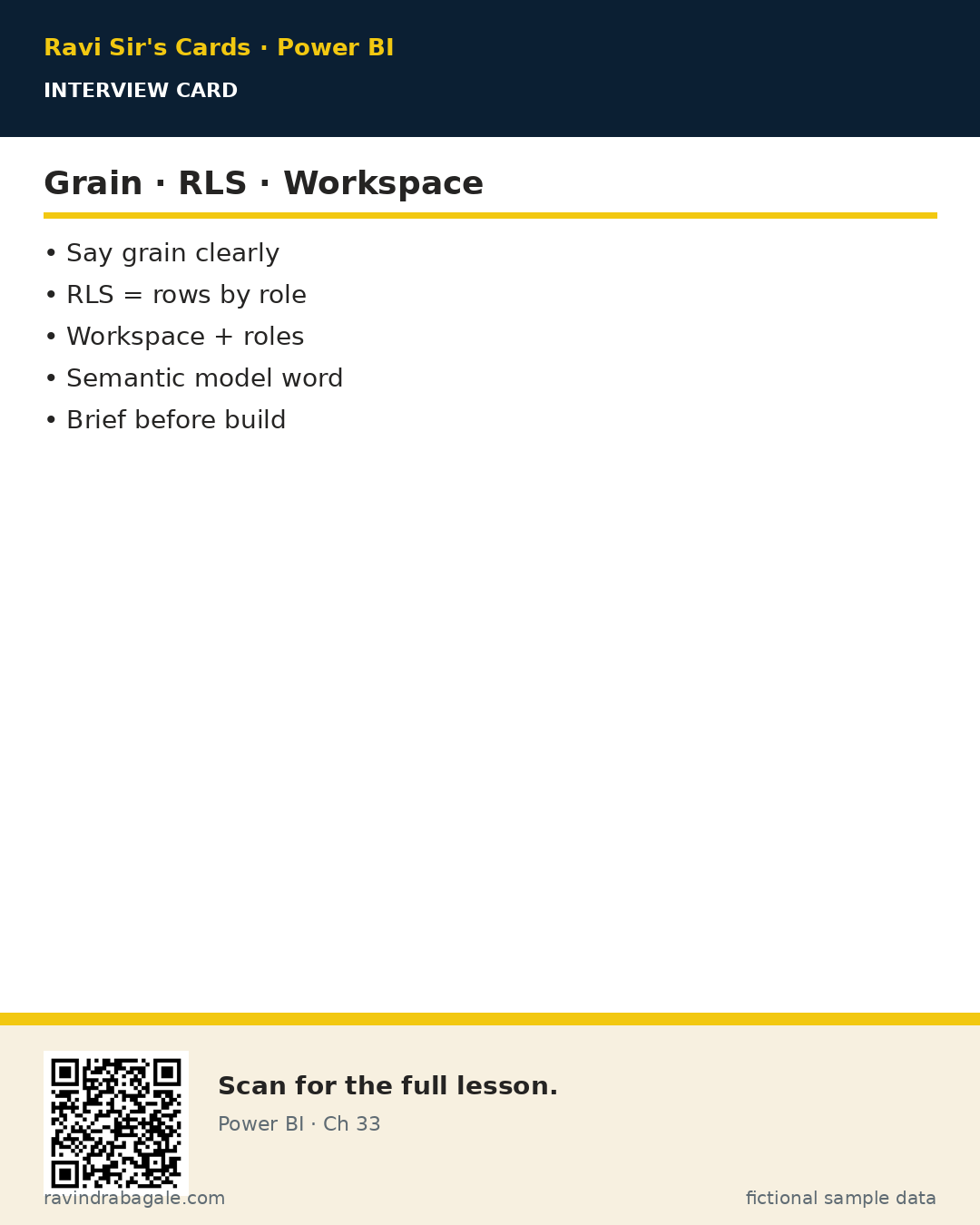
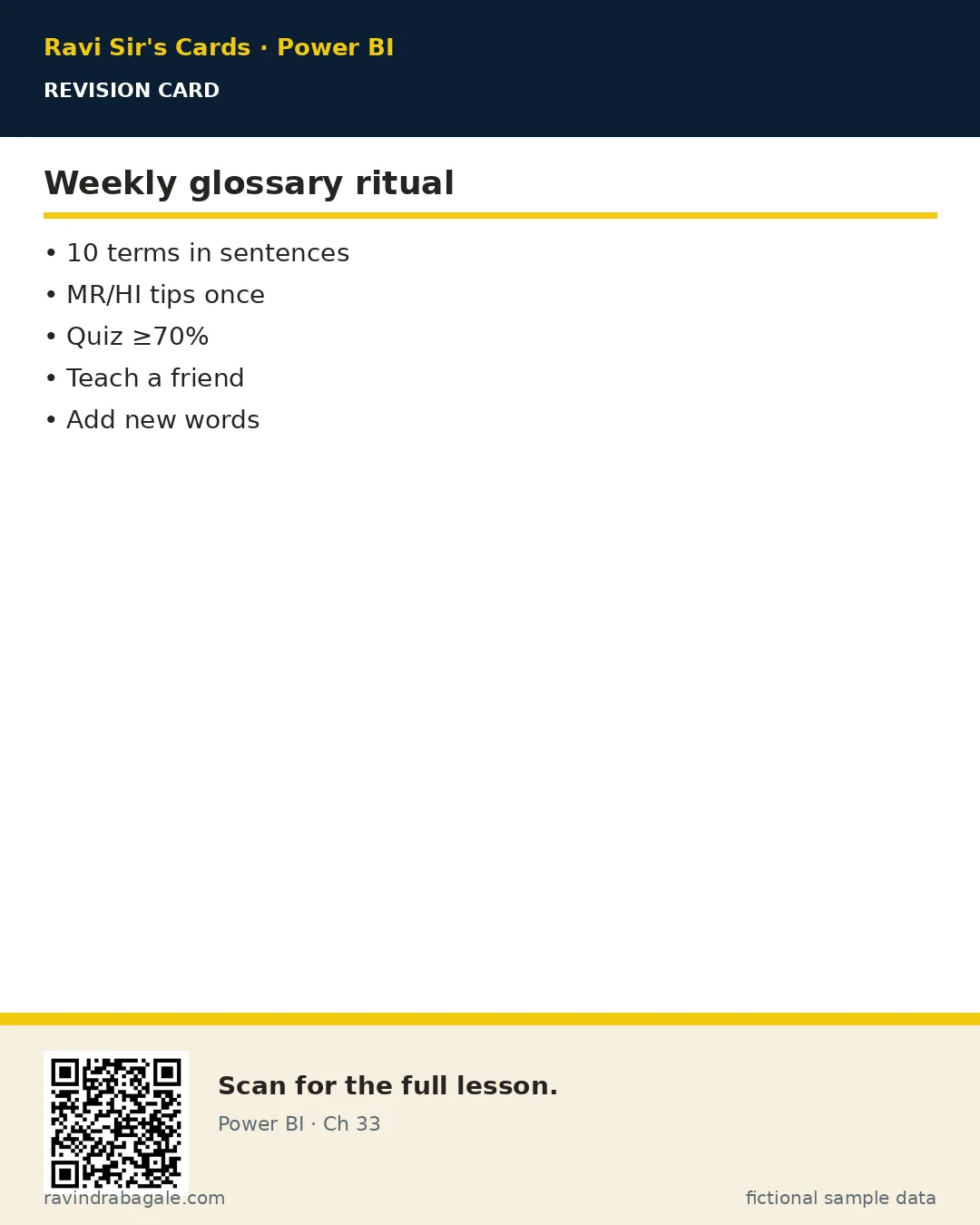
Ravi Sir's cards
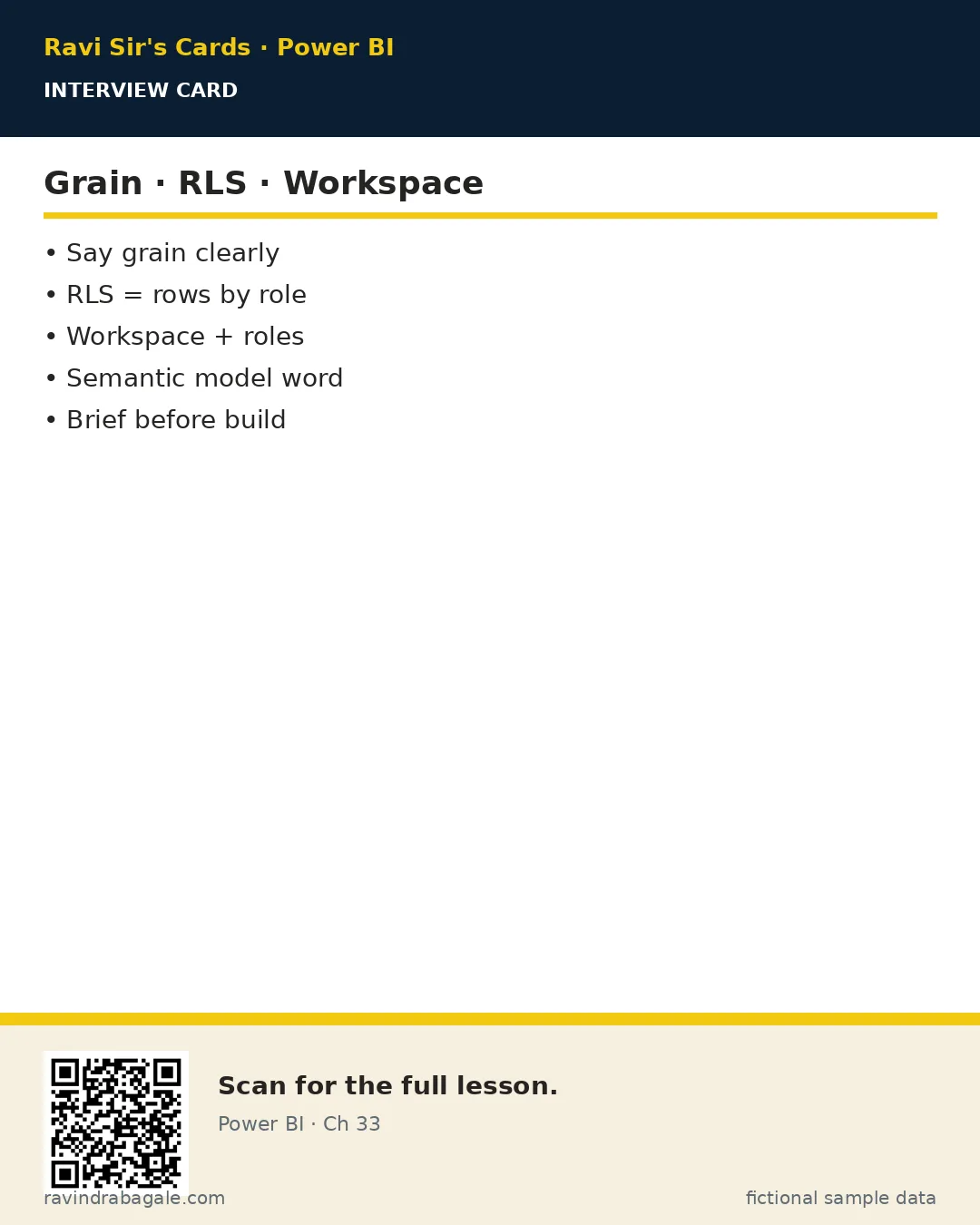
Standalone cards — QR points to this lesson. Download PNG to revise offline.

Next chapters
After words, practise delivery in Ch 34 · From Brief to Dashboard, then Ch 35 · Project Briefs. Service deep series starts at Ch 37.
Ravi Sir's Cards: 3 revision, interview and comparison cards for this chapter · मराठी cards