How to Use Filters and Slicers in Power BI: Visual, Page and All-Pages Filters and Date Slicers
Every report needs a way to narrow the data: one state, one year, one category. Power BI gives you two tools for it. The Filters pane has three levels (one visual, one page, all pages) and is where you set rules. Slicers sit on the canvas, and the people reading the report click them to choose for themselves. In this chapter you use all three filter levels, see what viewers can do with each after publishing, and build a date slicer and a state slicer in the style that suits them.
What you'll learn in this chapter
- Filters on this visual, on this page, on all pages
- Filters pane vs slicers: who uses which
- Hiding and locking filters before publishing
- Date slicer: Between, Before, After, Relative date
- Text slicer: Vertical list for a few values, Dropdown for many
Practice file: blinkit-sales-2023-2025.csv (1,702 order lines, 01-01-2023 to 31-12-2025).
Made-up data: fictional Blinkit-style sales, for practice only. Amounts are in ₹ and dates are DD-MM-YYYY.
1. The problem
The report has a revenue card, a column chart of revenue by category and a pie chart by state. The manager wants the whole report to show 2025 only, the category page to focus on Maharashtra, and viewers to be able to choose any state and date range on their own.
2. The idea in simple words
The Filters pane has three levels:
| Level | Affects |
|---|---|
| Filters on this visual | Only the selected visual |
| Filters on this page | Every visual on the current page |
| Filters on all pages | Every page of the report |
A slicer is a visual on the canvas. Viewers click it to filter the page. The Filters pane is published too: viewers can see and change its filters in the Power BI Service unless you hide or lock them. So the rule of thumb is: slicers for choices viewers make, hidden or locked filters for fixed rules.
Classroom line
Power BI has two kinds of filters.
Class मधलं वाक्य
Power BI मध्ये filters चे दोन प्रकार आहेत.
Classroom line – हिंदी
"Power BI mein do tarike ke filter hain."
Figure 1. The three Filters pane levels, and slicers for viewers (illustration).
3. The data
blinkit-sales-2023-2025.csv: order_id, order_date, category, city, state, payment, week_type, sales, revenue (₹). Table name sales; measure total revenue = SUM(sales[revenue]).
| Year | Revenue (₹) |
|---|---|
| 2023 | 1,00,708 |
| 2024 | 1,11,253 |
| 2025 | 1,18,882 |
| Total | 3,30,843 |
States: Maharashtra 1,22,142; Karnataka 75,009; Telangana 52,876; Gujarat 41,446; Tamil Nadu 39,370.
4. Step by step
Filters on this page
- Build a card (total revenue), a column chart (category, total revenue) and a pie chart (state, total revenue).
- Filters pane › drag state into Filters on this page › tick Maharashtra. The card shows 1,22,142, and both charts show Maharashtra only.
Filters on this visual
- Select the pie chart. Its own fields appear under Filters on this visual. Untick a category under category (drag it in if needed): only the pie changes.
Filters on all pages
- Clear the state filter. Drag order_date into Filters on all pages › Filter type Advanced › is on or after 01-01-2025. Add a new page: it is filtered too. The card shows 1,18,882.
Hide or lock before publishing
- On a filter card, click the eye icon to hide it from viewers, or the lock icon so viewers can see it but not change it.
Date slicer
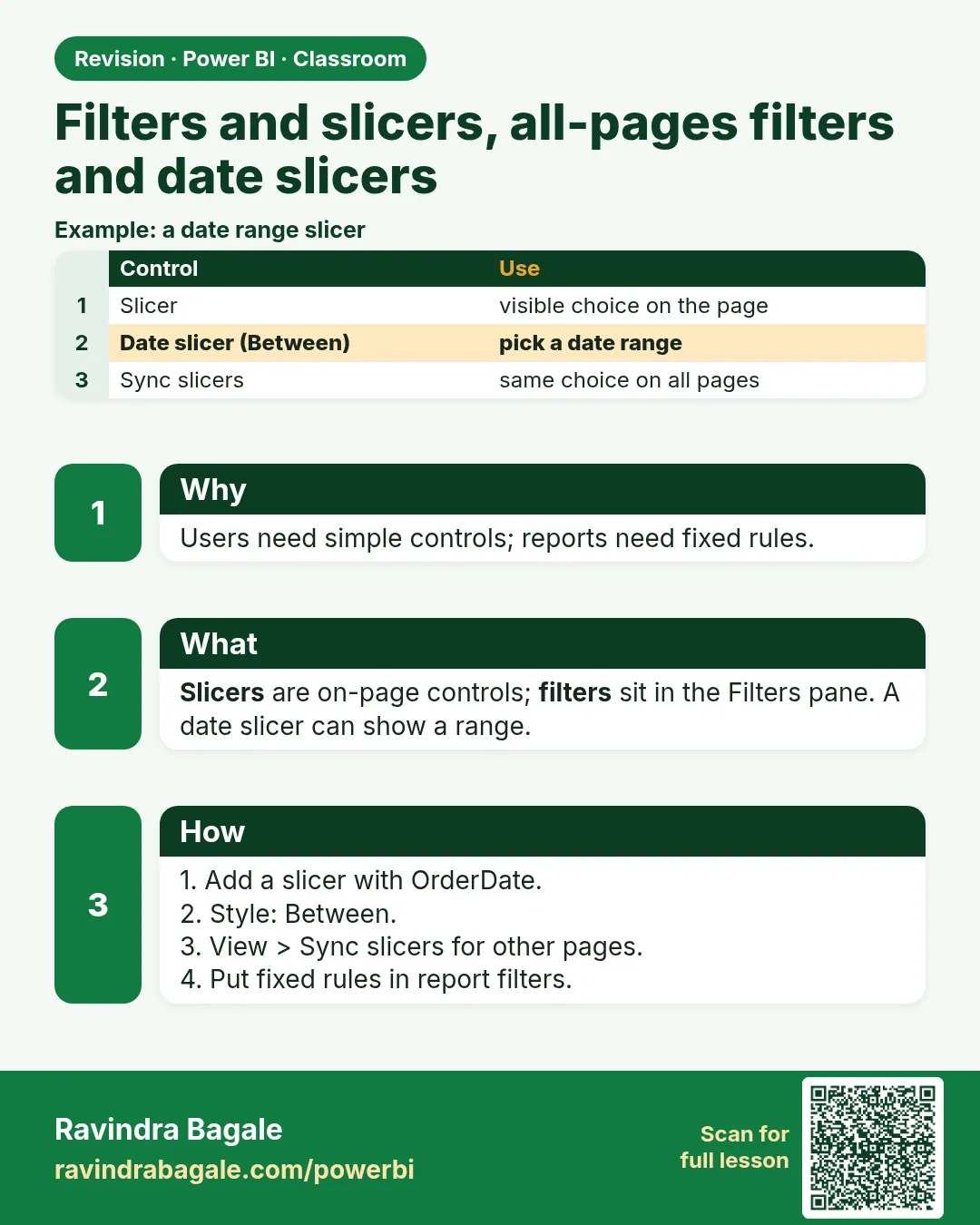
- Clear the all-pages filter. Add a Slicer with order_date. It opens as Between: a slider with a start and an end date, plus date-picker boxes.
- Format visual › Slicer settings › Options › Style: try Before, After, Relative date and Dropdown. Set Between 01-01-2025 to 31-12-2025: the card shows 1,18,882.
- Values text size: 20.
Text slicer
- Add a slicer with state. It shows a Vertical list: fine for five states. For a field with many values, set Style Dropdown.
Figure 2. Date slicer styles; Tile would make one button per date (illustration).
Classroom line
What does a slicer do? After publishing, viewers pick any state they want.
Class मधलं वाक्य
Slicer वापरल्याने काय होतं? Publish केल्यानंतर user स्वतःच्या मर्जीने कुठलंही state select करेल.
Classroom line – हिंदी
"Slicer use karne se kya hota hai? Publish karne ke baad user apni marzi se koi bhi state select karega."
5. Your result should look like this
| Setting | total revenue |
|---|---|
| No filter | ₹3,30,843 |
| Page filter: Maharashtra | ₹1,22,142 |
| All pages: from 01-01-2025 | ₹1,18,882 |
| Date slicer Between 01-01-2025 and 31-12-2025 | ₹1,18,882 |
| Date slicer Before 01-01-2024 | ₹1,00,708 |
6. What happened
- A filter's level decides how far it reaches: one visual, one page or the whole report.
- The slicer filters every visual on its page by default, just like a page filter, but it lives on the canvas.
- Hidden filters still apply; viewers just can't see them. Locked filters are visible but fixed.
Classroom line
Suppose you are building a report right now...
Class मधलं वाक्य
समजा तुम्ही आत्ता एक report बनवत आहात...
Classroom line – हिंदी
"Suppose aap abhi dashboard bana rahe ho..."
7. Explore further
- Relative date. "Last 1 year", "Last 6 months" or "Next 7 days" count from today. With data that ends on 31-12-2025, "Last 1 year" shows only the latest months, and as time passes it shows nothing; it is meant for data that keeps arriving.
- Tile for dates? A tile per date means 365 buttons per year. Keep Tile for short lists.
- Slicer on several pages. View › Sync slicers lets one slicer filter several pages.
- Filter types. Basic (tick values), Advanced (conditions such as is on or after), Top N (top 3 categories by revenue).
- More. The main course lessons The Filters Pane and Its Levels and Slicer vs Filter – When to Use Which go further.
Classroom line
A list slicer should have about 5 to 6 values, not more.
Class मधलं वाक्य
"Slicer मध्ये 5 to 6 values असायला पाहिजेत, जास्त नाही."
Slicer मध्ये 5 ते 6 values असायला पाहिजेत, जास्त नाही.
Classroom line
A list slicer should have about 5 to 6 values, not more.
8. Common mistakes
| Wrong result | Reason | Fix |
|---|---|---|
| Other pages still show all years | Filter put on this page | Use Filters on all pages |
| Viewers changed a rule you set | Filter left visible and unlocked | Lock or hide it |
| Relative date shows nothing | Data ends before "today" | Use Between for historical data |
| Slicer is a long scrolling list | Many values in Vertical list | Style Dropdown |
| Only one chart changed | Filter put on this visual | Move it to this page |
Ravindra Bagale's Tip
Before publishing, open the Filters pane and look at each filter card. Ask: should a viewer be able to change this? If not, lock it. If they don't need to know it, hide it.
Ravindra Bagale's Tip – मराठी
Publish करण्याआधी Filters pane उघडा आणि प्रत्येक filter card बघा. स्वतःला विचारा: viewer ने हे बदलावं का? नाही तर lock करा. त्यांना ते माहिती असण्याची गरज नसेल तर hide करा.
Ravindra Bagale's Tip – हिंदी
Publish करने से पहले Filters pane खोलें और हर filter card देखें. खुद से पूछें: क्या viewer को इसे बदलना चाहिए? नहीं, तो lock करें. अगर उन्हें यह जानने की ज़रूरत नहीं, तो hide करें.
Classroom line
Go on, try it yourself.
Class मधलं वाक्य
"करा, करून बघा."
करा, करून बघा.
Classroom line
Go on, try it yourself.
9. Practise on your own
Practice task
Using blinkit-sales-2023-2025.csv:
- Put state = Karnataka in Filters on this page. What does the card show?
- Add a date slicer and set Before 01-01-2024. What is total revenue?
- Keep state = Maharashtra on the page and set the date slicer Between 01-01-2025 and 31-12-2025. What does the card show?
- Which slicer style suits the city field (6 values)?
Show solution
- ₹75,009.
- ₹1,00,708 (all of 2023).
- ₹42,283.
- A Vertical list or Tile is fine for six values; use Dropdown when the list grows.
10. Think like a professional
- Business view. Fixed rules (only 2025, only active stores) belong in locked or hidden filters; choices belong in slicers.
- Right level. Put each filter at the narrowest level that does the job.
- Check after publishing. Open the report in the Service as a viewer would and look at the Filters pane.
- Short lists. Lists of 5–6 values; dropdowns beyond that.
Interview questions
- What are the three filter levels? This visual, this page, all pages.
- Filter vs slicer? A slicer is an on-canvas visual for viewers; Filters pane filters are set by the developer and can be hidden or locked.
- Can viewers see the Filters pane after publishing? Yes, unless it is hidden or the filters are hidden/locked.
- When is Relative date useful? For data that keeps updating, such as the last 7 days of orders.
Recap
In short
- Filters on this visual / this page / all pages.
- Slicers are for viewers; hide or lock filters that are fixed rules.
- Date slicer: Between, Before, After, Relative date, Dropdown.
- Relative date counts from today.
- Text slicer: list for a few values, Dropdown for many.
 Revision card