How to Create Your First DAX Measure in Power BI: SUM, Card Visual and Explicit vs Implicit Measures
Columns you add in Power Query give every row a new value. But most questions on a report page are about a total: how much revenue this year, what is the average price, are we above target? That is the job of a measure: a small DAX formula that returns one value for whatever is currently filtered. In this chapter you write your first measure, put it on a Card, see why DAX insists on an aggregation, and compare your own (explicit) measure with the automatic (implicit) one Power BI creates when you drag a column.
What you'll learn in this chapter
- Excel SUM(range) vs DAX SUM(Table[column])
- New measure: name on the left, formula on the right
- Why a bare column reference errors
- Card for a single value; AVERAGE price
- Explicit vs implicit measures, and when they differ
- Measure vs calculated column
- Report pages vs dashboards; formatting a card
Practice file: blinkit-sales-2025-measures.csv (700 order lines).
Made-up data: fictional Blinkit-style sales, for practice only. Amounts are in ₹ and dates are DD-MM-YYYY.
1. The problem
You have 700 order lines for 2025 and want a page that answers "how much revenue?" at a glance, and the same number by category, by state and for any slicer selection. Writing a new total for each case by hand is impossible. You need one formula that recalculates itself for whatever is shown.
2. The idea in simple words
In Excel you would write =SUM(C4:C10): a range of cells. In DAX you point at a whole column of a table: SUM(sales[revenue]). A measure has a name, an equals sign and a formula:
total revenue = SUM(sales[revenue])
Whatever is left of = is the measure's name. The formula is not calculated row by row and stored; it is calculated when a visual asks for it, for the rows that visual is showing.
Classroom line
Look, the name is DAX. The job is just writing a formula.
Class मधलं वाक्य
बघा, नाव DAX आहे. काम फक्त formula लिहायचं आहे.
Classroom line – हिंदी
"Dekho, naam DAX hai. Kaam sirf formula likhna hai."
3. The data
blinkit-sales-2025-measures.csv: columns order_id, order_date, product_id, category, state, price, sales (units) and revenue (₹).
| Category | Revenue (₹) |
|---|---|
| Dairy & Bakery | 55,919 |
| Staples | 31,280 |
| Snacks & Branded Foods | 30,690 |
| Beverages | 20,568 |
| Total | 1,38,457 |
1,266 units in total; average price ₹105.57.
4. Step by step
Load and create the measure
- Get data › Text/CSV › the file › Load. In the Data pane, rename the table
sales(double-click its name). - In the Data pane, click the three dots … next to sales › New measure.
- In the formula bar, replace
Measure =withtotal revenue = SUM(sales[revenue]). Start typingSUMand let autocomplete fill the table and column. Press Enter. - The measure appears under sales with a calculator icon.
Show it on a Card
- Click an empty spot on the canvas › Visualizations › Card.
- Drag total revenue into Fields. The card shows 138.46K.
A second measure
- Three dots on sales › New measure ›
avg price = AVERAGE(sales[price]). Put it on another card: 105.57.
See the error
- Try
test = sales[revenue]. Power BI refuses: A single value for column 'revenue' in table 'sales' cannot be determined. A measure must return one value, and a column has 700. Delete the test measure.
Classroom line
On the table where you want the measure, click its three dots and click New measure.
Class मधलं वाक्य
ज्या table मध्ये measure हवा, त्या table च्या three dots वर click करा, New measure वर click करा.
Classroom line – हिंदी
"Jis table ke andar aapko measure chahiye, us table ke three dot pe click karo, New measure pe click karo."
Classroom line
Whatever is on the left of the equals sign is the measure's name.
Class मधलं वाक्य
Equal to च्या डावीकडे जे काही असेल ते measure चं नाव.
Classroom line – हिंदी
"Equal to ke left side mein jo kuch bhi hoga woh measure ka naam hai."
5. Your result should look like this
- Card 1, total revenue: 138.46K (after formatting below: 1,38,457).
- Card 2, avg price: 105.57.
- In the Data pane: sales › total revenue and avg price, both with the calculator icon.
6. What happened
SUMadded the 700 revenue values that the card could see (no filter = all rows).- A measure needs an aggregation such as SUM, AVERAGE, MIN, MAX or COUNT because it must turn many rows into one value. A bare
sales[revenue]has no single row to read, so it errors. This is a common interview question. - A single value belongs in a Card (or a KPI visual).
Classroom line
In a measure, we use aggregation functions.
Class मधलं वाक्य
Measure मध्ये आपण aggregation functions वापरतो.
Classroom line – हिंदी
"Measure mein hum log sirf aggregated functions use karte hain."
Classroom line
When the result is a single value, use a Card or a KPI visual.
Class मधलं वाक्य
Result single value असेल तर Card किंवा KPI visual वापरा.
Classroom line – हिंदी
"Single value aata hai toh Card view ya KPI view."
7. Explore further
Explicit vs implicit
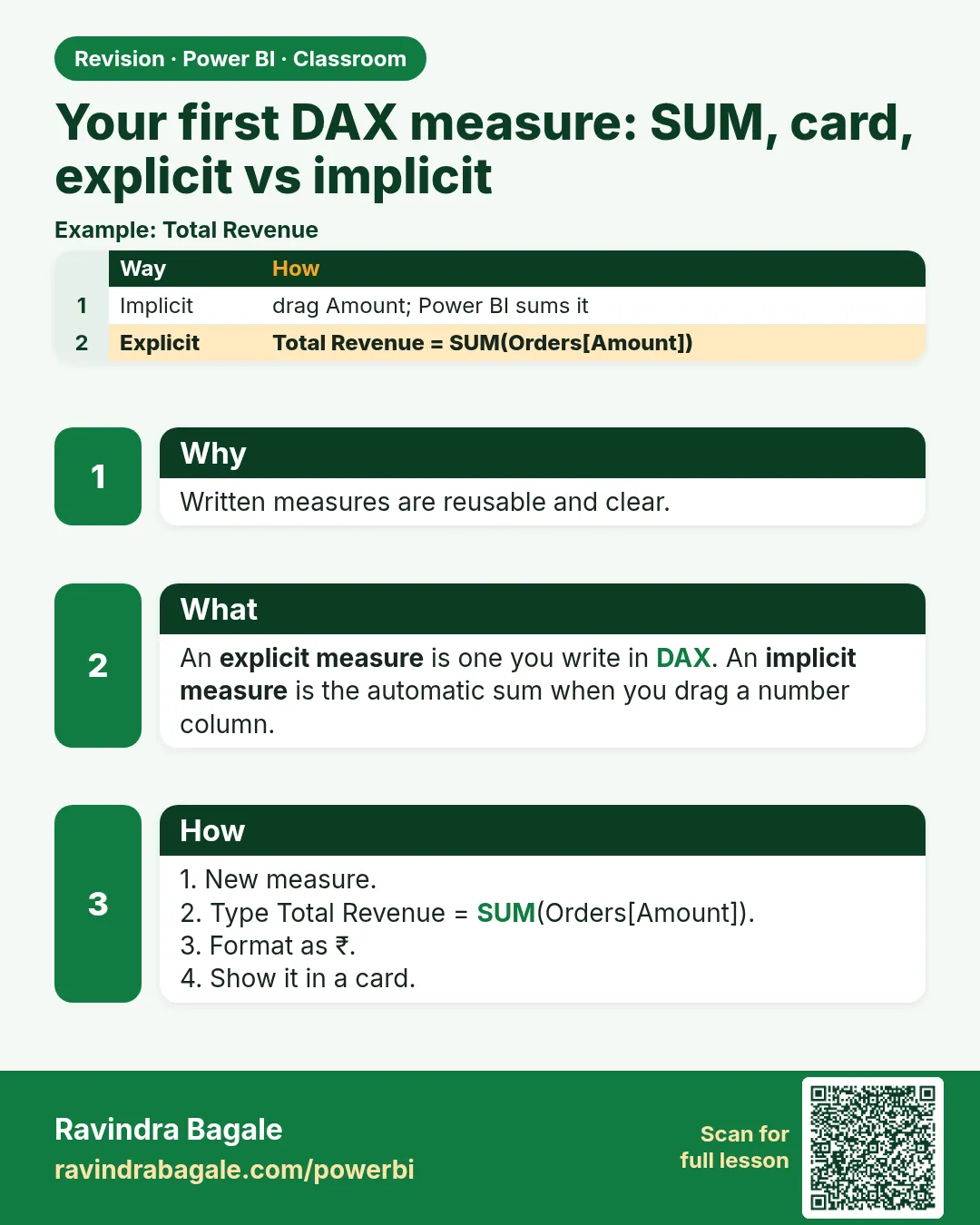
Drag the revenue column (not the measure) onto a new card. Power BI makes an automatic Sum of revenue: an implicit measure. It shows the same 1,38,457. Your total revenue is an explicit measure.
Figure 1. Implicit and explicit measures give the same number; both are calculated when the visual asks. Calculated columns are the ones stored on every row (illustration).
Both are calculated at query time and neither is stored, so speed is about the same. Prefer explicit measures because:
- you can reuse them inside other measures (
profit = [total revenue] - [total expense]); - the formula and its format live in one place;
- names stay consistent across pages;
- some features need them (calculation groups, the "Discourage implicit measures" setting) and tools like Analyze in Excel work with them.
The main course lesson Implicit vs Explicit Measures and Measure Tables goes further, including a dedicated measure table.
Same number by category
Add a Stacked column chart: X-axis category, Y-axis revenue (implicit). Copy it and swap the Y-axis for total revenue. Both charts show the same four bars: the measure recalculates for each category.
Figure 2. total revenue by category: one measure, recalculated for each bar (illustration).
Measure vs calculated column
| Calculated column | Measure | |
|---|---|---|
| Calculated | At refresh, for every row | When a visual asks |
| Stored | Yes, a value on each row | No, only the formula |
| Result | One value per row | One value for the current filter |
| Use for | Slicers, axes, row-level labels | Totals, averages, KPIs |
The columns you added in How to Add Custom Columns in Power Query: GST, Final Price and Discount Formulas are row-level; revenue totals are measures. See also Calculated Columns vs Measures – In Depth and Aggregation Functions for SUM, AVERAGE, MIN, MAX and COUNT.
Report pages and dashboards
One visual is a chart. A report page holds many visuals, and the Desktop file is a report with one or more pages. A dashboard is something else: a Power BI Service canvas of visuals pinned from reports. A typical page, top to bottom:
Figure 3. One report page: slicers at the top, four KPI cards, column and pie charts, then a trend line and a table (illustration).
Classroom line
How much you fit on one page is up to you.
Class मधलं वाक्य
एका page वर किती गोष्टी बसवायच्या, हे तुमच्यावर अवलंबून आहे.
Classroom line – हिंदी
"Ek page pe kitni cheezein aap bitha sakte ho, ye aap pe depend hai."
Format the card
- Select the total revenue card › Format visual › Callout value: font Segoe UI Bold, size 50.
- Display units › None: the card shows the full number, 1,38,457 (digit grouping follows your Windows regional settings; with English (India) you get 1,38,457).
- To centre it, use the card's horizontal alignment where your version has it. Padding (for example Padding left) also moves the number, but it is a rough way to centre.
Classroom line
Now let's remove this 'K' and show the full number.
Class मधलं वाक्य
आता इथला 'K' काढू आणि पूर्ण number दाखवू.
Classroom line – हिंदी
"Abhi yahan pe ye 'K' nikalte hain aur poora number dikhate hain."
8. Common mistakes
| Wrong result | Reason | Fix |
|---|---|---|
| "A single value for column … cannot be determined" | Bare column in a measure | Wrap it: SUM(sales[revenue]) |
| Measure appears in the wrong table | New measure clicked on another table | Select the measure › Measure tools › Home table |
| Card shows 138.46K | Display units Auto | Display units › None |
| Measure named "Measure" | Name not typed left of = | total revenue = … |
| Count (Distinct) of revenue on the card | Dragged the column, summary changed | Use the explicit measure |
Ravindra Bagale's Tip
Type your first few measures by hand instead of copying them. Start with SUM, let autocomplete offer sales[revenue], press Enter. After five measures, the pattern name = FUNCTION(table[column]) sticks for good.
Ravindra Bagale's Tip – मराठी
पहिले काही measures copy न करता हाताने type करा. SUM ने सुरुवात करा, autocomplete ला sales[revenue] सुचवू द्या, Enter दाबा. पाच measures नंतर name = FUNCTION(table[column]) हा pattern कायमचा लक्षात राहतो.
Ravindra Bagale's Tip – हिंदी
पहले कुछ measures copy करने के बजाय हाथ से type करें. SUM से शुरू करें, autocomplete को sales[revenue] सुझाने दें, Enter दबाएँ. पाँच measures के बाद name = FUNCTION(table[column]) वाला pattern हमेशा के लिए याद रह जाता है.
Classroom line
This question comes up in every interview.
Class मधलं वाक्य
हा प्रश्न प्रत्येक interview मध्ये येतोच.
Classroom line – हिंदी
"Har ek interview mein yeh question hota hi hai."
9. Practise on your own
Practice task
Using blinkit-sales-2025-measures.csv:
- Create
total units = SUM(sales[sales]). What does it show? - Create
avg revenue = AVERAGE(sales[revenue]). Round to 2 decimals. - Make a column chart of total revenue by state. Which state is highest, and by how much?
- Does a card with the implicit Sum of revenue match total revenue?
Show solution
- 1,266.
- 197.80 (₹1,38,457 ÷ 700).
- Maharashtra, ₹52,518; then Karnataka 28,413, Telangana 22,572, Tamil Nadu 21,830, Gujarat 13,124.
- Yes: 1,38,457 both.
10. Think like a professional
- Business view. KPIs on a page (revenue, units, average price) are measures; build them once and reuse them everywhere.
- Naming. Use clear names (total revenue, avg price); keep measures in one home table.
- Columns vs measures. If you need it on a slicer or axis, it is a column; if it is a total that should react to filters, it is a measure.
- Format once. Set the format on the measure (Measure tools › Format) so every visual shows it the same way.
Interview questions
- What is a measure? A DAX formula that returns one value for the current filter, calculated at query time.
- Why does
= sales[revenue]error in a measure? A measure must return one value; a bare column has many, so it needs an aggregation. - Explicit vs implicit measure? Explicit is written by you; implicit is made automatically when a column is dragged. Both calculate at query time; explicit is reusable and consistent.
- Measure vs calculated column? A column is calculated at refresh and stored per row; a measure is calculated when needed for the current filter.
Recap
In short
- Data pane › … › New measure:
total revenue = SUM(sales[revenue]). - A measure needs an aggregation; a bare column errors.
- Single values go on a Card (or KPI).
- Explicit and implicit give the same number; explicit is reusable.
- Columns are stored per row; measures calculate at query time.
- Display units None shows 1,38,457.
 Revision card