Power BI मध्ये पहिला DAX Measure कसा बनवायचा: SUM, Card Visual आणि Explicit vs Implicit Measures
Power Query मध्ये add केलेले columns प्रत्येक row ला नवीन value देतात. पण report page वरचे बहुतेक प्रश्न total बद्दल असतात: या वर्षी revenue किती, average price किती, आपण target च्या वर आहोत का? हे काम measure चं आहे: एक छोटा DAX formula जो सध्या जे filter आहे त्यासाठी एक value देतो. या chapter मध्ये तुम्ही पहिला measure लिहाल, तो Card वर ठेवाल, DAX aggregation का मागतो ते बघाल, आणि तुमचा स्वतःचा (explicit) measure आणि column drag केल्यावर Power BI आपोआप बनवतो तो (implicit) measure compare कराल.
या chapter मध्ये तुम्ही काय शिकाल
- Excel SUM(range) विरुद्ध DAX SUM(Table[column])
- New measure: डावीकडे नाव, उजवीकडे formula
- Bare column reference ला error का
- Single value साठी Card; AVERAGE price
- Explicit vs implicit measures, आणि त्यातला फरक
- Measure विरुद्ध calculated column
- Report pages विरुद्ध dashboards; card format करणे
Practice file: blinkit-sales-2025-measures.csv (700 order lines).
काल्पनिक data: Blinkit सारखी काल्पनिक sales, फक्त practice साठी. Amounts ₹ मध्ये आणि dates DD-MM-YYYY.
1. Problem
तुमच्याकडे 2025 च्या 700 order lines आहेत आणि तुम्हाला असा page हवा जो एका नजरेत "revenue किती?" सांगेल, आणि तोच number category नुसार, state नुसार आणि कुठल्याही slicer selection साठी. प्रत्येक case साठी हाताने नवीन total लिहिणं शक्य नाही. जे दाखवलं आहे त्यासाठी स्वतः पुन्हा calculate होणारा एक formula हवा.
2. सोप्या शब्दात idea
Excel मध्ये तुम्ही =SUM(C4:C10) लिहाल: cells ची range. DAX मध्ये तुम्ही table चा पूर्ण column दाखवता: SUM(sales[revenue]). Measure ला नाव, equals sign आणि formula असतो:
total revenue = SUM(sales[revenue])
= च्या डावीकडे जे आहे ते measure चं नाव. हा formula row by row calculate होऊन store होत नाही; visual मागतो तेव्हा, त्या visual मध्ये दिसणाऱ्या rows साठी calculate होतो.
Classroom line
Look, the name is DAX. The job is just writing a formula.
Class मधलं वाक्य
बघा, नाव DAX आहे. काम फक्त formula लिहायचं आहे.
Classroom line – हिंदी
"Dekho, naam DAX hai. Kaam sirf formula likhna hai."
3. Data
blinkit-sales-2025-measures.csv: columns order_id, order_date, product_id, category, state, price, sales (units) आणि revenue (₹).
| Category | Revenue (₹) |
|---|---|
| Dairy & Bakery | 55,919 |
| Staples | 31,280 |
| Snacks & Branded Foods | 30,690 |
| Beverages | 20,568 |
| Total | 1,38,457 |
एकूण 1,266 units; average price ₹105.57.
4. Step by step
Load करा आणि measure बनवा
- Get data › Text/CSV › file › Load. Data pane मध्ये table चं नाव
salesकरा (नावावर double-click). - Data pane मध्ये sales शेजारच्या three dots … वर click › New measure.
- Formula bar मध्ये
Measure =च्या जागीtotal revenue = SUM(sales[revenue])लिहा.SUMtype करायला सुरुवात करा आणि autocomplete ला table व column भरू द्या. Enter दाबा. - Measure sales खाली calculator icon सकट दिसतो.
Card वर दाखवा
- Canvas वर रिकाम्या जागी click › Visualizations › Card.
- total revenue ला Fields मध्ये drag करा. Card 138.46K दाखवतो.
दुसरा measure
- sales वरचे three dots › New measure ›
avg price = AVERAGE(sales[price]). तो दुसऱ्या card वर ठेवा: 105.57.
Error बघा
test = sales[revenue]try करा. Power BI नकार देतो: A single value for column 'revenue' in table 'sales' cannot be determined. Measure ने एक value द्यायला हवी, आणि column मध्ये 700 आहेत. Test measure delete करा.
Classroom line
On the table where you want the measure, click its three dots and click New measure.
Class मधलं वाक्य
ज्या table मध्ये measure हवा, त्या table च्या three dots वर click करा, New measure वर click करा.
Classroom line – हिंदी
"Jis table ke andar aapko measure chahiye, us table ke three dot pe click karo, New measure pe click karo."
Classroom line
Whatever is on the left of the equals sign is the measure's name.
Class मधलं वाक्य
Equal to च्या डावीकडे जे काही असेल ते measure चं नाव.
Classroom line – हिंदी
"Equal to ke left side mein jo kuch bhi hoga woh measure ka naam hai."
5. तुमचा result असा दिसायला हवा
- Card 1, total revenue: 138.46K (खालचं formatting केल्यावर: 1,38,457).
- Card 2, avg price: 105.57.
- Data pane मध्ये: sales › total revenue आणि avg price, दोन्ही calculator icon सकट.
6. काय झालं
- Card ला दिसणाऱ्या 700 revenue values
SUMने बेरीज केल्या (filter नाही = सगळ्या rows). - Measure ला SUM, AVERAGE, MIN, MAX किंवा COUNT सारखं aggregation लागतं, कारण त्याने अनेक rows ची एक value करायची असते. Bare
sales[revenue]ला वाचायला एक row नसते, म्हणून error येतो. हा interview मधला नेहमीचा प्रश्न आहे. - Single value Card मध्ये (किंवा KPI visual मध्ये) दाखवतात.
Classroom line
In a measure, we use aggregation functions.
Class मधलं वाक्य
Measure मध्ये आपण aggregation functions वापरतो.
Classroom line – हिंदी
"Measure mein hum log sirf aggregated functions use karte hain."
Classroom line
When the result is a single value, use a Card or a KPI visual.
Class मधलं वाक्य
Result single value असेल तर Card किंवा KPI visual वापरा.
Classroom line – हिंदी
"Single value aata hai toh Card view ya KPI view."
7. अजून explore करा
Explicit vs implicit
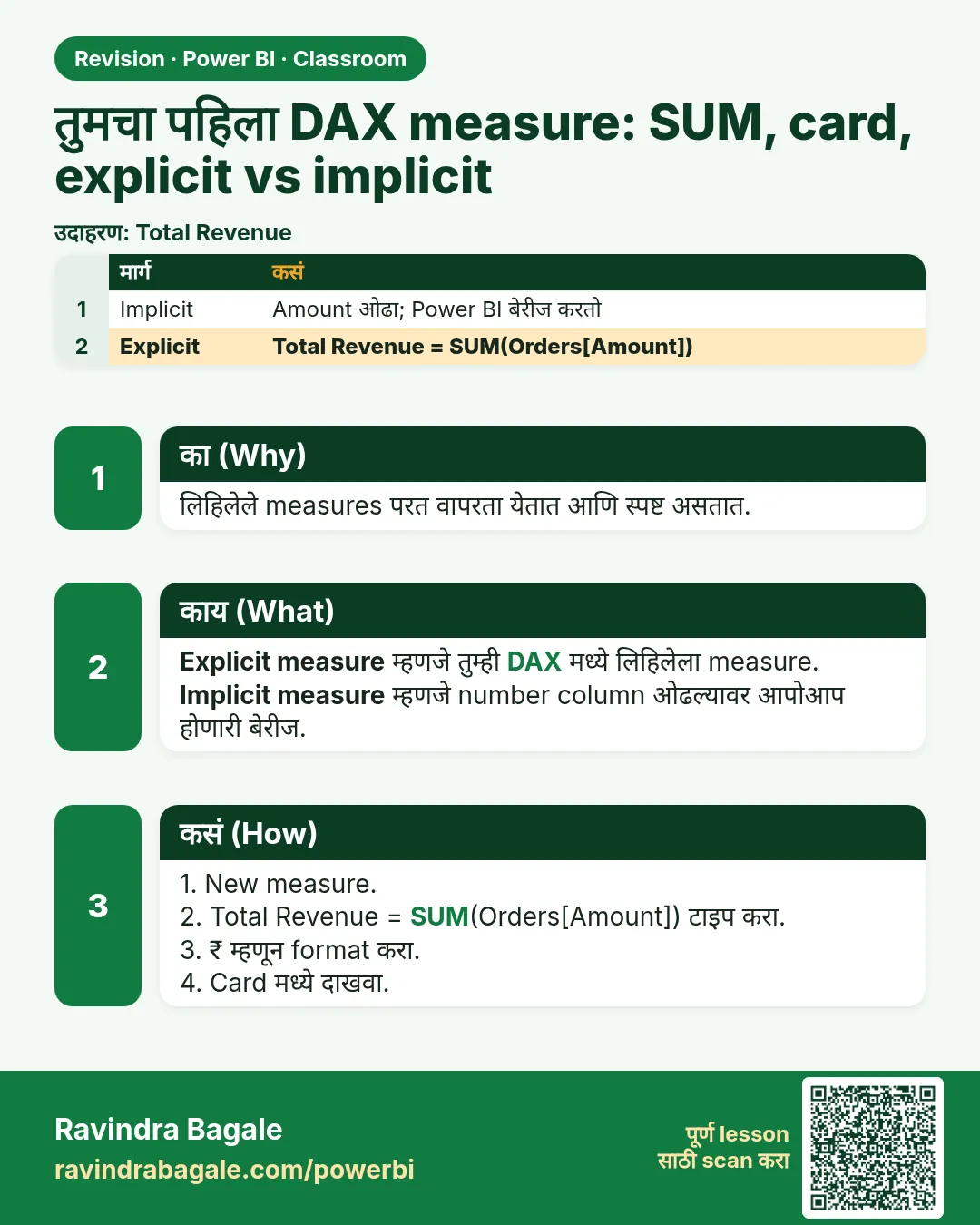
revenue column (measure नाही) नवीन card वर drag करा. Power BI आपोआप Sum of revenue बनवतो: हा implicit measure. तो सुद्धा 1,38,457 दाखवतो. तुमचा total revenue हा explicit measure आहे.
आकृती 1. Implicit आणि explicit measures एकच number देतात; दोन्ही visual मागतो तेव्हा calculate होतात. प्रत्येक row वर store होतात ते calculated columns (illustration).
दोन्ही query time ला calculate होतात आणि कुठलाच store होत नाही, म्हणून speed साधारण सारखीच. तरी explicit measures वापरा, कारण:
- ते दुसऱ्या measures मध्ये reuse करता येतात (
profit = [total revenue] - [total expense]); - formula आणि त्याचा format एकाच जागी राहतो;
- सगळ्या pages वर नावं consistent राहतात;
- काही features ना ते लागतात (calculation groups, "Discourage implicit measures" setting) आणि Analyze in Excel सारखी tools त्यांच्यासोबत चालतात.
Main course मधला Implicit vs Explicit Measures and Measure Tables हा lesson यापुढे जातो, वेगळ्या measure table सकट.
Category नुसार तोच number
Stacked column chart add करा: X-axis category, Y-axis revenue (implicit). तो copy करा आणि Y-axis वर total revenue ठेवा. दोन्ही charts तेच चार bars दाखवतात: measure प्रत्येक category साठी पुन्हा calculate होतो.
आकृती 2. Category नुसार total revenue: एकच measure, प्रत्येक bar साठी पुन्हा calculate (illustration).
Measure विरुद्ध calculated column
| Calculated column | Measure | |
|---|---|---|
| Calculate कधी | Refresh ला, प्रत्येक row साठी | Visual मागतो तेव्हा |
| Store होतो का | हो, प्रत्येक row वर value | नाही, फक्त formula |
| Result | प्रत्येक row ला एक value | सध्याच्या filter साठी एक value |
| कशासाठी | Slicers, axes, row-level labels | Totals, averages, KPIs |
Power Query मध्ये Custom Columns कसे add करायचे: GST, Final Price आणि Discount formulas मध्ये add केलेले columns row-level आहेत; revenue totals हे measures. हे पण बघा: Calculated Columns vs Measures – In Depth आणि SUM, AVERAGE, MIN, MAX, COUNT साठी Aggregation Functions.
Report pages आणि dashboards
एक visual म्हणजे एक chart. Report page वर अनेक visuals असतात, आणि Desktop file हा एक किंवा अधिक pages असलेला report आहे. Dashboard वेगळी गोष्ट: reports मधून pin केलेल्या visuals चा Power BI Service मधला canvas. Typical page, वरपासून खाली:
आकृती 3. एक report page: वर slicers, चार KPI cards, column आणि pie charts, मग trend line आणि table (illustration).
Classroom line
How much you fit on one page is up to you.
Class मधलं वाक्य
एका page वर किती गोष्टी बसवायच्या, हे तुमच्यावर अवलंबून आहे.
Classroom line – हिंदी
"Ek page pe kitni cheezein aap bitha sakte ho, ye aap pe depend hai."
Card format करा
- total revenue card select करा › Format visual › Callout value: font Segoe UI Bold, size 50.
- Display units › None: card पूर्ण number दाखवतो, 1,38,457 (digit grouping तुमच्या Windows regional settings नुसार येतं; English (India) असेल तर 1,38,457).
- Center करायला तुमच्या version मध्ये असेल तर card चं horizontal alignment वापरा. Padding (उदा. Padding left) ने पण number हलतो, पण center करायचा तो ढोबळ मार्ग आहे.
Classroom line
Now let's remove this 'K' and show the full number.
Class मधलं वाक्य
आता इथला 'K' काढू आणि पूर्ण number दाखवू.
Classroom line – हिंदी
"Abhi yahan pe ye 'K' nikalte hain aur poora number dikhate hain."
8. नेहमीच्या चुका
| चुकीचा result | कारण | उपाय |
|---|---|---|
| "A single value for column … cannot be determined" | Measure मध्ये bare column | त्याला wrap करा: SUM(sales[revenue]) |
| Measure चुकीच्या table मध्ये | दुसऱ्या table वर New measure click केलं | Measure select › Measure tools › Home table |
| Card 138.46K दाखवतो | Display units Auto | Display units › None |
| Measure चं नाव "Measure" | = च्या डावीकडे नाव लिहिलं नाही | total revenue = … |
| Card वर revenue चा Count (Distinct) | Column drag केला, summary बदलली | Explicit measure वापरा |
Ravindra Bagale's Tip
पहिले काही measures copy न करता हाताने type करा. SUM ने सुरुवात करा, autocomplete ला sales[revenue] सुचवू द्या, Enter दाबा. पाच measures नंतर name = FUNCTION(table[column]) हा pattern कायमचा लक्षात राहतो.
Ravindra Bagale's Tip – मराठी
पहिले काही measures copy न करता हाताने type करा. SUM ने सुरुवात करा, autocomplete ला sales[revenue] सुचवू द्या, Enter दाबा. पाच measures नंतर name = FUNCTION(table[column]) हा pattern कायमचा लक्षात राहतो.
Ravindra Bagale's Tip – हिंदी
पहले कुछ measures copy करने के बजाय हाथ से type करें. SUM से शुरू करें, autocomplete को sales[revenue] सुझाने दें, Enter दबाएँ. पाँच measures के बाद name = FUNCTION(table[column]) वाला pattern हमेशा के लिए याद रह जाता है.
Classroom line
The formula bar suggests things automatically; just start by typing SUM.
Class मधलं वाक्य
"Formula automatically suggest करतो आपल्याला, तुम्ही फक्त SUM तरी लिहा."
Formula आपल्याला automatically suggest करतो, तुम्ही फक्त SUM तरी लिहा.
Classroom line
The formula bar suggests things automatically; just start by typing SUM.
9. स्वतः practice करा
Practice task
blinkit-sales-2025-measures.csv वापरून:
total units = SUM(sales[sales])बनवा. तो काय दाखवतो?avg revenue = AVERAGE(sales[revenue])बनवा. 2 decimals पर्यंत round करा.- State नुसार total revenue चा column chart बनवा. सगळ्यात जास्त कोणतं state, आणि किती?
- Implicit Sum of revenue चा card total revenue शी match होतो का?
Solution दाखवा
- 1,266.
- 197.80 (₹1,38,457 ÷ 700).
- Maharashtra, ₹52,518; मग Karnataka 28,413, Telangana 22,572, Tamil Nadu 21,830, Gujarat 13,124.
- हो: दोन्ही 1,38,457.
10. Professional सारखा विचार करा
- Business दृष्टी. Page वरचे KPIs (revenue, units, average price) हे measures आहेत; ते एकदा बनवा आणि सगळीकडे reuse करा.
- Naming. स्पष्ट नावं वापरा (total revenue, avg price); measures एका home table मध्ये ठेवा.
- Columns विरुद्ध measures. Slicer किंवा axis वर हवं असेल तर column; filters नुसार बदलणारा total असेल तर measure.
- Format एकदाच. Format measure वरच set करा (Measure tools › Format), म्हणजे प्रत्येक visual तो सारखाच दाखवेल.
Interview questions
- Measure म्हणजे काय? सध्याच्या filter साठी एक value देणारा DAX formula, query time ला calculate होणारा.
- Measure मध्ये
= sales[revenue]ला error का? Measure ने एक value द्यायला हवी; bare column मध्ये अनेक values असतात, म्हणून aggregation लागतं. - Explicit vs implicit measure? Explicit तुम्ही लिहिता; implicit column drag केल्यावर आपोआप बनतो. दोन्ही query time ला calculate होतात; explicit reusable आणि consistent आहे.
- Measure विरुद्ध calculated column? Column refresh ला calculate होऊन प्रत्येक row वर store होतो; measure सध्याच्या filter साठी गरज लागेल तेव्हा calculate होतो.
Recap
थोडक्यात
- Data pane › … › New measure:
total revenue = SUM(sales[revenue]). - Measure ला aggregation लागतं; bare column ला error.
- Single values Card (किंवा KPI) वर.
- Explicit आणि implicit एकच number देतात; explicit reusable आहे.
- Columns प्रत्येक row वर store होतात; measures query time ला calculate होतात.
- Display units None ने 1,38,457 दिसतं.
 उजळणी card