Power BI मध्ये Clustered vs Stacked Column Chart: Bar vs Column, Legend, 100% Stacked आणि Small Multiples
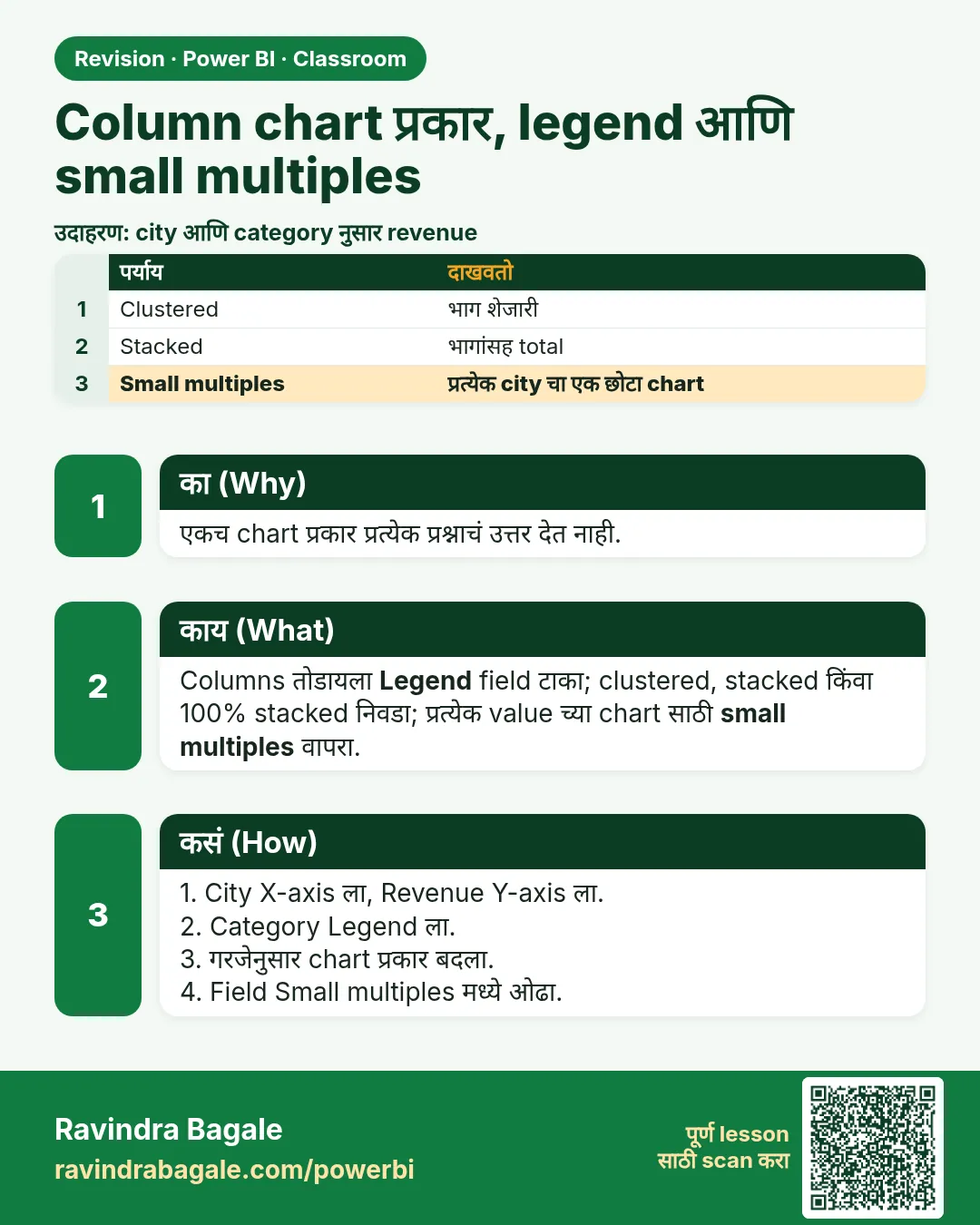
Column chart हा तुम्ही सगळ्यात जास्त वापराल असा visual आहे, आणि तो अनेक versions मध्ये येतो जे सारखे दिसतात पण वेगवेगळ्या प्रश्नांची उत्तरं देतात. Bar की column? Clustered की stacked? Stacked की 100% stacked? चुकीचा निवडला तरी chart काढला जातो, पण तो चुकीची गोष्ट सांगतो. या chapter मध्ये तुम्ही त्याच Blinkit sales table मधून प्रत्येक version बनवाल, त्यांच्यात निवड ठरवणारा एक प्रश्न शिकाल, आणि Small multiples व Tooltips well ने शेवट कराल.
या chapter मध्ये तुम्ही काय शिकाल
- Bar vs column: लांब labels विरुद्ध time order
- Clustered: Legend वापरून groups शेजारी शेजारी
- Field order: X वर काय आणि Legend मध्ये काय
- Stacked: एका total चे भाग
- 100% stacked: shares, उदा. weekday vs weekend
- Small multiples, visual type बदलणे, आणि Tooltips well
Practice file: blinkit-sales-2023-2025.csv (1,702 order lines).
काल्पनिक data: Blinkit सारखी काल्पनिक sales, फक्त practice साठी. Amounts ₹ मध्ये आणि dates DD-MM-YYYY.
1. Problem
Category ची नावं लांब आहेत ("Home, Kitchen & Pet Supplies"), आणि manager ला online आणि cash-on-delivery revenue compare करायचा आहे, प्रत्येक state चं category mix बघायचं आहे, आणि weekend ला कोणत्या categories जास्त विकल्या जातात ते जाणून घ्यायचं आहे. एकच chart type हे सगळं नीट करू शकत नाही.
2. सोप्या शब्दात idea
| Chart | कधी वापरायचा |
|---|---|
| Bar (आडवा) | Labels लांब असतील, किंवा ranked list दाखवायची असेल |
| Column (उभा) | X-axis वर time असेल (months, years, डावीकडून उजवीकडे) किंवा labels छोटे असतील |
| Clustered | Sub-groups शेजारी शेजारी compare करायचे (Online vs COD) |
| Stacked | तुकडे मिळून एक total होतो (state च्या revenue मध्ये प्रत्येक category चा भाग) |
| 100% stacked | फक्त shares महत्त्वाचे (weekday vs weekend %) |
Comparison Legend मध्ये ठेवा, आणि त्यात 2–4 values ठेवा; खूप items असलेला legend वाचायला अवघड.
Classroom line
When do we use a bar chart? When the names are long and the full word must show.
Class मधलं वाक्य
Bar chart कधी वापरायचा? जेव्हा नावं लांब लांब असतात आणि पूर्ण शब्द दाखवायचा असतो.
Classroom line – हिंदी
"Bar chart kab use karenge? Jab names lambe lambe hain... pura word dikhana hai."
3. Data
| Category | Revenue (₹) | Online | COD | Weekday | Weekend |
|---|---|---|---|---|---|
| Atta, Rice, Oil & Dals | 1,01,540 | 74,905 | 26,635 | 70,247 | 31,293 |
| Dairy, Bread & Eggs | 55,512 | 38,895 | 16,617 | 40,521 | 14,991 |
| Home, Kitchen & Pet Supplies | 52,843 | 38,068 | 14,775 | 52,843 | — |
| Snacks & Munchies | 44,655 | 32,425 | 12,230 | 27,250 | 17,405 |
| Fruits & Vegetables | 39,107 | 27,024 | 12,083 | 29,077 | 10,030 |
| Cold Drinks & Juices | 37,186 | 25,509 | 11,677 | 26,708 | 10,478 |
| Total | 3,30,843 | 2,36,826 | 94,017 | 2,46,646 | 84,197 |
या data मध्ये Home, Kitchen & Pet Supplies च्या weekend orders नाहीत.
4. Step by step
Bar vs column
- Stacked bar chart add करा: Y-axis category, X-axis revenue. प्रत्येक category चं नाव पूर्ण दिसतं.
- तो Stacked column chart करा (visual select असताना icon वर click). Fields तसेच राहतात; लांब नावं wrap होतात किंवा कापली जातात.
आकृती 1. Bar chart लांब category नावं वाचता येतील अशी ठेवतो (illustration).
Clustered
- नवीन Clustered column chart: X-axis category, Y-axis revenue, Legend payment. प्रत्येक category ला दोन columns, Online आणि COD.
- अदलाबदल करा: X-axis payment, Legend category. आता प्रत्येकी सहा बारीक columns असलेले दोन clusters: वाचायला अवघड. Field order महत्त्वाचा.
Stacked आणि 100% stacked
- पहिला chart Stacked column करा: Online आणि COD एकावर एक बसतात, आणि प्रत्येक column ची उंची म्हणजे category total.
- नवीन chart: X-axis state, Y-axis revenue, Legend category: प्रत्येक state चा column त्याच्या categories मध्ये विभागला जातो.
- 100% stacked column करा, X-axis category आणि Legend week_type: प्रत्येक column 100% उंच, weekday आणि weekend shares दाखवतो.
आकृती 2. Clustered मध्ये Online आणि COD शेजारी शेजारी; stacked मध्ये category total चे भाग म्हणून एकावर एक (illustration).
Small multiples आणि tooltips
- State chart मध्ये category Legend मधून Small multiples मध्ये हलवा: प्रत्येक category साठी एक छोटा chart, प्रत्येकात state नुसार revenue.
- sales ला Tooltips well मध्ये drag करा: column वर hover करा आणि chart वर दुसरी series न आणता विकलेले units बघा.
Classroom line
What does stacked column chart mean? One on top of the other.
Class मधलं वाक्य
Stacked column chart म्हणजे काय? एकावर एक.
Classroom line – हिंदी
"Stacked column chart ka matlab kya hai? Ek ke upar ek."
Classroom line
Clustered means side by side; that's the difference.
Class मधलं वाक्य
Clustered म्हणजे शेजारी शेजारी येतं, हाच फरक आहे.
Classroom line – हिंदी
"Clustered ka matlab hai aaju baaju mein aayega, ye difference hai."
5. तुमचा result असा दिसायला हवा
आकृती 3. 100% stacked: प्रत्येक category चा weekday vs weekend share (illustration).
- Clustered: Atta, Rice, Oil & Dals ची जोडी सगळ्यात उंच, Online 74,905 आणि COD 26,635.
- Legend सकट state chart: Maharashtra चा column (₹1,22,142) सगळ्यात मोठा; त्याचा सगळ्यात मोठा भाग Atta, Rice, Oil & Dals (₹39,276).
- 100% stacked: Snacks & Munchies चा weekend share सगळ्यात जास्त (39%); Home, Kitchen & Pet Supplies 100% weekday.
Classroom line
People go out on weekends; maybe nobody cooks at home.
Class मधलं वाक्य
लोक बाहेर फिरायला जातात; कदाचित घरी कोणी जेवण बनवत नाही.
Classroom line – हिंदी
"Log bahar ghumne jate hai, khane ko ghar me nahi khata koi shayad."
6. काय झालं
- Legend प्रत्येक column दुसऱ्या field नुसार, रंगाने, वाटतो.
- Clustered तुकडे एकमेकांशेजारी काढतो; stacked ते एकावर एक रचतो, म्हणून total म्हणजे column ची उंची.
- 100% stacked प्रत्येक तुकडा त्याच्या column total ने भागतो, म्हणून सगळे columns सारख्या उंचीचे.
- Visual type बदलला तरी fields त्यांच्या wells मध्ये राहतात.
Classroom line
What is a legend? It splits the data by colour; that's what we call the legend.
Class मधलं वाक्य
Legend म्हणजे काय? तो data रंगानुसार वाटतो, त्याला आपण legend म्हणतो.
Classroom line – हिंदी
"Legend matlab kya hai, colour-wise distribution karta hai usko hum legend kahate hai."
7. अजून explore करा
- Weekend snacks. Snacks & Munchies चा 39% revenue weekend ला येतो, सगळ्यात जास्त share: weekend च्या सवयी वेगळ्या, snacks जास्त आणि स्वयंपाक कमी. Home, Kitchen & Pet Supplies च्या orders फक्त weekdays ला येतात.
- Small multiples. खूप groups असतील तर ते गर्दीचे दिसू शकतात; 3–6 groups साठी वापरा, आणि छोटे charts नीट compare व्हावेत म्हणून Y-axis shared ठेवा.
- वेगळ्या गोष्टी stack करू नका. Revenue (₹) आणि sales (units) एका total चे भाग नाहीत; त्यांना clustered दाखवा, किंवा sales tooltip मध्ये ठेवा.
- अजून. Main course मधले Bar and Column Charts: Stacked, Clustered, 100% आणि Small Multiples and Visual Calculations हे lessons यापुढे जातात.
Classroom line
Small multiples means groups get created here, one small chart each.
Class मधलं वाक्य
Small multiples म्हणजे इथे groups तयार होतात, प्रत्येकाचा एक छोटा chart.
Classroom line – हिंदी
"Small multiples ka matlab hai yaha pe groups create hote hai."
Classroom line
Small multiples don't look that good, so we mostly don't use them.
Class मधलं वाक्य
Small multiples तितके चांगले दिसत नाहीत, म्हणून आपण ते फार वापरत नाही.
Classroom line – हिंदी
"Small multiples utna achha dikhta nahi, zyada tar hum log wo use nahi karte."
8. नेहमीच्या चुका
| चुकीचा result | कारण | उपाय |
|---|---|---|
| Category नावं कापली जातात | लांब labels सकट column chart | Bar chart वापरा |
| बारीक columns चे दोन clusters | Legend मध्ये category, X वर payment | X वर category, Legend मध्ये payment |
| Revenue आणि units एकावर एक | वेगळ्या values साठी stacked | Clustered, किंवा units Tooltips मध्ये |
| 20 रंगांचा legend | Legend मध्ये खूप values असलेला field | Legend मध्ये 2–4 values |
| 100% chart काहीच सांगत नाही | Values एका total चे भाग नाहीत | week_type सारखा Legend वापरा |
Ravindra Bagale's Tip
Chart निवडण्याआधी हे वाक्य पूर्ण करा: "मला … compare करायचं आहे". Groups शेजारी शेजारी असतील तर cluster. एका total चे भाग असतील तर stack. फक्त percentages असतील तर 100%.
Ravindra Bagale's Tip – मराठी
Chart निवडण्याआधी हे वाक्य पूर्ण करा: "मला … compare करायचं आहे". Groups शेजारी शेजारी असतील तर cluster. एका total चे भाग असतील तर stack. फक्त percentages असतील तर 100%.
Ravindra Bagale's Tip – हिंदी
Chart चुनने से पहले यह वाक्य पूरा करें: "मुझे … compare करना है". Groups साथ-साथ हों तो cluster. एक total के हिस्से हों तो stack. सिर्फ percentages हों तो 100%.
Classroom line
Interviews will ask the difference between a bar chart and a column chart.
Class मधलं वाक्य
Interview मध्ये विचारलं जाईल: bar chart आणि column chart मधला फरक.
Classroom line – हिंदी
"Interview mein pucha jayega: difference between bar chart versus column chart."
9. स्वतः practice करा
Practice task
blinkit-sales-2023-2025.csv वापरून:
- Clustered column बनवा: X वर category, Y वर revenue, Legend मध्ये payment. Dairy, Bread & Eggs चा COD revenue किती?
- X वर category आणि Legend मध्ये week_type असलेला 100% stacked column बनवा. Fruits & Vegetables चा weekday share किती?
- X वर state आणि Legend मध्ये category असलेला stacked column बनवा. Karnataka चा Atta, Rice, Oil & Dals भाग किती?
- एकूण Online vs COD: कोणता chart आणि किती totals?
Solution दाखवा
- ₹16,617.
- 74% (39,107 पैकी 29,077).
- ₹23,464.
- Payment नुसार साधा column (किंवा pie): Online ₹2,36,826, COD ₹94,017.
10. Professional सारखा विचार करा
- Business दृष्टी. Chart type हा message चा भाग आहे; तो प्रश्नावरून निवडा.
- Time डावीकडून उजवीकडे. Time साठी columns (किंवा lines); categories आणि rankings साठी bars.
- कमी legend items. दोन ते चार रंग एका नजरेत वाचता येतात.
- Tooltip वापरा. दुय्यम numbers tooltip मध्ये, दुसरी series म्हणून नाही.
Interview questions
- Bar vs column chart? Bars आडवे, लांब labels आणि rankings साठी; columns उभे, time order साठी.
- Clustered vs stacked? Clustered sub-groups शेजारी शेजारी ठेवतो; stacked त्यांना एका total चे भाग म्हणून रचतो.
- 100% stacked कधी उपयोगी? फक्त shares महत्त्वाचे असतील तेव्हा, उदा. weekday vs weekend.
- Small multiples काय करतात? एक visual field च्या प्रत्येक value साठी एक, अशा छोट्या charts च्या grid मध्ये वाटतात.
Recap
थोडक्यात
- लांब labels आणि rankings साठी bar; time साठी column.
- Clustered: Legend ने शेजारी शेजारी; field order महत्त्वाचा.
- Stacked: एका total चे भाग; 100% stacked: shares.
- Small multiples: प्रत्येक group साठी एक छोटा chart.
- Visual type बदलला तरी fields राहतात; जास्तीचं Tooltips मध्ये.
 उजळणी card