Power BI Power Query मध्ये tables merge कसे करायचे (Left Outer आणि Inner Join)
तुमच्या sales table ला कोणता product विकला ते माहीत आहे, पण फक्त code म्हणून: P101, P102. Product names, brands आणि sizes दुसऱ्या table मध्ये आहेत. "Revenue by brand" किंवा "कोणते orders deliver करायला मोठे आहेत" याचं उत्तर हवं असेल, तर प्रत्येक sale शेजारी product details लागतात. त्यालाच Merge म्हणतात. या chapter मध्ये आपण product table ला volume column देऊन पूर्ण करणार, योग्य join ने तो sales मध्ये merge करणार, आणि चुकीचा join नेमके कोणते orders फेकून देतो ते बघणार.
या chapter मध्ये काय शिकणार
- Append आणि Merge एका चित्रात
- Size ला length, depth आणि width मध्ये split
- Custom column म्हणून volume
- null × काहीही = null का
- Merge साठी common column
- Left Outer आणि Inner, counts सोबत
- लागतील तेवढेच columns expand
Practice files: blinkit-products.csv (9 products) आणि Power BI आपोआप data types बदलतो ते कसं थांबवायचं आणि slow loading कसं fix करायचं मधली 10-row sales query. Power Query मध्ये Split, Trim, Clean आणि lowercase ने text columns clean कसे करायचे मधल्या products query पासून पुढे जा. Practice task साठी blinkit-orders-2023.csv, blinkit-orders-2024.csv आणि blinkit-orders-2025.csv पासून बनवलेली 401-row sales वापरा.
Made-up data: काल्पनिक orders, products आणि brands, फक्त practice साठी. Amounts ₹ मध्ये, sizes cm मध्ये.
1. Problem काय आहे
sales मध्ये 10 orders आहेत, product_id P101, P102, P103, P104, P105 आणि P109. Clean केलेल्या products table मध्ये 9 products आहेत, आणि P109 त्यात नाही (नवीन product, अजून product list मध्ये add झालेला नाही).
तुम्हाला revenue by brand चा chart हवाय आणि delivery team ला प्रत्येक item किती मोठा आहे ते सांगणारा column हवाय. दोन tables join केल्याशिवाय दोन्ही शक्य नाही, आणि चुकीच्या पद्धतीने join केलं तर order BLK4003 (P109, ₹75) कोणताही warning न देता totals मधून गायब होतो.
2. सोप्या भाषेत idea
| Append | Merge | |
|---|---|---|
| Tables | same columns (2023 orders, 2024 orders) | वेगळे columns (sales, products) |
| Result | जास्त rows | जास्त columns |
| लागतं | matching column names | एक common column (product_id) |
Classroom line
If it is the same kind of data, we append. If it is different data, we put it alongside: we merge.
Class मधलं वाक्य
"Same data asel tar aapan append karto. Jar vegla data asel tar baju la gheto, merge karto."
Same data असेल तर आपण append करतो. जर वेगळा data असेल तर बाजूला घेतो, merge करतो.
Classroom line
If it is the same kind of data, we append. If it is different data, we put it alongside: we merge.
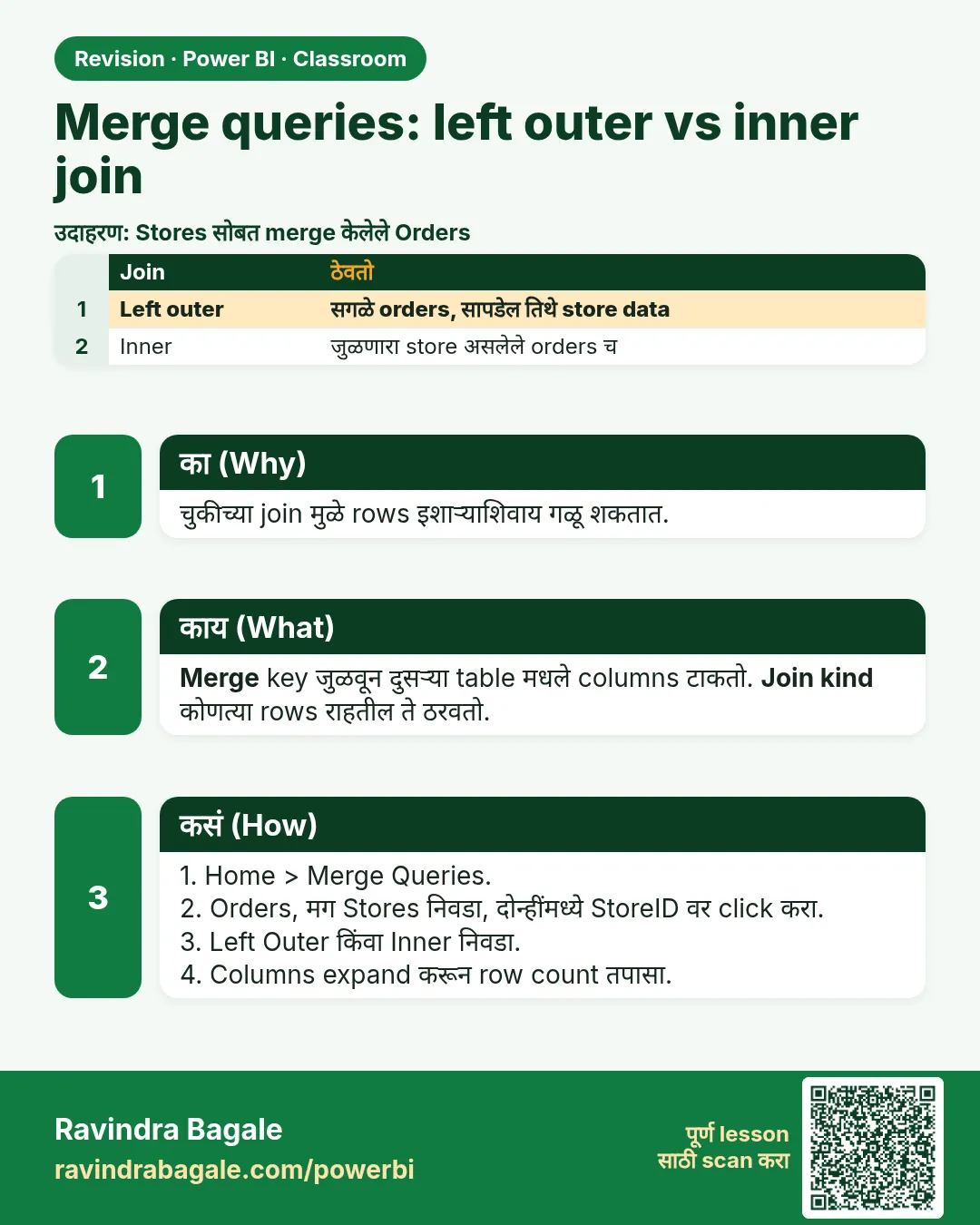
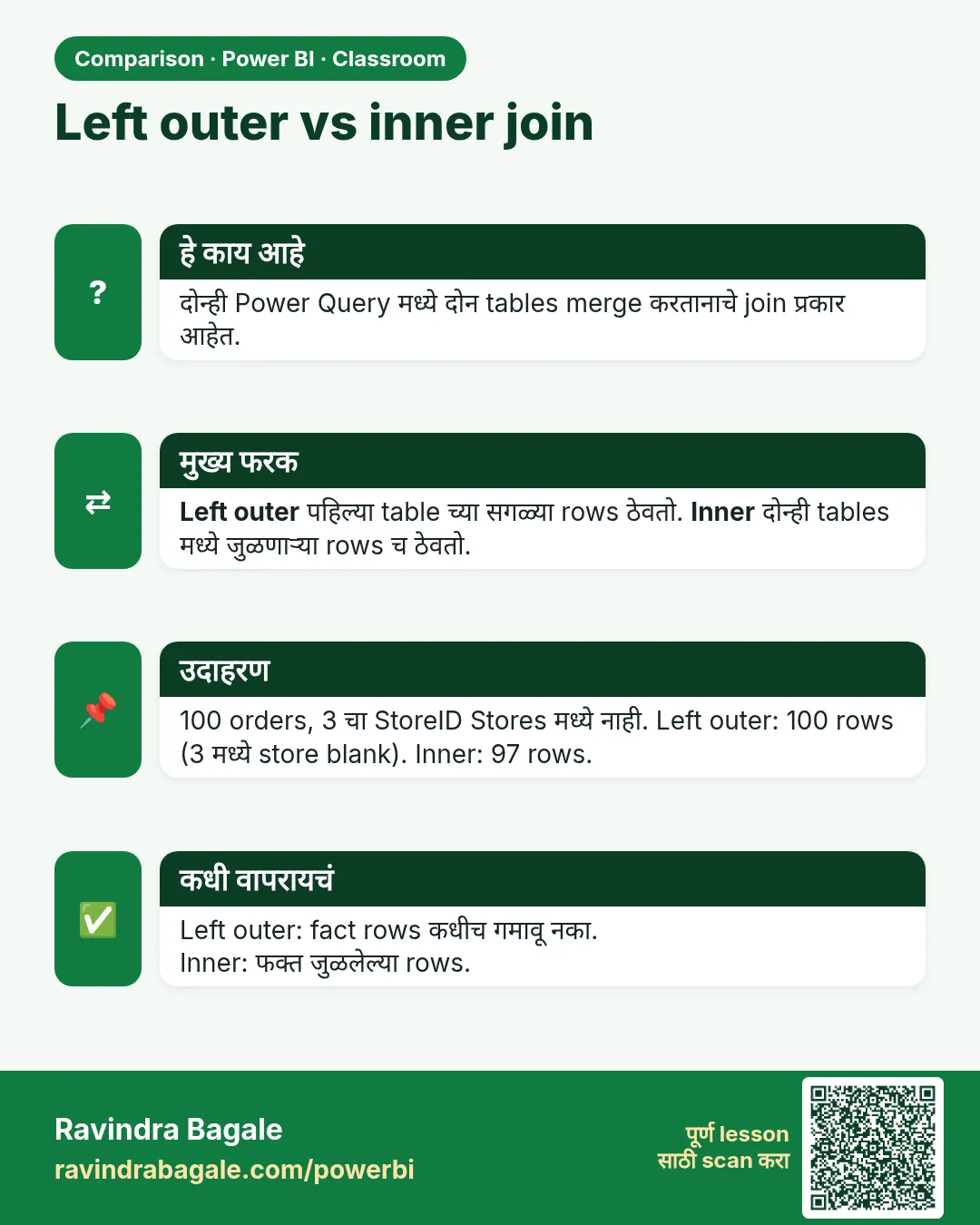
Merge प्रत्येक sales row चा product_id product table मध्ये शोधतो आणि त्या product चे columns आणतो. Match नसेल तेव्हा काय होतं, ते join kind ठरवतो:
- Left Outer: पहिल्या table (
sales) चा प्रत्येक row ठेवा. Match नसेल तर नवीन columns null. - Inner: दोन्ही tables मध्ये match होणारे rows च ठेवा. Match न होणारे sales rows काढले जातात.
Sales table साठी Left Outer हा safe default आहे: प्रत्येक order राहतो, आणि nulls दाखवतात की कोणते products product list मध्ये नाहीत.
Figure 1. Left Outer सगळे 10 sales rows ठेवतो (P109 ला null brand); Inner 9 ठेवतो आणि BLK4003 काढतो (चित्र).
3. Data
sales (इथे लागणारे columns):
| order_id | product_id | revenue (₹) |
|---|---|---|
| BLK3001 | P101 | 240 |
| BLK3002 | P102 | 450 |
| BLK3003 | P103 | 270 |
| BLK3004 | P105 | 999 |
| BLK4001 | P101 | 480 |
| BLK4002 | P104 | 120 |
| BLK4003 | P109 | 75 |
| BLK5001 | P103 | null |
| BLK5002 | P102 | 900 |
| BLK5003 | P105 | 999 |
Product table मधले sizes आणि येणारा volume (length × depth × width, cm³):
| product_id | size | volume |
|---|---|---|
| P101 | 20 x 5 x 8 | 800 |
| P102 | 10 x 10 x 22 | 2,200 |
| P103 | 12 x 5 x 18 | 1,080 |
| P104 | 15 x 6 | null (width नाही) |
| P105 | 18 x 4 x 12 | 864 |
Left Outer merge नंतर revenue by brand, हाताने:
| brand | revenue |
|---|---|
| mauli sweets (P105) | 999 + 999 = 1,998 |
| krishna dairy (P102) | 450 + 900 = 1,350 |
| sahyadri foods (P101) | 240 + 480 = 720 |
| godavari mills (P103) | 270 + null = 270 |
| unknown brand (P104) | 120 |
| (null, P109) | 75 |
| Total | ₹4,533 |
4. Step by step
Product table पूर्ण करा: volume
productsमध्ये size (L x D x W cm) निवडा. Home › Split Column › By Delimiter › Customx(space, x, space) › Each occurrence of the delimiter › Quote Character None › OK.- नवीन तीन columns चं नाव
length,depth,widthकरा. P104 साठी width null आहे. - तिन्ही Decimal Number करा.
- Add Column › Custom Column. New column name
volume. Formula:[length] * [depth] * [width]. OK. - volume Decimal Number करा. P104 मध्ये null दिसतो.
- length, depth आणि width Ctrl+click करा › right-click › Remove Columns. फक्त volume लागतो.
- product_id_ चं नाव
product_idकरा.
sales मध्ये merge करा
salesquery निवडा. Home › Merge Queries (साधं, जेsalesमध्ये step add करतं).- वरचा table
sales: product_id header वर click करा. खालचा drop-down:products, मग त्याच्या product_id header वर click करा. - Join Kind: Left Outer (all from first, matching from second). तळाचा message वाचा: The selection matches 9 of 10 rows from the first table. OK.
productsनावाचा नवीन column येतो, प्रत्येक cell मध्ये Table. त्याच्या header मधल्या expand icon (दोन arrows) वर click करा.- product_id untick करा (sales मध्ये तो आधीच आहे) आणि Use original column name as prefix untick करा. product, brand, category, sub_category आणि volume ठेवा. OK.
- Queries pane मध्ये
productsवर right-click › Enable load untick करा: त्याचे columns आताsalesच्या आत आहेत. - Home › Close & Apply. Bar chart बनवा: Y-axis वर brand, X-axis वर revenue.
Figure 2. Merge dialog: दोन्ही tables मध्ये product_id निवडलेला, Join Kind Left Outer, आणि "9 of 10 rows" match message (चित्र).
5. Result असा दिसायला हवा
sales मध्ये अजूनही 10 rows आहेत आणि आता product, brand, category, sub_category आणि volume आहेत. BLK4003 मध्ये पाचही null.
Bar chart: mauli sweets 1,998 · krishna dairy 1,350 · sahyadri foods 720 · godavari mills 270 · unknown brand 120 · (Blank) 75. Total revenue अजूनही ₹4,533.
Revenue by category: sweets 1,998 · dairy 1,350 · snacks 840 · staples 270 · (Blank) 75.
6. काय झालं
- " x " ने split केल्यावर प्रत्येक product चे तीन numbers आले; P104 चे दोनच भाग होते, म्हणून width null झाली.
- Volume formula मध्ये कोणताही null असेल तर पूर्ण result null: 15 × 6 × null = null, 0 नाही आणि 90 पण नाही. Null प्रामाणिकपणे सांगतो "size माहीत नाही"; width 1 cm धरली तर 90 volume येतो, जो खरा वाटतो पण चुकीचा आहे.
- Left Outer ने प्रत्येक sale ठेवला. P109 ला
productsमध्ये जोडीदार नव्हता, म्हणून त्याचे नवीन columns null आहेत आणि chart मध्ये Power BI तो (Blank) दाखवतो. Total बदलला नाही. - लागतील तेवढेच columns expand केल्यामुळे आणि
productsचं load बंद केल्यामुळे model छोटं राहतं.
Inner ने काय केलं असतं: 9 rows ठेवले असते, BLK4003 काढला असता, आणि total revenue ₹4,458 दाखवला असता (75 कमी), आणि एक order कमी आहे हे report वर कुठेच कळलं नसतं.
Classroom line
To merge, the two tables must have one common column.
Class मधलं वाक्य
"Merge kartana tya doghan madhe ek common column asayla pahije."
Merge करताना त्या दोघांमध्ये एक common column असायला पाहिजे.
Classroom line
To merge, the two tables must have one common column.
7. अजून थोडं खोलात
- Volume का? Delivery apps आणि couriers parcel ची किंमत काही प्रमाणात size वरून ठरवतात. प्रत्येक sale शेजारी volume असेल तर order चा volume sum करता येतो किंवा मोठे items flag करता येतात.
- बाकी join kinds: Right Outer (सगळे products, matching sales), Full Outer (दोन्हीतलं सगळं), Left Anti (ज्यांचा product नाही असे sales rows: unmatched IDs ची list काढायचा fast मार्ग, इथे P109), Right Anti (कधीच न विकलेले products).
- Match message. OK करण्याआधी नेहमी "matches X of Y rows" वाचा. दोन्ही बाजूंचे IDs clean आहेत (same type, spaces नाहीत, same case) याचा हा सगळ्यात fast check आहे.
- Merge आणि relationship.
productsवेगळा loaded table म्हणून ठेवून Model view मध्ये product_id वर relationship पण बनवता येते. Sales सोबत नेहमी लागणाऱ्या छोट्या lookup साठी merge सोपं; मोठ्या models साठी relationship असलेला वेगळा product table (star schema) ही professional पद्धत आहे. - Text keys ना text steps लागतात. एका table मध्ये product_id च्या शेवटी space असेल तर काहीच match होणार नाही. Merge आधी दोन्ही tables मधले key columns Trim आणि Clean करा.
Classroom line
Why load more data than you need?
Class मधलं वाक्य
"Kashala jaast data load karaycha?"
कशाला जास्त data load करायचा?
Classroom line
Why load more data than you need?
8. नेहमीच्या चुका
| चुकीचा result | कारण | उपाय |
|---|---|---|
| Merge नंतर revenue 4,533 वरून 4,458 | Join Kind Inner होता, म्हणून BLK4003 (P109) गेला | Left Outer वापरा |
| "matches 0 of 10 rows" | एका table मध्ये product_id text आणि दुसऱ्यात number, किंवा spaces आहेत | Same type ठेवा आणि दोन्ही columns Trim करा |
| P104 साठी volume 90 | Missing width ऐवजी 1 टाकला | Null ठेवा; null × काहीही = null |
| Columns ची नावं products.brand, products.volume … | "Use original column name as prefix" tick राहिला | Expand करताना untick करा, किंवा rename करा |
| दोन product_id columns | product_id परत expand झाला | Expand list मध्ये product_id untick करा |
वापरत नाही तो products वेगळा table म्हणून load |
Enable load अजून चालू | products चं Enable load untick करा |
Ravindra Bagale's Tip
After every merge, put two cards side by side: total revenue before the merge and after it. If they are not equal, rows were lost, and the join kind or the keys need checking.
Ravindra Bagale's Tip – मराठी
प्रत्येक merge नंतर दोन cards शेजारी ठेवा: merge आधीचा total revenue आणि नंतरचा. दोन्ही same नसतील तर rows गेलेत, आणि join kind किंवा keys check करायला हवेत.
Ravindra Bagale's Tip – हिंदी
हर merge के बाद दो cards साथ रखिए: merge से पहले का total revenue और बाद का. दोनों बराबर न हों तो rows गायब हुए हैं, और join kind या keys check करनी होंगी.
9. स्वतः practice करा
Practice task
तीन वर्षांच्या files पासून बनलेल्या 401-row sales मध्ये products merge करा.
- Left Outer सोबत match message काय सांगतो?
- Inner किती rows ठेवेल, आणि किती revenue काढेल?
- कोणत्या brand चा revenue सगळ्यात जास्त?
- unknown brand चा revenue किती, आणि product details नसलेल्या rows चा किती?
Hints: sales मधला एकच product ID product table मध्ये नाही.
Solution बघा
- The selection matches 363 of 401 rows from the first table.
- Inner 363 rows ठेवतो आणि P109 चे 38 orders काढतो, ₹5,475 चे (₹1,95,016 ऐवजी ₹1,89,541).
- mauli sweets ₹95,201, मग krishna dairy 54,270, godavari mills 20,400, sahyadri foods 14,330.
- unknown brand ₹5,340; product details नसलेले (P109) ₹5,475.
10. Professional सारखा विचार करा
- Business view. Join मुळे total कधीच गुपचूप बदलू देऊ नका. Left Outer आणि "product नसलेले rows" चा count business ला बरोबर total आणि to-do list दोन्ही देतो (P109 product master मध्ये add करा).
- Performance. वापरणार तेवढेच columns expand करा, आणि volume आल्यावर length, depth, width सारखे helper columns काढा.
- Maintenance. Merge step ला नाव द्या ("Merged products") आणि product table चं cleaning त्याच्या स्वतःच्या query मध्ये ठेवा, म्हणजे नवीन product file आली तरी
salesमध्ये बदल लागत नाही. - Data quality. sales वरून products कडे Left Anti merge हा दर महिन्याला परत चालवता येणारा तयार check आहे.
Interview questions
- Left Outer आणि Inner join मध्ये फरक काय? Left Outer पहिल्या table चे सगळे rows ठेवतो आणि match नसेल तिथे null भरतो; Inner फक्त matching rows ठेवतो.
- Append ऐवजी Merge कधी? Common key वापरून वेगळ्या table चे columns add करायचे असतील तेव्हा, same columns असलेल्या table चे rows नाही.
- Power Query मध्ये 15 × 6 × null किती? null.
- Product table मध्ये product नसलेले sales rows ची list कशी काढता? Join Kind Left Anti ने merge.
Recap
थोडक्यात
- Append rows add करतं; Merge common column ने columns add करतं.
- Size " x " ने split करा, volume = length × depth × width; missing भाग null च राहतात.
- product_id वर Left Outer ने sales products सोबत merge करा.
- Inner कोणताही warning न देता BLK4003 आणि ₹75 काढेल.
- लागतील तेवढेच columns expand करा आणि products चं load बंद करा.
 उजळणी card
 तुलना card