Power BI मध्ये filters कसे वापरायचे: Visual, Page आणि Report level filters, Top N आणि Advanced filtering
तुम्ही column chart वर product आणि Y-axis वर revenue टाकता, आणि Power BI तुम्ही विकत असलेल्या प्रत्येक product साठी एक bar काढतो. काहीशे products असतील तर chart म्हणजे करड्या रंगाचा कंगवा होतो, जो कोणालाच वाचता येत नाही. उपाय मोठी screen नाही; उपाय आहे filter. या chapter मध्ये आपण Power BI मधल्या filters च्या तीन levels शिकणार, revenue नुसार फक्त Top 3 किंवा Top 5 ठेवणार, एखादा शब्द असलेले सगळे products शोधणार, bars वरचे numbers वाचता येतील असे करणार, आणि प्रत्येक bar same total दाखवतो तो chart fix करणार.
या chapter मध्ये काय शिकणार
- Report pages, आणि report म्हणजे काय
- Filters on this visual, this page, all pages
- Visual filters का गायब होतात
- Top N: revenue नुसार Top 3 categories
- Advanced filtering: product मध्ये एखादा शब्द
- Data labels: units, decimals, font
- सपाट bars: missing relationship
Practice files: blinkit-sales-2025-small.csv (या page वरचे 12 orders), blinkit-sales-2025.csv (360 orders, 16 products, practice task साठी) आणि blinkit-product-hierarchy.csv (section 7 साठी).
Made-up data: Maharashtra मधल्या शहरांचे 2025 मधले काल्पनिक Blinkit-style orders, फक्त practice साठी. Amounts ₹ मध्ये आणि dates DD-MM-YYYY.
1. Problem काय आहे
तुमचा manager तीन प्रश्न विचारतो:
- सगळ्यात जास्त revenue कोणत्या 3 categories आणतात?
- आपले top 5 products कोणते?
- biscuit नावाचं जे काही आहे, ते आपण किती विकतो?
Revenue by product चा साधा chart प्रत्येक product शेजारी शेजारी दाखवतो, आणि bars वरचे numbers "1K" आणि "0.64K" असे दिसतात. विचारलंय तेवढाच chart ठेवायचा आहे, आणि लोकांना वाचता येतील असे numbers दाखवायचे आहेत.
2. सोप्या भाषेत idea
Power BI Desktop ची file म्हणजे एक report. Report मध्ये pages असतात (खालचे tabs), आणि प्रत्येक page वर visuals. (Dashboards Power BI Service मध्ये reports मधले visuals pin करून बनतात; एका page च्या report ला बऱ्याचदा सहज dashboard म्हणतात.)
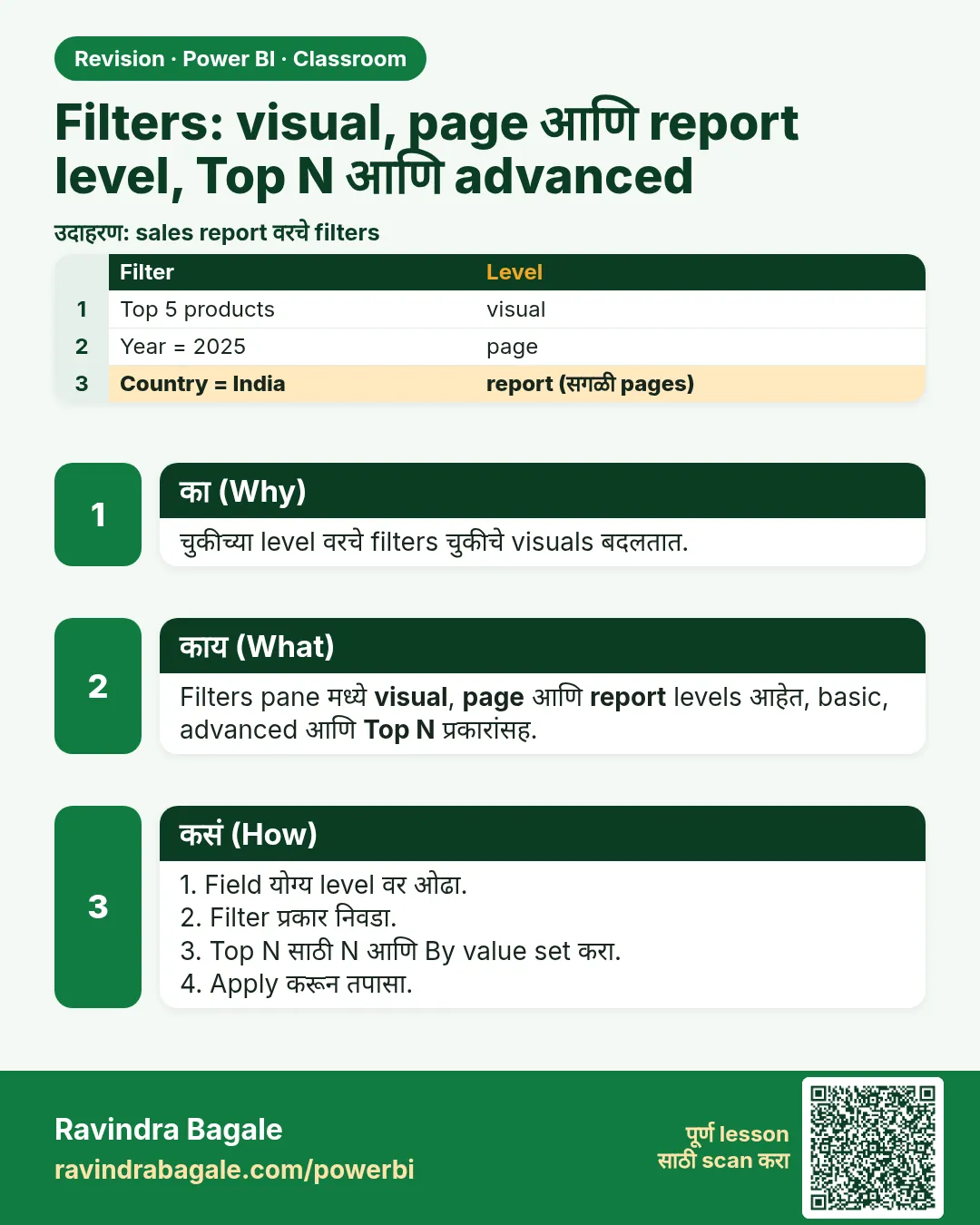
Filters pane मध्ये तीन levels आहेत, छोट्यापासून मोठ्यापर्यंत:
| Level | Filters pane मध्ये कुठे | कशावर परिणाम |
|---|---|---|
| Visual | Filters on this visual | फक्त निवडलेला visual |
| Page | Filters on this page | या page वरचा प्रत्येक visual |
| Report | Filters on all pages | प्रत्येक page वरचा प्रत्येक visual |
बहुतेक काम दोन filter types करतात:
- Top N एखाद्या value नुसार वरचे (किंवा खालचे) N items ठेवतो, जसं revenue नुसार Top 3 categories. Sorted list वर Excel चं TAKE जसं काम करतं, तसंच.
- Advanced filtering rule ला match होणारे items ठेवतो, जसं product contains "biscuit".
Figure 1. Filters च्या तीन levels: this visual (एक chart), this page (page वरचे सगळे charts), all pages (पूर्ण report) (चित्र).
Classroom line
Power BI has three levels of filters: visual level, page level and report level.
Class मधलं वाक्य
"Power BI madhe teen level che filters ahet: Visual level filter, page level filter, ani report level filter."
Power BI मध्ये तीन level चे filters आहेत: visual level filter, page level filter आणि report level filter.
Classroom line
Power BI has three levels of filters: visual level, page level and report level.
3. Data
blinkit-sales-2025-small.csv मधले 12 orders (columns: order_id, order_date, product_id, product, category, sub_category, city, sales, revenue):
| order_id | order_date | product | category | revenue (₹) |
|---|---|---|---|---|
| BLK6001 | 04-01-2025 | masala chai biscuit 200 g | Snacks & Branded Foods | 90 |
| BLK6002 | 17-01-2025 | ghee 1 l | Dairy & Bakery | 650 |
| BLK6003 | 02-02-2025 | kaju katli 250 g | Sweets | 640 |
| BLK6004 | 21-02-2025 | butter cookies 300 g | Snacks & Branded Foods | 170 |
| BLK6005 | 09-03-2025 | toor dal 1 kg | Staples | 320 |
| BLK6006 | 28-03-2025 | bhakarwadi 200 g | Snacks & Branded Foods | 240 |
| BLK6007 | 12-04-2025 | jeera biscuits 250 g | Snacks & Branded Foods | 200 |
| BLK6008 | 30-04-2025 | shrikhand 500 g | Dairy & Bakery | 300 |
| BLK6009 | 15-05-2025 | ghee 1 l | Dairy & Bakery | 650 |
| BLK6010 | 03-06-2025 | poha chivda 400 g | Snacks & Branded Foods | 180 |
| BLK6011 | 19-06-2025 | jowar atta 1 kg | Staples | 210 |
| BLK6012 | 08-07-2025 | amba barfi 250 g | Sweets | 200 |
Total revenue ₹3,850. Category नुसार: Dairy & Bakery 1,600, Snacks & Branded Foods 880, Sweets 840, Staples 530.
Product नुसार, वरचे 6: ghee 1 l 1,300, kaju katli 640, toor dal 320, shrikhand 300, bhakarwadi 240, jowar atta 210.
4. Step by step
नवीन page आणि खूप मोठा chart
blinkit-sales-2025-small.csvload करा (Get data › Text/CSV › Load). गरज असेल तर revenue whole number करा.- खाली + वर click करून report page add करा. Tab वर double-click करून नाव
Filtersद्या. - Clustered column chart टाका. X-axis: product. Y-axis: revenue. 11 bars येतात (एक product विकलाच गेला नाही); 360-row file ने 16 येतात, आणि खऱ्या दुकानात शेकडो.
Top 5 products (visual level)
- Chart वर click करा म्हणजे तो selected होईल. Filters pane उघडा. Filters on this visual खाली product expand करा.
- Filter type: Top N. Show items: Top, 5. By value: box मध्ये revenue drag करा. Apply filter वर click करा.
- आता chart 5 bars दाखवतो: ghee 1 l, kaju katli 250 g, toor dal 1 kg, shrikhand 500 g, bhakarwadi 200 g.
Top 3 categories
- दुसरा clustered column chart टाका: X-axis category, Y-axis revenue.
- तो selected ठेवून Filters on this visual › category › Top N › Top 3 › By value revenue › Apply filter. Staples (530) गायब होतो.
एखादा शब्द असलेले products (Advanced filtering)
- तिसरा chart टाका (product × revenue). Filters on this visual › product › Filter type Advanced filtering.
- Show items when the value: contains,
biscuittype करा. Apply filter वर click करा. दोन bars: jeera biscuits 250 g (200) आणि masala chai biscuit 200 g (90).
Page आणि report level
- Data pane मधून city Filters on this page मध्ये drag करा आणि Pune tick करा. या page वरचा प्रत्येक chart आता फक्त Pune दाखवतो. परत untick करा.
- सगळ्या pages एकदम filter करायला category Filters on all pages मध्ये drag करा. काम झालं की काढून टाका (hover › ✕).
वाचता येणारे numbers
- Top 5 chart निवडा. Format pane उघडा (paintbrush) › Visual › Data labels › On.
- Values खाली: Display units None, Value decimal places 0, font Segoe UI, size 14, bold, आणि गडद रंग.
Figure 2. product चं filter card: Filter type Top N, Show items Top 5, By value revenue, Apply filter (चित्र).
5. Result असा दिसायला हवा
| Chart | Filter | Bars |
|---|---|---|
| Revenue by product | revenue नुसार Top 5 | ghee 1 l 1,300 · kaju katli 250 g 640 · toor dal 1 kg 320 · shrikhand 500 g 300 · bhakarwadi 200 g 240 |
| Revenue by category | revenue नुसार Top 3 | Dairy & Bakery 1,600 · Snacks & Branded Foods 880 · Sweets 840 |
| Revenue by product | contains "biscuit" | jeera biscuits 250 g 200 · masala chai biscuit 200 g 90 |
Page filter city = Pune लावला की category chart Sweets 840 · Dairy & Bakery 650 · Snacks & Branded Foods 290 दाखवतो: Pune चा revenue ₹1,780.
Data labels 1.3K नाही, 1,300 दाखवतात.
6. काय झालं
- Top N ने revenue च्या sum नुसार products ना rank दिला आणि पहिले 5 ठेवले. सहावा (jowar atta, 210) बाहेर गेला.
- Top 3 category filter ने एकेक order नाही, category totals वर काम केलं.
- "contains biscuit" ने नावात biscuit अक्षरं असलेले दोन्ही products पकडले. butter cookies Biscuits & Cookies sub-category मध्ये असूनही match झाला नाही: text filter फक्त तुम्ही filter केलेला field वाचतो.
- प्रत्येक visual filter एकाच chart चा असतो. City वरच्या page filter ने तिन्ही charts बदलले; report filter ने बाकीचे pages पण बदलले असते.
- Display units None आणि 0 decimals मुळे rounded K value ऐवजी पूर्ण value दिसते.
Classroom line
If you have not selected any visual, you will not see the visual filters.
Class मधलं वाक्य
"Tumhi jar kutlyach visual la select kela ch nahi tar visual filter disnar nahi."
तुम्ही जर कुठल्याच visual ला select केलं नाही, तर visual filter दिसणार नाही.
Classroom line
If you have not selected any visual, you will not see the visual filters.
7. अजून थोडं खोलात
- Top N मधले ties. Cut-off ला दोन items ची value same असेल, तर Power BI दोन्ही ठेवतो, म्हणून "Top 5" ला 6 bars दिसू शकतात. 360-row practice file च्या top 5 मध्ये tie नाही.
- Top N ला "by value" लागतं. फक्त "Top 5" ला अर्थ नाही; revenue नुसार Top 5 आणि units नुसार Top 5 वेगळे products असू शकतात.
- "biscuit" आणि "biscuits". contains
biscuitsफक्त jeera biscuits पकडतो; एकवचनीbiscuitदोन्ही पकडतो. हव्या असलेल्या सगळ्या नावांमध्ये common असलेला सगळ्यात छोटा शब्द type करा. - Basic filtering म्हणजे tick-box list. Exact items माहीत असतील (Pune, Nashik) तेव्हा ती वापरा; rule लागत असेल (contains, starts with, is not blank) तेव्हा Advanced.
- Filters pane आणि Format pane. Filters pane visual कोणता data दाखवेल ते ठरवतो. Format pane (paintbrush) तो कसा दिसेल ते ठरवतो: labels, रंग, fonts.
Classroom line
The Filters pane and the Format pane are two different things. Don't get confused.
Class मधलं वाक्य
"Filter pane ani format pane, donhi vegvegle ahet. Confuse hou naka."
Filter pane आणि format pane, दोन्ही वेगवेगळे आहेत. Confuse होऊ नका.
Classroom line
The Filters pane and the Format pane are two different things. Don't get confused.
प्रत्येक bar same number दाखवतो तेव्हा. blinkit-product-hierarchy.csv दुसरा table म्हणून load करा, producthierarchy. producthierarchy मधली category आणि sales मधला revenue घेऊन chart बनवा. दोन tables मध्ये relationship नसेल (उदा. तुम्ही relationship autodetect बंद केलं असेल), तर प्रत्येक bar 3,850, म्हणजे grand total दाखवतो: कोणता sale कोणत्या category चा, हे Power BI ला कळत नाही. Model view उघडा: tables मध्ये line नाही. producthierarchy मधला product_id sales मधल्या product_id वर drag करा (one-to-many). Report view मध्ये परत आलात की bars 1,600 · 880 · 840 · 530 होतात. दोन्ही tables Power Query मध्ये merge पण करता येतात, जसं Power BI Power Query मध्ये tables merge कसे करायचे (Left Outer आणि Inner Join) मध्ये.
Figure 3. Relationship नसेल तर प्रत्येक category bar grand total 3,850 दाखवतो; product_id जोडला की bars 1,600 · 880 · 840 · 530 मध्ये वाटले जातात (चित्र).
Classroom line
If you take fields from two different tables, Power BI cannot find the matching data, because there is no relationship between the two tables.
Class मधलं वाक्य
"Don veg veglya file madhle tumhi jar goshti ghetlyat... tar tyala data bhetat nahi... Tya donhi table madhe relation naslya mule."
दोन वेगवेगळ्या tables मधल्या गोष्टी तुम्ही घेतल्या, तर त्याला data मिळत नाही, कारण त्या दोन्ही tables मध्ये relation नाहीये.
Classroom line
If you take fields from two different tables, Power BI cannot find the matching data, because there is no relationship between the two tables.
8. नेहमीच्या चुका
| चुकीचा result | कारण | उपाय |
|---|---|---|
| "Filters on this visual" दिसत नाही | कोणताच visual selected नाही | आधी chart वर click करा |
| Top N filter काहीच करत नाही | By value रिकामं राहिलं, किंवा Apply filter दाबलं नाही | By value मध्ये revenue drag करा, Apply filter दाबा |
| एकच हवा होता पण सगळे charts बदलले | Field Filters on this page किंवा all pages मध्ये टाकला | तो Filters on this visual मध्ये हलवा |
| Labels 1.3K दाखवतात | Display units Auto वर | Display units None, decimals 0 |
| Top N Format pane मध्ये शोधलं | Top N filter आहे, format नाही | Filters pane वापरा |
| प्रत्येक bar 3,850 दाखवतो | Relationship नसलेल्या दोन tables मधले fields | Model view मध्ये product_id वर relationship बनवा |
| "Top 5" ला 6 bars | 5 व्या जागेवर tie | अपेक्षितच; tie असलेले दोन्ही items राहतात |
Ravindra Bagale's Tip
Before you build a chart, write the question as a sentence: "Top 5 products by revenue for Pune". Each part of the sentence is a filter: Top 5 by revenue on the visual, Pune on the page. If you cannot write the sentence, the chart is not ready.
Ravindra Bagale's Tip – मराठी
Chart बनवण्याआधी प्रश्न एका वाक्यात लिहा: "Pune साठी revenue नुसार Top 5 products". वाक्याचा प्रत्येक भाग एक filter आहे: visual वर revenue नुसार Top 5, page वर Pune. वाक्य लिहिता येत नसेल, तर chart अजून तयार नाही.
Ravindra Bagale's Tip – हिंदी
Chart बनाने से पहले सवाल एक वाक्य में लिखिए: "Pune के लिए revenue के हिसाब से Top 5 products". वाक्य का हर हिस्सा एक filter है: visual पर revenue के हिसाब से Top 5, page पर Pune. वाक्य न लिख पाएँ, तो chart अभी तैयार नहीं है.
Classroom line
Top five based on what? Based on revenue.
Class मधलं वाक्य
"Top five kashyavarna mhanaycha apan? ... Revenue varna."
Top five कशावरून म्हणायचं आपण? Revenue वरून.
Classroom line
Top five based on what? Based on revenue.
9. स्वतः practice करा
Practice task
blinkit-sales-2025.csv (360 orders) load करा.
- Total revenue किती, आणि product chart वर किती products दिसतात?
- Revenue नुसार top 3 products कोणते?
- Top 3 category filter ने कोणती category बाहेर जाते?
- "biscuit" असलेल्या products चा revenue किती?
- Page filter city = Thane लावला, तर revenue card काय दाखवतो?
Hints: totals साठी card वापरा; Display units None ठेवा.
Solution बघा
- ₹1,07,430; 16 products.
- ghee 1 l 35,750, kaju katli 250 g 10,880, toor dal 1 kg 7,680.
- Snacks & Branded Foods (18,210). Top 3: Dairy & Bakery 48,260, Sweets 21,720, Staples 19,240.
- ₹4,140: masala chai biscuit 200 g 2,220 + jeera biscuits 250 g 1,920.
- ₹23,285 (Thane सगळ्यात वरचं शहर).
10. Professional सारखा विचार करा
- Business view. Report प्रश्नांची उत्तरं देतो. Top N आणि page filters गर्दीच्या chart ला प्रत्येक visual मागे एका उत्तरात बदलतात.
- Filters दिसू द्या. Pane उघडल्याशिवाय users ना visual filters दिसत नाहीत. Rule title मध्ये लिहा: "Top 5 products by revenue".
- Report filters शक्तिशाली आणि विसरायला सोपे. विसरलेली "Filters on all pages" entry प्रत्येक number गुपचूप बदलते. Publish करण्याआधी check करा.
- आधी relationships. Bars एकसारखे दिसले, तर data ला दोष देण्याआधी Model view बघा.
Interview questions
- Power BI मध्ये filters च्या तीन levels कोणत्या? Visual (this visual), page (this page) आणि report (all pages).
- Revenue नुसार top 5 products कसे दाखवता? Filters on this visual › product › Top N › Top 5 › By value revenue › Apply filter.
- Chart मधला प्रत्येक bar same total का दाखवतो? Category आणि value relationship नसलेल्या tables मधून येतात.
- Basic आणि advanced filtering? Basic म्हणजे tick केलेल्या items ची list; advanced मध्ये contains, is not blank सारखे rules.
Recap
थोडक्यात
- Desktop file म्हणजे pages चा report; filters visual, page आणि report level वर चालतात.
- Visual filters फक्त visual selected असताना दिसतात.
- Top N ला count आणि "by value" लागतं: revenue नुसार Top 5.
- Advanced filtering: product contains "biscuit".
- Data labels: Display units None, 0 decimals.
- एकसारखे bars म्हणजे missing relationship.
 उजळणी card