Power Query मध्ये Index Column कसा add करायचा (From 0, From 1 आणि Custom start)
प्रत्येक वर्षाचा sales export आपल्या orders ना 1 पासून number देतो. एकेकटा table असेल तर काही प्रश्न नाही, पण 2023, 2024 आणि 2025 एका table मध्ये append केले की order 1 तीन वेळा येतो, order 2 तीन वेळा, असं. Distinct orders चा count चुकतो, आणि "हीच ती row" असं सांगता येत नाही. Index Column हे एका click मध्ये सोडवतो: Power Query table मध्ये वरपासून खाली 1, 2, 3 … लिहितो, असा number जो दुसऱ्या कुठल्याही row ला नाही. या chapter मध्ये Power Query देत असलेल्या तिन्ही पद्धतींनी index add करू, आणि तो reliable ठेवणारी एक सवय शिकू.
या chapter मध्ये तुम्ही काय शिकाल
- Append नंतर order_id repeat का होतो
- Index Column: साधं button 0 पासून सुरू होतं
- From 1, आणि Custom start व increment
- Index, Index.1, Index.2: rename करणे
- आधी sort: index सध्याच्या order नुसार चालतो
- Combined key कधी चांगली
Practice files: blinkit-orders-2023.csv (5 orders), blinkit-orders-2024.csv (4 orders) आणि blinkit-orders-2025.csv (3 orders).
काल्पनिक data: Blinkit सारखे काल्पनिक orders, फक्त practice साठी. Amounts ₹ मध्ये आणि dates DD-MM-YYYY.
1. Problem
तीन tables, प्रत्येक वर्षाचा एक, आणि प्रत्येकात order_id 1 पासून. Append नंतर combined table मध्ये 12 rows आहेत, पण order_id फक्त 1 ते 5, आणि 1, 2, 3 प्रत्येकी तीन वेळा. order_id चा Count (Distinct) card 12 ऐवजी 5 दाखवतो.
2. सोप्या शब्दात idea
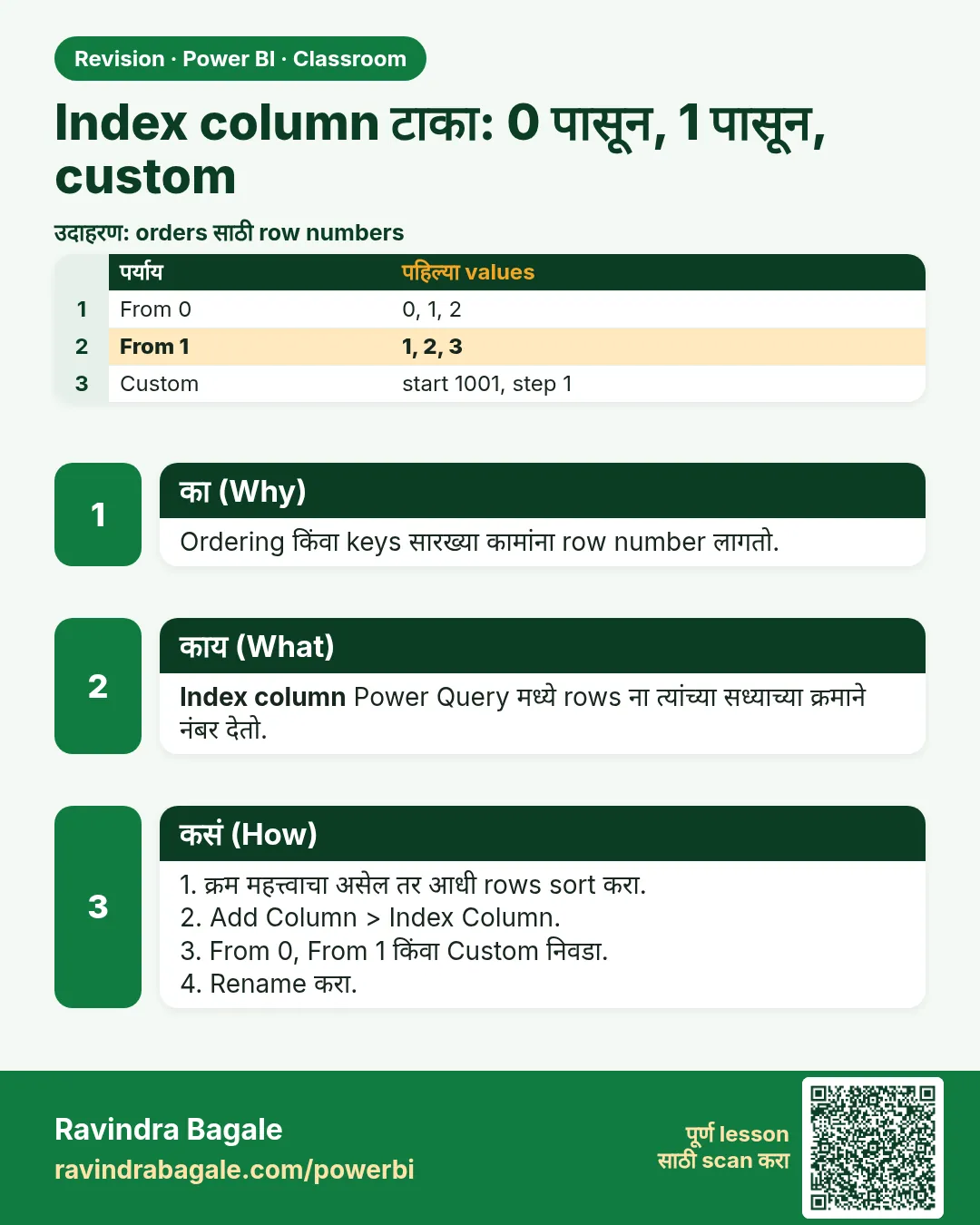
Index Column म्हणजे Power Query नवीन column म्हणून add करतो तो चालू number. Add Column tab वरच्या Index Column menu मध्ये तीन पर्याय आहेत:
| Option | पहिल्या values |
|---|---|
| Index Column (button वरच click) किंवा From 0 | 0, 1, 2, 3 … |
| From 1 | 1, 2, 3, 4 … |
| Custom… (start 1001, increment 1) | 1001, 1002, 1003 … |
| Custom… (start 1001, increment 2) | 1001, 1003, 1005 … |
Custom हे hotel च्या room numbers सारखं आहे: numbering कुठून सुरू करायचं आणि प्रत्येक step किती मोठी, हे तुम्ही ठरवता. Main course मधला Index Column – Power Query / DAX हा lesson हेच options reference स्वरूपात देतो.
आकृती 1. Rows ना number देण्याच्या चार पद्धती: From 0, From 1, Custom start 1001 increment 1, आणि increment 2 (illustration).
Classroom line
When we append all three tables, these order IDs should be unique.
Class मधलं वाक्य
तिन्ही tables append केल्यावर हे order IDs unique असायला हवेत.
Classroom line – हिंदी
"Jab hum teeno file ko append karenge toh yeh order ID unique hone chahiye."
3. Data
तिन्ही files append केल्यानंतर:
| order_id | order_date | product_id | revenue (₹) |
|---|---|---|---|
| 1 | 09-04-2023 | P206 | 132 |
| 2 | 24-05-2023 | P209 | 480 |
| 3 | 10-08-2023 | P212 | 150 |
| 4 | 27-09-2023 | P214 | 297 |
| 5 | 17-11-2023 | P201 | 220 |
| 1 | 08-02-2024 | P214 | 297 |
| 2 | 23-10-2024 | P207 | 90 |
| 3 | 02-12-2024 | P209 | 160 |
| 4 | 17-12-2024 | P209 | 160 |
| 1 | 17-05-2025 | P201 | 330 |
| 2 | 04-10-2025 | P212 | 300 |
| 3 | 06-11-2025 | P208 | 1,300 |
12 rows, total revenue ₹3,916, पण distinct order_id values फक्त 5.
4. Step by step
तिन्ही वर्षे append करा
- Get data › Text/CSV, तिन्ही files load करा आणि Transform data click करा.
- Home › Append Queries › Append Queries as New › Three or more tables. 2023, 2024 आणि 2025 उजव्या list मध्ये add करा. OK. नवीन query चं नाव
orders_allठेवा. - order_date वरच्या arrow वर click › Sort Ascending, म्हणजे rows date order मध्ये येतील.
1 पासून index
- Add Column › Index Column शेजारच्या छोट्या arrow वर click › From 1. Index नावाचा column येतो: 1 ते 12.
- Header वर double-click करून नाव
row_idकरा.
इतर options (try करा, मग delete करा)
- Index Column button वरच click करा (arrow नाही). तो 0 पासून Index add करतो: 0 ते 11.
- Index Column › Custom… › Starting index
1001, Increment1. OK: 1001 ते 1012. - पुन्हा Custom…, Starting index
1001, Increment2: 1001, 1003 … 1023. - प्रत्येक नवीन column चं नाव Index, मग Index.1, Index.2 … असं येतं. हवा तो ठेवा, rename करा, आणि बाकीचे delete करा (right-click › Remove).
- Close & Apply. row_id चा Count (Distinct) card 12 दाखवतो.
आकृती 2. Append नंतर order_id repeat होतो; Index Column › From 1 rows ना 1 ते 12 देतो (illustration).
Classroom line
It's simple: open Transform data, go to Add Column, and click Index Column.
Class मधलं वाक्य
"काय simple आहे फक्त... Transform data open करायचंय... Add Column मध्ये जायचंय... आणि Index Column ला click करायचंय."
एकदम simple आहे: Transform data open करायचं, Add Column मध्ये जायचं, आणि Index Column ला click करायचं.
Classroom line
It's simple: open Transform data, go to Add Column, and click Index Column.
5. तुमचा result असा दिसायला हवा
| row_id | order_id | order_date | revenue (₹) |
|---|---|---|---|
| 1 | 1 | 09-04-2023 | 132 |
| 2 | 2 | 24-05-2023 | 480 |
| … | … | … | … |
| 6 | 1 | 08-02-2024 | 297 |
| … | … | … | … |
| 12 | 3 | 06-11-2025 | 1,300 |
row_id चा distinct count = 12; order_id चा distinct count = 5.
6. काय झालं
- त्या step ला rows ज्या order मध्ये होत्या, त्याच order मध्ये Power Query ने वरपासून खाली number दिले.
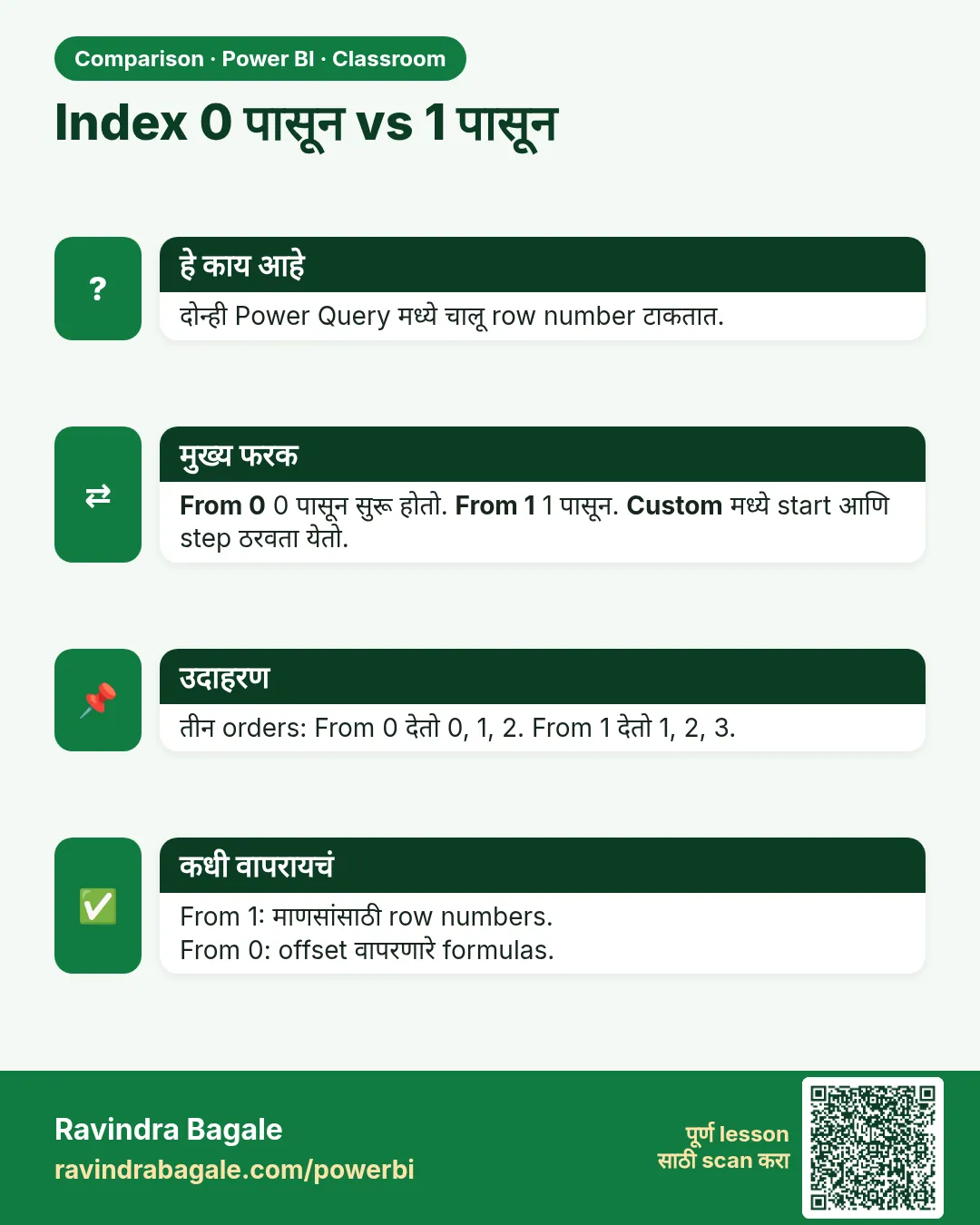
- साधं button आणि From 0 हे 0 पासून सुरू होतात कारण Power Query positions 0 पासून मोजतो; ID साठी बहुतेकांना From 1 अपेक्षित असतं.
- Custom फक्त start आणि step बदलतो; तो सुद्धा row order नुसारच चालतो.
- Index हा खरा column आहे, इतर added columns प्रमाणे model मध्ये store होतो.
Classroom line
If you click the Index Column button directly, it will start from zero.
Class मधलं वाक्य
Index Column वर direct click केलं, तर ते zero पासून सुरू होतं.
Classroom line – हिंदी
"Agar aapne directly index column pe click kiya toh zero se start hoga."
7. अजून explore करा
- आधी sort. Index सध्याच्या row order नुसार चालतो. तो add करण्याआधी sort करा (उदा. order_date ने), म्हणजे row_id 1 नेहमी सगळ्यात जुनी order असेल.
- Index बदलू शकतो. Source tables चा order बदलला किंवा नवीन rows मध्येच आल्या, तर refresh नंतर त्याच order ला वेगळा number मिळू शकतो. Index ला row number म्हणून वापरा, इतरांना पाठवायचा business ID म्हणून नाही.
- Combined key. कधीच न बदलणारा ID हवा असेल तर तो data मधून बनवा: Custom Column
Text.From(Date.Year([order_date])) & "-" & Text.From([order_id])हे 2023-1, 2024-1, 2025-1 देतो. - Index append च्या आधी की नंतर? नंतर. प्रत्येक वर्षात वेगळा index add केला तर तो परत 1 पासून सुरू होतो, आणि तोच problem परत येतो.
- AND conditions. Index Column हे Add Column tools पैकी एक आहे; "revenue 100 पेक्षा जास्त आणि year 2025" अशा rules साठी
if … and … then … else …असलेला Custom Column वापरा, जसं Power BI मध्ये Conditional Column कसा बनवायचा: Weekday आणि Weekend (Power Query आणि DAX IF) मध्ये दाखवलं आहे.
Classroom line
Some conditions cannot be written in the dialog.
Class मधलं वाक्य
काही conditions अशा असतात ज्या आपण dialog मध्ये लिहू शकत नाही.
Classroom line – हिंदी
"Kuch conditions aise hote hain jo hum UI ke andar nahi likh sakte."
8. नेहमीच्या चुका
| चुकीचा result | कारण | उपाय |
|---|---|---|
| Index 0 पासून सुरू | Button वरच click केलं | Arrow › From 1 (किंवा Custom) वापरा |
| row_id 1 ही सगळ्यात जुनी order नाही | Sort करण्याआधी index add केला | आधी sort, मग index |
| प्रत्येक वर्षासाठी index परत 1 पासून | प्रत्येक yearly query मध्ये index add केला | Append नंतर एकदाच add करा |
| Index.1, Index.2 नावाचे columns | अनेक index columns add केले | एक ठेवा, rename करा, बाकी remove करा |
| Distinct count अजून 5 | Index ऐवजी order_id मोजला | row_id मोजा |
Ravindra Bagale's Tip
Index ला ते काय आहे हे सांगणारं नाव द्या: Index नाही, row_id. सहा महिन्यांनी "Index.2" कुणालाच काही सांगत नाही, पण row_id सगळ्यांना सांगतो की हा row number आहे, खरा order number नाही.
Ravindra Bagale's Tip – मराठी
Index ला ते काय आहे हे सांगणारं नाव द्या: Index नाही, row_id. सहा महिन्यांनी "Index.2" कुणालाच काही सांगत नाही, पण row_id सगळ्यांना सांगतो की हा row number आहे, खरा order number नाही.
Ravindra Bagale's Tip – हिंदी
Index को ऐसा नाम दें जो बताए कि वह क्या है: Index नहीं, row_id. छह महीने बाद "Index.2" किसी को कुछ नहीं बताता, पर row_id सबको बताता है कि यह row number है, असली order number नहीं.
Classroom line
For this, we use an index column.
Class मधलं वाक्य
यासाठी आपण index column वापरतो.
Classroom line – हिंदी
"Iske liye hum log index column use karte hain."
9. स्वतः practice करा
Practice task
blinkit-orders-2023.csv, blinkit-orders-2024.csv आणि blinkit-orders-2025.csv append करा, order_date ने sort करून.
- From 1 index ने, पहिल्या 2024 order चा row_id किती?
- Custom start 1001, increment 2 ने शेवटची value किती?
- Append केलेल्या table चा total revenue किती?
- सगळ्यात मोठी order कोणत्या row_id ला आहे, आणि ती किती?
Solution दाखवा
- 6 (08-02-2024, पाच 2023 orders नंतर).
- 1023 (1001 + 2 × 11).
- ₹3,916.
- row_id 12: 06-11-2025 ची P208, ₹1,300.
10. Professional सारखा विचार करा
- Business दृष्टी. Rows मोजणाऱ्या किंवा match करणाऱ्या प्रत्येक analysis ला unique key लागते; append नंतर आधी ते check करा.
- Uniqueness test करा. Power Query मध्ये column profile Distinct आणि Unique counts दाखवतो; ID साठी दोन्ही row count इतके हवेत.
- Index विरुद्ध business key. Model च्या आत index वापरा; बाहेरच्या लोकांना order refer करायची असेल तेव्हा combined key (year-order) वापरा.
- Simple ठेवा. बहुतेक गरजांसाठी From 1 पुरेसं; numbering आधीच्या scheme मध्ये बसवायचं असेल तेव्हाच Custom वापरा.
Interview questions
- Tables append केल्यावर Index Column का add करतात? Original IDs tables मध्ये repeat होतात; index प्रत्येक row ला unique number देतो.
- From 0 आणि From 1 मध्ये फरक काय? फक्त start value: 0, 1, 2 … किंवा 1, 2, 3 …
- Custom index मध्ये काय set करता येतं? Starting index आणि increment.
- Index sort order वर अवलंबून असतो का? हो; तो rows ना सध्याच्या order मध्ये number देतो, म्हणून आधी sort करा.
Recap
थोडक्यात
- Append केलेल्या yearly tables मध्ये order_id repeat होतो.
- Add Column › Index Column: button 0 पासून; From 1 हे 1 पासून.
- Custom मध्ये start (1001) आणि increment (1 किंवा 2) set होतो.
- Index चं नाव row_id करा; जास्तीचे Index.1, Index.2 remove करा.
- आधी sort; index एकदाच, append नंतर.
 उजळणी card
 तुलना card