Power BI मध्ये दुसऱ्या page वर drill through कसं set up करायचं
तुमच्या overview page वर revenue by category चा नीटनेटका chart आहे. लोकांना एका category चे details हवेत: तिच्या sub-categories, तिचे numbers, कदाचित तिची शहरं. हे सगळं overview page वर कोंबायचं नाहीये. Drill through मुळे एक वेगळा details page ठेवता येतो, जो कोणी bar वर right-click केला की आधीच filter होऊन उघडतो. या chapter मध्ये आपण तो page बनवणार, एका field ने जोडणार, आणि drill through तुम्हाला माहीत असलेल्या drill down पेक्षा कसं वेगळं आहे ते शिकणार.
या chapter मध्ये काय शिकणार
- Drill down आणि drill through
- एका category साठी details page
- Drillthrough well प्रत्येक page साठी set होतो
- Hierarchy नाही, साधा field वापरा
- Right-click › Drill through
- Back button
- Keep all filters आणि cross-report
Practice files: blinkit-sales-2025-small.csv (या page वरचे 12 orders) आणि blinkit-sales-2025.csv (360 orders). Power BI मध्ये custom hierarchy बनवून category नुसार drill down कसं करायचं मधल्या report पासून सुरू करा, किंवा नवीन category chart बनवा.
Made-up data: Maharashtra मधल्या शहरांचे काल्पनिक Blinkit-style orders, फक्त practice साठी. Amounts ₹ मध्ये.
1. Problem काय आहे
Overview page revenue by category दाखवतो: Dairy & Bakery 1,600 · Snacks & Branded Foods 880 · Sweets 840 · Staples 530.
प्रत्येक category साठी team ला एक छोटा details page हवाय: total revenue, sub-category नुसार revenue, आणि शहरानुसार revenue. त्या page च्या चार copies, प्रत्येक category साठी एक, बनवणं slow आहे आणि पाचवी category आली त्या दिवशी तुटेल. तुम्हाला असा एकच details page हवाय जो click केलेली category दाखवेल.
2. सोप्या भाषेत idea
- Drill down पुढची level त्याच chart च्या आत उघडतो (category › sub_category).
- Drill through दुसऱ्या page वर जातो आणि तुम्ही right-click केलेल्या item ने तो filter करतो. Map सारखं समजा: India वर right-click केलं की India ची states (Maharashtra, Karnataka, Gujarat…) असलेला page उघडतो.
हे चालायला details page ला filter कोणत्या field मधून येणार ते माहीत हवं. तो field (इथे category) details page च्या Drillthrough well मध्ये टाकायचा. हा well कोणत्याही visual चा नसतो, page चा असतो, म्हणून रिकामा canvas selected ठेवून तो set करायचा.
Figure 1. Drill down तोच chart पुढच्या level वर नेतो; drill through click केलेल्या category ने filter झालेला वेगळा details page उघडतो (चित्र).
Classroom line
Drill down and drill through are different. Drill down happens in the same visual. Drill through happens on another page.
Class मधलं वाक्य
"Drill down and drill through madhe farak ahe. Drill down same visual vr hoil. Drill through dusrya page vr hoil."
Drill down आणि drill through मध्ये फरक आहे. Drill down same visual वर होईल. Drill through दुसऱ्या page वर होईल.
Classroom line
Drill down and drill through are different. Drill down happens in the same visual. Drill through happens on another page.
3. Data
प्रत्येक category साठी details page काय दाखवेल (12 orders, blinkit-sales-2025-small.csv):
| Click केलेली category | Revenue card | sub_category नुसार revenue | शहरानुसार revenue |
|---|---|---|---|
| Snacks & Branded Foods | 880 | Biscuits & Cookies 460 · Namkeen 420 | Pune 290 · Kolhapur 240 · Chhatrapati Sambhajinagar 180 · Nagpur 170 |
| Dairy & Bakery | 1,600 | Ghee & Butter 1,300 · Curd & Shrikhand 300 | Nashik 950 · Pune 650 |
| Sweets | 840 | Mithai 840 | Pune 840 |
| Staples | 530 | Dals & Pulses 320 · Atta & Flours 210 | Solapur 320 · Nagpur 210 |
4. Step by step
Overview page
- Chart असलेल्या page वर (नाव
Overview), clustered column chart मध्ये X-axis वर category (किंवा category hierarchy) आणि Y-axis वर revenue आहे याची खात्री करा.
Details page
- खाली + वर click करून page add करा. नाव
Category detailsकरा. - Canvas च्या रिकाम्या भागावर click करा, म्हणजे कोणताच visual selected नसेल.
- Visualizations pane मध्ये खाली Drillthrough section पर्यंत scroll करा. Data pane मधून category Add drillthrough fields here मध्ये drag करा. साधा category field वापरा, category Hierarchy नाही. नवीन Format pane मध्ये हीच setting Format page › Page information › Page type: Drillthrough, मग Drill through from › Add data › category अशी सापडू शकते.
- Power BI page च्या वर डावीकडे Back button (डावा arrow) add करतो.
- revenue चं Card, sub_category × revenue चा Clustered column chart, आणि city × revenue चा Clustered bar chart टाका. Page कोणत्या category साठी आहे ते दिसावं म्हणून category चा text box किंवा card टाका.
वापरा
Overviewवर परत जा. Snacks & Branded Foods bar वर right-click › Drill through › Category details.- Details page Snacks & Branded Foods ने filter होऊन उघडतो: card 880, Biscuits & Cookies 460 आणि Namkeen 420.
- परत जायला Back button वर Ctrl+click करा (Power BI Desktop मध्ये साधा click button editing साठी select करतो; Power BI Service मध्ये साधा click चालतो).
- Dairy & Bakery वर right-click › Drill through › Category details: card 1,600, Ghee & Butter 1,300 आणि Curd & Shrikhand 300.
Figure 2. Canvas selected असलेला details page: Visualizations pane मधलं Drillthrough section, त्यात category, Keep all filters चालू, आणि आपोआप आलेलं Back button (चित्र).
5. Result असा दिसायला हवा
| तुम्ही right-click करता | Details page दाखवतो |
|---|---|
| Snacks & Branded Foods | card 880; sub_category: Biscuits & Cookies 460, Namkeen 420 |
| Dairy & Bakery | card 1,600; sub_category: Ghee & Butter 1,300, Curd & Shrikhand 300 |
| Staples | card 530; sub_category: Dals & Pulses 320, Atta & Flours 210 |
Details page च्या Filters pane मध्ये drill-through filter दिसतो, उदा. category is Snacks & Branded Foods. Details page त्याच्या tab वरून थेट उघडला, तर तो सगळ्या categories (₹3,850) दाखवतो, कारण त्याला काहीच pass झालेलं नाही.
6. काय झालं
- Drillthrough well मध्ये category टाकल्यामुळे Power BI ला कळलं: हा page category घेऊ शकतो.
- दुसऱ्या कोणत्याही page वरचा category वापरणारा प्रत्येक visual आता right-click वर Drill through › Category details दाखवतो.
- त्यावर click केल्यावर click केलेली value page filter म्हणून पुढे गेली, म्हणून details page वरच्या तिन्ही visuals नी फक्त ती category दाखवली.
- Back button ने तुम्ही आलात त्या page वर परत नेलं.
Classroom line
Not the hierarchy; put the plain category field.
Class मधलं वाक्य
"Hierarchy nako, sadha category tak."
Hierarchy नको, साधा category टाक.
Classroom line
Not the hierarchy; put the plain category field.
7. अजून थोडं खोलात
- Keep all filters. By default चालू: source वरचे filters (slicers, page filters, click केलेला bar) details page वर जातात. Overview वर page filter city = Pune असेल, तर Snacks वर drill through केल्यावर 880 नाही, 290 येतात. फक्त drill-through field च जावा असं हवं असेल तर बंद करा.
- Cross-report. Power BI Service मध्ये त्याच workspace मधल्या दुसऱ्या reports मधून drill through करायला Drillthrough section मध्ये Cross-report चालू करा.
- अनेक fields. "Pune मधले Snacks" साठी details उघडायला well मध्ये category आणि city दोन्ही टाका. मग source visual मध्ये दोन्ही fields लागतात.
- Drill-through button. Insert › Buttons › Blank, Action type Drill through, Destination Category details. Users bar select करतात, मग button वर click: right-click पेक्षा शोधायला सोपं.
- Details page hide करा (tab वर right-click › Hide page), जर तो एकटा उघडून अर्थ नसेल; drill through तरीही चालतं.
Classroom line
With drill up and drill down we see different data in the same visual; with drill through we go to another page.
Class मधलं वाक्य
"Drill up and down मध्ये ... एकाच visual मध्ये आपण वेगवेगळे data बघतो... Drill through मध्ये... दुसऱ्या page वरती ..."
Drill up आणि drill down मध्ये एकाच visual मध्ये आपण वेगवेगळा data बघतो; drill through मध्ये दुसऱ्या page वर जातो.
Classroom line
With drill up and drill down we see different data in the same visual; with drill through we go to another page.
8. नेहमीच्या चुका
| चुकीचा result | कारण | उपाय |
|---|---|---|
| Right-click वर Drill through option नाही | Well मधला field source visual वापरत नाही | Source chart मध्ये category वापरा, किंवा well मध्ये योग्य field टाका |
| Drillthrough section सापडत नाही | एखादा visual selected आहे, म्हणून pane त्या visual चा दिसतो | आधी details page वर रिकाम्या canvas वर click करा |
| Well मधली hierarchy अपेक्षेप्रमाणे चालत नाही | category Hierarchy drag केली | साधा category field वापरा |
| Details page सगळ्या categories दाखवतो | तो drill through ने नाही, tab वरून उघडला | Bar वर right-click › Drill through |
| Desktop मध्ये Back click केल्यावर काहीच होत नाही | Desktop buttons ना Ctrl+click लागतो | Ctrl+click करा, किंवा Power BI Service मध्ये test करा |
| Details page वरचे numbers bar पेक्षा कमी | Keep all filters ने slicer किंवा page filter पण pass केला | अपेक्षितच; ते नको असेल तर Keep all filters बंद करा |
Ravindra Bagale's Tip
Put a big title on every drill-through page that shows the passed value, such as a card with category. When people land on a details page they should know in one second what they are looking at and how to go back.
Ravindra Bagale's Tip – मराठी
प्रत्येक drill-through page वर pass झालेली value दाखवणारं मोठं title ठेवा, जसं category चं card. Details page वर आल्यावर लोकांना एका सेकंदात कळलं पाहिजे की ते काय बघतायत आणि परत कसं जायचं.
Ravindra Bagale's Tip – हिंदी
हर drill-through page पर pass हुई value दिखाने वाला बड़ा title रखिए, जैसे category का card. Details page पर आते ही लोगों को एक सेकंड में पता चलना चाहिए कि वे क्या देख रहे हैं और वापस कैसे जाना है.
Classroom line
Clicking on what should bring up this page? Clicking on a category.
Class मधलं वाक्य
"Kashala click kelyanantr ha page yayla pahije? Category la click kelyanantr."
कशावर click केल्यानंतर हा page यायला पाहिजे? Category वर click केल्यानंतर.
Classroom line
Clicking on what should bring up this page? Clicking on a category.
9. स्वतः practice करा
Practice task
blinkit-sales-2025.csv वापरून Overview आणि Category details pages बनवा.
- Staples वर drill through करा: revenue card काय दाखवतो, आणि कोणत्या sub-categories दिसतात?
- Sweets वर drill through करा: किती sub-categories?
- Snacks & Branded Foods वर drill through करा: कोणती sub-category मोठी?
- Snacks & Branded Foods चे किती orders आहेत? (Count of order_id चं card टाका.)
Solution बघा
- ₹19,240: Dals & Pulses 12,720 · Atta & Flours 3,640 · Rice & Poha 2,880.
- 1: Mithai 21,720.
- Biscuits & Cookies 9,750, मग Namkeen 8,460 (total 18,210).
- 153 orders: orders सगळ्यात जास्त, पण चार categories मध्ये revenue सगळ्यात कमी.
10. Professional सारखा विचार करा
- Business view. Overview pages "कुठे" चं उत्तर देतात; drill-through pages "का" चं. दोन्ही वेगळे ठेवले की दोन्ही वाचायला सोपे राहतात.
- एक details page, कोणताही item. एकच drill-through page बदल न करता नवीन categories पर्यंत चालतो.
- सापडेल असं design करा. Overview वर subtitle टाका ("Details साठी bar वर right-click करा") किंवा drill-through button.
- सोबत आलेल्या filters वर लक्ष ठेवा. Keep all filters बहुतेक वेळा users ना अपेक्षितच असतं, पण कोणते filters सोबत आले ते page वर लिहा.
Interview questions
- Drill through म्हणजे काय? Visual वरून निवडलेल्या item ने filter झालेल्या दुसऱ्या page वर जाणं.
- ते set up कसं करता? Target page वर, कोणताही visual selected नसताना, field Drillthrough well मध्ये टाका (किंवा Page type Drillthrough › Drill through from).
- Drill down आणि drill through? Drill down त्याच visual मध्ये पुढची level दाखवतो; drill through दुसरा page उघडतो.
- Keep all filters काय करतं? फक्त drill-through field नाही, source page वरचे सगळे filters pass करतं.
Recap
थोडक्यात
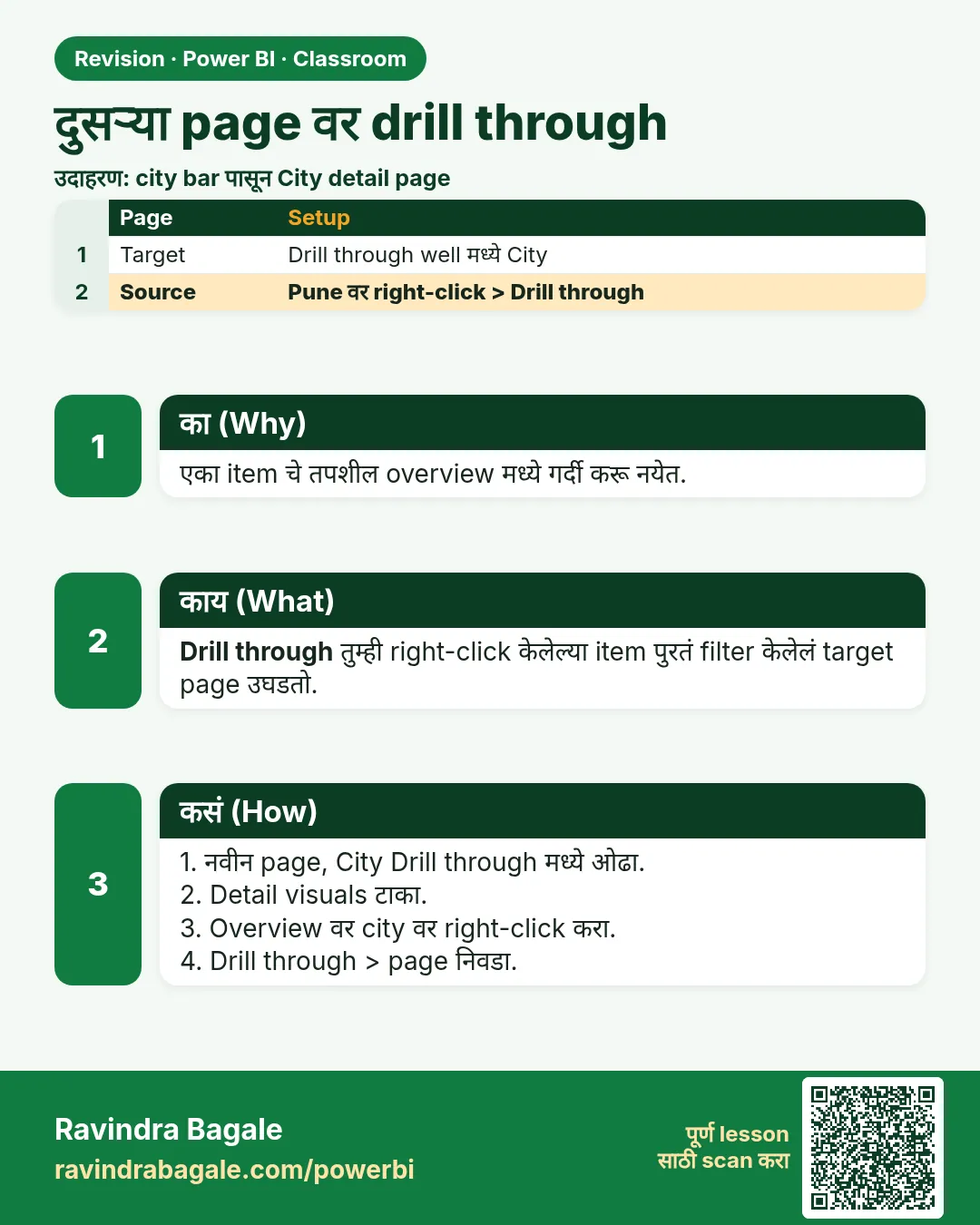
- Drill through click केलेल्या item ने filter झालेला दुसरा page उघडतो.
- Details page add करा; canvas selected ठेवून Drillthrough well मध्ये category टाका.
- Hierarchy नाही, साधा field वापरा.
- Bar वर right-click › Drill through › page; Desktop मध्ये Back ला Ctrl+click.
- Keep all filters slicers आणि page filters सोबत नेतं.
 उजळणी card