How to Use CALCULATE in Power BI: Show One State's Revenue That Ignores the Slicer (Filter Context Explained)
Pick Karnataka in a filter and every visual on the page shows Karnataka. That is usually what you want. But sometimes one card has a fixed job: "always show Maharashtra, our biggest state, as the benchmark". This chapter first shows what the page filter does to your measures (the filter context), then uses CALCULATE, the most important DAX function, to give one measure its own state filter. You will also see exactly which filters CALCULATE replaces, which it leaves alone, and why a single invisible space can make the card go (Blank).
What you'll learn in this chapter
- Filter context: a page filter reaches every visual
- CALCULATE(expression, filter)
- A card that keeps Maharashtra while the state filter changes
- CALCULATE replaces only the filter on the same column
- REMOVEFILTERS for the other columns
- (Blank) from a leading space; text matching ignores case
Practice files: blinkit-sales-2025-metrics.csv (800 order lines) and blinkit-sales-2025-metrics-raw.csv (the same rows, with a leading space before Maharashtra).
Made-up data: fictional Blinkit-style sales, for practice only. Amounts are in ₹ and dates are DD-MM-YYYY.
1. The problem
A page has a state filter, a total revenue card and a category chart. The manager wants a second card that always shows Maharashtra's revenue, whatever state is picked, so every state can be compared with it.
2. The idea in simple words
Filter context is the set of filters in force when a measure is calculated: page filters, slicers, and the row or bar of the visual. total revenue simply sums whatever rows survive those filters.
CALCULATE changes that set before calculating:
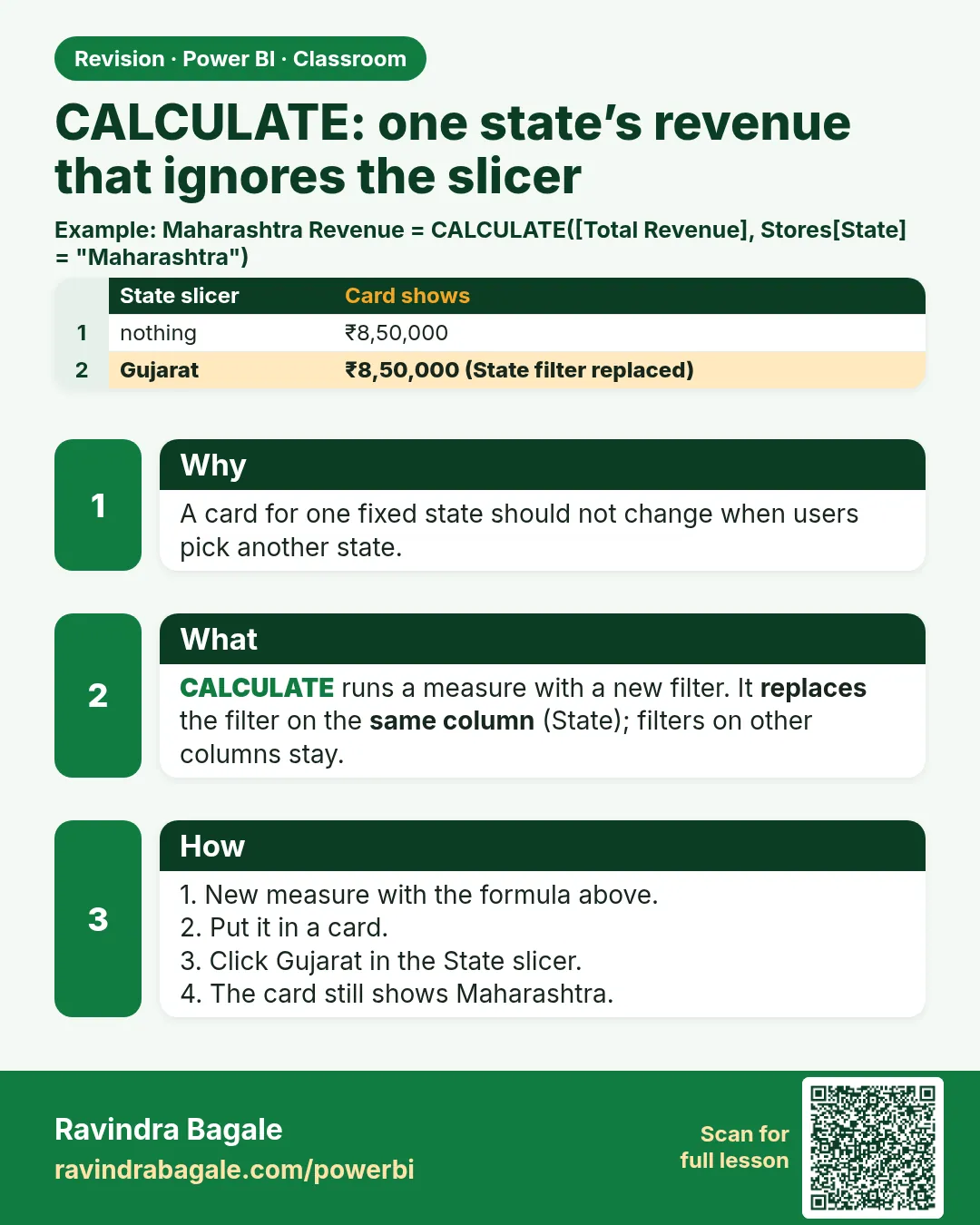
maharashtra revenue = CALCULATE([total revenue], sales[state] = "Maharashtra")
- First argument: the expression, what you want to show (total revenue, total sales, total orders).
- Then one or more filters.
A filter on sales[state] replaces any state filter coming from the page, for this measure only. Filters on other columns (category, date) still apply. The main course lessons Evaluation Context and CALCULATE – The Most Important Function explain both ideas in depth.
Classroom line
As the filter changes, the revenue I see follows the filter.
Class मधलं वाक्य
"जसा filter होईल, filter च्या अनुसार मला revenue दिसतोय."
जसा filter बदलतो, तसा filter नुसार मला revenue दिसतोय.
Classroom line
As the filter changes, the revenue I see follows the filter.
3. The data
Revenue by state in blinkit-sales-2025-metrics.csv:
| State | Revenue (₹) |
|---|---|
| Maharashtra | 44,763 |
| Karnataka | 40,101 |
| Telangana | 26,181 |
| Gujarat | 20,568 |
| Tamil Nadu | 16,608 |
| Total | 1,48,221 |
Maharashtra by category: Dairy & Bakery ₹13,497, Snacks & Branded Foods ₹13,070, Staples ₹10,690, Beverages ₹7,506.
4. Step by step
See the filter context
- Load the file (table
sales) and createtotal revenue = SUM(sales[revenue])if it is not there. - Add a Card with total revenue: 1,48,221. Add a Stacked column chart: category on X, total revenue on Y.
- Filters pane › drag state to Filters on this page. Tick Karnataka: the card shows 40,101, and the chart shows only Karnataka's rows.
- Add Gujarat: 60,669. Select all: back to 1,48,221.
Give one measure its own state filter
- Three dots on sales › New measure:
maharashtra revenue = CALCULATE([total revenue], sales[state] = "Maharashtra") - Add a second Card with maharashtra revenue: 44,763.
- Change the page filter to Karnataka, then Telangana, then Gujarat + Tamil Nadu. total revenue changes every time; maharashtra revenue stays 44,763.
One category, the same way
dairy revenue = CALCULATE([total revenue], sales[category] = "Dairy & Bakery")shows 59,124 with no filter, and 17,048 with Karnataka picked: the state filter still applies, because this CALCULATE only sets the category.
Figure 1. The page filter reaches the card and the chart; the CALCULATE card sets its own state (illustration).
Classroom line
By default, the filter we use applies to every visual on this page.
Class मधलं वाक्य
"By default काय होतं, आपण जो filter use करतो, तोच filter या page च्या सगळ्या visuals वर apply होतो."
By default काय होतं, आपण जो filter वापरतो, तोच filter या page च्या सगळ्या visuals वर apply होतो.
Classroom line
By default, the filter we use applies to every visual on this page.
Classroom line
The first argument is what you want to show: total revenue, total sales or total orders.
Class मधलं वाक्य
पहिला argument म्हणजे तुम्हाला काय दाखवायचं: total revenue, total sales किंवा total orders.
Classroom line – हिंदी
"Pehla parameter hai aapko kya dikhana hai: total revenue, total sales, total orders."
5. Your result should look like this
Figure 2. With Karnataka picked: total revenue ₹40,101, maharashtra revenue still ₹44,763 (illustration).
| Page filter (state) | total revenue | maharashtra revenue |
|---|---|---|
| None | ₹1,48,221 | ₹44,763 |
| Karnataka | ₹40,101 | ₹44,763 |
| Karnataka + Gujarat | ₹60,669 | ₹44,763 |
| Telangana | ₹26,181 | ₹44,763 |
6. What happened
- total revenue is calculated in the page's filter context, so it follows the state filter.
- CALCULATE removed the page's state filter for maharashtra revenue and put state = Maharashtra in its place.
- Nothing else in the filter context changed.
Classroom line
However much you change the filter, it won't move, because we told the measure that it sets its own state filter.
Class मधलं वाक्य
तुम्ही कितीही बदला, त्यावर परिणाम होणार नाही, कारण आपण measure ला सांगितलं आहे की state चा filter तो स्वतः देईल.
Classroom line – हिंदी
"Aap kitna bhi change karo usko effect nahi hone wala, kyunki humne measure ko bataya hai state ka filter hum khud denge."
7. Explore further
Other columns still apply
Add a second page filter, category = Dairy & Bakery, and keep state = Karnataka. maharashtra revenue now shows 13,497: CALCULATE replaced the state, but the category filter still applies.
Figure 3. CALCULATE replaces only the state filter; the category filter stays (illustration).
To make the card ignore category too, remove that filter as well:
maharashtra revenue all =
CALCULATE([total revenue], sales[state] = "Maharashtra", REMOVEFILTERS(sales[category]))
This shows 44,763 again. ALL(sales[category]) works the same way here. See ALL, ALLEXCEPT, REMOVEFILTERS, ALLSELECTED.
Case does not matter, spelling does
DAX text comparison is case-insensitive: sales[state] = "maharashtra" also gives 44,763. But "Maharastra" (misspelt) gives (Blank).
The (Blank) from a space
Load blinkit-sales-2025-metrics-raw.csv instead and the card shows (Blank). The state value is " Maharashtra", with a space in front, so "Maharashtra" matches nothing. Fix it at the source: Transform data › select the text columns › Transform › Format › Trim, then Clean › Close & Apply. The card shows 44,763 again.
Classroom line
Who is seeing a blank (dashes) on the card?
Class मधलं वाक्य
"Dash dash कोणाला दिसायला लागलंय?"
Card वर dash dash (blank) कोणाला दिसायला लागलंय?
Classroom line
Who is seeing a blank (dashes) on the card?
Classroom line
That is why we always need to trim and clean text columns.
Class मधलं वाक्य
"त्यासाठी आपण नेहमी text column वरती trim, clean करणं गरजेचं आहे."
त्यासाठी आपण नेहमी text column वर trim, clean करणं गरजेचं आहे.
Classroom line
That is why we always need to trim and clean text columns.
8. Common mistakes
| Wrong result | Reason | Fix |
|---|---|---|
| (Blank) | Value has a leading/trailing space | Trim and Clean in Power Query |
| (Blank) | Value misspelt | Copy the exact value from the table |
| (Blank) or wrong number | Filter column in a table not related to sales | Use a column from sales or a related table |
| Card still moves with category | CALCULATE only replaced state | Add REMOVEFILTERS(sales[category]) |
| Error in CALCULATE | Filter written first | Expression first, then filters |
Ravindra Bagale's Tip
When a CALCULATE card shows (Blank), check the value before the formula. Open Table view, filter the column and look at the exact text. Nine times out of ten the formula is right and the data has an extra space.
Ravindra Bagale's Tip – मराठी
CALCULATE card (Blank) दाखवत असेल, तर formula च्या आधी value check करा. Table view उघडा, column filter करा आणि नेमका text बघा. दहापैकी नऊ वेळा formula बरोबर असतो आणि data मध्ये जास्तीची space असते.
Ravindra Bagale's Tip – हिंदी
CALCULATE card (Blank) दिखाए, तो formula से पहले value check करें. Table view खोलें, column filter करें और सही text देखें. दस में से नौ बार formula सही होता है और data में एक extra space होती है.
Classroom line
Do you know why it happened? The value doesn't match.
Class मधलं वाक्य
"का व्हायला लागलं माहिती का, ते value match होईना त्याला."
का झालं माहिती आहे? ती value match होत नाही.
Classroom line
Do you know why it happened? The value doesn't match.
9. Practise on your own
Practice task
Using blinkit-sales-2025-metrics.csv:
- Write
karnataka orders = CALCULATE([total orders], sales[state] = "Karnataka")(total orders = DISTINCTCOUNT(sales[order_id])). What does it show? - With a page filter state = Telangana, what do total revenue and maharashtra revenue show?
- With page filters state = Gujarat and category = Staples, what does maharashtra revenue show?
- Write
staples revenuefor the Staples category. What is it with no filters?
Show solution
- 124.
- ₹26,181 and ₹44,763.
- ₹10,690 (Maharashtra, Staples: the category filter still applies).
CALCULATE([total revenue], sales[category] = "Staples")= ₹30,290.
10. Think like a professional
- Business view. Benchmark cards (biggest state, last year, target region) are CALCULATE measures.
- Know what you replace. CALCULATE replaces the filter on the column you name; decide on purpose what happens to the other filters.
- Clean text first. Trim and Clean text columns in Power Query; it saves hours of (Blank) hunting.
- Name it clearly. maharashtra revenue tells viewers the card does not follow the filter.
Interview questions
- What does CALCULATE do? It evaluates an expression in a modified filter context.
- Does a filter in CALCULATE remove all page filters? No; only the filter on the same column. Others still apply.
- How do you also ignore the category filter? Add REMOVEFILTERS(sales[category]) (or ALL).
- Why can CALCULATE return (Blank) when the formula looks right? The value does not match: a stray space, a misspelling, or an unrelated table. Case is not the cause.
Recap
In short
- Filter context: page filters reach every visual.
CALCULATE([total revenue], sales[state] = "Maharashtra"): expression first, then filters.- It replaces only the state filter; category and date filters still apply.
- REMOVEFILTERS(column) clears another filter.
- (Blank): check spaces and spelling; DAX text matching ignores case.
 Revision card