How to Clean Store Location Data in Power Query: Remove Units, Split Columns and Capitalize Each Word
The sales data tells you which store sold what, but not where the store is. That lives in a store table, and store tables are usually exported by hand: sizes typed as "120 sqm", the state, its code and the city squeezed into one column, latitude and longitude joined with a slash, and names in every casing you can think of. In this chapter you turn that table into clean columns a map visual can use.
What you'll learn in this chapter
- Remove units: Extract › Text Before Delimiter
- Split one column into state, state_abr and city
- Split lat / long into two Decimal Number columns
- Why negative coordinates are valid
- Trim, Clean, Capitalize Each Word, UPPERCASE
- Why a state code helps map visuals
Practice files: blinkit-store-cities-raw.csv (10 stores, as exported) and blinkit-store-cities-clean.csv (the result, to check your work).
Made-up data: fictional Blinkit-style stores, for practice only. Sizes are in square metres.
1. The problem
The store table looks like this (4 of 10 rows):
| store_id | storetype_id | store_size | city_id | state - state_abr - city | lat / long |
|---|---|---|---|---|---|
| 101 | 1 | 120 sqm | 11 | Maharashtra - MH - Pune | 18.5204 / 73.8567 |
| 102 | 2 | 95 m2 | 12 | maharashtra - mh - mumbai | 19.0760 / 72.8777 |
| 106 | 2 | 110 sqm | 31 | GUJARAT - GJ - AHMEDABAD | 23.0225 / 72.5714 |
| 108 | 3 | 380 m2 | 51 | tamil nadu - tn - chennai | 13.0827 / 80.2707 |
You cannot sum store_size (it is text), you cannot put state on a map (it is glued to the city), and "GUJARAT" next to "maharashtra" looks careless in front of a manager.
2. The idea in simple words
Each column should hold one fact, in one type:
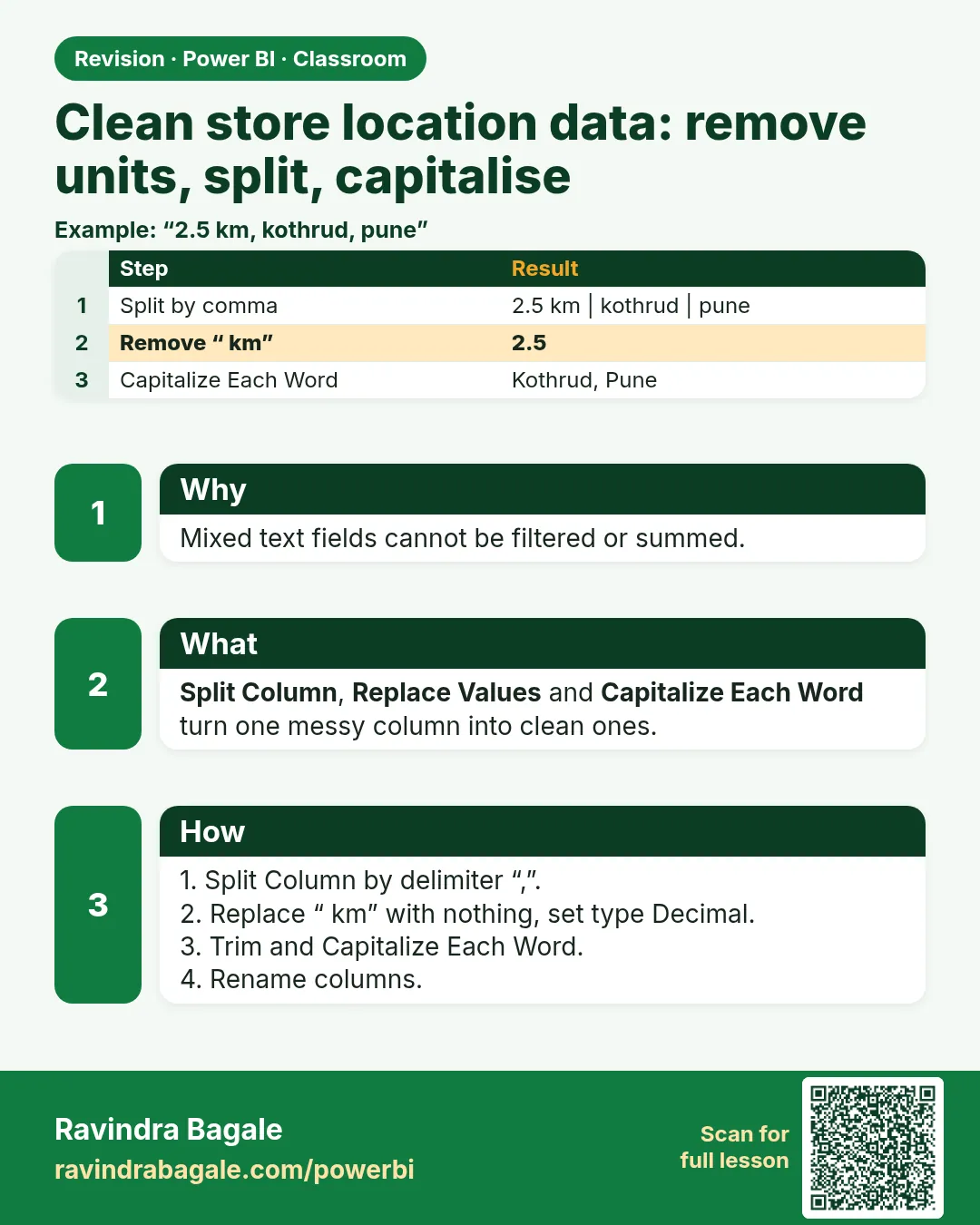
- store_size should be a number. "sqm" and "m2" both mean square metres (m²), so the unit adds nothing: keep only the number before the space.
- state - state_abr - city holds three facts. Split it on the separator " - " into state, state_abr and city.
- lat / long holds two numbers. Split it on " / " and make both Decimal Number.
- Casing: Trim and Clean remove stray spaces and hidden characters. Then use Capitalize Each Word for names (Pune, Tamil Nadu) and UPPERCASE for codes (MH). Lowercase is not required; it only helps when you match keys.
This chapter is about the store table. General text cleaning (Trim, Clean, splitting product names) is covered in How to Clean Text Columns in Power Query with Split, Trim, Clean and Lowercase.
Figure 1. One store row before and after cleaning: units removed, location split into state, state_abr and city, coordinates split into lat and long (illustration).
Classroom line
Even if we give only the state abbreviation, the map can draw it.
Class मधलं वाक्य
"Map varti aapan nusta state abbreviation lila tari te map varti draw hou shakte."
Map वर आपण फक्त state abbreviation दिलं तरी ते map वर draw होऊ शकतं.
Classroom line
Even if we give only the state abbreviation, the map can draw it.
3. The data
All 10 stores after cleaning:
| store_id | storetype_id | store_size | state | state_abr | city | lat | long |
|---|---|---|---|---|---|---|---|
| 101 | 1 | 120 | Maharashtra | MH | Pune | 18.5204 | 73.8567 |
| 102 | 2 | 95 | Maharashtra | MH | Mumbai | 19.076 | 72.8777 |
| 103 | 3 | 400 | Maharashtra | MH | Nagpur | 21.1458 | 79.0882 |
| 104 | 1 | 150 | Karnataka | KA | Bengaluru | 12.9716 | 77.5946 |
| 105 | 4 | 60 | Karnataka | KA | Mysuru | 12.2958 | 76.6394 |
| 106 | 2 | 110 | Gujarat | GJ | Ahmedabad | 23.0225 | 72.5714 |
| 107 | 1 | 140 | Telangana | TS | Hyderabad | 17.385 | 78.4867 |
| 108 | 3 | 380 | Tamil Nadu | TN | Chennai | 13.0827 | 80.2707 |
| 109 | 4 | 70 | Rajasthan | RJ | Jaipur | 26.9124 | 75.7873 |
| 110 | 2 | 90 | Madhya Pradesh | MP | Indore | 22.7196 | 75.8577 |
storetype_id is a code for the kind of store (for example super store, dark store, warehouse). Leave it as it is. Total store area: 1,615 square metres.
4. Step by step
Load and check
- Get data › Text/CSV ›
blinkit-store-cities-raw.csv› Transform data. Rename the querystore_cities. - If the column names show as Column1, Column2…, click Use First Row as Headers (Home ribbon).
- Open the filter arrow on each column and look for (null) or (blank). This file has none.
Remove the units
- Select store_size. Transform › Extract › Text Before Delimiter. Delimiter: a single space. OK. "120 sqm" becomes "120".
- Click the ABC icon in the header › Whole Number.
Split state, code and city
- Select state - state_abr - city. Home › Split Column › By Delimiter.
- Choose --Custom-- and type space, hyphen, space:
-. Split at: Each occurrence of the delimiter. OK. - Look at the first row to see the order (Maharashtra, MH, Pune) and rename the three columns state, state_abr and city. Set them to Text if Power Query guessed something else.
Tidy the text
- Select state, state_abr and city (Ctrl+click). Transform › Format › Trim, then Format › Clean.
- Select state and city. Format › Capitalize Each Word. " maharashtra" is now "Maharashtra", "AHMEDABAD" is "Ahmedabad".
- Select state_abr. Format › UPPERCASE. "mh" becomes "MH".
Split latitude and longitude
- Select lat / long. Split Column › By Delimiter › Custom
/› Each occurrence. Rename the columns lat and long. - Set both to Decimal Number. 19.0760 shows as 19.076; the value has not changed.
- Home › Close & Apply.
Figure 2. Split by a custom delimiter: " - " turns one location column into state, state_abr and city; " / " turns lat / long into two numbers (illustration).
Classroom line
The state with the most sales should look darker.
Class मधलं वाक्य
"Jya state madhe jast sale hot asel, te jast dark disayla pahije."
ज्या state मध्ये जास्त sale होत असेल, ते जास्त dark दिसायला पाहिजे.
Classroom line
The state with the most sales should look darker.
5. Your result should look like this
- 10 rows, 9 columns: store_id, storetype_id, store_size, city_id, state, state_abr, city, lat, long.
- store_size is a whole number: Sum of store_size = 1,615.
- 7 states: Maharashtra (3 stores), Karnataka (2), Gujarat, Telangana, Tamil Nadu, Rajasthan, Madhya Pradesh (1 each).
- Every state and city starts with a capital letter; every state_abr is two capital letters.
- lat runs from 12.2958 (Mysuru) to 26.9124 (Jaipur).
6. What happened
- Text Before Delimiter kept everything before the first space, so "120 sqm" and "95 m2" both lost their unit. It did not care which unit was written.
- Split by " - " cut at every separator, giving three columns. Using the spaces in the delimiter means no extra spaces are left at the edges.
- Trim removed the leading spaces in " maharashtra" and the trailing space in "nagpur "; Clean removes hidden characters such as line breaks.
- Capitalize Each Word made every word start with a capital, whatever the original casing.
- The coordinates became real numbers, which is what map visuals need.
Classroom line
What do latitude and longitude tell you? The exact spot.
Class मधलं वाक्य
"Latitude longitude काय सांगतं? Exact spot सांगतं."
Latitude longitude काय सांगतं? Exact spot सांगतं.
Classroom line
What do latitude and longitude tell you? The exact spot.
7. Explore further
- Negative coordinates are valid. Latitude is negative south of the equator and longitude is negative west of Greenwich. A store in Sydney or New York has a minus sign; never remove it while cleaning. All 10 stores here are in India, so every value is positive.
- Why keep state_abr. A map visual can place a state from its name or its code. Codes are short and spelled one way, which avoids "Tamilnadu" vs "Tamil Nadu" problems. A filled map then shades the states with more revenue darker. Housing and car companies use the same idea to map where their customers are.
- Data category. In Table view, select lat and set Column tools › Data category › Latitude (and Longitude for long, State or Province for state). Power BI then knows how to draw them.
- When lowercase is useful. If you merge two tables on a text key such as a city name, lowercase both sides first so "Pune" and "pune" match. For anything people read, keep proper casing.
- A space without a unit. If a size is typed "120sqm" with no space, Text Before Delimiter returns the whole text. Use Replace Values to remove "sqm" and "m2" in that case.
Classroom line
If investors see state names in lowercase, it looks odd.
Class मधलं वाक्य
"Investors ahet... state cha naav small madhe disla tar kasatari vattay."
Investors आहेत... state चं नाव small मध्ये दिसलं तर कसंतरीच वाटतं.
Classroom line
If investors see state names in lowercase, it looks odd.
8. Common mistakes
| Wrong result | Reason | Fix |
|---|---|---|
| store_size shows Error after Whole Number | The unit was still there | Extract › Text Before Delimiter first, then change the type |
| Split gives "Maharashtra " with a trailing space | Split on "-" without the spaces | Use " - " as the delimiter, or Trim afterwards |
| lat and long are text | Type not changed after the split | Set both to Decimal Number |
| A map puts a store in the wrong country | The minus sign was removed, or lat and long are swapped | Keep signs; lat is the first number in "lat / long" |
| Everything is lowercase | Lowercase used for display | Capitalize Each Word for names, UPPERCASE for codes |
Ravindra Bagale's Tip
After every split, read the first three rows aloud: "state Maharashtra, code MH, city Pune". If the sentence sounds wrong, the column names are in the wrong order. Fixing a name now takes a second; fixing a map built on swapped columns takes an afternoon.
Ravindra Bagale's Tip – मराठी
प्रत्येक split नंतर पहिल्या तीन rows मोठ्याने वाचा: "state Maharashtra, code MH, city Pune". वाक्य चुकीचं वाटलं तर column names चुकीच्या order मध्ये आहेत. नाव आत्ता बदलायला एक सेकंद लागतो; उलट्या columns वर बनवलेला map fix करायला अख्खी दुपार जाते.
Ravindra Bagale's Tip – हिंदी
हर split के बाद पहली तीन rows ज़ोर से पढ़िए: "state Maharashtra, code MH, city Pune". वाक्य गलत लगे तो column names गलत order में हैं. नाम अभी बदलने में एक सेकंड लगता है; उलटे columns पर बना map ठीक करने में पूरी दोपहर जाती है.
Classroom line
People's names should start with a capital letter.
Class मधलं वाक्य
"माणसाची नावं, पहिला letter capital असायला पाहिजे."
माणसाची नावं, पहिला letter capital असायला पाहिजे.
Classroom line
People's names should start with a capital letter.
9. Practise on your own
Practice task
Clean blinkit-store-cities-raw.csv as in this chapter and compare it with blinkit-store-cities-clean.csv.
- What is the largest store, and in which city?
- How many stores does each storetype_id have?
- Which store is furthest south?
- What is the average store_size?
Show solution
- 400 square metres, store 103 in Nagpur.
- Type 1: 3, type 2: 3, type 3: 2, type 4: 2.
- Mysuru (lat 12.2958, the smallest latitude).
- 161.5 square metres (1,615 ÷ 10).
10. Think like a professional
- Business view. A clean store table answers "where": revenue by state, by city, on a map.
- One fact per column. Combined columns look tidy in Excel but block every filter and chart.
- Keep the unit in the column name. Rename store_size to
store_size_sqmso nobody has to guess. - Fix it at the source. If the store list is maintained by hand, share the clean layout with the team that maintains it.
Interview questions
- How do you remove "sqm" from "120 sqm" in Power Query? Extract › Text Before Delimiter with a space, then set the type to Whole Number.
- How do you split "Maharashtra - MH - Pune" into three columns? Split Column › By Delimiter › Custom " - " › Each occurrence.
- Can latitude or longitude be negative? Yes: south of the equator and west of Greenwich.
- Should text always be lowercase? No. Use proper casing for display; lowercase only helps when matching keys.
Recap
In short
- One fact per column, in the right type.
- Units: Extract › Text Before Delimiter (space), then Whole Number. sqm = m² = square metres.
- Split "state - state_abr - city" by " - "; split "lat / long" by " / ".
- lat and long: Decimal Number; keep the minus signs.
- Trim and Clean, then Capitalize Each Word for names and UPPERCASE for codes.
- State codes make map visuals easy.
 Revision card