1. Introduction to Business Intelligence and Power BI
1.4 Licensing Overview (High Level)
Start with a problem
Ravindra builds a report for six city managers and Rani. On sharing day, Shraddha cannot open it. Nobody had checked licences.
Explain simply
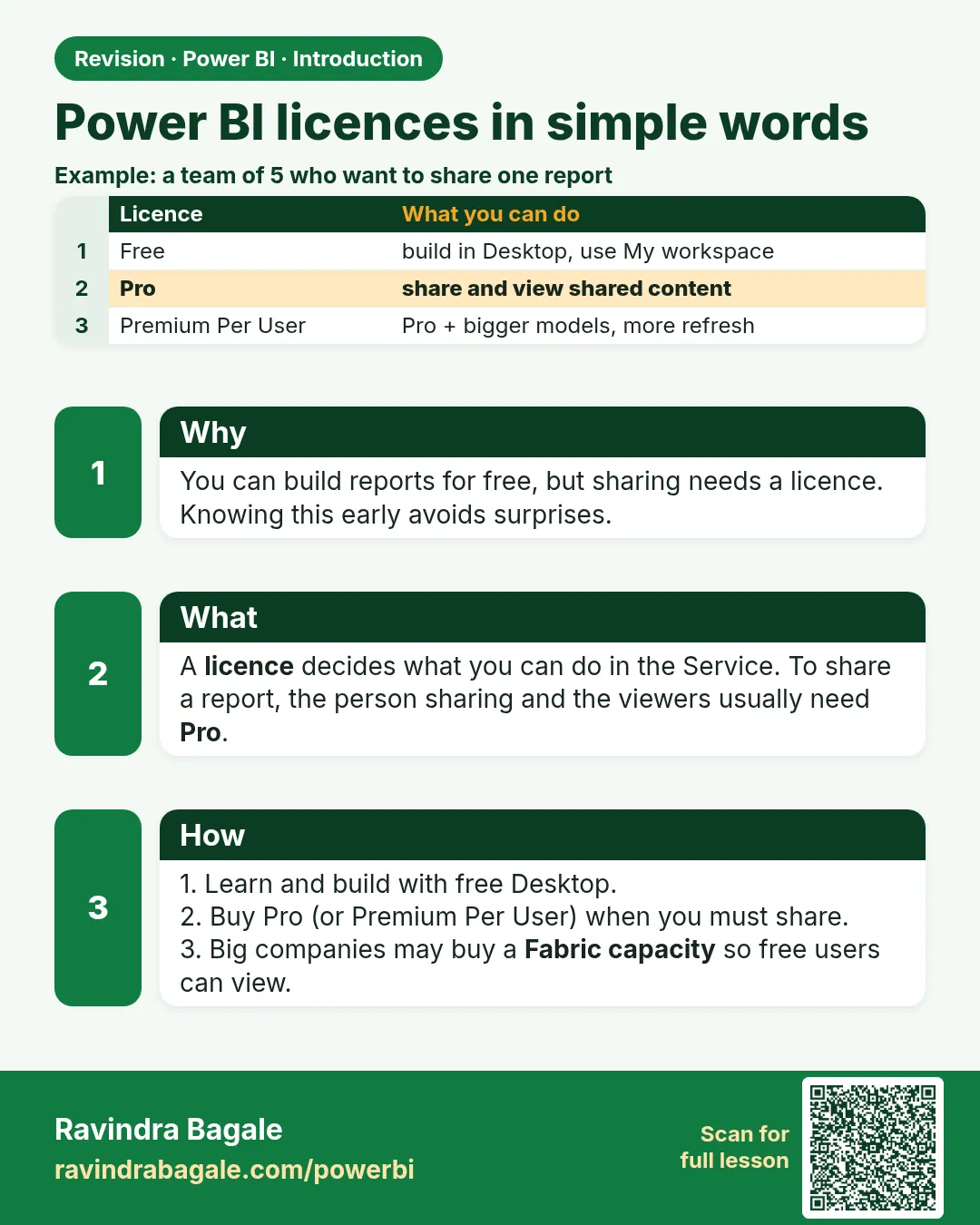
Desktop is free. Sharing in the Service depends on licences: Pro (creator and viewers need Pro), Premium Per User (viewers need PPU too), or content in a Fabric capacity (F64 or larger lets free-licence users view Power BI content). Prices change; check Microsoft's official page.
Show the data
| Person | Role | Licence today |
|---|---|---|
| Ravindra | Creator | Pro |
| Shraddha, Shahrukh, Zoya, Amir, Raja | City managers (viewers) | Free |
| Rani | State operations head (viewer) | Free |
About this data: This table uses columns: Person, Role, Licence today. This table uses columns: Pro licences needed. This table uses columns: Licences needed. Values shown are the lesson examples already on this page (not a new dataset).
Fictional sample data. Practice file: visuals_orders_apr_may_2026.csv (source: src/practice/).
Demonstrate
- List everyone who will create and everyone who will only view.
-
Option A, a Pro workspace (no capacity): count Pro licences.
Your result should look like this:
Table 2: columns Pro licences needed Pro licences needed 7 (1 creator + 6 viewers) -
Option B, the workspace on an F64 (or larger) Fabric capacity: count again.
Your result should look like this:
Table 3: columns Licences needed Licences needed 1 Pro for Ravindra; 6 viewers stay Free -
Ask the Power BI admin which option your organisation already has before you promise to share.
Show the result
Your result should look like this (fictional sample):
| Option | Ravindra (creator) | 6 viewers | Can Shraddha view? |
|---|---|---|---|
| Pro workspace | Pro | Pro each | Only with Pro |
| F64+ capacity workspace | Pro | Free | Yes |
| PPU workspace | PPU | PPU each | Only with PPU |
Explain what happened
Licences decide who may publish, share and view in the Service. With Pro, everyone in the sharing chain needs Pro. A large enough capacity changes the viewer rule; the creator still needs a paid per-user licence to publish to shared workspaces.
Explore further
- Free users can still use Desktop and their own My workspace.
- Older Premium P SKUs are being replaced by Fabric F SKUs; the idea is the same.
Detailed reference for this lesson:
Look: licensing decides who can publish, share and view content in the Power BI Service. Power BI Desktop itself is free to download and use. Prices change over time and differ by country, so check Microsoft's official pricing page when you need exact figures. The main options are:
हे बघा: Power BI Service मध्ये कोण publish करू शकतं, कोण share करू शकतं आणि कोण बघू शकतं, हे licensing ठरवतं. Power BI Desktop स्वतः download करायला आणि वापरायला free आहे. किमती वेळोवेळी बदलतात आणि देशानुसार वेगळ्या असतात, म्हणून नेमके आकडे हवे असतील तेव्हा Microsoft चं official pricing page बघा. मुख्य पर्याय असे आहेत:
देखिए: Power BI Service में कौन publish कर सकता है, कौन share कर सकता है और कौन देख सकता है, यह licensing तय करती है. Power BI Desktop खुद download करने और इस्तेमाल करने के लिए free है. कीमतें समय के साथ बदलती हैं और देश के हिसाब से अलग होती हैं, इसलिए सही आँकड़े चाहिए हों तो Microsoft का official pricing page देखिए. मुख्य विकल्प ये हैं:
| Licence | What it allows (simplified) | Typical use |
|---|---|---|
| Free (Microsoft Fabric free) | Use Desktop; use your own My workspace in the Service. Cannot share content with others or collaborate in shared workspaces. Can view content that is hosted in a Premium/Fabric capacity of sufficient size (F64 or larger). | Students, personal learning |
| Pro | Publish to shared workspaces, share reports and dashboards, collaborate with other Pro users. Both the creator and the viewers generally need Pro (unless the content is in a capacity). | Most small and medium teams |
| Premium Per User (PPU) | Everything in Pro plus many Premium features (larger model sizes, more frequent refresh, deployment pipelines, advanced AI features) licensed per person. Viewers of PPU content also need PPU. | Teams that need advanced features but not a full capacity |
| Fabric capacity (F SKUs) | The organisation buys a dedicated pool of compute ("capacity"). Content in workspaces assigned to the capacity gets capacity features. With F64 or larger, users with a free licence can view Power BI content. | Large organisations, wide distribution |
Premium capacity and Fabric
Older "Power BI Premium per capacity" (P SKUs) is being replaced by Microsoft Fabric capacities (F SKUs). In current documentation and in the admin portal you will mostly see Fabric capacity. The idea is the same: an organisation pays for capacity, not for each viewer.
For students
You can learn almost everything in this guide with the free Power BI Desktop. To practise the Service features (workspaces, apps, sharing), use a work or school account, or a Microsoft 365 developer/trial tenant if your institute provides one. Power BI Service sign-in needs a work or school email; personal addresses such as Gmail are not accepted.
Ravindra Bagale's Tip
I often see learners build a whole report and only then find out that their colleagues can't open it without a Pro or capacity licence. Check with your admin which licence your team has before you promise to share anything. Licence rules change, so confirm them on Microsoft's current pages rather than relying on old blog posts. Practise, and it will feel very easy.
Ravindra Bagale's Tip – मराठी
मला खूप वेळा दिसतं की learners पूर्ण report बनवतात आणि मग कळतं की Pro किंवा capacity licence शिवाय त्यांचे colleagues तो उघडू शकत नाहीत. काहीही share करायचं वचन देण्याआधी तुमच्या team कडे कोणतं licence आहे ते admin कडून चेक करा. Licence चे नियम बदलतात, म्हणून जुन्या blog posts वर अवलंबून न राहता Microsoft च्या current pages वर confirm करा. Practice करा, मग एकदम सोपं वाटेल.
Ravindra Bagale's Tip – हिंदी
मैं अक्सर देखता हूँ कि learners पूरी report बना लेते हैं और तब पता चलता है कि Pro या capacity licence के बिना उनके colleagues उसे खोल नहीं सकते. कुछ भी share करने का वादा करने से पहले admin से पूछ लो कि तुम्हारी team के पास कौन सा licence है. Licence के नियम बदलते रहते हैं, इसलिए पुराने blog posts पर भरोसा करने की बजाय Microsoft के current pages पर confirm करो. Practice करो, फिर बहुत आसान लगेगा.
Fix common mistakes
| Wrong result | Reason | Correction |
|---|---|---|
| Viewer gets an upgrade prompt | Viewer has a Free licence and the content is not in a qualifying capacity | Give them Pro or move the workspace to the capacity |
| Quoting a price from an old blog | Prices change and differ by country | Check Microsoft's official pricing page |
| PPU report shared with Pro users fails | PPU content needs PPU viewers | Use PPU for viewers or a capacity |
Practise independently
Practice task
Rani adds 3 more viewers (Ravina, Salman, Ruhi Bagale). How many Pro licences does Option A need now, and how many paid licences does Option B need?
Hints
- Viewers were 6; the creator is still 1.
Solution
Option A: 1 + 9 = 10 Pro licences. Option B (F64+ capacity): still 1 Pro for the creator; the 9 viewers can be Free.
Think like a professional
Put a one-line licence check in every project plan: "Who creates, who views, which workspace, which capacity?"
 Revision card