14. Visuals and Their Formatting
14.26 Anomaly Detection on a Line Chart
Start with a problem
The fictional Nagpur Dharampeth store had one day in early April 2026 with almost double the usual orders. Ravindra wants Power BI to flag it.
Explain simply
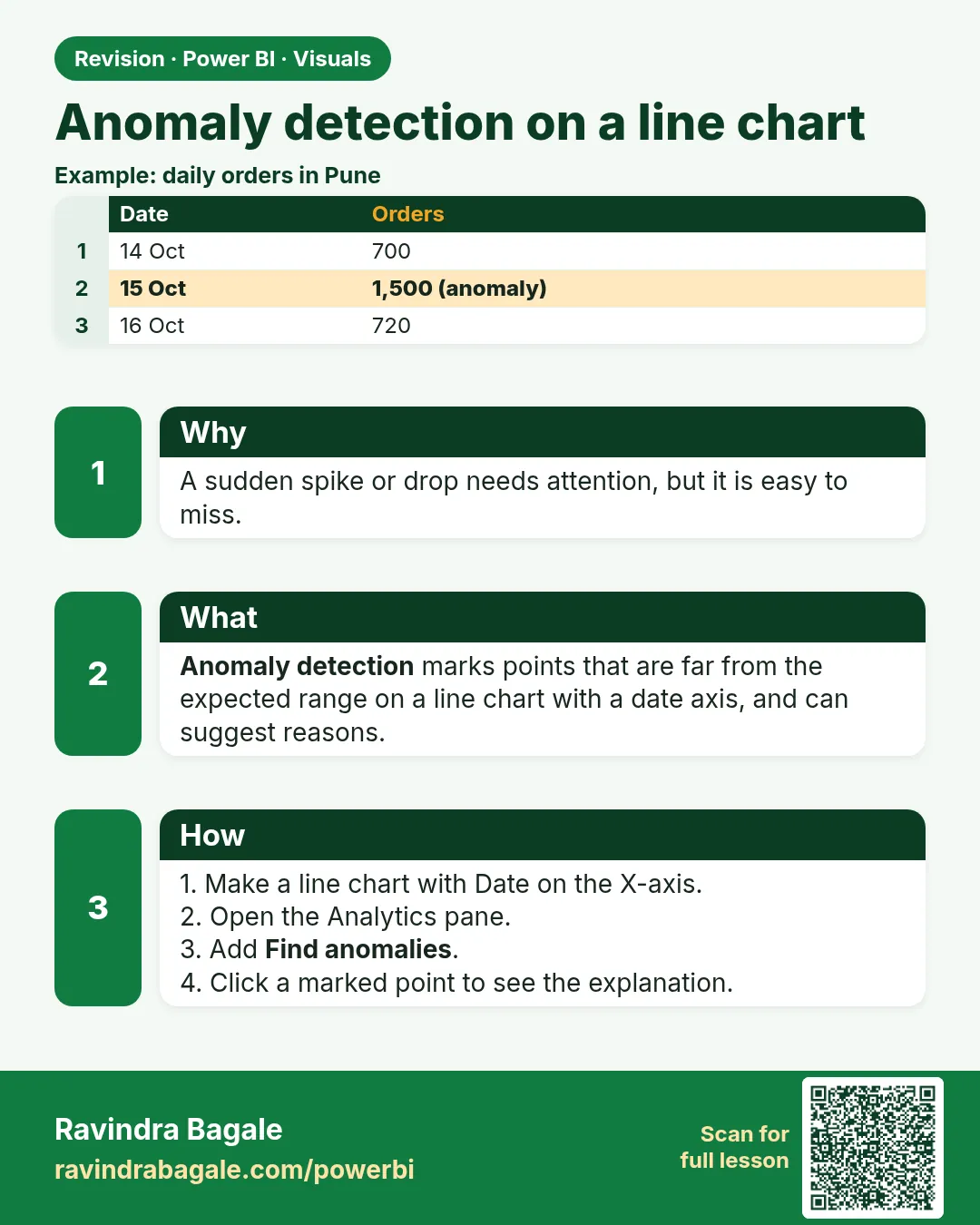
Anomaly detection marks points on a line chart that fall outside the expected range based on the rest of the series. It points to unusual days; it does not explain the cause.
Show the data
| Date | Weekday | Orders |
|---|---|---|
| 08-Apr | Wed | 117 |
| 09-Apr | Thu | 123 |
| 10-Apr | Fri | 236 |
| 11-Apr | Sat | 133 |
| 12-Apr | Sun | 142 |
Fictional sample data. Practice file: daily_orders_nagpur_apr2026.csv (source: src/practice/).
Demonstrate
- Load the 14-day file. Line chart: X-axis
Date(continuous), Y-axisOrders. - Analytics pane › Find anomalies › + Add.
- Sensitivity around 70%.
- Click the marker on 10-Apr to read the explanation panel.
Show the result
Your result should look like this (fictional sample):
| Date | Orders | Flag |
|---|---|---|
| 10-Apr | 236 | Anomaly (expected range near 115–145) |
| Other 13 days | 117–142 | Normal |
Explain what happened
Power BI models the normal range from the series and flags points outside it. 236 is about 1.9× the average of the other days (124.9).
Explore further
- Add Explain by fields so the panel can suggest related changes.
- Exclude today's incomplete day, or it may be flagged every afternoon.
Detailed reference for this lesson:
You learned forecasting in section 14.23. An anomaly means "this point falls outside the pattern of the other days". It does not tell you the cause.
On a line chart with a continuous date axis and one measure, the Analytics pane can offer Find anomalies (the label has varied by version). If you do not see it, check that the axis is continuous, that there is no legend, and that your Desktop build includes the feature.
Steps
- Line chart. X-axis
'Date'[Date], Continuous. Y-axis[Total Orders]. No legend. - Analytics › Find anomalies › + Add.
- Sensitivity: start in the middle. Higher sensitivity flags more points.
- Optional Explain by:
DarkStore[City]orProduct[Category], so the panel can show which category moved with the spike. Apply. - Select a marker and read the explanation as a hint. Then check the rows.
Worked example. The fictional daily orders for Mumbai are steady, then one Sunday is much higher because the sample includes a festival flag on that date. The anomaly marker points at that day. It does not prove the festival caused it. You confirm with the festival column and the order lines. If the latest day is still open (orders still arriving, IST evening), exclude it the same way you exclude an incomplete point on a forecast, or you will "detect" today every afternoon.
Ravindra Bagale's Tip
Many students present the anomaly marker as a reason. It is only an unusual point. Before you tell the business anything, look at the rows: cancelled orders, a duplicate file, or a real festival. Do not copy the marker into a slide as it is. Pay attention!
Ravindra Bagale's Tip – मराठी
बरेच students anomaly marker ला कारण म्हणून सादर करतात. तो फक्त एक unusual point आहे. Business ला काही सांगण्याआधी rows बघा: cancelled orders, एखादी duplicate file, किंवा खरा सण. Marker जसाच्या तसा slide मध्ये copy करू नका. लक्षात ठेवा!
Ravindra Bagale's Tip – हिंदी
बहुत से students anomaly marker को कारण बताकर पेश करते हैं. वह सिर्फ़ एक unusual point है. Business को कुछ बताने से पहले rows देखो: cancelled orders, कोई duplicate file, या असली त्योहार. Marker को जैसा है वैसा slide में copy मत करो. ध्यान रखो!
Fix common mistakes
| Wrong result | Reason | Correction |
|---|---|---|
| Find anomalies missing | Categorical axis, legend or old version | Continuous date axis, one measure, no legend |
| Weekend highs flagged | Sensitivity too high | Lower sensitivity |
| Anomaly presented as cause | Marker shows where, not why | Check promotions, data errors, duplicate loads |
Practise independently
Practice task
Remove 10-Apr from the data. Would 12-Apr (142) be flagged?
Hints
- Weekends are 131–142 in this file.
Solution
Probably not at moderate sensitivity – 142 fits the weekend pattern. Verify in Desktop; results depend on sensitivity.
Think like a professional
First question on any spike: is it real or a data load problem? (duplicate file, double refresh). Checking that before the meeting protects your credibility.
 Revision card