14. Visuals and Their Formatting
14.25 Visual Calculations (Version-Dependent)
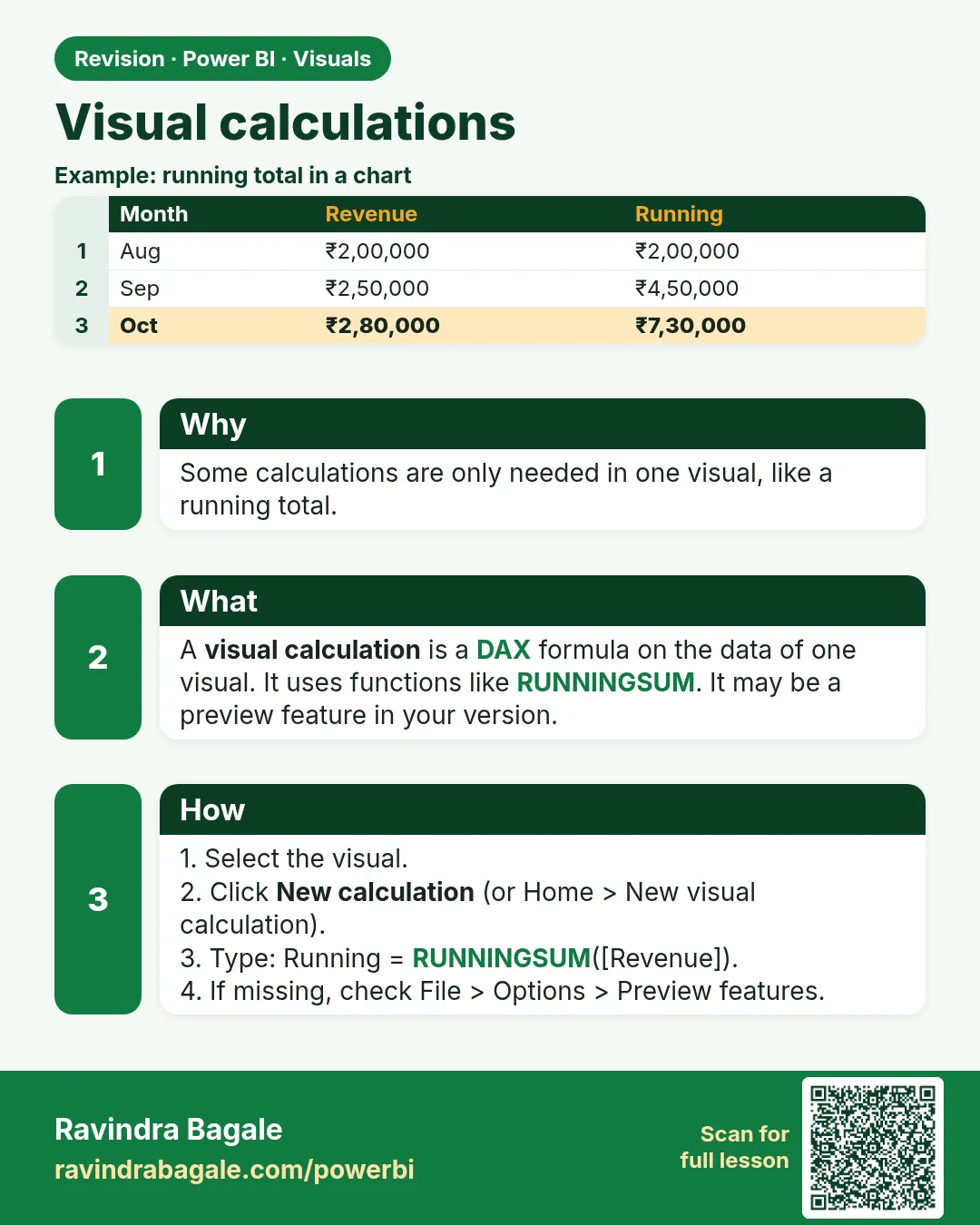
In short: Visual calculations are DAX calculations defined on a visual and evaluated on the visual's data (its rows and columns).
Start with a problem
Zoya needs a running total of sales by month on one visual, without adding a new model measure that other analysts might misuse.
Explain simply
Visual calculations are DAX calculations defined on a visual and evaluated on the visual's data (its rows and columns). They are not measures in the model. This feature is version-dependent.
Show the data
| Month (FY 2026-27) | Total Sales (₹) | Target (₹) |
|---|---|---|
| Apr-2026 | 900 | 1,000 |
| May-2026 | 1,200 | 1,100 |
| FY to date | 2,100 | 2,100 |
Fictional sample data. Practice file: visuals_orders_apr_may_2026.csv (source: src/practice/).
Demonstrate
- Insert a Table with Month and
Total Sales. - Select the visual › Home › New visual calculation (or right-click › New calculation).
- Type
Running Sales = RUNNINGSUM([Total Sales])› Enter. - Hide
Total Salesif you only want the running total.
Show the result
Your result should look like this (fictional sample):
| Month | Total Sales (₹) | Running Sales (₹) |
|---|---|---|
| Apr-2026 | 900 | 900 |
| May-2026 | 1,200 | 2,100 |
Explain what happened
RUNNINGSUM walks down the visual's rows in their current order and adds each value to the previous total.
Explore further
- Other templates: moving average, percent of parent, versus previous.
- If the visual is sorted differently, the running total follows that order.
Detailed reference for this lesson:
This is not a measure. It is a calculation on the data inside one visual, and it does not appear in the model.
हा measure नाही. हा एका visual च्या आतल्या data वरचा calculation आहे, आणि तो model मध्ये दिसत नाही.
यह measure नहीं है. यह एक visual के अंदर के data पर किया गया calculation है, और यह model में नहीं दिखता.
Visual calculations (DAX written on one visual) arrived in recent Power BI Desktop builds and have moved from preview toward general availability depending on the month you install. If Home › New visual calculation is missing, your build does not have it yet. Do not fake it with a screenshot. Write a real measure instead (section 13.16).
Steps
- Select one visual, for example a matrix of
'Date'[Year Month]and[Total Orders]. - Home › New visual calculation (wording varies). The formula bar for that visual opens.
- Use a visual-calculation function, not a model measure name you have not placed on the visual:
Running orders = RUNNINGSUM([Total Orders])
- The new line appears on that visual only. It is not in the Data pane for other pages.
Other functions in current docs include MOVINGAVERAGE, PREVIOUS, NEXT, COLLAPSE and EXPAND. They look along the visual's rows or columns, which is why they feel easier than FILTER(ALL('Date'[Date]), ...). The cost: you cannot reuse the calculation in a card on page two, and a tool that reads only the semantic model will not see it.
Worked example. The matrix lists fictional monthly orders for Nagpur. RUNNINGSUM([Total Orders]) on the visual matches a running total down that matrix. Change the visual to city instead of month and the running sum runs down cities, which is usually nonsense. A model measure from section 13.16 keeps the meaning "running over dates" even if someone moves the field.
Ravindra Bagale's Tip
A common mistake is a visual calculation for a KPI the business will ask for on five pages. It lives with the visual, not with the model. Keep shared numbers in measures. Use a visual calculation only for a running total inside that one visual. Remember this rule.
Ravindra Bagale's Tip – मराठी
एक common चूक म्हणजे business पाच pages वर मागणार असलेल्या KPI साठी visual calculation बनवणं. ते visual सोबत राहतं, model सोबत नाही. Shared numbers measures मध्ये ठेवा. Visual calculation फक्त त्याच visual मधल्या running total साठी. हा नियम लक्षात ठेवा.
Ravindra Bagale's Tip – हिंदी
एक common गलती है उस KPI के लिए visual calculation बनाना जो business पाँच pages पर माँगेगा. वह visual के साथ रहता है, model के साथ नहीं. Shared numbers measures में रखो. Visual calculation सिर्फ़ उसी visual के running total के लिए. यह नियम याद रखो.
Fix common mistakes
| Wrong result | Reason | Correction |
|---|---|---|
| Running total jumps around | Visual sorted by value | Sort by Month ascending |
| Cannot find the calculation in the Data pane | Visual calculations live in the visual | Expected; create a model measure if others need it |
| Menu missing | Older Desktop version | Update Desktop |
Practise independently
Practice task
Add Vs Previous = [Total Sales] - PREVIOUS([Total Sales]) to the same table.
Hints
- April has no previous row.
Solution
Apr: blank; May: 1,200 − 900 = 300.
Think like a professional
Visual calculations keep one-off logic out of the model, which reduces clutter. In a team, document when to promote a visual calculation to a shared measure.
 Revision card