14. Visuals and Their Formatting
14.27 Copilot in Power BI
Start with a problem
Rani heard that Copilot can build report pages from a sentence. She asks Amir to try create a page showing sales by city and platform.
Explain simply
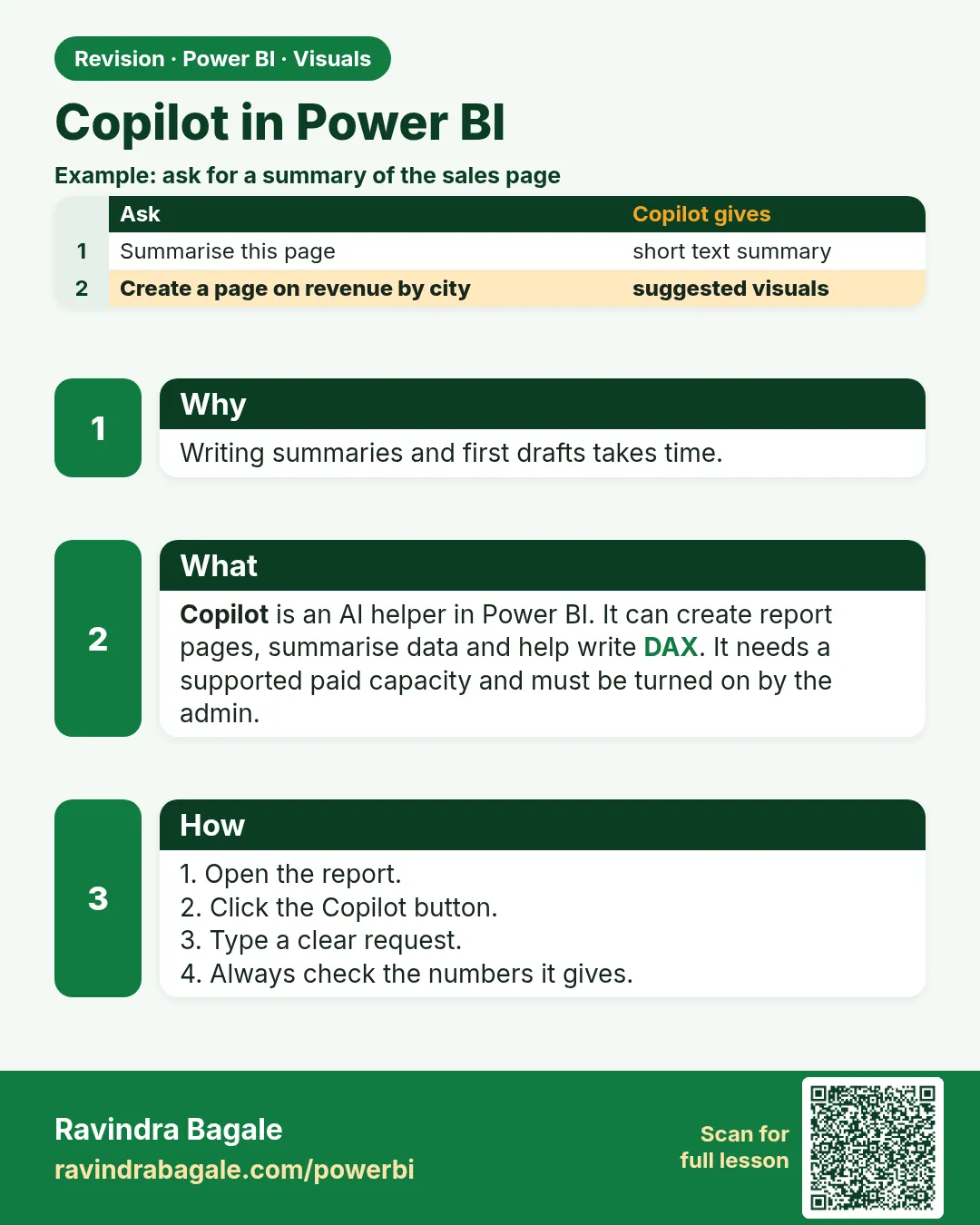
Copilot in Power BI uses generative AI to suggest pages, write summaries and draft DAX. It needs a supported paid capacity and admin settings that change over time. It drafts – you check.
Show the data
| Prompt | What to check in the output |
|---|---|
| Sales by city and platform | Uses Total Sales, not Sum of Amount |
| Summarise May vs April | Numbers match ₹900 → ₹1,200 |
| Write AOV measure | Denominator = delivered orders |
Fictional sample data. Practice file: visuals_orders_apr_may_2026.csv (source: src/practice/).
Demonstrate
- Confirm with your admin that Copilot is enabled for your workspace and capacity.
- Open the report in edit mode › Copilot pane.
- Type the prompt Create a page showing Total Sales by City and Platform.
- Compare every number Copilot shows with your hand table (Pune ₹850, Blinkit ₹1,100).
- Fix or delete visuals that use the wrong measure.
Show the result
Your result should look like this (fictional sample):
| City | Blinkit (₹) | Amazon Now (₹) |
|---|---|---|
| Pune | 650 | 200 |
| Nashik | 450 | 350 |
| Kolhapur | 0 | 450 |
Explain what happened
Copilot reads your model's metadata (table, column and measure names, descriptions) to choose fields. Clear names and descriptions give better drafts.
Explore further
- Add measure descriptions and synonyms to improve results.
- Never paste confidential data into prompts outside approved tools.
Detailed reference for this lesson:
Copilot is a writing assistant. It is not your data model, and it is not accountable for your answer – you are.
Copilot हा लिहायला मदत करणारा assistant आहे. तो तुमचा data model नाही, आणि तुमच्या उत्तराची जबाबदारी त्याची नाही – ती तुमची आहे.
Copilot लिखने में मदद करने वाला assistant है. वह आपका data model नहीं है, और आपके जवाब की ज़िम्मेदारी उसकी नहीं – आपकी है.
Copilot in Power BI can draft a page, suggest a measure, or write a narrative from the fields you already modelled. It shows up in Desktop and in the Service only when the tenant admin has turned it on and the workspace is on a capacity that Microsoft currently requires. Those switches change. If you do not see Copilot, you have not done anything wrong.
What it is useful for:
- A first DAX sketch you then rewrite (
DIVIDE, a clear name, a test in DAX query view). - A narrative paragraph on a page that already has correct measures.
- Synonyms and a description on a field, so Q&A has a better chance.
What you verify every time:
- The measure uses your measure names, not a new
SUMof a column you meant to keep hidden. - Filters match the business sentence. "Pune" in the prompt must be
DarkStore[City] = "Pune", not a text box. - Totals match a query-view check (section 13.27) on the fictional sample before you show anyone.
- You do not paste customer phone numbers or secrets into a prompt.
Worked example. You ask Copilot for "margin by city" on the Maharashtra sample. It returns SUM(Orders[Amount]) - SUM(Orders[Quantity]). That is not gross margin. Your model already has [Gross Margin %] from section 13.5. You discard the draft and use the measure you tested. Copilot did not know that delivery fee and unit cost live on different grains. You do.
Ravindra Bagale's Tip
Friends, many students paste Copilot DAX onto the page and publish. If the number is wrong, the responsibility is yours. Check a city row in query view, look at blanks and zeros, and only then publish. Do not give Copilot the last word. Don't forget this.
Ravindra Bagale's Tip – मराठी
मित्रांनो, बरेच students Copilot चा DAX page वर paste करतात आणि publish करतात. Number चुकला तर जबाबदारी तुमची. Query view मध्ये एखादी city row तपासा, blank आणि zero बघा, मगच publish करा. Copilot ला शेवटचा शब्द देऊ नका. अजिबात विसरू नका.
Ravindra Bagale's Tip – हिंदी
दोस्तों, बहुत से students Copilot का DAX page पर paste करके publish कर देते हैं. Number ग़लत निकला तो ज़िम्मेदारी तुम्हारी. Query view में कोई city row जाँचो, blank और zero देखो, तभी publish करो. Copilot को आख़िरी शब्द मत दो. बिल्कुल मत भूलो.
Fix common mistakes
| Wrong result | Reason | Correction |
|---|---|---|
| Copilot uses Sum of Amount | No clear explicit measure name | Create and describe Total Sales; hide raw Amount |
| Summary quotes a wrong % | AI text not verified | Check against the measures before sharing |
| Copilot button missing | Capacity/tenant settings | Ask the admin; features vary by licence and region |
Practise independently
Practice task
Write the AOV definition you would check Copilot against.
Hints
- Which orders count in the denominator?
Solution
AOV = DIVIDE([Total Sales], [Delivered Orders]) = 2,100 ÷ 7 = ₹300 on this file.
Think like a professional
Copilot shifts your job from typing to reviewing. Interview answer: I use AI to draft, but I validate every number against agreed measure definitions.
Thodkyaat sangaycha tar (quick recap)
Question first, then chart; use a theme; keep titles meaningful; and each visual should answer just one question. Now let us move on to making the Maharashtra map!
आधी प्रश्न, मग chart; theme वापरा; titles meaningful ठेवा; आणि प्रत्येक visual ने एकाच प्रश्नाचं उत्तर द्यावं. आता पुढे जाऊया Maharashtra चा map बनवायला!
पहले सवाल, फिर chart; theme इस्तेमाल कीजिए; titles meaningful रखिए; और हर visual एक ही सवाल का जवाब दे. अब आगे बढ़ते हैं Maharashtra का map बनाने!
 Revision card