13. DAX: Data Analysis Expressions
13.9 FILTER Function in Power BI DAX with Example
Quick answer: the short, self-contained version of this lesson is the guide DAX CALCULATETABLE vs FILTER.
FILTER function in Power BI DAX with example — in 30 seconds
What: FILTER returns only the rows of a table that pass a test. The test can use a measure.
Why: "Loyal customers" means customers with 2 or more orders. That test needs a measure, so it needs FILTER.
Tiny example: Ruhi (3 orders) and Zoya (2) pass. Salman (1) fails. Loyal sales = ₹1,400.
FILTER function in Power BI DAX with example — 30 सेकंदात
काय: FILTER table मधल्या फक्त test पास करणाऱ्या rows परत देतो. Test मध्ये measure वापरता येतो.
का: "Loyal customers" म्हणजे 2 किंवा जास्त orders असलेले customers. त्या test ला measure लागतो, म्हणून FILTER लागतो.
छोटं उदाहरण: Ruhi (3 orders) आणि Zoya (2) पास. Salman (1) नापास. Loyal sales = ₹1,400.
FILTER function in Power BI DAX with example — 30 सेकंड में
क्या: FILTER table की सिर्फ़ test पास करने वाली rows लौटाता है. Test में measure इस्तेमाल हो सकता है.
क्यों: "Loyal customers" यानी 2 या ज़्यादा orders वाले customers. उस test के लिए measure चाहिए, इसलिए FILTER चाहिए.
छोटा उदाहरण: Ruhi (3 orders) और Zoya (2) पास. Salman (1) फ़ेल. Loyal sales = ₹1,400.
First look at the data (before → after):
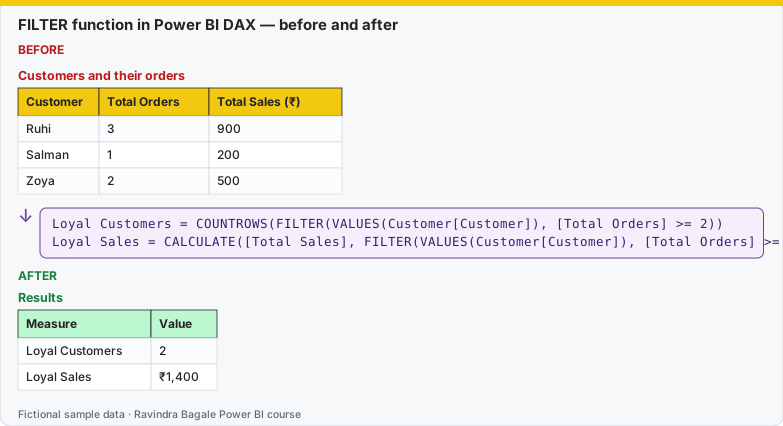
Same before / after tables as text
Before — Customers and their orders
| Customer | Total Orders | Total Sales (₹) |
|---|---|---|
| Ruhi | 3 | 900 |
| Salman | 1 | 200 |
| Zoya | 2 | 500 |
About this data: This table uses columns: Customer, Total Orders, Total Sales (₹). This table uses columns: Measure, Value. Values shown are the lesson examples already on this page (not a new dataset).
Formula / click path
Loyal Customers = COUNTROWS(FILTER(VALUES(Customer[Customer]), [Total Orders] >= 2))
Loyal Sales = CALCULATE([Total Sales], FILTER(VALUES(Customer[Customer]), [Total Orders] >= 2))
After — Results
| Measure | Value |
|---|---|
| Loyal Customers | 2 |
| Loyal Sales | ₹1,400 |
Do it step by step:
- Create
[Total Orders]first (13.5). - New measure: Loyal Customers (formula above).
- New measure: Loyal Sales.
- Put both on cards. Check 2 and ₹1,400.
- Rule: filter a small column table (VALUES), not the whole Orders table.
एक-एक step करून बघा:
- आधी
[Total Orders]बनवा (13.5). - New measure: Loyal Customers (वरचा formula).
- New measure: Loyal Sales.
- दोन्ही cards वर टाका. 2 आणि ₹1,400 तपासा.
- नियम: संपूर्ण Orders table नाही, एक छोटा column table (VALUES) filter करा.
एक-एक step करके देखिए:
- पहले
[Total Orders]बनाइए (13.5). - New measure: Loyal Customers (ऊपर वाला formula).
- New measure: Loyal Sales.
- दोनों को cards पर लगाइए. 2 और ₹1,400 जाँचिए.
- नियम: पूरी Orders table नहीं, एक छोटी column table (VALUES) filter कीजिए.
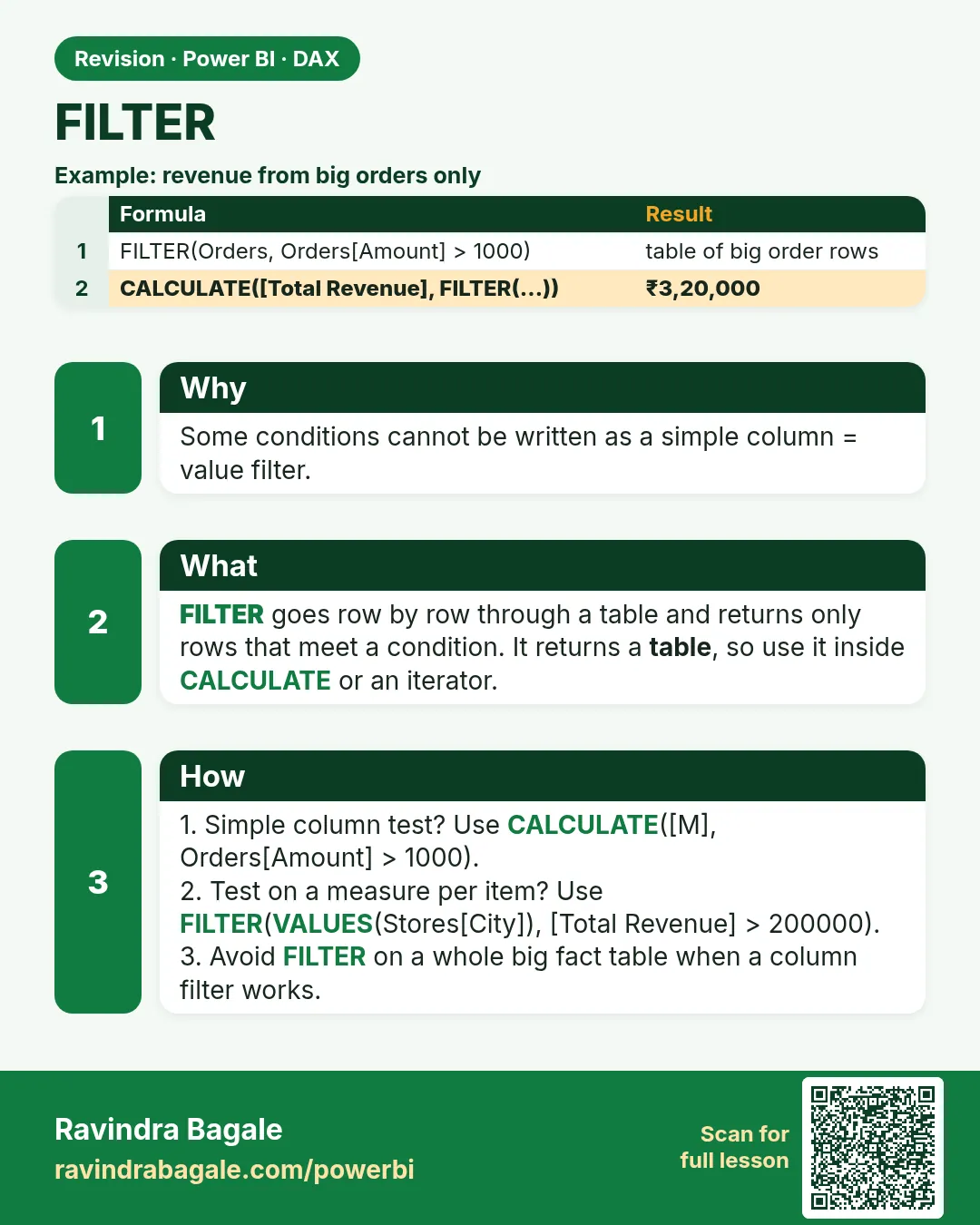
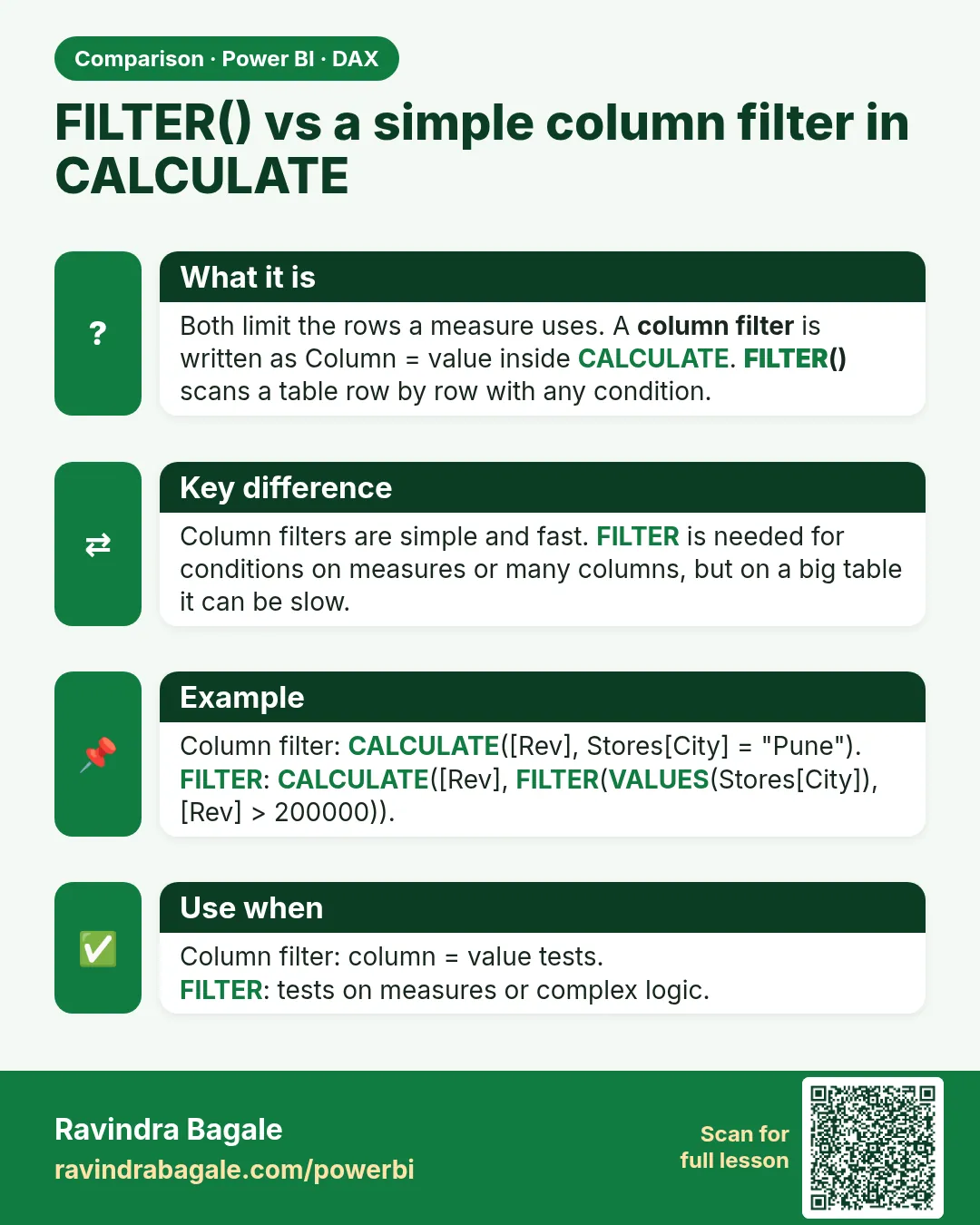
FILTER(<table>, <condition>) returns a table containing fakt the rows where the condition is true. It is an iterator. Use it when the condition involves a measure or complex logic across columns.
Loyal Customers =
COUNTROWS(
    FILTER(VALUES(Customer[Customer ID]), [Total Orders] >= 10)
)

Sales from Loyal Customers =
CALCULATE(
    [Total Sales],
    FILTER(VALUES(Customer[Customer ID]), [Total Orders] >= 10)
)

Slow Stores =
COUNTROWS(
    FILTER(VALUES(DarkStore[Store ID]), [Avg Delivery Time (mins)] > 15)
)
Do not FILTER a whole table when a column filter is enough
CALCULATE([Total Sales], FILTER(Orders, Orders[Discount] > 0)) works but iterates (एकेक ओळ फिरून हिशोब करणे) the entire fact table and can be slow. The simple form CALCULATE([Total Sales], Orders[Discount] > 0) filters fakt one column and is faster. Filter columns, not tables.
Ravindra Bagale's Tip
Friends, many students forget that FILTER returns a table, and try to use it on its own as a value in a measure. Wrap it in CALCULATE, COUNTROWS or an iterator. For conditions on a measure, filter a small column list: FILTER(VALUES(Customer[Customer ID]), [Total Sales] > 2000). This matters for both exams and interviews.
Ravindra Bagale's Tip – मराठी
मित्रांनो, बरेच students विसरतात की FILTER table देतं, आणि ते measure मध्ये एकटंच value म्हणून वापरायचा प्रयत्न करतात. ते CALCULATE, COUNTROWS किंवा iterator मध्ये गुंडाळा. Measure वरच्या conditions साठी columns ची छोटी list filter करा: FILTER(VALUES(Customer[Customer ID]), [Total Sales] > 2000). हे exam आणि interview दोन्हीसाठी important आहे.
Ravindra Bagale's Tip – हिंदी
दोस्तों, बहुत से students भूल जाते हैं कि FILTER table देता है, और उसे measure में अकेले value की तरह इस्तेमाल करने की कोशिश करते हैं. उसे CALCULATE, COUNTROWS या किसी iterator में लपेटो. Measure पर conditions के लिए column की छोटी list filter करो: FILTER(VALUES(Customer[Customer ID]), [Total Sales] > 2000). यह exam और interview दोनों के लिए ज़रूरी है.
Loading DAX practice tasks...
- Batches with many rejects (Easy): Write High Reject Batches = number of Batches rows where UnitsRejected is more than 5.
- Night shift output (Easy): Write Night Units = UnitsMade added only for Night shift rows, using SUMX over a FILTER.
- Big batches (Easy): Write Big Batch Units = units made in batches of 400 or more, using CALCULATE with FILTER.
- Reject rate above 2% (Medium): Write Poor Batches = number of batches where UnitsRejected ÷ UnitsMade is above 0.02.
- Filter the dimension table (Medium): Write Germany Units = units made in plants where Country is "Germany", using FILTER on Plants.
- Good piston cost (Medium): Write Good Piston Cost = for Piston rows, add (UnitsMade − UnitsRejected) × CostPerUnit.
- Two tests with && (Medium): Write Day Disc Rejects = UnitsRejected added for Day shift AND Part "Brake Disc".
- Zero-defect batches by country (Hard): Row per Plants Country. Write Zero Defect = number of batches with 0 rejects.
- Plants above 2,000 units (Hard): Write Strong Plants = number of plants whose total UnitsMade is more than 2000.
- FILTER on ALL ignores the slicer (Hard): Slicer: Shift = Night. Write Full Runs All = number of batches in the whole table with UnitsMade = 500.
 Revision card
 Comparison card