13. DAX: Data Analysis Expressions
13.24 Weighted Averages and FILTER inside an Iterator
Weighted average in DAX with example — in 30 seconds
What: A weighted average gives more weight to rows with more quantity.
Why: AVERAGE of price per kg treats a 1 kg order and a 9 kg order the same. The real average price is different.
Tiny example: 1 kg at ₹100 and 9 kg at ₹60. Simple average = ₹80. Weighted average = ₹64.
Weighted average in DAX with example — 30 सेकंदात
काय: Weighted average जास्त quantity असलेल्या rows ना जास्त वजन देतो.
का: Price per kg चा AVERAGE 1 kg ची order आणि 9 kg ची order सारखीच मानतो. खरी सरासरी किंमत वेगळी असते.
छोटं उदाहरण: 1 kg ₹100 ला आणि 9 kg ₹60 ला. साधी सरासरी = ₹80. Weighted average = ₹64.
Weighted average in DAX with example — 30 सेकंड में
क्या: Weighted average ज़्यादा quantity वाली rows को ज़्यादा वज़न देता है.
क्यों: Price per kg का AVERAGE 1 kg की order और 9 kg की order को एक जैसा मानता है. असली औसत कीमत अलग होती है.
छोटा उदाहरण: 1 kg ₹100 पर और 9 kg ₹60 पर. सादा औसत = ₹80. Weighted average = ₹64.
First look at the data (before → after):
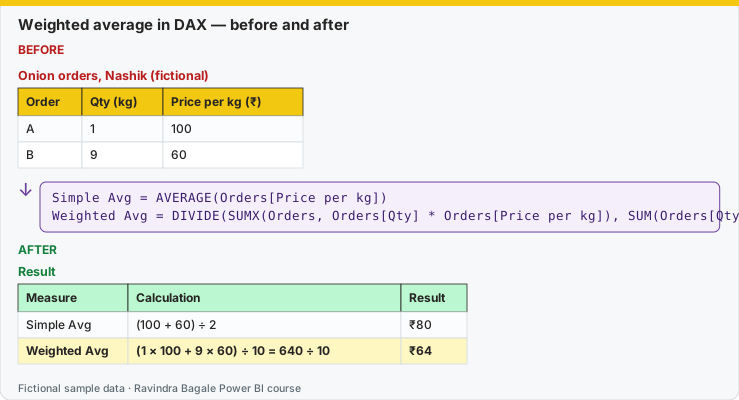
Same before / after tables as text
Before — Onion orders, Nashik (fictional)
| Order | Qty (kg) | Price per kg (₹) |
|---|---|---|
| A | 1 | 100 |
| B | 9 | 60 |
Formula / click path
Simple Avg   = AVERAGE(Orders[Price per kg])
Weighted Avg = DIVIDE(SUMX(Orders, Orders[Qty] * Orders[Price per kg]), SUM(Orders[Qty]))
After — Result
| Measure | Calculation | Result |
|---|---|---|
| Simple Avg | (100 + 60) ÷ 2 | ₹80 |
| Weighted Avg | (1 × 100 + 9 × 60) ÷ 10 = 640 ÷ 10 | ₹64 |
Do it step by step:
- Enter the two rows with Home › Enter data.
- Create Simple Avg with AVERAGE. The card shows ₹80.
- Create Weighted Avg with SUMX and DIVIDE.
- Put both in cards. Check: ₹80 and ₹64.
- Ask which number the business really paid: ₹640 for 10 kg is ₹64 per kg.
एक-एक step करून बघा:
- Home › Enter data ने दोन rows टाका.
- AVERAGE ने Simple Avg बनवा. Card ₹80 दाखवतो.
- SUMX आणि DIVIDE ने Weighted Avg बनवा.
- दोन्ही cards मध्ये टाका. तपासा: ₹80 आणि ₹64.
- Business ने खरं किती दिलं ते विचारा: 10 kg साठी ₹640 म्हणजे ₹64 per kg.
एक-एक step करके देखिए:
- Home › Enter data से दो rows डालिए.
- AVERAGE से Simple Avg बनाइए. Card ₹80 दिखाता है.
- SUMX और DIVIDE से Weighted Avg बनाइए.
- दोनों को cards में डालिए. जाँचिए: ₹80 और ₹64.
- Business ने असल में कितना दिया, यह पूछिए: 10 kg के लिए ₹640 यानी ₹64 per kg.
SUM is not right everywhere. Weight means: whoever bought more quantity should count more in the price.
SUM सगळीकडे बरोबर नाही. Weight म्हणजे ज्याने जास्त quantity घेतली, त्याच्या किंमतीला जास्त महत्त्व द्यायचं.
SUM हर जगह सही नहीं है. Weight का मतलब: जिसने ज़्यादा quantity ली, उसकी कीमत को ज़्यादा महत्त्व देना.
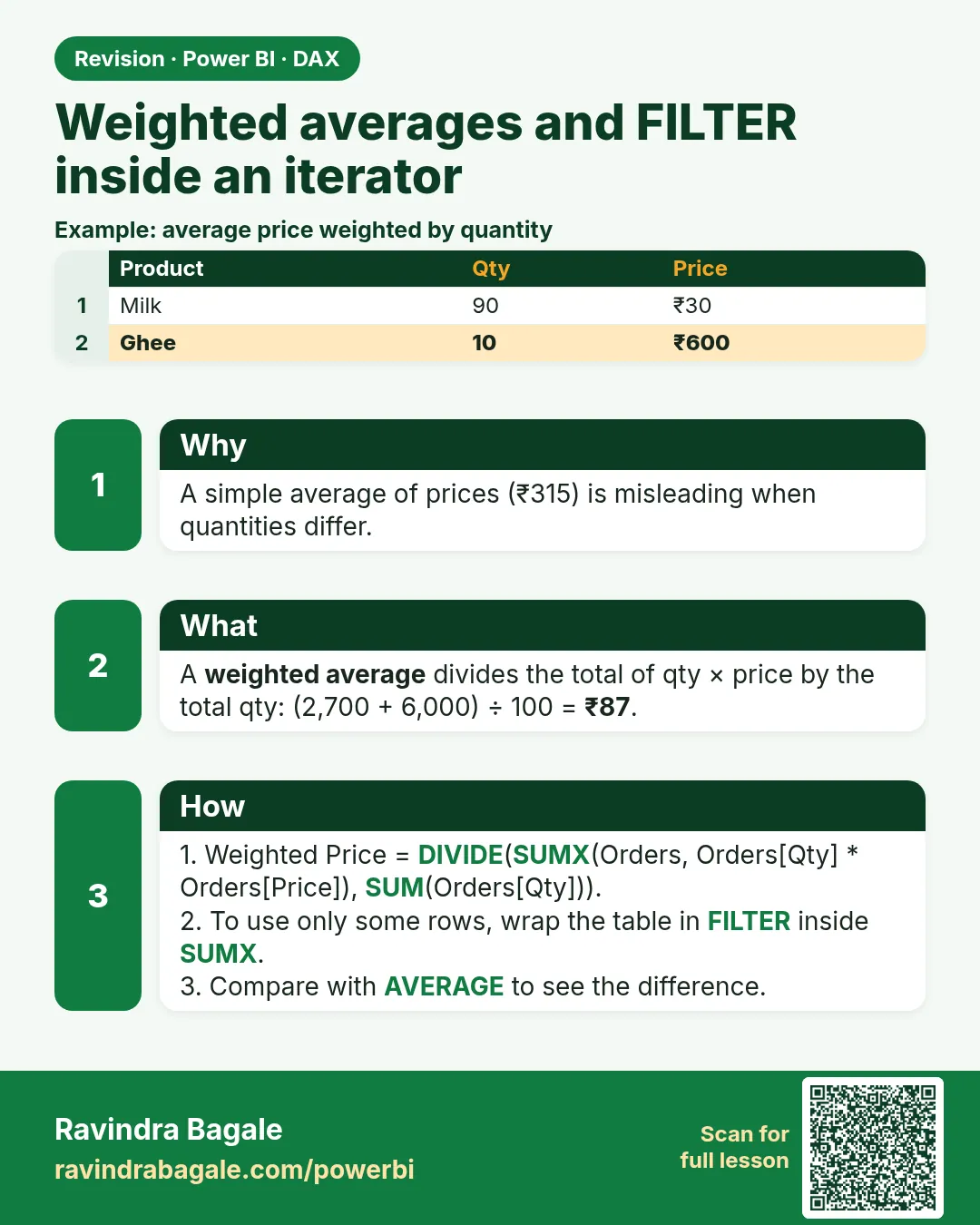
A simple AVERAGE(Product[Unit Price]) gives each product one vote. A weighted average gives each unit sold one vote.
Weighted Avg Unit Price =
DIVIDE(
    SUMX(Orders, Orders[Quantity] * RELATED(Product[Unit Price])),
    SUM(Orders[Quantity])
)
COUNTX counts rows where the expression is not blank: COUNTX(Orders, Orders[Discount]) counts lines that have a discount. MINX and MAXX pick the smallest or largest result of a row expression. You already saw MAXX in section 13.6.
FILTER inside an iterator is allowed, and it is the slow version of a column filter. Learn it so you can read other people's code, then prefer CALCULATE when the test is a column.
Snack Line Sales (iterator) =
SUMX(
    FILTER(Orders, RELATED(Product[Category]) = "Snacks"),
    Orders[Amount]
)

Snack Line Sales (better) =
CALCULATE([Total Sales], Product[Category] = "Snacks")
The second one uses the relationship and does not scan Orders with RELATED on every row. Same idea on this model when the category really is on Product.
Worked example, fictional lines:
| Product | Unit Price | Quantity | City |
|---|---|---|---|
| Shrikhand | 80 | 1 | Pune |
| Shrikhand | 80 | 10 | Nashik |
| Chakli | 40 | 1 | Kolhapur |
AVERAGE of the two unit prices is (80+40)/2 = 60. The weighted average is (80×1 + 80×10 + 40×1) / 12 = 920/12 = 76.67. Nashik's ten tubs pull the average toward 80. If a manager says "average price is 60", they are averaging the catalogue, not the sales.
Ravindra Bagale's Tip
A common mistake is taking AVERAGE of a price column and calling it the average selling price. If the business means "per unit sold", weight it with SUMX of quantity times price, divided by quantity. And do not stop at writing FILTER(Orders, ...) when a column filter in CALCULATE is enough. Remember this rule.
Ravindra Bagale's Tip – मराठी
एक common चूक म्हणजे price column चा AVERAGE घेऊन त्याला average selling price म्हणणं. Business ला "विकलेल्या प्रत्येक unit मागे" म्हणायचं असेल तर quantity गुणिले price चा SUMX भागिले quantity असं weight द्या. आणि CALCULATE मध्ये column filter पुरेसा असताना FILTER(Orders, ...) लिहून थांबू नका. हा नियम लक्षात ठेवा.
Ravindra Bagale's Tip – हिंदी
एक common गलती है price column का AVERAGE लेकर उसे average selling price कहना. Business का मतलब "बिकी हर unit पर" हो तो quantity गुणा price का SUMX भाग quantity से weight दो. और CALCULATE में column filter काफ़ी हो तब FILTER(Orders, ...) लिखकर मत रुको. यह नियम याद रखो.
Loading DAX practice tasks...
- Simple average cost (Easy): Measure: Simple Avg Cost = average of CostPerUnit over batches.
- Weighted average cost (Easy): Measure: Weighted Cost = SUMX of UnitsMade × CostPerUnit ÷ SUM of UnitsMade. Use DIVIDE.
- Weighted cost per part (Easy): Shown per Part. Measure: Weighted Cost as in the last task.
- Reject rate per plant (Medium): Shown per Plant. Measure: Reject Rate = SUM of UnitsRejected ÷ SUM of UnitsMade.
- Average of batch rates (Medium): Measure: Avg Batch Rate = average over batches of UnitsRejected ÷ UnitsMade.
- Weighted cost per country (Medium): Shown per Country. Measure: Weighted Cost.
- Night shift cost (Medium): Measure: Night Cost = SUMX over Night-shift batches of UnitsMade × CostPerUnit.
- Cost per good unit (Hard): Shown per Plant. Measure: Good Unit Cost = SUMX of UnitsMade × CostPerUnit ÷ SUMX of UnitsMade − UnitsRejected.
- Weighted cost of big batches (Hard): Measure: Big Batch Cost = weighted cost only for batches with UnitsMade of 400 or more.
- Weighted minus simple (Hard): Shown per Part. Measure: Avg Gap = weighted cost − AVERAGE of CostPerUnit.
 Revision card