13. DAX: Data Analysis Expressions
13.21 KEEPFILTERS in Power BI: How a Slicer Hits a Measure, with Example
KEEPFILTERS in Power BI with example — in 30 seconds
What: KEEPFILTERS makes a CALCULATE filter join the slicer (AND) instead of replacing it.
Why: Sometimes "Blinkit sales" must mean "Blinkit, but only inside what the user picked".
Tiny example: Platform slicer = Amazon Now. Replace version shows ₹800. KEEPFILTERS version shows blank.
KEEPFILTERS in Power BI with example — 30 सेकंदात
काय: KEEPFILTERS मुळे CALCULATE चा filter slicer ची जागा न घेता त्याच्यासोबत (AND) जोडला जातो.
का: कधी कधी "Blinkit sales" चा अर्थ असतो "Blinkit, पण user ने निवडलेल्या मध्येच".
छोटं उदाहरण: Platform slicer = Amazon Now. Replace version ₹800 दाखवतो. KEEPFILTERS version blank दाखवतो.
KEEPFILTERS in Power BI with example — 30 सेकंड में
क्या: KEEPFILTERS से CALCULATE का filter slicer की जगह लेने के बजाय उसके साथ (AND) जुड़ता है.
क्यों: कभी-कभी "Blinkit sales" का मतलब होता है "Blinkit, पर सिर्फ़ user के चुने हुए के अंदर".
छोटा उदाहरण: Platform slicer = Amazon Now. Replace version ₹800 दिखाता है. KEEPFILTERS version blank दिखाता है.
First look at the data (before → after):
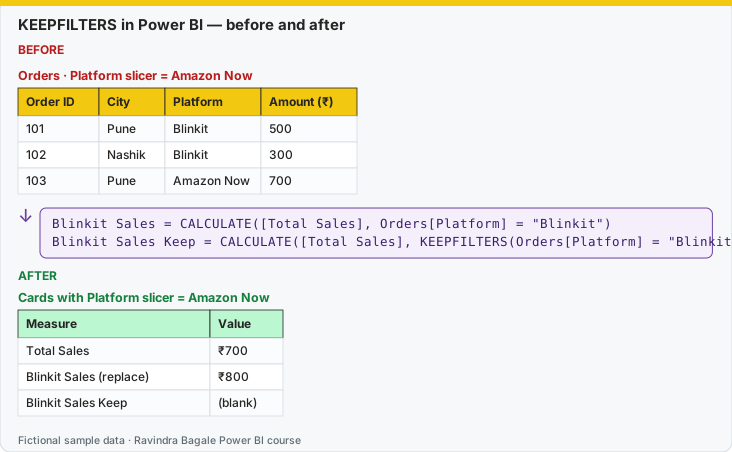
Same before / after tables as text
Before — Orders · Platform slicer = Amazon Now
| Order ID | City | Platform | Amount (₹) |
|---|---|---|---|
| 101 | Pune | Blinkit | 500 |
| 102 | Nashik | Blinkit | 300 |
| 103 | Pune | Amazon Now | 700 |
Formula / click path
Blinkit Sales      = CALCULATE([Total Sales], Orders[Platform] = "Blinkit")
Blinkit Sales Keep = CALCULATE([Total Sales], KEEPFILTERS(Orders[Platform] = "Blinkit"))
After — Cards with Platform slicer = Amazon Now
| Measure | Value |
|---|---|
| Total Sales | ₹700 |
| Blinkit Sales (replace) | ₹800 |
| Blinkit Sales Keep | (blank) |
Do it step by step:
- Create both measures.
- Add a Platform slicer. Select Amazon Now.
- Check the three cards against the table.
- Pick the version your manager means. Write it in the measure description.
एक-एक step करून बघा:
- दोन्ही measures बनवा.
- एक Platform slicer टाका. Amazon Now निवडा.
- तिन्ही cards table शी जुळवून तपासा.
- तुमच्या manager ना कोणतं version अपेक्षित आहे ते निवडा. Measure description मध्ये ते लिहा.
एक-एक step करके देखिए:
- दोनों measures बनाइए.
- एक Platform slicer लगाइए. Amazon Now चुनिए.
- तीनों cards को table से मिलाकर जाँचिए.
- आपके manager को कौन-सा version चाहिए, वह चुनिए. Measure description में लिखिए.
Slicer mhanje filter context. CALCULATE madhla simple equality tyach column var junna filter replace karto. KEEPFILTERS to replace nahi honar.
Section 13.8 states the replace rule. Here is the pattern students need when the slicer and the measure must both apply (an intersection).
Blinkit Sales (keep slicer) =
CALCULATE(
    [Total Sales],
    KEEPFILTERS(Orders[Platform] = "Blinkit")
)
Without KEEPFILTERS, Orders[Platform] = "Blinkit" removes the slicer's platform filter and forces Blinkit. With KEEPFILTERS, a slicer set to Amazon Now and this measure produce blank: the intersection is empty. A slicer set to Blinkit, or a slicer that still includes Blinkit, keeps Blinkit rows.
A slicer on another column (city, category) is already an AND. It is not replaced by a platform filter. City = Pune and the measure forces platform Blinkit: you get Blinkit in Pune. That part confuses people. Replacement happens on the same column the measure filters.
CALCULATETABLE is the same engine as CALCULATE, but it returns a table, not a single value. Use it when the next function wants a table (COUNTROWS, INTERSECT, a calculated table).
Pune Orders Table =
CALCULATETABLE(
    Orders,
    DarkStore[City] = "Pune"
)
You would not drop that table into a card. You would count it or use it inside another expression. KEEPFILTERS works as a filter argument there too.
Worked example. The slicer is Platform = Amazon Now, city slicer = Nashik. [Blinkit Sales] from section 13.8 still shows Blinkit Nashik sales, because the platform filter was replaced. [Blinkit Sales (keep slicer)] shows blank, because Amazon Now and Blinkit do not overlap. Students who wanted "Blinkit, but only if the user has not chosen something else" need KEEPFILTERS. Students who wanted "always Blinkit, ignore the platform slicer" should not add it.
Ravindra Bagale's Tip
A common mistake is wrapping every CALCULATE filter in KEEPFILTERS out of habit. Then the "Blinkit" card goes blank as soon as someone clicks Amazon Now, and they think the measure is broken. Use KEEPFILTERS only when the slicer must survive. Other filters will replace the slicer; use that on purpose.
Ravindra Bagale's Tip – मराठी
एक common चूक म्हणजे सवयीने प्रत्येक CALCULATE filter KEEPFILTERS मध्ये गुंडाळणं. मग कोणी Amazon Now वर click केलं की "Blinkit" card blank होतो, आणि त्यांना वाटतं measure बिघडलाय. Slicer टिकायलाच हवा तेव्हाच KEEPFILTERS वापरा. बाकी filters slicer ला replace करतील; ते जाणून वापरा.
Ravindra Bagale's Tip – हिंदी
एक common गलती है आदत से हर CALCULATE filter को KEEPFILTERS में लपेटना. फिर कोई Amazon Now पर click करे तो "Blinkit" card blank हो जाता है, और लगता है measure ख़राब है. Slicer को बचे रहना ज़रूरी हो तभी KEEPFILTERS इस्तेमाल करो. बाक़ी filters slicer को replace करेंगे; यह जानबूझकर इस्तेमाल करो.
Loading DAX practice tasks...
- Pune sales on every row (Easy): Shown per Store City. Measure: Pune Sales = [Total Sales] with a filter City = "Pune".
- Pune sales only on the Pune row (Easy): Shown per Store City. Measure: Pune Kept = [Total Sales] for Pune, keeping the row filter.
- Zepto only on its row (Easy): Shown per Platform. Measure: Zepto Kept = [Total Sales] for Zepto, keeping the row filter.
- Dairy units everywhere (Medium): Shown per Category. Measure: Dairy Qty = [Total Qty] with Category = "Dairy".
- Dairy units only on Dairy (Medium): Shown per Category. Measure: Dairy Kept = [Total Qty] for Dairy, keeping the row filter.
- Slicer gets overwritten (Medium): Slicer: Store City = Nashik. Measure: Pune Sales = [Total Sales] with City = "Pune".
- Slicer and filter together (Medium): Slicer: Store City = Pune and Mumbai. Measure: Pune Kept = [Total Sales] for Pune, keeping the slicer.
- Big lines per city (Hard): Shown per Store City. Measure: Big Line Sales = [Total Sales] where Qty is 3 or more, using KEEPFILTERS.
- Share of Pune (Hard): Shown per Store City. Measure: Vs Pune = [Total Sales] ÷ Pune sales. Use DIVIDE.
- Zepto lines in Mumbai slicer (Hard): Slicer: Store City = Mumbai. Measure: Zepto Lines = row count of Orders for Zepto, keeping filters.
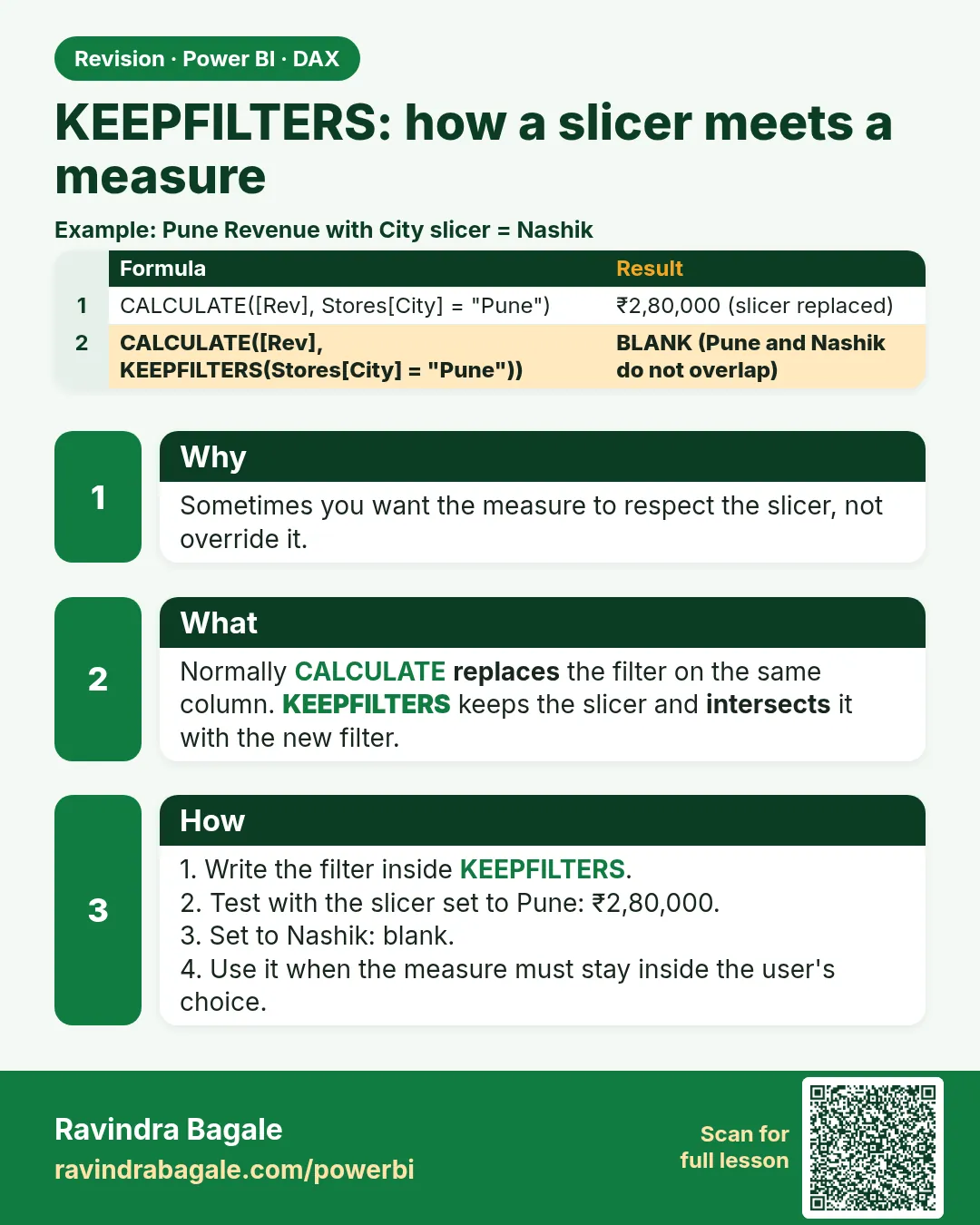 Revision card
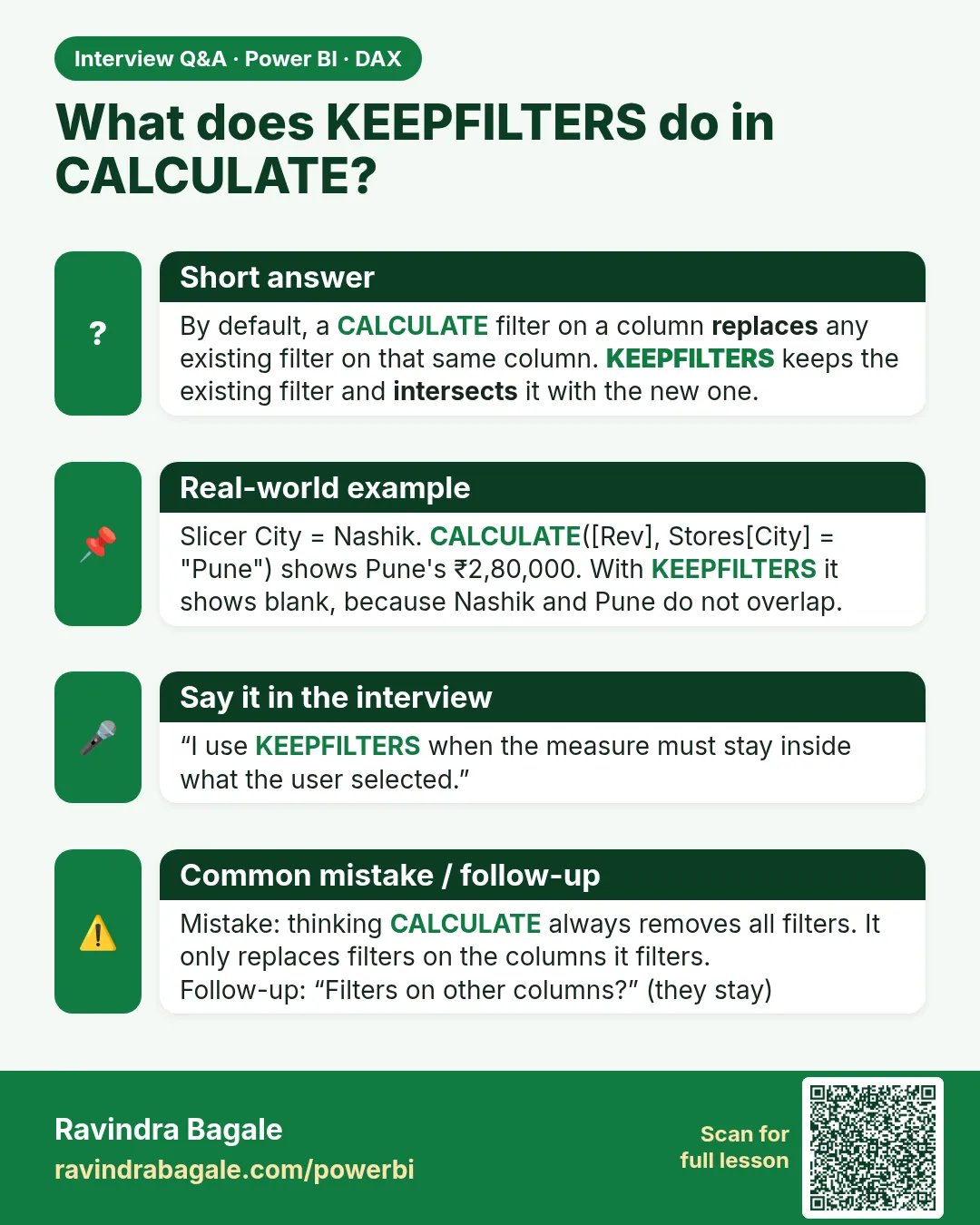 Interview card