13. DAX: Data Analysis Expressions
13.25 IFERROR, Blank versus Zero, and Circular Dependency
Blank vs zero and DIVIDE in DAX with example — in 30 seconds
What: Blank means "no value". Zero is a real number. DIVIDE returns blank, not an error, when the bottom number is blank or zero.
Why: Kolhapur has only cancelled orders. A plain / sign shows NaN, and IFERROR would hide real problems.
Tiny example: Kolhapur: ₹0 sales, no delivered orders. [Total Sales] / [Delivered Orders] = NaN. DIVIDE gives blank.
Blank vs zero and DIVIDE in DAX with example — 30 सेकंदात
काय: Blank म्हणजे "value नाही". Zero हा खरा number आहे. खालचा number blank किंवा zero असेल तर DIVIDE error न देता blank देतो.
का: Kolhapur मध्ये फक्त cancelled orders आहेत. नुसता / sign NaN दाखवतो, आणि IFERROR खरे problems लपवेल.
छोटं उदाहरण: Kolhapur: ₹0 sales, delivered orders नाहीत. [Total Sales] / [Delivered Orders] = NaN. DIVIDE blank देतो.
Blank vs zero and DIVIDE in DAX with example — 30 सेकंड में
क्या: Blank यानी "कोई value नहीं". Zero असली number है. नीचे वाला number blank या zero हो तो DIVIDE error के बजाय blank देता है.
क्यों: Kolhapur में सिर्फ़ cancelled orders हैं. सादा / sign NaN दिखाता है, और IFERROR असली problems छिपा देगा.
छोटा उदाहरण: Kolhapur: ₹0 sales, कोई delivered order नहीं. [Total Sales] / [Delivered Orders] = NaN. DIVIDE blank देता है.
First look at the data (before → after):
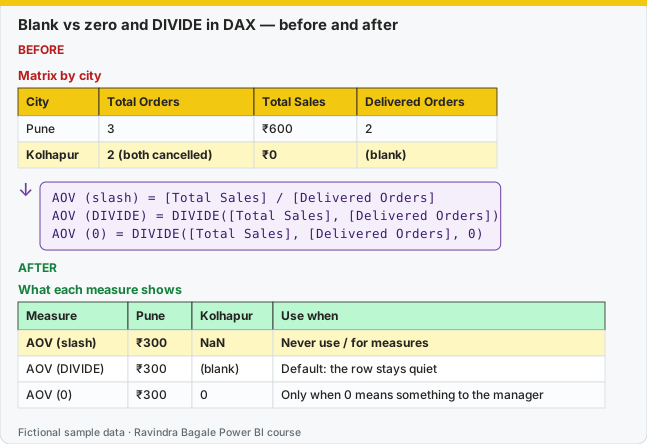
Same before / after tables as text
Before — Matrix by city
| City | Total Orders | Total Sales | Delivered Orders |
|---|---|---|---|
| Pune | 3 | ₹600 | 2 |
| Kolhapur | 2 (both cancelled) | ₹0 | (blank) |
Formula / click path
AOV (slash)  = [Total Sales] / [Delivered Orders]
AOV (DIVIDE) = DIVIDE([Total Sales], [Delivered Orders])
AOV (0)      = DIVIDE([Total Sales], [Delivered Orders], 0)
After — What each measure shows
| Measure | Pune | Kolhapur | Use when |
|---|---|---|---|
| AOV (slash) | ₹300 | NaN | Never use / for measures |
| AOV (DIVIDE) | ₹300 | (blank) | Default: the row stays quiet |
| AOV (0) | ₹300 | 0 | Only when 0 means something to the manager |
Do it step by step:
- Build a matrix. Rows = DarkStore[City]. Values = Total Orders, Total Sales, Delivered Orders.
- Create AOV (slash) with the
/sign. Kolhapur shows NaN. - Create AOV (DIVIDE). Kolhapur goes blank. Pune stays ₹300.
- Create AOV (0) with the third argument only if the manager wants to see 0.
- Delete AOV (slash). Do not hide it inside IFERROR.
एक-एक step करून बघा:
- Matrix बनवा. Rows = DarkStore[City]. Values = Total Orders, Total Sales, Delivered Orders.
/sign ने AOV (slash) बनवा. Kolhapur NaN दाखवतो.- AOV (DIVIDE) बनवा. Kolhapur blank होतो. Pune ₹300 राहतो.
- Manager ना 0 बघायचा असेल तरच तिसऱ्या argument सोबत AOV (0) बनवा.
- AOV (slash) delete करा. तो IFERROR मध्ये लपवू नका.
एक-एक step करके देखिए:
- Matrix बनाइए. Rows = DarkStore[City]. Values = Total Orders, Total Sales, Delivered Orders.
/sign से AOV (slash) बनाइए. Kolhapur NaN दिखाता है.- AOV (DIVIDE) बनाइए. Kolhapur blank हो जाता है. Pune ₹300 रहता है.
- Manager को 0 देखना हो तभी तीसरे argument के साथ AOV (0) बनाइए.
- AOV (slash) delete कीजिए. उसे IFERROR में मत छिपाइए.
Do not copy Excel's IFERROR habit here. In DAX, do not hide errors; blank and zero are different.
Excel मधलं IFERROR इथे copy करू नका. DAX मध्ये error लपवू नका; blank आणि zero वेगळे आहेत.
Excel वाला IFERROR यहाँ copy मत कीजिए. DAX में error मत छिपाइए; blank और zero अलग हैं.
IFERROR(value, fallback) catches any error and returns the fallback. That includes a real bug in the measure, not only divide-by-zero. The engine may also evaluate the expression in a heavier way. ISERROR returns TRUE or FALSE and has the same habit of hiding the problem. ERROR("message") raises an error on purpose, which you almost never want in a report measure.
Prefer, in this order: DIVIDE for division, IF / SWITCH for business rules, COALESCE for the first non-blank. Section 13.7 already chose DIVIDE over / because / can return infinity or an error when the denominator is zero or blank.
Margin or Blank = DIVIDE([Gross Profit], [Total Sales])
Margin or Zero = DIVIDE([Gross Profit], [Total Sales], 0)
First City = COALESCE(SELECTEDVALUE(DarkStore[City]), "All cities")
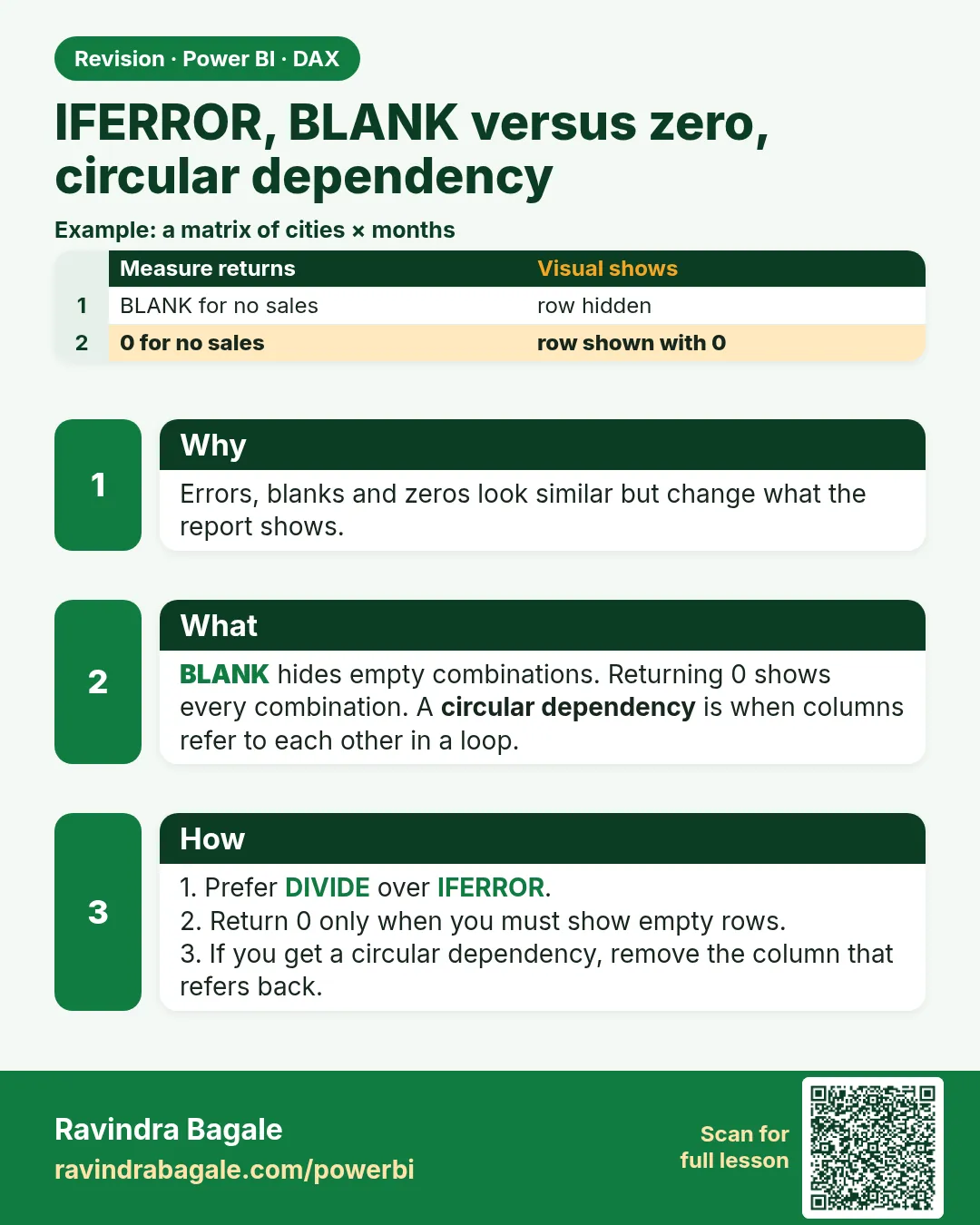
Blank versus zero. BLANK() means "no value". A visual often hides a blank and still shows a zero. In DAX comparisons, BLANK() = 0 is TRUE. So IF([Total Sales] = 0, "None", "Some") also flags a city with no rows. Use ISBLANK([Total Sales]) when you mean empty, and = 0 only after you know the measure returns a real zero.
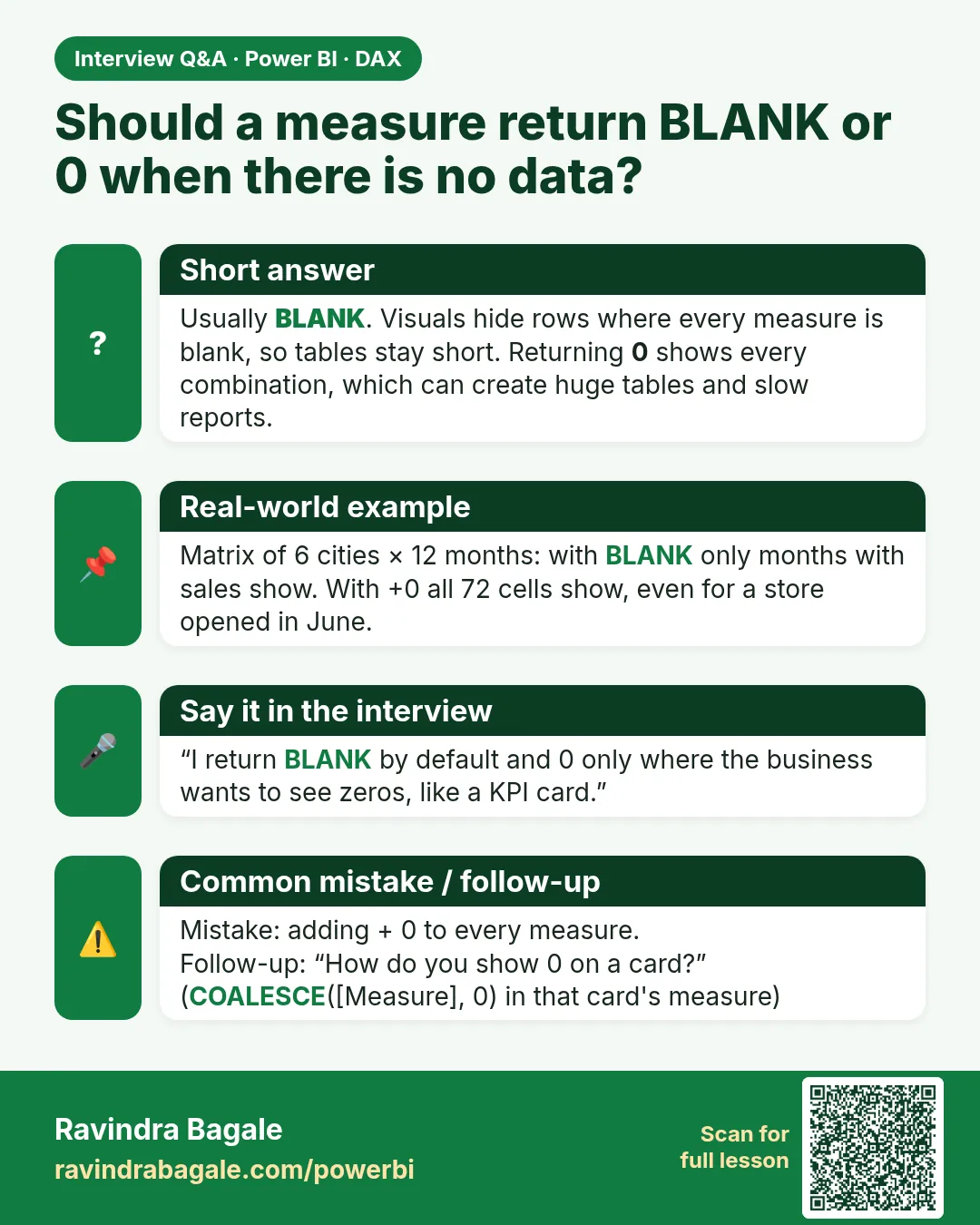
Adding + 0 to force zeros makes a matrix print a row for every city and product combination. Section 13.19 warned about this. Do it only on a small lookup, never on a fact grain.
Circular dependency (एकमेकांवर अवलंबून असणारे स्तंभ) means A needs B and B needs A, so refresh cannot start. It also happens when a calculated column refers to a measure that refers to that column. The error names the column. Fixes: move the logic to a measure (measures can use other measures), or compute the column in Power Query where the steps are ordered, or split one column into a column that does not call back.
Worked example. [Gross Margin %] for a new city with no delivered sales is blank if you use DIVIDE with two arguments. The card looks empty, which is honest. DIVIDE(..., 0) shows 0%, which reads as "we sold and made nothing", a different story. IFERROR([Total Sales] / [Delivered Orders], 0) hides a misspelled column name as well as the zero case, so you ship a wrong zero. Kolhapur with no rows should stay blank. Mumbai with sales ₹0 on a cancelled-only day can be a real zero if that is the rule you agreed.
Ravindra Bagale's Tip
Many students wrap the whole measure in IFERROR and go home. The visual looks calm and the bug is invisible. Use DIVIDE, use ISBLANK, and when you hit a circular dependency, move the calculated column into a measure. Pay attention!
Ravindra Bagale's Tip – मराठी
बरेच students पूर्ण measure IFERROR मध्ये गुंडाळतात आणि घरी जातात. Visual शांत दिसतो आणि bug दिसतच नाही. DIVIDE वापरा, ISBLANK वापरा, आणि circular dependency आली की calculated column काढून measure मध्ये न्या. लक्षात ठेवा!
Ravindra Bagale's Tip – हिंदी
बहुत से students पूरे measure को IFERROR में लपेटकर घर चले जाते हैं. Visual शांत दिखता है और bug दिखता ही नहीं. DIVIDE इस्तेमाल करो, ISBLANK इस्तेमाल करो, और circular dependency आए तो calculated column हटाकर measure में ले जाओ. ध्यान रखो!
Loading DAX practice tasks...
- Price per seat (Easy): Measure: Price per Seat = [MRR] ÷ SUM of Seats.
- Tickets per seat by plan (Easy): Shown per Plan. Measure: Tickets per Seat = SUM of Tickets ÷ SUM of Seats.
- Churned MRR as zero (Easy): Shown per Country. Measure: Churned MRR = [MRR] for Status "Churned", showing 0 instead of blank.
- COALESCE for zero (Medium): Shown per Industry. Measure: Churned MRR = churned [MRR], or 0 if blank. Use COALESCE.
- Number from the ID (Medium): Calculated column on Subscriptions: Sub Number = the number in the last 2 characters of SubID, or 0 on error.
- Text flag for churn (Medium): Shown per Country. Measure: Churn Flag = "No churn" if churned [MRR] is blank, else "Has churn".
- Hide zero-ticket rows (Medium): Shown per SubID. Measure: Busy MRR = blank when SUM of Tickets is 0, else [MRR].
- Churn share or zero (Hard): Shown per Country. Measure: Churn Share = churned rows ÷ all rows, 0 when no churn.
- Enterprise MRR per company (Hard): Shown per Company. Measure: Ent MRR = [MRR] for Plan "Enterprise", plus 0.
- Tickets per active sub (Hard): Shown per Industry. Measure: Active Tickets = Tickets of Active subs ÷ number of Active subs, 0 if none.
 Revision card
 Interview card