13. DAX: Data Analysis Expressions
13.15 Date Functions
Today = TODAY()                                  -- current date
Now Time = NOW()                                 -- current date and time

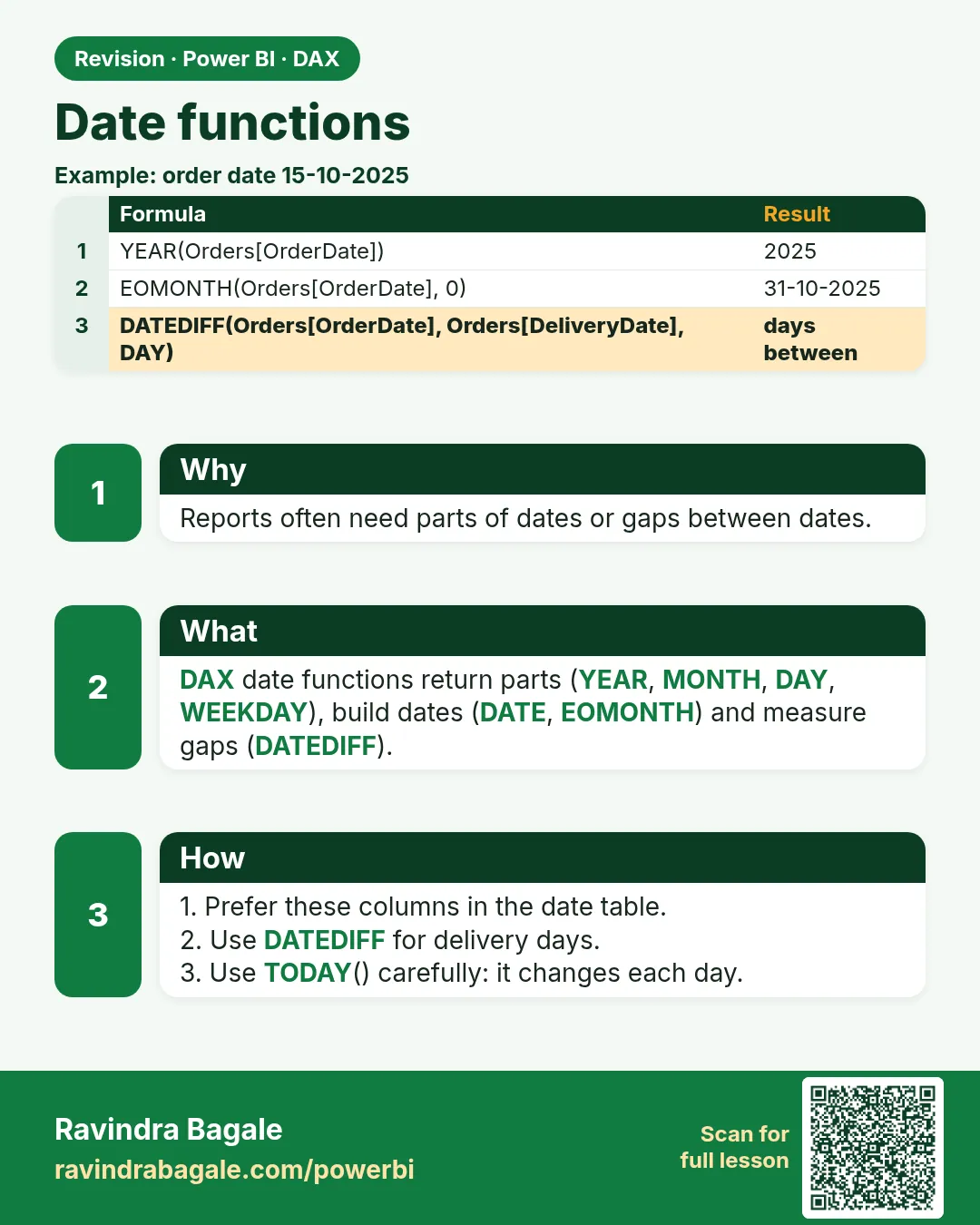
Order Year = YEAR(Orders[Order Date])
Order Month = MONTH(Orders[Order Date])
Order Hour (DAX) = HOUR(Orders[Order DateTime])  -- 0 to 23

-- Calculated column: delivery time in minutes from the two timestamps
Delivery Mins (calc) =
IF(
    NOT ISBLANK(Orders[Delivered DateTime]),
    DATEDIFF(Orders[Order DateTime], Orders[Delivered DateTime], MINUTE)
)

-- Customer tenure in months (calculated column in Customer)
Tenure Months = DATEDIFF(Customer[Signup Date], TODAY(), MONTH)

Month End = EOMONTH(Orders[Order Date], 0)       -- last day of the same month
Start of Year = DATE(YEAR(Orders[Order Date]), 1, 1)

Week Number = WEEKNUM('Date'[Date], 2)            -- weeks starting Monday
Weekday No = WEEKDAY('Date'[Date], 2)             -- Monday = 1 … Sunday = 7
Other useful date functions: EDATE (add months), STARTOFMONTH, ENDOFMONTH, STARTOFYEAR, ENDOFYEAR, CALENDAR, CALENDARAUTO.
Ravindra Bagale's Tip
A common mistake is using TODAY() in measures and then being confused when the report shows different numbers each day, or when data refreshes later than expected. Base "current period" logic on the latest date with data, for example MAX(Orders[Order Date]), when that is what the business means. Don't make this mistake!
Ravindra Bagale's Tip – मराठी
एक common चूक म्हणजे measures मध्ये TODAY() वापरणं आणि मग report रोज वेगळे numbers दाखवतो किंवा data अपेक्षेपेक्षा उशिरा refresh होतो तेव्हा गोंधळणं. Business ला तसंच अपेक्षित असेल तर "current period" चं logic data असलेल्या शेवटच्या date वर ठेवा, उदाहरणार्थ MAX(Orders[Order Date]). ही चूक करू नका!
Ravindra Bagale's Tip – हिंदी
एक common गलती है measures में TODAY() इस्तेमाल करना और फिर उलझ जाना जब report हर दिन अलग numbers दिखाए, या data उम्मीद से देर से refresh हो. जब business का मतलब यही हो तो "current period" का logic data वाली आख़िरी date पर रखो, जैसे MAX(Orders[Order Date]). यह गलती मत करना!
Loading DAX practice tasks...
- Year of the batch (Easy): Calculated column on Batches: Batch Year = year of BatchDate.
- Month number (Easy): Calculated column on Batches: Month No = month number (1 to 12) of BatchDate.
- Month name (Easy): Calculated column on Batches: Month Name = BatchDate shown as a 3-letter month (Mar, Apr...).
- Day of week (Medium): Calculated column on Batches: Week Day = weekday number of BatchDate with Monday = 1.
- Quarter label (Medium): Calculated column on Batches: Qtr = "Q" joined with the quarter number of BatchDate.
- Days left in the month (Medium): Calculated column on Batches: Days Left = days from BatchDate to the last day of its month.
- First batch date (Medium): Measure: First Batch = the earliest BatchDate.
- Production span in days (Hard): Measure: Span Days = days between the earliest and latest BatchDate.
- May units (Hard): Measure: May Units = UnitsMade added for batches made in month 5.
- Weekend batches (Hard): Measure: Weekend Batches = number of batches on Saturday or Sunday.
 Revision card