Ravindra BagaleCourses & study guides मराठी Track your progress

Ravi Sir's Cards › Power BI

25. Power BI Service: Cards

मराठी cards · Open the chapter

Revision cards
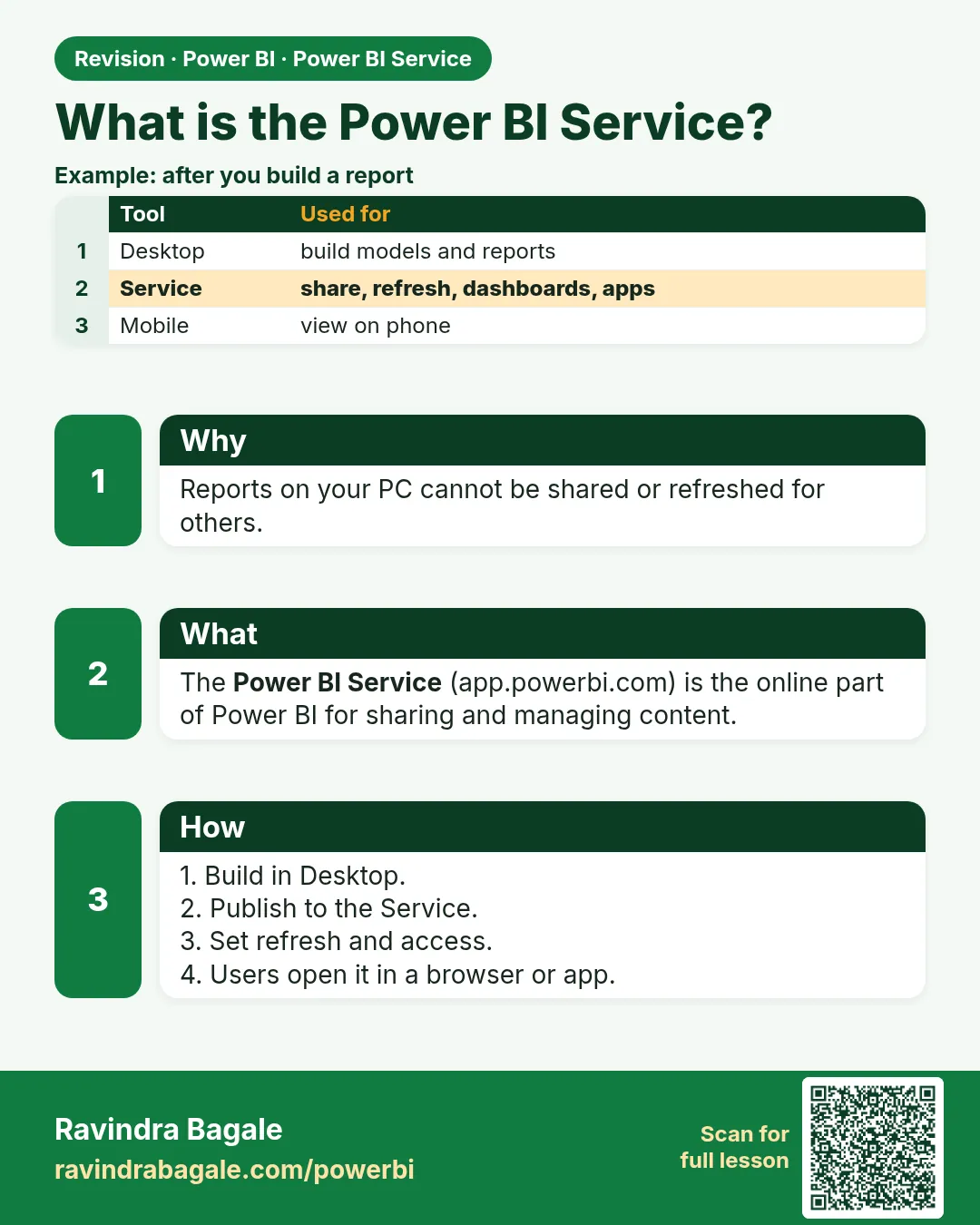
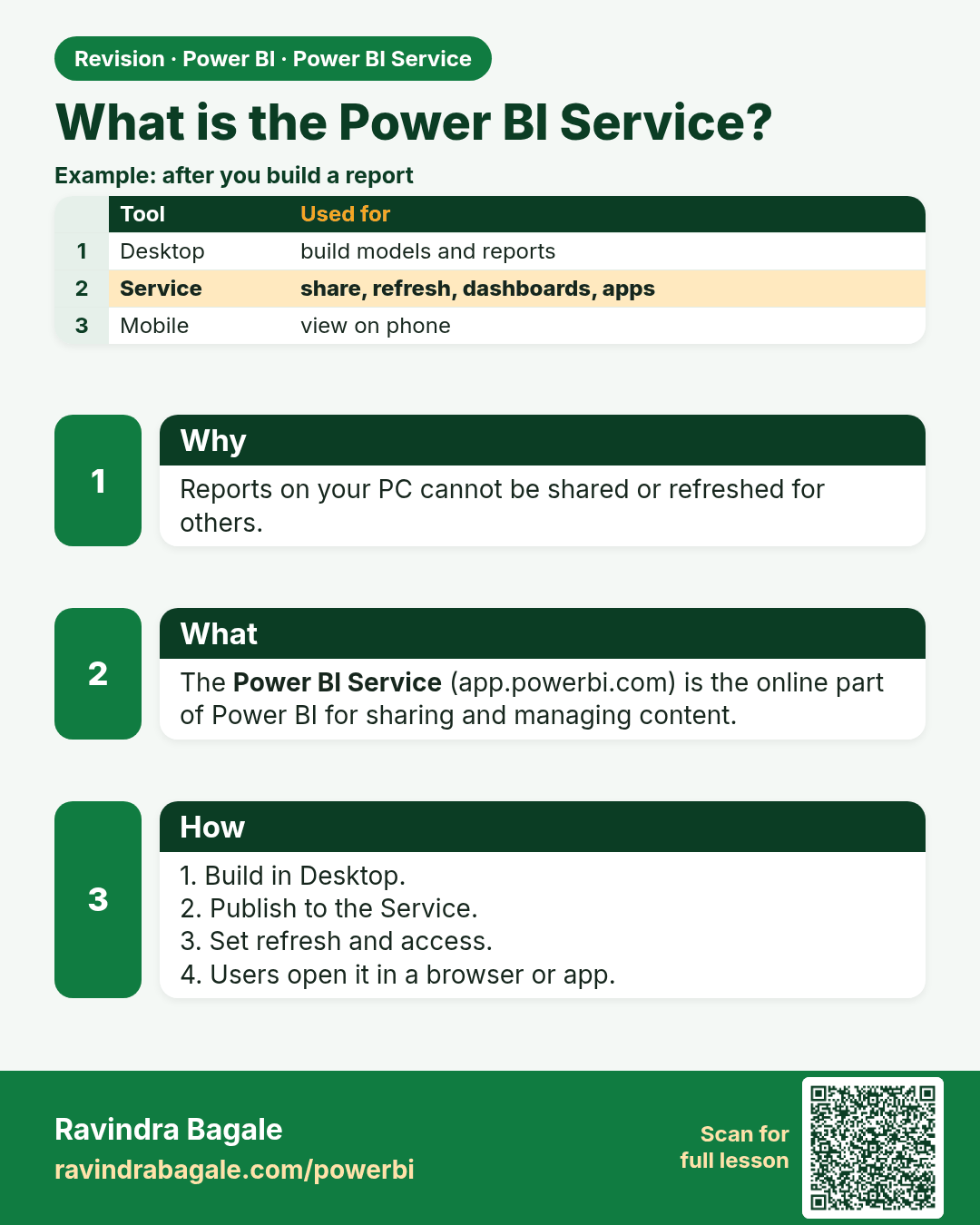
What is the Power BI Service?. Reports on your PC cannot be shared or refreshed for others.
Revision card 1 of 17: What is the Power BI Service? · Download PNG · Open card page

Lesson: 25.1 What is the Power BI Service?
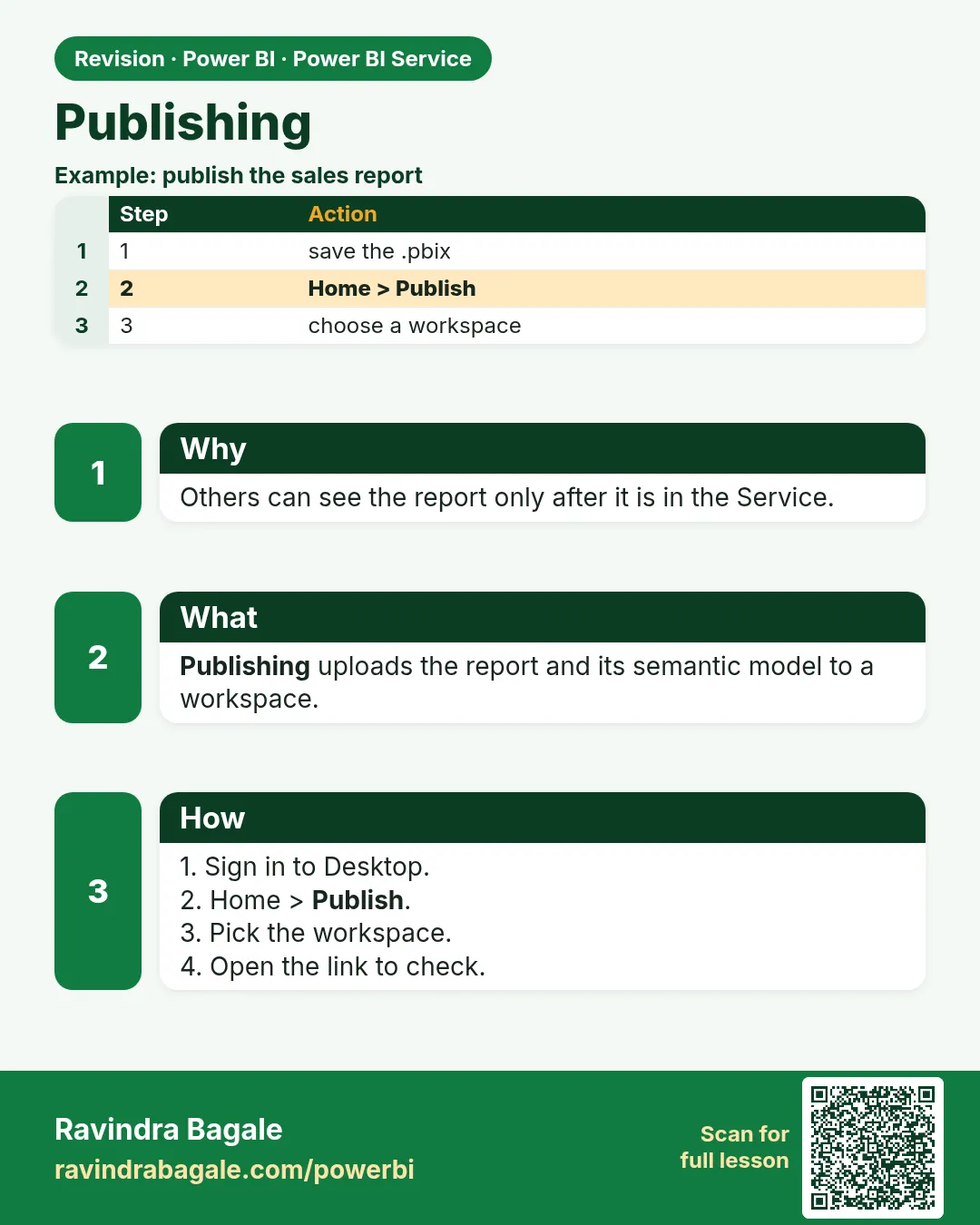
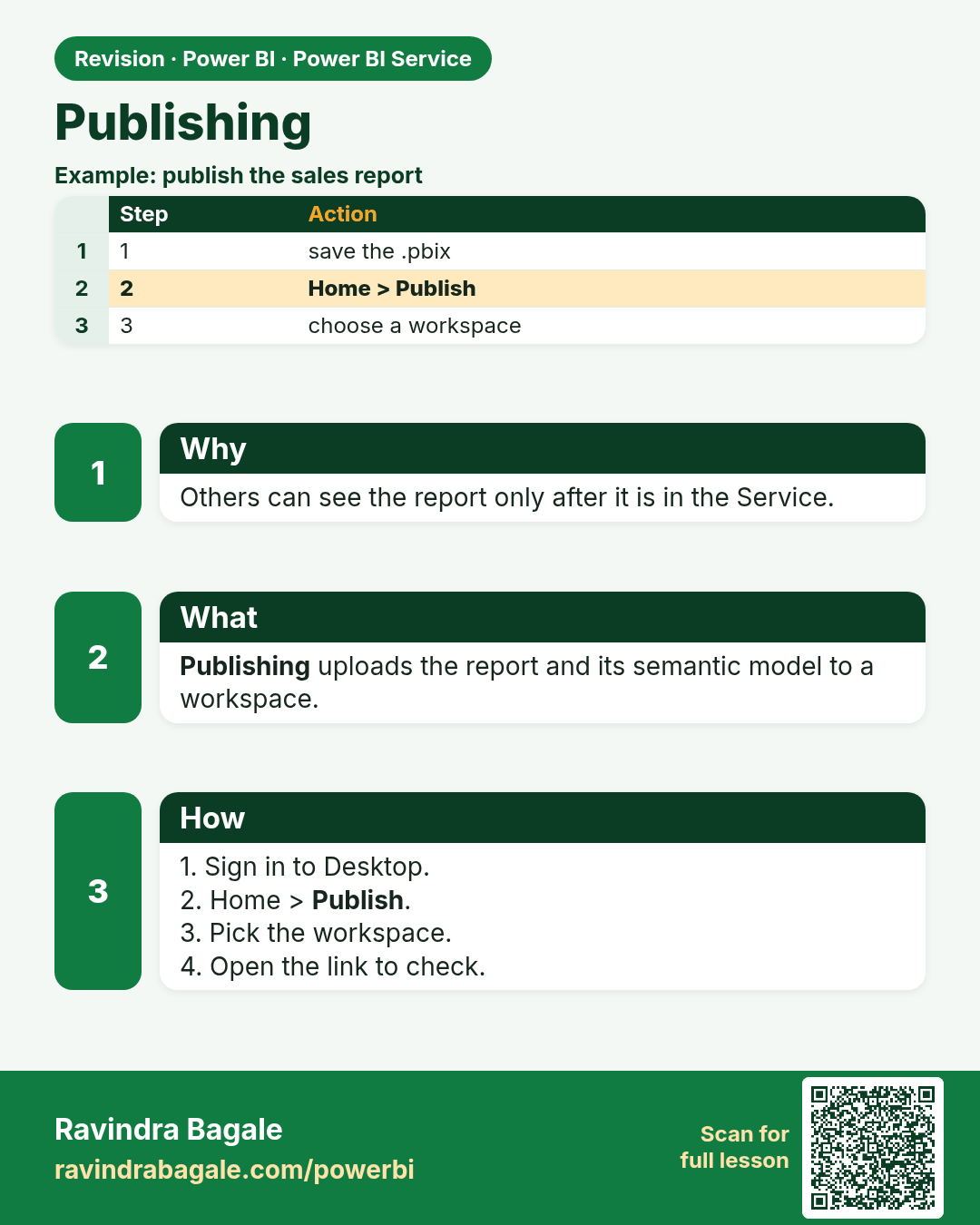
Publishing. Others can see the report only after it is in the Service.
Revision card 2 of 17: Publishing · Download PNG · Open card page

Lesson: 25.2 How to Publish a Power BI Report to the Service, with Example
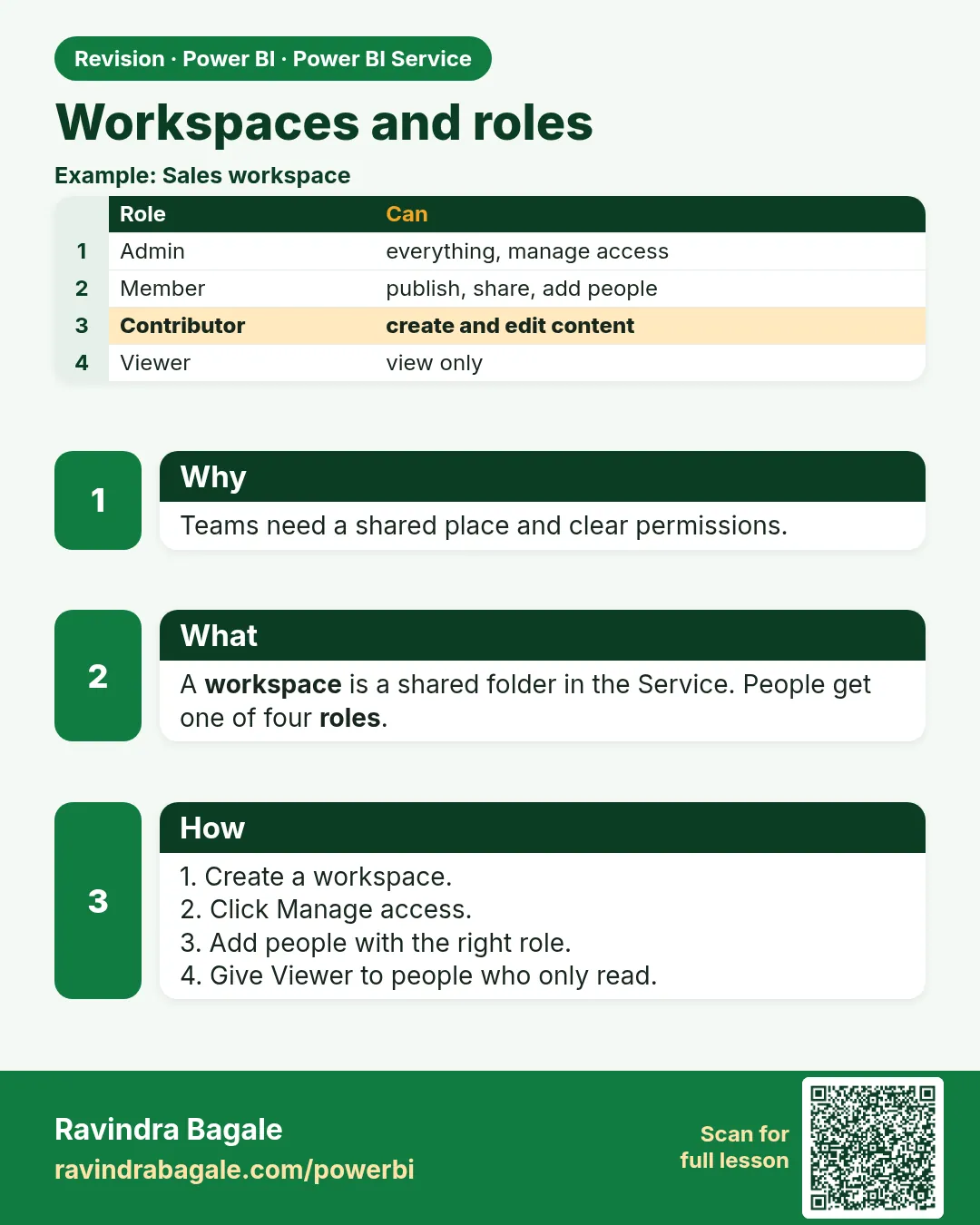
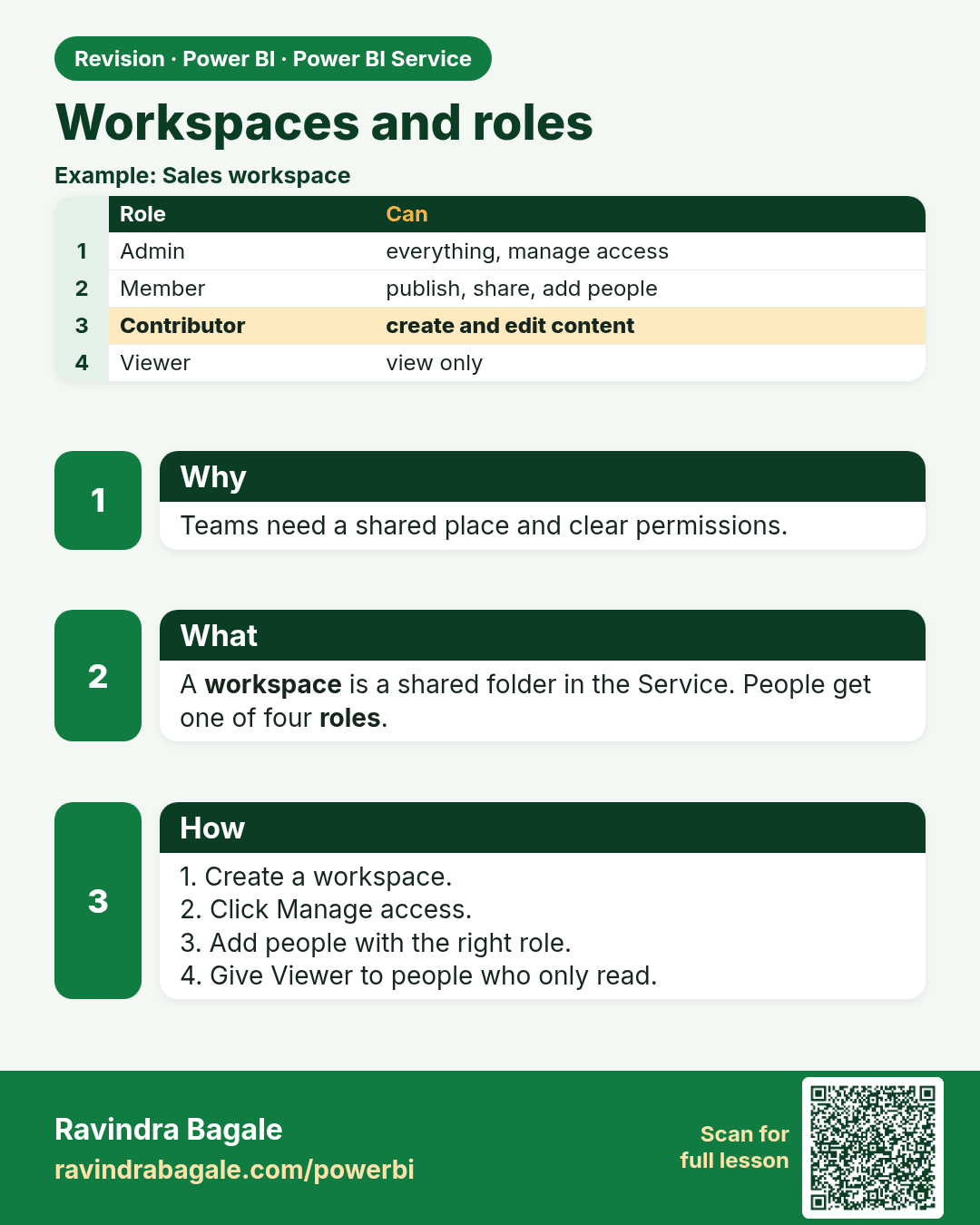
Workspaces and roles. Teams need a shared place and clear permissions.
Revision card 3 of 17: Workspaces and roles · Download PNG · Open card page

Lesson: 25.3 Workspaces and Roles

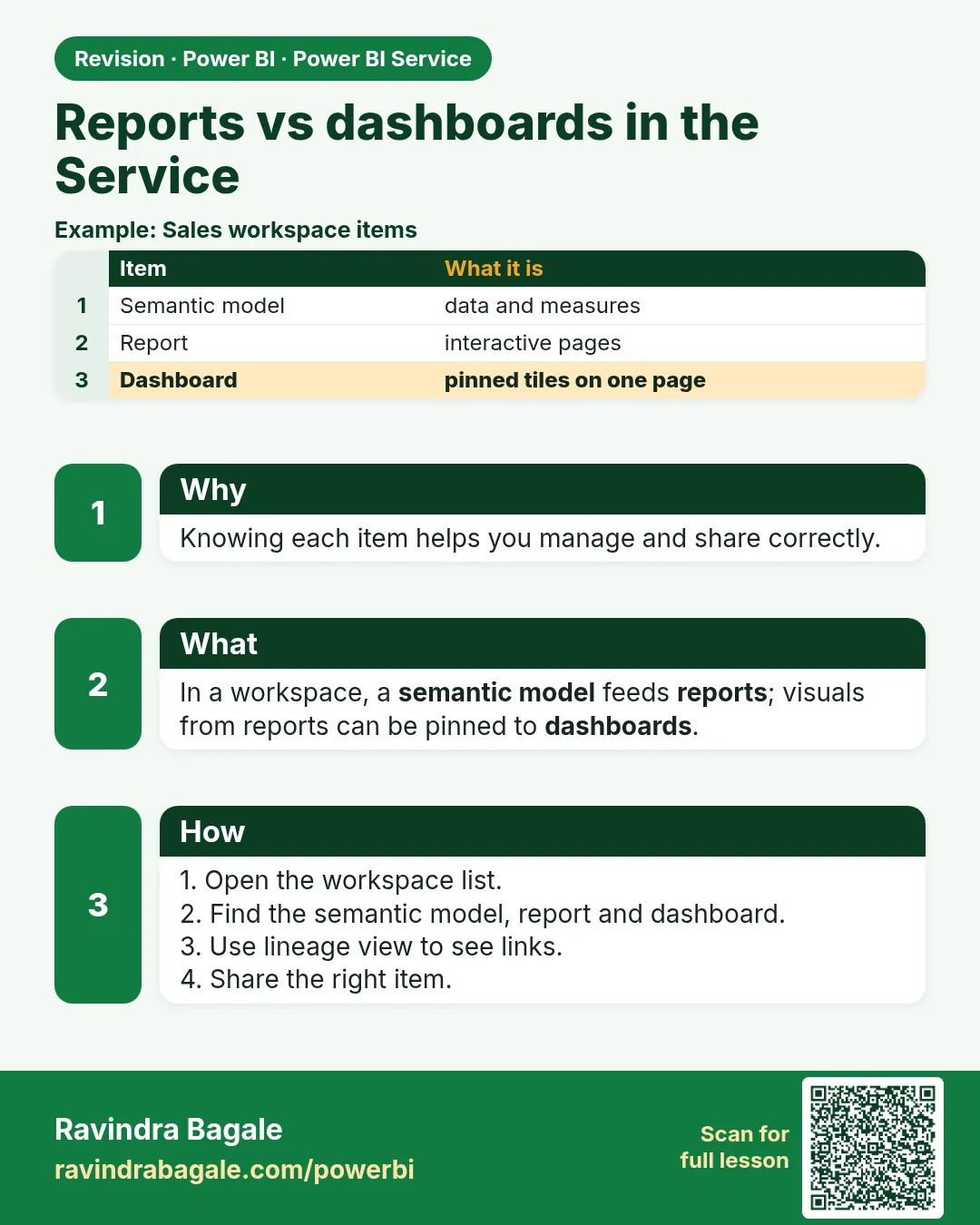
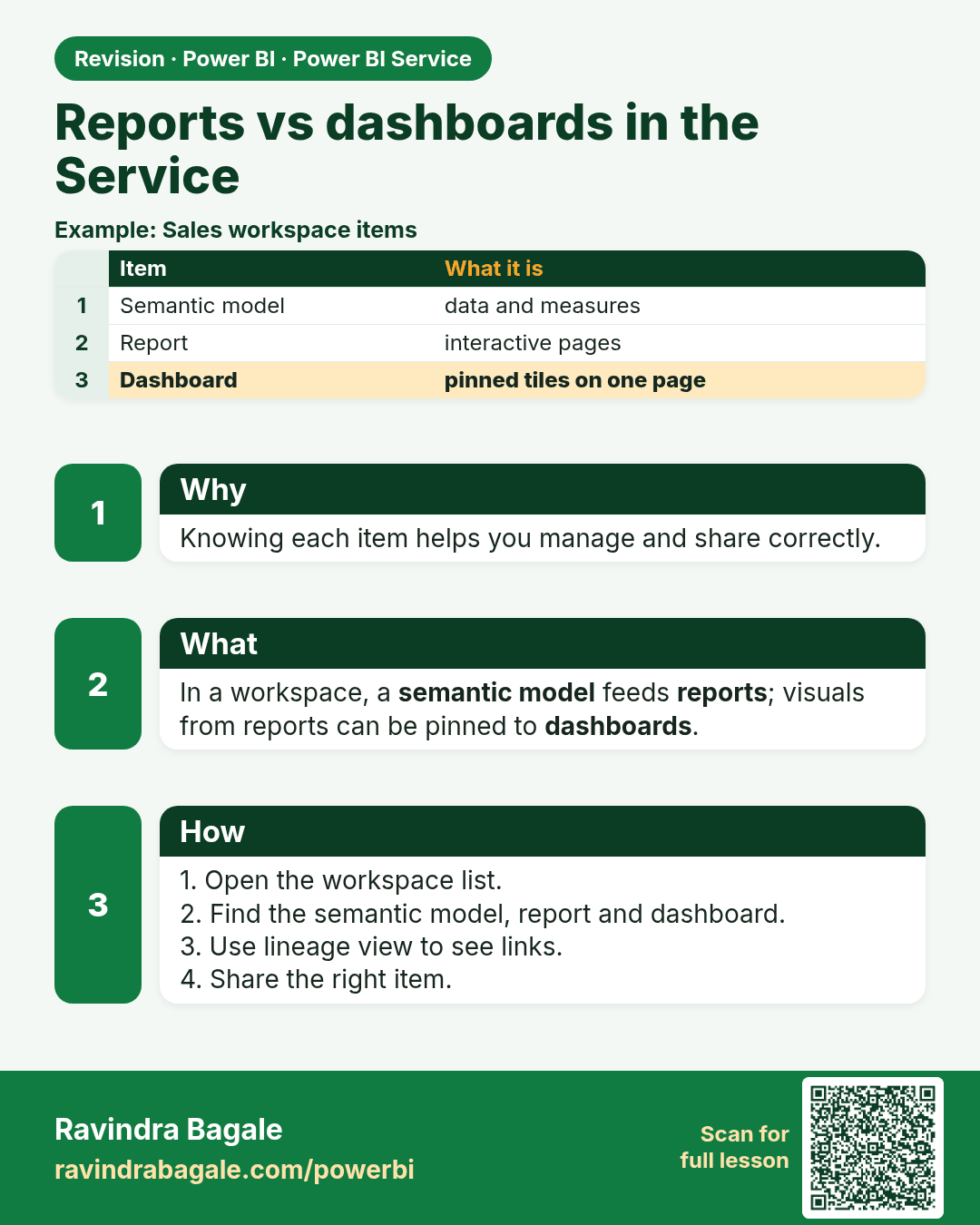
Reports vs dashboards in the Service. Knowing each item helps you manage and share correctly.
Revision card 4 of 17: Reports vs dashboards in the Service · Download PNG · Open card page

Lesson: 25.4 Reports vs Dashboards

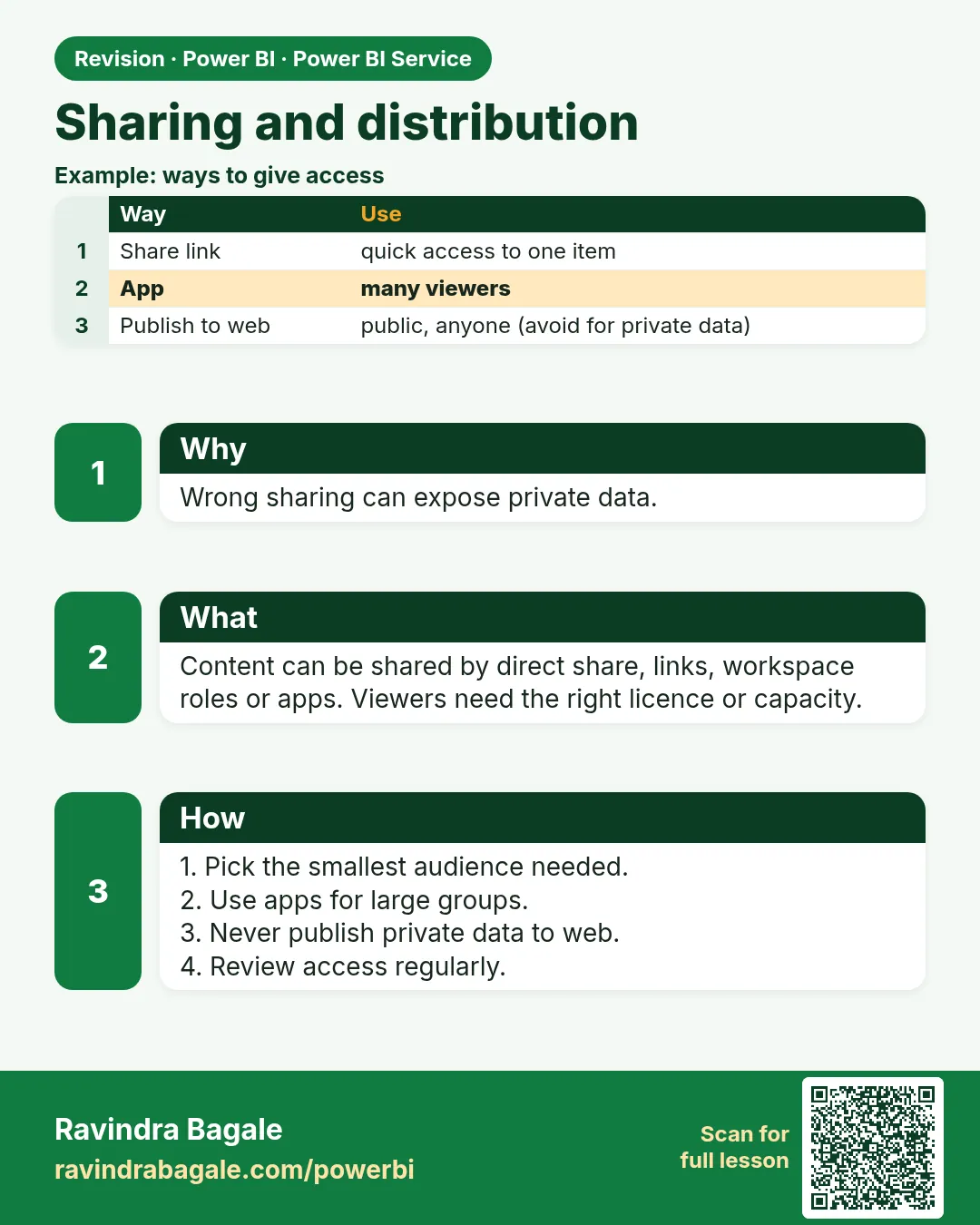
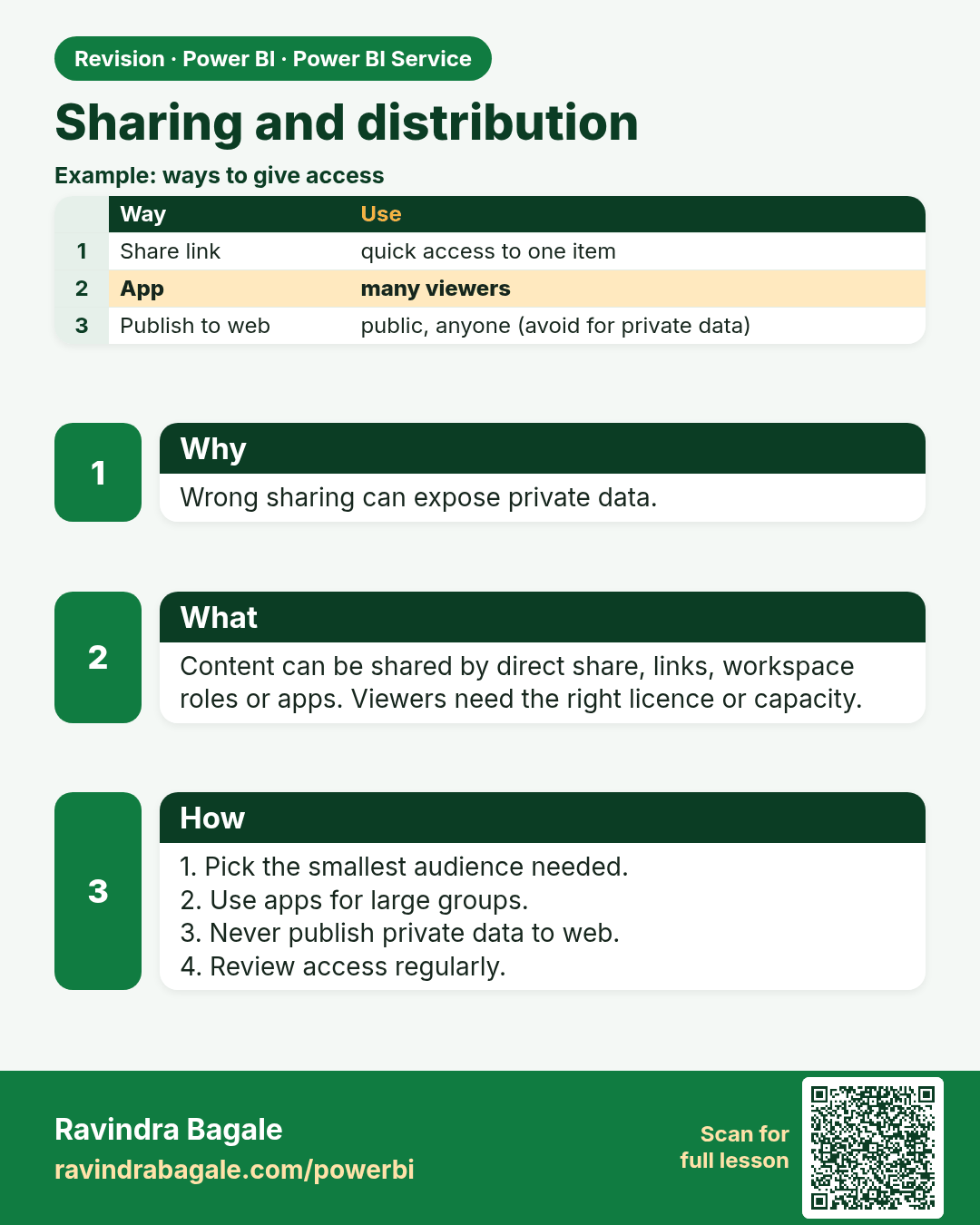
Sharing and distribution. Wrong sharing can expose private data.
Revision card 5 of 17: Sharing and distribution · Download PNG · Open card page

Lesson: 25.5 Sharing and Distribution
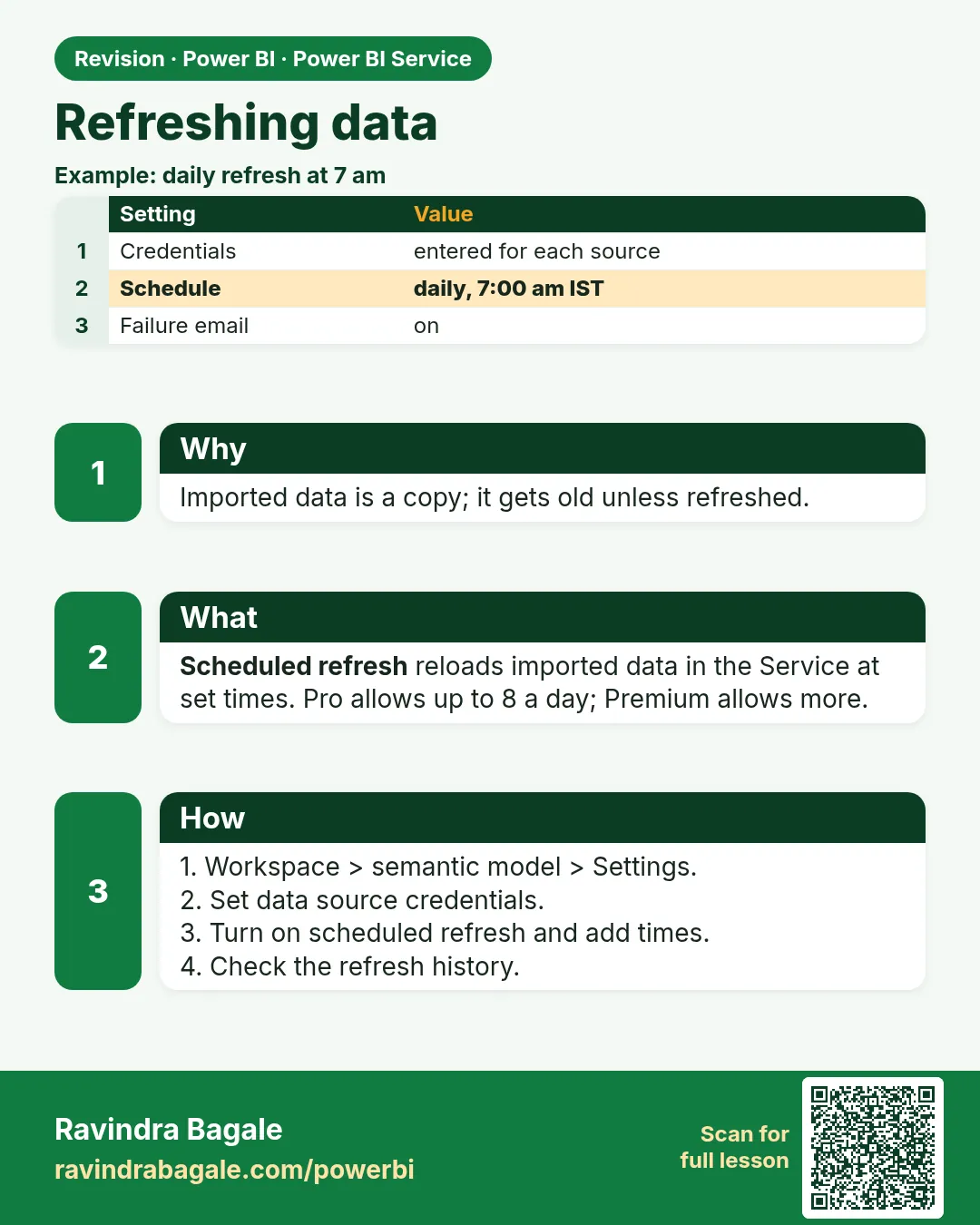
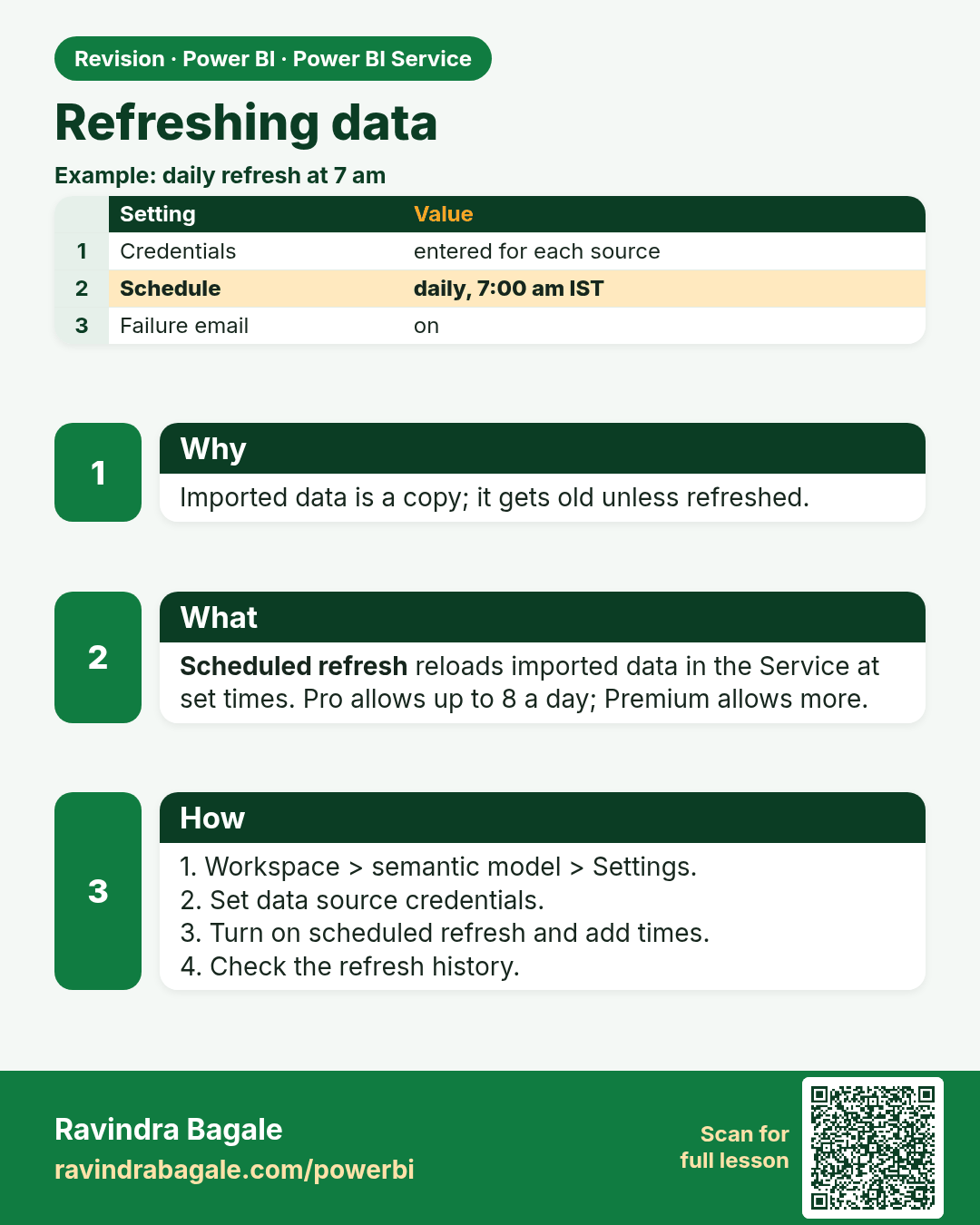
Refreshing data. Imported data is a copy; it gets old unless refreshed.
Revision card 6 of 17: Refreshing data · Download PNG · Open card page

Lesson: 25.6 Scheduled Refresh in Power BI Service with Example
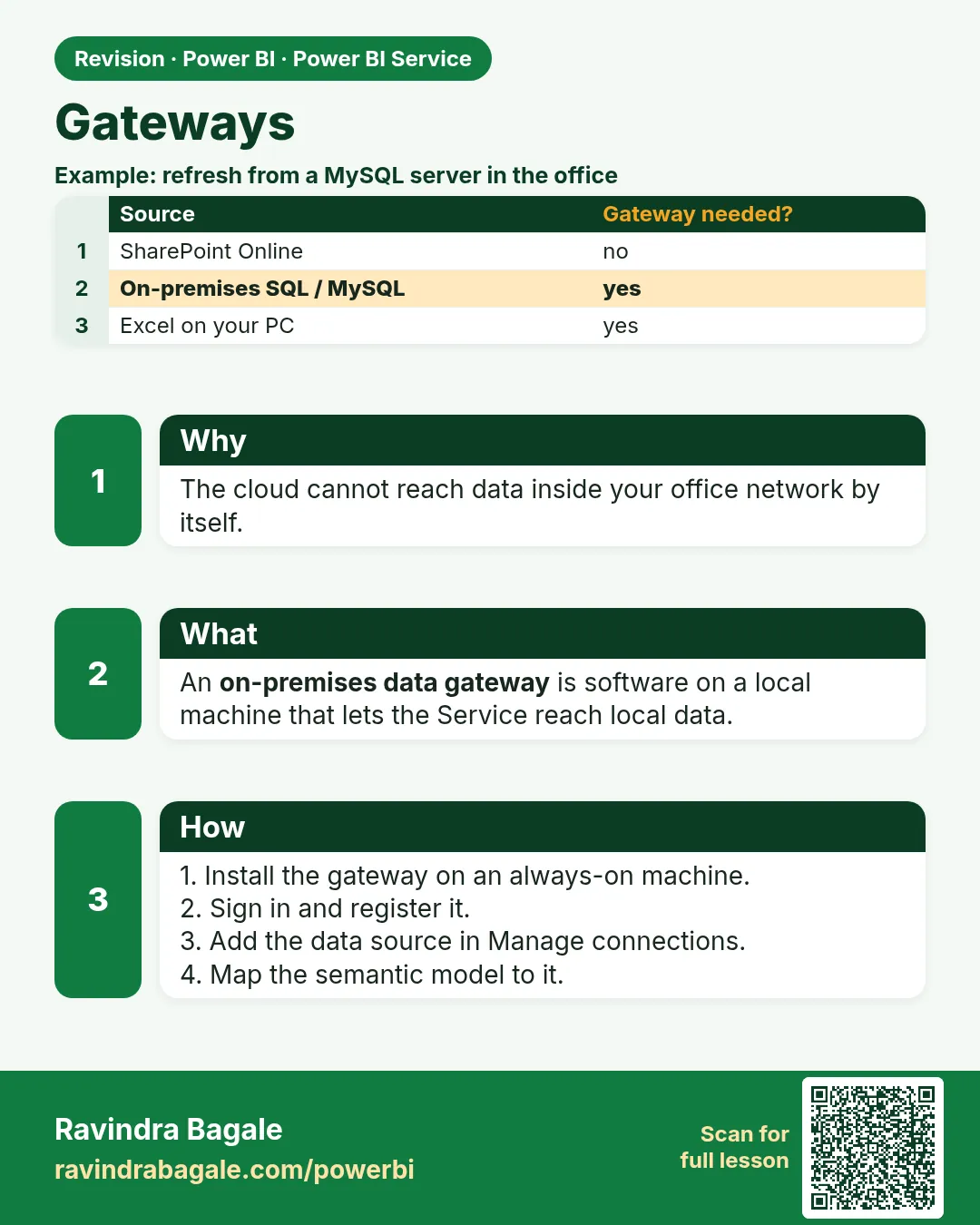
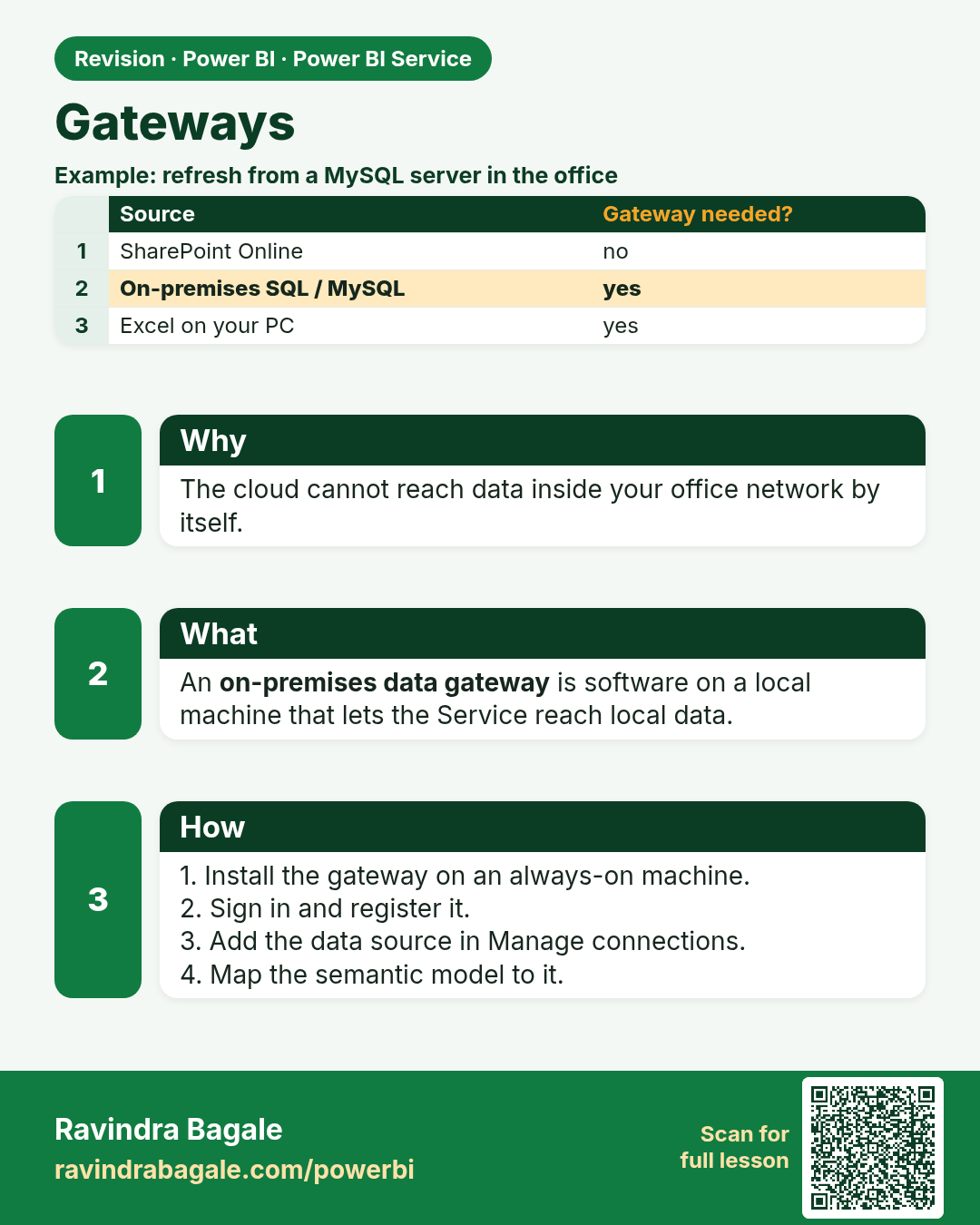
Gateways. The cloud cannot reach data inside your office network by itself.
Revision card 7 of 17: Gateways · Download PNG · Open card page

Lesson: 25.7 Gateways

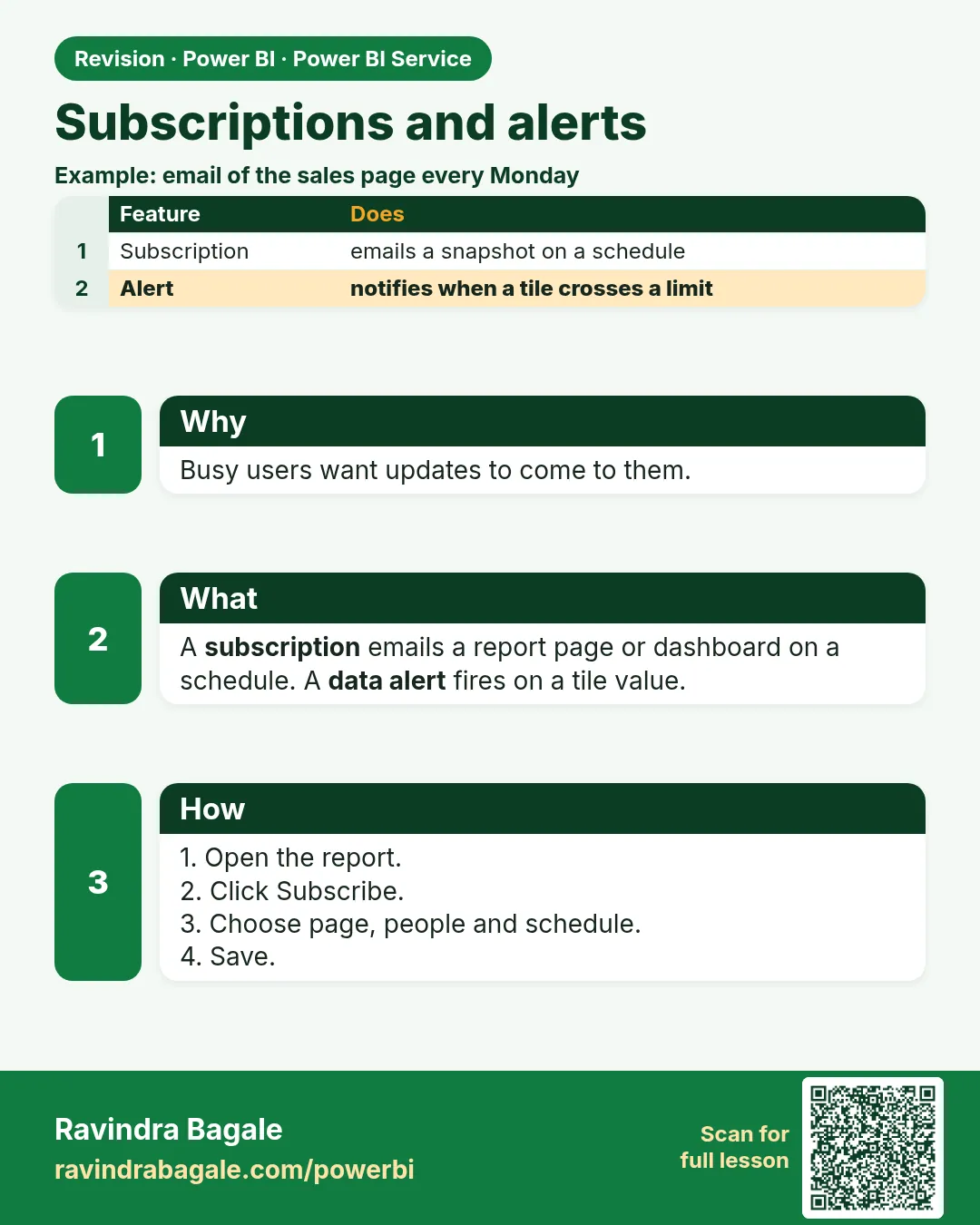
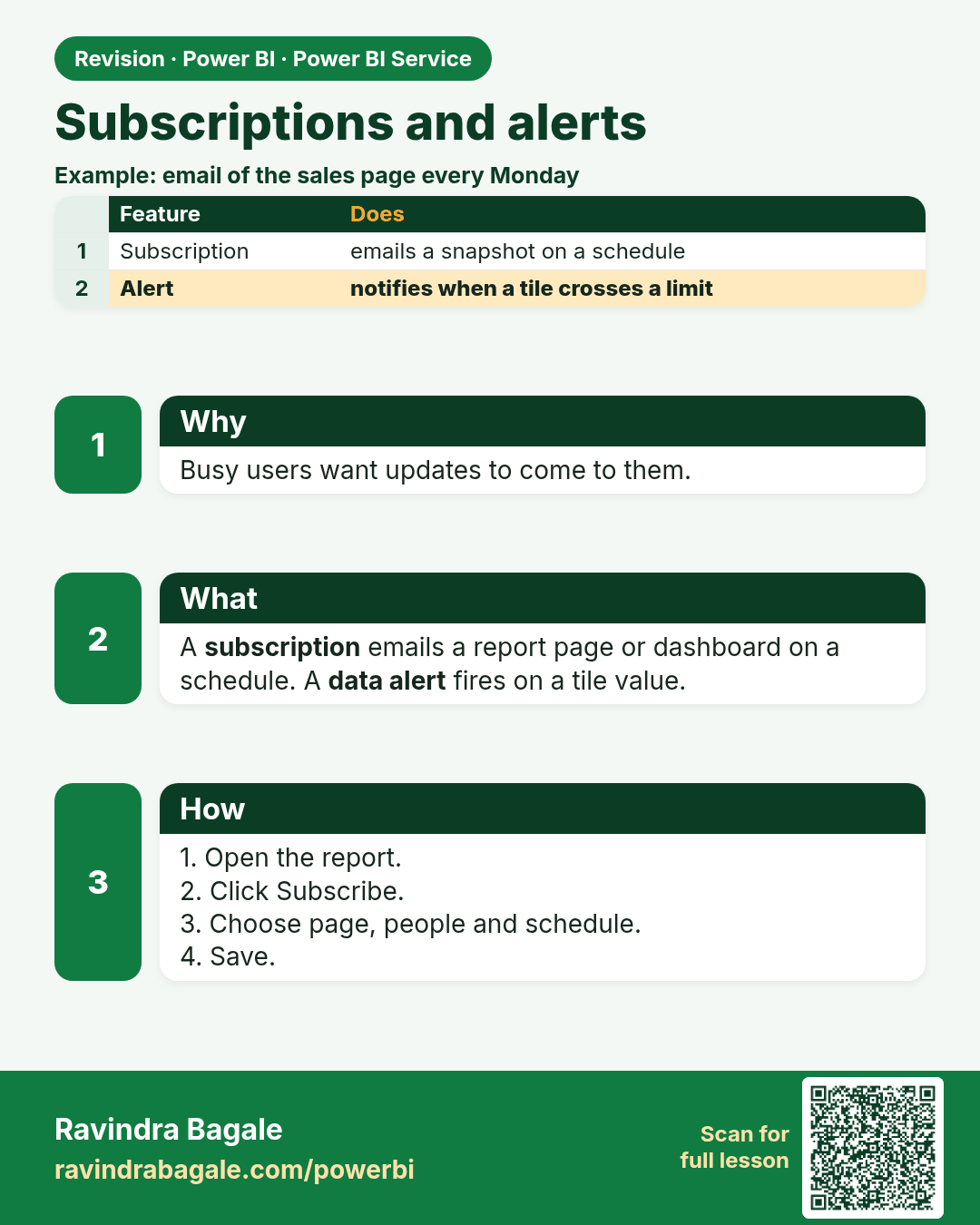
Subscriptions and alerts. Busy users want updates to come to them.
Revision card 8 of 17: Subscriptions and alerts · Download PNG · Open card page

Lesson: 25.8 Subscriptions and Alerts
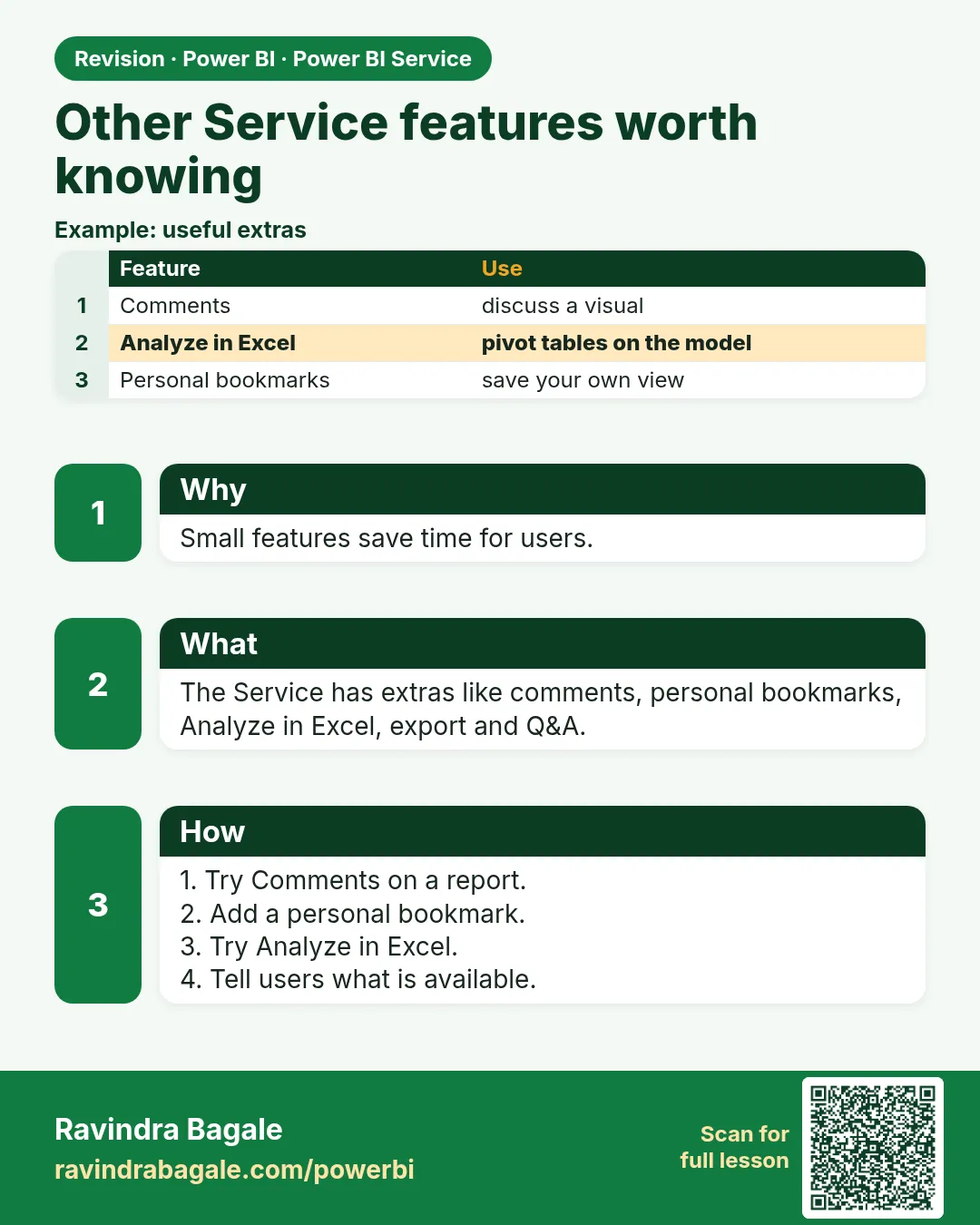
Other Service features worth knowing. Small features save time for users.
Revision card 9 of 17: Other Service features worth knowing · Download PNG · Open card page

Lesson: 25.9 Other Service Features Worth Knowing

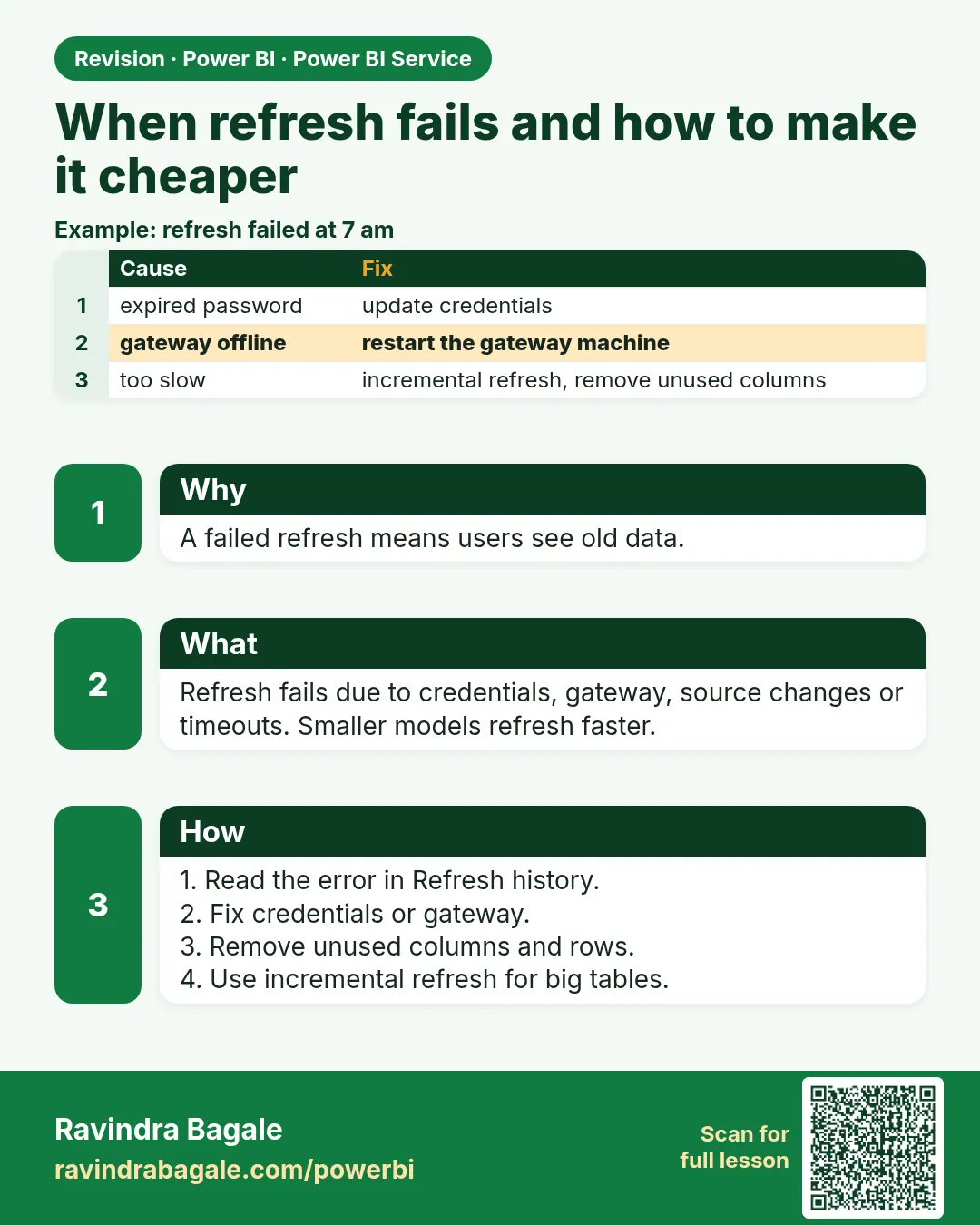
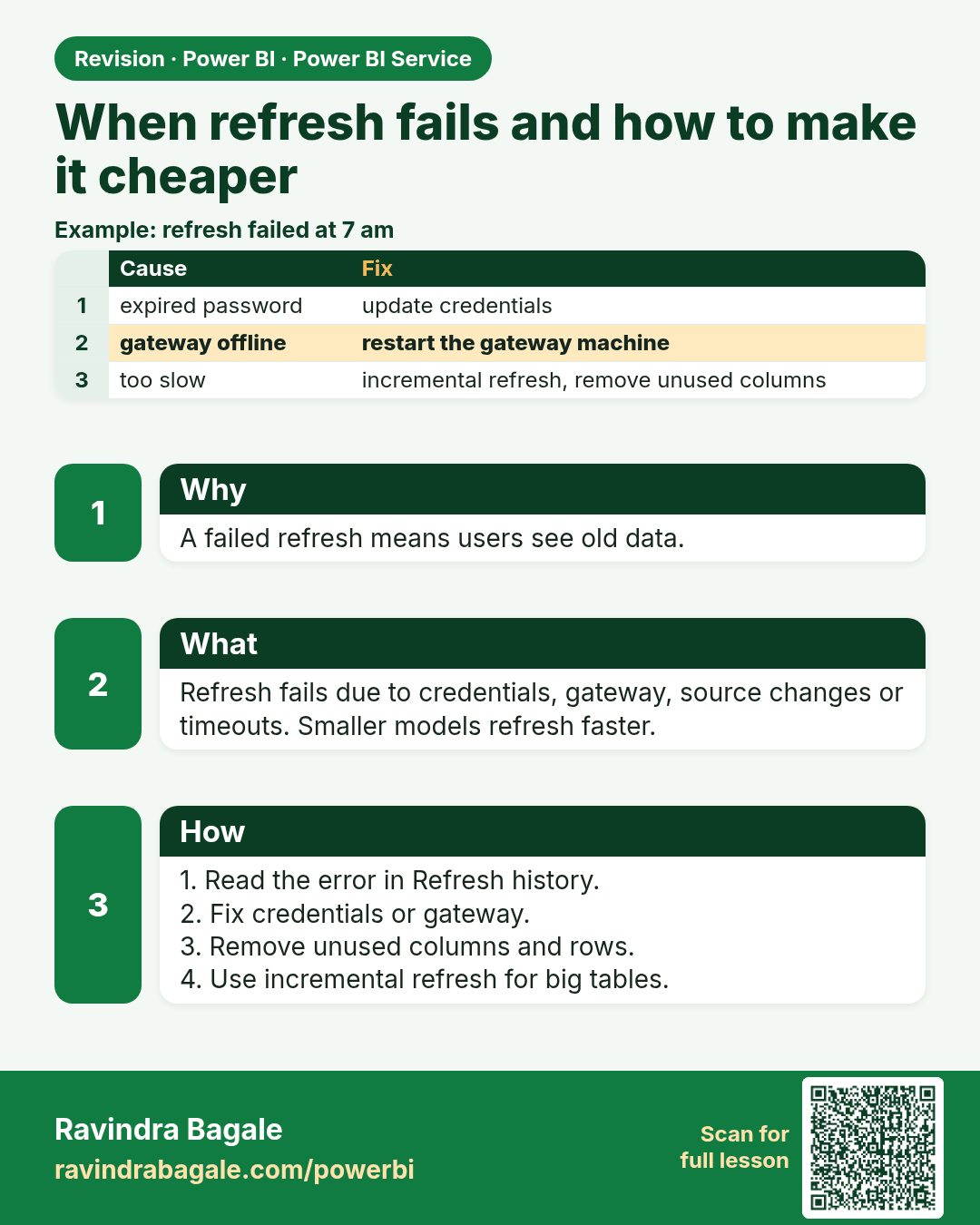
When refresh fails and how to make it cheaper. A failed refresh means users see old data.
Revision card 10 of 17: When refresh fails and how to make it cheaper · Download PNG · Open card page

Lesson: 25.10 When Refresh Fails, and How to Make It Cheaper

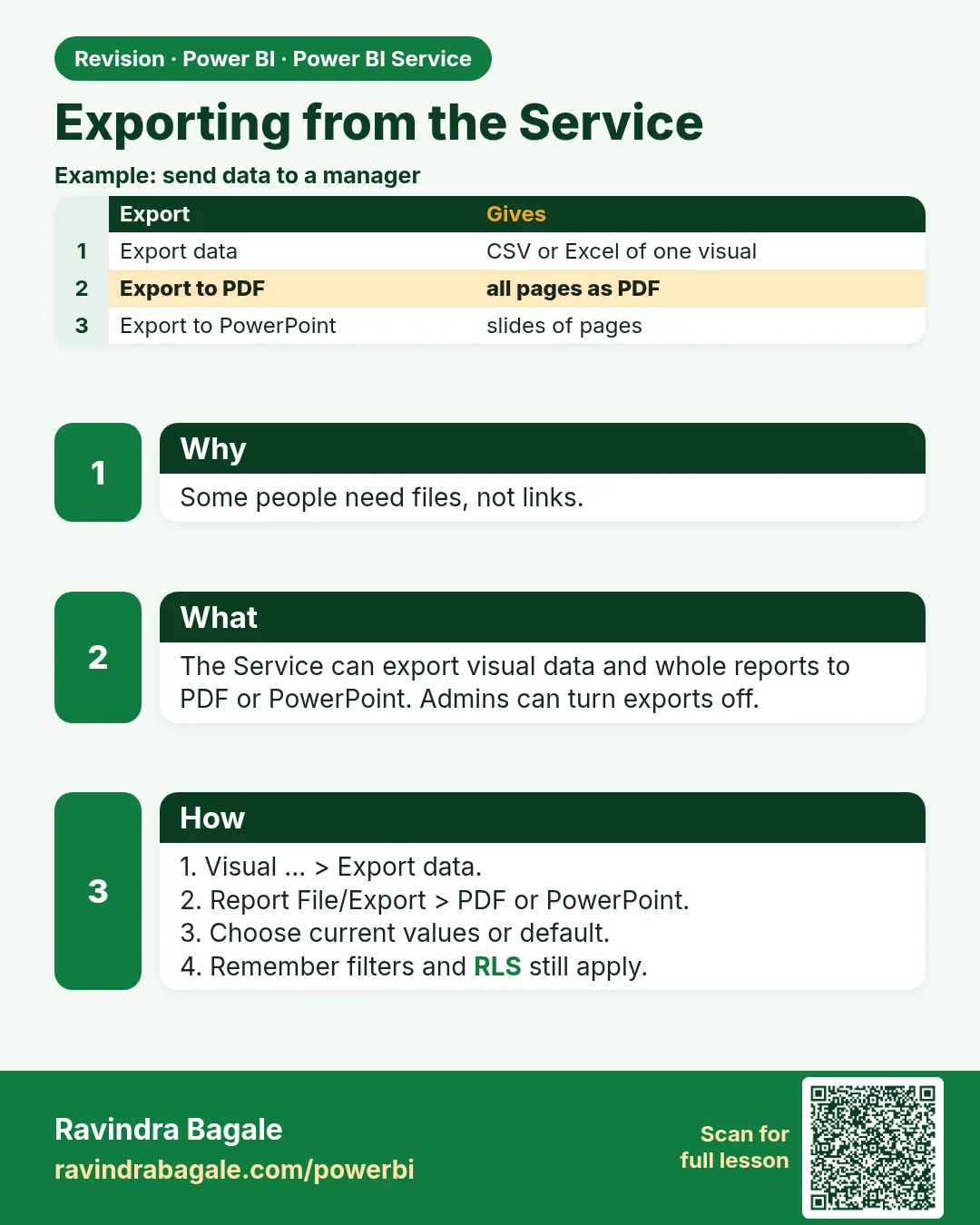
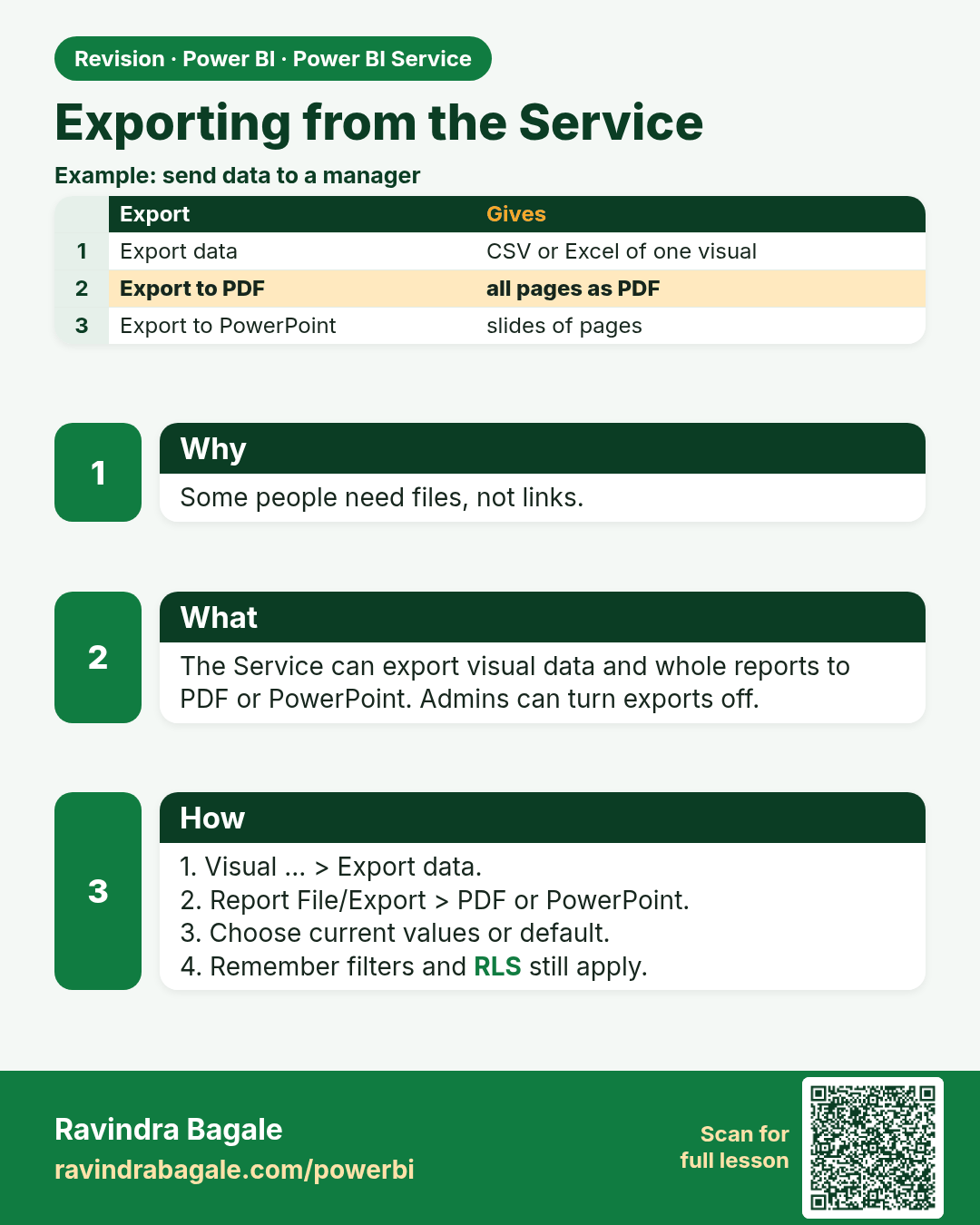
Exporting from the Service. Some people need files, not links.
Revision card 11 of 17: Exporting from the Service · Download PNG · Open card page

Lesson: 25.11 Exporting from the Service

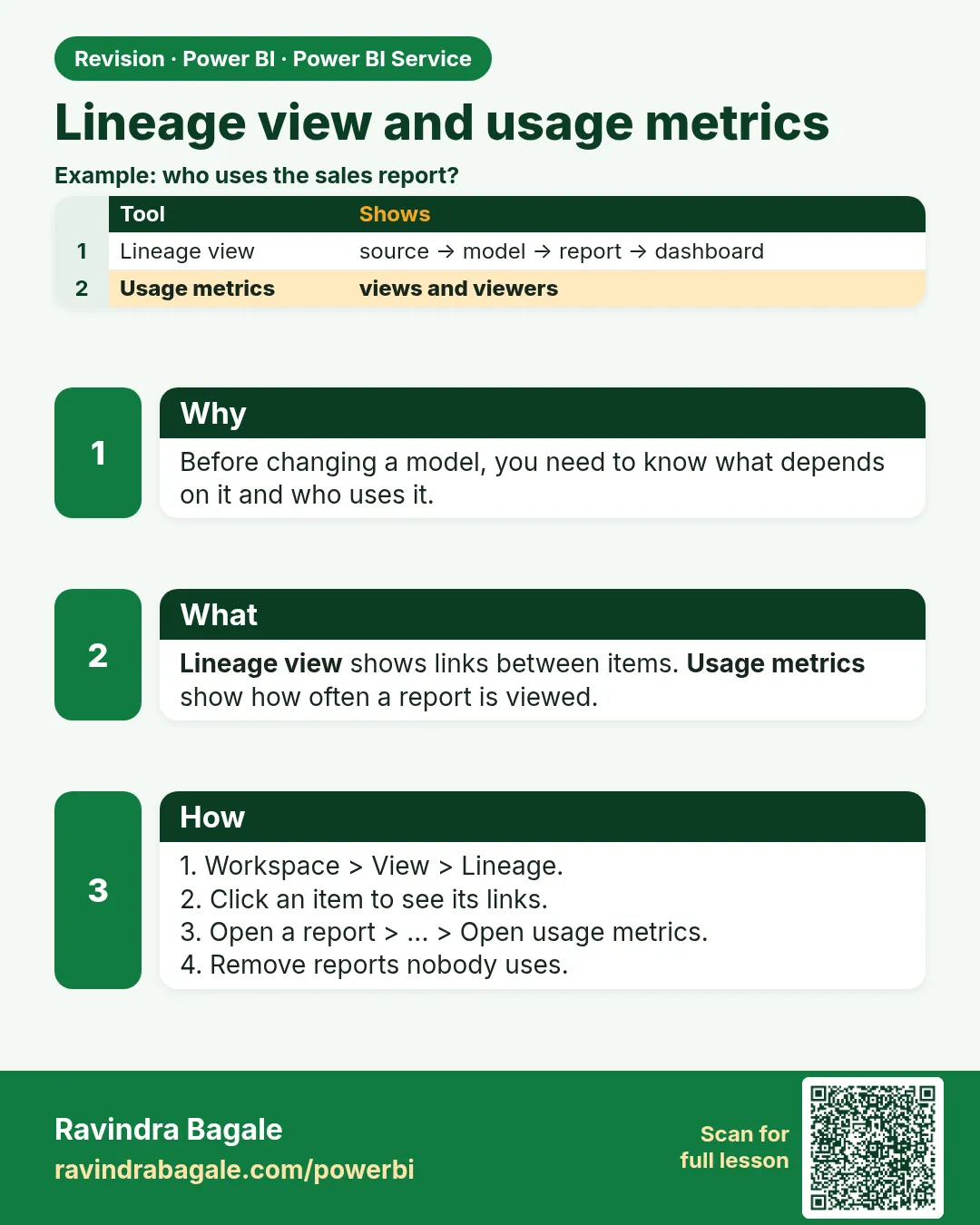
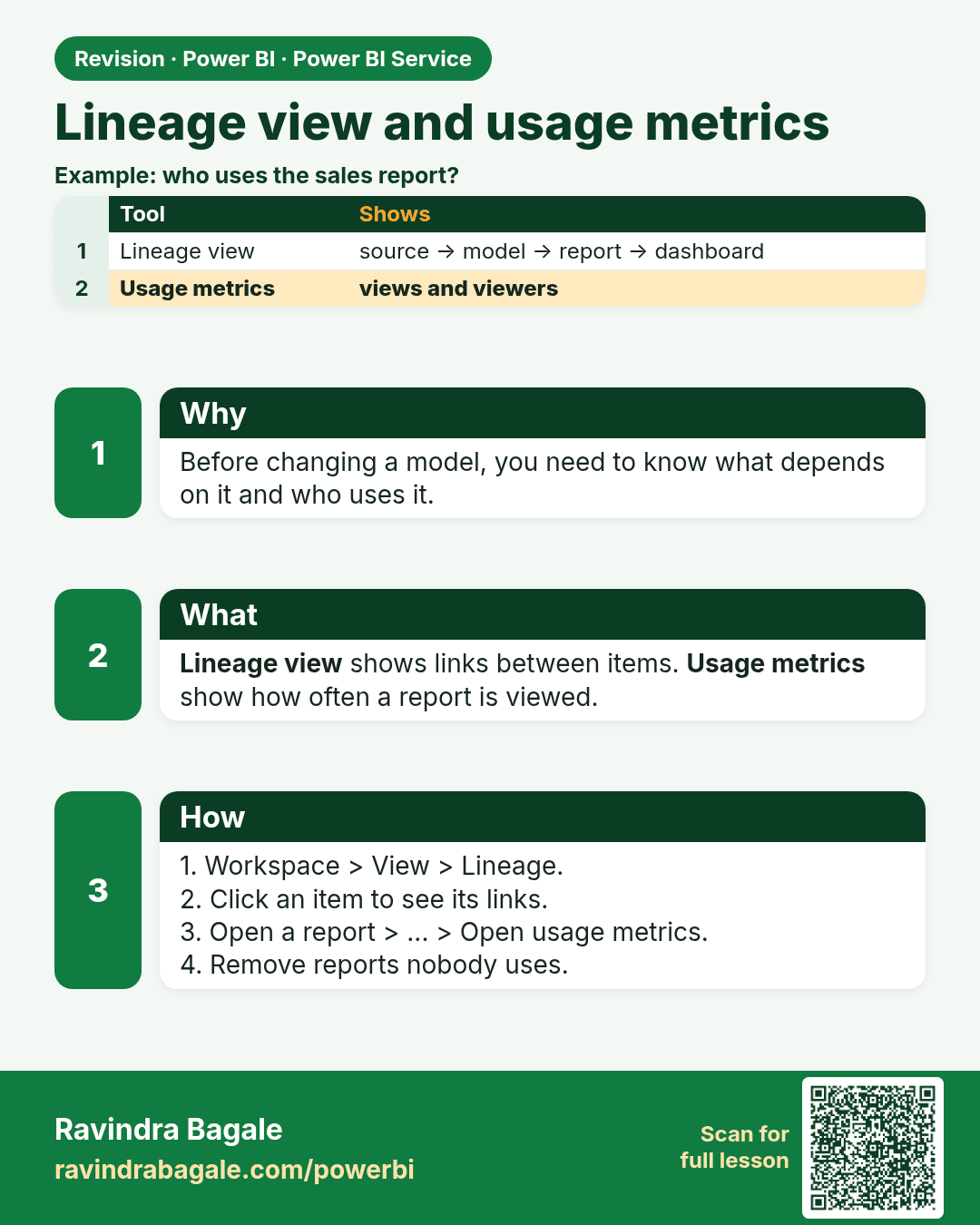
Lineage view and usage metrics. Before changing a model, you need to know what depends on it and who uses it.
Revision card 12 of 17: Lineage view and usage metrics · Download PNG · Open card page

Lesson: 25.12 Lineage View and Usage Metrics

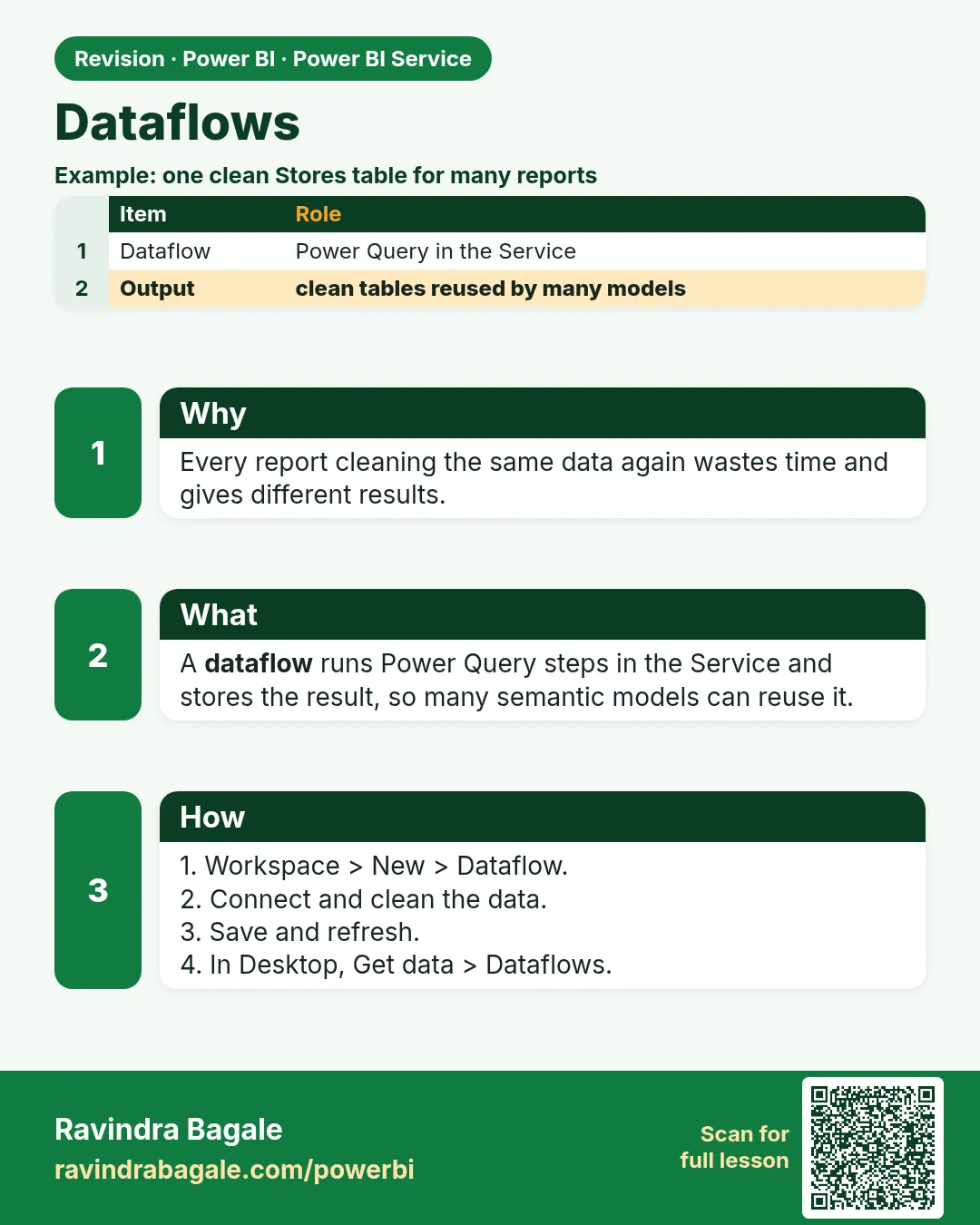
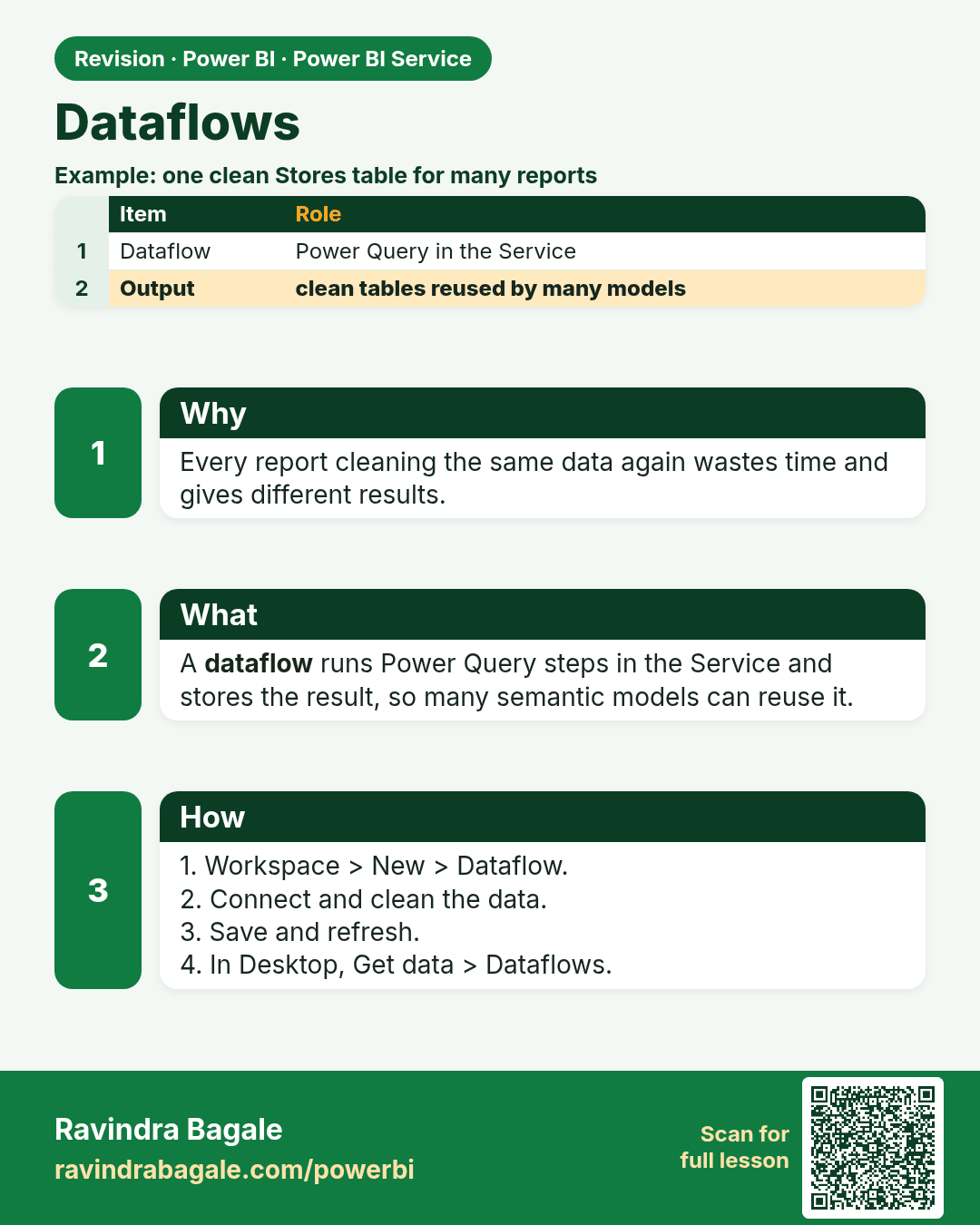
Dataflows. Every report cleaning the same data again wastes time and gives different results.
Revision card 13 of 17: Dataflows · Download PNG · Open card page

Lesson: 25.13 Dataflows

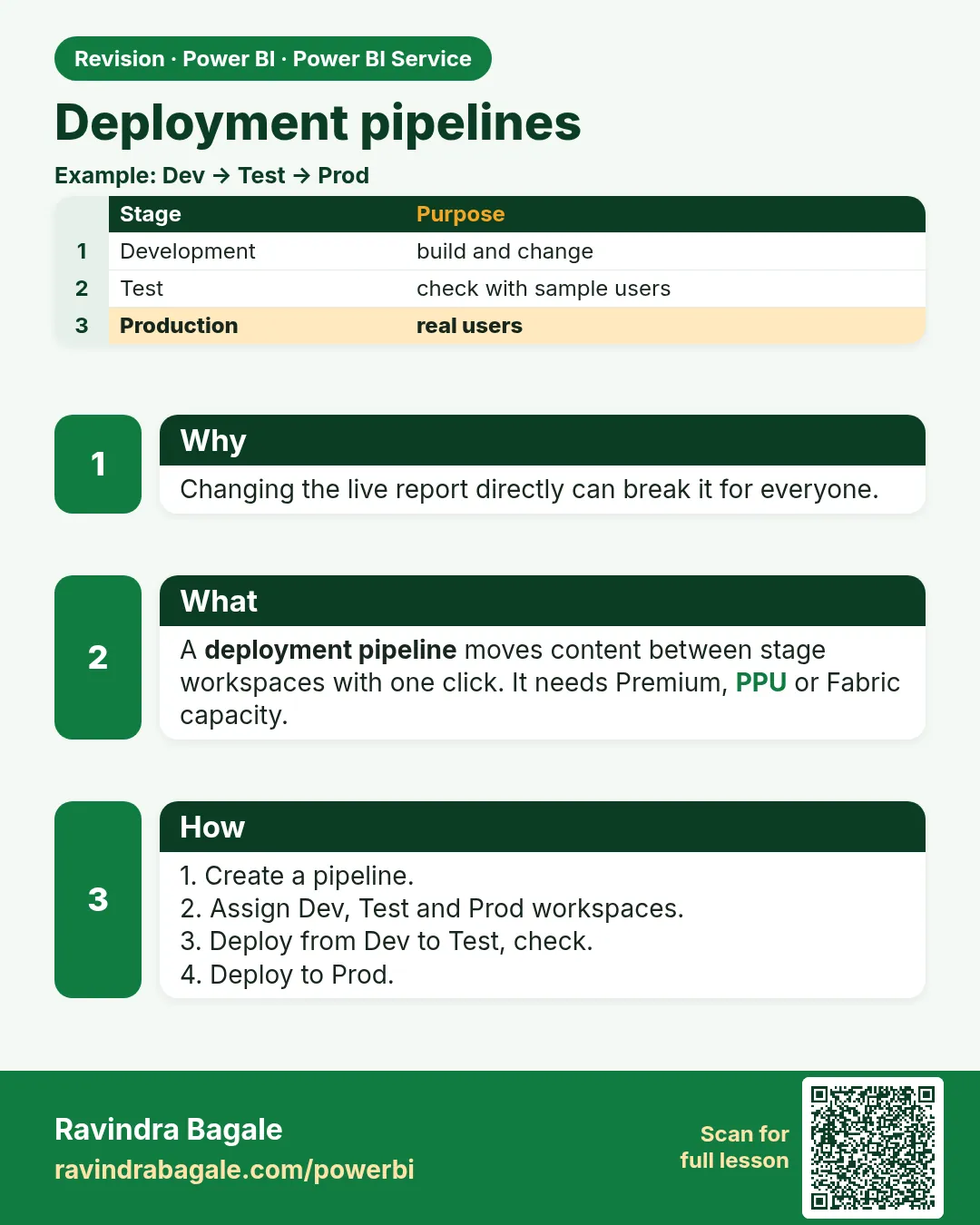
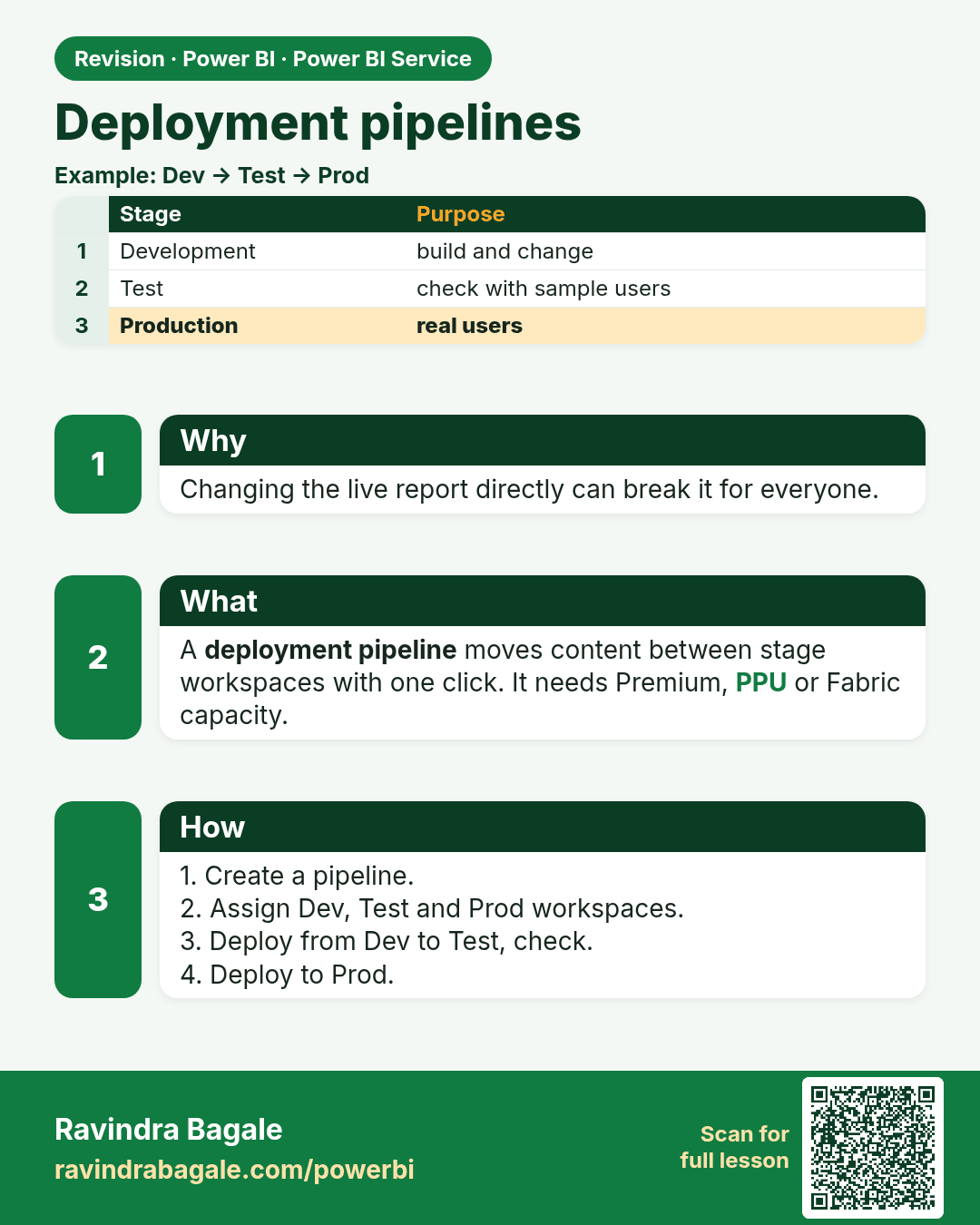
Deployment pipelines. Changing the live report directly can break it for everyone.
Revision card 14 of 17: Deployment pipelines · Download PNG · Open card page

Lesson: 25.14 Deployment Pipelines

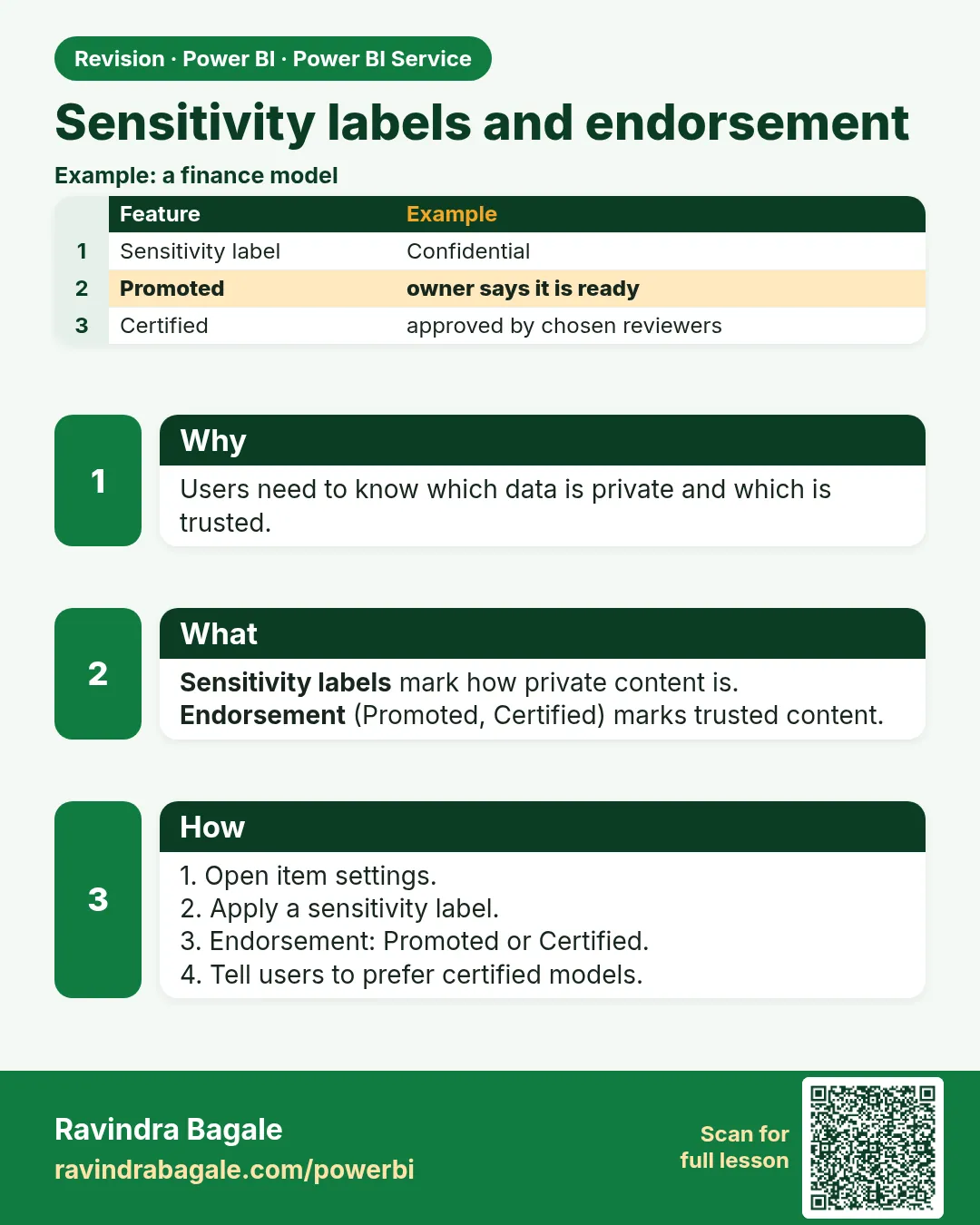
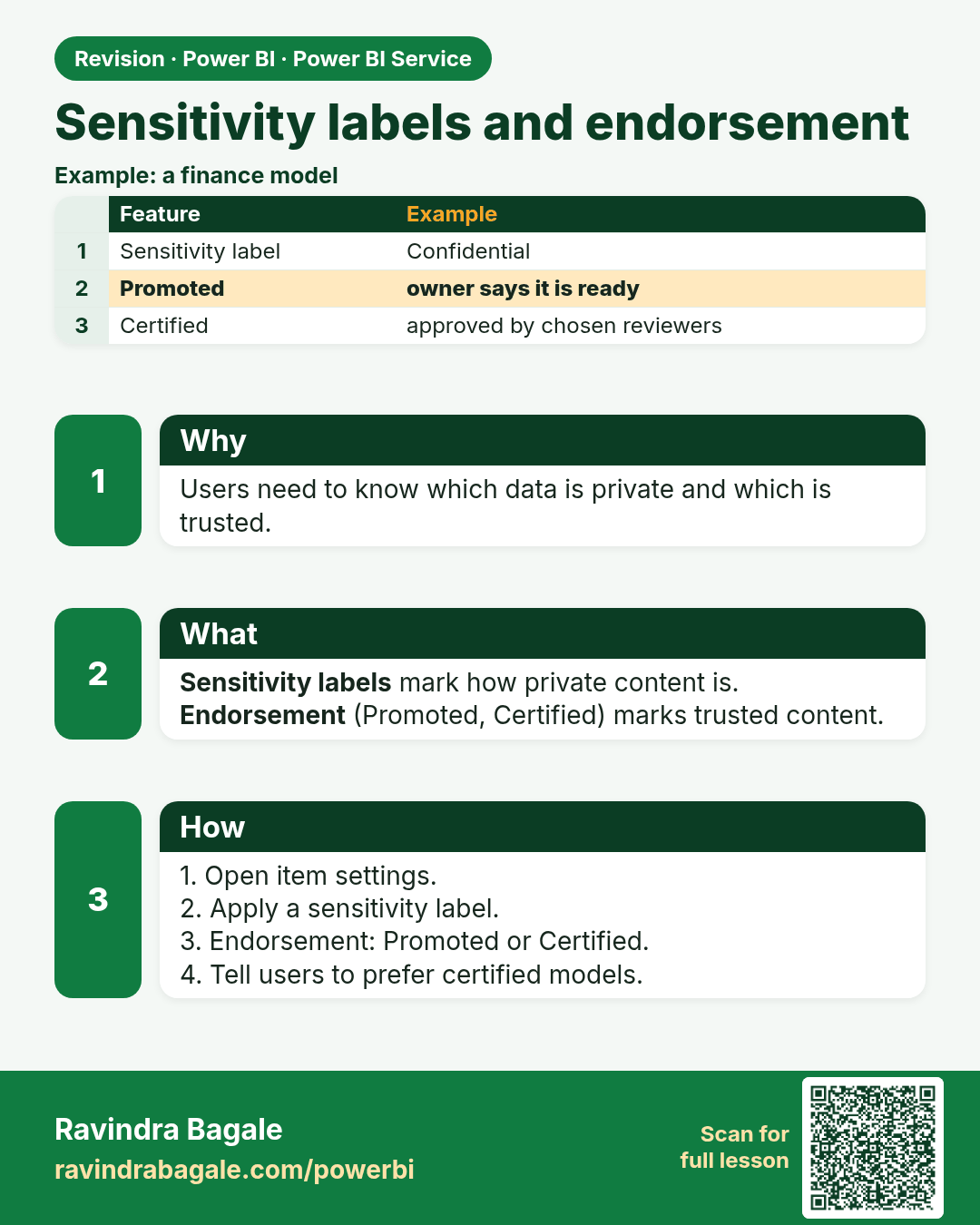
Sensitivity labels and endorsement. Users need to know which data is private and which is trusted.
Revision card 15 of 17: Sensitivity labels and endorsement · Download PNG · Open card page

Lesson: 25.15 Sensitivity Labels and Endorsement

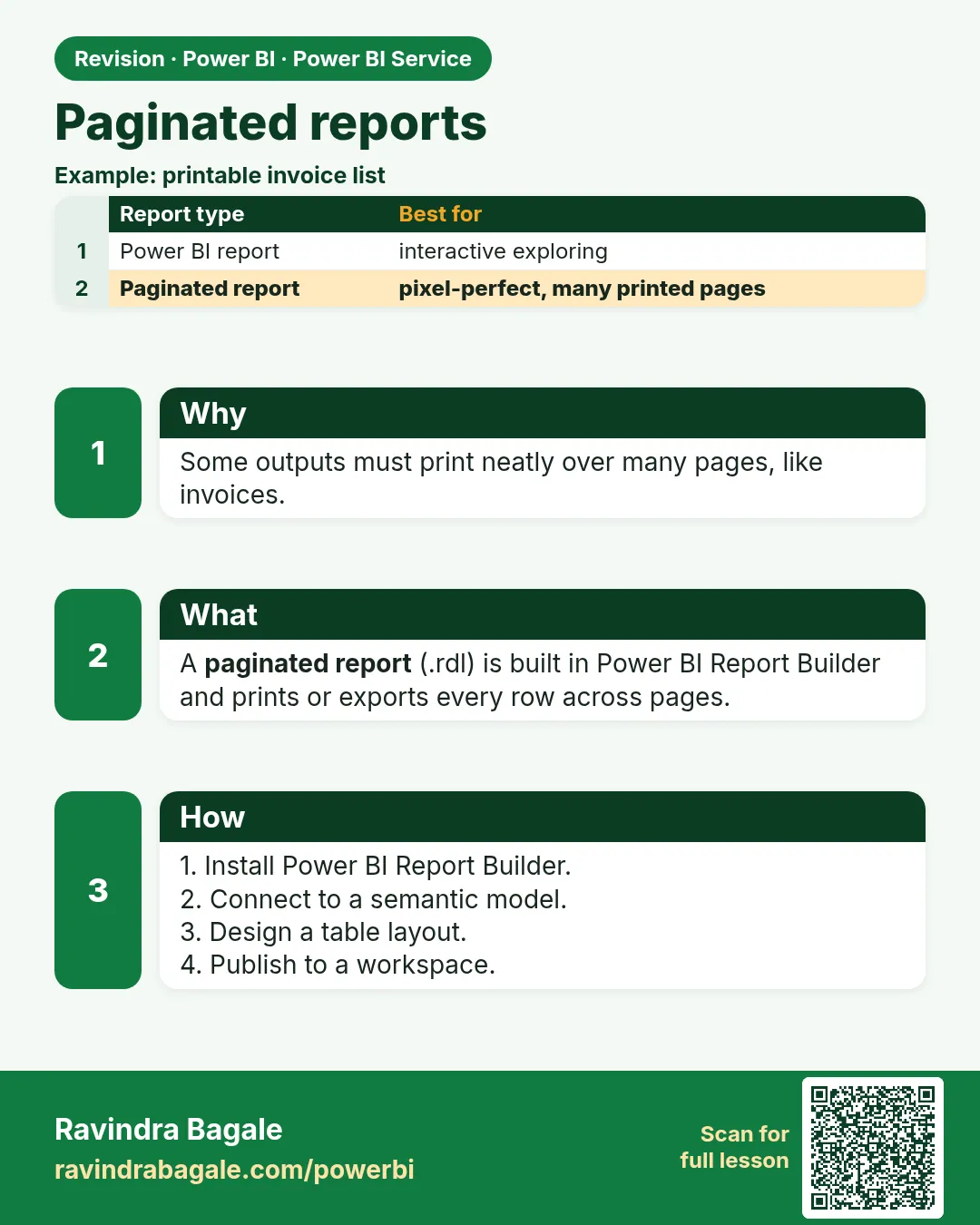
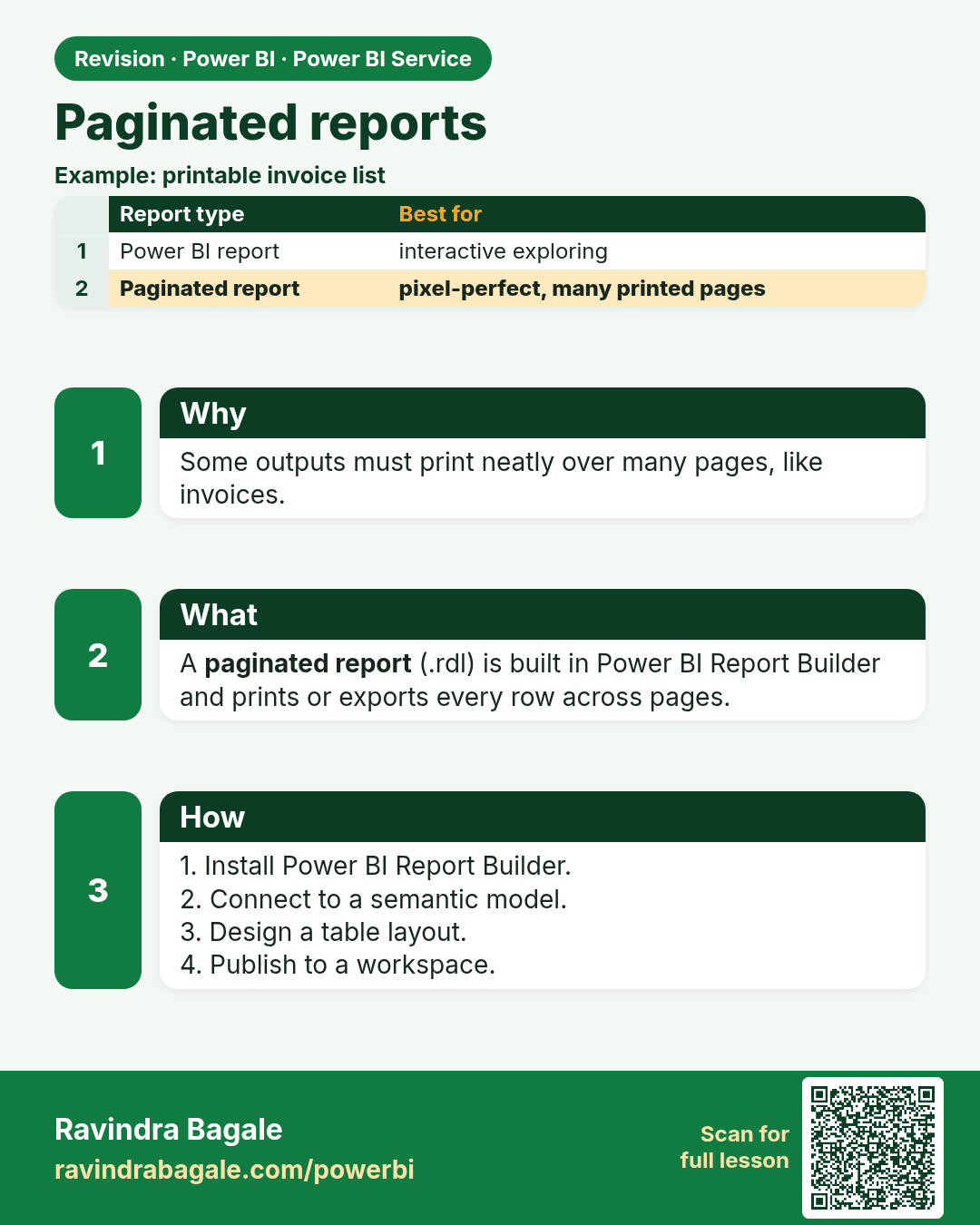
Paginated reports. Some outputs must print neatly over many pages, like invoices.
Revision card 16 of 17: Paginated reports · Download PNG · Open card page

Lesson: 25.16 Paginated Reports

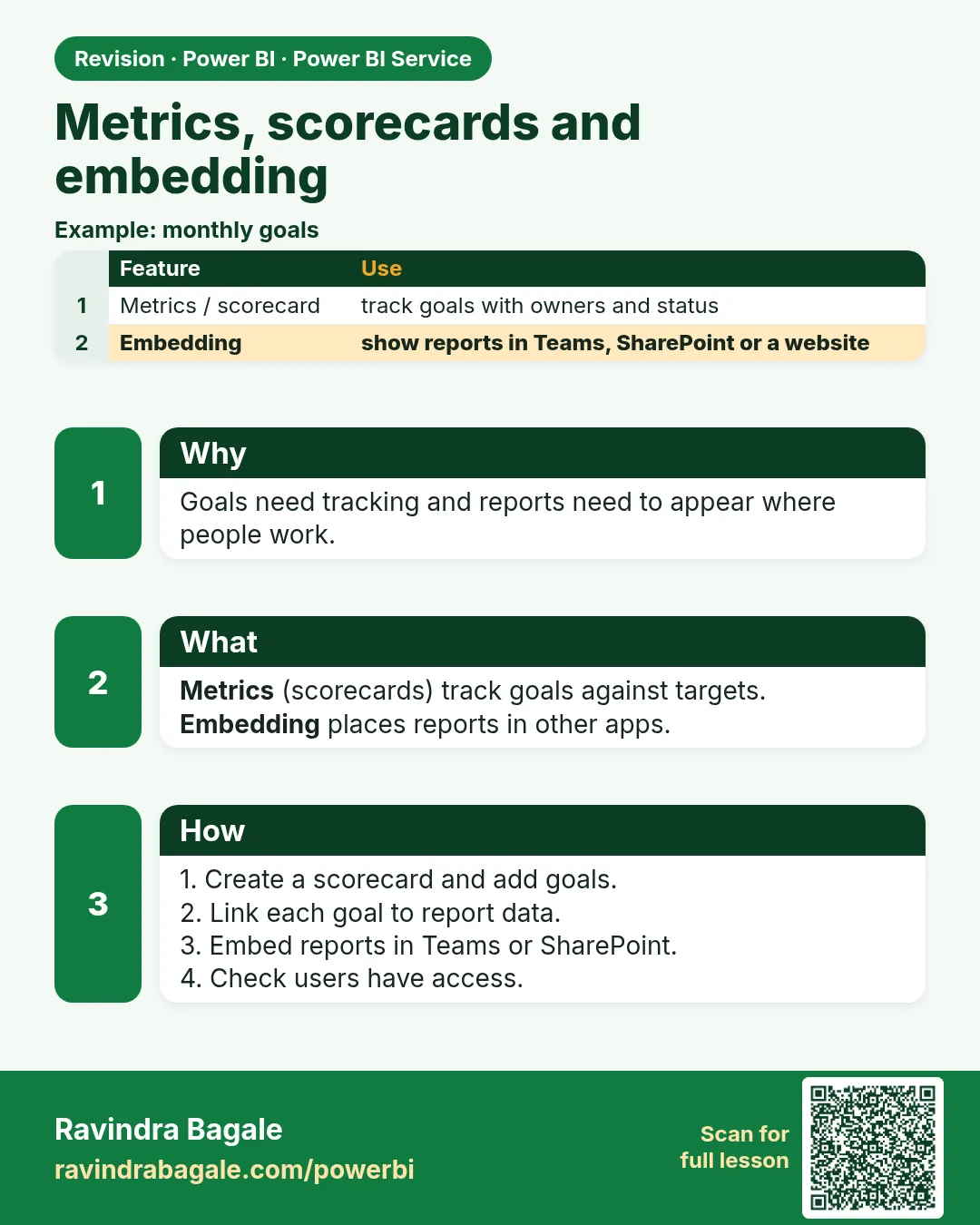
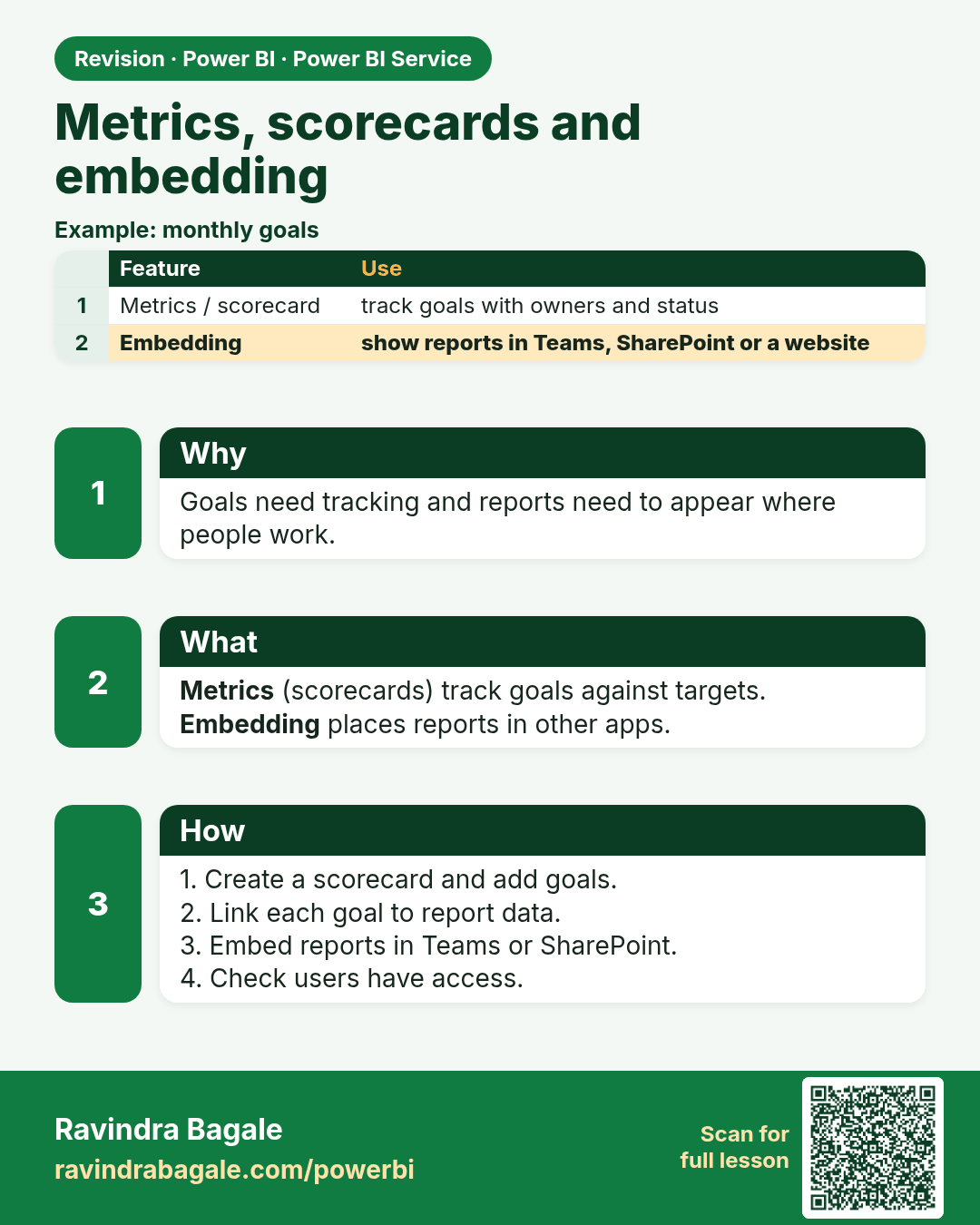
Metrics, scorecards and embedding. Goals need tracking and reports need to appear where people work.
Revision card 17 of 17: Metrics, scorecards and embedding · Download PNG · Open card page

Lesson: 25.17 Metrics (Scorecards) and Embedding

Interview cards

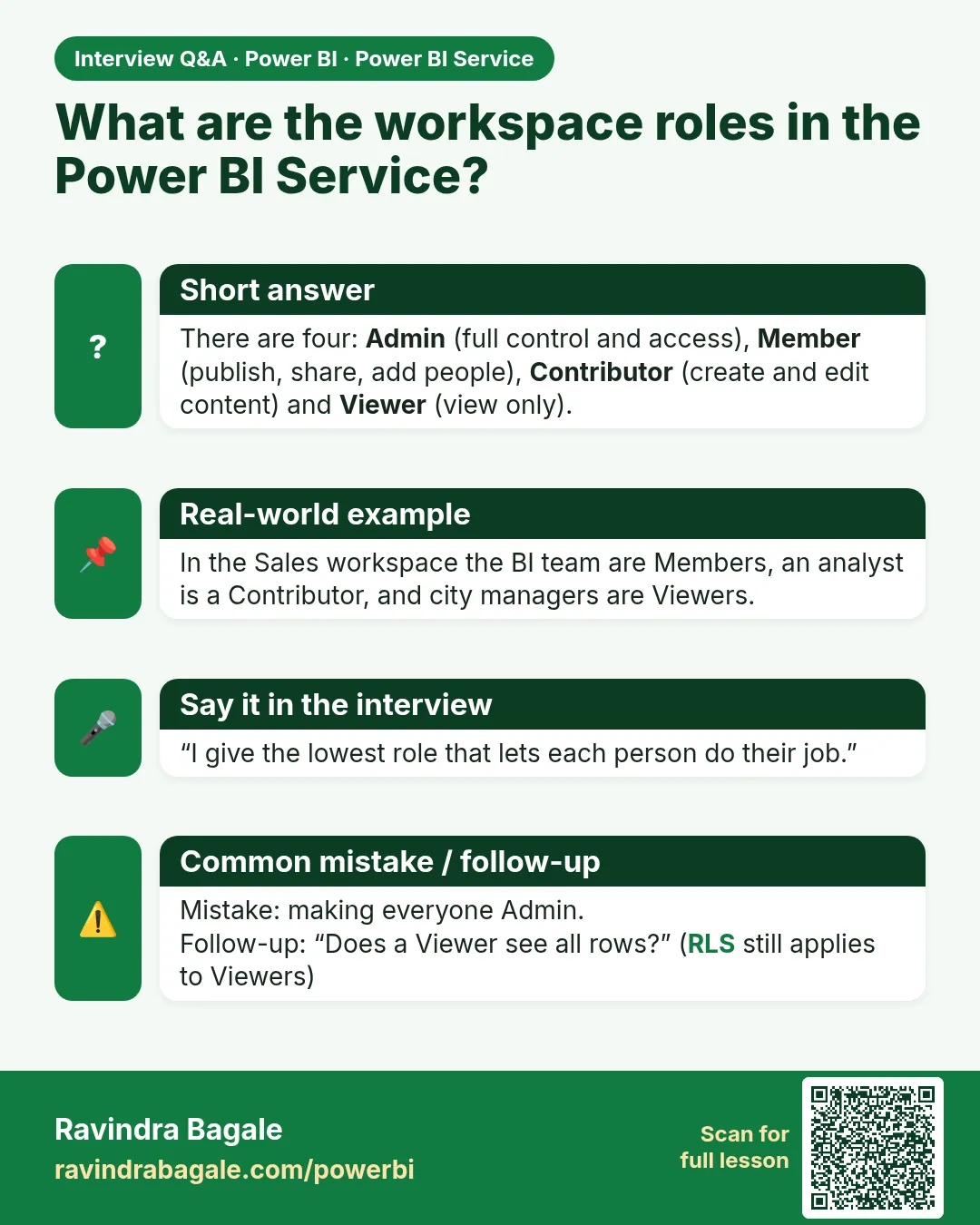
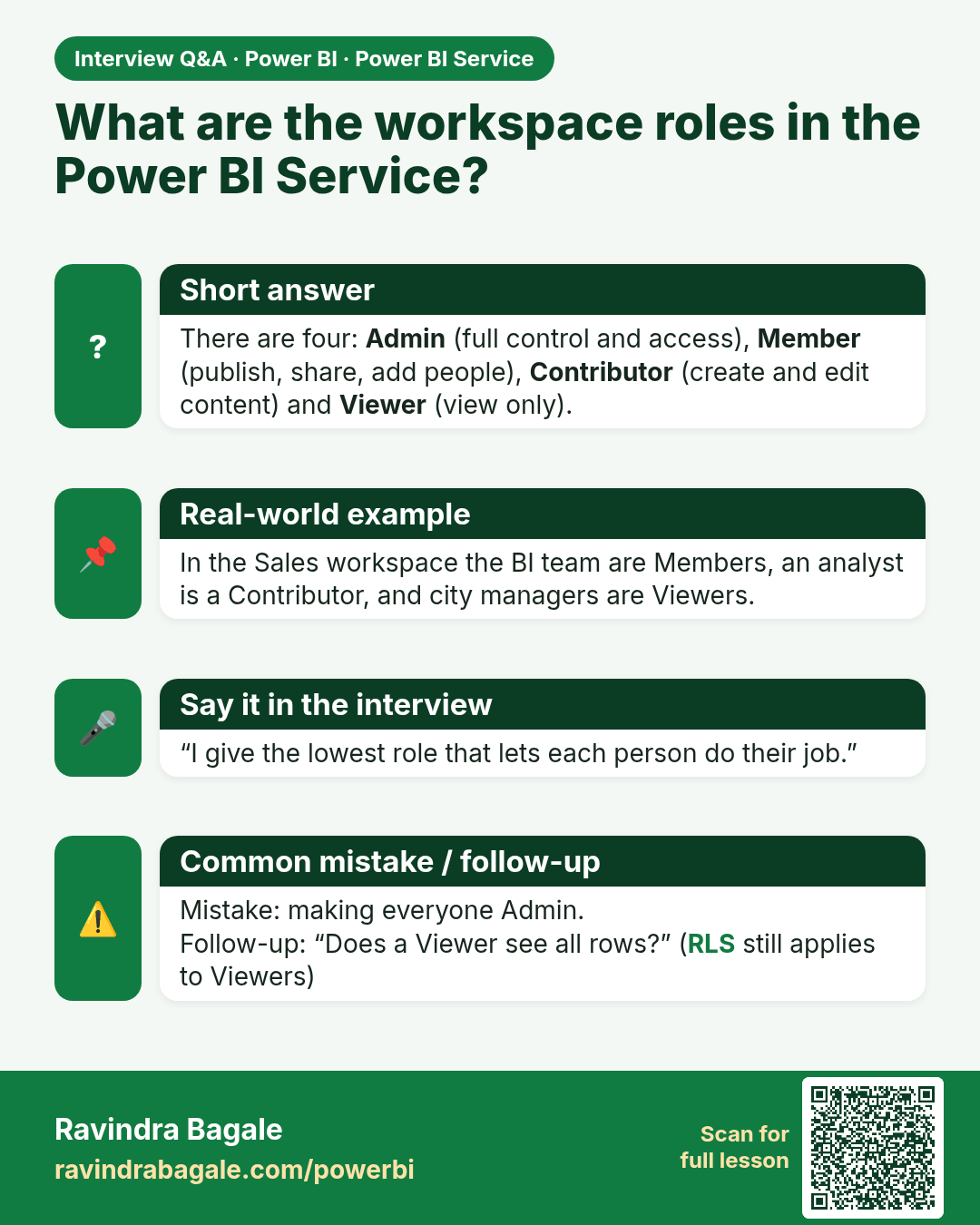
What are the workspace roles in the Power BI Service? There are four: Admin (full control and access), Member (publish, share, add people), Contributor (create and edit content) and Viewer (view only).
Interview card 1 of 2: What are the workspace roles in the Power BI Service? · Download PNG · Open card page

Lesson: 25.3 Workspaces and Roles

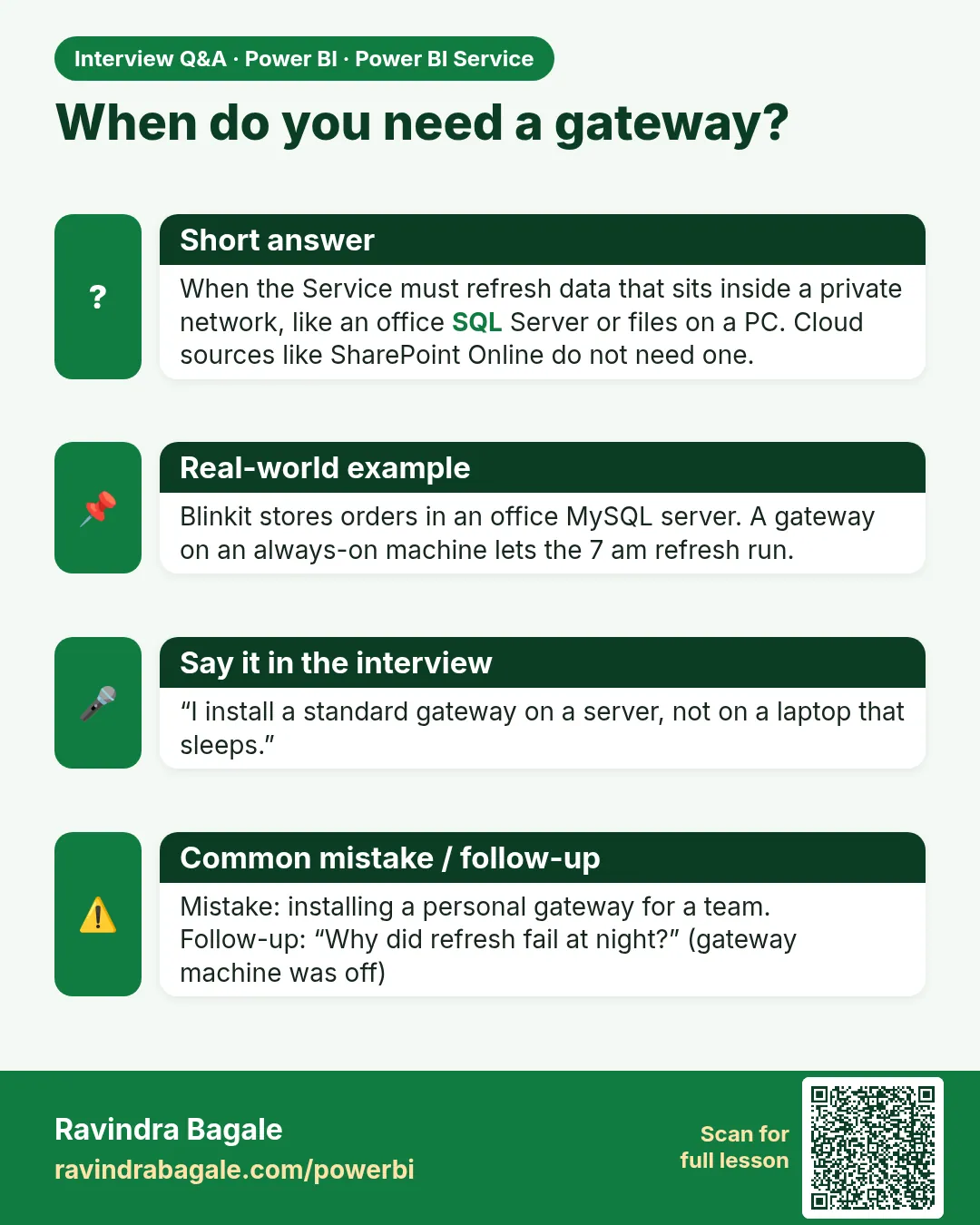
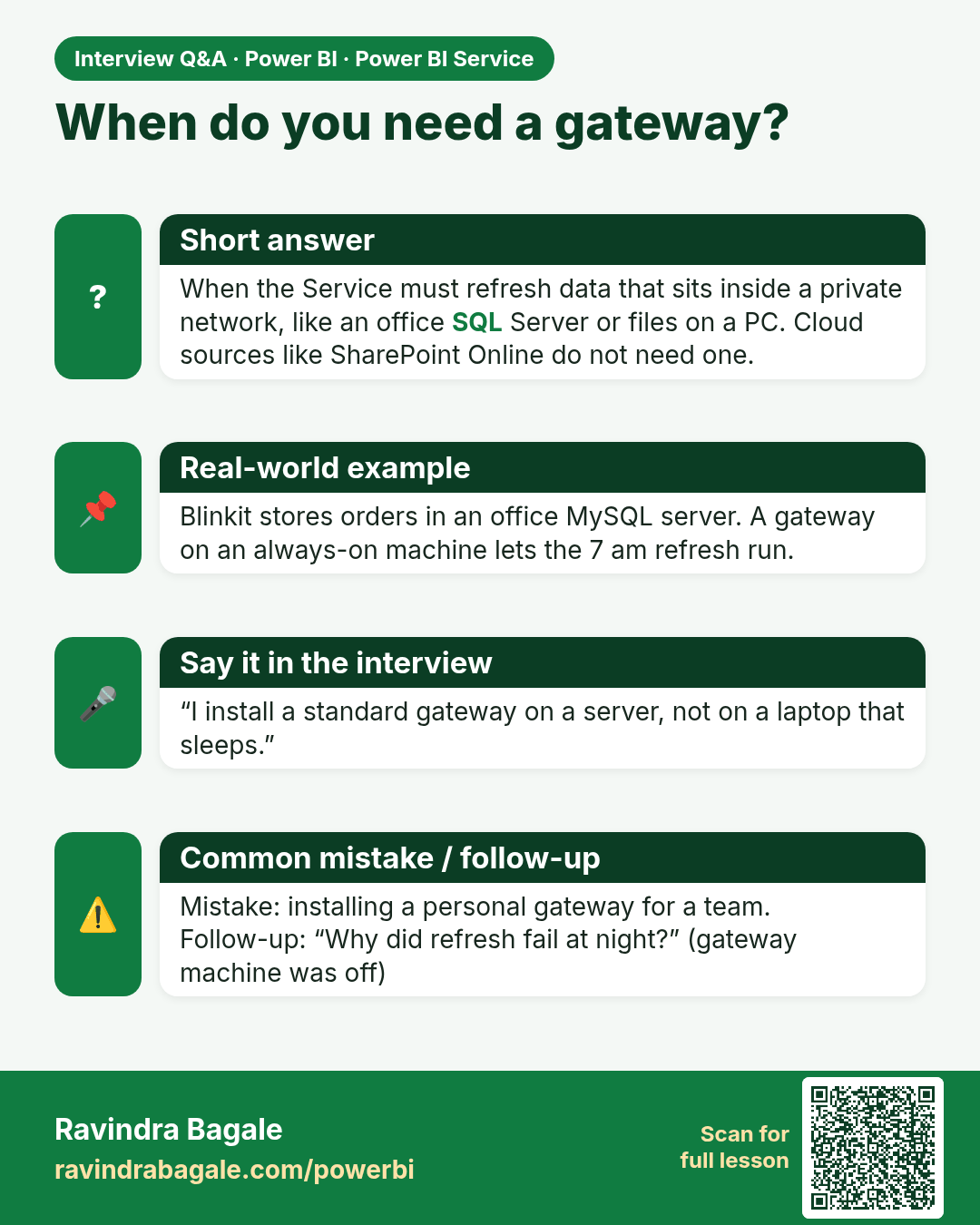
When do you need a gateway? When the Service must refresh data that sits inside a private network, like an office SQL Server or files on a PC. Cloud sources like SharePoint Online do not need one.
Interview card 2 of 2: When do you need a gateway? · Download PNG · Open card page

Lesson: 25.7 Gateways

Comparison cards

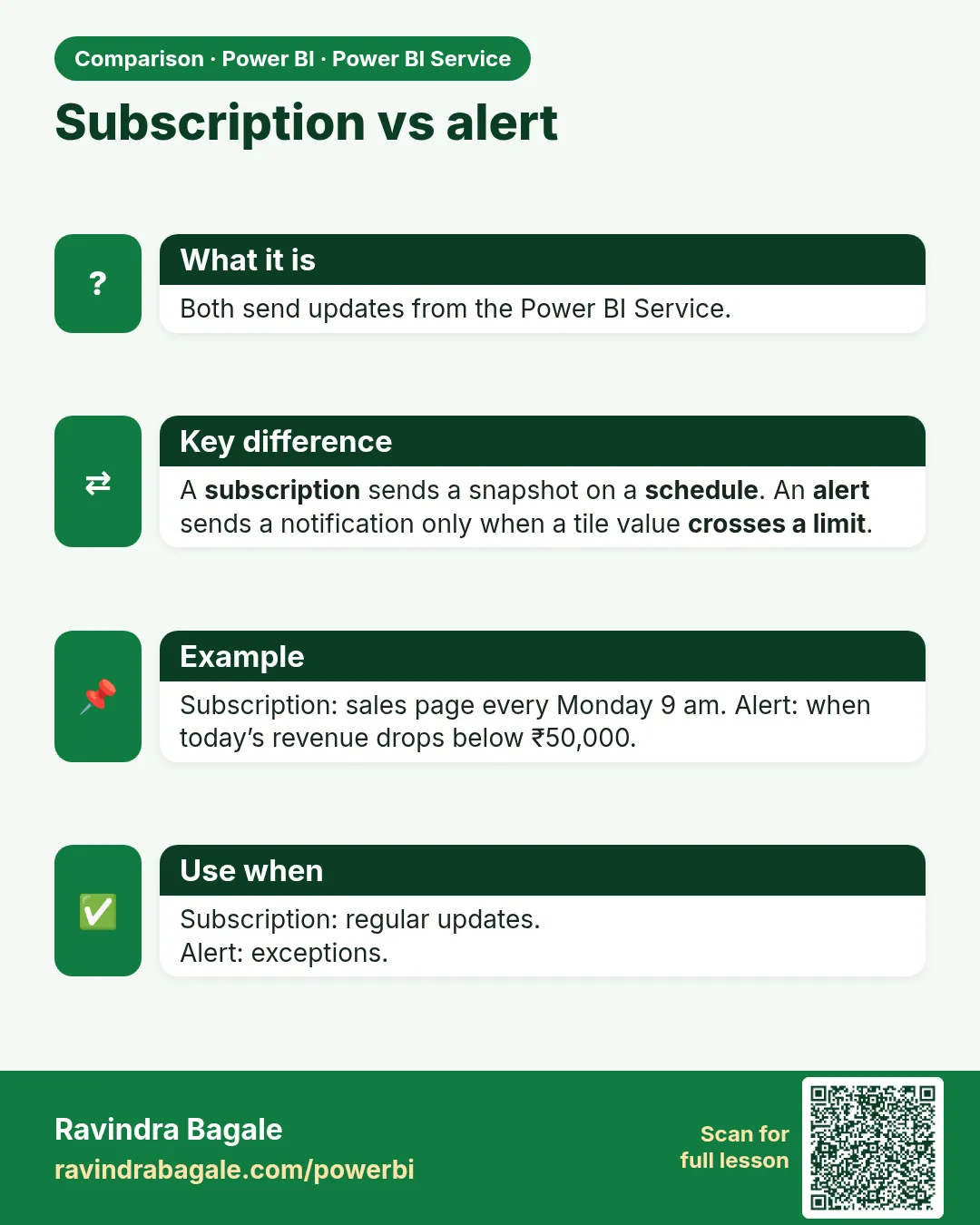
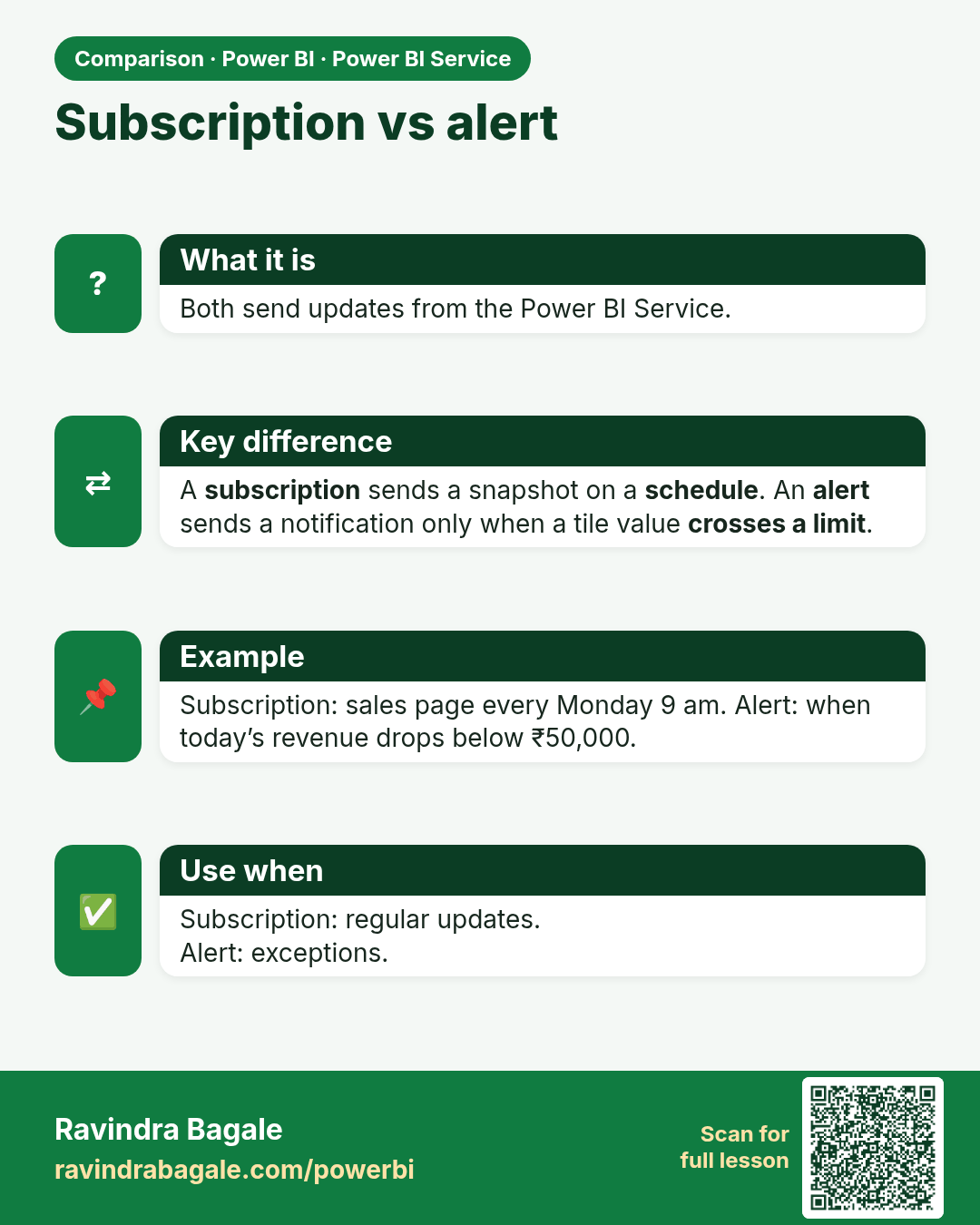
Subscription vs alert. Both send updates from the Power BI Service.
Comparison card 1 of 2: Subscription vs alert · Download PNG · Open card page

Lesson: 25.8 Subscriptions and Alerts
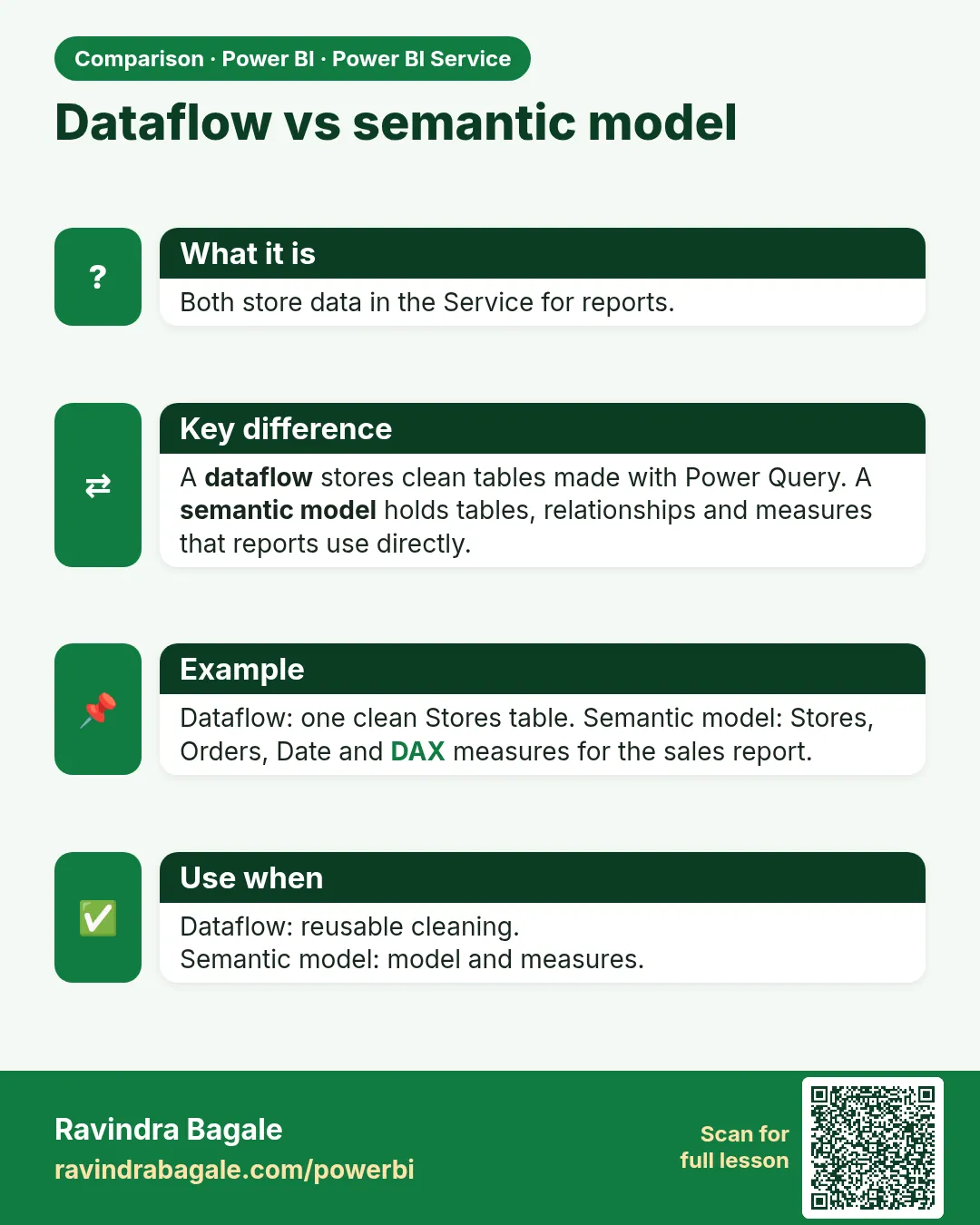
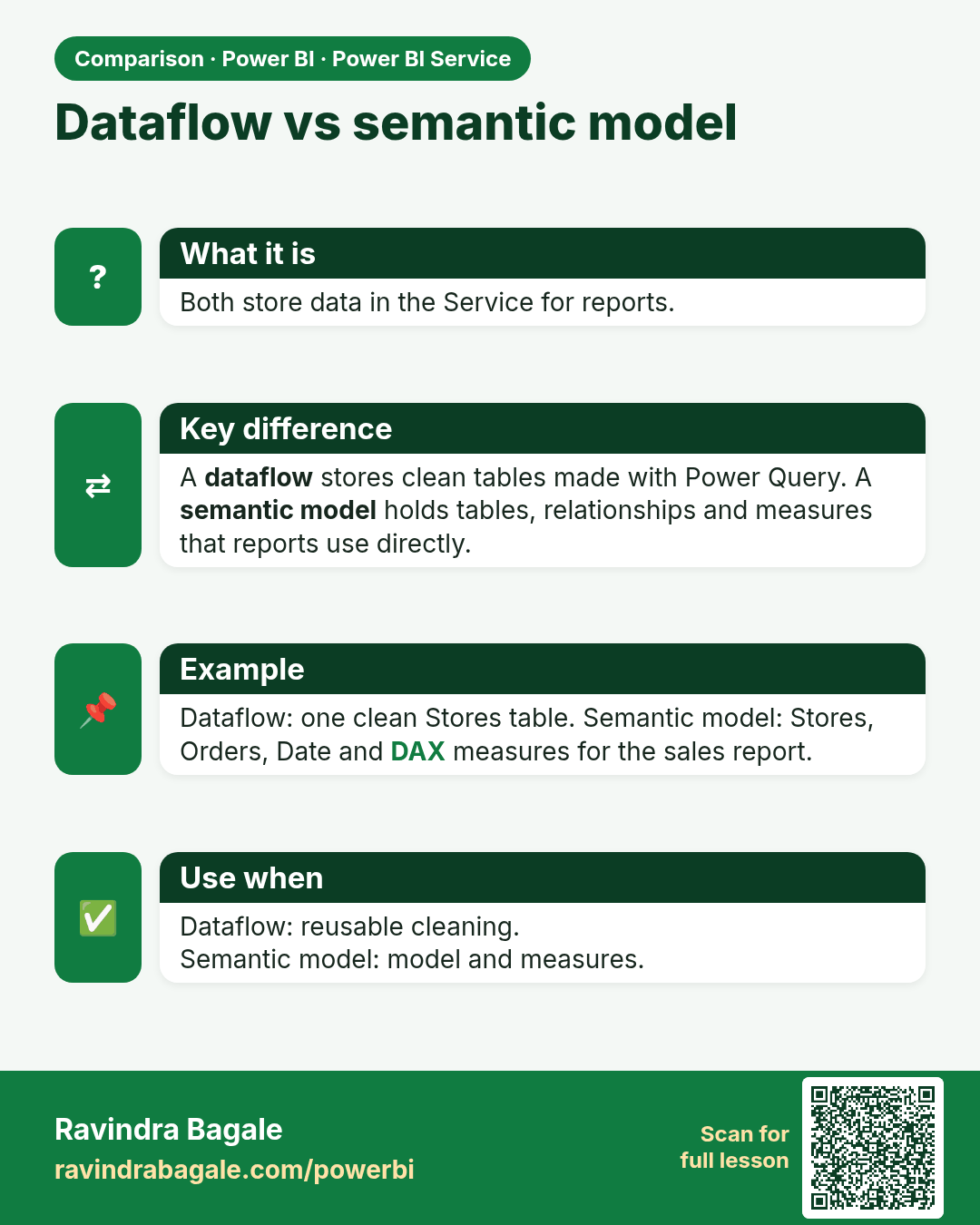
Dataflow vs semantic model. Both store data in the Service for reports.
Comparison card 2 of 2: Dataflow vs semantic model · Download PNG · Open card page

Lesson: 25.13 Dataflows