25.12 Lineage View and Usage Metrics
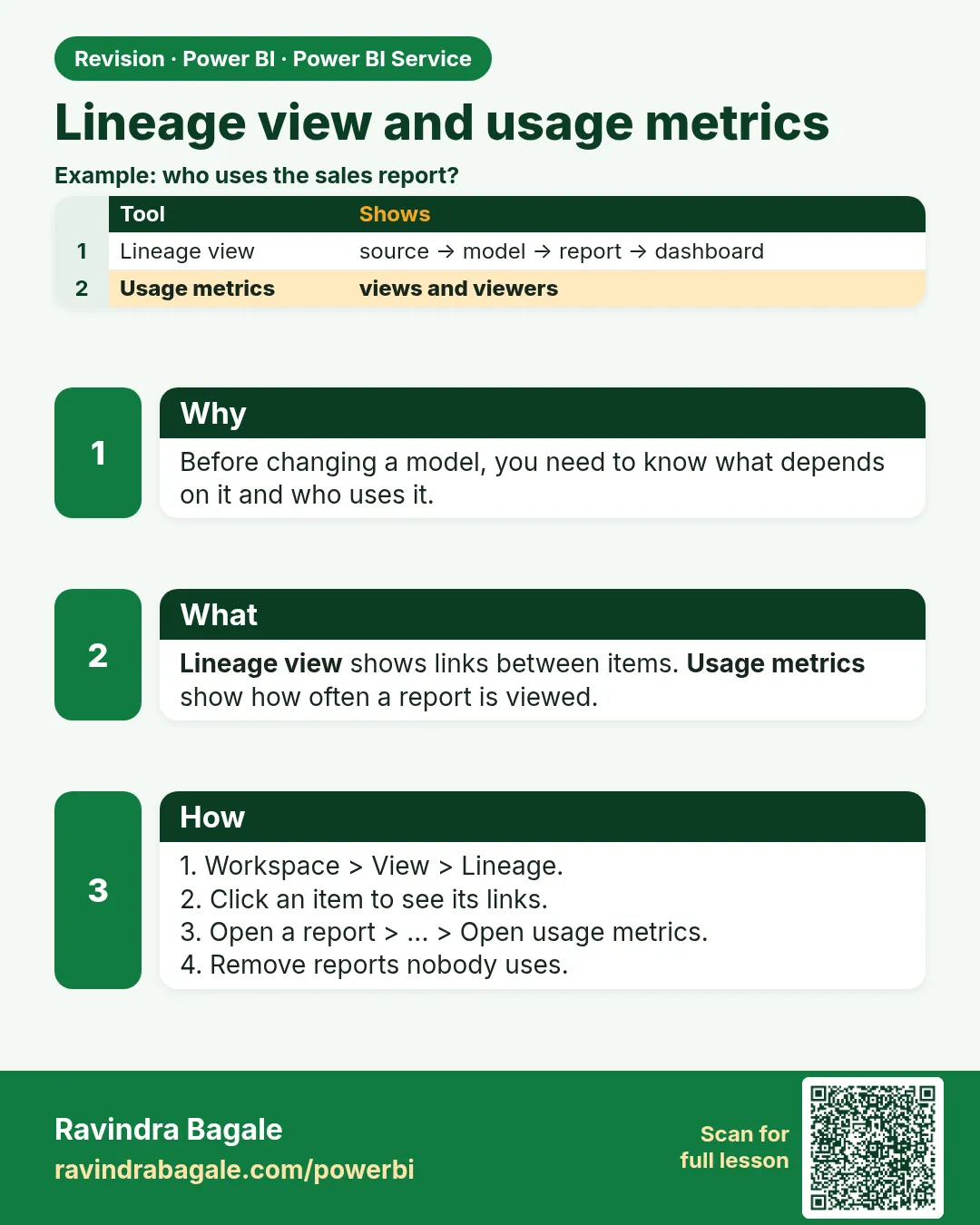
In short: Lineage view shows sources → semantic models → reports → dashboards.
Start with a problem
Raja wants to change a column, but does not know which reports use the model.
Explain simply
Lineage view shows sources → semantic models → reports → dashboards. Usage metrics show who views a report.
Show the data
| Source | Semantic model | Reports |
|---|---|---|
| Orders SQL | Maharashtra Sales | Sales Overview, Delivery |
| Targets Excel | Maharashtra Sales | Sales Overview |
Fictional sample data. Practice file: visuals_orders_apr_may_2026.csv (source: src/practice/).
Demonstrate
- Workspace › switch to Lineage view.
- Click the Maharashtra Sales model › Show impact across workspaces.
- Open a report › … › Open usage metrics report.
Show the result
Your result should look like this (fictional sample):
| Check | Result |
|---|---|
| Impact | 2 reports, 1 dashboard |
| Views last 30 days | Sample: 120 |
Explain what happened
Lineage shows dependencies, so you know whom to warn before a change.
Explore further
- Notify contacts from impact analysis.
Detailed reference for this lesson:
Lineage answers "which model does this report stand on?". Usage metrics answer "who opens it?".
In a workspace, switch the view from List to Lineage. You should see sources feeding semantic models, models feeding reports, and reports feeding dashboards. Before you rename a column, open lineage and see which reports sit downstream. Impact analysis, where the tenant shows it, lists those reports.
Usage metrics (on the report menu, View usage metrics, name varies) shows views over time and which pages people open. It does not show whether the number was correct. A report with high views and a wrong measure is still wrong. Metrics can be delayed, and the report Microsoft generates has changed between "classic" usage metrics and newer workspace monitoring. Read the dates on the metrics page before you quote them in a meeting. Do not invent a view count.
Worked example. You plan to remove Orders[Discount]. Lineage shows two reports on that semantic model: the executive page and the Kolhapur city page. You check both for the discount measure before you delete the column. Usage metrics only tell you that Rani opened the executive page this week. They do not tell you that the discount card is unused. Look at the page yourself.
Ravindra Bagale's Tip
Many students delete a measure because "usage metrics did not mention it". Usage metrics count page views, not field use. Lineage may not be field-level either. Open the report and check the Data pane, then delete. Don't make this mistake!
Ravindra Bagale's Tip – मराठी
बरेच students "usage metrics मध्ये उल्लेख नव्हता" म्हणून measure delete करतात. Usage metrics page views मोजतात, field चा वापर नाही. Lineage पण field-level असेलच असं नाही. Report उघडून Data pane बघा, मग delete करा. चूक करू नका!
Ravindra Bagale's Tip – हिंदी
बहुत से students "usage metrics में ज़िक्र नहीं था" कहकर measure delete कर देते हैं. Usage metrics page views गिनते हैं, field का इस्तेमाल नहीं. Lineage भी field-level हो, ज़रूरी नहीं. Report खोलकर Data pane देखो, फिर delete करो. ग़लती मत करो!
Fix common mistakes
| Wrong result | Reason | Correction |
|---|---|---|
| Broke a report in another workspace | Did not check impact | Run impact analysis |
| Usage metrics empty | New report / setting off | Wait or ask admin |
| Deleted model still used | No lineage check | Check lineage |
Practise independently
Practice task
Before renaming City, what should Raja check?
Hints
- Impact.
Solution
Lineage impact analysis on the semantic model.
Think like a professional
Impact analysis before change is standard practice in mature teams.
 Revision card