25.9 Other Service Features Worth Knowing
Start with a problem
Amir wants to know the smaller Service features he might be asked about: comments, favourites, Q&A, Goals and more.
Explain simply
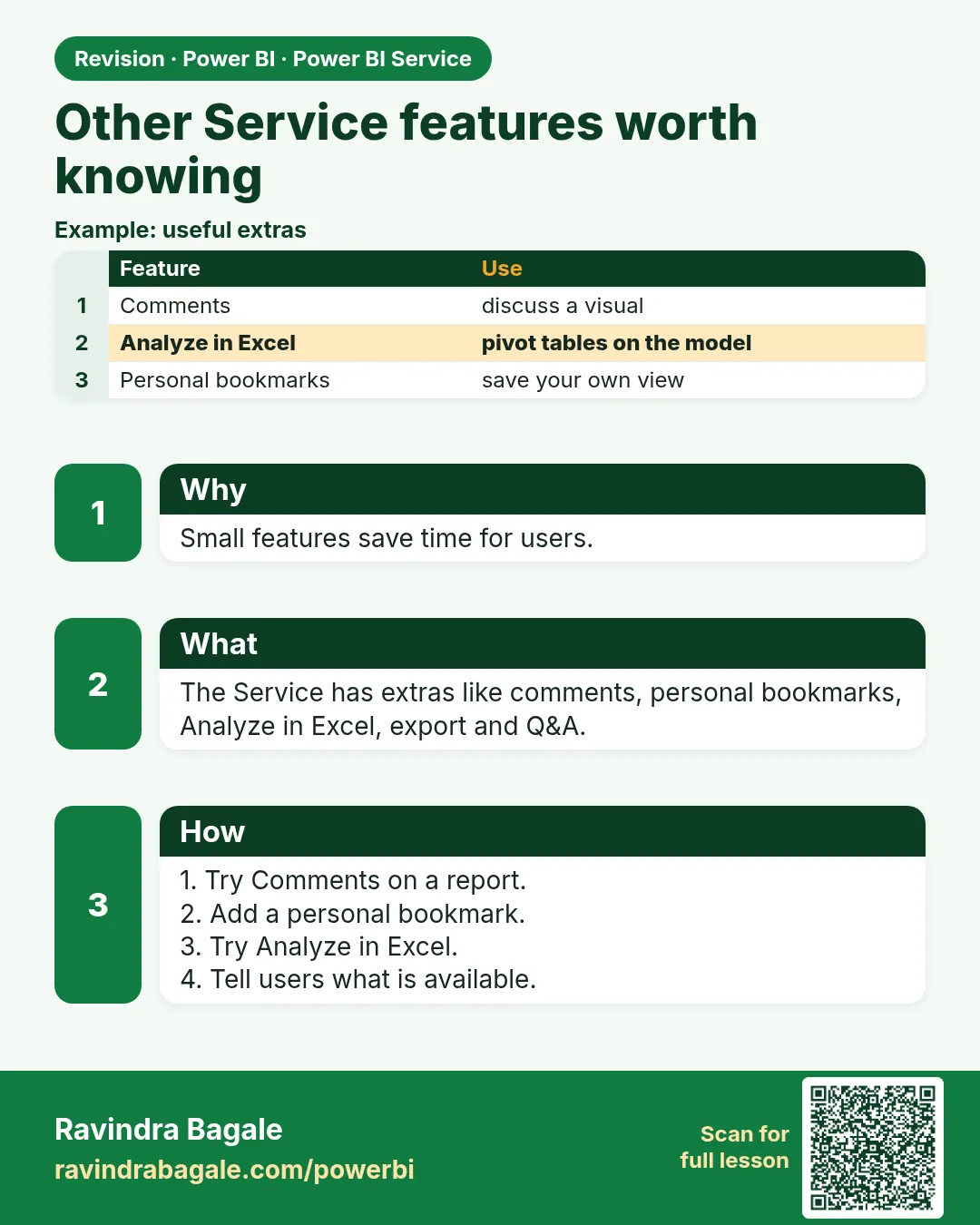
Useful extras: comments on visuals, favourites, personal bookmarks, view related, and settings such as featured content.
Show the data
| Feature | Use |
|---|---|
| Comments | Discuss a number with @mention |
| Favourites | Quick access |
| Personal bookmarks | Save your own filter state |
About this data: This table uses columns: Feature, Use. This table uses columns: Feature, Result. This table uses columns: Wrong result, Reason, Correction. Values shown are the lesson examples already on this page (not a new dataset).
Fictional sample data. Practice file: visuals_orders_apr_may_2026.csv (source: src/practice/).
Demonstrate
- Open the report › Comments › add Kolhapur ₹450 – check 308 cancellation and @mention Zoya.
- Click the star to favourite.
- Select Kolhapur, Bookmarks › Personal bookmark › Add.
Show the result
Your result should look like this (fictional sample):
| Feature | Result |
|---|---|
| Comment | Zoya gets a notification |
| Favourite | Report in Favourites |
| Personal bookmark | Kolhapur view saved |
Explain what happened
These features live in the Service and do not change the report for others.
Explore further
- Read the reference below for the full list.
Detailed reference for this lesson:
- Lineage view – see which sources feed which semantic models, reports and dashboards.
- Endorsement (अधिकृत मान्यता) – mark semantic models as Promoted or Certified so users know which are trusted.
- Sensitivity labels (Microsoft Purview) – classify content as Confidential, etc.
- Usage metrics – see who views the report and how often.
- Dataflows – reusable Power Query transformations stored in the Service.
- Comments – discuss reports with colleagues directly on the report.
Ravindra Bagale's Tip
Friends, many students ignore features like endorsement (Promoted/Certified), lineage view and usage metrics. Use lineage view before changing a semantic model to see which reports depend on it, and promote or certify models that others should reuse. It's very simple – just make it a habit.
Ravindra Bagale's Tip – मराठी
मित्रांनो, बरेच students endorsement (Promoted/Certified), lineage view आणि usage metrics सारख्या features कडे दुर्लक्ष करतात. Semantic model बदलण्याआधी lineage view वापरून कोणते reports त्यावर अवलंबून आहेत ते बघा, आणि इतरांनी पुन्हा वापरावेत असे models promote किंवा certify करा. एकदम simple आहे, फक्त सवय लावून घ्या.
Ravindra Bagale's Tip – हिंदी
दोस्तों, बहुत से students endorsement (Promoted/Certified), lineage view और usage metrics जैसे features को नज़रअंदाज़ करते हैं. Semantic model बदलने से पहले lineage view से देखो कि कौन सी reports उस पर निर्भर हैं, और जिन models को दूसरों को दोबारा इस्तेमाल करना चाहिए उन्हें promote या certify करो. बहुत आसान है, बस आदत बना लो.
Fix common mistakes
| Wrong result | Reason | Correction |
|---|---|---|
| Bookmark changed everyone's view | Created a report bookmark in Desktop | Use a personal bookmark |
| Comment not seen | No @mention | @mention the person |
| Feature missing | Tenant setting off | Ask the admin |
Practise independently
Practice task
Which feature saves your own Kolhapur filter state?
Hints
- Personal.
Solution
Personal bookmark.
Think like a professional
Knowing these small features helps you support business users.
Deepen this topic (Why / What / How)
Fictional Maharashtra example. Numbers and workspace names below are practice data only.
Why: Features like endorsement, lineage and scorecards appear in interviews and admin chats.
What: A short map of lineage, usage, endorsement, scorecards and where licensing matters.
How — know where to click next:
Vertical steps (one under another)
- Open lineage view once for your model.
- Check usage metrics for who actually opens the report.
- Note endorsement (Certified / Promoted) as a trust signal.
- Leave deep Fabric/licensing to Ch 43.
- Capstone path Ch 44.
Tiny example: Fictional: Promoted badge on MH Ops Orders model after data-owner review.
Ravindra Bagale's Tip
Friends, usage metrics tell you which page to delete — not which colour to add.
Ravindra Bagale's Tip – मराठी
मित्रांनो, usage metrics सांगतात कोणते page काढायचे.
Ravindra Bagale's Tip – हिंदी
दोस्तों, usage metrics बताते हैं कौन सा page हटाना है।
Go deeper next
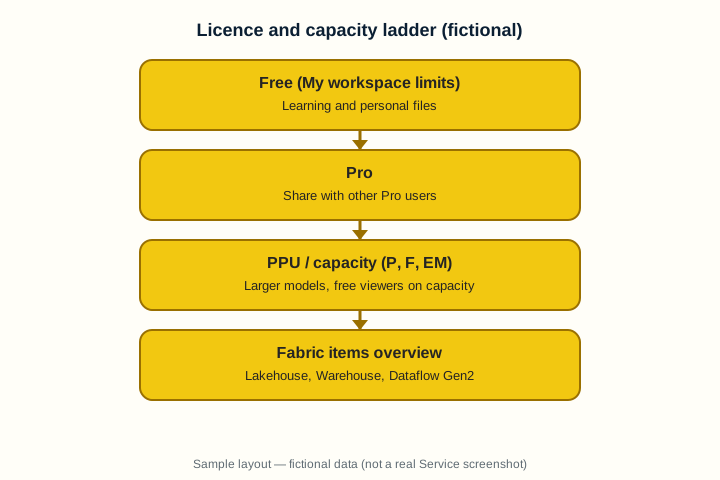
This Chapter 25 page is the overview. For the full Service deep lesson, open Ch 43 · Licensing, Capacity, Fabric and Admin Basics. Chapters 37–44 are the deep Service series; Chapter 44 is the publish–secure–refresh–share capstone.
Quiz (5 questions)
1. Usage metrics help you:
2. Endorsement signals:
3. Licensing/Fabric basics deepen in:
4. Lineage helps before you:
5. Capstone chapter:
Practice tasks (12) — hints only, no full answers
- Task. Write the business question this 25 9 other service features worth knowing page answers in one sentence.
Hint: Name the user and the decision. - Task. List three mistakes learners make with 25 9 other service features worth knowing.
Hint: Use Fix common mistakes as a seed. - Task. Draw a 5-box flow on paper for 25 9 other service features worth knowing (fictional MH Ops).
Hint: Photo counts as artefact. - Task. Explain 25 9 other service features worth knowing to a friend in 60 seconds using Why/What/How.
Hint: Record voice memo if you can. - Task. Open the linked deep chapter and write three new facts not on this overview page.
Hint: Cite section titles only. - Task. Create a checklist of 7 ticks before you call 25 9 other service features worth knowing “done”.
Hint: Include a verify step. - Task. Invent fictional refresh/share/role data that fits 25 9 other service features worth knowing.
Hint: Keep IST times. - Task. Map who is Admin / Member / Contributor / Viewer for a fictional workspace using 25 9 other service features worth knowing.
Hint: Least privilege. - Task. Write an interview STAR story that uses 25 9 other service features worth knowing.
Hint: 45–60 seconds. - Task. Find one unused habit you will stop (e.g. My workspace for team content) related to 25 9 other service features worth knowing.
Hint: Be specific. - Task. Link 25 9 other service features worth knowing forward to the correct Ch 37–44 lesson and say why.
Hint: One sentence why. - Task. Teach 25 9 other service features worth knowing back using Marathi or Hindi tip language once.
Hint: Keep English terms for product UI.
 Revision card