25.7 Gateways
Start with a problem
Nashik orders are in a SQL Server inside the warehouse office. The Service in the cloud cannot reach it.
Explain simply
An on-premises data gateway is software on an always-on machine in the office network. It carries refresh requests from the Service to local sources.
Show the data
| Source | Needs gateway? |
|---|---|
| SharePoint Excel | No |
| SQL Server in office | Yes |
| Azure SQL | No (usually) |
About this data: This table uses columns: Source, Needs gateway?. This table uses columns: Item, Status. This table uses columns: Gateway type, Description. This table uses columns: Wrong result, Reason, Correction. Values shown are the lesson examples already on this page (not a new dataset).
Fictional sample data. Practice file: refresh_history_sample.csv (source: src/practice/).
Demonstrate
- Install the gateway (standard mode) on an always-on server.
- Sign in and register it with a name and recovery key.
- Service › Manage connections and gateways › add the SQL connection with the exact server name.
- Semantic model › Settings › Gateway connection › map the source › Apply.
Show the result
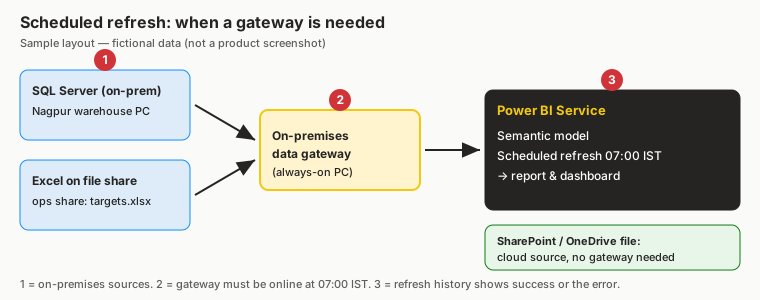
Your result should look like this (fictional sample):
| Item | Status |
|---|---|
| Gateway | Online |
| Data source mapping | Mapped |
| Refresh | Completed |
Explain what happened
The gateway makes an outbound connection, so no inbound firewall port is opened.
Explore further
- Personal mode is for one user only – avoid it for team reports.
Detailed reference for this lesson:
The Service runs in the cloud. To reach data inside your company network (on-premises SQL Server, files on a network share, etc.), you need an on-premises data gateway.
| Gateway type | Description |
|---|---|
| On-premises data gateway (standard mode) | Installed on an always-on server; shared by many users and reports; admins add data source connections; supports scheduled refresh, DirectQuery and Live connections |
| On-premises data gateway (personal mode) | For one user only; supports Import refresh only; runs on the user's machine (which must be on) |
| Virtual network (VNet) data gateway | Managed by Microsoft for data sources in Azure virtual networks (requires capacity) |
Cloud sources such as SharePoint Online, OneDrive for work, Azure SQL Database (with public access) usually do not need a gateway. Step-by-step gateway installation and connection mapping are in Module 4.8.
Ravindra Bagale's Tip
Friends, many students think cloud sources like SharePoint Online need a gateway and add one anyway, making the setup more complicated. Use a gateway only for sources inside your private network. The full setup is in Module 4.8. Remember this rule.
Ravindra Bagale's Tip – मराठी
मित्रांनो, बऱ्याच students ना वाटतं SharePoint Online सारख्या cloud sources ना gateway लागतो आणि ते तरीही एक जोडतात, त्यामुळे setup उगाच गुंतागुंतीचा होतो. Gateway फक्त तुमच्या private network मधल्या sources साठीच वापरा. पूर्ण setup Module 4.8 मध्ये आहे. हा नियम लक्षात ठेवा.
Ravindra Bagale's Tip – हिंदी
दोस्तों, बहुत से students सोचते हैं कि SharePoint Online जैसे cloud sources को gateway चाहिए और फिर भी एक जोड़ देते हैं, जिससे setup बेवजह उलझ जाता है. Gateway सिर्फ़ अपने private network के अंदर वाले sources के लिए इस्तेमाल करो. पूरा setup Module 4.8 में है. यह नियम याद रखो.
Fix common mistakes
| Wrong result | Reason | Correction |
|---|---|---|
| Gateway offline | PC switched off/restarted | Use an always-on server |
| Mapping fails | Server name differs (QCSERVER01 vs QCSERVER01.corp.local) | Use identical names |
| Refresh stops when laptop closes | Personal gateway on laptop | Standard gateway on a server |
Practise independently
Practice task
Which sample refresh failure is a gateway problem?
Hints
- Reason column.
Solution
05-May 07:00 – gateway offline.
Think like a professional
Treat the gateway as production infrastructure: owner, recovery key, monitoring.
Deepen this topic (Why / What / How)
Fictional Maharashtra example. Numbers and workspace names below are practice data only.
Why: Cloud Service cannot see on-prem SQL without a bridge — the gateway.
What: On-premises data gateway (standard mode preferred) lets scheduled refresh reach private sources.
How — plan gateway use:
Vertical steps (one under another)
- Confirm source is on-prem or VNet-private.
- Prefer a standard gateway on a always-on machine, not personal mode for team refresh.
- Map data source credentials in gateway settings.
- Test refresh history after mapping.
- Deep patterns in Ch 39.
Tiny example: Fictional: SQL Server in Pune office, then standard gateway on always-on VM.
Ravindra Bagale's Tip
Friends, personal gateway is for you alone; team refresh needs standard mode.
Ravindra Bagale's Tip – मराठी
मित्रांनो, personal gateway फक्त तुमच्यासाठी; team refresh = standard.
Ravindra Bagale's Tip – हिंदी
दोस्तों, personal gateway सिर्फ़ आपके लिए; team refresh = standard।
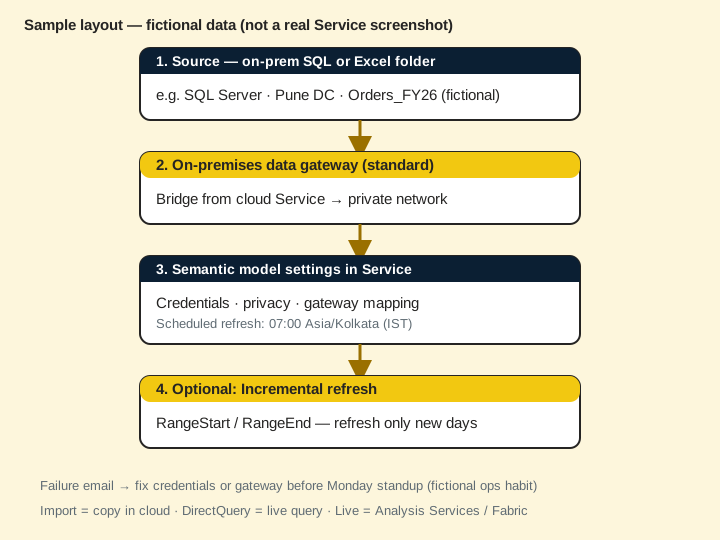
Go deeper next
This Chapter 25 page is the overview. For the full Service deep lesson, open Ch 39 · Scheduled Refresh, Incremental and Gateways. Chapters 37–44 are the deep Service series; Chapter 44 is the publish–secure–refresh–share capstone.
Quiz (5 questions)
1. A gateway is:
2. Team scheduled refresh prefers:
3. After mapping credentials you should:
4. Gateway offline often shows as:
5. Deep chapter:
Practice tasks (12) — hints only, no full answers
- Task. Write the business question this 25 7 gateways page answers in one sentence.
Hint: Name the user and the decision. - Task. List three mistakes learners make with 25 7 gateways.
Hint: Use Fix common mistakes as a seed. - Task. Draw a 5-box flow on paper for 25 7 gateways (fictional MH Ops).
Hint: Photo counts as artefact. - Task. Explain 25 7 gateways to a friend in 60 seconds using Why/What/How.
Hint: Record voice memo if you can. - Task. Open the linked deep chapter and write three new facts not on this overview page.
Hint: Cite section titles only. - Task. Create a checklist of 7 ticks before you call 25 7 gateways “done”.
Hint: Include a verify step. - Task. Invent fictional refresh/share/role data that fits 25 7 gateways.
Hint: Keep IST times. - Task. Map who is Admin / Member / Contributor / Viewer for a fictional workspace using 25 7 gateways.
Hint: Least privilege. - Task. Write an interview STAR story that uses 25 7 gateways.
Hint: 45–60 seconds. - Task. Find one unused habit you will stop (e.g. My workspace for team content) related to 25 7 gateways.
Hint: Be specific. - Task. Link 25 7 gateways forward to the correct Ch 37–44 lesson and say why.
Hint: One sentence why. - Task. Teach 25 7 gateways back using Marathi or Hindi tip language once.
Hint: Keep English terms for product UI.
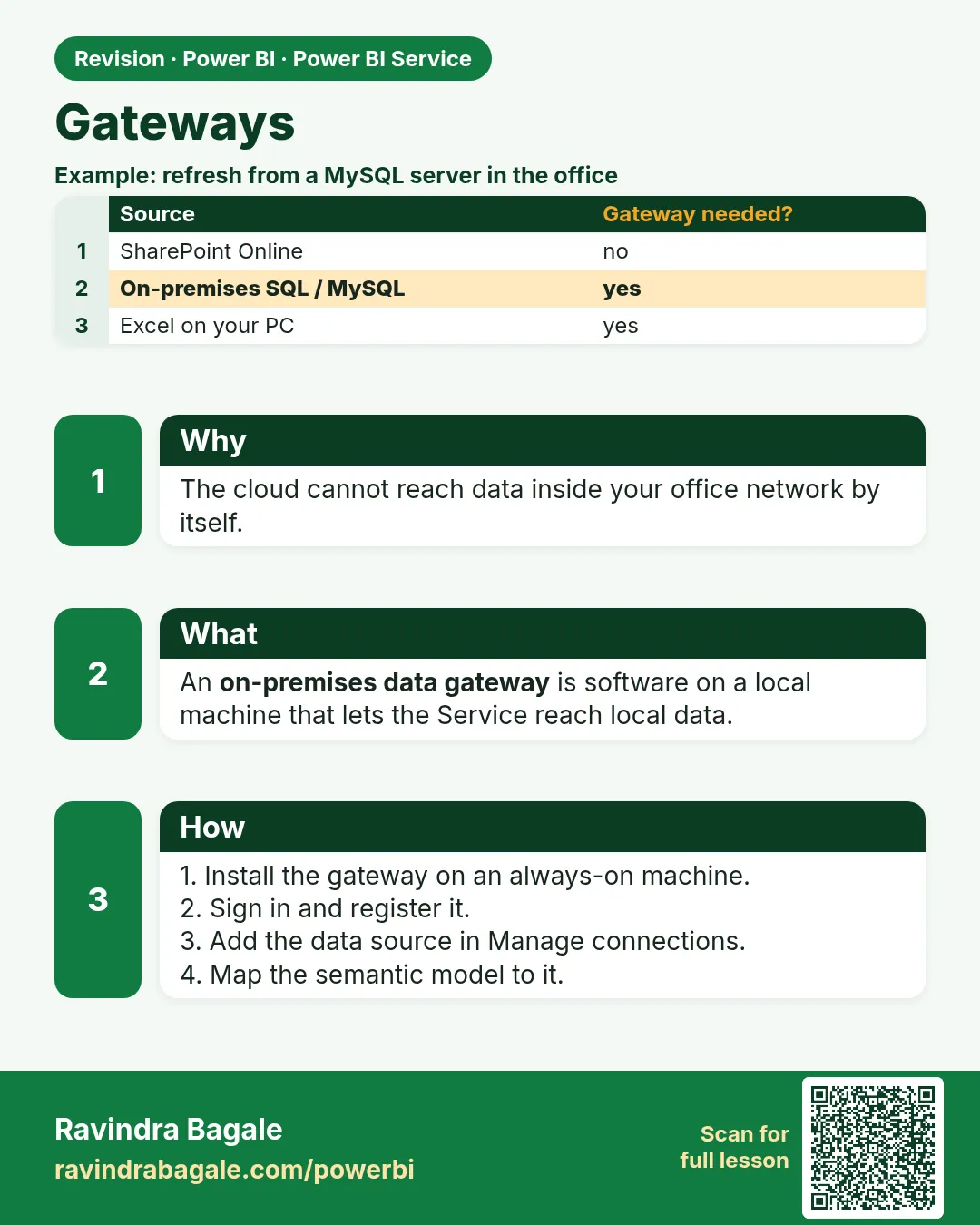 Revision card
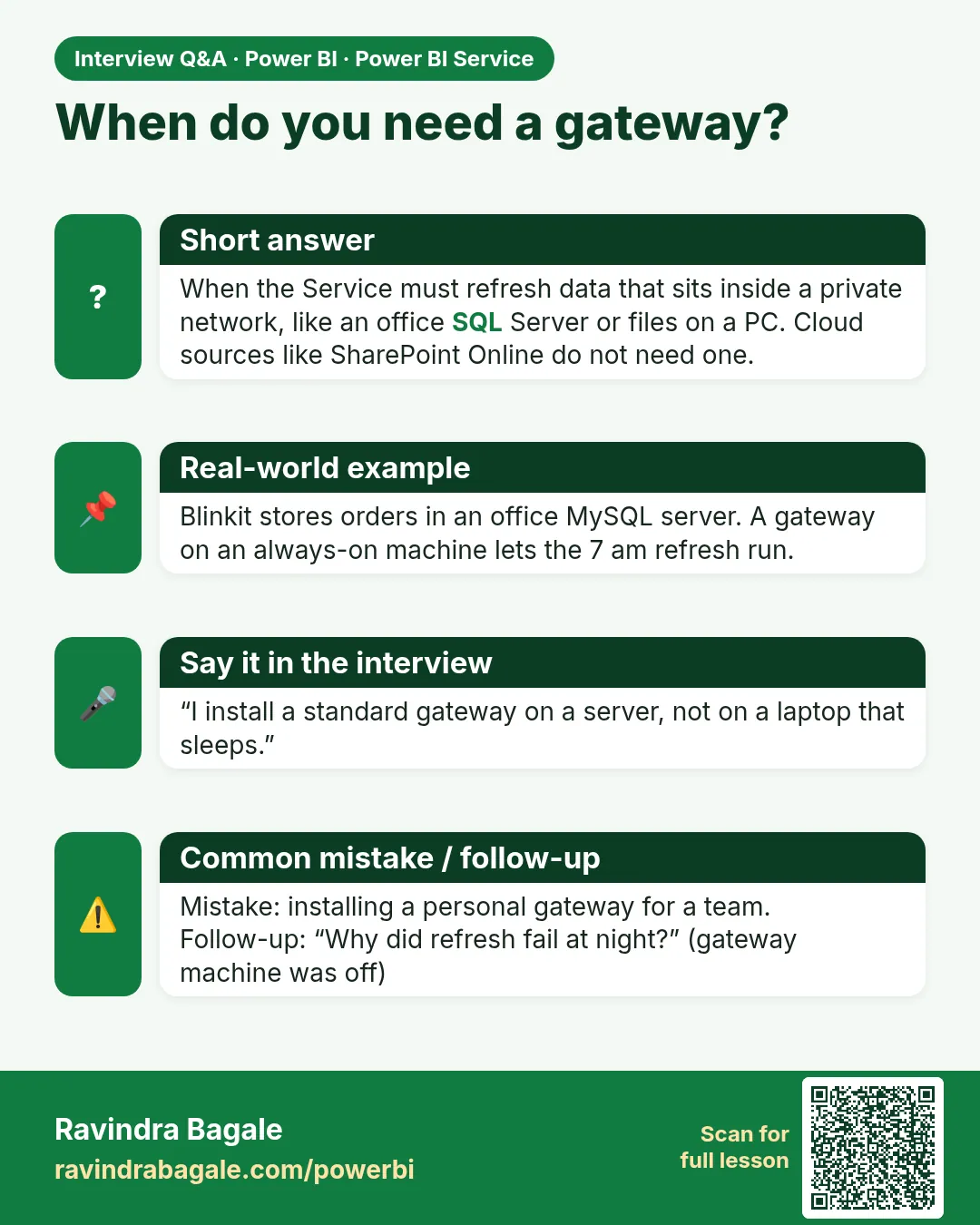 Interview card