25.15 Sensitivity Labels and Endorsement
Start with a problem
Zoya's report contains customer phone numbers. Users should see it is confidential, and should know which model is the trusted one.
Explain simply
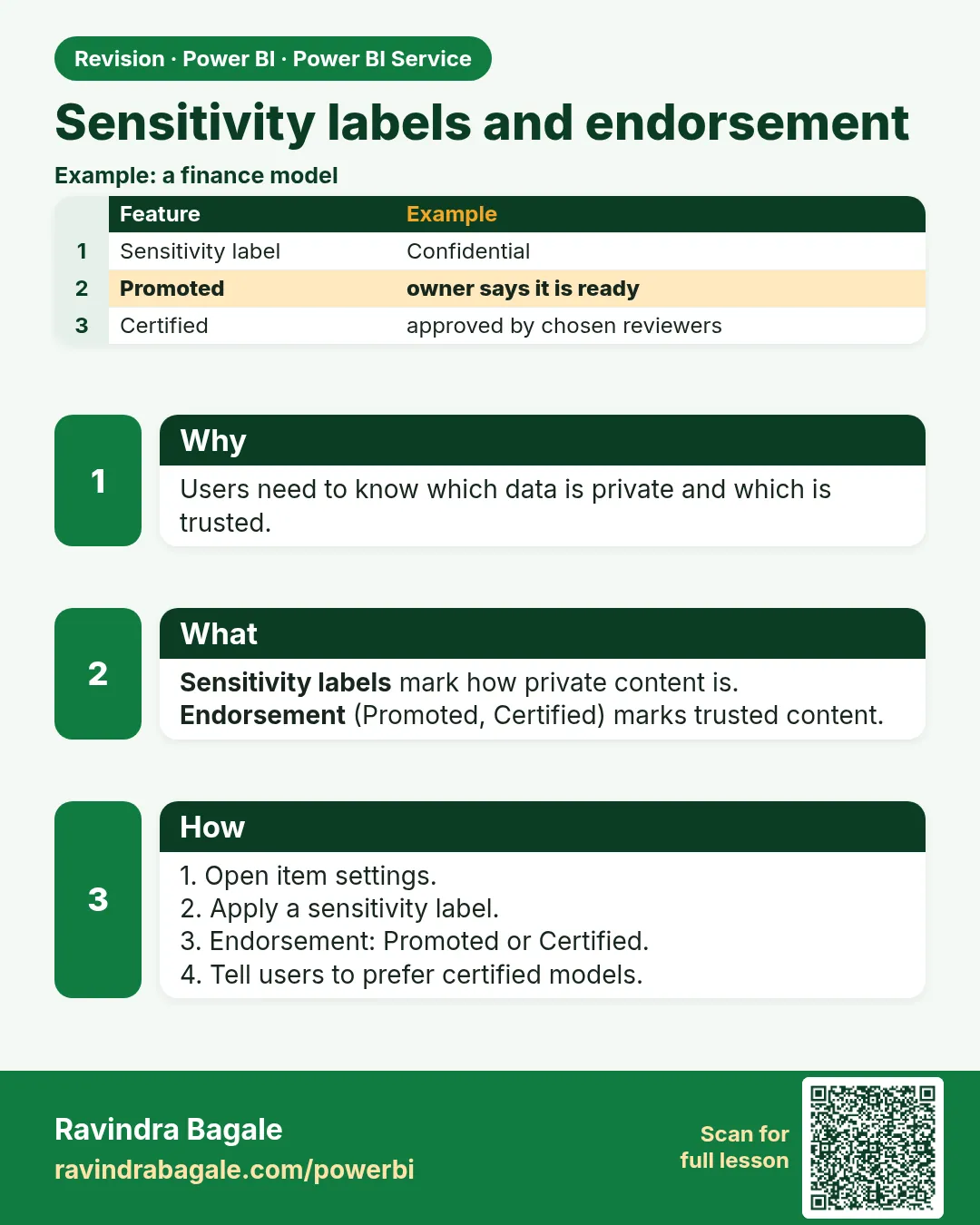
Sensitivity labels (Microsoft Purview) mark data as Confidential, etc. Endorsement marks content Promoted or Certified.
Show the data
| Item | Label/Endorsement |
|---|---|
| Maharashtra Sales model | Certified |
| Customer report | Confidential |
Fictional sample data. Practice file: visuals_orders_apr_may_2026.csv (source: src/practice/).
Demonstrate
- Report › Settings › Sensitivity label › Confidential.
- Model › Settings › Endorsement › Promoted (Certified needs approval).
- Export to Excel and check the label travels.
Show the result
Your result should look like this (fictional sample):
| Item | Result |
|---|---|
| Report header | Confidential label shown |
| Model | Promoted badge |
Explain what happened
Labels protect and inform; endorsement guides users to trusted models.
Explore further
- Certification usually requires admin-approved certifiers.
Detailed reference for this lesson:
A sensitivity label says how confidential the file is. Endorsement says "use this model, it is the official one". Neither of them is a security role.
Sensitivity label सांगतो की file किती confidential आहे. Endorsement सांगतं की "हा model वापरा, हाच official आहे". यातलं कुठलंच security role नाही.
Sensitivity label बताता है कि file कितनी confidential है. Endorsement बताता है कि "यह model इस्तेमाल कीजिए, यही official है". इनमें से कोई भी security role नहीं है.
Sensitivity labels come from Microsoft Purview. An admin defines names such as General or Confidential. You apply a label in Desktop or the Service if the tenant allows it. The label can travel with an export (PDF, Excel) when the admin configured that. A label does not filter rows. RLS still does that. If you see no label button, the tenant has not enabled labels for Power BI. Skip the button; do not invent a label.
Endorsement is on the semantic model: Settings › Endorsement.
| Level | Meaning |
|---|---|
| None | No badge |
| Promoted | The owners say "this is maintained, please use it" |
| Certified | A person in a role the admin chose has certified it. Not every Member can certify |
Promoted and certified models are easier to find when someone uses Get data on a published semantic model. Certification is not a technical test you can click past. It is a governance flag.
Worked example. The fictional quick-commerce model is Promoted so classmates connect to it instead of building a second star schema. It is not Certified, because nobody in a certification role reviewed it. You still apply RLS for city managers. The Promoted badge did not hide Mumbai from a Pune manager.
Ravindra Bagale's Tip
In interviews, do not call endorsement RLS. A Promoted model can still show all the data. A label is not a row filter either. Security means a role. A badge means trust. Many students say this the wrong way round. Remember this.
Ravindra Bagale's Tip – मराठी
Interview मध्ये endorsement ला RLS म्हणू नका. Promoted model पण सगळा data दाखवू शकतो. Label पण row filter नाही. Security म्हणजे role. Badge म्हणजे विश्वास. बरेच students हे उलट सांगतात. लक्षात ठेवा.
Ravindra Bagale's Tip – हिंदी
Interview में endorsement को RLS मत कहो. Promoted model भी पूरा data दिखा सकता है. Label भी row filter नहीं है. Security यानी role. Badge यानी भरोसा. बहुत से students यह उल्टा बताते हैं. याद रखो.
Fix common mistakes
| Wrong result | Reason | Correction |
|---|---|---|
| Cannot set Certified | Not an approved certifier | Use Promoted or request |
| No labels list | Purview not set up | Ask admin |
| Users use an old model | Not endorsed | Certify the official one |
Practise independently
Practice task
Which endorsement can a normal author set?
Hints
- Not Certified.
Solution
Promoted.
Think like a professional
Governance terms show you can work in regulated companies.
 Revision card