25.10 When Refresh Fails, and How to Make It Cheaper
Start with a problem
The Nashik refresh failed at 02:10 IST. Ravindra must find the reason before the 9:00 meeting.
Explain simply
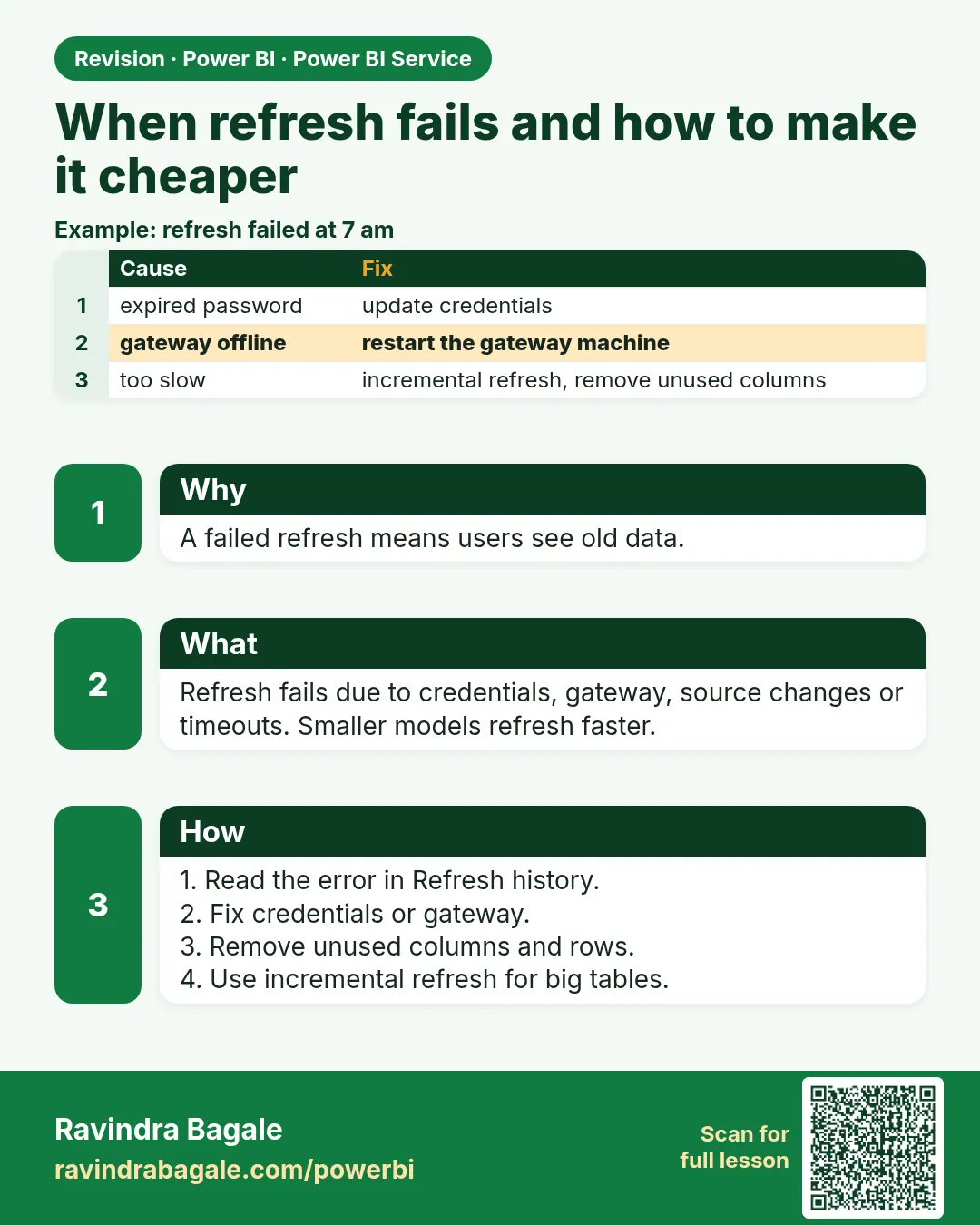
Open Refresh history, read the error, fix that cause. Then make refresh cheaper: fewer columns, folding filters, incremental refresh.
Show the data
| Date (IST) | Scheduled Time (IST) | Duration (min) | Status | Reason |
|---|---|---|---|---|
| 2026-05-04 | 07:00 | 6 | Completed | |
| 2026-05-05 | 07:00 | 0 | Failed | Gateway offline (warehouse PC restarted) |
| 2026-05-05 | 07:40 | 7 | Completed | Manual refresh after gateway restart |
| 2026-05-06 | 07:00 | 0 | Failed | Credentials expired for SQL source |
| 2026-05-06 | 08:15 | 6 | Completed | Credentials updated in semantic model settings |
Fictional sample data. Practice file: refresh_history_sample.csv (source: src/practice/).
Demonstrate
- Semantic model › Refresh history.
- Open the failed row's details.
- Match the message: gateway → 25.7; credentials → Settings › Data source credentials.
- Fix, then Refresh now.
- Check history shows Completed.
Show the result
Your result should look like this (fictional sample):
| Failure | Fix | Next run |
|---|---|---|
| Gateway offline | Restart gateway server | Completed 07:40 |
| Credentials expired | Re-enter credentials | Completed 08:15 |
Explain what happened
Each error names its source; fixing the cause avoids changing queries unnecessarily.
Explore further
- Times stored in UTC – convert to IST (+5:30) before reporting.
Detailed reference for this lesson:
Setting a schedule is not the end of the job. Check the refresh history first, then reduce how often or how much data you refresh.
Schedule लावला म्हणजे काम संपलं असं नाही. आधी refresh history बघा, मग किती वेळा किंवा किती data refresh करायचा ते कमी करा.
Schedule लगा देने से काम ख़त्म नहीं होता. पहले refresh history देखिए, फिर कितनी बार या कितना data refresh करना है, उसे कम कीजिए.
Refresh history is on the semantic model in the workspace: … › Refresh history (or Settings › Refresh). Read the time in your zone. The Service stores UTC; convert it before you tell a manager "it failed at night". IST is five and a half hours ahead of UTC.
Typical failures, and the first place to look:
| Message idea | First check |
|---|---|
| Credentials | Semantic model › Settings › Data source credentials. Re-enter them. Section 3.4 |
| Gateway | Gateway offline, or the server name does not match exactly. Sections 4.8 and 25.7 |
| Column type or missing column | Someone changed the Excel header. Fix Power Query, or the source, so the step still finds the column |
| Timeout | The import is too large or the SQL is too slow. Fold the filter, drop columns, or use incremental refresh (section 10.8) |
| Privacy / firewall formula | Section 4.9. Do not set every source to Public to hide it |
Refresh optimisation means the refresh does less work:
- Import only the columns and years the report uses.
- Prefer a folding filter (a view, or a step that still shows View Native Query) over a late Power Query filter that downloads everything.
- Incremental refresh with
RangeStartandRangeEndfor a large orders table (section 10.8). - Do not refresh a semantic model that no report uses. Disable its schedule.
- Split a slow file source from a fast SQL source only if you are ready to support two models. One model is easier until size forces the split.
Worked example. The fictional Nashik file refresh fails at 02:10 IST. History says the gateway could not find QCSERVER01. Desktop on Ravindra's laptop uses QCSERVER01.corp.local. Those are different names, so the mapping fails. Align the names. The second morning, history is green. You did not rebuild the report.
Ravindra Bagale's Tip
Many students click Refresh now, wait, and never open Refresh history. The red row names the source. Do not change the query before reading it. And do not keep a team report on a personal gateway; when the laptop shuts down, refresh stops. Pay attention!
Ravindra Bagale's Tip – मराठी
बरेच students Refresh now वर click करतात, थांबतात, आणि Refresh history कधीच उघडत नाहीत. लाल row source चं नाव सांगते. ते वाचल्याशिवाय query बदलू नका. आणि team चा report personal gateway वर ठेवू नका; laptop बंद पडला की refresh बंद. लक्षात ठेवा!
Ravindra Bagale's Tip – हिंदी
बहुत से students Refresh now पर click करते हैं, इंतज़ार करते हैं, और Refresh history कभी नहीं खोलते. लाल row source का नाम बताती है. उसे पढ़े बिना query मत बदलो. और team की report personal gateway पर मत रखो; laptop बंद हुआ तो refresh बंद. ध्यान रखो!
Fix common mistakes
| Wrong result | Reason | Correction |
|---|---|---|
| Rebuilt the query | Did not read history | Read the error first |
| Told manager failed at 20:40 | UTC time quoted | Convert: 20:40 UTC = 02:10 IST |
| Timeouts every day | Importing all years | Incremental refresh / fewer columns |
Practise independently
Practice task
What is the average duration of completed refreshes in the sample?
Hints
- 6, 7, 6.
Solution
(6 + 7 + 6) ÷ 3 = 6.3 min.
Think like a professional
Calm, evidence-based troubleshooting is what managers remember.
 Revision card