Ravi Sir's Cards › Power BI
22. Filters and Slicers: Cards
मराठी cards · Open the chapter
Revision cards
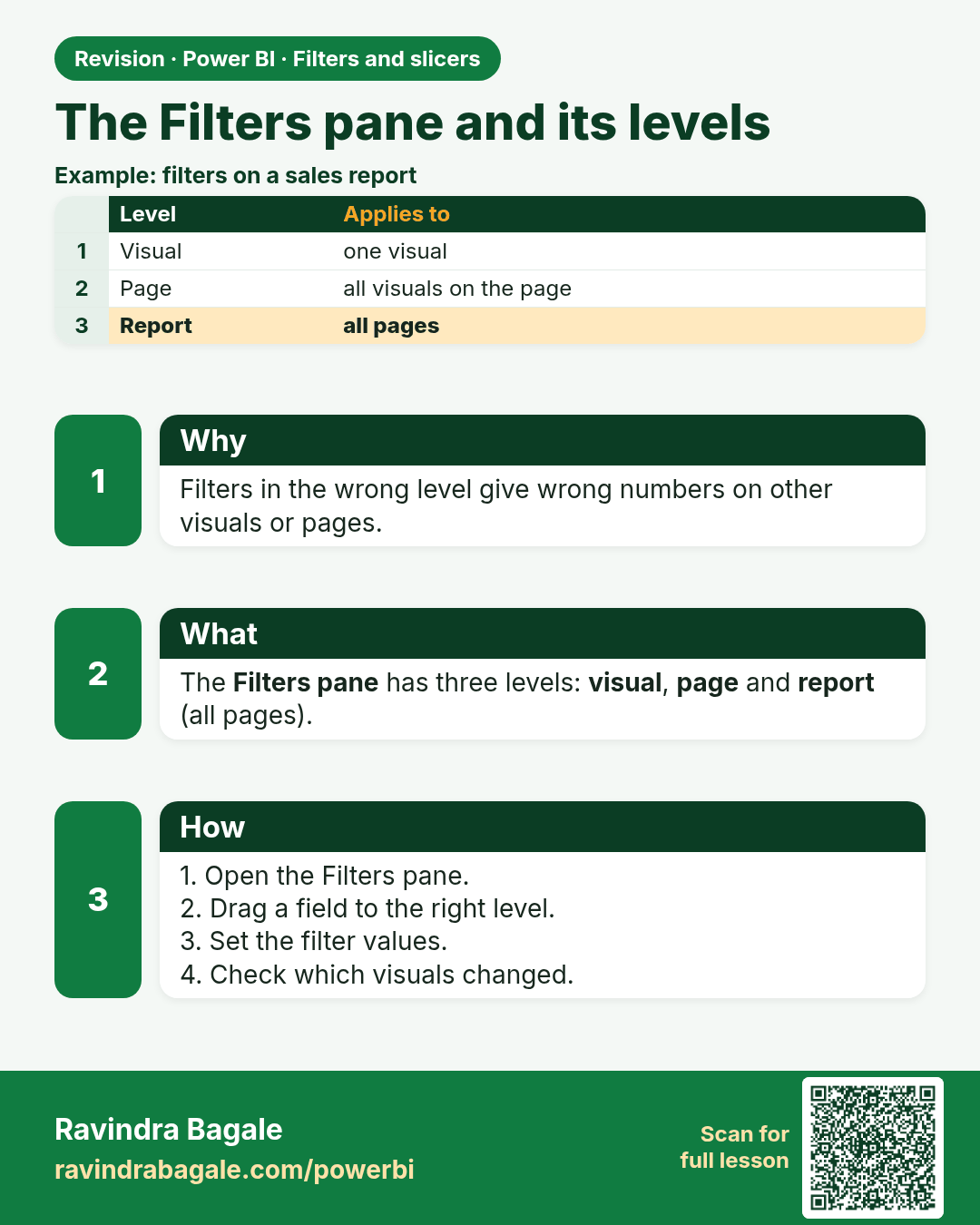
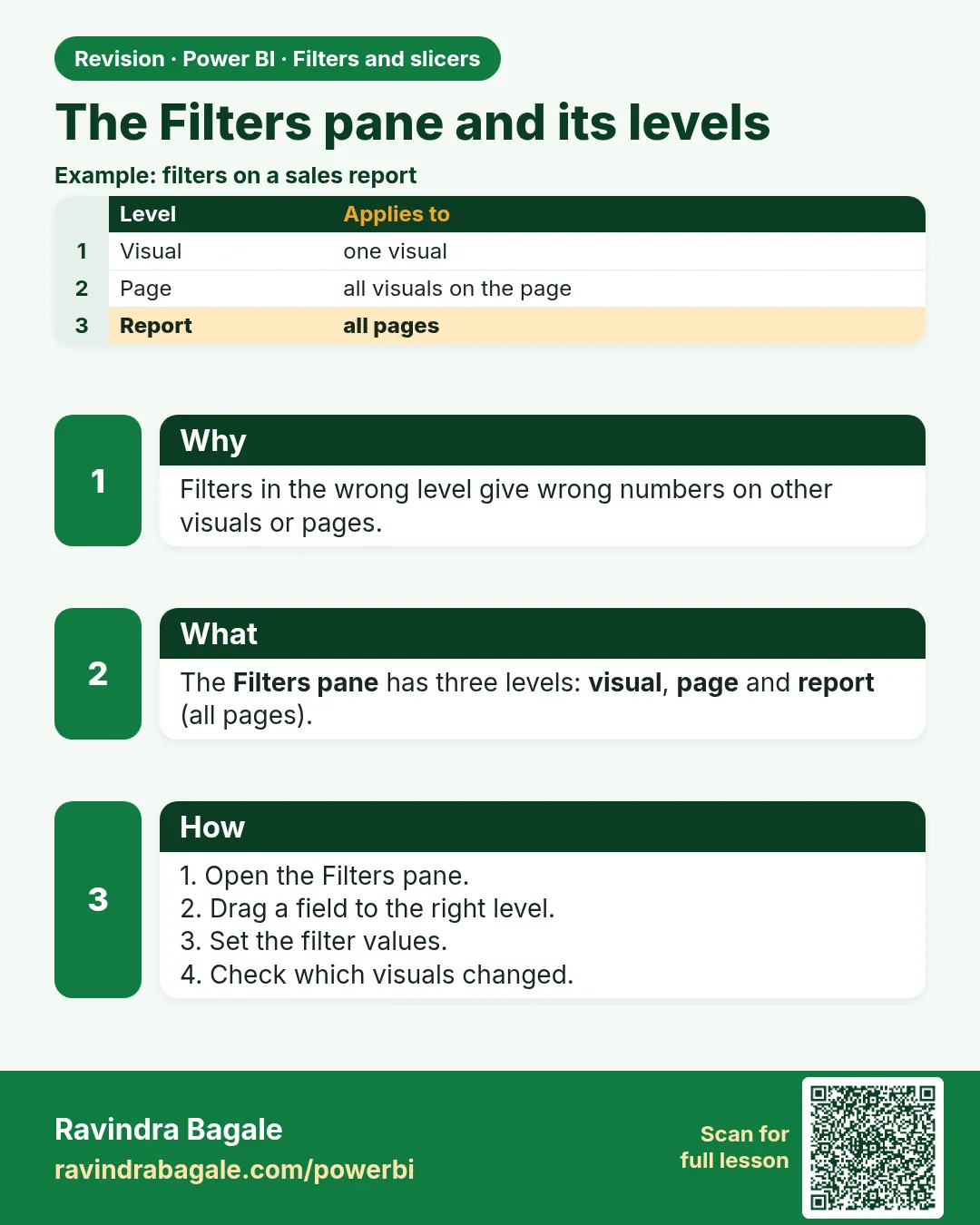 Revision card 1 of 12: The Filters pane and its levels · Download PNG · Open card page
Lesson: 22.1 The Filters Pane and Its Levels
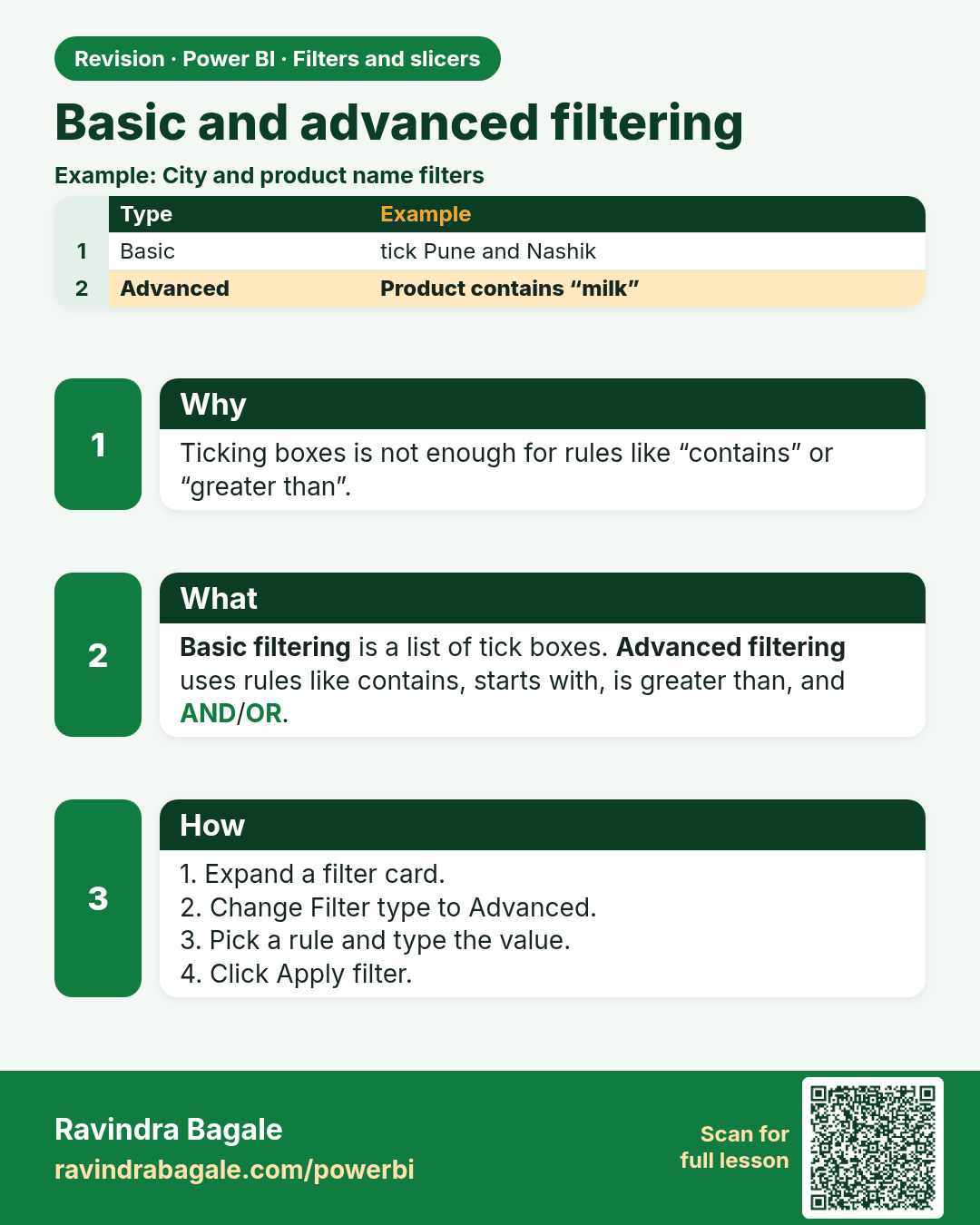
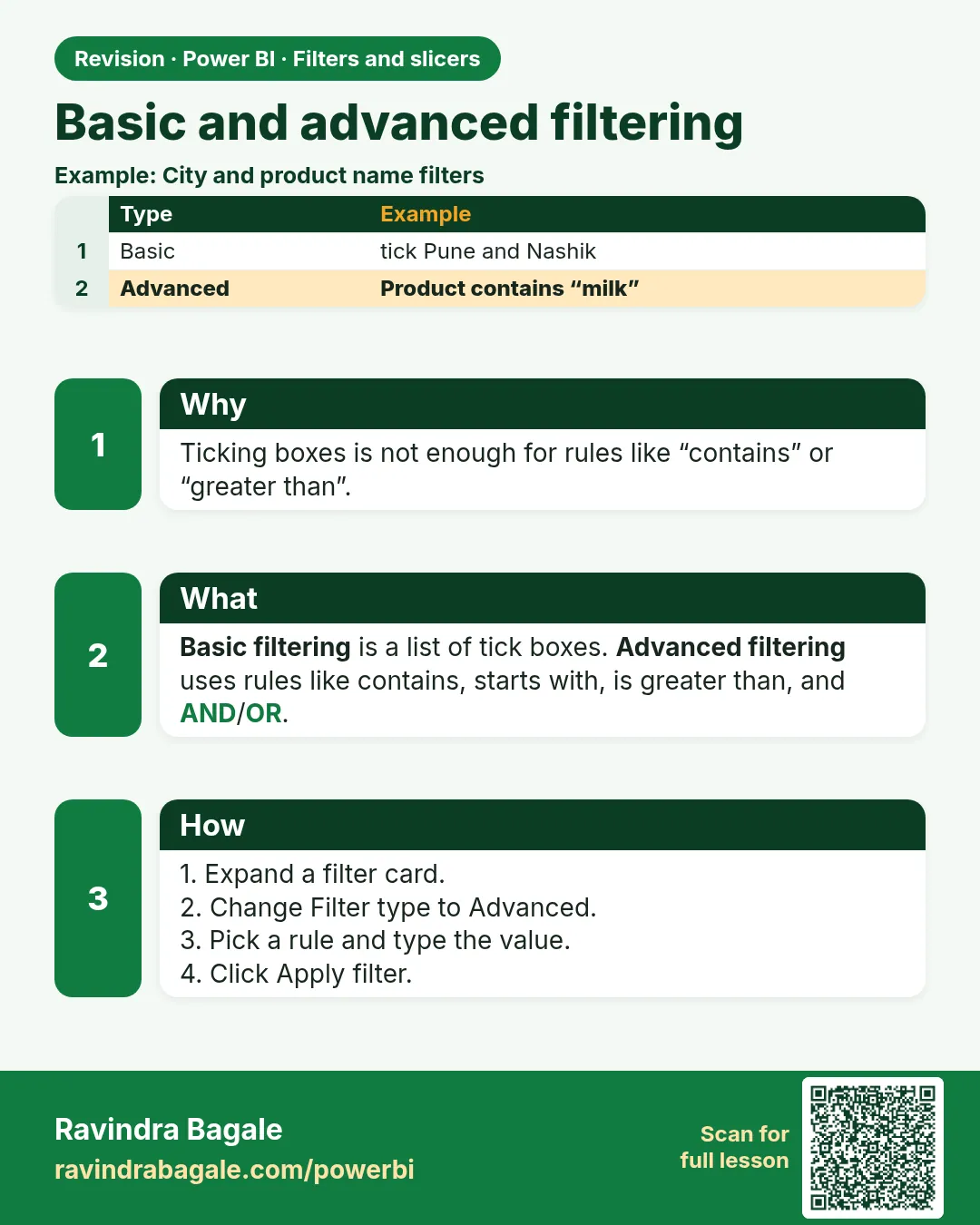 Revision card 2 of 12: Basic and advanced filtering · Download PNG · Open card page
Lesson: 22.2 Basic and Advanced Filtering
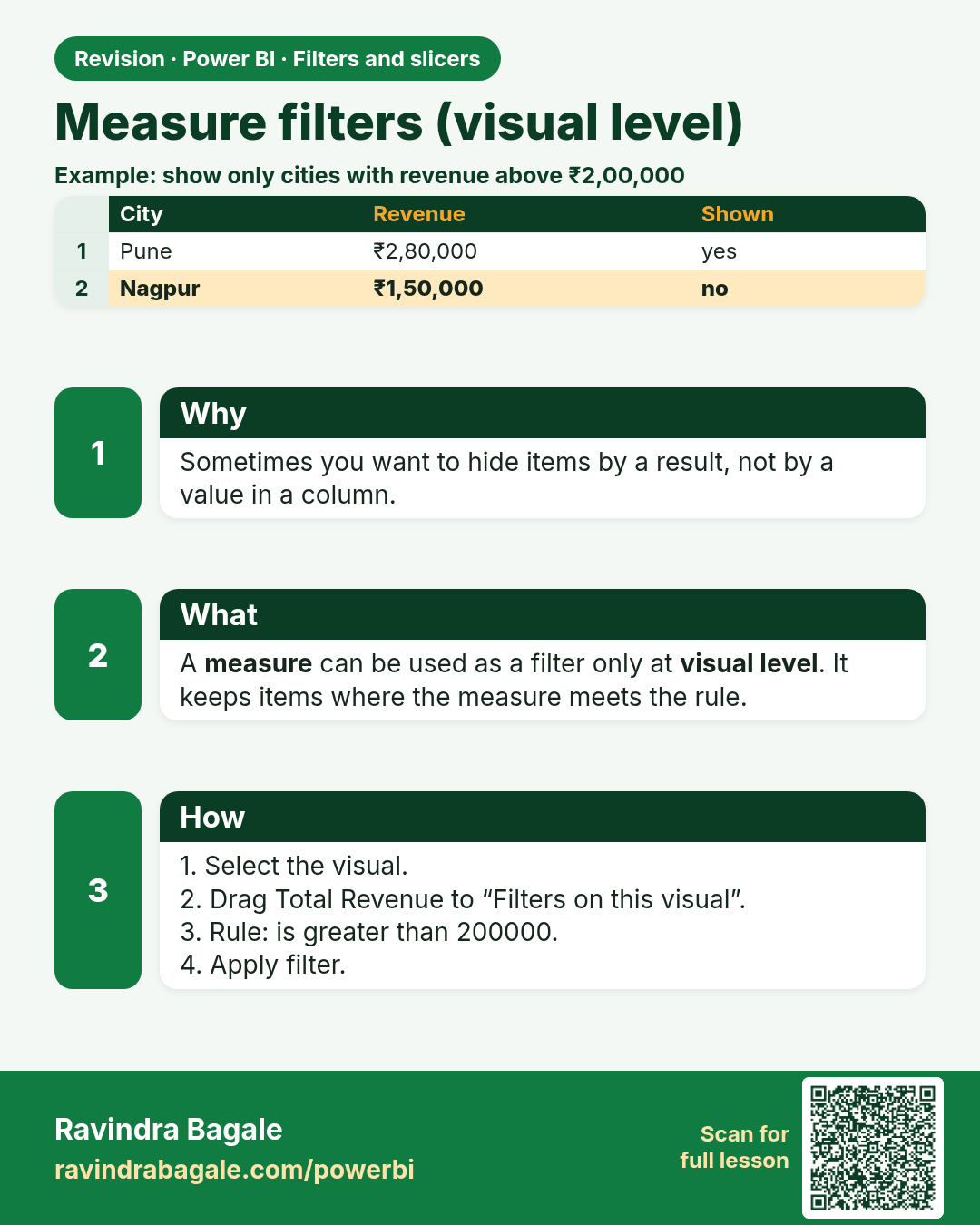
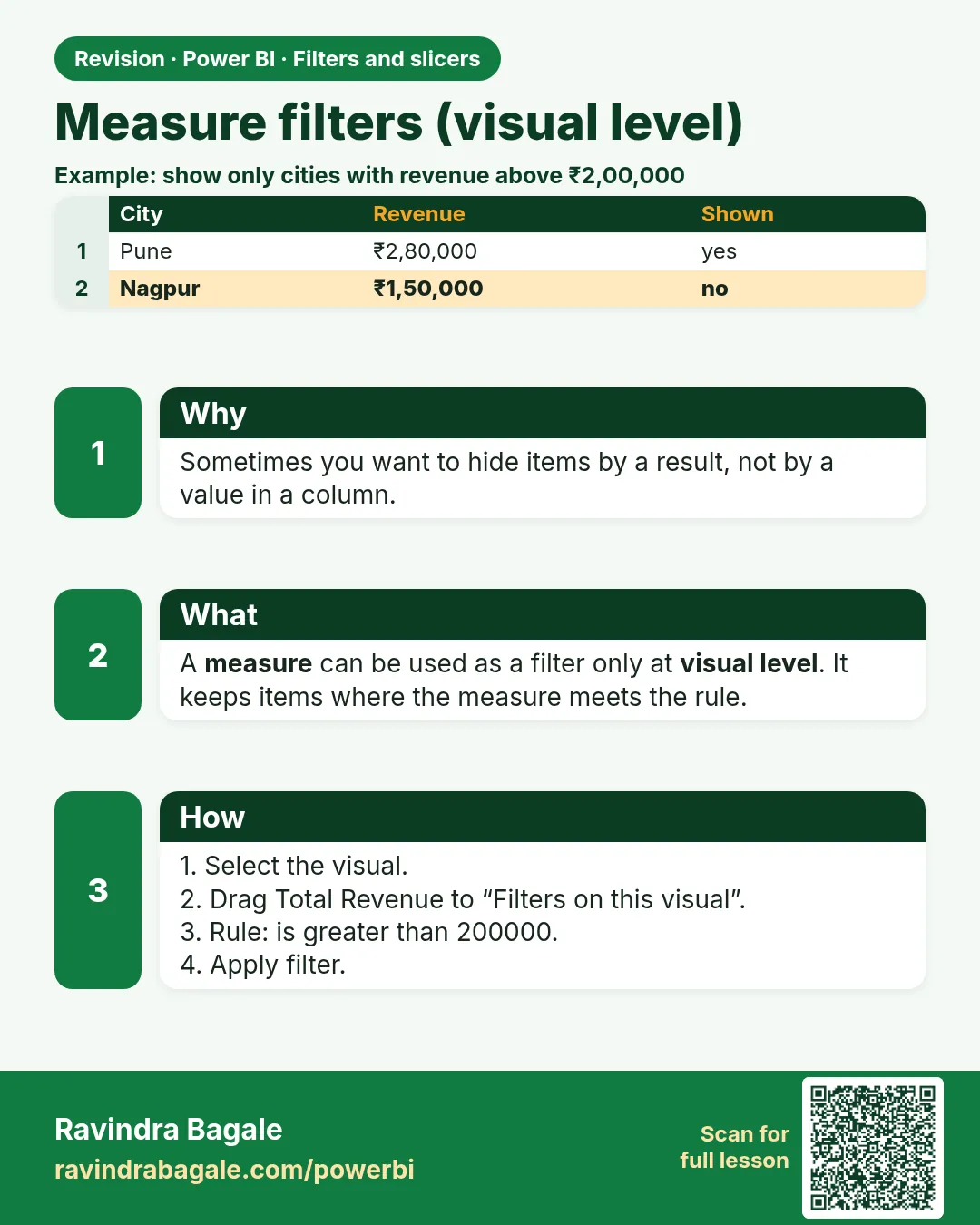 Revision card 3 of 12: Measure filters (visual level) · Download PNG · Open card page
Lesson: 22.3 Measure Filters (Visual Level)
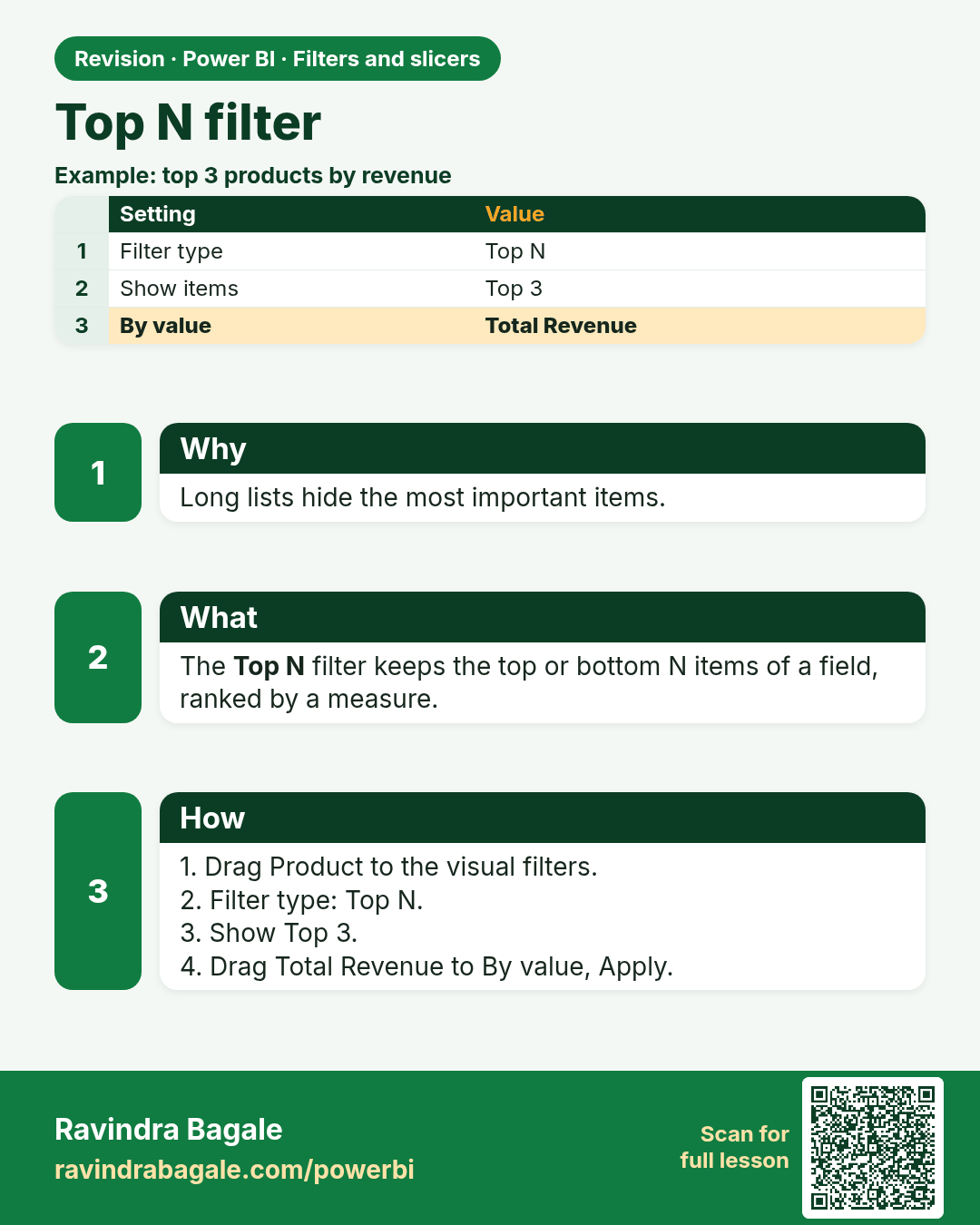
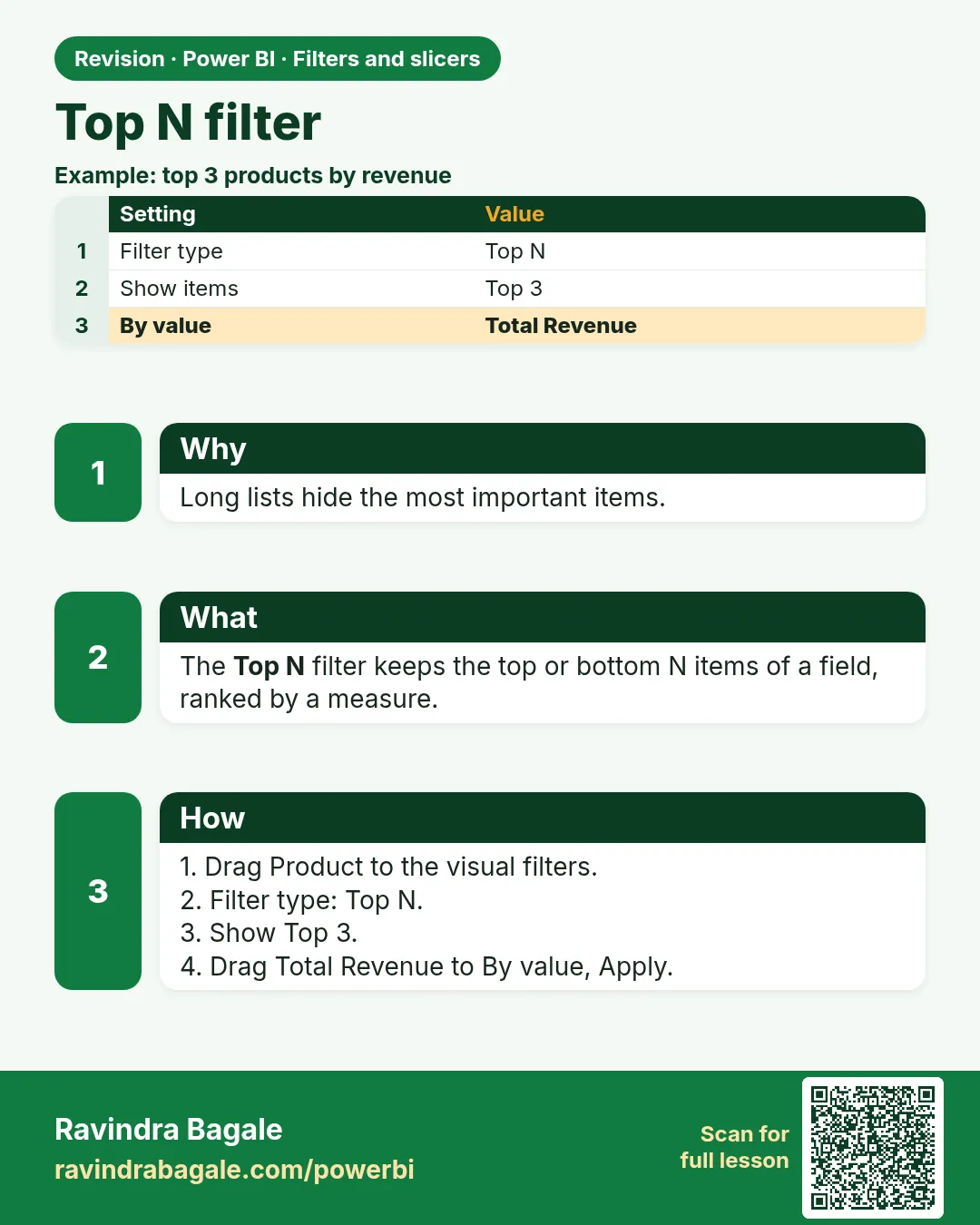 Revision card 4 of 12: Top N filter · Download PNG · Open card page
Lesson: 22.4 Top N Filter
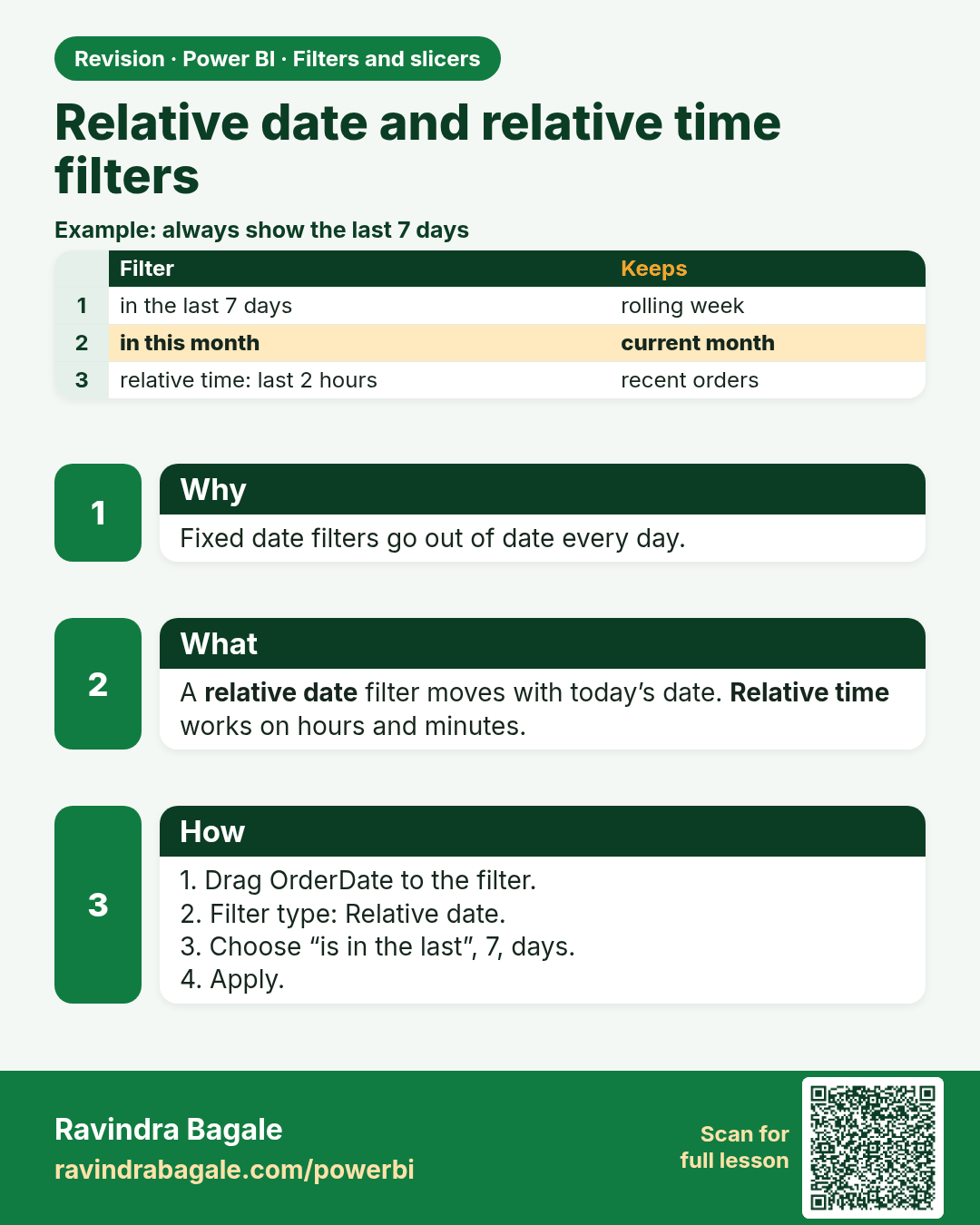
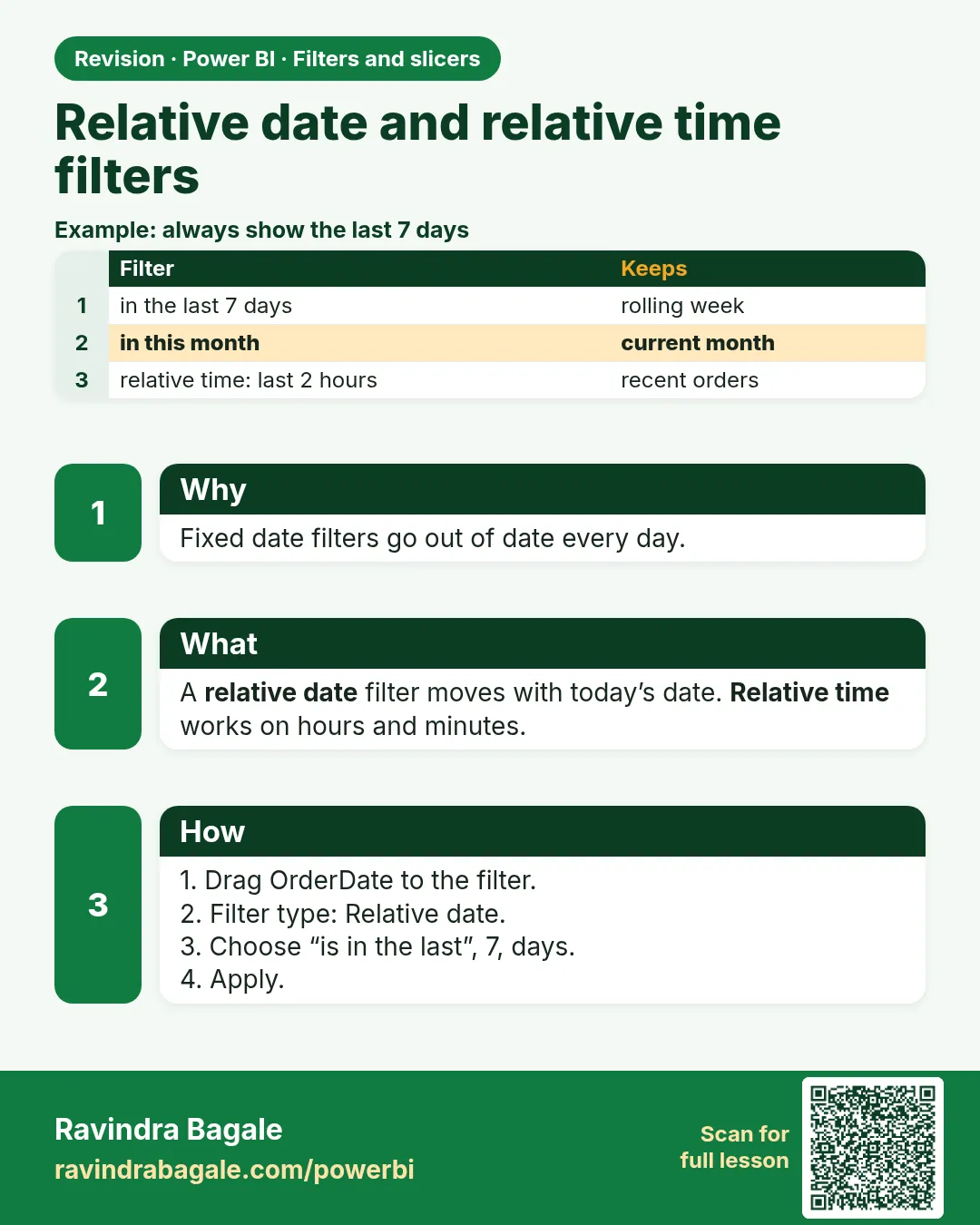 Revision card 5 of 12: Relative date and relative time filters · Download PNG · Open card page
Lesson: 22.5 Relative Date and Relative Time Filters
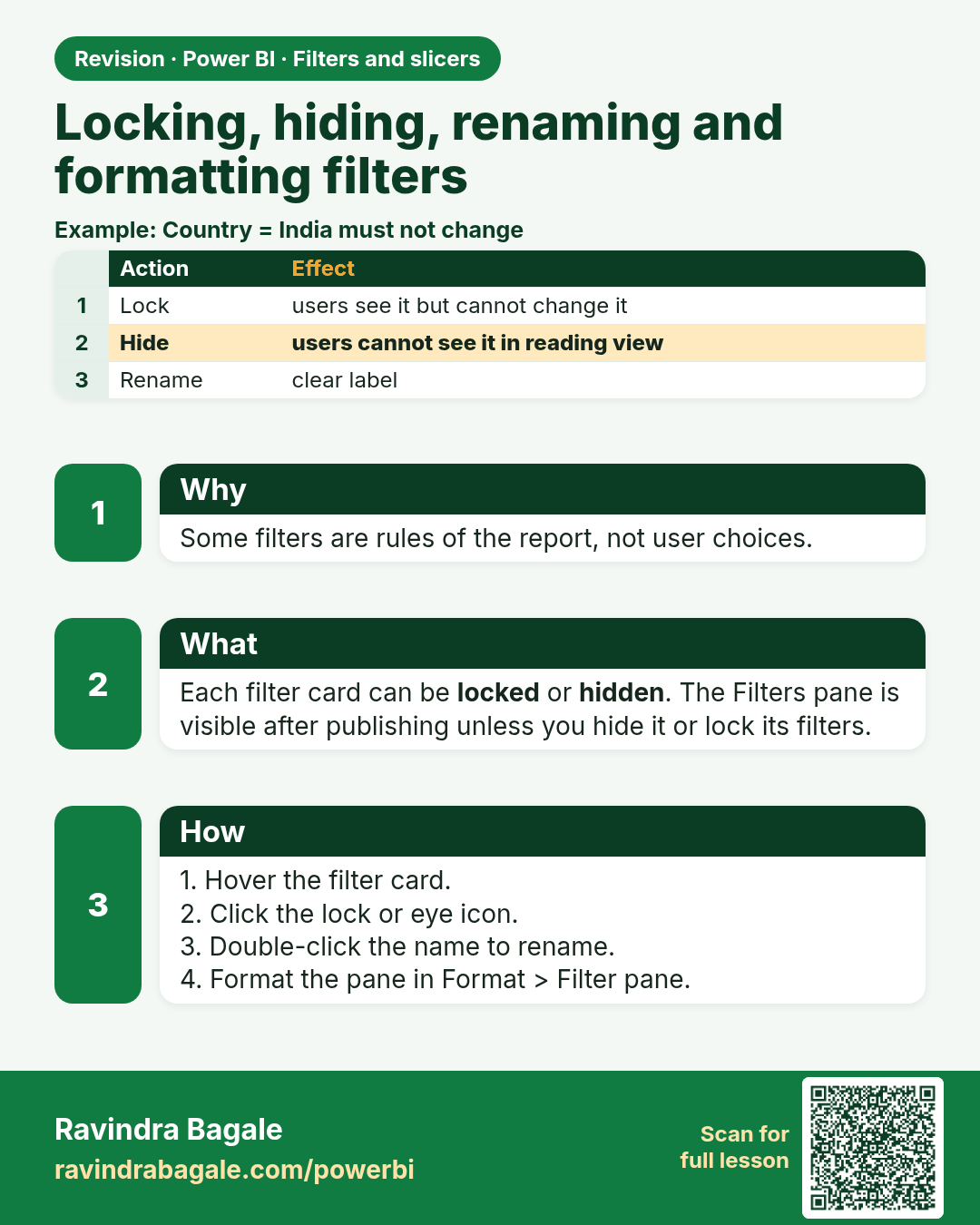
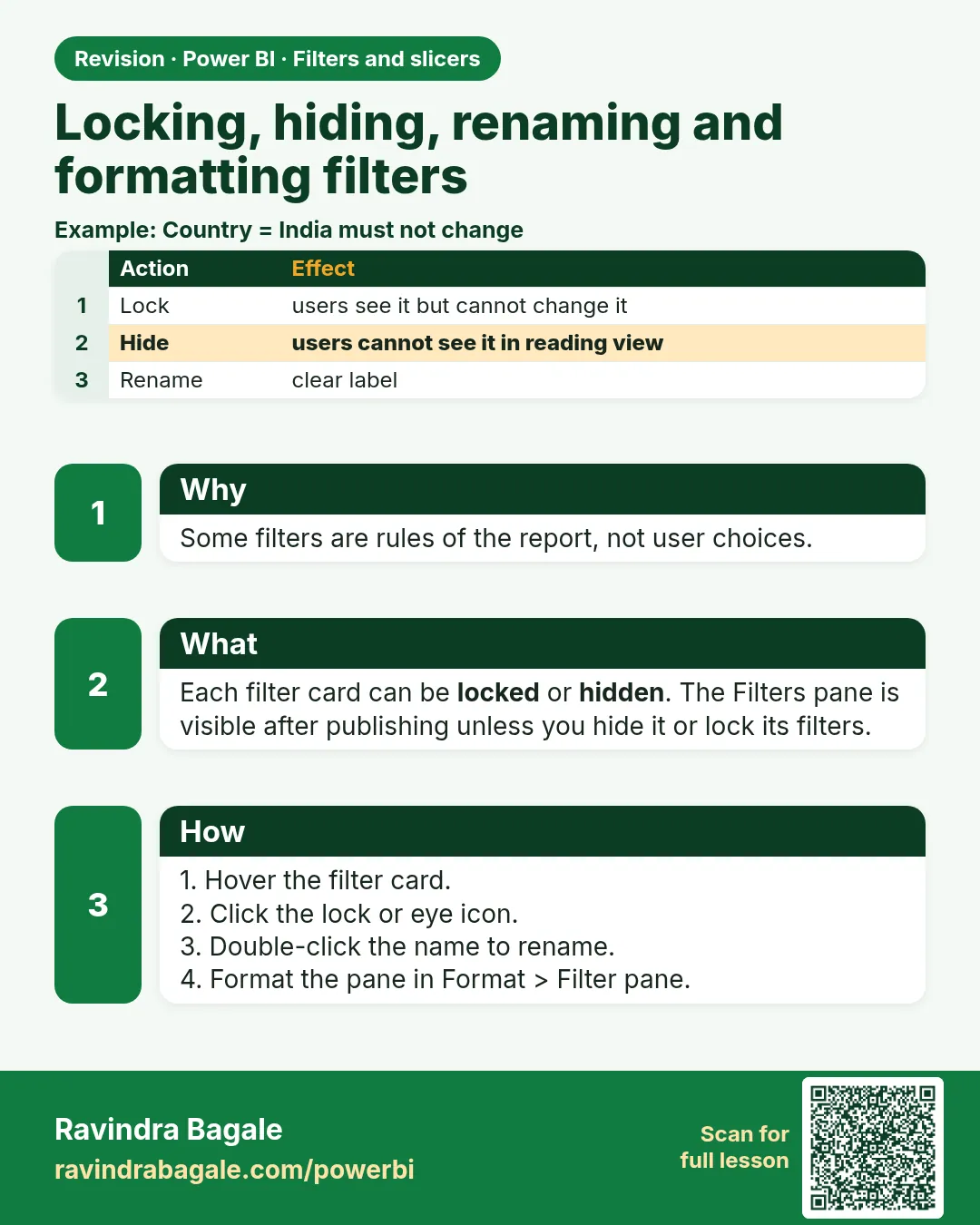 Revision card 6 of 12: Locking, hiding, renaming and formatting filters · Download PNG · Open card page
Lesson: 22.6 Locking, Hiding, Renaming and Formatting Filters
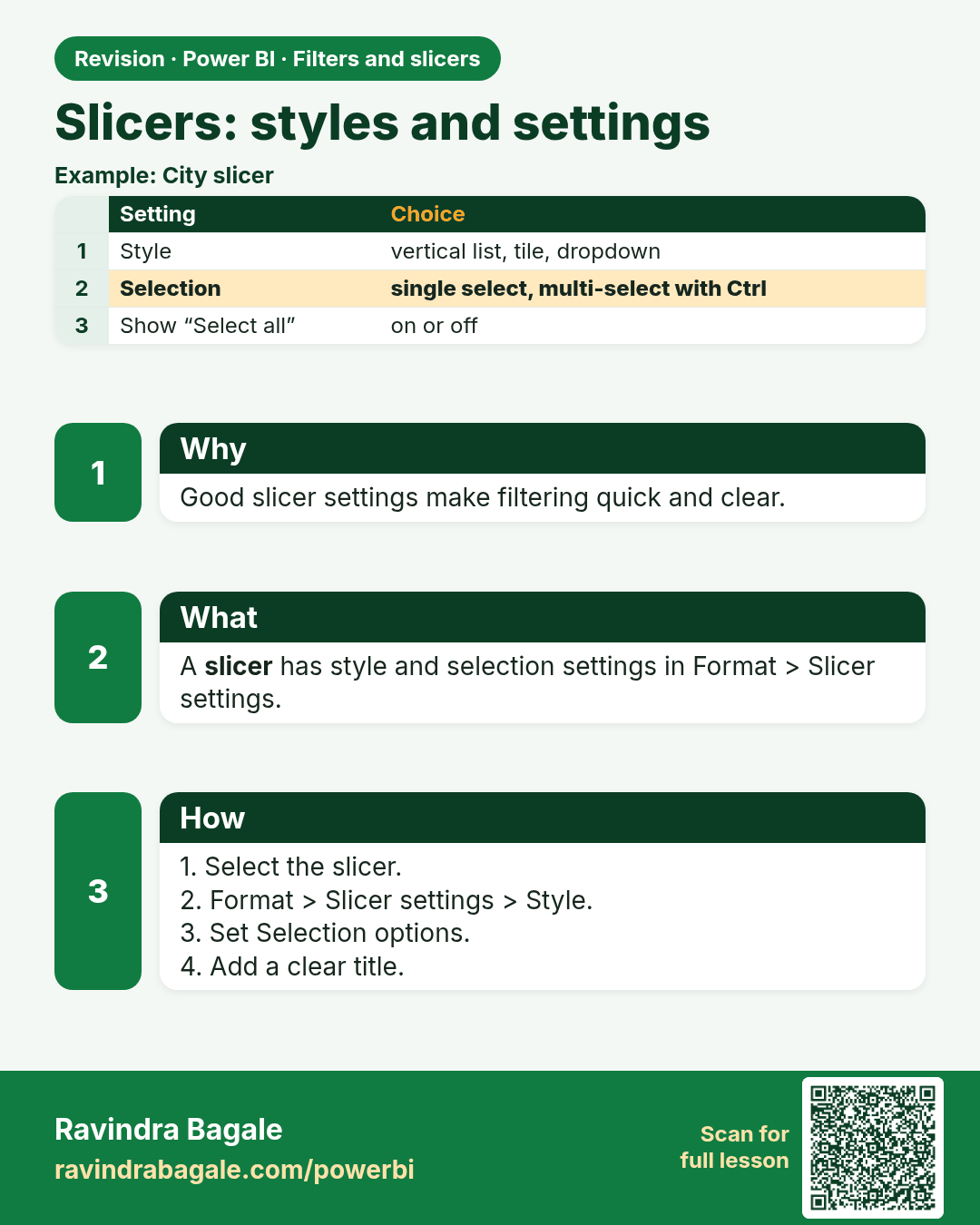
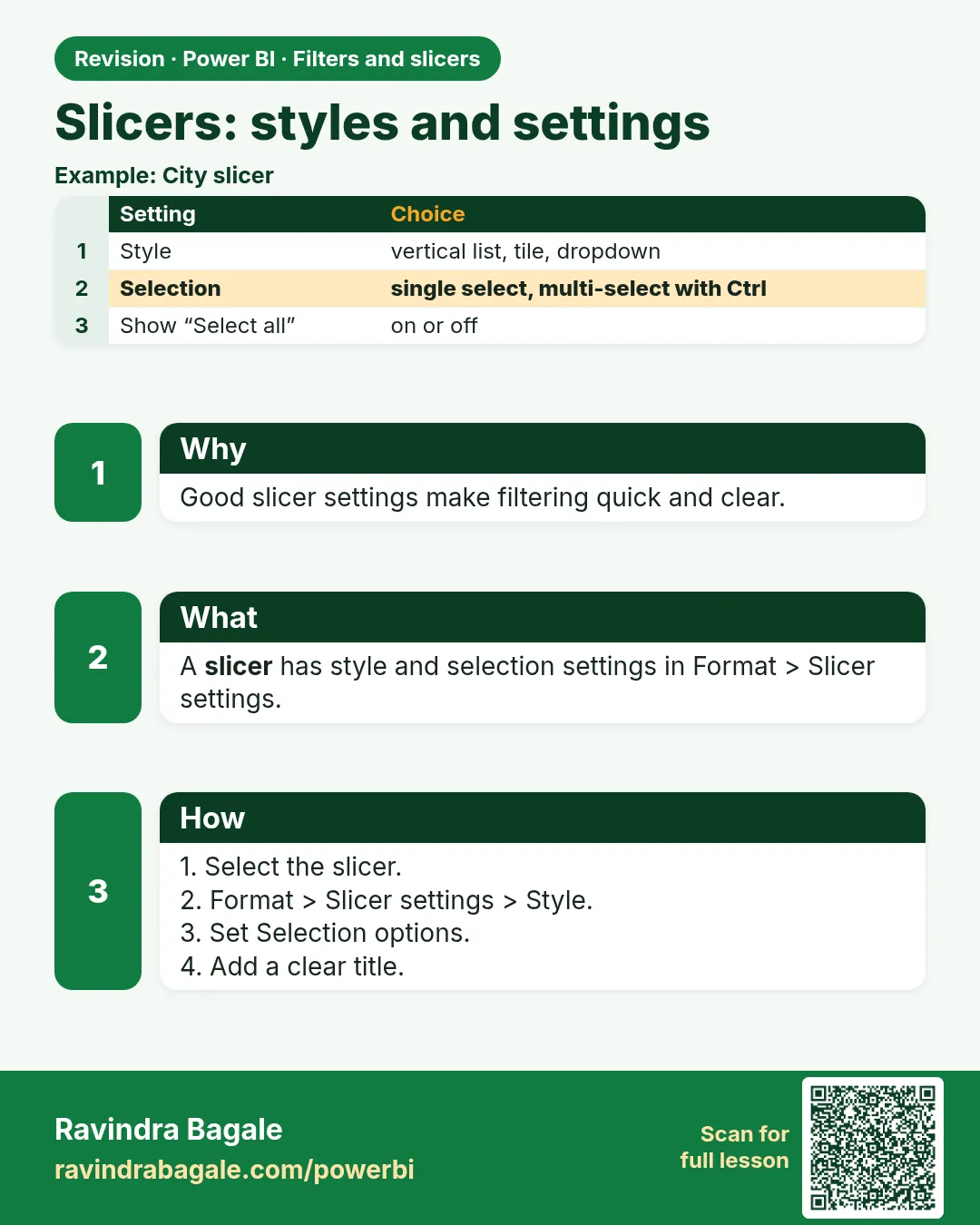 Revision card 7 of 12: Slicers: styles and settings · Download PNG · Open card page
Lesson: 22.7 Slicers: Styles and Settings
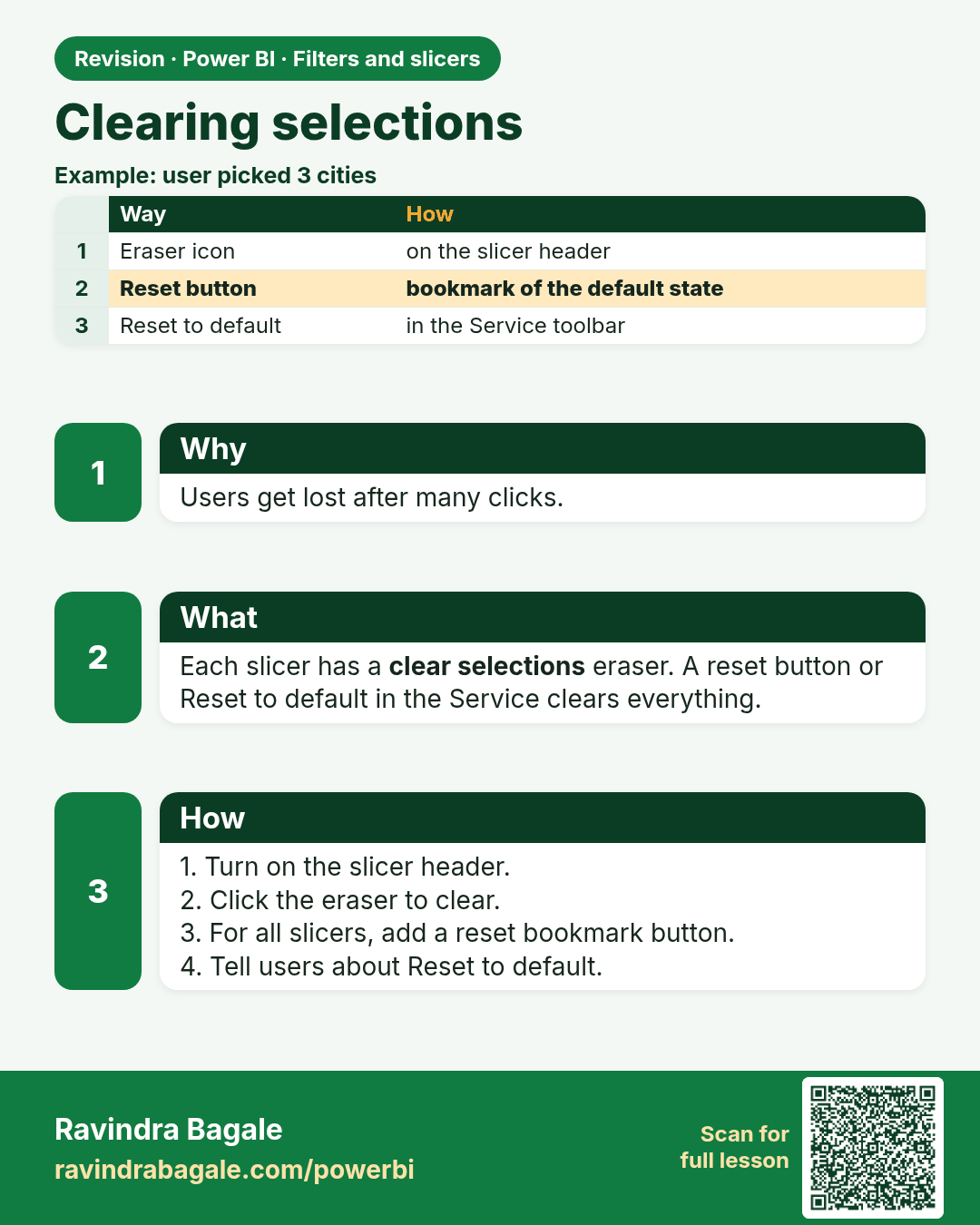
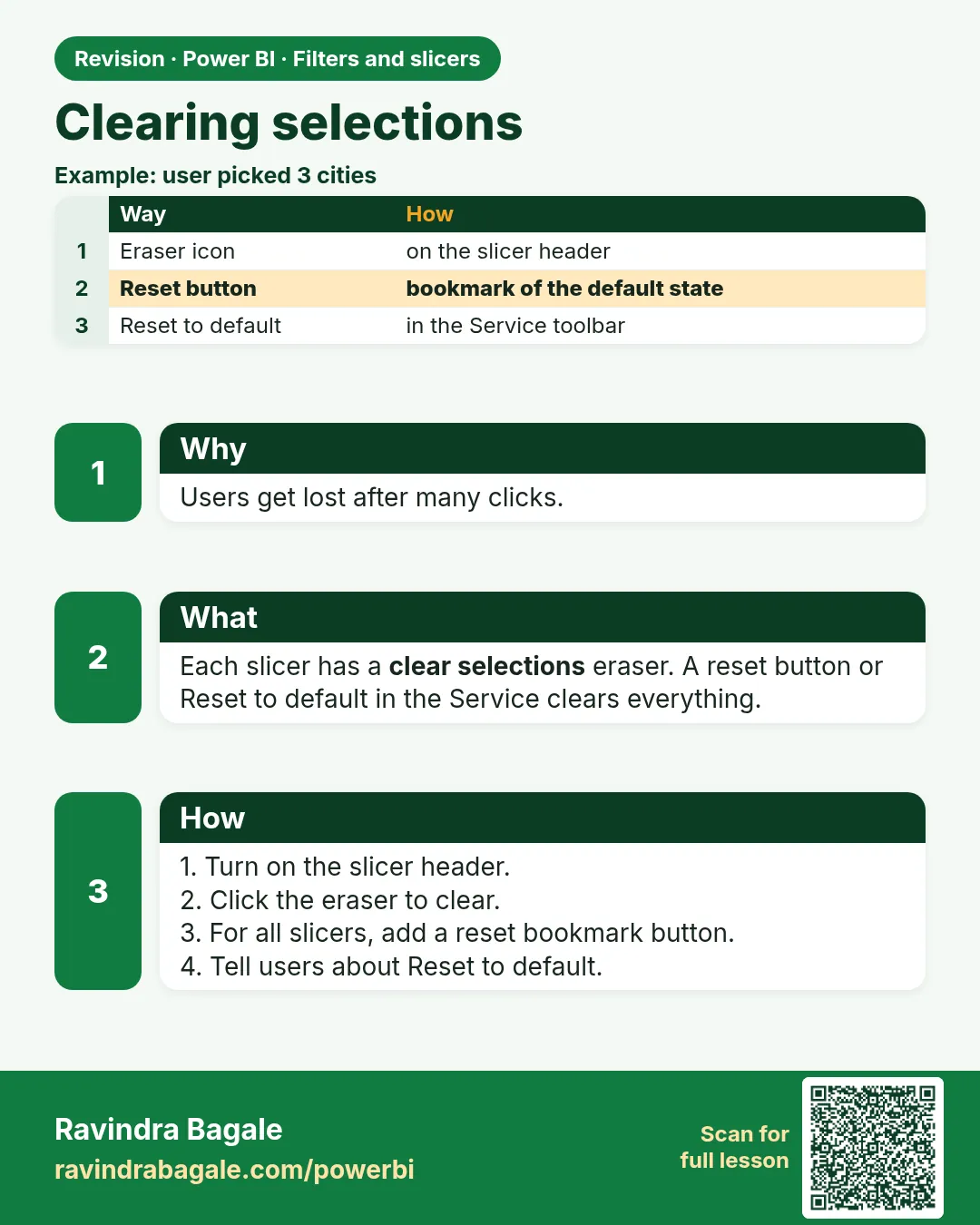 Revision card 8 of 12: Clearing selections · Download PNG · Open card page
Lesson: 22.8 Clearing Selections
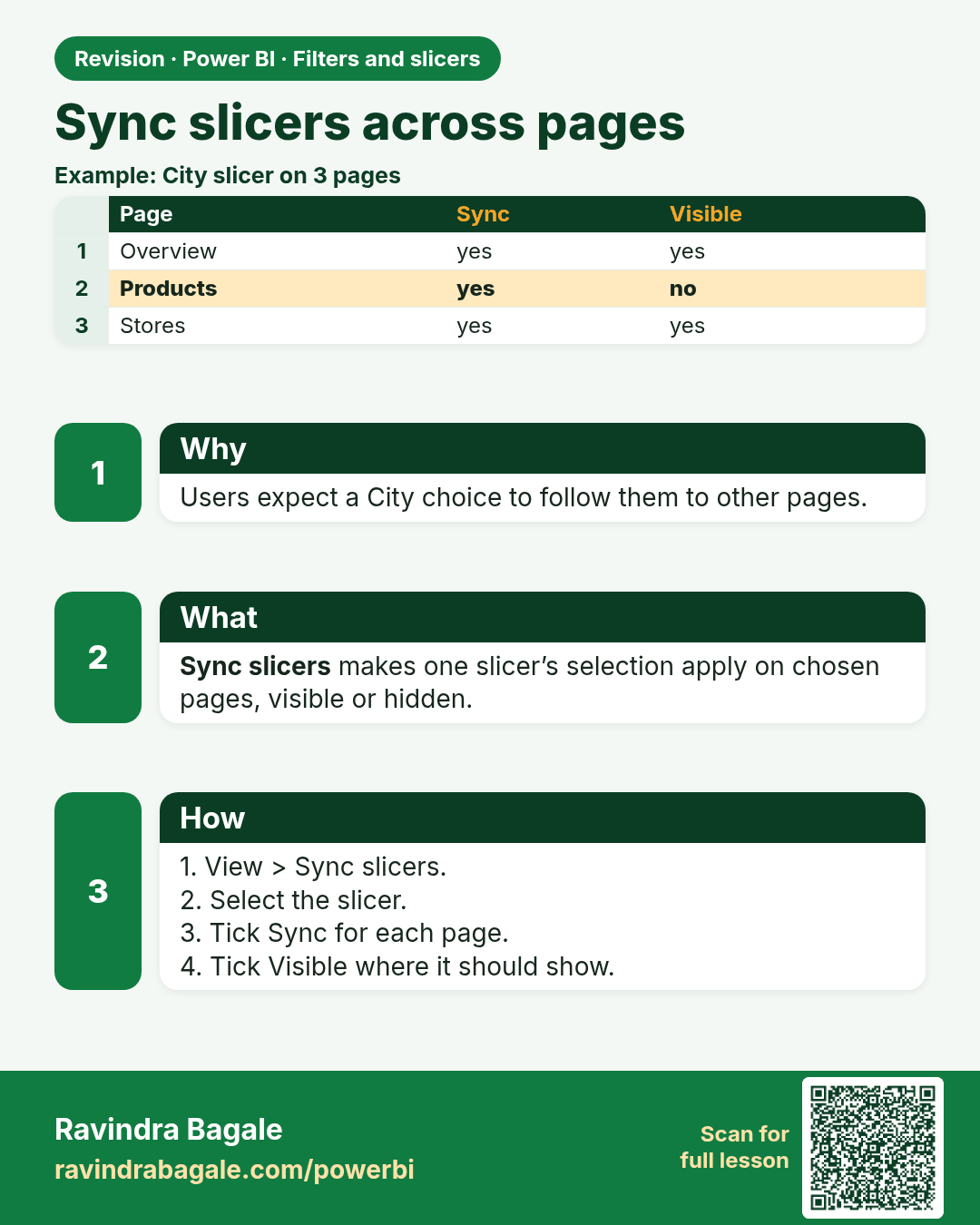
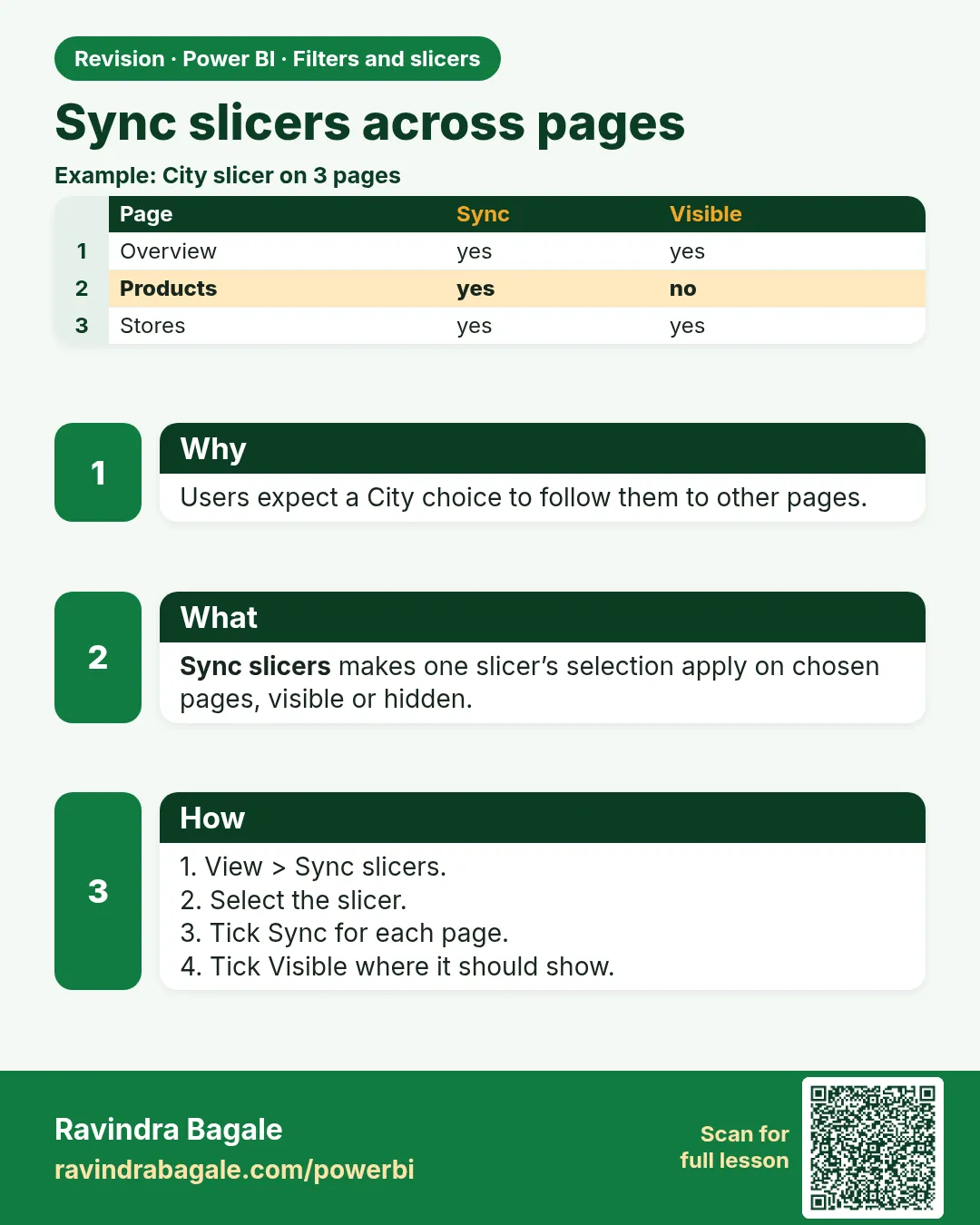 Revision card 9 of 12: Sync slicers across pages · Download PNG · Open card page
Lesson: 22.9 Sync Slicers Across Pages
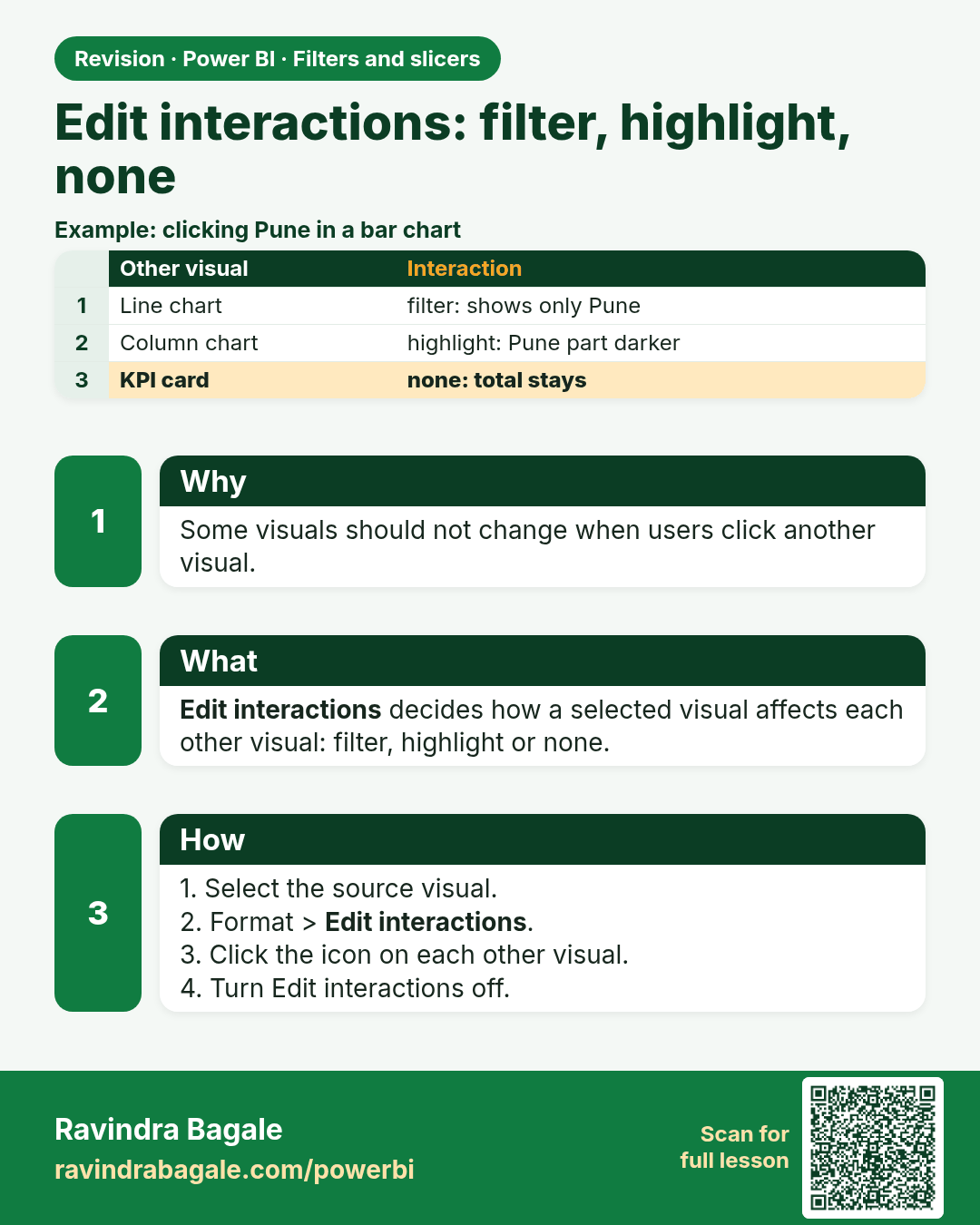
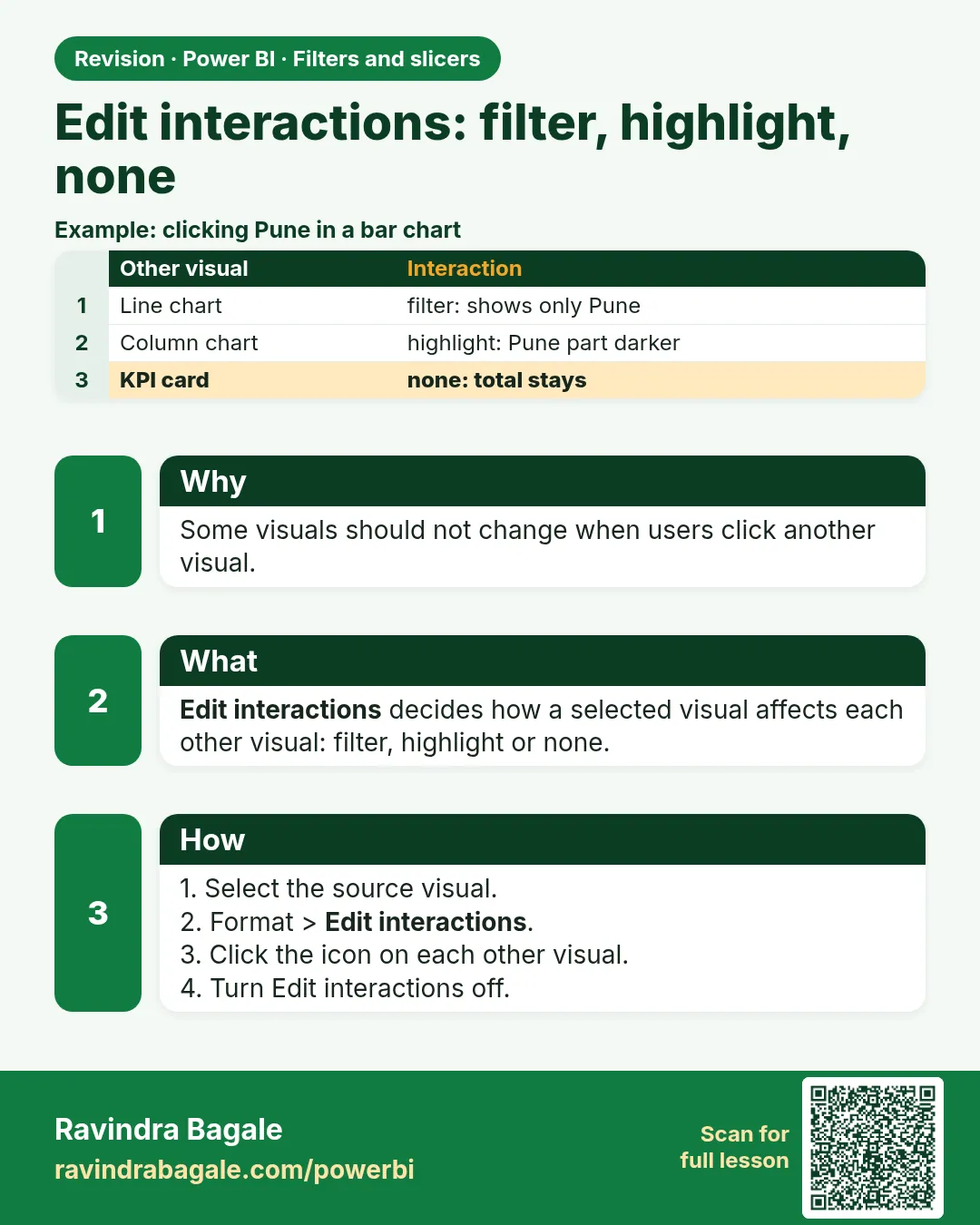 Revision card 10 of 12: Edit interactions: filter, highlight, none · Download PNG · Open card page
Lesson: 22.10 Edit Interactions: Filter, Highlight, None
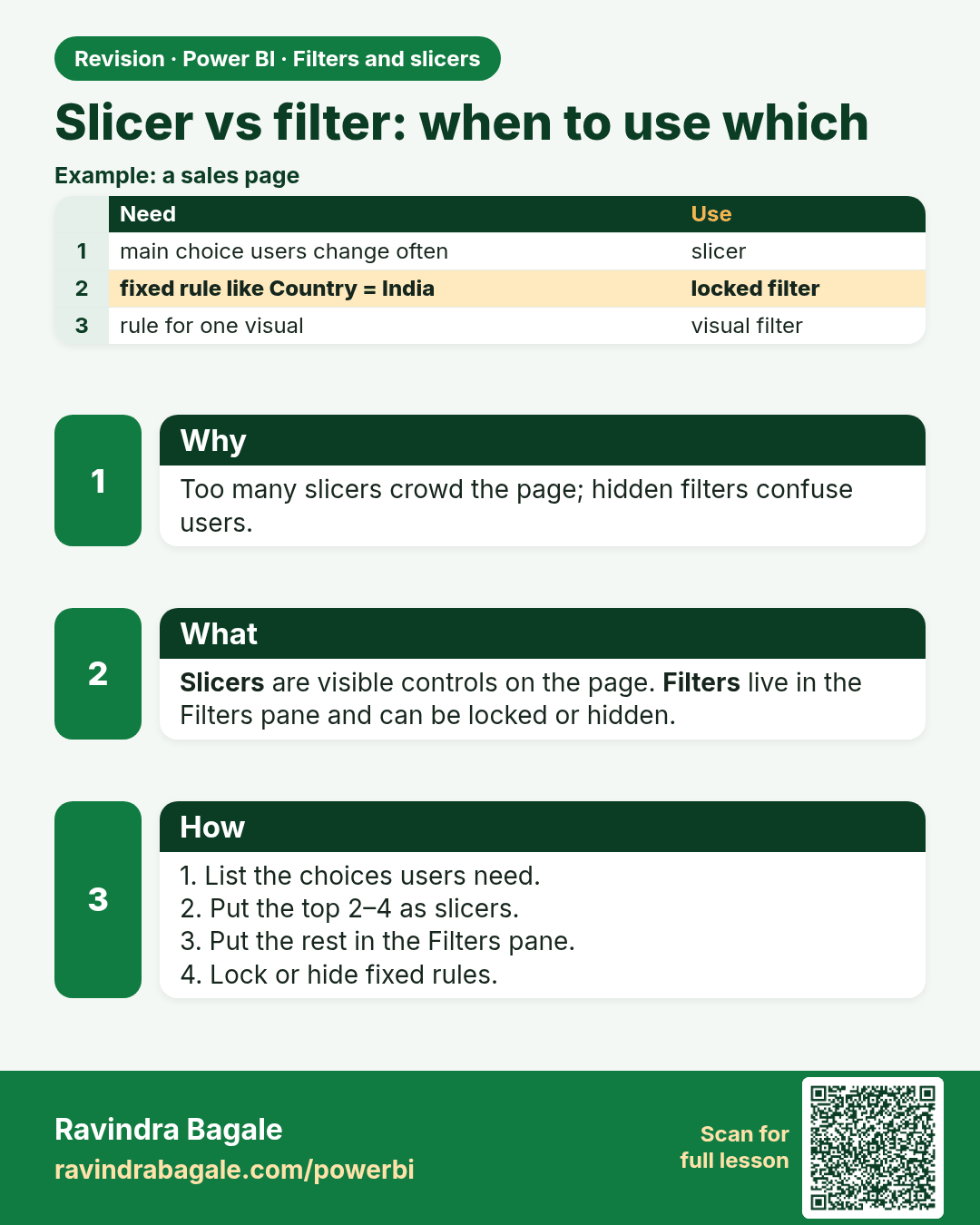
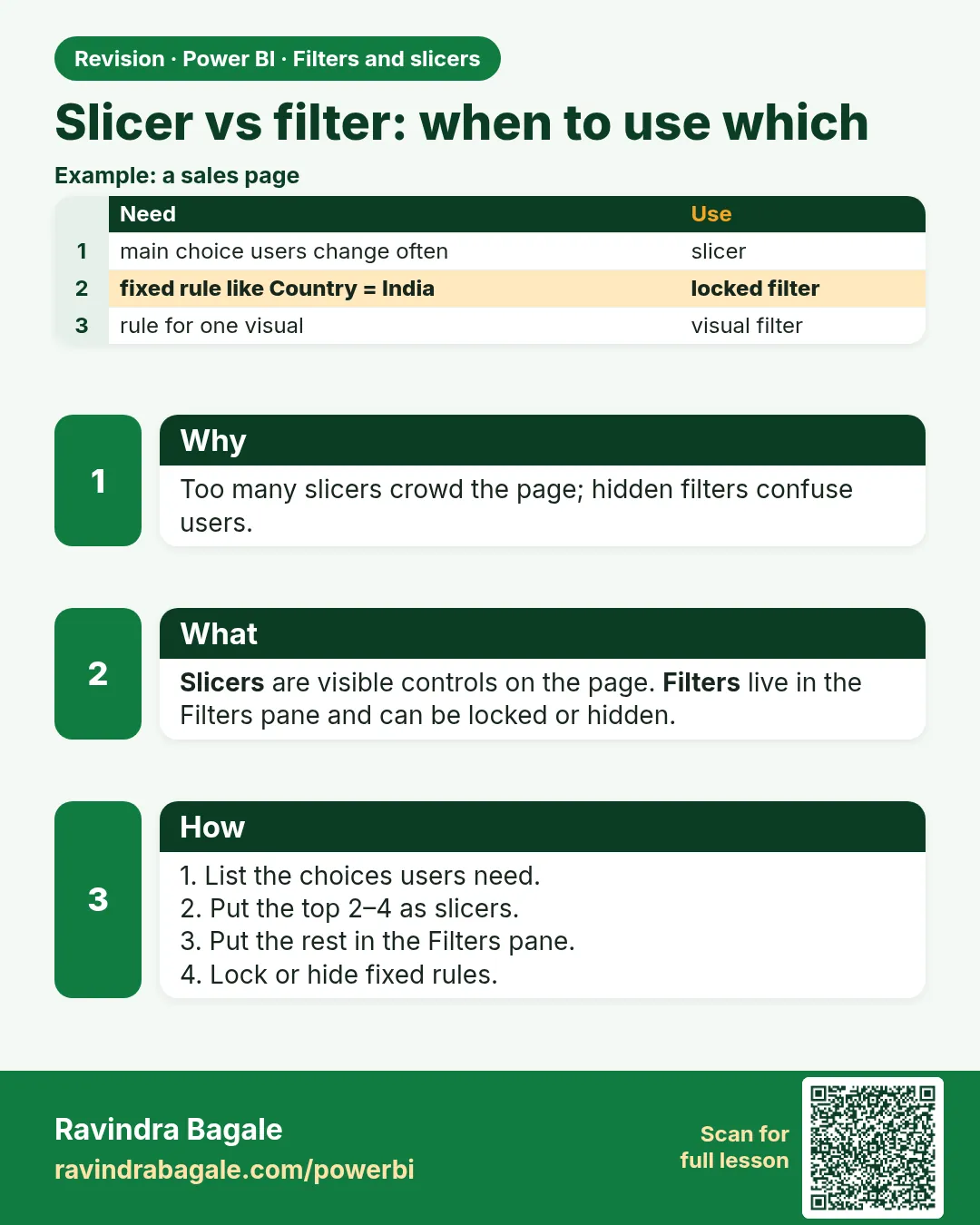 Revision card 11 of 12: Slicer vs filter: when to use which · Download PNG · Open card page
Lesson: 22.11 Slicer vs Filter: When to Use Which
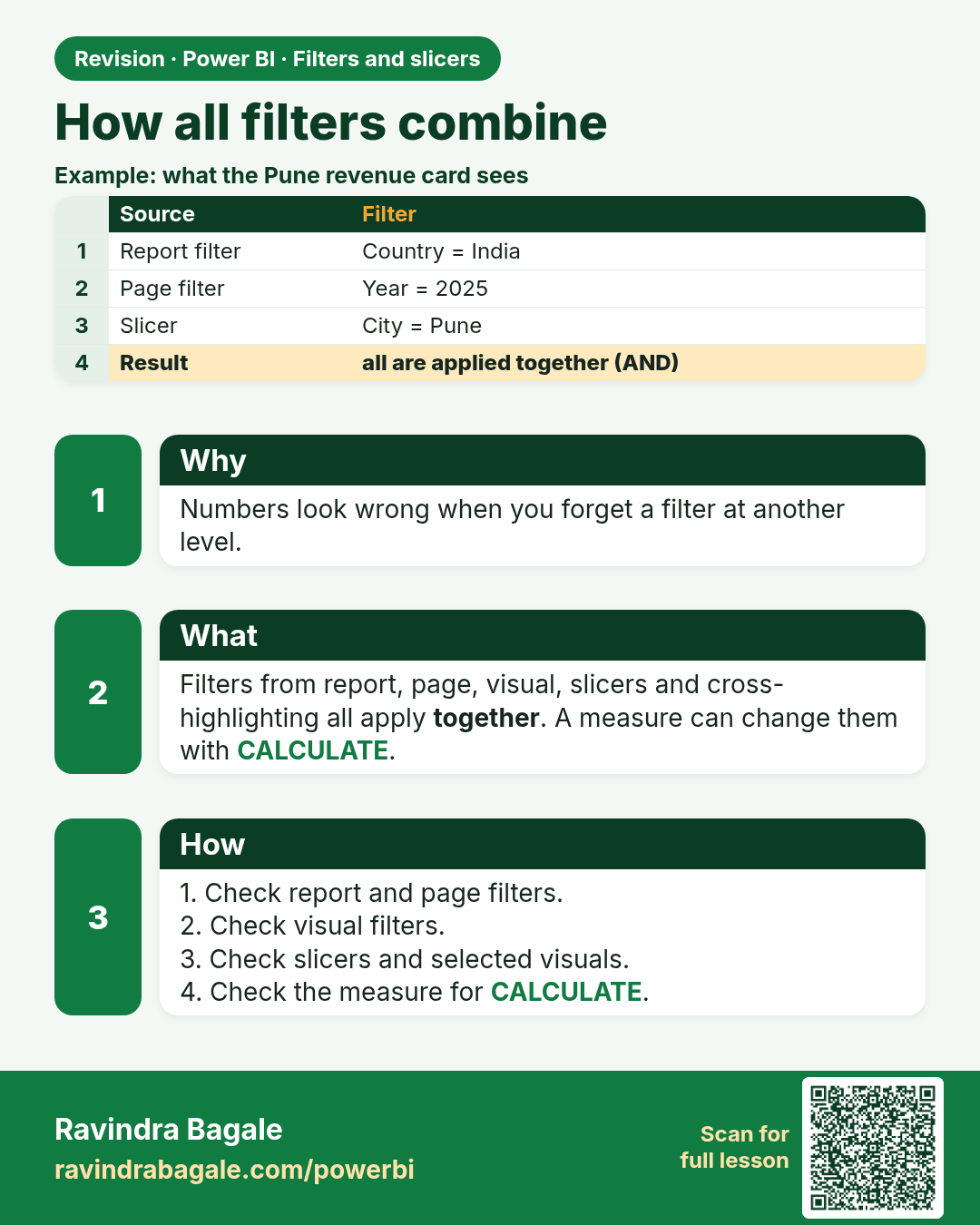
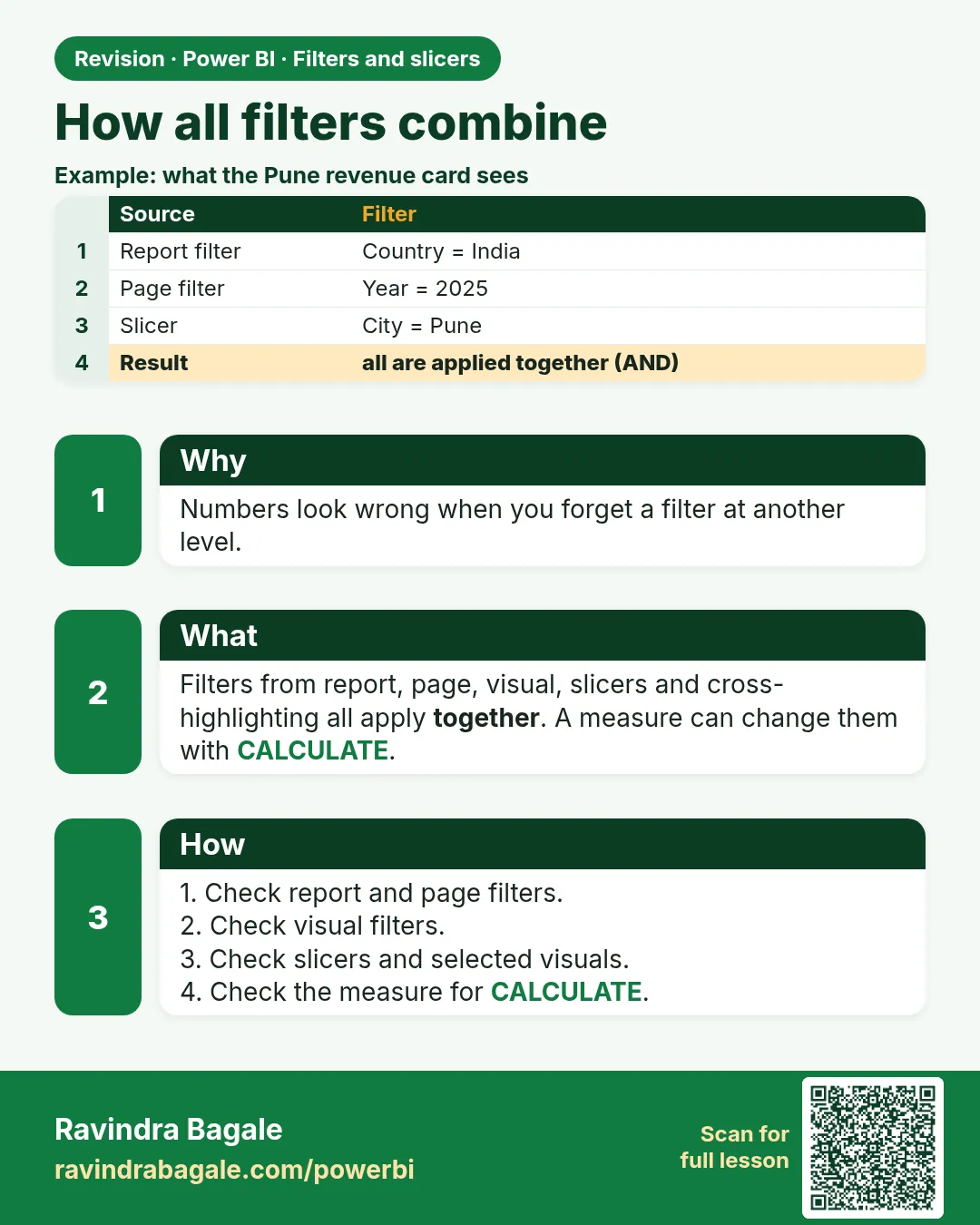 Revision card 12 of 12: How all filters combine · Download PNG · Open card page
Lesson: 22.12 How All Filters Combine
Interview cards
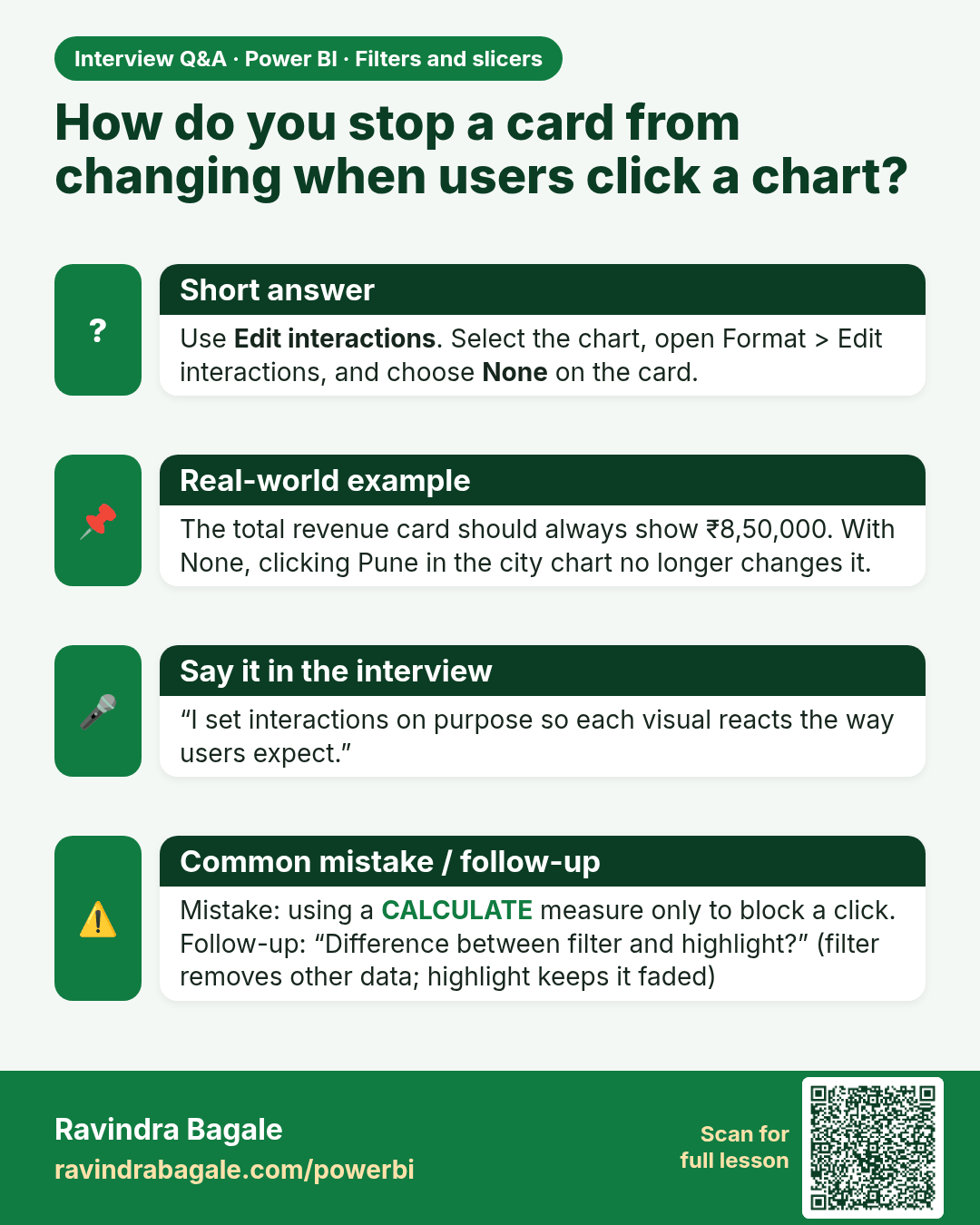
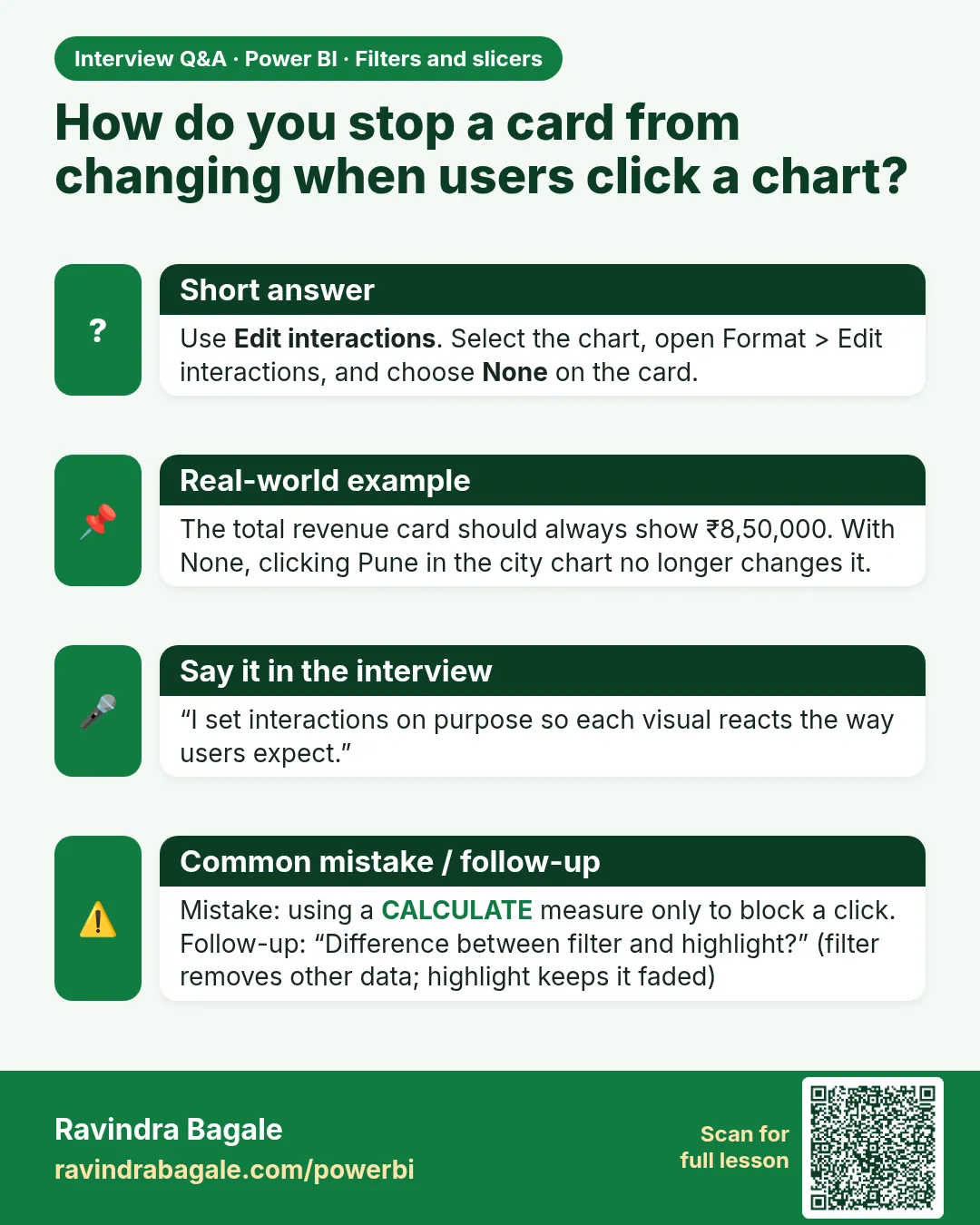 Interview card 1 of 2: How do you stop a card from changing when users click a chart? · Download PNG · Open card page
Lesson: 22.10 Edit Interactions: Filter, Highlight, None
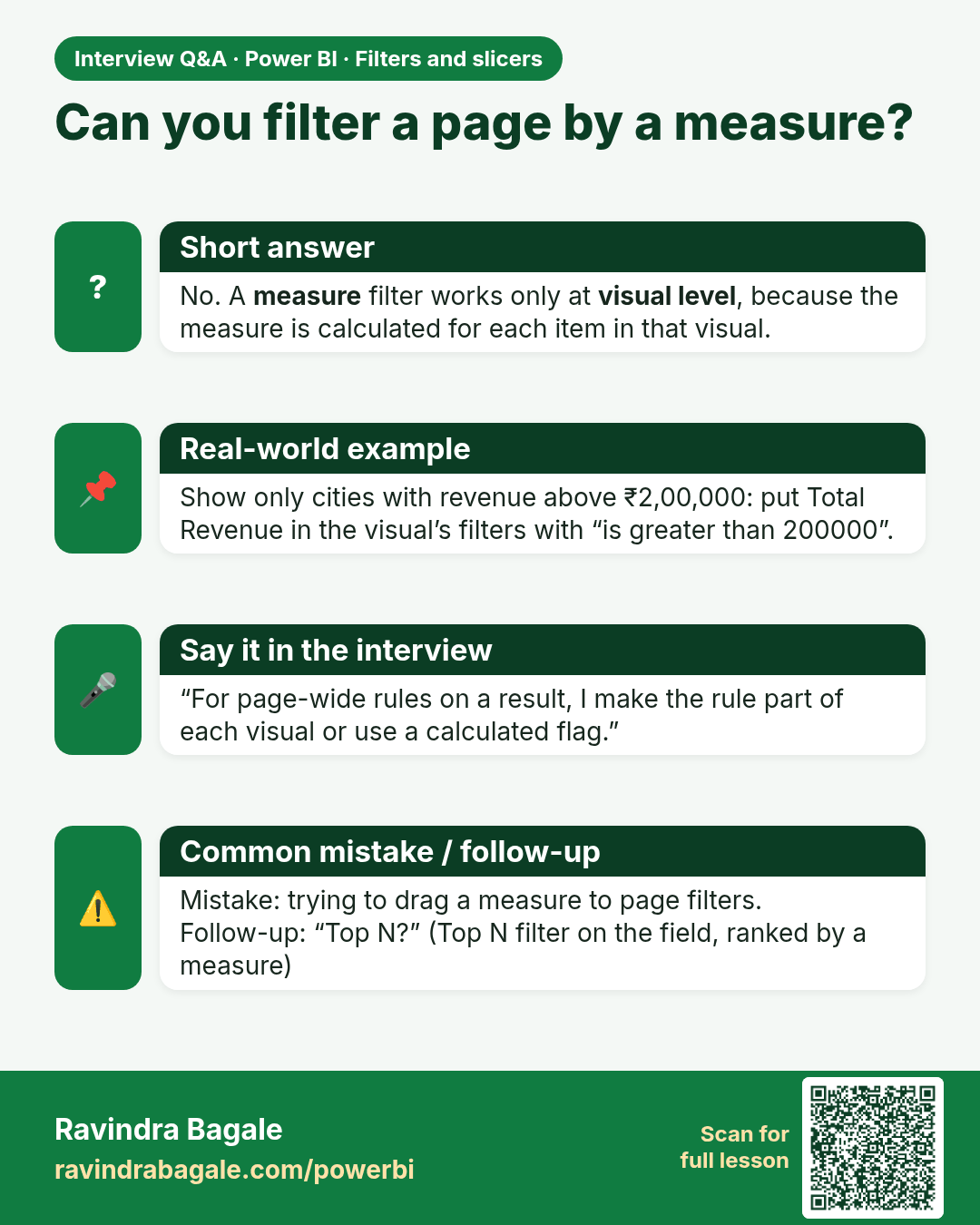
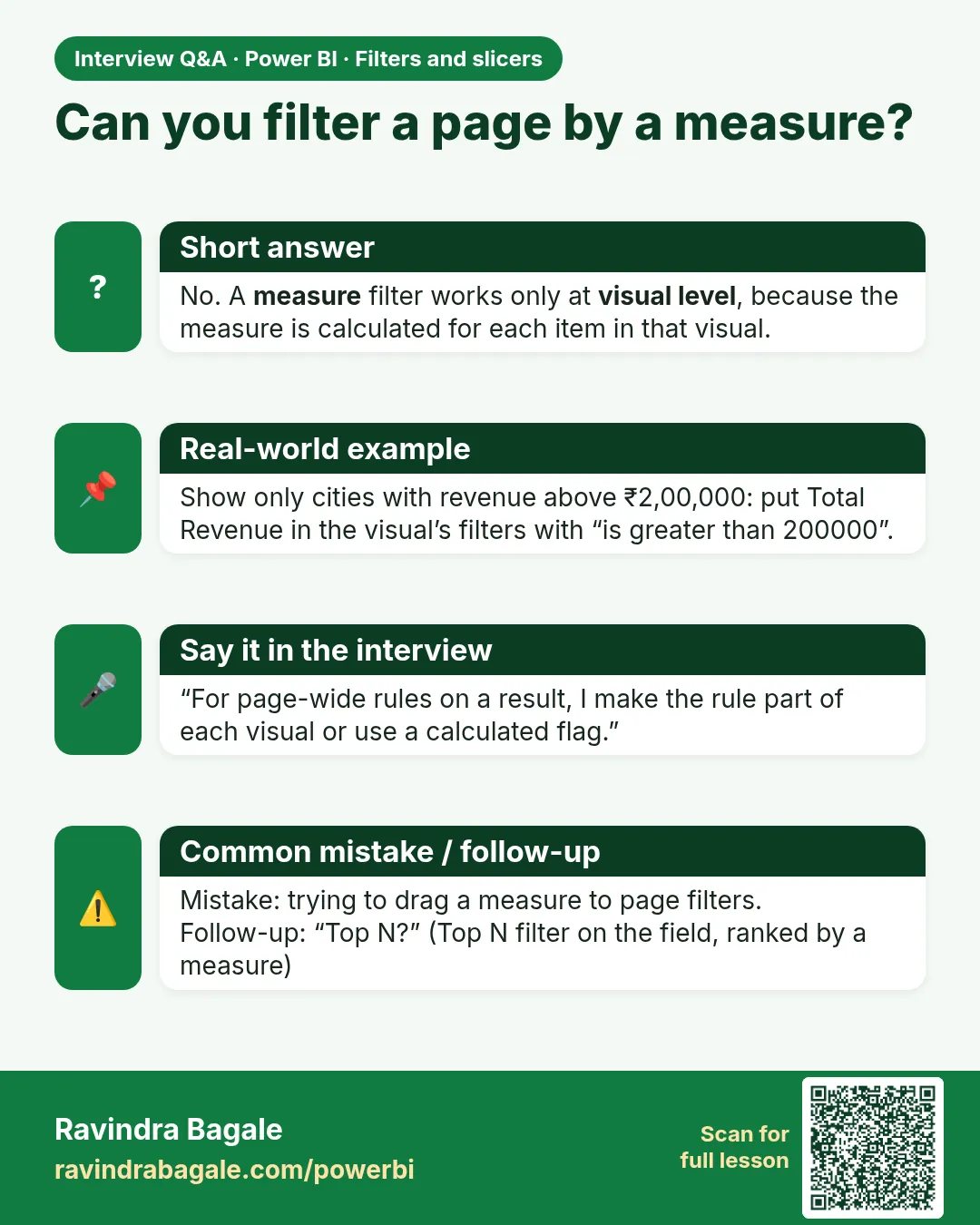 Interview card 2 of 2: Can you filter a page by a measure? · Download PNG · Open card page
Lesson: 22.3 Measure Filters (Visual Level)
Comparison cards
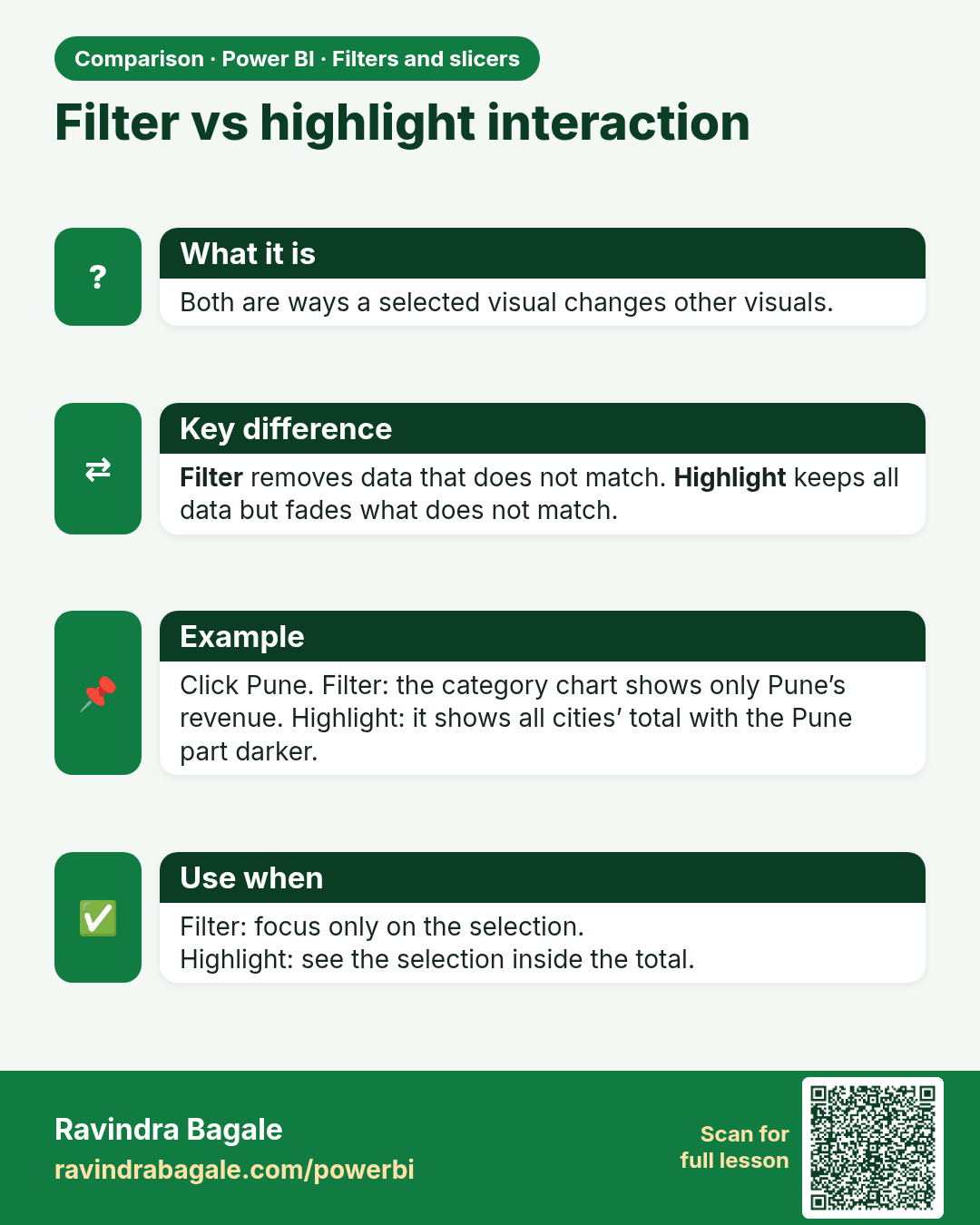
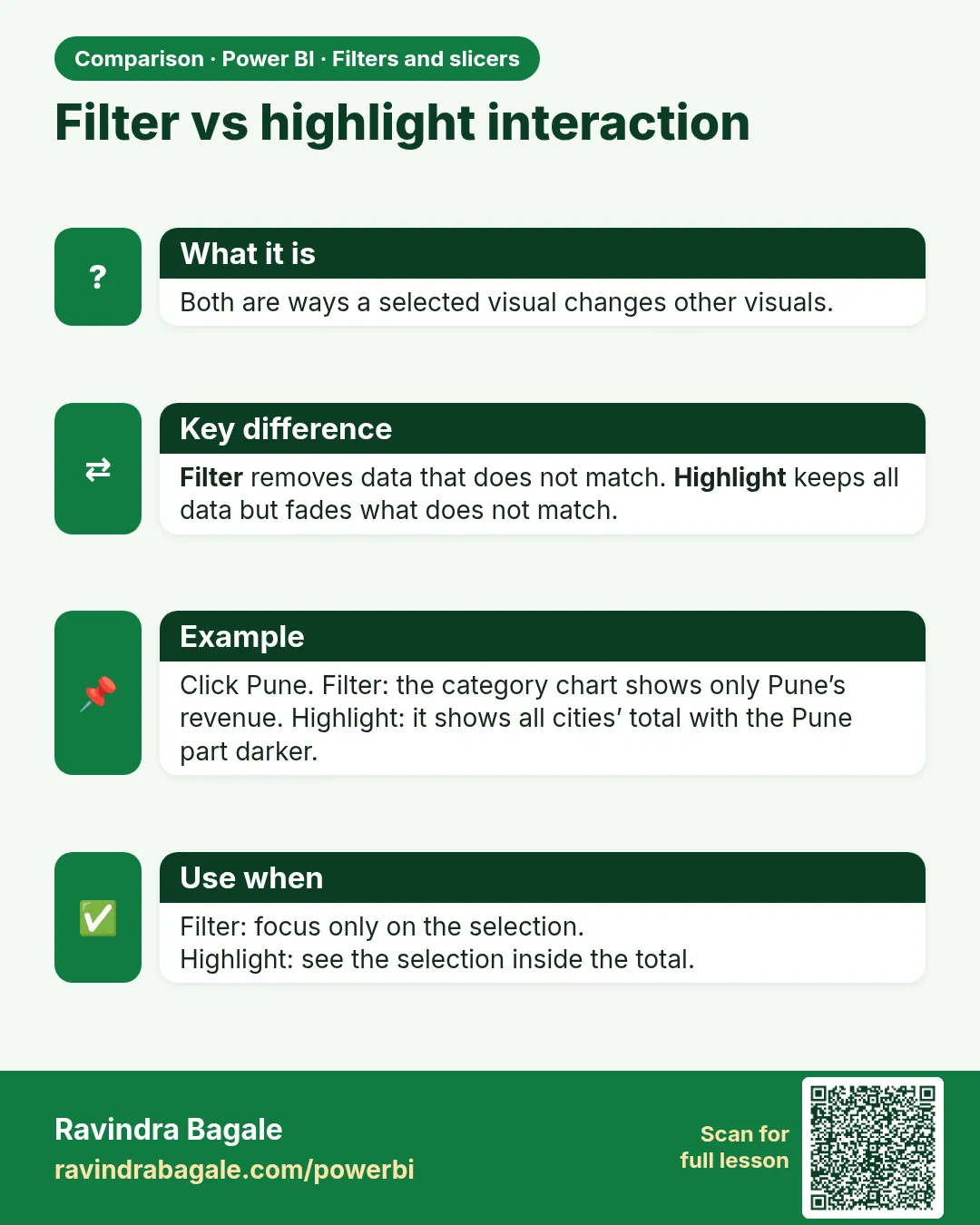 Comparison card 1 of 1: Filter vs highlight interaction · Download PNG · Open card page
Lesson: 22.10 Edit Interactions: Filter, Highlight, None