Ravindra BagaleCourses & study guides मराठी Track your progress

Ravi Sir's Cards › Power BI

4. Connecting to Databases: SQL Server, MySQL, DirectQuery and Live Connection: Cards

मराठी cards · Open the chapter

Revision cards
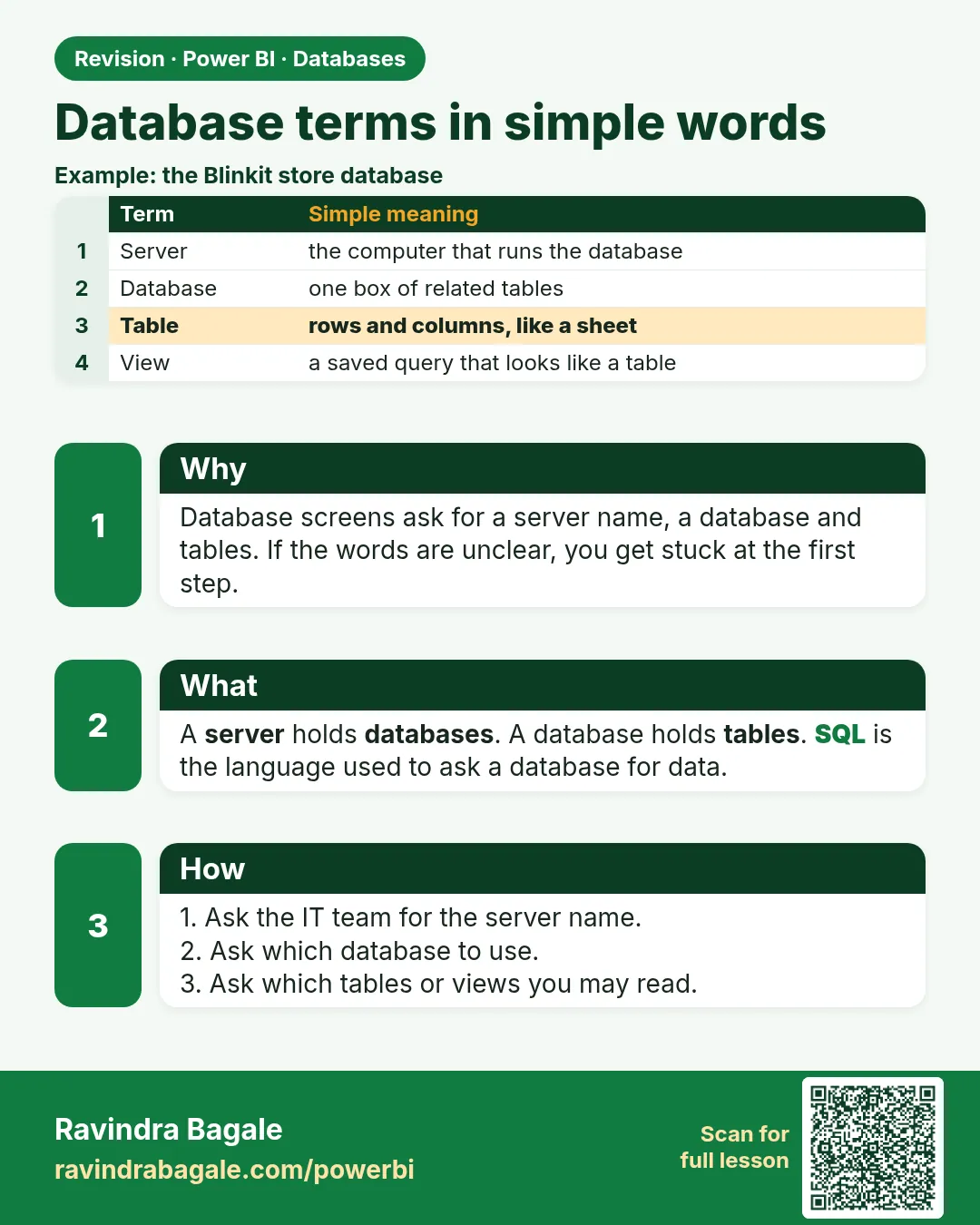
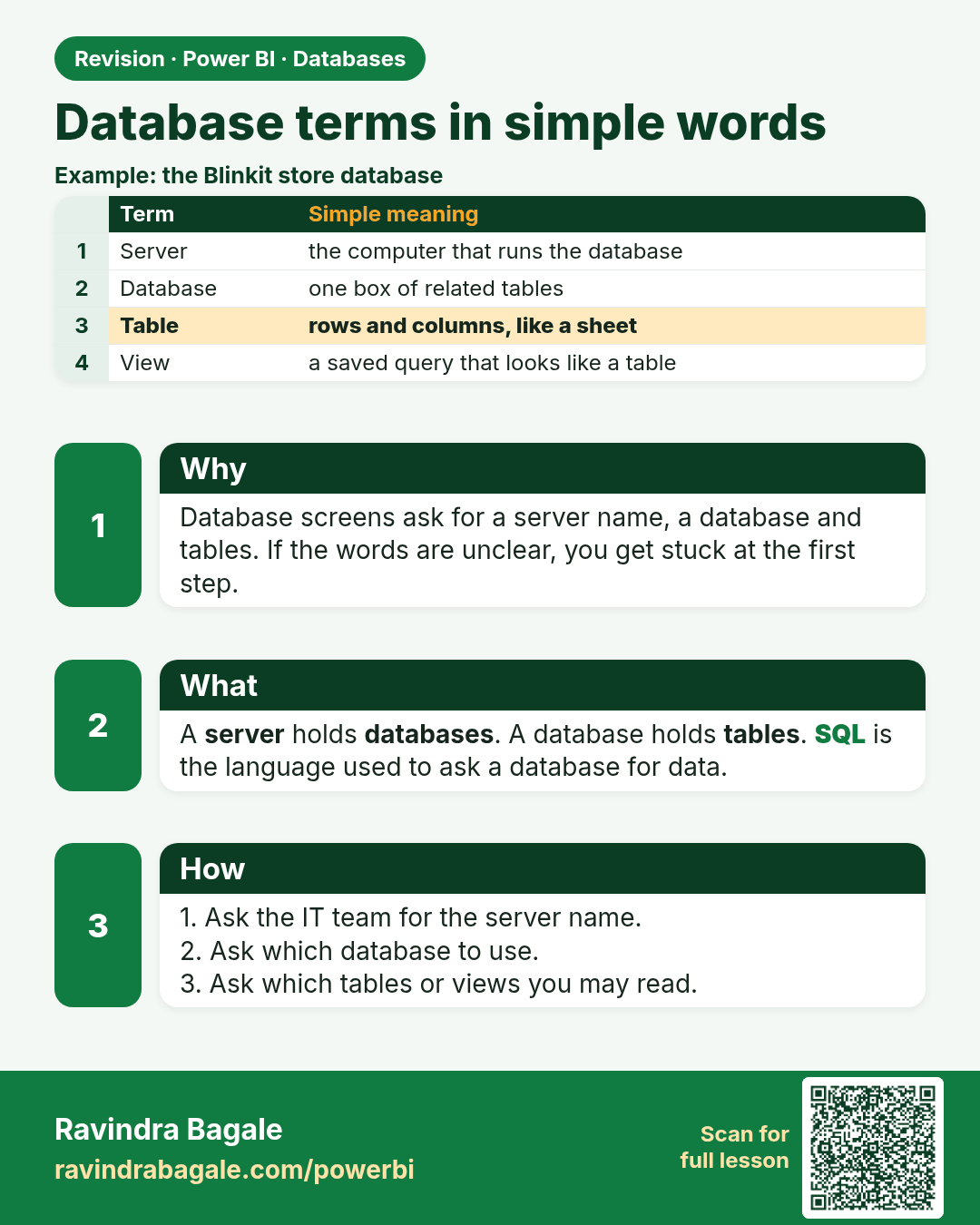
Database terms in simple words. Database screens ask for a server name, a database and tables. If the words are unclear, you get stuck at the first step.
Revision card 1 of 12: Database terms in simple words · Download PNG · Open card page

Lesson: 4.1 Database Terms in Simple Words
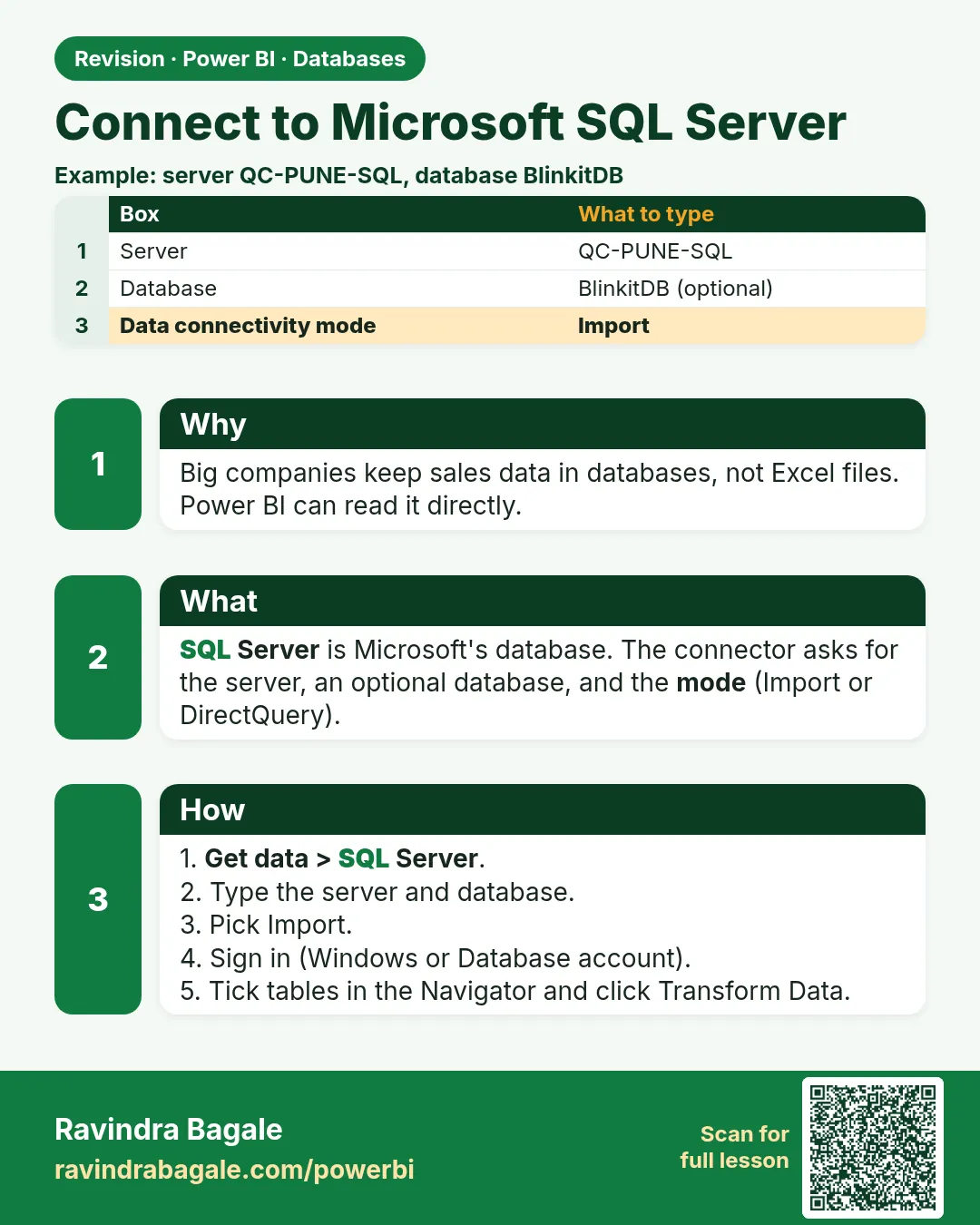
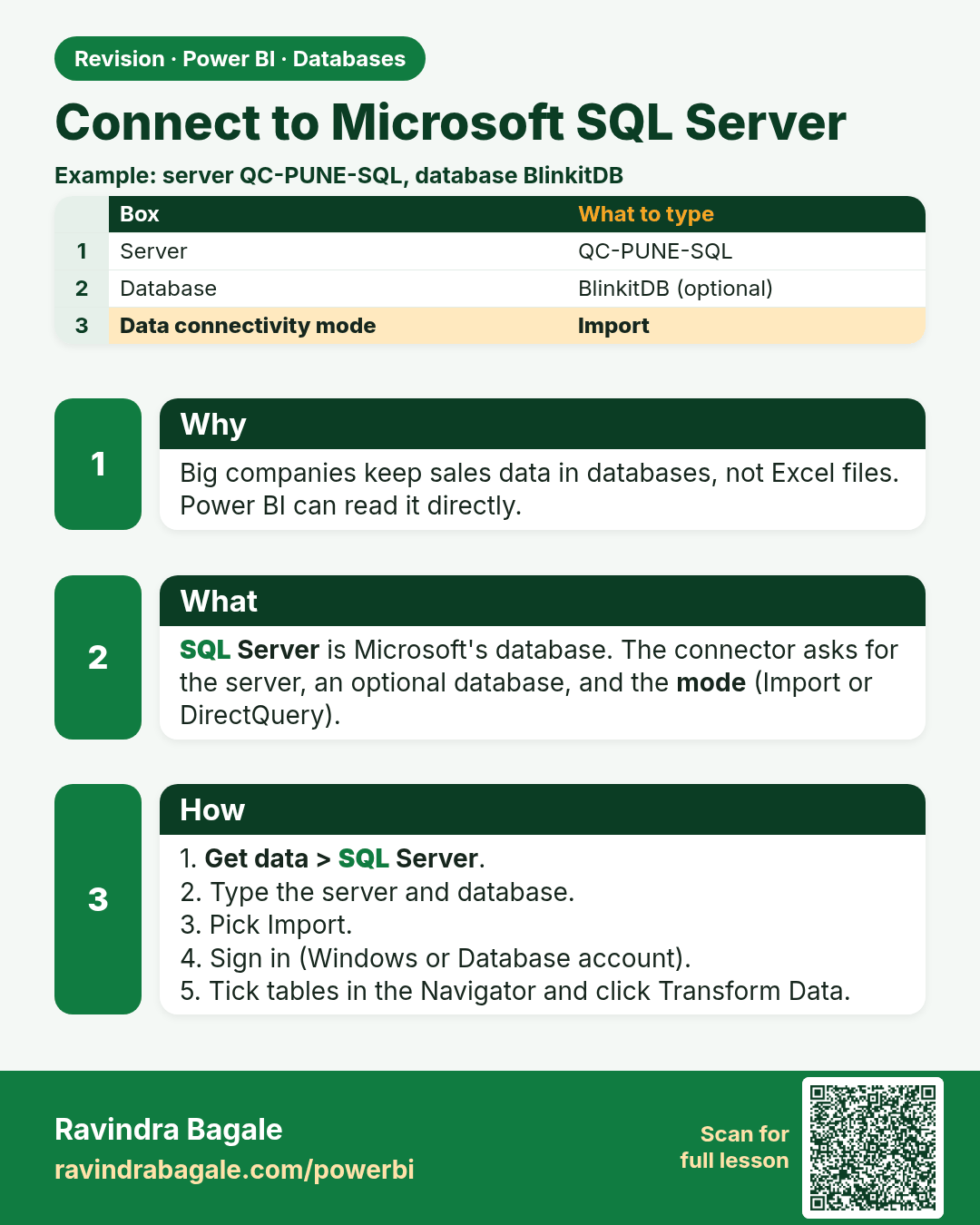
Connect to Microsoft SQL Server. Big companies keep sales data in databases, not Excel files. Power BI can read it directly.
Revision card 2 of 12: Connect to Microsoft SQL Server · Download PNG · Open card page

Lesson: 4.2 Connecting to Microsoft SQL Server
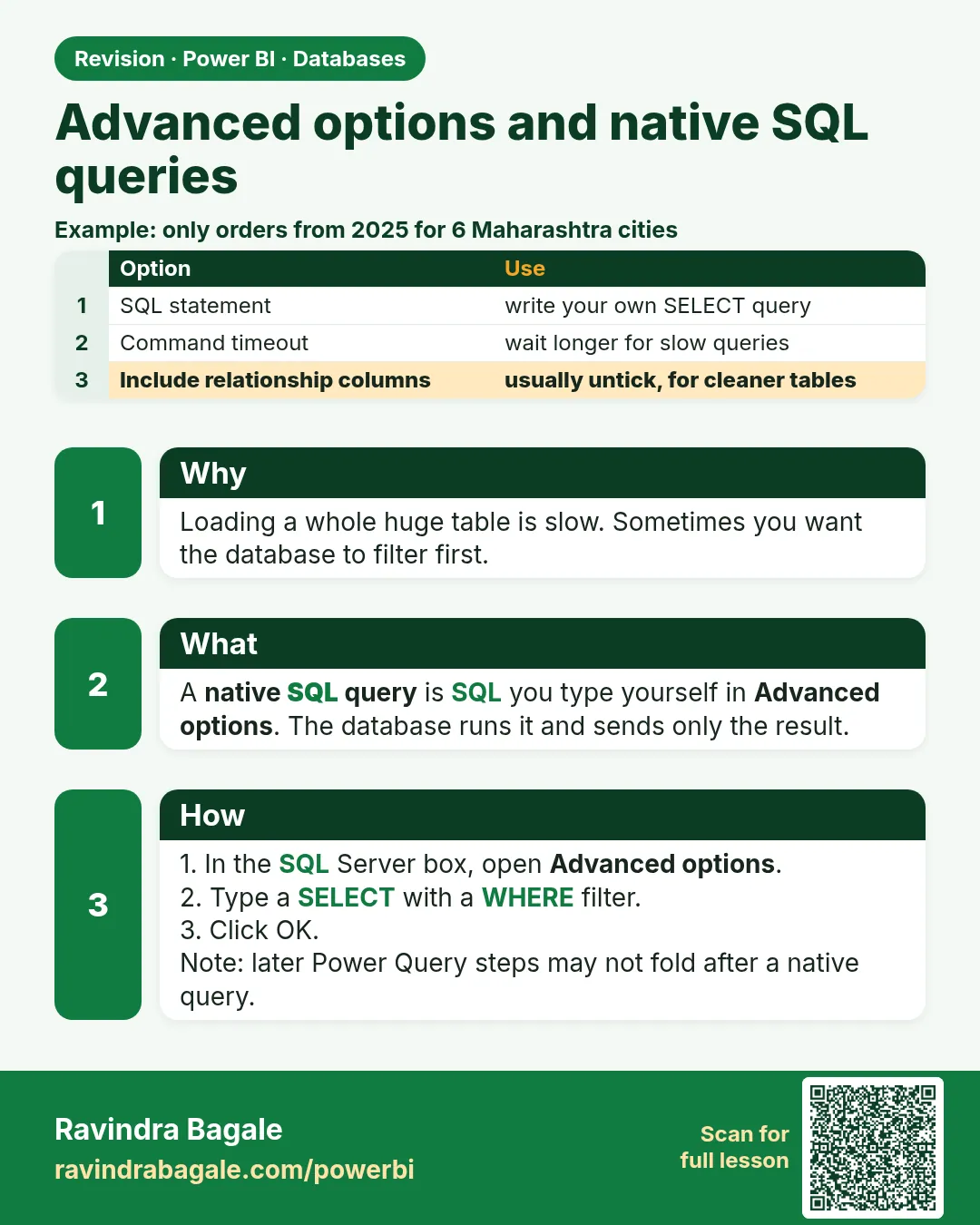
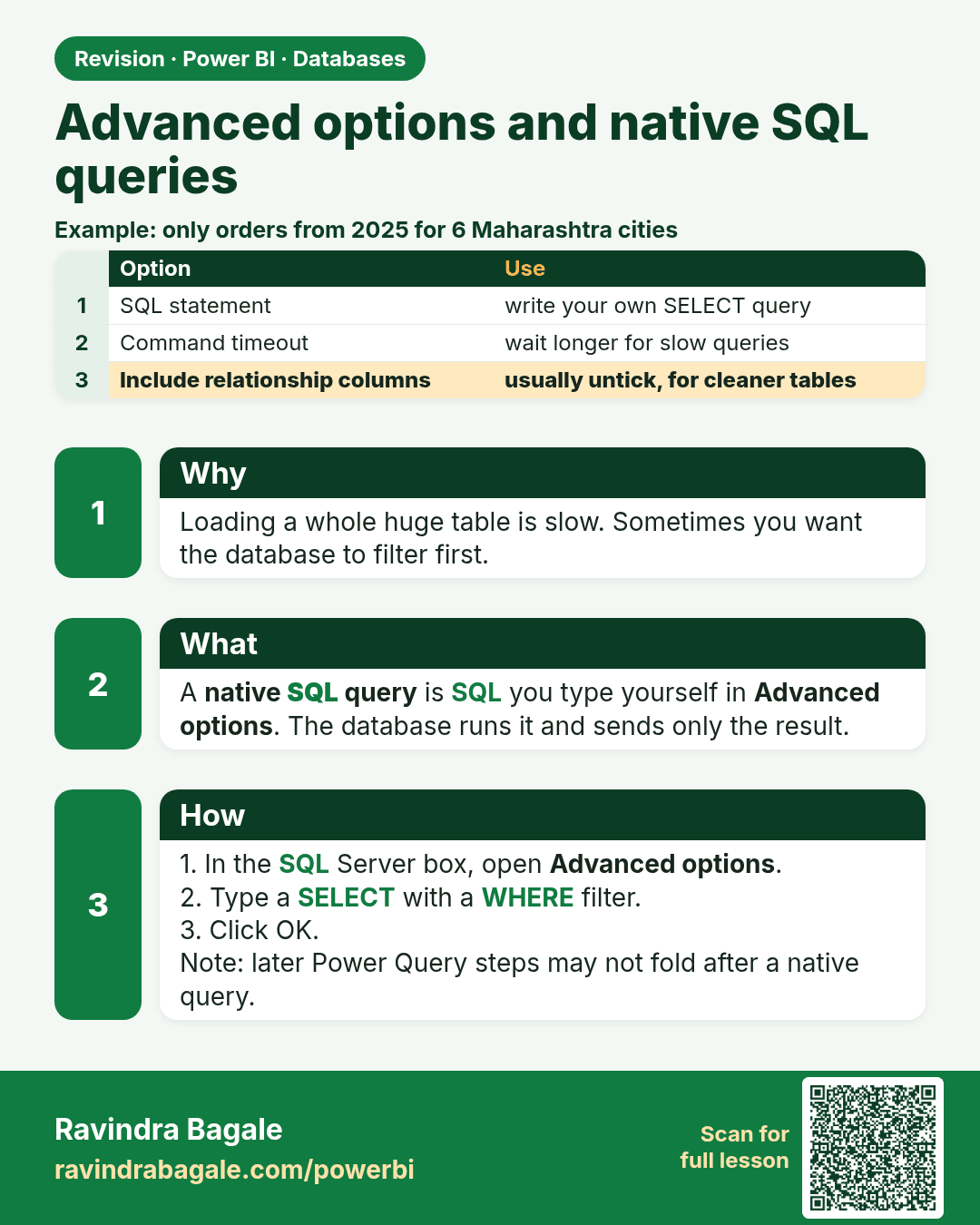
Advanced options and native SQL queries. Loading a whole huge table is slow. Sometimes you want the database to filter first.
Revision card 3 of 12: Advanced options and native SQL queries · Download PNG · Open card page

Lesson: 4.3 Advanced Options and Native SQL Queries
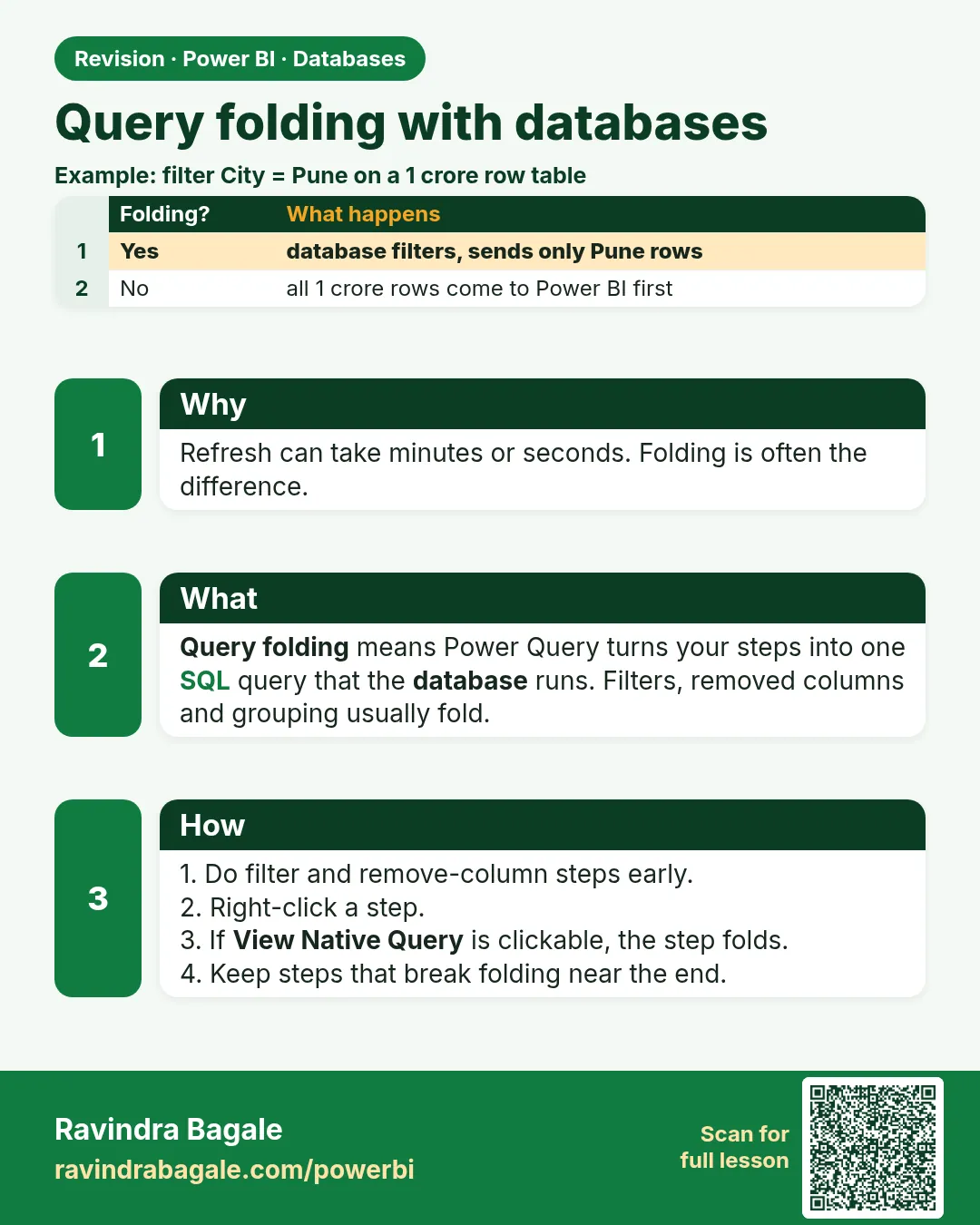
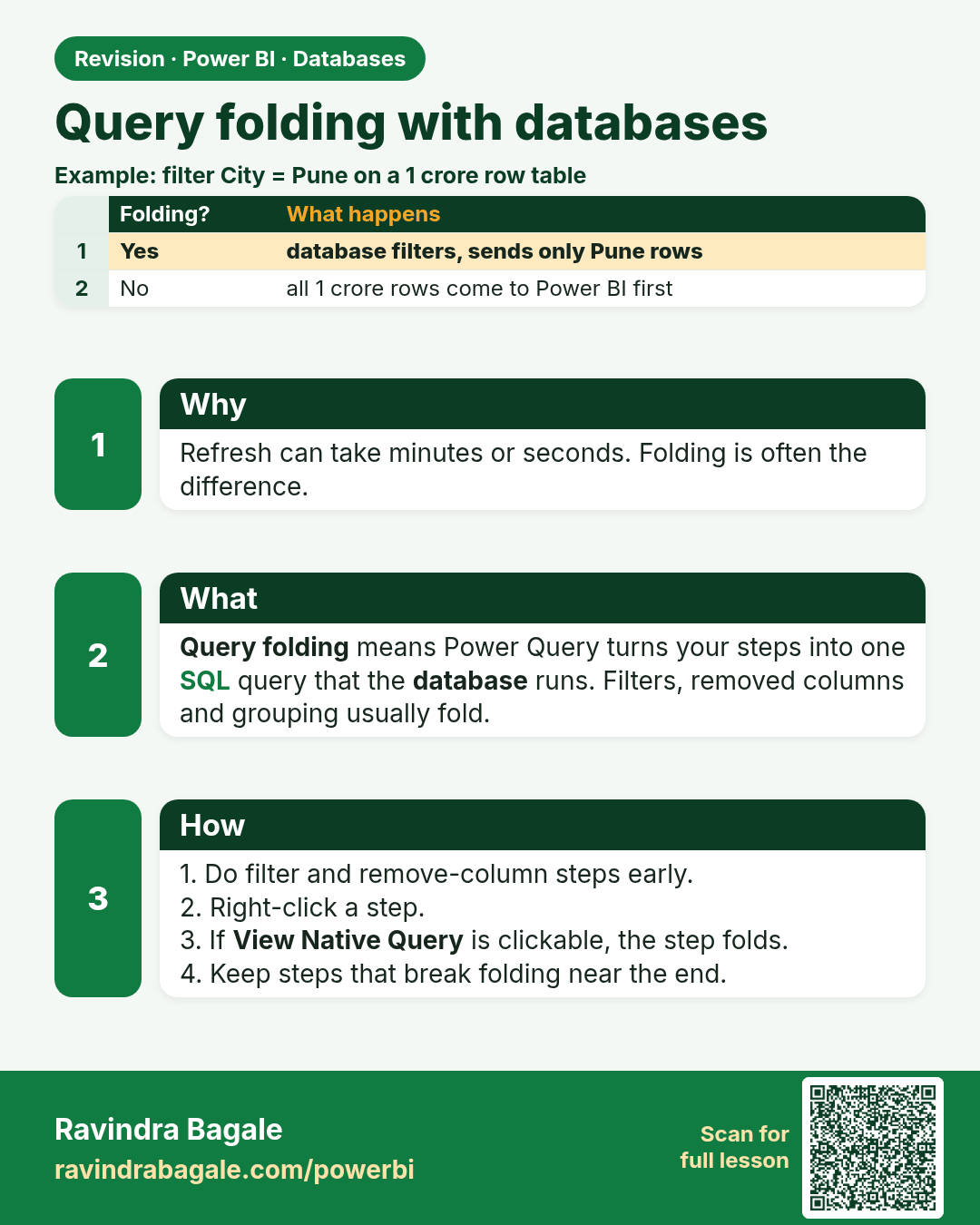
Query folding with databases. Refresh can take minutes or seconds. Folding is often the difference.
Revision card 4 of 12: Query folding with databases · Download PNG · Open card page

Lesson: 4.4 Query Folding with Databases and View Native Query

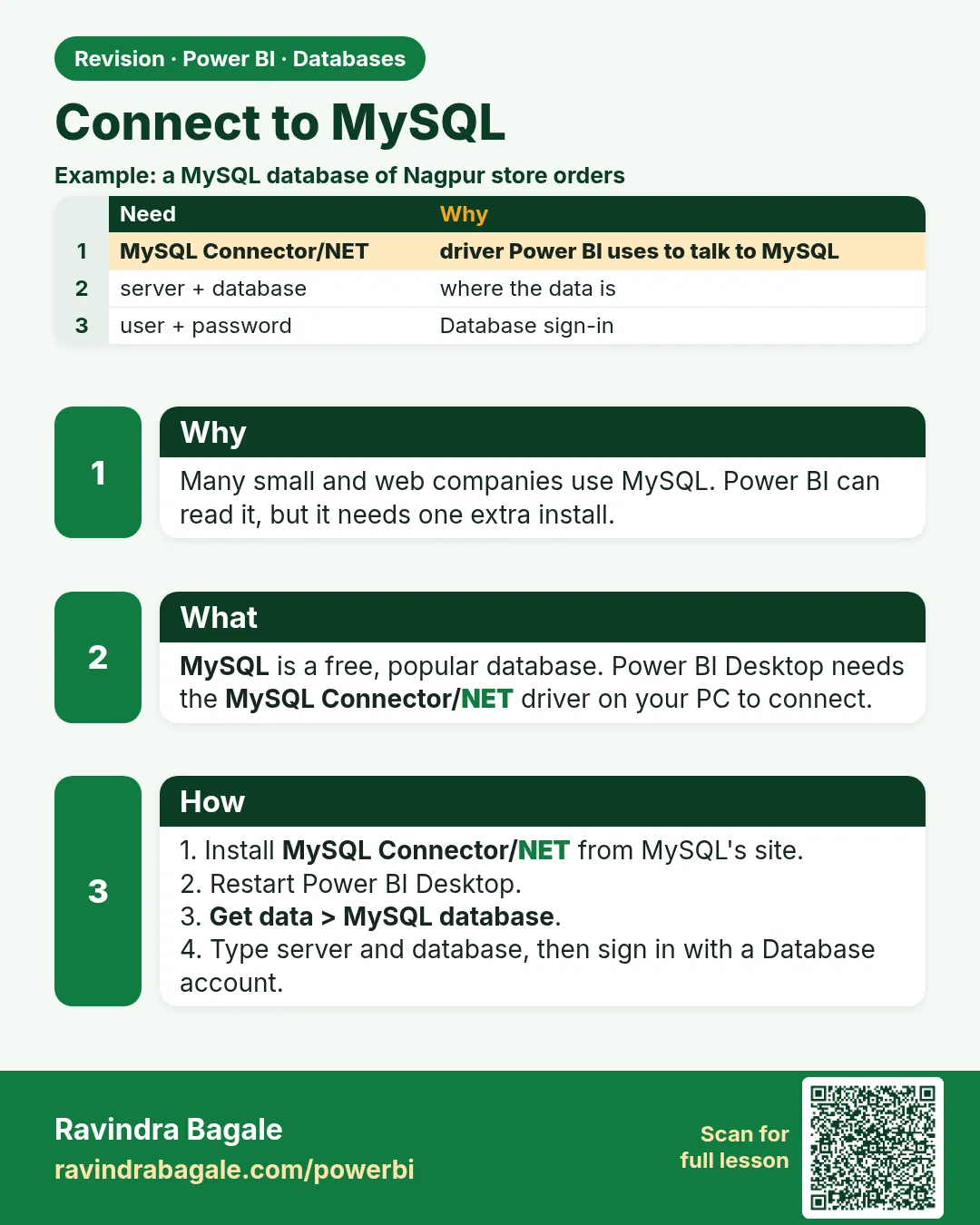
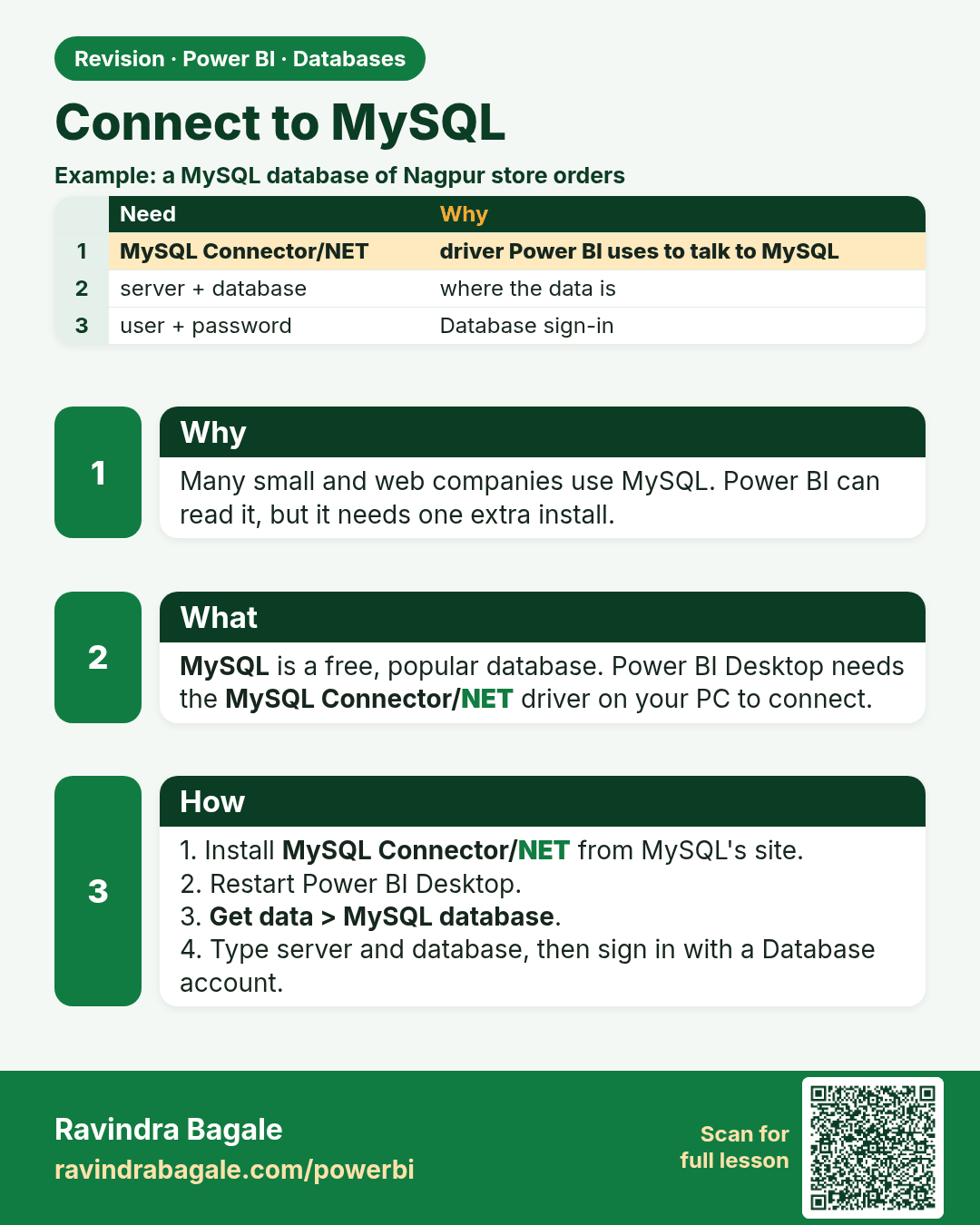
Connect to MySQL. Many small and web companies use MySQL. Power BI can read it, but it needs one extra install.
Revision card 5 of 12: Connect to MySQL · Download PNG · Open card page

Lesson: 4.5 How to Connect MySQL to Power BI

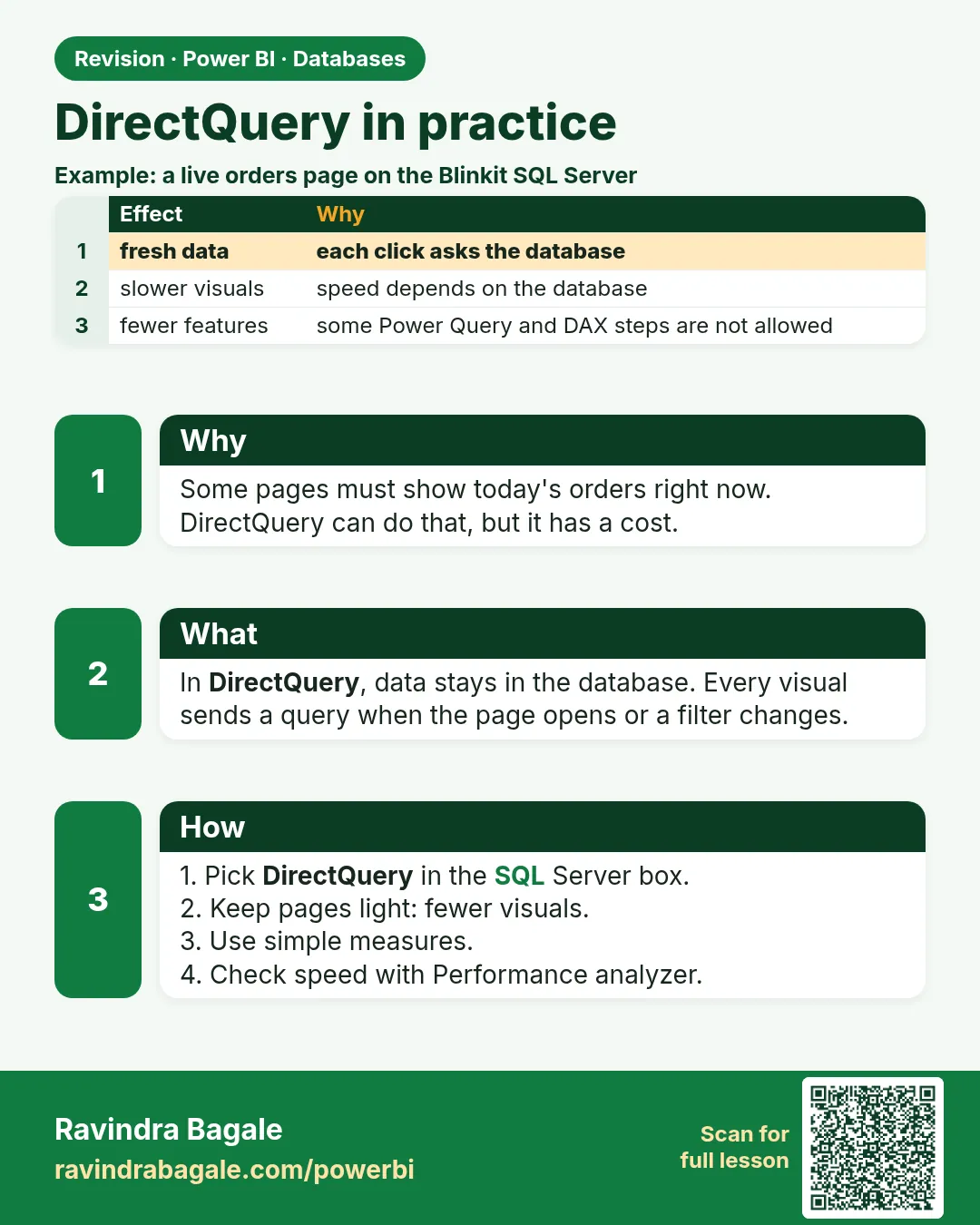
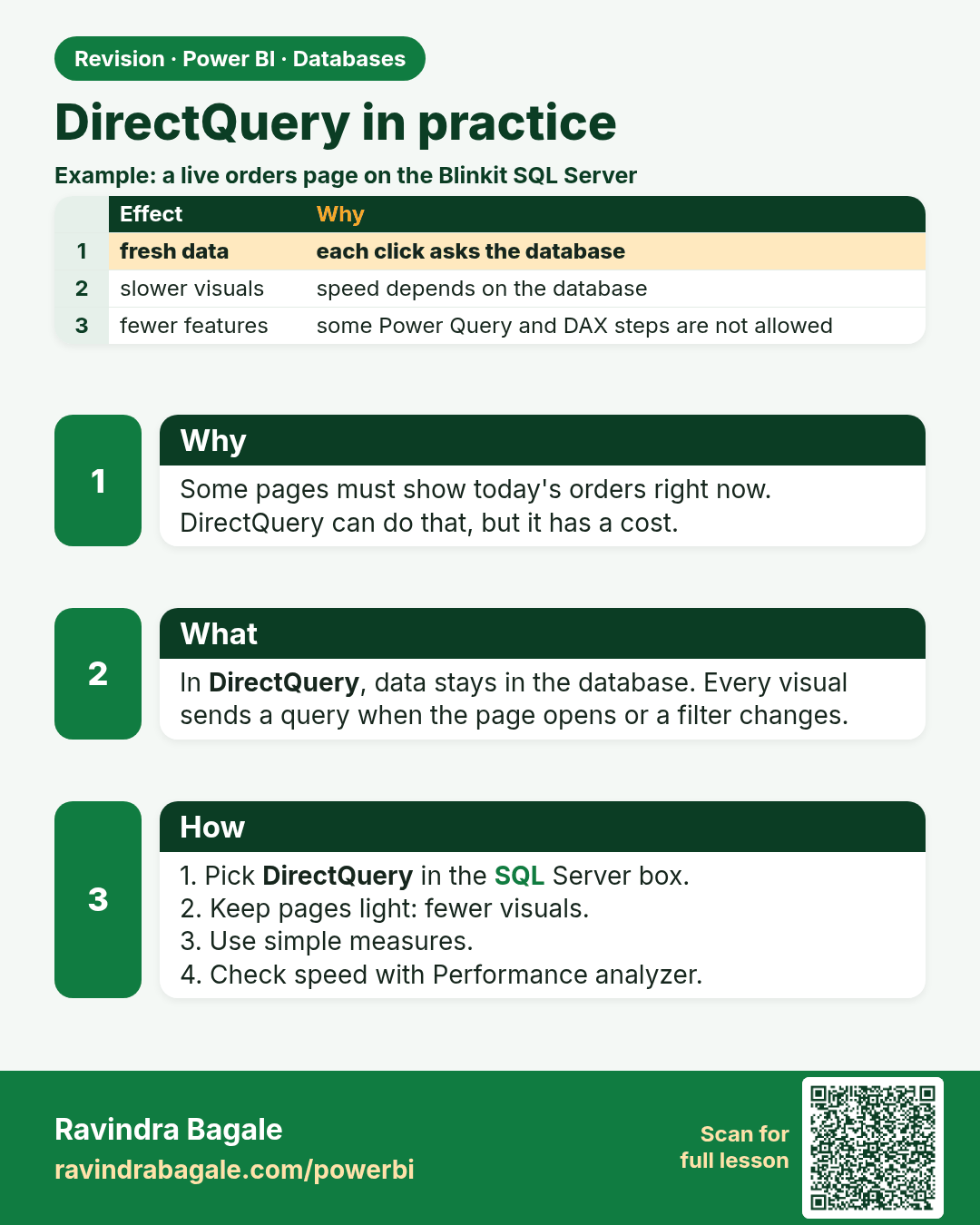
DirectQuery in practice. Some pages must show today's orders right now. DirectQuery can do that, but it has a cost.
Revision card 6 of 12: DirectQuery in practice · Download PNG · Open card page

Lesson: 4.6 DirectQuery in Power BI: How It Works

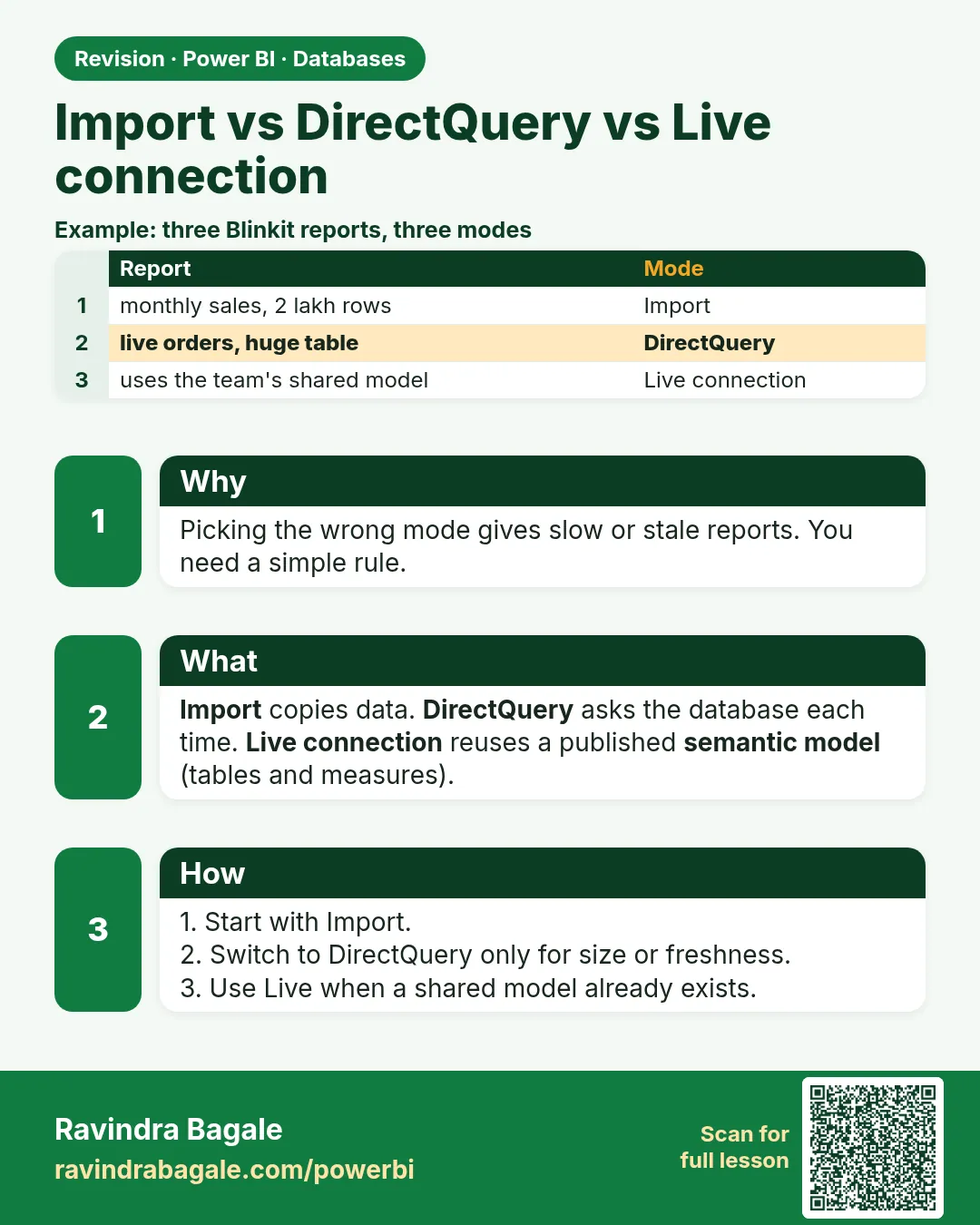
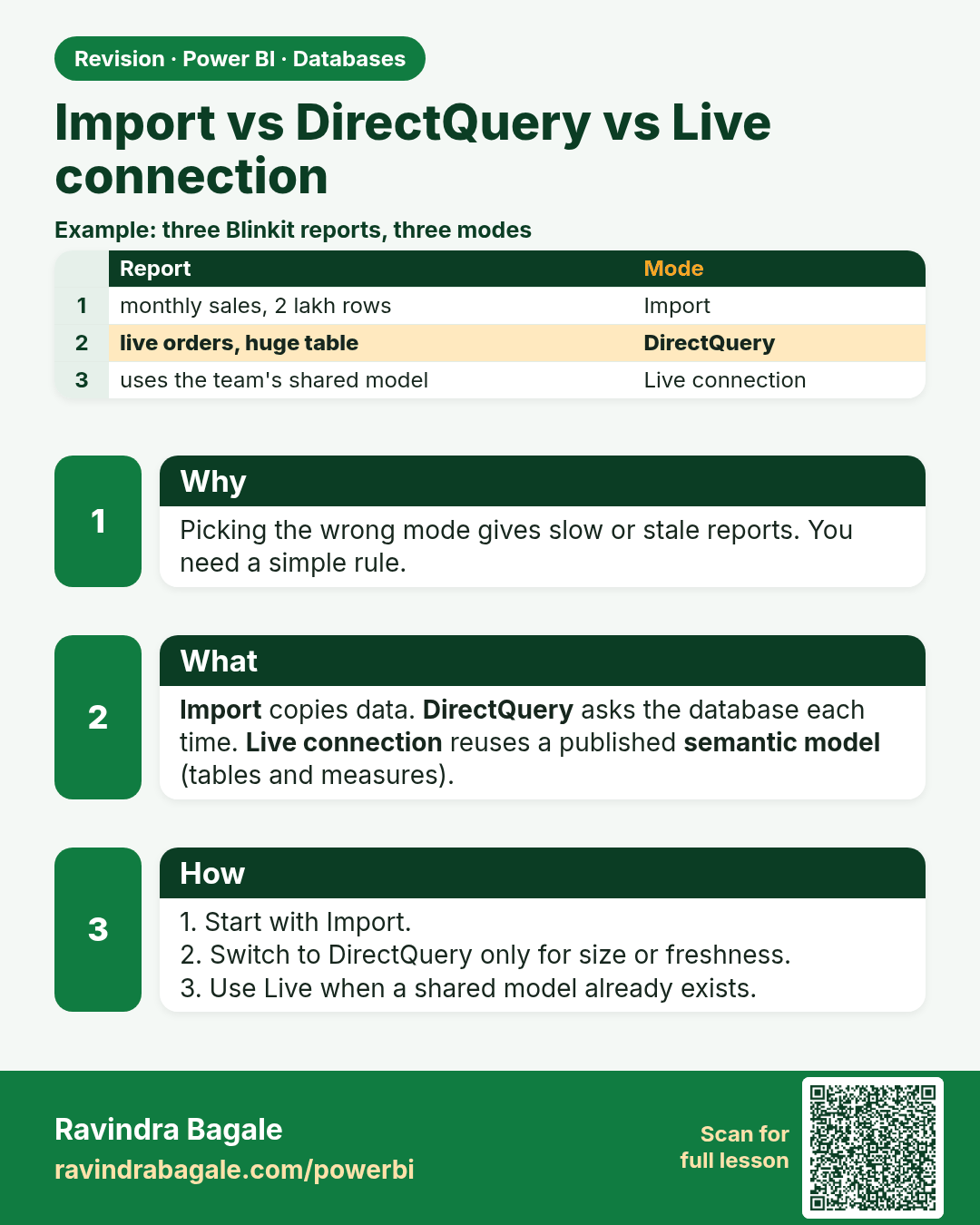
Import vs DirectQuery vs Live connection. Picking the wrong mode gives slow or stale reports. You need a simple rule.
Revision card 7 of 12: Import vs DirectQuery vs Live connection · Download PNG · Open card page

Lesson: 4.7 Import vs DirectQuery vs Live Connection – Clearly Explained

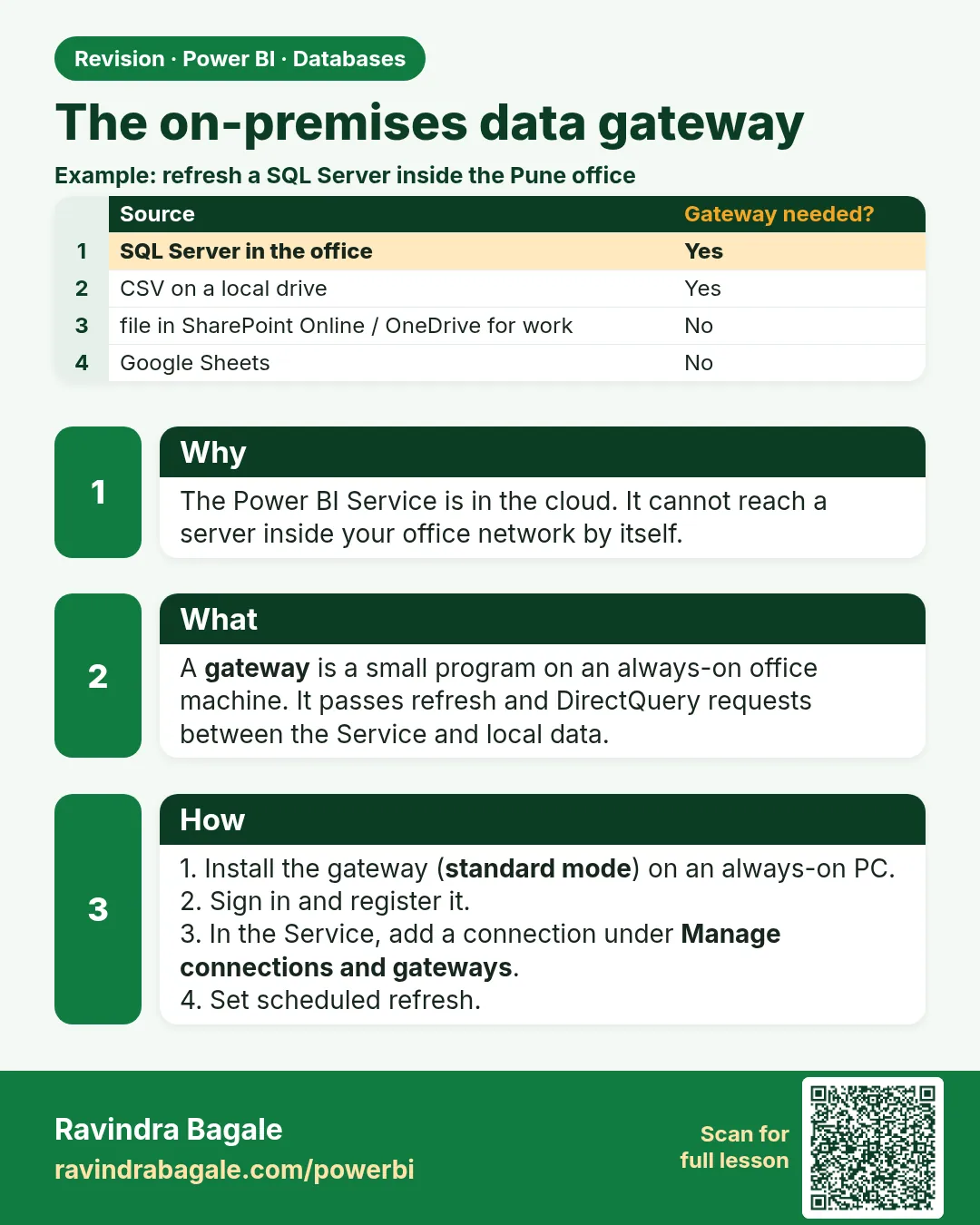
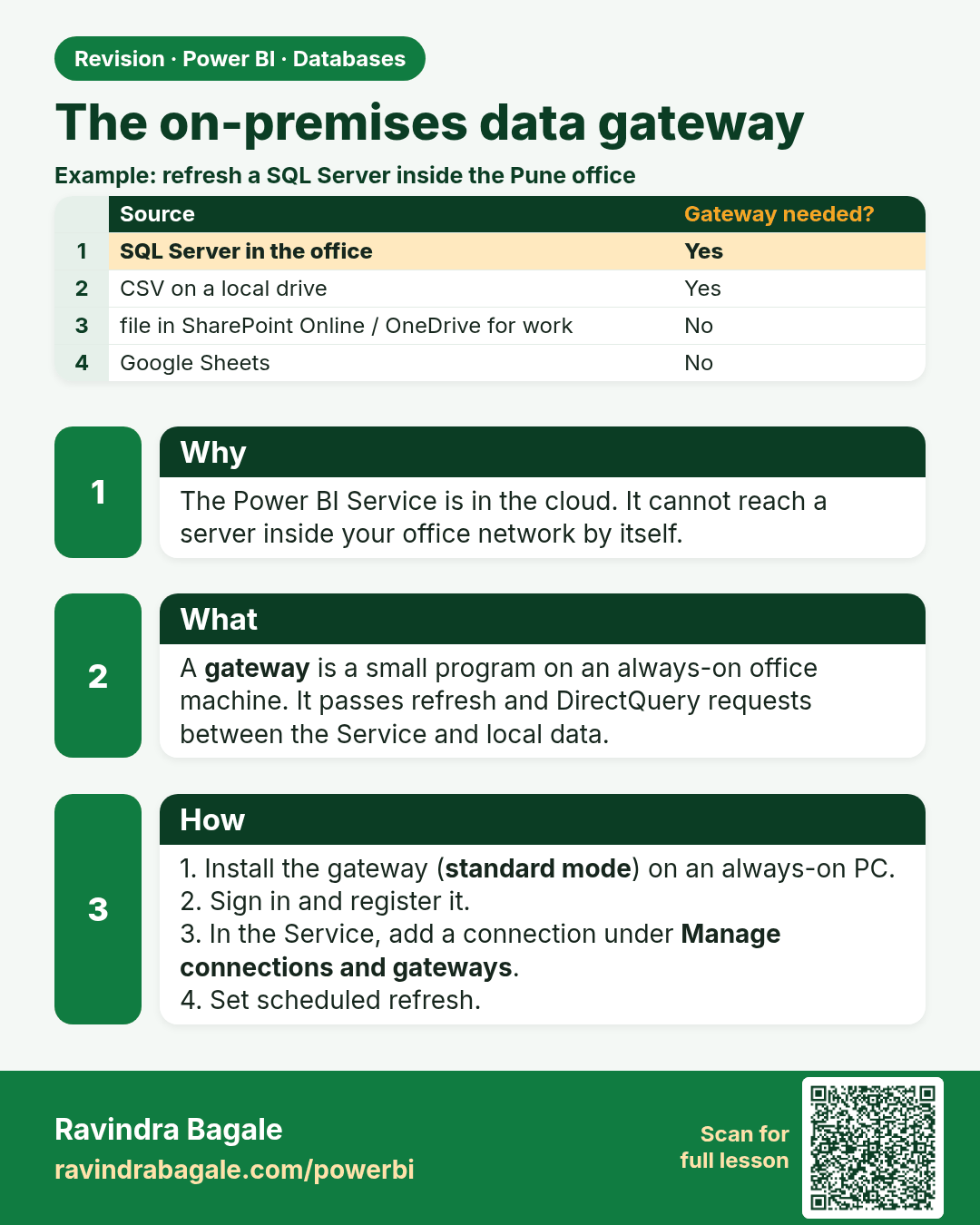
The on-premises data gateway. The Power BI Service is in the cloud. It cannot reach a server inside your office network by itself.
Revision card 8 of 12: The on-premises data gateway · Download PNG · Open card page

Lesson: 4.8 On-premises Data Gateway in Power BI

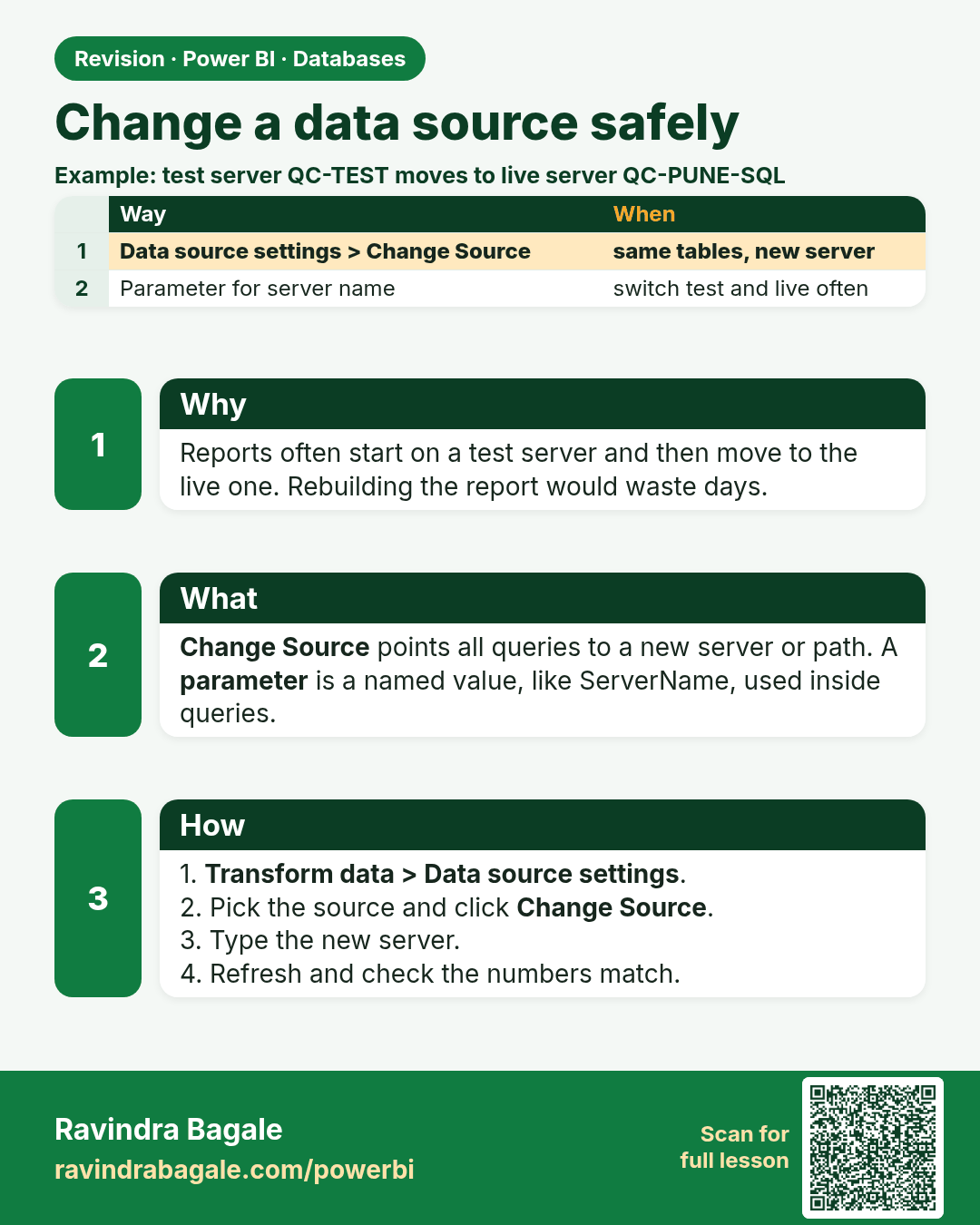
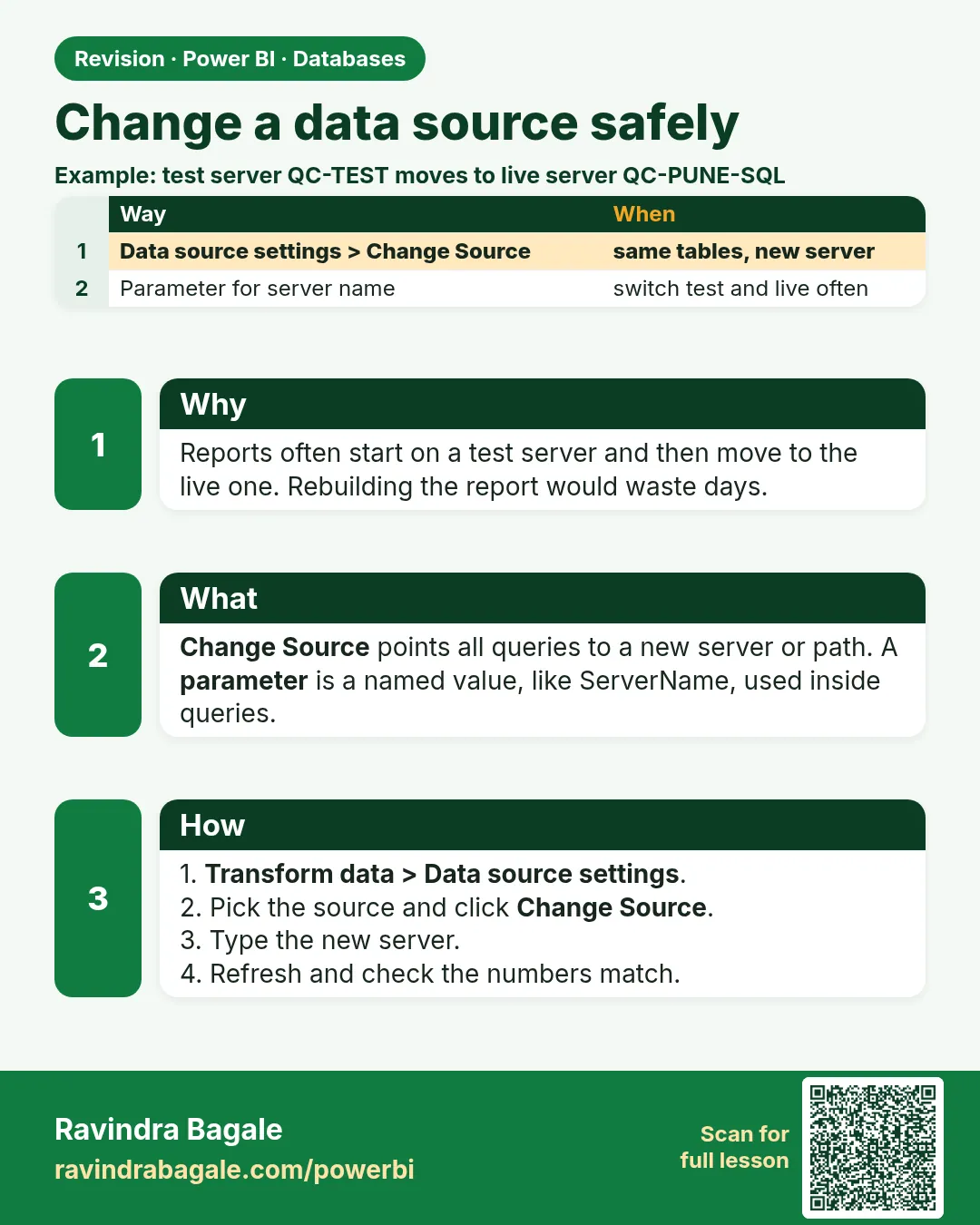
Change a data source safely. Reports often start on a test server and then move to the live one. Rebuilding the report would waste days.
Revision card 9 of 12: Change a data source safely · Download PNG · Open card page

Lesson: 4.9 Data Source Settings, Changing Sources and Privacy Levels

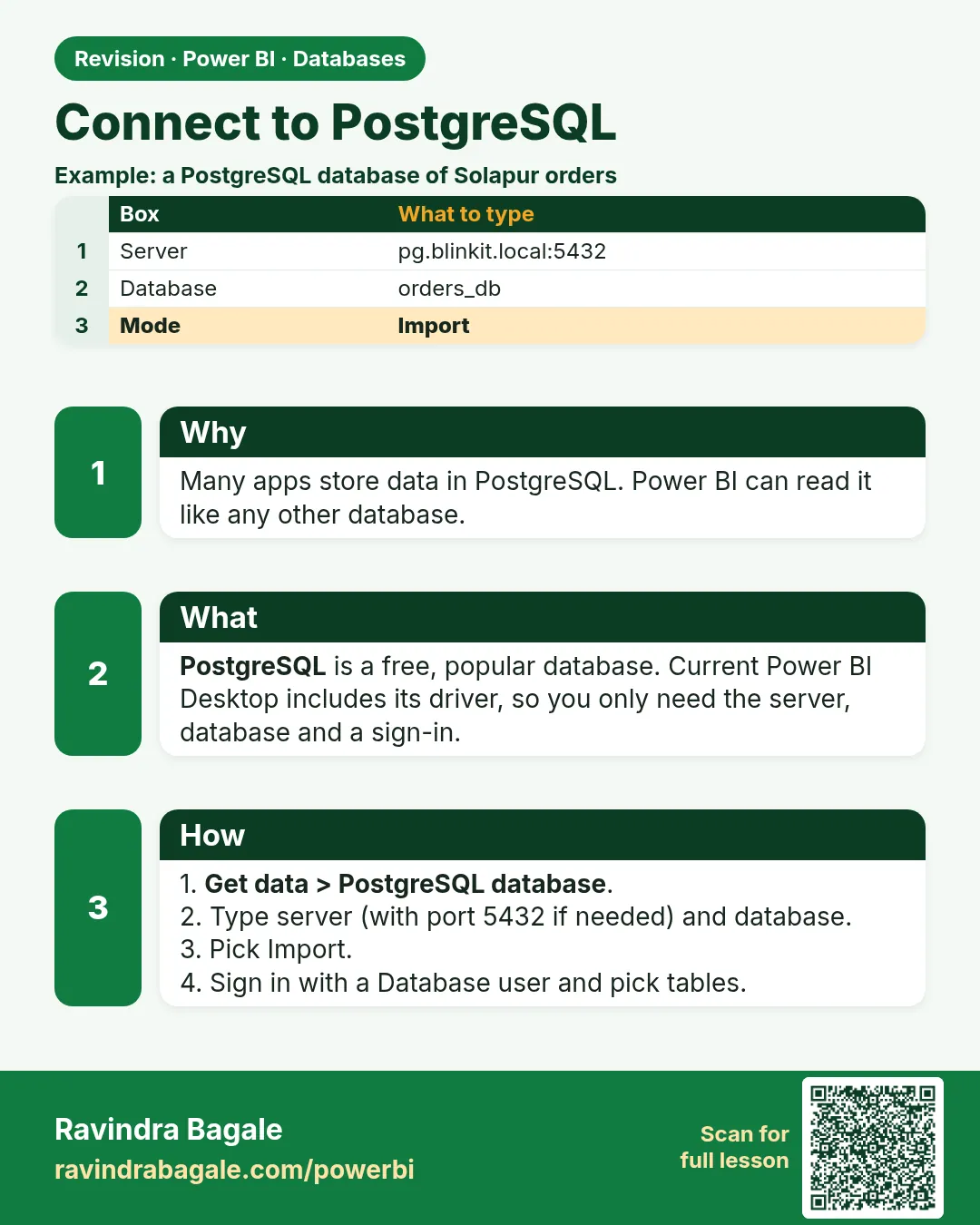
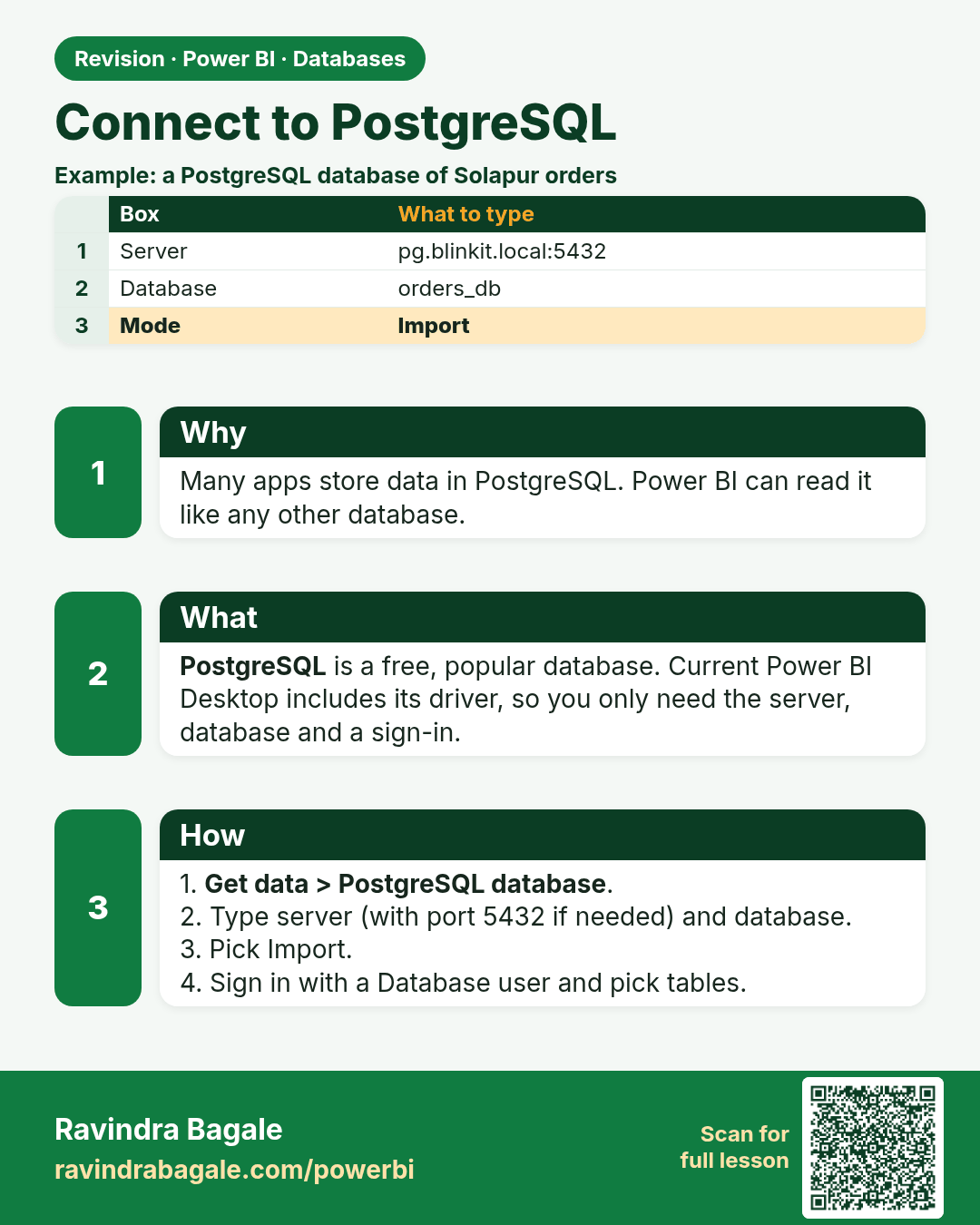
Connect to PostgreSQL. Many apps store data in PostgreSQL. Power BI can read it like any other database.
Revision card 10 of 12: Connect to PostgreSQL · Download PNG · Open card page

Lesson: 4.10 Connecting to PostgreSQL

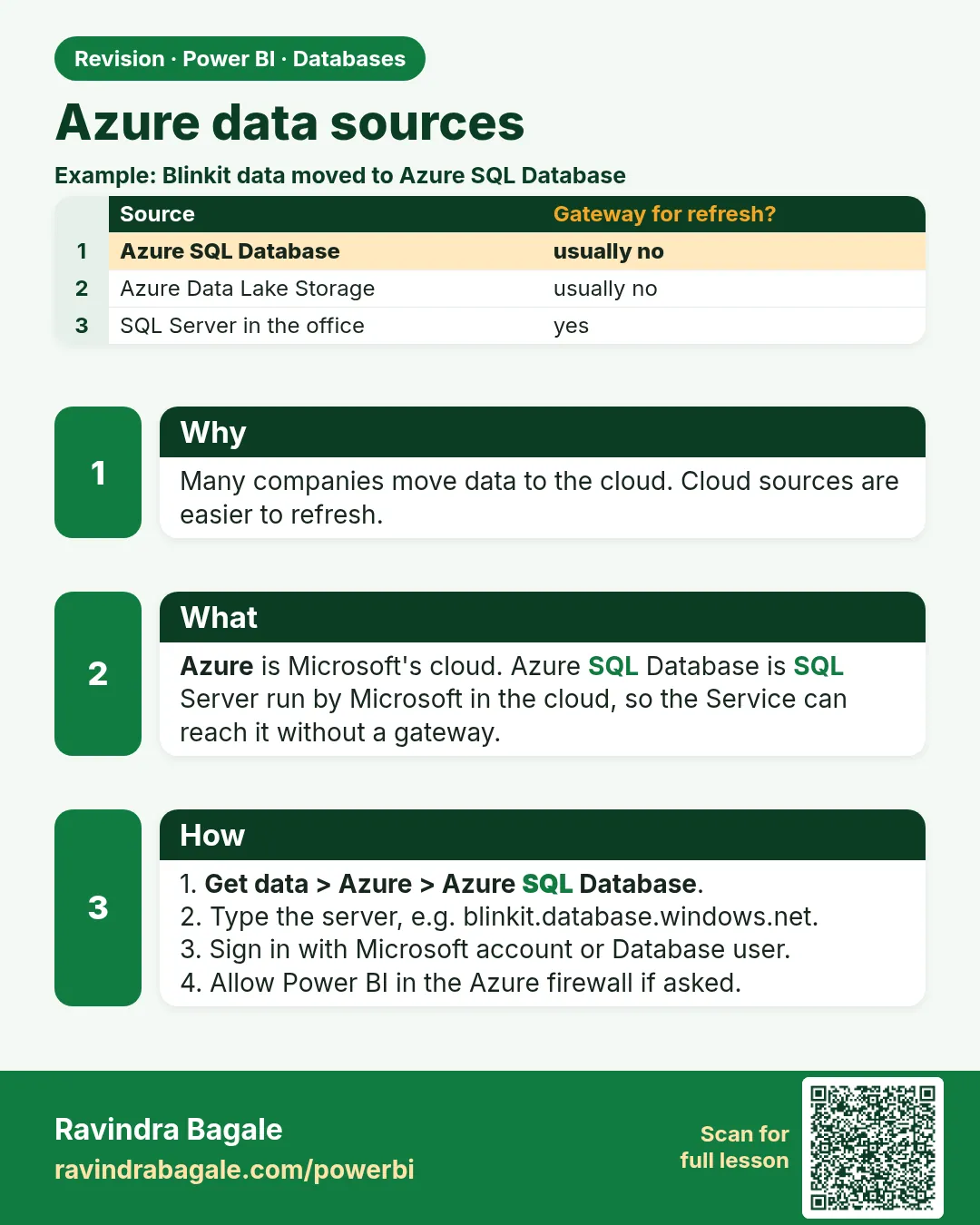
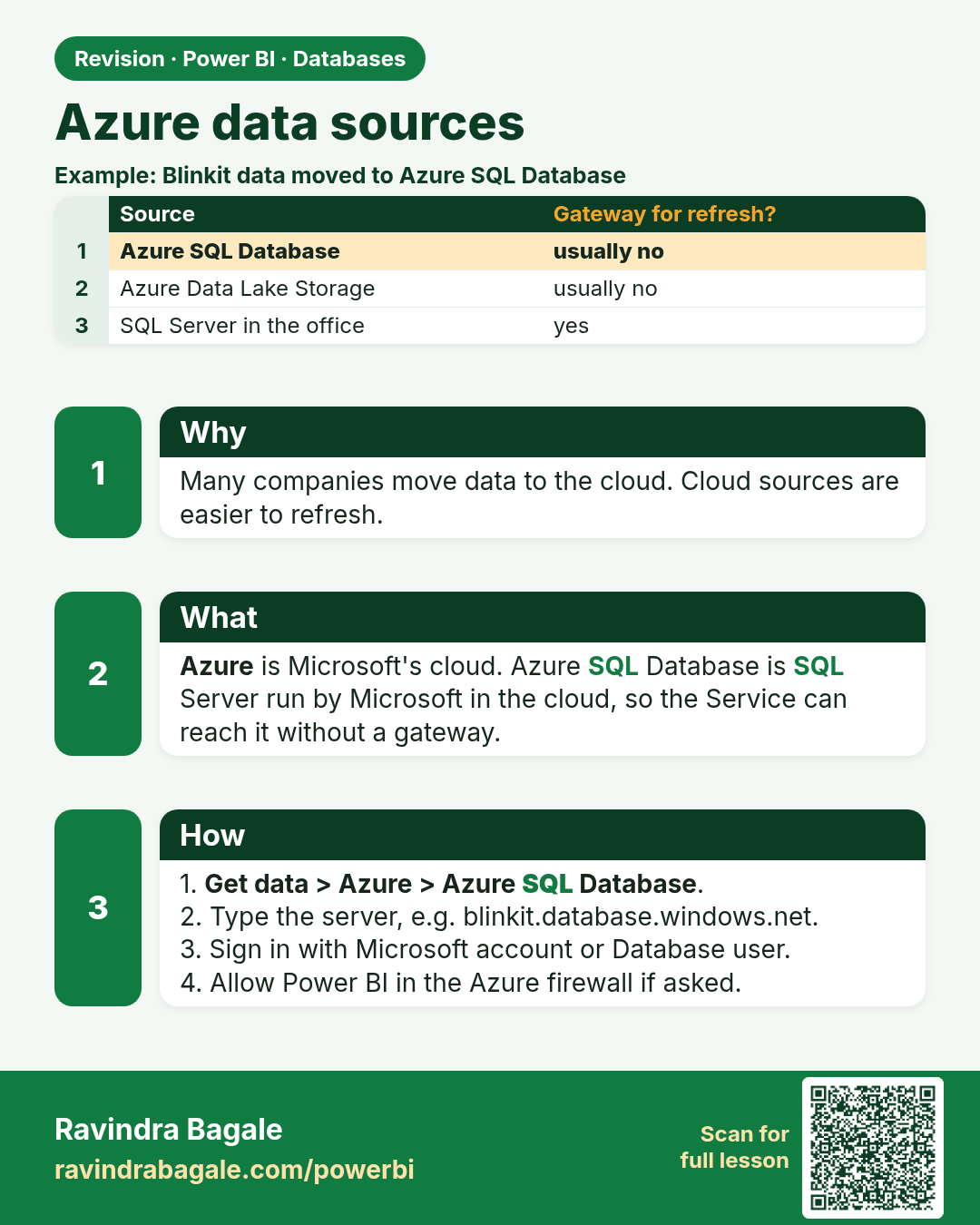
Azure data sources. Many companies move data to the cloud. Cloud sources are easier to refresh.
Revision card 11 of 12: Azure data sources · Download PNG · Open card page

Lesson: 4.11 Azure Sources

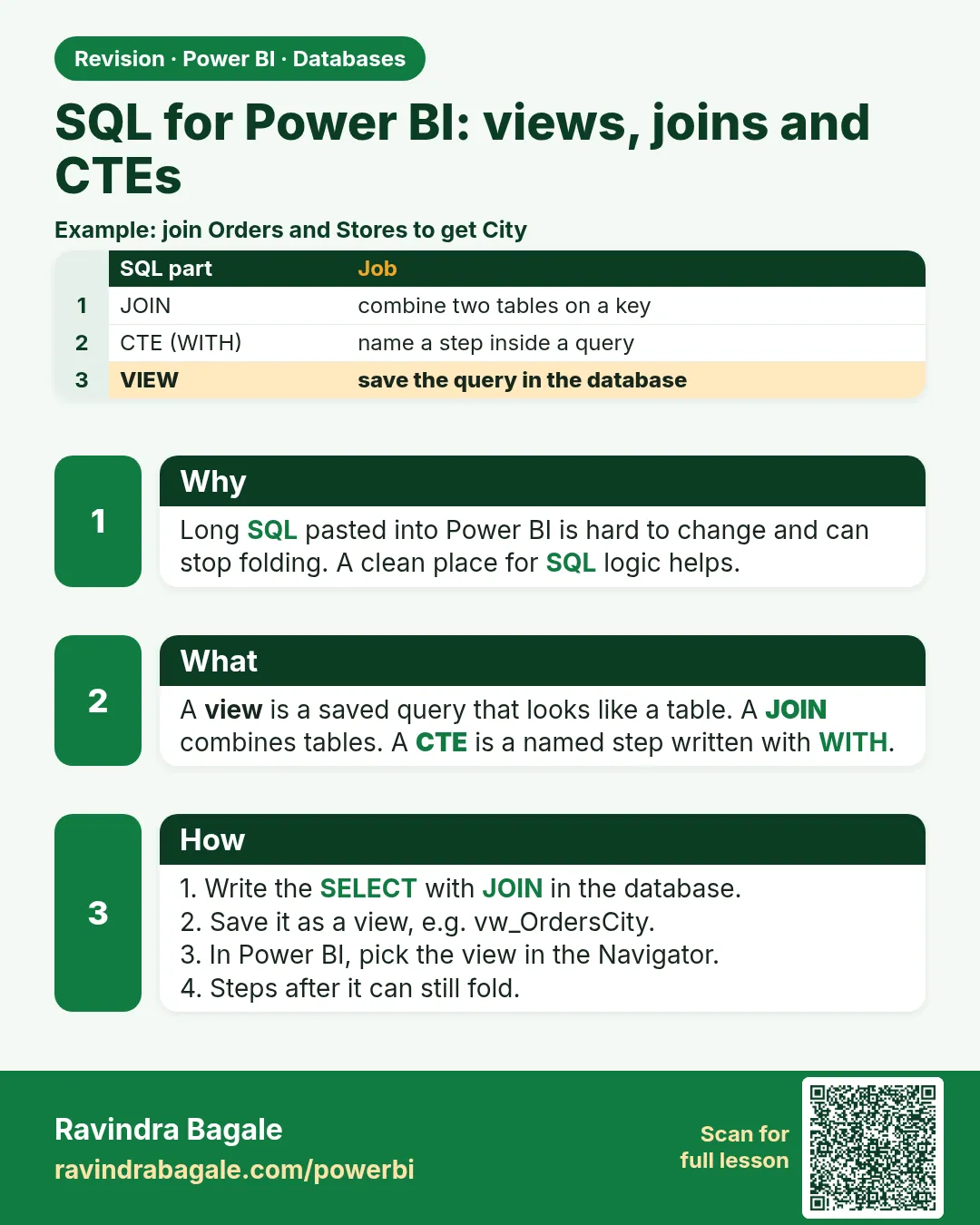
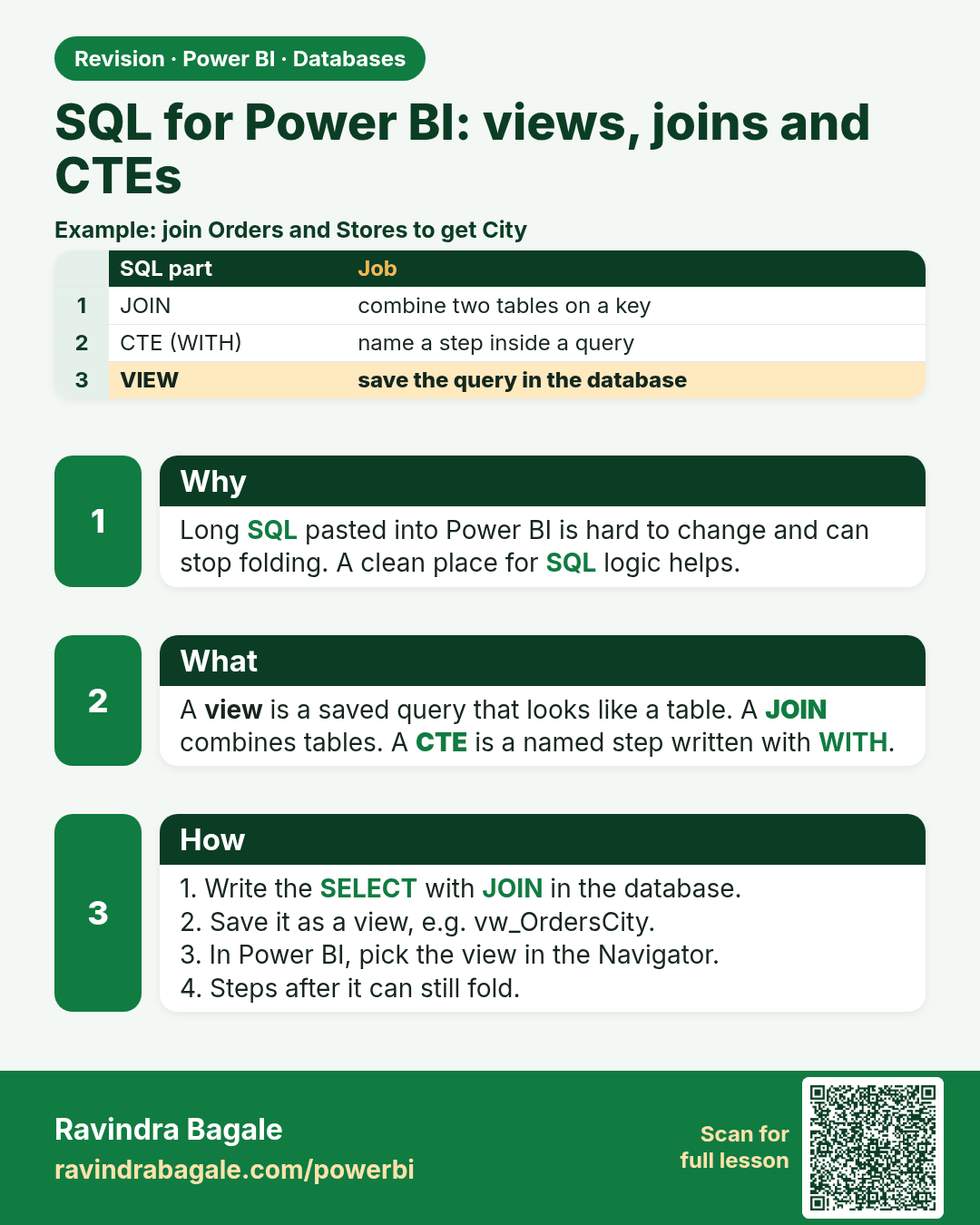
SQL for Power BI: views, joins and CTEs. Long SQL pasted into Power BI is hard to change and can stop folding. A clean place for SQL logic helps.
Revision card 12 of 12: SQL for Power BI: views, joins and CTEs · Download PNG · Open card page

Lesson: 4.12 SQL for Power BI: Views, Joins, CTEs and Where to Transform

Interview cards

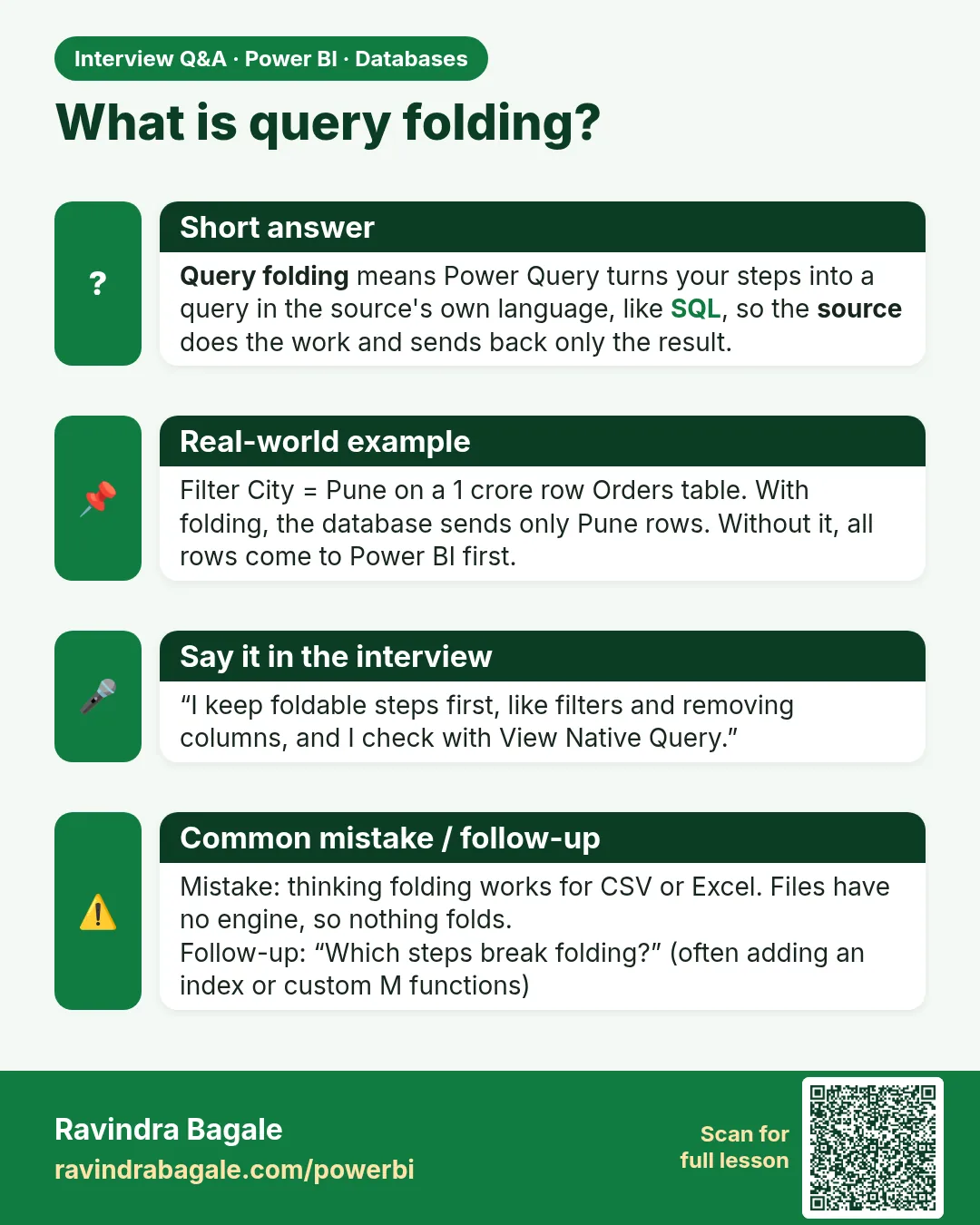
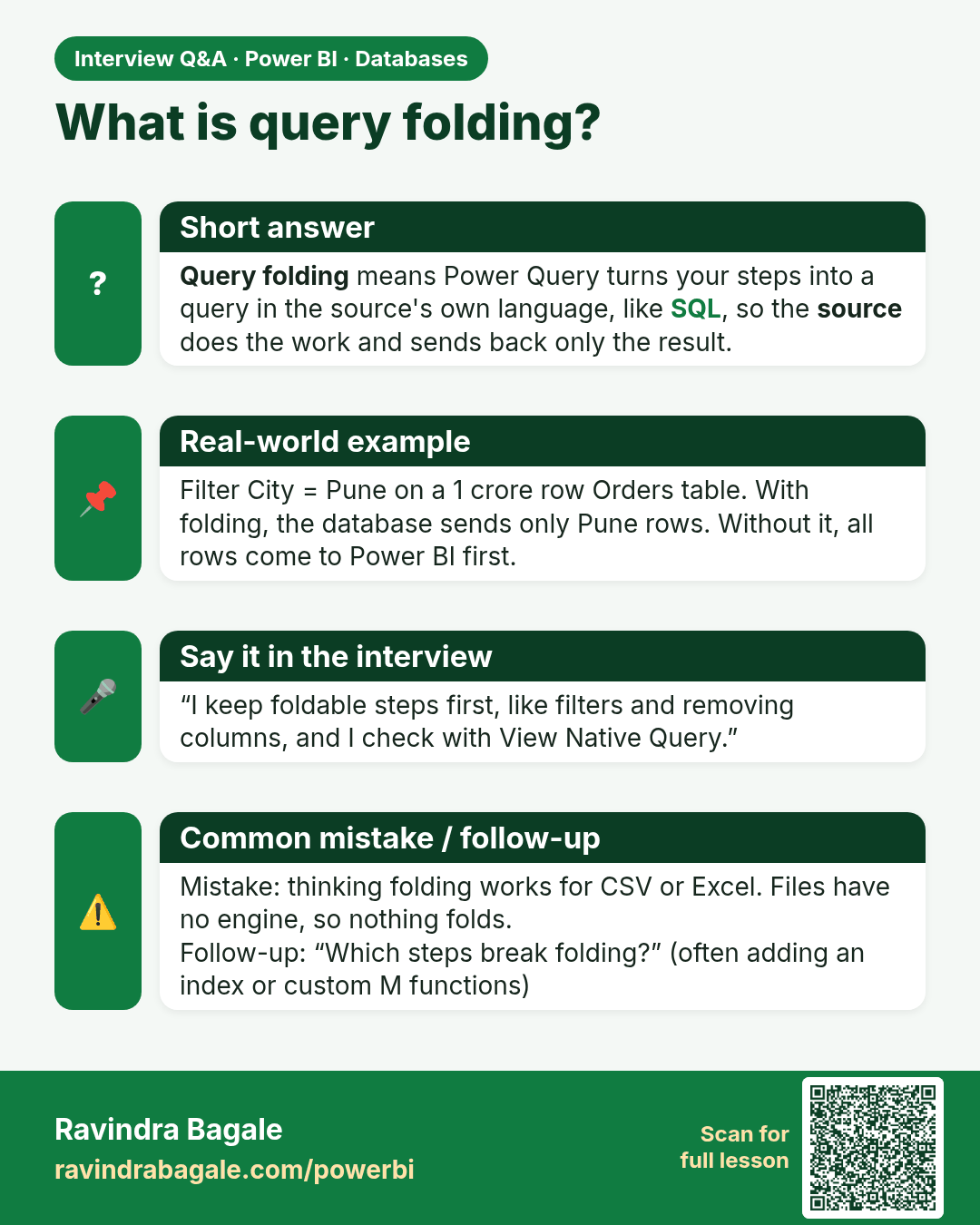
What is query folding? Query folding means Power Query turns your steps into a query in the source's own language, like SQL, so the source does the work and sends back only the result.
Interview card 1 of 3: What is query folding? · Download PNG · Open card page

Lesson: 4.4 Query Folding with Databases and View Native Query

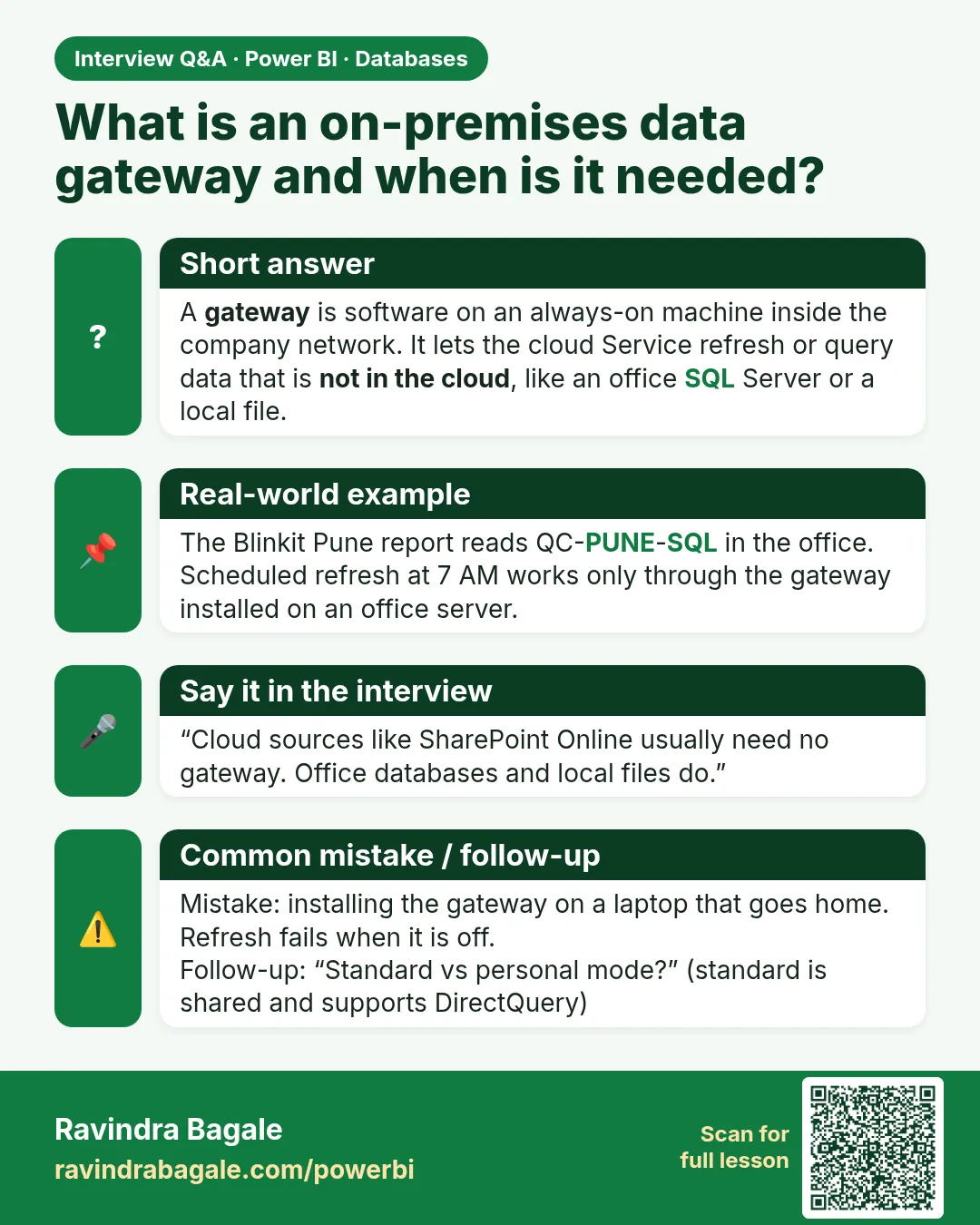
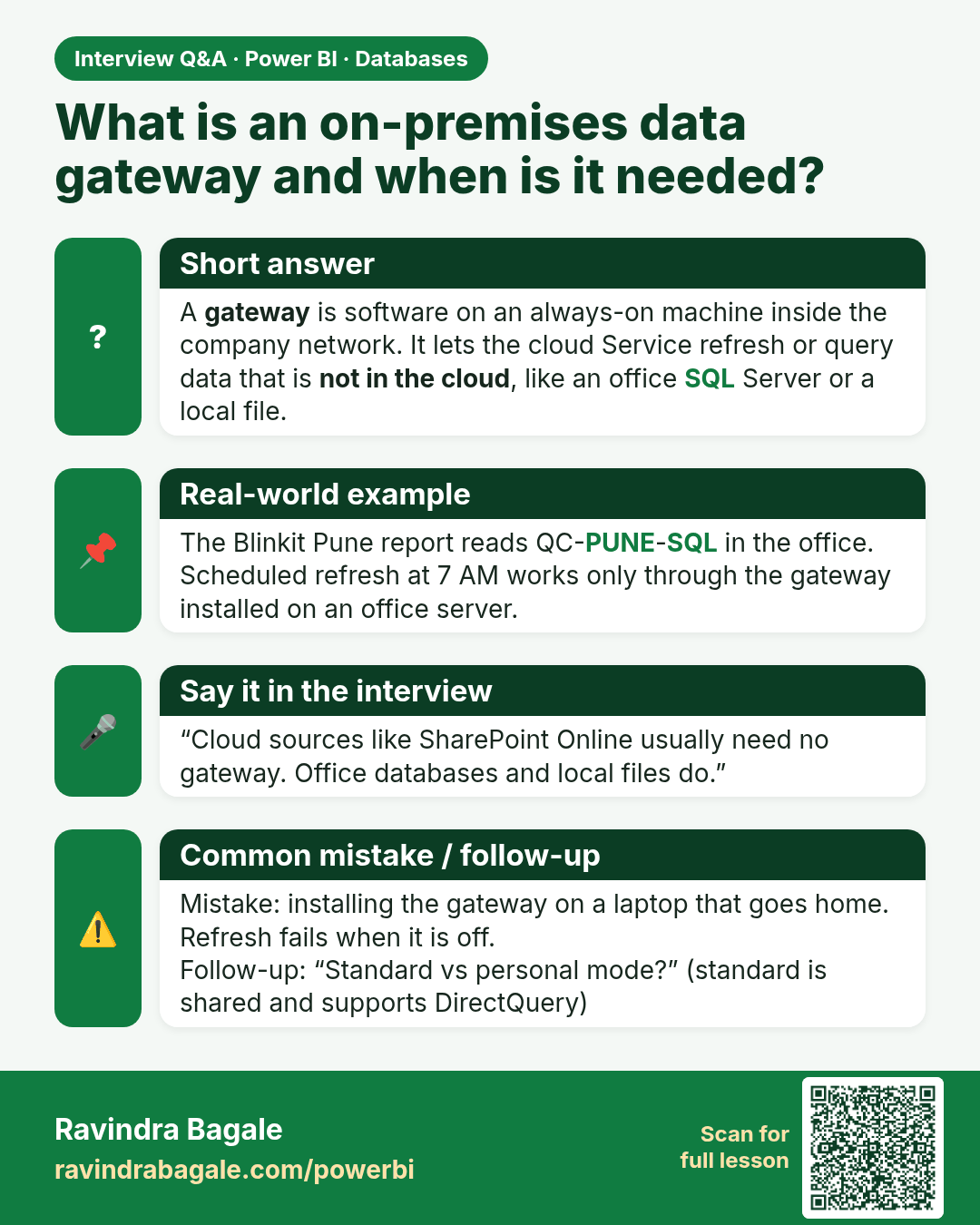
What is an on-premises data gateway and when is it needed? A gateway is software on an always-on machine inside the company network. It lets the cloud Service refresh or query data that is not in the cloud, like an office SQL Server or a local file.
Interview card 2 of 3: What is an on-premises data gateway and when is it needed? · Download PNG · Open card page

Lesson: 4.8 On-premises Data Gateway in Power BI

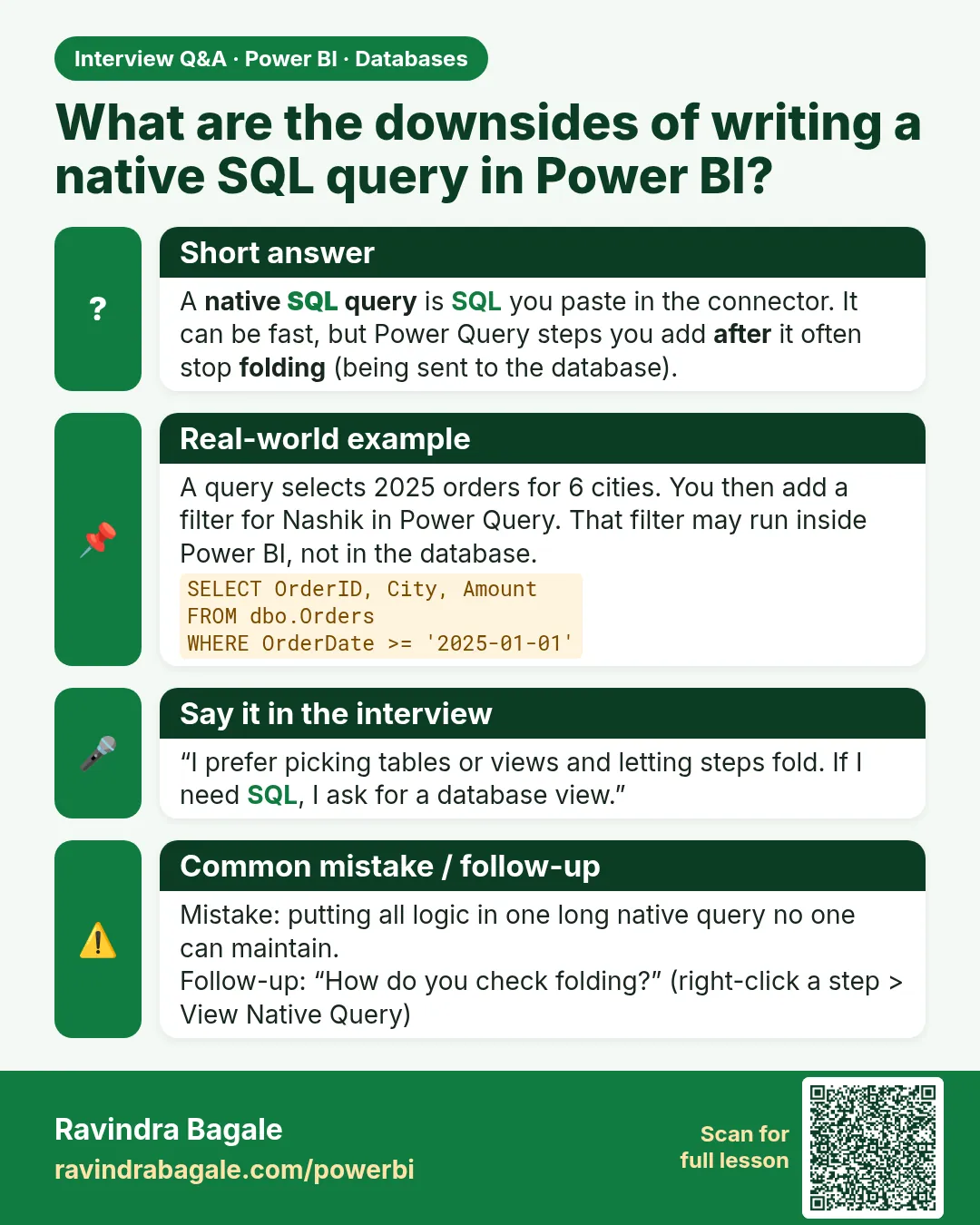
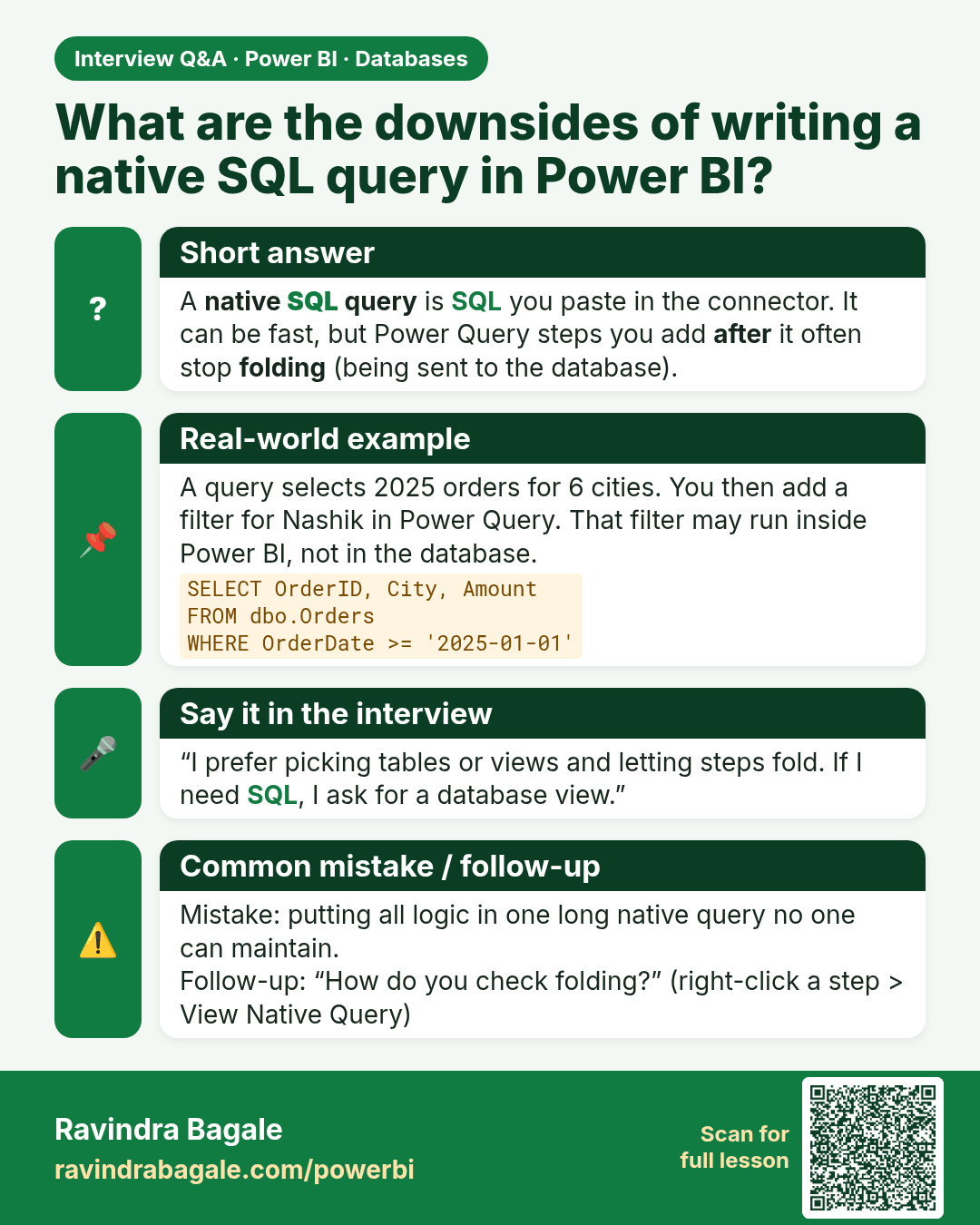
What are the downsides of writing a native SQL query in Power BI? A native SQL query is SQL you paste in the connector. It can be fast, but Power Query steps you add after it often stop folding (being sent to the database).
Interview card 3 of 3: What are the downsides of writing a native SQL query in Power BI? · Download PNG · Open card page

Lesson: 4.3 Advanced Options and Native SQL Queries
Comparison cards

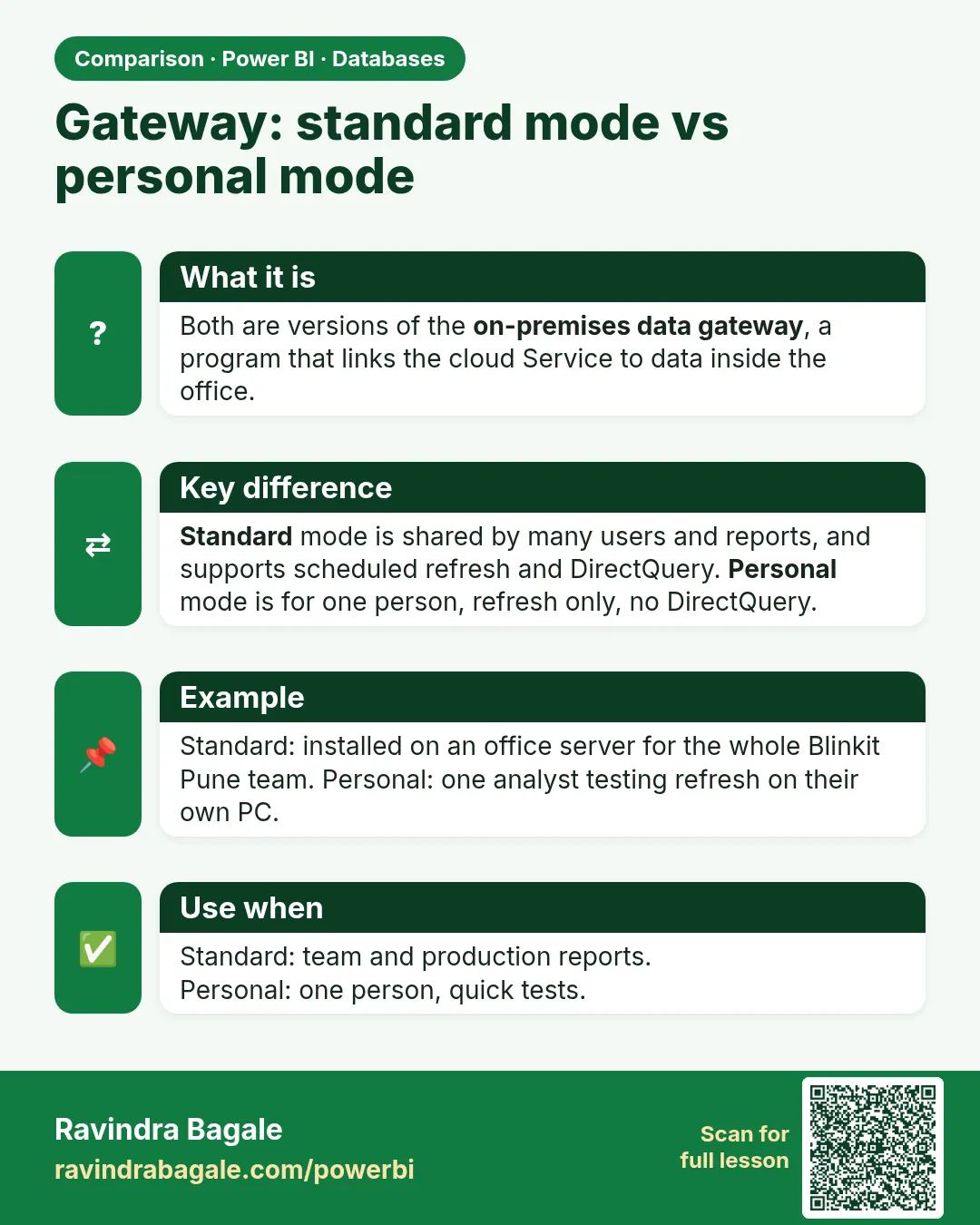
Gateway: standard mode vs personal mode. Both are versions of the on-premises data gateway, a program that links the cloud Service to data inside the office.
Comparison card 1 of 2: Gateway: standard mode vs personal mode · Download PNG · Open card page

Lesson: 4.8 On-premises Data Gateway in Power BI
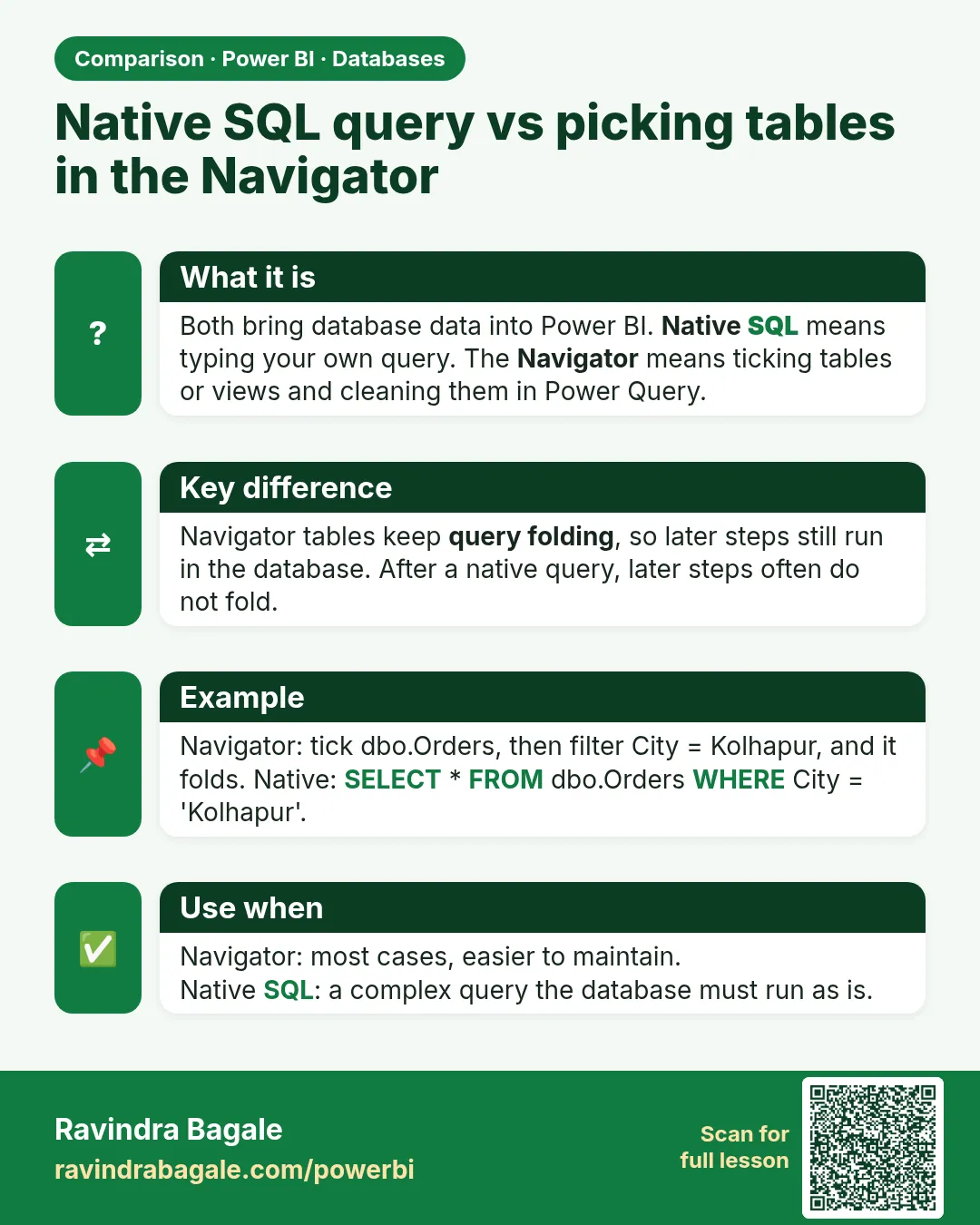
Native SQL query vs picking tables in the Navigator. Both bring database data into Power BI. Native SQL means typing your own query. The Navigator means ticking tables or views and cleaning them in Power Query.
Comparison card 2 of 2: Native SQL query vs picking tables in the Navigator · Download PNG · Open card page

Lesson: 4.3 Advanced Options and Native SQL Queries