4. Connecting to Databases: SQL Server, MySQL, DirectQuery and Live Connection
4.11 Azure Sources
Start with a problem
The orders move to an Azure SQL Database. Desktop connects, but the first Service refresh fails.
Explain simply
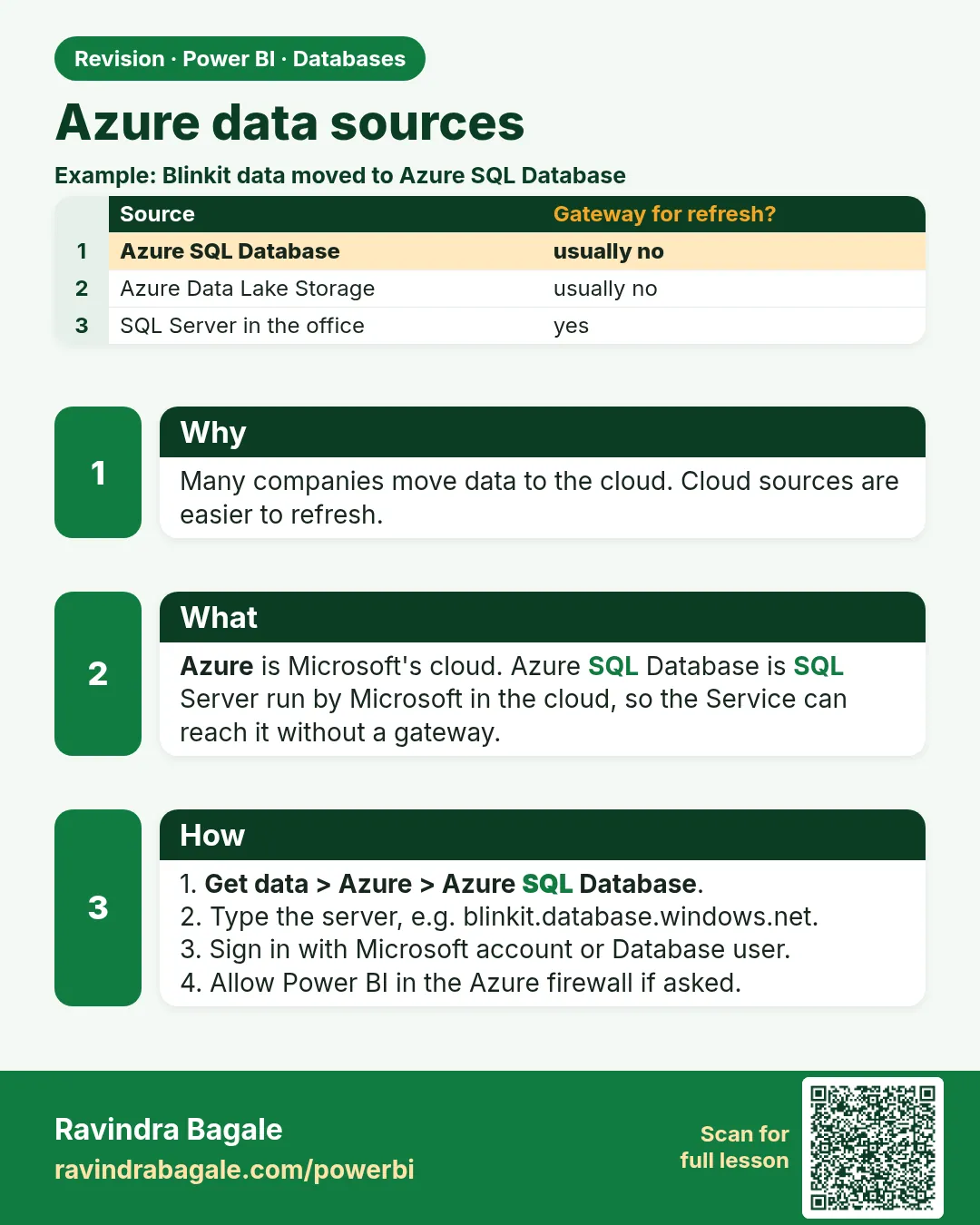
Pick the connector by engine: Azure SQL Database uses SQL Server database with a server like myserver.database.windows.net. The Azure firewall must allow the machine or service that refreshes.
Show the data
| Azure source | Connector | Gateway? |
|---|---|---|
| Azure SQL Database | SQL Server database | Usually no (firewall must allow Power BI) |
| Azure Synapse dedicated pool | SQL Server style / Synapse | Same firewall idea |
| Blob / Data Lake Gen2 | Blob or Data Lake | Usually no |
| Azure Analysis Services | Analysis Services (often Live) | Depends |
Fictional sample data. Practice file: quickcommerce_practice.sql (source: src/practice/).
Demonstrate
- Run the practice script in an Azure SQL database
quickcommerce(your admin creates the server). -
Get data › SQL Server › Server
mhqc.database.windows.net› Databasequickcommerce› Import › Microsoft account (or Database login).Your result should look like this:
Navigator orders, dark_store -
Load and publish › Refresh now.
Your result should look like this:
Refresh history Failed: server not reachable from the Service -
Admin allows Power BI to reach the server (the approved firewall rule or a VNet data gateway) › refresh again.
-
Refresh now.
Your result should look like this:
Card ₹2,100
Show the result
Your result should look like this (fictional sample):
| Step | Result |
|---|---|
| Desktop import | 8 orders, 5 stores |
| First Service refresh | Failed (firewall) |
| After admin change | Completed; ₹2,100 |
Explain what happened
Desktop could connect because your PC's IP was allowed. The Service connects from Microsoft's cloud, so the server firewall had to allow it too. That is an Azure setting, not a Power Query step.
Explore further
- Never use "allow all IP addresses" on a production server just to finish a lab.
Detailed reference for this lesson:
With Azure, the data is not in the company's own data centre but in Microsoft's cloud. You choose the connector by the database engine.
Azure मध्ये data company च्या स्वतःच्या data centre मध्ये नसतो, तो Microsoft च्या cloud मध्ये असतो. Connector database engine बघून निवडायचा.
Azure में data company के अपने data centre में नहीं, बल्कि Microsoft के cloud में होता है. Connector database engine देखकर चुनिए.
| Source you will meet | Connector to start with | Gateway? |
|---|---|---|
| Azure SQL Database | SQL Server database. Server looks like myserver.database.windows.net |
Usually no, if the firewall allows Power BI. If the server is locked to a virtual network, a VNet data gateway (capacity) may be required |
| Azure Synapse, SQL dedicated pool | SQL Server style connector, or the dedicated Synapse connector if Desktop shows it | Same firewall idea as Azure SQL |
| Azure Blob Storage or Data Lake Storage Gen2 | The Blob or Data Lake connector; often files (CSV, Parquet) rather than tables | Usually no |
| Azure Analysis Services | Analysis Services connector, often a Live connection | Depends on how the server is exposed |
The Azure SQL sign-in can be an organisational account or a SQL login. The database firewall must allow the machine you refresh from. That is an Azure setting, not a Power Query step. Do not copy "allow all IP addresses" into a production server just to finish a lab.
Worked example. A fictional Azure SQL database holds the same Maharashtra orders. Desktop uses Get data › SQL Server, server mhqc.database.windows.net, database quickcommerce, Import. Pune and Nagpur rows load. After publish, refresh fails until an admin allows the Power BI service to reach that server, or you use a gateway pattern your admin already approved. You still build relationships in the model. Azure does not replace the star schema.
Ravindra Bagale's Tip
Friends, many students pick the generic ODBC connector for Azure SQL because "ODBC always works". Use the SQL Server connector so query folding and the gateway mapping stay normal. ODBC is the fallback, not the first choice. Pay attention!
Ravindra Bagale's Tip – मराठी
मित्रांनो, बरेच students Azure SQL साठी generic ODBC connector निवडतात, कारण "ODBC नेहमी चालतो". SQL Server connector वापरा, म्हणजे query folding आणि gateway mapping normal राहतात. ODBC हा शेवटचा पर्याय आहे, पहिला नाही. लक्षात ठेवा!
Ravindra Bagale's Tip – हिंदी
दोस्तों, बहुत से students Azure SQL के लिए generic ODBC connector चुनते हैं, क्योंकि "ODBC हमेशा चलता है". SQL Server connector इस्तेमाल करो, ताकि query folding और gateway mapping normal रहें. ODBC आख़िरी विकल्प है, पहला नहीं. ध्यान रखो!
Fix common mistakes
| Wrong result | Reason | Correction |
|---|---|---|
| Using ODBC because "it always works" | Generic connector chosen | Use the SQL Server connector (folding, gateway mapping) |
| Desktop works, Service fails | Firewall allows only your PC | Ask the admin for the approved rule |
| Sign-in loops | Wrong account type | Use the organisational account or the SQL login the admin gave |
Practise independently
Practice task
Is a standard on-premises gateway needed for an Azure SQL Database whose firewall allows Power BI? What if it is locked to a private virtual network?
Hints
- Public endpoint vs private network.
Solution
Allowed firewall: usually no gateway. Locked to a virtual network: a VNet data gateway (or an approved gateway pattern) is needed.
Think like a professional
Cloud sources move the problem from drivers to networking; involve the Azure admin early.
 Revision card