4. Connecting to Databases: SQL Server, MySQL, DirectQuery and Live Connection
4.5 How to Connect MySQL to Power BI
Start with a problem
A start-up's orders are in MySQL. Ruhi's first connection attempt says a component is missing.
Explain simply
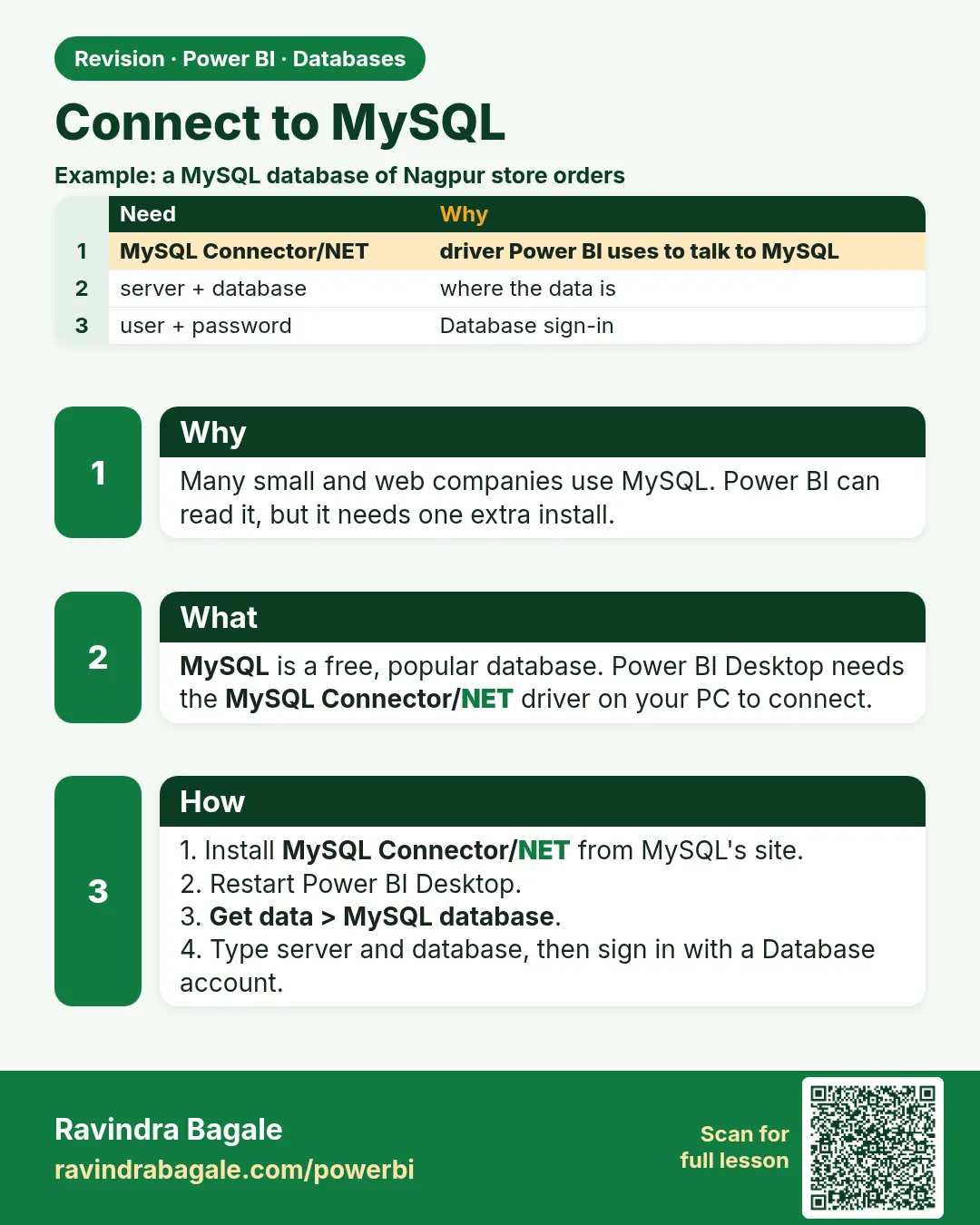
The MySQL connector needs the MySQL Connector/NET driver installed first, on your PC and on any gateway machine. Then connect with server:port, database and a database login.
Show the data
| order_id | order_date | store_id | platform | category | amount | delivery_mins | status |
|---|---|---|---|---|---|---|---|
| 301 | 2026-04-06 | S01 | Blinkit | Dairy | 400 | 8 | Delivered |
| 302 | 2026-04-06 | S02 | Amazon Now | Snacks | 200 | 12 | Delivered |
| 303 | 2026-04-07 | S03 | Blinkit | Dairy | 300 | 14 | Delivered |
| 304 | 2026-05-04 | S04 | Blinkit | Fruits | 150 | 9 | Delivered |
| 305 | 2026-05-04 | S05 | Amazon Now | Snacks | 450 | 7 | Delivered |
| 306 | 2026-05-05 | S01 | Blinkit | Fruits | 250 | 16 | Delivered |
| 307 | 2026-05-05 | S04 | Amazon Now | Dairy | 350 | 11 | Delivered |
| 308 | 2026-05-05 | S05 | Blinkit | Dairy | 0 | NULL | Cancelled |
About this data: This table uses columns: order_id, order_date, store_id, platform, category, amount, delivery_mins, status. This table uses columns: Queries. This table uses columns: order_id, order_date, city, amount. Values shown are the lesson examples already on this page (not a new dataset).
Fictional sample data. Practice file: quickcommerce_practice.sql (source: src/practice/).
Demonstrate
- Install MySQL Connector/NET from the official MySQL site (a version Microsoft documentation supports) › restart Desktop.
- Run the practice script in a MySQL database named
quickcommerce(the script uses standard SQL that MySQL accepts). - Get data › More… › Database › MySQL database › Server
localhost:3306› Databasequickcommerce. -
Credentials: Database › user
pbi_reader› Connect › tick orders and dark_store › Transform Data.Your result should look like this:
Queries orders 8 rows · dark_store 5 rows -
Optional native SQL:
SELECT o.order_id, o.order_date, s.city, o.amount FROM `orders` o JOIN `dark_store` s ON s.store_id = o.store_id ORDER BY o.order_date DESC LIMIT 3;Your result should look like this:
order_id order_date city amount 306 2026-05-05 Pune 250 307 2026-05-05 Nashik 350 308 2026-05-05 Kolhapur 0
Show the result
Your result should look like this (fictional sample):
| Check | Value |
|---|---|
| Rows imported | 8 orders + 5 stores |
| Latest 3 orders (LIMIT 3) | 306, 307, 308 (all 05-05-2026) |
| Total Sales | ₹2,100 |
Explain what happened
Once the driver was present, the connector worked like SQL Server. MySQL uses backticks and LIMIT instead of square brackets and TOP.
Explore further
- The three latest orders tie on 05-05-2026; add
o.order_idto ORDER BY for a stable order.
Detailed reference for this lesson:
Many start-ups and web apps store orders in MySQL. Power BI Desktop has a built-in MySQL connector, but it needs a driver.
Steps in Power BI
- Install the driver first. Download and install MySQL Connector/NET (Oracle's ADO.NET driver) from the official MySQL website. Use a version that the current Microsoft documentation lists as supported for the MySQL connector. Restart Power BI Desktop after installing.
- Home › Get data › More… › Database › MySQL database › Connect.
- Server:
qc-mysql.example.com:3306(orlocalhost:3306); Database:quickcommerce. - Optional Advanced options: Command timeout, SQL statement, Include relationship columns, Navigate using full hierarchy.
- Credentials: choose Database, enter the MySQL user (e.g.
pbi_reader) and password › Connect. - Select tables in the Navigator › Transform Data.
- For scheduled refresh through a gateway, install the same driver on the gateway machine too.
MySQL-style SQL for the same Maharashtra filter (note the backticks and LIMIT):
SELECT o.order_id, o.order_datetime, s.city, s.area, o.amount, o.delivery_time_mins
FROM   `orders` o
JOIN   `dark_store` s ON s.store_id = o.store_id
WHERE  s.city IN ('Pune','Mumbai','Nashik','Sambhaji Nagar','Kolhapur','Nagpur')
ORDER BY o.order_datetime DESC
LIMIT 1000;
| Error message (typical) | Likely cause | Fix |
|---|---|---|
| This connector requires one or more additional components to be installed | MySQL Connector/NET is missing | Install the driver and restart Desktop |
| Unable to connect to any of the specified MySQL hosts | Wrong server/port, server down, firewall blocks port 3306 | Check server:port, ask the admin to open the port or allow your IP |
| Access denied for user 'pbi_reader'@'…' | Wrong password, or the user is not allowed from your machine/host | Reset the password, ask the admin to grant access from your host |
| SSL/TLS or certificate errors | Server requires/does not support encryption | Ask the admin about SSL settings |
| Works in Desktop, fails in the Service | Driver not installed on the gateway, or credentials not set on the gateway connection | Install the driver on the gateway and configure the connection |
Import vs DirectQuery for MySQL
Check the current Microsoft documentation for which connectivity modes the MySQL connector supports. Most MySQL reports use Import mode with scheduled refresh.
Practice task
Install MySQL Community Server locally, create tables orders and dark_store with ten rows each (Pune and Mumbai stores), connect from Power BI, and deliberately type the wrong port to see the error message.
Ravindra Bagale's Tip
The error that comes up most often with MySQL is a missing or wrong-version driver. Install the MySQL Connector/NET version Microsoft's documentation asks for, restart Power BI Desktop, and use server:port only if the port is not the default 3306. A driver missing on the gateway machine causes the same error in scheduled refresh. It's very simple – just make it a habit.
Ravindra Bagale's Tip – मराठी
MySQL मध्ये सगळ्यात जास्त येणारी error म्हणजे driver नसणं किंवा चुकीच्या version चा driver. Microsoft च्या documentation मध्ये सांगितलेलं MySQL Connector/NET version install करा, Power BI Desktop restart करा, आणि port default 3306 नसेल तरच server:port वापरा. Gateway machine वर driver नसेल तर scheduled refresh मध्ये पण हीच error येते. एकदम simple आहे, फक्त सवय लावून घ्या.
Ravindra Bagale's Tip – हिंदी
MySQL में सबसे ज़्यादा आने वाली error है driver का न होना या गलत version का driver. Microsoft के documentation में बताया गया MySQL Connector/NET version install करो, Power BI Desktop restart करो, और port default 3306 न हो तभी server:port लिखो. Gateway machine पर driver न हो तो scheduled refresh में भी यही error आती है. बहुत आसान है, बस आदत बना लो.
Fix common mistakes
| Wrong result | Reason | Correction |
|---|---|---|
| "Requires additional components" | Connector/NET not installed | Install the driver, restart Desktop |
| Unable to connect to any of the specified hosts | Wrong host/port or firewall on 3306 | Check server:port; ask the admin |
| Works in Desktop, fails in the Service | Driver missing on the gateway | Install the same driver on the gateway machine |
Practise independently
Practice task
Change the native query to the 2 oldest orders. Which rows return?
Hints
- ORDER BY o.order_date ASC, o.order_id ASC LIMIT 2
Solution
301 (Pune, ₹400) and 302 (Pune, ₹200), both 06-04-2026.
Think like a professional
Make driver installation part of the gateway checklist; it is the most common MySQL refresh failure.
More worked examples: connect MySQL to Power BI
Suppose we are at Zomato. Orders are stored in a MySQL database called zomato_orders. The manager wants a Power BI report on them. We connect Power BI directly to MySQL so we never copy data by hand.
Example 1 (simplest): connect with Import
MySQL runs on server db.example.local, port 3306.
Steps:
- In Power BI Desktop click Get data, then More.
- Search MySQL database and click Connect.
- Type Server
db.example.local:3306and Databasezomato_orders. - Choose the Database tab for login, type the MySQL user and password, and click Connect.
- Tick the
orderstable and click Load.
Output: The orders table appears in the Fields pane and you can build visuals.
Example 2: the connector is missing
Power BI says it needs a MySQL component before it can connect.
Steps:
- Close Power BI Desktop.
- Install the MySQL Connector/NET from the MySQL downloads page on your PC.
- Open Power BI again and repeat Example 1.
Output: The MySQL database option now connects without the error.
Example 3: load only what you need with a SQL query
The table has 5 years of orders, but the report needs only 2026.
Steps:
- In the MySQL window, open Advanced options.
- In SQL statement type the query below.
- Click OK, then Load.
Output: Only 2026 orders load, so the file is smaller and refresh is faster.
SELECT order_id, city, amount, order_date
FROM orders
WHERE order_date >= '2026-01-01';
See also: DirectQuery in practice · On-premises data gateway · Connect CSV and Excel to Power BI
Frequently asked questions
How do I connect MySQL to Power BI?
Click Get data, choose MySQL database, type the server and database name, sign in with a MySQL user, pick your tables and click Load.
Why does Power BI ask for a MySQL connector?
Power BI Desktop needs the MySQL Connector/NET installed on the same PC. Install it, restart Power BI and connect again.
Can Power BI use DirectQuery with MySQL?
For a standard MySQL database, Power BI Desktop uses Import. Refresh the data to see new rows.
 Revision card